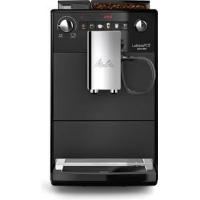
F300-100 - Grinder MELITTA - Free user manual and instructions
Find the device manual for free F300-100 MELITTA in PDF.



| Product type | Automatic coffee machine with grinder |
| Brand | MELITTA |
| Model | F300-100 |
| Category | Grinder (coffee machine) |
| Main functions | Espresso, long coffee, milk froth, hot water |
| Coffee strength adjustment | 3 levels: mild, normal, strong |
| Coffee quantity adjustment | Gradual, from 30 ml to 220 ml per cup |
| Grind fineness adjustment | 3 positions (adjust after about 1000 coffees) |
| Melitta® Claris® water filter | Included, replace every 2 months or when symbol lights up |
| Automatic cleaning program | Every 2 months or 200 cups, duration 15 min |
| Automatic descaling program | Every 3 months, duration 25 min |
| Automatic shut-off function | Adjustable: 30 min, 2 h, 4 h, 8 h |
| Energy saving mode | Adjustable: 5 min, 15 min, 30 min, inactive |
| Heating temperature | 3 levels: low, medium, high |
| Adjustable water hardness | 4 levels (test strip provided) |
| Display screen | With symbols for status and messages |
| Drip tray | With level indicator float and coffee grounds container |
| Height-adjustable spout | Yes |
| Integrated milk frother | For milk froth with milk2shower milk powder |
| Safety | Automatic shut-off, burn protection, use by children aged 8 and above under supervision |
| Routine cleaning | Exterior with damp cloth, brew unit washable with water, coffee grounds container dishwasher safe |
| Power supply | 230 V, 50 Hz (estimate) |
Frequently Asked Questions - F300-100 MELITTA
User questions about F300-100 MELITTA
0 question about this device. Answer the ones you know or ask your own.
Ask a new question about this device
Download the instructions for your Grinder in PDF format for free! Find your manual F300-100 - MELITTA and take your electronic device back in hand. On this page are published all the documents necessary for the use of your device. F300-100 by MELITTA.
USER MANUAL F300-100 MELITTA
Operating Instructions
Registered trademark of a company of the Melitta Group
Inhaltsverzeichnis
Congratulations on buying your Melitta® CAFFEO® LATTEA®.
We would like to welcome you as a latte macchiato and coffee gourmet.
With your new Melitta® CAFFEO® LATTEA® quality product, you will experience plenty of special coffee moments. Enjoy your favourite coffee specialities and indulge yourself with all your senses.
In order that you and your guests can enjoy the Melitta® CAFFEO® LATTEA® for a long time to come, please read these operating instructions carefully and thoroughly and keep them stored in a safe place.
Should you require more information or if you have any questions on this coffee maker, please contact us* directly or visit us on the Internet at www.lattea.eu.
We hope you enjoy your new fully automatic coffee maker.
Your Melitta® CAFFEO® team
- +49 571/86 1900
Registered trademark of a company of the Melitta Group
Table of contents
1 Information about these operating instructions. 42
1.1 Symbols in the text of these operating instructions 42
1.2 Intended use 43
1.3 Non-intended use 43
2 General safety instructions 44
3 Appliance description 46
3.1 Legend for Fig.A 46
3.2 Display 47
4 Starting up. 48
4.1 Setting up 48
4.2 Connecting 49
4.3 Filling the bean container 49
4.4 Rinsing out the milk canister 49
4.5 Filling the water tank 50
4.6 Switching on for the first time 50
4.7 Adjusting the dispensed quantity 51
4.8 Adjusting the coffee strength 51
5 Switching on and off. 52
5.1 Switching on the appliance 52
5.2 Switching off the appliance 52
6 Inserting the Melitta® Claris® water filter 53
7 Preparing espresso or café crème 55
7.1 Preparing one cup of espresso or cafe crème 55
7.2 Preparing two cups of espresso or café crème 56
8 Preparing milk froth 57
9 Preparing hot water. 58
10 Function settings. 59
10.1 Water hardness 59
10.2 Energy-saving mode 60
10.3 Auto-OFF function 61
10.4Brewing temperature 62
10.5 Resetting the appliance to the default settings 63
10.6 Grinding fineness 64
11 Care and maintenance. 65
11.1 General cleaning 65
11.2 Cleaning the brewing unit 66
11.3 Integrated cleaning programme 67
11.4 Integrated descending programme 70
12 Transport and disposal 73
12.1 Preparation for transport, protection against freezing and measures for longer periods of non-use 73
13 Troubleshooting 75
1 Information about these operating instructions
For a clearer overview, unfold the fold-out pages on the front and back of these operating instructions.
1.1 Symbols in the text of these operating instructions
The symbols in these operating instructions indicate specific hazards associated with operating your Melitta® CAFFEO® LATTEA®, or provide you with useful tips.

Warning!
Sections with this symbol contain information for your safety and indicate possible accident and injury hazards.

Caution!
Sections with this symbol contain information about incorrect operation that should be avoided and point to possible material damage hazards.

Note
Sections with this symbol contain valuable additional information for operating your Melitta® CAFFEO® LATTEA® appliance.
1.2 Intended use
The Melitta® CAFFEO® LATTEA® is exclusively designed for preparation of coffee and coffee specialities, for heating water as well as for preparing milk froth with the milk2shower milk powder outside of the appliance.
To use the appliance as intended means:
- that you carefully read, understand, and comply with the operating instructions.
that you especially comply with the safety instructions. - that you use the Melitta® CAFFEO® LATTEA® within the operating conditions specified in these operating instructions.
1.3 Non-intended use
Non-intended use is defined as using the Melitta® CAFFEO® LATTEA® in a manner that differs from the use described in these operating instructions.

Warning!
Non-intended use can lead to injury or scalding with hot water or steam.

Note
The manufacturer bears no liability for damage that is attributed to nonintended use.
2 General safety instructions
Please carefully read the following instructions all the way through. Failure to comply with the instructions can affect your own safety and the safety of the appliance.

Warning!
- Keep the following objects out of the reach of children: packaging materials, small parts.
- All persons using the appliance must be familiar with its operation in advance, and they must be instructed in the possible hazards associated with the appliance.
- Never allow children to use the appliance or to play near the appliance unsupervised.
- The appliance can be used by children above 8 years of age and by people with limited physical, sensory or mental abilities or lacking experience and knowledge if they are supervised or were instructed on the safe use of the appliance and understand the resulting dangers. Children are not allowed to play with the appliance. Cleaning and maintenance by the user may not be performed by children and people with limited physical, sensory or mental abilities or lacking experience and knowledge if they are not supervised.
- Only use the appliance if it is in faultless condition.
- Never attempt to repair the appliance yourself. If repairs are necessary, contact the Melitta® Service Hotline only.
Comply with the safety instructions on the next page.

Warning!
- Do not make any alterations in or on the appliance, on its components or on the supplied accessories.
- Never immerse the appliance in water.
- Never touch the appliance with wet hands or feet.
- Never touch hot appliance surfaces.
- Never reach into the interior of the appliance when it is in operation.
- Never open the right cover during operation, unless you are expressly requested to do so in these operating instructions.
- This appliance is intended for home use and in similar settings, such as: Employee kitchens in stores, offices and other similar working environments; In agricultural facilities; By customers at hotels, motels and other housing facilities; At bed and breakfasts.
- During the guarantee period, have the damaged power cable replaced only by the manufacturer; only after the guarantee period have it replaced by qualified specialists.
- Comply also with the safety instructions in the other sections of these operating instructions.
3 Appliance description
3.1 Legend for Fig. A
| Fig. number | Explanation |
| 1 | Drip tray with cup plate and coffee grounds container (internal) along with float (indicator for full drip tray) |
| 2 | Height-adjustable outlet |
| 3 | ON/OFF button ① |
| 4 | Coffee quantity regulator |
| 5 | Button for one-cup dispensing ② |
| 6 | Button for two-cup dispensing ③ |
| 7 | Water tank |
| 8 | Bean container |
| 9 | Button for coffee strength ④ |
| 10 | Display |
| 11 | Rotary switch for the milk shower |
| 12 | Milk shower |
| 13 | Milk canister |
| 14 | Right cover (removable, covering the grinding fineness adjustment element, brewing unit and identification label) |
3.2 Display
| Symbol | Meaning | Display | Explanation/prompt |
| ① | Standby | Flashing | Appliance is heating up or coffee dispensing process is running. |
| Illuminated | The appliance is ready for operation. | ||
| Melitta® Claris® water filter | Illuminated | Change the Melitta® Claris® water filter | |
| Flashing | Filter change in process | ||
| Water tank | Illuminated | Fill the water tank | |
| Flashing | Insert the water tank | ||
| Drip tray and coffee grounds container | Illuminated | Empty drip tray and coffee grounds container | |
| Flashing | Insert drip tray and coffee grounds container | ||
| Coffee strength | Illuminated | 1 bean: mild 2 beans: normal 3 beans: strong | |
| Flashing | Fill the bean container; flashing stops after dispensing the next coffee. | ||
| Cleaning | Illuminated | Clean the appliance | |
| Flashing | Integrated cleaning programme is running | ||
| Descaling | Illuminated | Descale the appliance | |
| Flashing | The integrated descaling programme is running | ||
| Milk shower and hot water dispensing | Illuminated | Open the milk shower | |
| Flashing | Close the milk shower | ||

Note
If all of the symbols on the display are weakly illuminated, the appliance is in energy-saving mode.
4 Starting up
When starting the appliance for the first time, please carry out the following steps.
When you have completed these steps, the appliance is ready for operation. You can now prepare coffee.
We recommend pouring away the first two cups of coffee after the first start up.
4.1 Setting up
- Place the appliance on a stable, level, and dry surface. Make sure that there is a distance of 10cm to the wall and other objects.
- The Melitta® CAFFEO® LATTEA® has two rollers on the back side of the appliance. It can thus be easily moved by slightly lifting it from the front.

Caution!
- Never place the appliance on hot surfaces or in damp areas.
-
Do not transport or store the appliance in vehicles or rooms at low temperatures, as the remaining water could freeze or condense and thereby damage the appliance. Follow the instructions on page 73.
-
The coffee grounds container is located in the drip tray. Please make sure that the drip tray is pushed into the appliance all the way to the stop.

Notes
- Keep the packaging material, including hard foam elements, in order to avoid damage during transport or in case of return shipments.
It is normal to find traces of coffee and water in the machine before it is started up for the first time. This is because the appliance has already been tested for faultless function at the factory.
4.2 Connecting
Plug the power cable into an appropriate power socket.

Warning!
Danger of fire and electric shock due to incorrect supply voltage, incorrect or damaged connections and power cord.
- Make sure that the supply voltage corresponds to the supply voltage specified on the identification label of the appliance. The identification label is on the right side of the appliance behind the cover (Fig. B, no. 14).
- Make sure that the power socket meets the applicable standards for electrical safety. If in doubt, contact a qualified electrician.
- Never use damaged power cables (damaged insulation, bare wires).
4.3 Filling the bean container
- Remove the lid of the bean container and fill the container with fresh coffee beans.

Caution!
Fill the bean container with coffee beans only.
- Never fill the bean container with ground, freeze-dried, or caramelised coffee beans.
- Place the lid on the container.
4.4 Rinsing out the milk canister
- Rinse out the milk canister with clean water before starting up the appliance for the first time.
4.5 Filling the water tank
- Open up the flap of the water tank (Fig. A, no. 7) and pull the water tank up and out of the appliance.
- Fill the water tank to the max. mark with fresh tap water and reinsert it.

Note
If the water tank runs empty during operation (e.g. during the coffee dispensing process), the symbol for the water tank will be illuminated. The current operation will be stopped and the water tank must be filled before starting a new operation.
4.6 Switching on for the first time
All of the tubes have been drained and aired out at the factory. For this reason, the first time the appliance is switched on, the symbol for the milk shower will be illuminated after the heat-up phase and the appliance must be vented via the milk shower.

Caution!
The appliance may only be vented without the Melitta® Claris® water filter and with a full water tank.
- Insert the Melitta® Claris® water filter into the water tank only after venting.
-
Fill the water tank with fresh tap water to the max. mark before venting.
-
Press the ON/OFF button ① to switch the appliance on.
The standby symbol 1 is flashing. The appliance heats up. After heating up, the symbol for the milk shower 品 will be illuminated.
- Remove the milk canister and place a larger vessel under the milk shower.
- Turn the rotary switch for the milk shower (Fig. A, no. 11) clockwise to open the milk shower.
The symbol for the milk shower is flashing. Water runs into the vessel under the milk shower.
- When water is no longer running out of the outlet and the symbol for the milk shower 是 is illuminated, turn the rotary switch for the milk shower anti-clockwise to close the milk shower.
The appliance is ready for operation.
4.7 Adjusting the dispensed quantity
- Turn the coffee quantity regulator (Fig. A, no. 4) to variably adjust the dispensed quantity (regulator to the left: less coffee, regulator to the right: more coffee).
| Dispensed quantity | Regulator far left | Regulator in the middle | Regulator far right |
| For single-cup dispensing | 30 ml | 125 ml | 220 ml |
| For two-cup dispensing | 2 x 30 ml | 2 x 125 ml | 2 x 220 ml |
4.8 Adjusting the coffee strength
- Press the button for coffee strength ⑥ several times to select among three possible coffee strengths.
Your selection will then be shown with the bean symbols on the display.
| Display | Coffee strength |
| Mild | |
| Normal (factory setting) | |
| Strong |
- You can also adjust the coffee flavour by changing the grinding fineness setting. You can find more information on page 64.
5 Switching on and off
5.1 Switching on the appliance

Note
The appliance performs an automatic rinse every time it is switched on.
- Place a vessel below the outlet.
- Press the ON/OFF button ① to switch the appliance on.
The standby symbol 1 is flashing. The appliance heats up. The appliance performs an automatic rinse and hot water flows out of the outlet. The standby symbol 1 will then be illuminated. The appliance is ready for operation.
5.2 Switching off the appliance
- Place a vessel below the outlet.
- Press the ON/OFF button ① to switch off the appliance.
The appliance automatically rinses out the coffee channels once coffee has been dispensed. The brewing chamber goes into the resting position. The standby symbol 1 is not illuminated.
6 Inserting the Melitta® Claris® water filter
A Melitta® Claris® water filter is supplied with the appliance for filtering out limescale and other contaminants. Please only insert it after starting up the appliance for the first time. If you use the filter, you will have to descale the appliance less frequently and the water hardness will automatically be set to hardness level 1 (see page 59). The service life of your appliance will be extended thanks to this reliable protection from limescale. The water filter should be changed regularly (every 2 months); at the latest, however, it must be changed when the symbol for the water filter l is shown on the display.
Prerequisite: The appliance must be switched off (see „Switching on and off“ on page 52).
- Simultaneously press the button for coffee strength ⑥ and the ON/OFF button ① for more than 2 seconds.
→ The symbol for the water filter flashes during the entire change procedure. The symbol for the drip tray is illuminated.
Empty the drip tray and then reinsert it.
→ The symbol for the water tank illuminates. - Put the water filter in a glass with fresh tap water for several minutes before you insert it.
- Open up the flap of the water tank (Fig. A, no. 7) and pull the water tank up and out of the appliance.
- Empty the water tank.
- Screw the Melitta® Claris® water filter carefully into the thread on the bottom of the water tank.
- Fill the water tank to the max. mark with fresh tap water and reinsert it. The symbol for the milk shower will be illuminated.
Take off the milk canister and place a vessel under the milk shower. - Turn the rotary switch for the milk shower (Fig. A, no. 11) clockwise to open the milk shower.
The symbol for the milk shower is flashing. Water runs into the vessel under the milk shower.
- When water is no longer flowing out of the outlet and the symbol for the milk shower is illuminated, turn the rotary switch for the milk shower anti-clockwise to close the milk shower.
Subsequently, the standby symbol 1 and bean symbols will be illuminated. The appliance is ready for operation and water hardness is automatically set to hardness level 1.

Notes
- The Melitta® Claris® water filter should not remain dry over an extended period of time. We therefore recommend storing the Melitta® Claris® water filter in the refrigerator in a glass of water when the appliance will not be in use for extended periods.
After inserting the Melitta® Claris® water filter, excess active charcoal will be washed out of the filter the first time the appliance is rinsed out. This can cause the rinse water to appear slightly grey in colour. The water will clear again subsequently.
7 Preparing espresso or café crème
7.1 Preparing one cup of espresso or café crème
Prerequisite: The appliance must be ready for operation (see „Switching on and off“ on page 52).
- Place a suitable vessel under the outlet.
- Press the button for coffee strength ④ to adjust the coffee strength.
- Turn the coffee quantity regulator (Fig. A, no. 4) to adjust the dispensed quantity.
- Press the button for one-cup dispensing .
The grinding process and coffee dispensing now start. The standby symbol 1 is flashing. Dispensing ends automatically when the set dispensed quantity is reached.
- To interrupt coffee dispensing, press the button for one-cup dispensing

Notes
- When the appliance is started up for the first time, the grinder will grind longer than usual.
- You can also adjust the dispensed quantity during the dispensing process. To dispense less coffee, turn the coffee quantity regulator to the left to the desired quantity, or turn it until the appliance stops dispensing. To dispense more coffee, turn the regulator to the right.
7.2 Preparing two cups of espresso or café crème
Prerequisite: The appliance must be ready for operation (see „Switching on and off“ on page 52).
Place two suitable vessels beside each other under the outlet.
- Press the button for coffee strength ⑨ to adjust the coffee strength.
- Turn the coffee quantity regulator (Fig. A, no. 4) to adjust the dispensed quantity.
- Press the button for two-cup dispensing.
The double grinding process and dispensing of coffee now start. The standby symbol 1 is flashing. Dispensing ends automatically when the set dispensed quantity is reached.
- To interrupt coffee dispensing, press the button for two-cup dispensing.

Notes
- When the appliance is started up for the first time, the grinder will grind longer than usual.
- You can also adjust the dispensed quantity during the dispensing process. To dispense less coffee, turn the coffee quantity regulator to the left to the desired quantity, or turn it until the appliance stops dispensing. To dispense more coffee, turn the regulator to the right.
8 Preparing milk froth
Prerequisite: The appliance must be ready for operation (see „Switching on and off“ on page 52).
Place a vessel (e.g. a latte macchiato glass) under the milk canister.
- Remove the milk canister and fill it with the milk2shower milk powder.
- Place the milk canister on the magnetic holding point under the milk shower (Fig. A, no. 13).
- Turn the rotary switch for the milk shower (Fig. A, no. 11) clockwise to open the milk shower.
The symbol for the milk shower is flashing. Approximately 90 ml of hot water flows into the milk canister and generates the milk froth. The milk froth runs out of the milk canister into the vessel below the canister. The flow of water stops automatically after about 90 ml.
- Turn the rotary switch for the milk shower anti-clockwise to close the milk shower (this can also be done prematurely if you desire less milk froth).
- Now start the coffee dispensing process, e.g. to prepare a latte macchiato.
9 Preparing hot water
Prerequisite: The appliance must be ready for operation (see „Switching on and off“ on page 52).
Take off the milk canister and place a tall vessel under the milk shower.
- Turn the rotary switch for the milk shower (Fig. A, no. 11) clockwise to open the milk shower.
→ The symbol for the milk shower is flashing. Approximately 90 ml of hot water flows out of the milk shower and into the vessel. You can conclude this process at anytime by closing the milk shower. - Turn the rotary switch for the milk shower anti-clockwise to close the milk shower.
- Repeat the process if the desired quantity of hot water has not been reached.
10 Function settings
10.1 Water hardness
Use the test strip provided to determine the water hardness in your area. Please comply with the instructions on the test strip packaging. Water hardness is set at 4 in the factory. If you have inserted the Melitta® Claris® water filter, water hardness 1 is set automatically (see page 53).
Prerequisite: The appliance must be ready for operation (see „Switching on and off“ on page 52).
To maintain appliance quality, please adjust the water hardness as follows:
- Simultaneously press the button for one-cup dispensing and the button for two-cup dispensing for more than 2 seconds.
The standby symbol 1 is flashing rapidly. - Press the button for one-cup dispensing ⑦ once to call up the menu for adjusting the water hardness.
The symbol for the water filter is illuminated. - Press the button for coffee strength ① several times to select among the four possible degrees of water hardness.
→ Your water hardness selection according to the table is shown with the bean symbols on the display.
| Water hardness range | Properties | °d | °e | °f | |
| 1: | soft | 0-10 | 0-13 | 0-18 | |
| 2: | medium | 10-15 | 13-19 | 18-27 | |
| 3: | hard | 15-20 | 19-25 | 27-36 | |
| 4: | flashing | very hard (factory setting) | >20 | >25 | >36 |
- Press the ON/OFF button ① to confirm the selected water hardness.
All symbols on the display flash briefly as confirmation. The appliance is ready for operation, the standby symbol 1 is illuminated.

Note
During the adjusting process, if you do not press a button within 60 seconds the appliance automatically reverts to standby mode.
10.2 Energy-saving mode
After the last action, the appliance automatically (depending on the settings) switches to energy-saving mode (the appliance thus consumes much less energy than in standby mode). You can set different times for the energy-saving mode. The appliance is factory-set at 5 minutes 0 .
Prerequisite: The appliance must be ready for operation (see „Switching on and off“ on page 52).
Please adjust the timer as follows:
- Simultaneously press the button for one-cup dispensing and the button for two-cup dispensing for more than 2 seconds.
The standby symbol 1 is flashing rapidly.
- Press button for one-cup dispensing twice to call up the menu for the energy-saving mode.
→ The symbol for the water tank illuminates.
- Press the brewing coffee button several times to select from four possible times for the timer.
| Display | Time |
| 5 minutes (factory setting) | |
| 15 minutes | |
| 30 minutes | |
| off |
- Press the ON/OFF button ① to confirm the selected time.
All symbols in the display flash briefly for confirmation. The appliance is ready for operation, the standby symbol 1 is illuminated.

Note
You can wake up the appliance from the energy-saving mode by pressing on the button for coffee strength ① . You can then immediately dispense coffee.
10.3 Auto-OFF function
The device switches off automatically after the last action (depending on the setting). You can set different times for the auto-OFF function. The appliance is factory-set at 30 minutes
Prerequisite: The appliance must be ready for operation (see „Switching on and off“ on page 52).
Please adjust the timer as follows:
- Simultaneously press the button for one-cup dispensing and the button for two-cup dispensing for more than 2 seconds.
The standby symbol 1 is flashing. - Press the button for one-cup dispensing three times to call up the menu for the Auto-OFF function.
The symbol for the drip tray is illuminated.
Press the coffee strength button several times () to select from four possible times for the timer.
| Display | Time |
| 30 minutes (factory setting) | |
| 2 hours | |
| 4 hours | |
| flashing | 8 hours |
- Press the ON/OFF button ① to confirm the selected time.
All symbols in the display flash briefly as confirmation. The appliance is ready for operation, the standby symbol ① is illuminated.
10.4 Brewing temperature
The brewing temperature is factory-set at level 2 (medium
Prerequisite: The appliance must be ready for operation (see „Switching on and off“ on page 52).
Adjust the brewing temperature as follows to meet your requirements:
- Simultaneously press the button for one-cup dispensing and the button for two-cup dispensing for more than 2 seconds.
The standby symbol 1 is flashing.
- Press the button for one-cup dispensing ⑦ four times to call the menu for brewing temperature.
→ The symbol for cleaning [ ] flashes.
- Press the button for coffee strength ① to select between the three possible brewing temperatures.
| Display | Brewing temperature |
| low | |
| medium (factory setting) | |
| high |
- Press the ON/OFF button ① to confirm the selected brewing temperature.
All symbols in the display flash briefly as confirmation. The appliance is ready for operation, the standby symbol ① is illuminated.
10.5 Resetting the appliance to the default settings
Prerequisite: The appliance must be ready for operation (see „Switching on and off“ on page 52).
- Simultaneously press the button for coffee strength ⑥ and the ON/OFF button ① for more than 2 seconds.
All settings are now reset to the factory settings. The standby symbol ① will flash briefly as confirmation.
Overview of factory settings:
| Function settings | Factory settings |
| Water hardness | Water hardness 4 |
| Energy-saving mode | 5 minutes |
| Auto-OFF function | 30 minutes |
| Brewing temperature | Medium |
10.6 Grinding fineness
The grinding fineness level was optimally adjusted prior to delivery. Consequently, we recommend that you only readjust grinding fineness after dispensing approximately 1,000 coffees (about 1 year).
You can only set the grinding fineness while the mill is running. Thus, adjust grinding fineness directly after coffee dispensing starts.
If the coffee flavour is not sufficiently intense, then we recommend that you set a finer grinding level.
- Reach into the recess on the right side of the appliance (Fig. A, no. 14) and pull off the cover to the right.
- Start a normal coffee dispensing process.
- While the grinder is running: Place the lever in one of the three positions (Fig. E).
- Insert the four catches of the cover into the back of the appliance and swing the cover to the left until it locks into place.
| Lever position | Grinding fineness |
| Left | Fine |
| Centre | Medium |
| Right | Coarse (factory setting) |
11 Care and maintenance
11.1 General cleaning
- Clean the outside of the appliance with a soft, damp cloth and ordinary dishwashing liquid.
- Empty and clean the drip tray (Fig. A, no. 1) regularly; at the latest, however, when the float projects out of the cup plate.
Clean the coffee grounds container regularly. - Cleaning the milk shower: Turn the milk shower off in the direction indicated by the arrow (Fig. F) and rinse it thoroughly under running water.

Caution!
- To avoid damage to the appliance surface, do not use scouring cloths, sponges or cleaning products.
- Do not clean the drip tray in the dishwasher; this could cause deformation.

Note
The coffee grounds container (Fig. A, no. 1) is dishwasher-safe and can be washed in the dishwasher. Frequent washing in the dishwasher can cause slight discolorations on the coffee grounds container.
11.2 Cleaning the brewing unit
Prerequisite: The appliance must be switched off (see „Switching on and off“ on page 52).

Note
For optimal protection of your appliance, we recommend that you clean the brewing unit under running tap water once a week.
- Reach into the recess on the right side of the appliance (Fig. A, no. 14) and pull off the cover to the right.
- Press and hold the red button on the handle of the brewing unit (Fig. B, no. 1) and turn the handle clockwise to the stop (approximately 75^ ).
- Use the handle to pull the brewing unit out of the appliance.
- Leave the brewing unit as it is (do not move or twist the components of the brewing unit).
- Thoroughly rinse off the entire brewing unit from all sides under running water. Make sure particularly that the surface shown in Fig. D is free of coffee residues.

Caution!
Never clean the brewing unit in the dishwasher.
- Let the brewing unit drip dry.
- If necessary, remove coffee residues from the surfaces in the interior of the appliance where the brewing unit is inserted.
- Reinsert the brewing unit into the appliance and turn the handle of the brewing unit anti-clockwise to the stop to lock.
- Insert the four catches of the cover into the back of the appliance and swing the cover to the left until it locks into place.
11.3 Integrated cleaning programme
The integrated cleaning programme removes residues, including coffee oil residues, that cannot be eliminated by hand. It takes a total of approximately 15 minutes. The cleaning symbol flashes during the entire process.
Prerequisite: The appliance must be switched off (see „Switching on and off“ on page 52).

Caution!
- Run the integrated cleaning programme every 2 months or after approximately 200 brewed cups of coffee; at the latest, however, run the programme when the symbol for cleaning lights up on the display.
- Only use Melitta® cleaning tabs for fully automatic coffee makers. These cleaning tabs are specifically designed for the Melitta® CAFFEO® LATTEA®. The use of other cleaning agents can damage the appliance.
Run the integrated cleaning programme as follows:
1 Open up the flap of the water tank (Fig. A, no. 7) and pull the water tank up and out of the appliance. Fill the water tank to the max. mark with fresh tap water and reinsert it.
2 Simultaneously press both the button for one-cup dispensing and the ON/OFF button ① for about 3 seconds.
The symbol for cleaning [ ] flashes. The drip tray symbol [ ] illuminates.
3 Empty the drip tray and coffee grounds container.
4 Reinsert the drip tray without the coffee grounds container and place the coffee grounds container under the outlet.
Phase 1
During Phase 1, one bean symbol 0 is shown on the display.
First, two automatic rinsing processes are carried out. Afterward, the standby symbol 1 illuminates.
5 Reach into the recess on the right side of the appliance (Fig. A, no. 14) and pull off the cover to the right.
6 Press and hold the red button on the handle of the brewing unit (Fig. B, no. 1) and turn the handle clockwise to the stop (approximately 75^ ).
7 Use the handle to pull the brewing unit out of the appliance.
→ The standby symbol ① and the symbol for cleaning will flash alternately, as long as the brewing unit is out of the machine.

Caution!
Danger of damaging the brewing unit
- During the cleaning programme, only remove the brewing unit when instructed to do so.
8 Leave the brewing unit as it is (do not move or twist the components of the brewing unit).
9 Thoroughly rinse off the entire brewing unit from all sides under running water.
10 Let the brewing unit drip dry.
11 Place a cleaning tab in the brewing unit (Fig. C).
12 Reinsert the brewing unit into the appliance and turn the handle of the brewing unit anti-clockwise to the stop to lock.
Phase 1 is completed.
Phase 2
During Phase 2, two bean symbols are shown on the display.
The symbol for cleaning 品 continues to flash; the standby symbol 1 goes out. The symbol for the water tank 品 illuminates.
13 Insert the four catches of the cover in the back of the appliance and swing the cover to the left until it engages.
14 Open up the flap of the water tank (Fig. A, no. 7) and pull the water tank up and out of the appliance. Fill the water tank to the max. mark with fresh tap water and reinsert it.
15 Push the outlet (Fig. A no. 2) all the way down.
16 Press the button for coffee strength ⑨ to continue with the integrated cleaning programme.
→ The integrated cleaning programme continues. This stage lasts approximately 5 minutes. Water flows out of the outlet as well as in the interior of the appliance into the drip tray. Subsequently, the symbol for the drip tray illuminates.
Phase 2 is completed.
Phase 3
During Phase 3, three bean symbols are shown on the display.
17 Empty the drip tray and coffee grounds container.
18 Reinsert the drip tray without the coffee grounds container and place the coffee grounds container under the outlet.
Phase 3 is completed.
Phase 4
During Phase 4, three bean symbols are shown on the display. The middle bean is flashing.
→ The integrated cleaning programme continues. This stage lasts approximately 5 minutes. Water flows out of the outlet as well as in the interior of the appliance into the drip tray. Subsequently, the symbol for the drip tray illuminates.
19 Empty the drip tray and the coffee grounds container and then reinsert them.
The standby symbol 1 will be illuminated after a brief heat-up phase. The appliance is ready for operation.
11.4 Integrated descaling programme
The integrated descending programme removes limescale in the interior of the appliance. It requires a total of approximately 25 minutes. The symbol for descending flashes during the entire process.
Prerequisite: The appliance must be switched off (see „Switching on and off“ on page 52).

Caution!
- Carry out the integrated descending programme every 3 months or when the descending symbol illuminates on the display.
- Only use Melitta® ANTI CALC Espresso Machines descending agent. These descending products are exactly designed for the Melitta® CAFFEO® LATTEA®.
- Never use vinegar or other descaling agents.
Run the integrated descaling programme as follows:
1 Before descending, remove – if in use – the Melitta® Claris® water filter from the water tank.
2 Remove the milk canister.
3 Simultaneously press both the button for two-cup dispensing and the ON/OFF button ① for about 3 seconds.
The symbol for descending is flashing. The symbol for the drip tray is illuminated.
Phase 1
During Phase 1, one bean symbol 0 is shown on the display.
4 Empty the drip tray and coffee grounds container.
5 Reinsert the drip tray without the coffee grounds container and place the coffee grounds container under the milk shower.
→ The symbol for the water tank illuminates.
6 Open up the flap of the water tank (Fig. A, no. 7) and pull the water tank up and out of the appliance and then empty it completely.
7 Add the descending agent (e.g. Melitta® ANTI CALC Espresso Machines liquid descending agent) to the water tank according to the instructions on the packaging.

Warning!
The descending agent can cause skin irritations
Comply with the safety instructions and the dosing information specified on the descending agent packaging.
8 Reinsert the water tank.
9 Press the button for coffee strength ⑥ to continue with the integrated descaling programme.
→ The integrated descaling programme is started. Water flows inside the appliance into the drip tray in multiple intervals. This stage lasts approximately 15 minutes. Subsequently, the symbol for the milk shower illuminates.
Phase 1 is completed.
Phase 2
During Phase 2, two bean symbols are shown on the display.
10 Make sure that the coffee grounds container is placed directly under the milk shower.
11 Turn the rotary switch for the milk shower (Fig. A, no. 11) clockwise to open the milk shower.
Water flows out of the milk shower into the coffee grounds container. The symbol for the milk shower flashes during this process. Subsequently, the symbol for the drip tray illuminates.
12 Leave the milk shower open.
13 Empty the drip tray and coffee grounds container.
14 Reinsert the drip tray without the coffee grounds container and place the coffee grounds container under the milk shower.
→ The symbol for the water tank illuminates.
15 Thoroughly rinse the water tank, fill it to the max. mark with fresh tap water.
16 Press the button for coffee strength ⑨ to continue with the integrated descaling programme.
Water flows in multiple intervals out of the milk shower into the coffee grounds container. The symbol for the milk shower flashes during this process. Subsequently, the symbol for the milk shower illuminates.
Phase 2 is completed.
Phase 3
During Phase 3, three bean symbols are shown on the display.
17 Turn the rotary switch for the milk shower anti-clockwise to close the milk shower.
Water flows inside the appliance into the drip tray. Subsequently, the symbol for the drip tray illuminates.
18 Empty the drip tray and then reinsert it.
The standby symbol 1 is illuminated after a brief heat-up phase. The appliance is ready for operation.
19 Reinsert the Melitta® Claris® water filter into the water tank.
12 Transport and disposal
12.1 Preparation for transport, protection against freezing and measures for longer periods of non-use
Venting the appliance
We recommend that you vent the appliance if it will not be used for an extended period of time and before transport. This also protects the appliance against frost damage.
Prerequisite: The appliance must be ready for operation (see „Switching on and off“ on page 52).
Take the Melitta® Claris® water filter out of the water tank.
- Simultaneously press both the button for one-cup dispensing ⑦ and the ON/OFF button ① for longer than 2 seconds.
→ The standby symbol 1 flashes during a brief heat-up phase. Subsequently, the symbol for the water tank is illuminated. - Open up the flap of the water tank (Fig. A, no. 7) and pull the water tank up and out of the appliance.
→ The symbol for the milk shower is illuminated. - Place a vessel under the milk shower.
- Turn the rotary switch for the milk shower (Fig. A, no. 11) clockwise to open the milk shower.
Water runs out of the milk shower and into the vessel; also steam escapes. The symbol for the milk shower is flashing.

Warning!
Danger of scalding by hot steam
Make sure that you do not burn yourself on the hot steam escaping from the milk shower during the venting process.
- As soon as no more steam is emerging, turn the rotary switch for the milk shower anti-clockwise to close the milk shower.
The appliance has been vented.

Note
The Melitta® Claris® water filter should not remain dry over an extended period of time. We therefore recommend storing the Melitta® Claris® water filter in the refrigerator in a glass of water when the appliance will not be in use for extended periods.
Transport
- Vent the appliance (see page 73).
Empty and clean the drip tray and coffee grounds container. - Empty the water tank and the bean container. If necessary, remove beans from the bottom with a vacuum cleaner.
Take the Melitta® Claris® water filter out of the water tank.
Clean the brewing unit (see page 66). - Transport the appliance in the original packaging if possible, including the hard foam elements, to prevent transport damage.

Caution!
Do not transport or store the appliance in vehicles or rooms at low temperatures, as the remaining water could freeze or condense and thereby damage the appliance.
Disposal
- Please dispose of the appliance in an environmentally responsible manner by means of suitable collection systems.
13 Troubleshooting
| Problem | Cause | Solution |
| Coffee only drips through. | Grinding fineness is too fine. | Set the grinding fineness coarser. Clean the brewing unit. Run the integrated descaling programme, if necessary. Run the integrated cleaning programme, if necessary. |
| Coffee does not flow. | Water tank not filled or incorrectly inserted. | Fill the water tank and make sure it is inserted correctly. If necessary, open the milk shower until water flows out of the appliance and then close it again. |
| Brewing unit is obstructed. | Clean the brewing unit | |
| Grinder does not grind the coffee beans. | Beans do not drop into the grinder (beans are too oily). | Tap lightly on the bean container. |
| Foreign objects in the grinder | Call the hotline. | |
| Loud grinder noise | Foreign objects in the grinder | Call the hotline. |
| The bean symbols flash even though the bean container is full. | Insufficient quantity of ground beans in the brewing chamber | Press the button for one-cup dispensing or two-cup dispensing. |
| The symbols for cleaning and stand-by flash alternately. | The brewing unit is missing or is not properly inserted. | Insert the brewing unit properly. |
| The brewing chamber is overfilled. | Switch off the appliance and switch it on again via the ON/OFF button (repeat if necessary) until standby mode is displayed | |
| Symbol for the milk shower is illuminated out of sequence. | There is air in the lines inside the appliance. | Open the valve until the symbol goes out and close the valve again. Switch off the appliance and remove the brewing unit, clean under running water, and then reinsert it. Switch the appliance back on again. Subsequently, dispense a larger amount of coffee. |
| The cleaning or descaling process was interrupted. | The power supply was interrupted, e.g. due to a power outage. | The appliance performs a rinsing program autonomously. To do so, follow the appliance instructions. |
| The brewing unit can no longer be reinserted after removal. | The brewing unit is not properly locked. | Check whether the handle for locking the brewing unit is correctly engaged. |
| The actuator is not in the proper position. | Switch the appliance off and on again, and then press simultaneously the buttons for one- and two-cup dispensing for longer than 2 seconds. The actuator moves into position. Then reinsert the brewing unit and make sure it is correctly locked into place. | |
| Continuous flashing of all buttons | System error | Switch off the appliance and switch it on again via the ON/OFF button; if this does not solve the problem, send in the appliance to be serviced. |
Please contact the Melitta® hotline, if the above mentioned solutions do not help to solve the problem: +49 571/ 86 1900.
Chère cliente, cher client!
Registered trademark of a company of the Melitta Group
Sommaire
Registered trademark of a company of the Melitta Group
Inhoudsopgave
Registered trademark of a company of the Melitta Group
Summario

- Inhaltsverzeichnis
- Table of contents
- Information about these operating instructions
- Symbols in the text of these operating instructions
- Warning!
- Caution!
- Note
- Intended use
- Non-intended use
- General safety instructions
- Appliance description
- Legend for Fig. A
- Starting up
- Setting up
- Notes
- Connecting
- Filling the bean container
- Rinsing out the milk canister
- Filling the water tank
- Switching on for the first time
- Adjusting the dispensed quantity
- Adjusting the coffee strength
- Switching on and off
- Switching on the appliance
- Switching off the appliance
- Inserting the Melitta® Claris® water filter
- Preparing espresso or café crème
- Preparing one cup of espresso or café crème
- Preparing two cups of espresso or café crème
- Preparing milk froth
- Preparing hot water
- Function settings
- Water hardness
- Energy-saving mode
- Auto-OFF function
- Please adjust the timer as follows:
- Brewing temperature
- Resetting the appliance to the default settings
- Grinding fineness
- Care and maintenance
- General cleaning
- Cleaning the brewing unit
- Integrated cleaning programme
- Phase 1
- Danger of damaging the brewing unit
- Phase 2
- Phase 3
- Phase 4
- Integrated descaling programme
- The descending agent can cause skin irritations
- Transport and disposal
- Preparation for transport, protection against freezing and measures for longer periods of non-use
- Venting the appliance
- Danger of scalding by hot steam
- Transport
- Disposal
- Chère cliente, cher client!
- Sommaire
- Inhoudsopgave
- Summario
Brand : MELITTA
Model : F300-100
Category : Grinder