
AVR-2312 - AV amplifier DENON - Free user manual and instructions
Find the device manual for free AVR-2312 DENON in PDF.


| Product Type | 7.1-channel audio-video amplifier |
| Output Power | 135 W per channel (6 Ω, 1 kHz, 0.7% T.H.D.) |
| Power Supply | AC 230 V, 50/60 Hz |
| Power Consumption | 600 W (standby 0.1 W) |
| HDMI Inputs | 7 inputs, 1 output (compatible with 3D, ARC, Deep Color) |
| Video Conversion | Up to 1080p |
| Decoded Audio Formats | Dolby TrueHD, DTS-HD Master Audio, Dolby Digital Plus, DTS Express, multichannel PCM |
| Acoustic Calibration | Audyssey MultEQ XT, Dynamic EQ, Dynamic Volume |
| Network Connectivity | Ethernet, Wi-Fi via adapter (not included), AirPlay, Denon Remote App |
| Network Playback | Internet radio, Spotify Connect, streaming audio files (WMA, MP3, WAV, AAC, FLAC) |
| Analog Audio Inputs | 5 line inputs (including 1 phono MM), 1 coaxial digital input, 2 optical |
| Speaker Outputs | 7 pairs of terminals (A/B for front), bi-wiring compatible |
| Tuner | FM/AM with RDS, 56 presets |
| USB Port | 1 front (compatible with iPod/iPhone, USB key) |
| Dimensions (W x H x D) | 434 x 167 x 382 mm |
| Weight | 12.3 kg |
| Included Accessories | RC-1156 remote control, calibration microphone, AM/FM antennas, power cord |
| Maintenance | Clean with a soft, dry cloth. Do not use solvents. |
Frequently Asked Questions - AVR-2312 DENON
User questions about AVR-2312 DENON
0 question about this device. Answer the ones you know or ask your own.
Ask a new question about this device
Download the instructions for your AV amplifier in PDF format for free! Find your manual AVR-2312 - DENON and take your electronic device back in hand. On this page are published all the documents necessary for the use of your device. AVR-2312 by DENON.
USER MANUAL AVR-2312 DENON
Précautions relatives aux manipulations
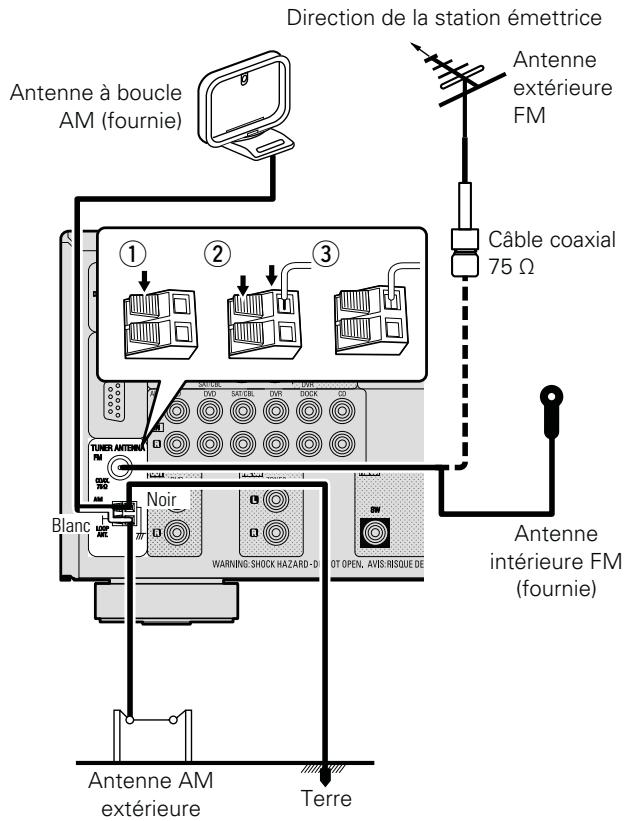
- Connect the FM antenna or AM loop antenna supplied with the unit to enjoy listening to radio broadcasts.
- After connecting the antenna and receiving a broadcast signal (page 33 "Écoute d'émissions FM/AM"), fix the antenna with tape in a position where the noise level becomes minimal.
- Windows Media Player Network Sharing Service
- Windows Media DRM10
1 Preparedz la lecture.
Prepare for playback.
[Upper case characters]
ABCDEFGHIJKLMNOPQRSTUVWXYZ
[Lower case characters]
abcdefghijklmnopqrstuvwxyz
[Symbols]
[Numbers] 0123456789
Password:
[Upper case characters]
ABCDEFGHIJKLMNOPQRSTUVWXYZ
[Lower case characters]
abcdefghijklmnopqrstuvwxyz
[Symbols]
!''#$%&'(())*+,-.:/;<==>?@[\]^_`{|}~
[Numbers] 0123456789 (espace)
- MultEQ® XT (1st page 97)
Dynamic EQ® (page 97)
Dynamic Volume® (16 page 97)
RESTORER (page 98)
REMARQUE
[Minuscules/Chiffres/Symbols]
cc
cc
cc
cc
cc
cc
cc
cc
cc
cc
cc
cc
cc
cc
cc
cc
cc
`
0123456789
. @ - / : ? [ ] ^ ^ |
"Made for iPod" and "Made for iPhone" mean that an electronic accessory has been designed to connect specifically to iPod, or iPhone, respectively, and has been certified by the developer to meet Apple performance standards.
Apple is not responsible for the operation of this device or its compliance with safety and regulatory standards. Please note that the use of this accessory with iPod, or iPhone, may affect wireless performance.
Entree de signal video present
× Aucune entree de signal video
DTS Digital Surround
Redistribution and use in source and binary forms, with or without modification, are permitted provided that the following conditions are met:
- Redistributions of source code must retain the above copyright notice, this list of conditions and the following disclaimer.
- Redistributions in binary form must reproduce the above copyright notice, this list of conditions and the following disclaimer in the documentation and/or other materials provided with the distribution.
- Neither the name of the Xiph.org Foundation nor the names of its contributors may be used to endorse or promote products derived from this software without specific prior written permission.
THIS SOFTWARE IS PROVIDED BY THE Copyright Holders AND Contributors "AS IS" AND ANY EXPRESS OR IMPLIED WARRANTY, INCLUDING, BUT NOT LIMITED TO, THE IMPLIED WARRANTY OF MERCHANTABILITY AND FITNESS FOR A PARTICULAR PURPOSE ARE DISCLAIMED. IN NO EVENT SHALL THE FOUNDATION OR COLNtributors BE LIABLE FOR ANY DIRECT, INDIRECT, INCIDENTAL, SPECIAL, EXEMPLARY, OR CONSEQUENTIAL DAMAGES (INCLUDING, BUT NOT LIMITED TO, PROCUREMENT OF SUBSTITUTE GOODS OR SERVICES; LOSS OF USE, DATA, OR PROFITS; OR BUSINESS INTERMUsION) HOWEVER CAUSED AND ON ANY THEORY OF LIABILITY, WHETHER IN CONTRACT, STRICT LIABILITY, OR TORT (INCLUDING NEGLIGENCE OR OTHERWISE) ARISING IN ANY WAY OUT OF THE USE OF THIS SOFTWARE, EVEN IF ADVISED OF THE POSSIBILITY OF SUCH DAMAGE.
87,5 MHz - 108,0 MHz
522 kHz - 1611 kHz
Sensibilité utile:
Audyssey Dynamic Volume 97
Audyssey MultEQXT 97,136
Audyssey® Réglage auto 19, 64
Avant A/B (branchement) 57, 61
Avant Haut 102

C
Cable
Cable audio 11, 12, 13, 14, 16
Cable Ethernet 17
Cable HDMI 8
Cable video 10, 11, 12, 13, 14
Cable video composante 10, 11, 12
Canal 111
Caracteres 84
Casque audio 124
Centrer image 94
Centrer largeur 94
CH de réglage 98
Circuit de protection 136
Compens.niveau ref. 97
Condensation 3
Config. Audio 106
Config.deZONE2 111
Config. enceintes 101
Config. enceintes av. 104
Config.HDMI 105
Config. options 112
Mode surround 51, 130
Mode surround auto 106
Mode Telecommande 29,31
Mode video 88
MP3 137
MPEG 137
MultEQXT 97
N
Napster 38,47
Niveau chroma 99
Niveau Dch 111
Telecommande 117,127
Commandedescomposants 120
Volume principal 112
vTuner 138
W
Windows Media DRM 138
Windows Media Player version 11
ou ulterieure 138
WMA 138
道X
x.v.Color 7,138
#
ZONE2 78,125,138
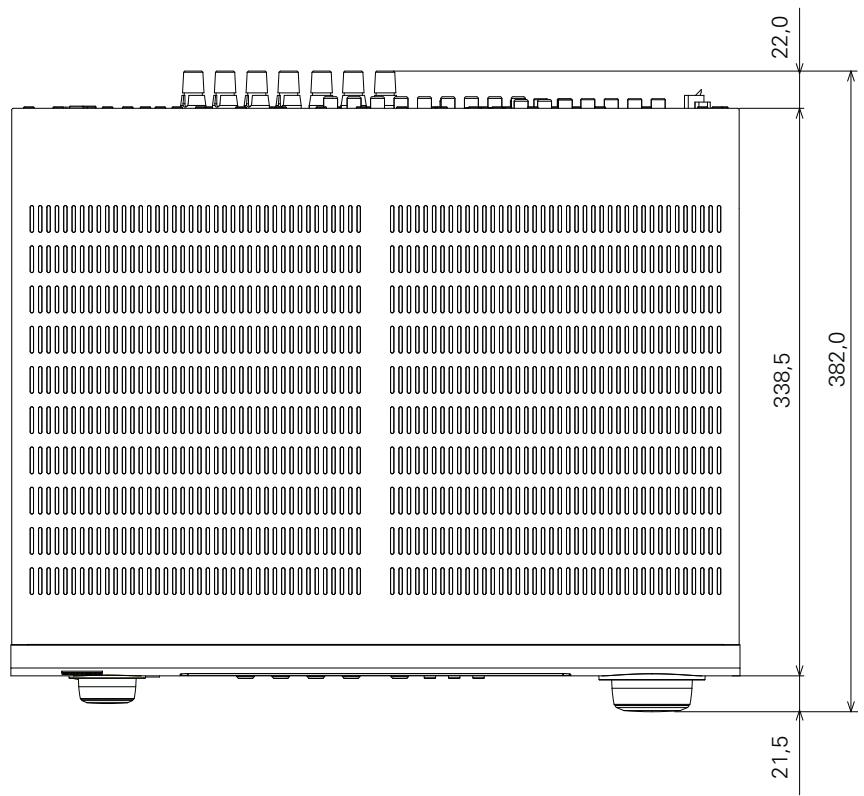
Unité : mm
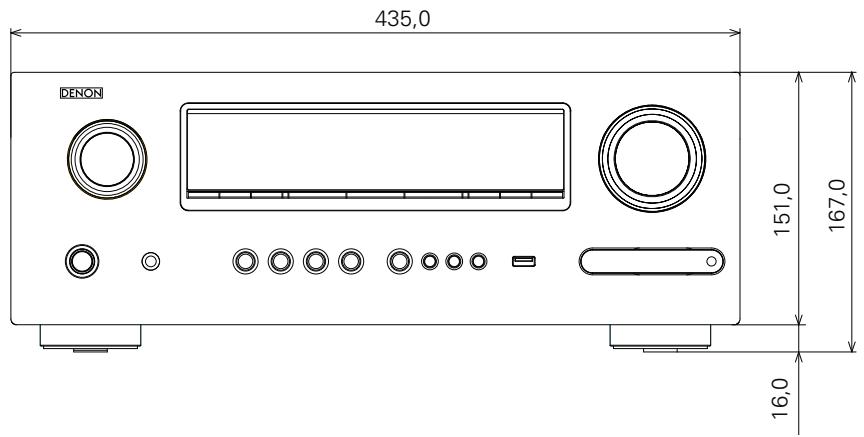
Poids : 11,0 kg
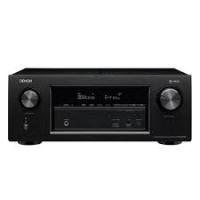
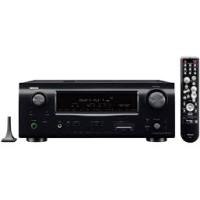
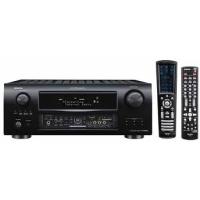
Brand : DENON
Model : AVR-2312
Category : AV amplifier