 ManualGo.com
 VR05R503PWG - Robot vacuum SAMSUNG - Free user manual and instructions
Find the device manual for free VR05R503PWG SAMSUNG in PDF.


Download the instructions for your Robot vacuum in PDF format for free! Find your manual VR05R503PWG - SAMSUNG and take your electronic device back in hand. On this page are published all the documents necessary for the use of your device. VR05R503PWG by SAMSUNG.
USER MANUAL VR05R503PWG SAMSUNG
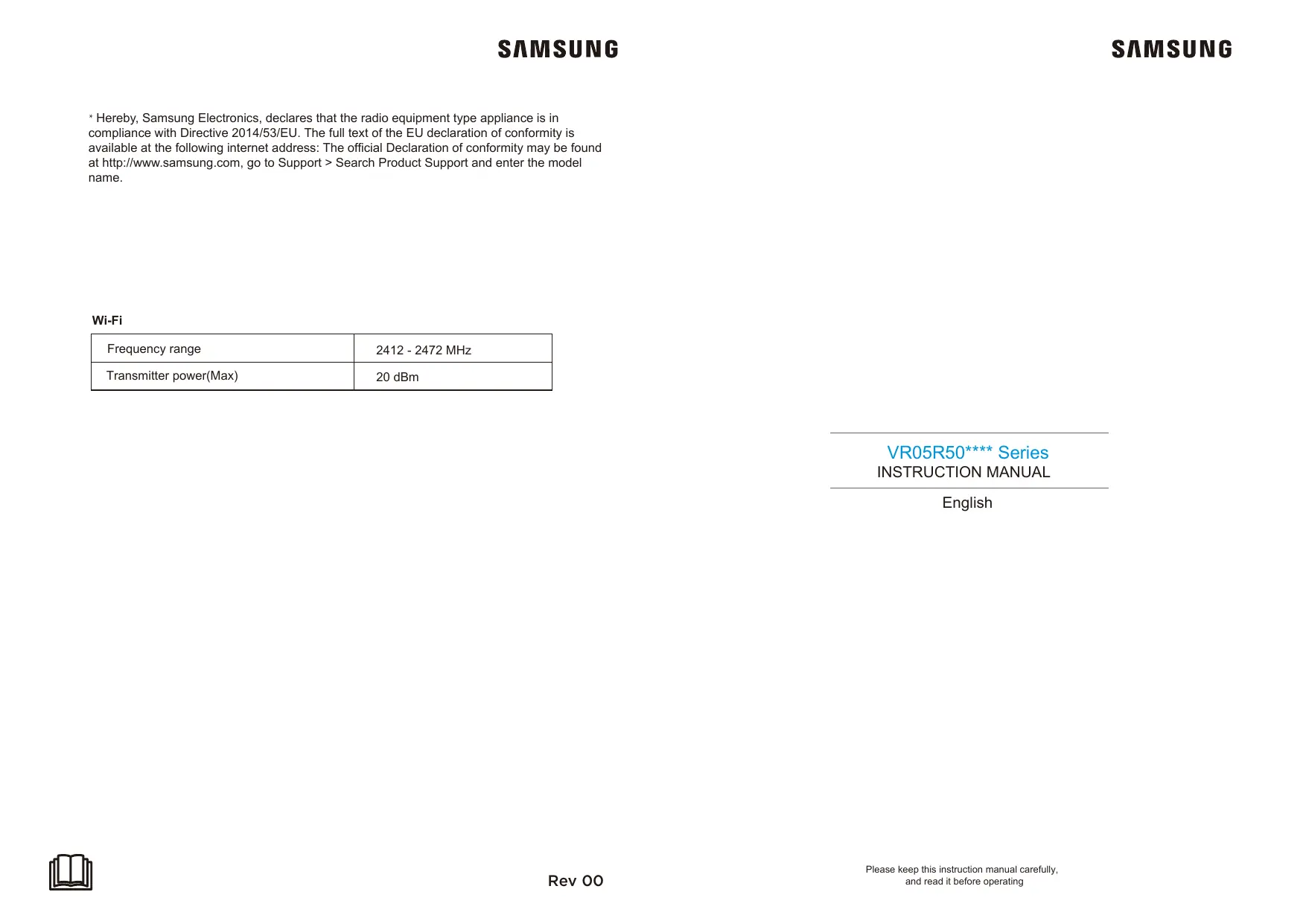
* Hereby, Samsung Electronics, declares that the radio equipment type appliance is in compliance with Directive 2014/53/EU. The full text of the EU declaration of conformity is available at the following internet address: The official Declaration of conformity may be found at http://www.samsung.com, go to Support > Search Product Support and enter the model name.
Transmitter power(Max)
INSTRUCTION MANUAL English
Please keep this instruction manual carefully, and read it before operating
When using an electrical appliance, basis precautions should always be followed, including the following:
READ ALL THE INSTRCUTIONS BEFORE USING (THIS APPLIANCE), Failure to follow the warnings and instructions may result in electric shock, fire and/ or serious injury. WARNING- To reduce the risk of fire, electric shock, or injury: 1. Do not use outdoors or on wet surfaces. 2. Do not allow to be used as a toy. Close attention is necessary when used by or near children, pets or plants. 3. Use only as described in this manual. Use only manufacture's recommended attachments. 4. Do not use with damaged cord or plug. If appliance or docking station is not working as it should, has been dropped, damaged, left outdoors, or dropped into water, return it to a service center. 5. Do not pull or carry by cord, use cord as a handle, close a door on cord, or pull cord around sharp edges or corners. Do not run appliance over cord. Keep cord away from heated surfaces. 6. Do not unplug by pulling on cord. To unplug, grasp the plug, not the cord. 7. Do not handle charger, including charger plug, and charger terminals with wet hands. 8. Do not put any objects into openings. Do not use with any opening blocked; keep free of dust, lint, hair, and anything that may reduce air flow. 9. Keep hair, loose clothing, fingers, and all parts of body away from openings and moving parts. 10. Do not pick up anything that is burning or smoking, such as cigarettes, matches, or hot ashes. 11. Do not use without dust bin and /or filters in place. 12. Prevent unintentional starting. Ensure the switch is the position before connecting to battery pack, picking up or carrying the appliance. Carrying the appliance with your finger on the switch or energizing appliance that have the switch on invites accidents. 13. Disconnect the battery pack from the appliance before making any adjustments, changing accessories, or storing appliance. Such preventive safety measures reduce the risk of starting the appliance accidentally. 14. Recharge only with the charger specified by the manufacturer. A charger that is suitable for one type of battery pack may create a risk of fire when sued with another battery pack. 15. Use appliance only with specifically designated battery packs. Use of any other battery packs may create a risk of injury and fire. 16. When battery pack is not in use, keep it away from other metal objects, like paper clips, coins, keys, nails, screws or other metal objects that can make a connection from one terminal to another. Shorting the battery terminals together may cause burns or a fire. 17. Under abusive conditions, liquid may be ejected from the battery; avoid contact. If contact accidentally occurs, flush with water. If liquid contacts eyes, additionally seek medical help. Liquid ejected from the battery may cause irritation or burns. 18. Do not use a battery pack or appliance that is damaged or modified. Damaged or modified battery may exhibit unpredictable behavior resulting in fire, explosion or risk of injury. 19. Do not expose a battery pack or appliance to fire or excessive temperature. Exposure to fire or temperature above 130°C may cause explosion.
20. Do not use and store in extremely hot or cold environments ( below4°C or above 40°C). Please charge the robot in temperature above 4°C and below 40°C.
21. Follow all charging instructions and do not charge the battery pack or appliance outside of the temperature range specified in the instructions. Charging improperly or at temperatures outside of the specified range may damage the battery and increase the risk of fire. 22. Having servicing performed by a qualified repair person using only identical replacement parts. This will ensure that the safety of the product is maintained. 23. Do not modify or attempt to repair the appliance or the battery pack except as indicated in the instructions for use and care. 24. Place the cords from other appliances out of the areas to be cleaned. 25. Do not operate the vacuum in a room where an infant or child is sleeping. 26. Do not operate the vacuum in an area where there are lit candies or fragile objects on the floor to be cleaned. 27. Do not operate the vacuum in a room that has lit candles on furniture that the vacuum may accidently hit or bump into. 28. Do not allow children to sit on the vacuum. 29. Do not use the vacuum on a wet surface. 30. Do not use the docking station if it is damaged. 31. Turn off the power switch before cleaning or maintaining the appliance. 32. The plug must be removed from the receptacle before cleaning or maintain the docking station. 33. Remove the appliance from the docking station and turn the power switch to the appliancebefore removing the battery for disposal of the appliance. 34. If the robot will not be used for a long time, fully charge the robot and power OFF for storage and unplug the charger. 35. For use only with VCA-RDS50 docking station. 36. This appliance can be used by children aged from 8 years and above and persons with reduced physical, sensory or mental capabilities or lack of experience and knowledge if they have been given supervision or instruction concerning use of the appliance in a safe way and understand the hazards involved. Children shall not play with the appliance. Cleaning and user maintenance shall not be made by children without supervision. 37. For information on Samsung’s environmental commitments and product specific regulatory obligations e.g. REACH (WEEE, Batteries) visit: samsung.com/uk/aboutsamsung/samsungelectronics/ corporatecitizenship/-data_corner.html 38. Do not pour some water or liquid on the appliance. It could be increased the risk product breakaway or fire. 39. Do not use POWERbot near a heater or combustible materials. – Do not use powerbot near fire or flame such as a movable heater, a candlelight, a desk lamp, a fireplace etc. or in a place where combustible materials such as gasoline, alcohol, thinner etc. exist. 40. Make sure there are no dangerous objects around the POWERbot’s cleaning area to prevent collision and unplug any electric heaters or fans. 41. Do not use POWERBOT on black colored floors. - The POWERBOT may not be able to operate normally.
Product Introduction
1. Do not use your robot on wet surfaces or surfaces with standing water. Before using the product on a rug with tasseled edges,please fold the rug edges under.
2. It may be necessary to place a physical barrier at the edge of a drop to stop the unit from falling over the edge.
3 .Remove power cords and small objects from the floor that the robot could be obstructed by, and tidy up the area to be cleaned by putting furniture, such as chairs, in their proper place.
,etc. to make sure the robot works regurally.
1 Press the button on tank and remove
a. Do not input any chemical detergent and cleaner. b. Use only water.
3 Then insert the water tank assembly into the appliance.
’’ and start mopping.
Remove it before using
Remark a. It will take 5~10 minutes until the dry mop is wetting.
→ Wet the mop with water before using b. The amount of water can be controlled in the POWERbot-E App
Please remove a "White bumper gasket" before using.
Introduction of Remote Control
Start/Pause Edge cleaning Spot cleaning
Search “POWERbot-E” in APPLE App
Store or Google Play Store, and download the App. Follow the instructions on the interface to register and login App.
Click "+ Add Device" on the interface and operate as instructed.
1 Docking: When in standby or working mode, appliance will return docking station for charging.
2 Direction: Controlling the moving direction by forward/left/right key. 3 Start/Pause: When in standby mode,appliance start working or pause. 4 Spot cleaning: Start to cleaning by Spiral mode in certain zone. 5 Edge cleaning: Cleaning by the edge of obstacle. 6 Auto cleaning: cleaning in the auto way. 7 Suction increase: Increasing the suction power. 8 Suction decrease: Decreasing the suction power. Caution
SmartThings is incompatible with tablets and some mobile devices. – Android 6.0 or later (at least 2GB of RAM) is recommended. iPad and some mobile devices may not be supported. – iOS 10.0 or later / iPhone 6 or later is supported. Visit Play Store or App Store to see if your mobile device is compatible with SmartThings. The supported features are subject to change without any prior notice.
When first using, slow flickering of WiFi indicator light indicates that the cleaner gets into the state of network accessing configuration, now click “Next Step” on App and conduct network accessing config operation as per the prompts on the interface. Remarks: If WiFi indicator light doesn’t flicker, long press “ ”key for 3 seconds and release after a tick sound is heard.
b. In case of safety,there’s no backward direction fucntion. c. Please operate the remote control within 5m to appliance.
APP Guide line(SmartThings)
If you want to use your SmartThings App to control the robot. Please follow the below steps: STEP 1. Finish the POWERbot-E App registration. STEP 2. Download the SmartThings App, search “SmartThings” in APPLE App store or Google Play Store and download. STEP 3. Register in the SmartThings App and login in. STEP 4. Link the SmartThings App and POWERbot-E App as below instruction, and then can control your robot via SmartThings App.
Once the network access is configured successfully, you can operate your cleaner by App.
1 Check whether the side brush is damaged or has wrapped;
2 Clean the side brush with a cleaning tool or a rag;
Make sure your phone is connected to home WiFi.
3 If curl or deformation occurs, remove the side brush and put it in warm water for about 5 seconds;
4 When the side brush is damaged and cannot be used, please replace as soon as possible.
TROUBLE SHOOTING TROUBLE SHOOTING In case of mis-function, please refer to the following table.
In case of mis-function, please refer to the following table.
The appliance will not be charged
- The power switch is not turned on while charging
- The appliance and charging terminals are not in full contact
- Power on the appliance
- Make sure the appliance is fully in contact with the charging terminal
The appliance gets stuck
- The appliance is covered by wires on the ground, dropping curtain fabric or blankets are twined
- Side brush and brushroll, etc. get stuck, and the appliance cannnot run normally
- The appliance will automatically start the escape mode. If it is not out of trouble, it needs manual help
- Clean the windings on the side brush and restart it. If not, contact the after-sales department
Not cleaned completely, and robot goes to recharge
- Robot battery is lower than 20%, and it automatically back to recharge
- Robot cleans a certain place and is considered as “Cleaning finished”
- Charge the appliance
- Restart the appliance and choose the “auto” cleaning mode to start the cleaning that may be more appropriate for your home layout
No cleaning according to the preset time
- The power switch is not on
- Scheduled appointment is cancelled
- Turn on the power switch of appliance
- Reset and make appointment
After the mop holder is installed, the appliance is impermeable
- There’s no water in water tank
- The appliance base outlet hole is blocked
- Contact the aftersales service center
- Add water - Clear water outlet and tank filter
Appliance does not work
- The power switch is not turned on
- Low battery - wheels are dropped and the three groups of drop sensors are in a falling state
- Turn on the power switch
- Charge the appliance - Place the appliance close to the ground - Contact aftersales service center
- There’s obstacle ahead
- Bumper rail is clamped
- Clear the front obstacles
- Tap the bumper rail to check for if there’s foreign matter stuck
The appliance restart sometimes.
- This is a symptom caused by instantaneous discharge of static electricity caused by carpet.
- The appliance will be normal if it restart within 3 seconds
App displays disconnection
Disconnection between the mobile phone and the equipment
- Judge if the mobile phone is accessed to network
- Judge if the router works normally - The cleaner is required to be powered - The WiFi configurations of the equipment are cleared - The WiFi password or network is changed
- The mobile phone shall be accessed to network once again
- Re-start the router - Power on the cleaner once again - Add new appliances into App - After system start-up, long press “ ” 3 seconds and release it after a tick sound is heard - Clear all WiFi configurations of the cleaner and add household electrical appliances once again for operation
Network connection is not so smooth
- Poor WiFi signal reception of the mobile phone - The network bandwidth is not so adequate
- Re-start the router and reduce the number of access users
- Check the settings of the mobile phone itself - Broaden network bandwidth
Open Source Announcement
The software included in this product contains open source software.
The following URL http://opensource.samsung.com/opensource/VR_5000_M/seq/0 leads to open source license information as related to this product. This offer is valid to anyone in receipt of this information.
Linee guida APP (POWERbot-E)
GEBRUIKSAANWIJZING Nederlands
088 90 90 100 www.samsung.com/nl/support
LET OP VEILIGHEIDSWAARSCHUWING Batterijen (AAA type)
Remove it before using
Remove it before using