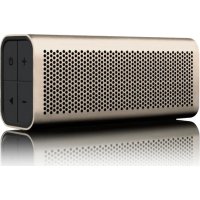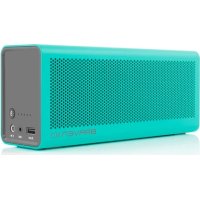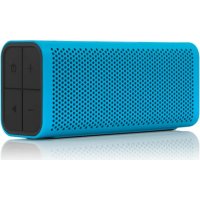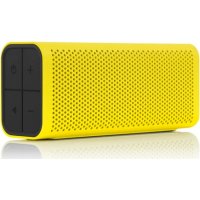
BRV-1 - Bluetooth speaker BRAVEN - Free user manual and instructions
Find the device manual for free BRV-1 BRAVEN in PDF.


| Product Type | Portable Bluetooth Speaker |
| Brand | BRAVEN |
| Model | BRV-1 |
| Dimensions (approx.) | 165 x 60 x 55 mm |
| Weight (approx.) | 250 g |
| Power Supply | Rechargeable lithium-ion battery, charging via Micro-USB (5V/1A) |
| Charging Time | 2 to 3 hours for a full charge |
| Battery Life (approx.) | Up to 10 hours |
| Connectivity | Bluetooth (A2DP profile) |
| Bluetooth Range | About 10 meters |
| Water Resistance | IPX5 (resistant to water jets) |
| Main Features | Wireless playback, hands-free speaker, external device charging |
| Audio Input | 3.5 mm jack |
| Charging Port | Micro-USB |
| External USB Port | USB A for device charging (0.3A to 1A) |
| Buttons | Power On/Off, Volume +/-, Play/Pause/Call, Reset |
| Indicators | 5 battery level LEDs, Bluetooth pairing light |
| Care and Cleaning | Wipe with a soft, dry cloth. Do not immerse. |
| Safety | Do not expose to rain while charging. Do not open. Keep out of reach of children under 3 years. |
| Spare Parts and Repairability | Not available. The device is not user-serviceable. |
| General Information | Designed for outdoor use. Remembers the last 8 paired devices. Auto-off after 30 minutes without connection. |
Frequently Asked Questions - BRV-1 BRAVEN
User questions about BRV-1 BRAVEN
0 question about this device. Answer the ones you know or ask your own.
Ask a new question about this device
Download the instructions for your Bluetooth speaker in PDF format for free! Find your manual BRV-1 - BRAVEN and take your electronic device back in hand. On this page are published all the documents necessary for the use of your device. BRV-1 by BRAVEN.
USER MANUAL BRV-1 BRAVEN
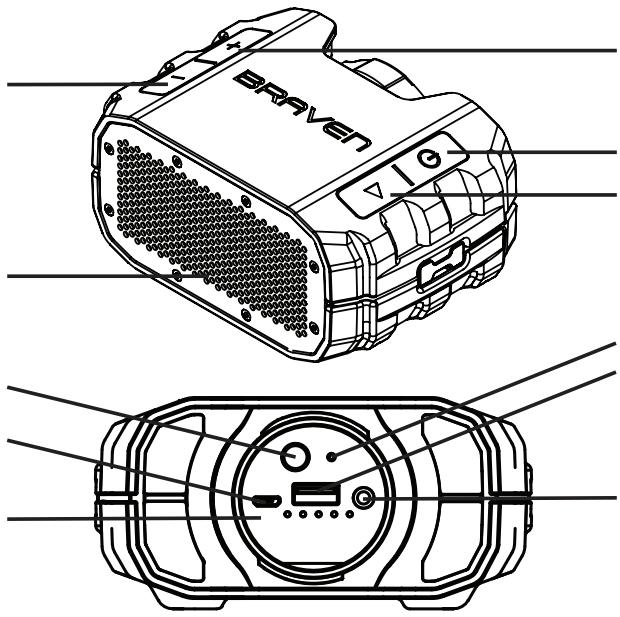
VOLUME DOWN / SKIP BACK (press and hold)
POWER / PAIRING STATUS LIGHT
BATTERY CHECK BUTTON
BRAVEN CHARGING PORT
BATTERY INDICATOR LIGHTS
20% - 40% - 60% - 80% - 100%
natural_image
Technical line drawing of a Bruven airship device showing top and front views (no text or symbols)VOLUME UP /
SKIP TRACK (press and hold)
POWER SWITCH
PAIRING / ANSWER-END CALL /
PAUSE-RESUME MUSIC
RESET BUTTON
EXTERNAL USB
CHARGING PORT
3.5 MM AUDIO-IN JACK
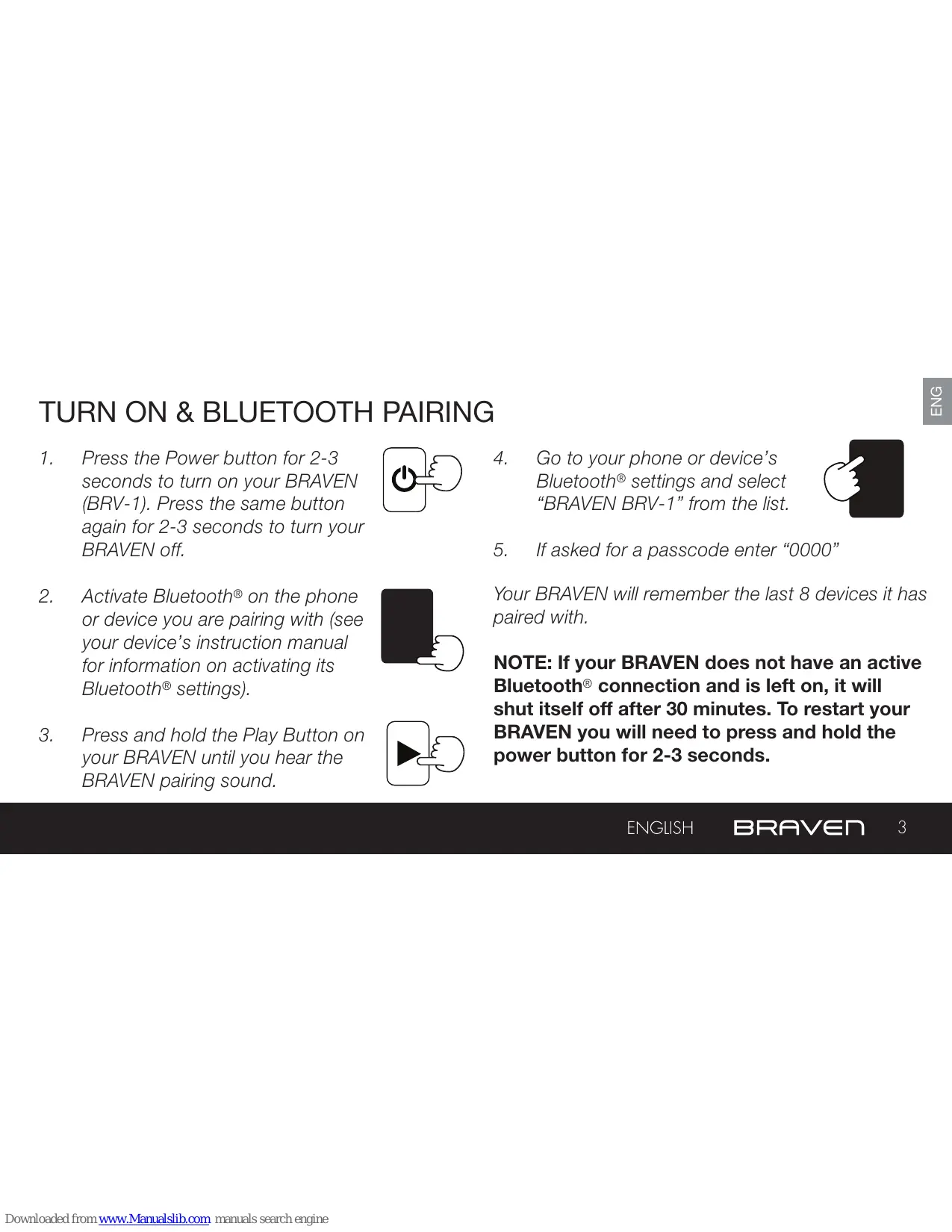
TURN ON & BLUETOOTH PAIRING
- Press the Power button for 2-3 seconds to turn on your BRAVEN (BRV-1). Press the same button again for 2-3 seconds to turn your BRAVEN off.
- Activate Bluetooth® on the phone or device you are pairing with (see your device's instruction manual for information on activating its Bluetooth® settings).
- Press and hold the Play Button on your BRAVEN until you hear the BRAVEN pairing sound.
- Go to your phone or device's Bluetooth® settings and select "BRAVEN BRV-1" from the list.

- If asked for a passcode enter "0000"

Your BRAVEN will remember the last 8 devices it has paired with.
NOTE: If your BRAVEN does not have an active Bluetooth® connection and is left on, it will shut itself off after 30 minutes. To restart your BRAVEN you will need to press and hold the power button for 2-3 seconds.
ENGLISH BRAVEN
- Before using your BRAVEN for the first time, charge the unit until all 5 Battery Capacity lights are solid (not flashing), indicating a full charge (typically 2 to 3 hours).
- To charge your BRAVEN, plug the included USB-to-Micro-USB cable into a wall power adapter (not included) or into a powered USB port on a computer. Plug the Micro-USB connector end of the cable into the BRAVEN charging port.
CHARGING EXTERNAL DEVICES
Your BRAVEN is designed to charge USB devices that draw from 0.3A - 1A (most cell phones & mp3 players – tablets and other 2A devices cannot be charged by your BRV-1) using the full-sized USB port located behind the cap. To use external charging:
- Turn your BRAVEN on.
- Plug the USB power cable that came with your phone, mp3 player, or other mobile device into the USB port on your BRAVEN.
- Plug the other end of the cable into your mobile device, and it will immediately begin charging.
WATER RESISTANT FEATURES
- The BRV-1 is IPX5 Water Resistant. BRAVEN BRV-1 speakers are not intended to be submerged in water, but are resistant to rainfall, water jets, and water splashing.
- IMPORTANT - To ensure your BRAVEN BRV-1 speaker is prepared for use in a wet environment, remove all cable connections and tightly close the rear water cap. If the water cap is not properly closed, the BRV-1 will not be water resistant.
SPEAKERPHONE
- Press the Answer-End button on your BRAVEN to answer the call over the speaker. Press the Answer-End button again to end the call.
ENGLISH BRAVEN
WARNINGS, CAUTIONS & LEGAL INFORMATION
To reduce the risk of fire or electric shock, do not expose the BRAVEN to rain or moisture while charging. The BRAVEN should not be exposed to dripping or splashing, and objects filled with liquids, such as vases, should not be placed on or near it while being charged or charging other devices. As with any electronic products, use care not to spill liquids into any part of the product. Liquids can cause a failure and/or a fire hazard. The power supply must be used indoors only. Make no modifications to the product or accessories. Unauthorized alterations may compromise safety, regulatory compliance, and system performance, and will void the warranty. Do not place any flame sources, such as lighted candles, on or near the BRAVEN. The BRAVEN contains small parts that may be a choking hazard and is not suitable for children under age 3. Do not continue charging the battery if it does not reach full charge within the specified charging time. Overcharging may cause the battery to become hot, rupture, or ignite. If you see any heat deformation or leakage, properly dispose of the battery. Do not attempt to charge the battery in temperatures outside the range of 32^-104^ ( 0^-40^ ). If the battery begins to leak, do not allow the liquid to come in contact with your skin or eyes. If contact has been made, wash the affected area with plenty of water and seek medical attention immediately. Do not expose the product or battery to excessive heat, including direct sunlight or fire and storage or use inside cars in hot weather, where it can be exposed to temperatures in excess of 115^ ( 60^ ). Doing so may cause the battery and power supply to generate heat, rupture, or ignite. Using the product in this manner also may result in a loss of performance and a shortened life expectancy. Extended exposure to direct sunlight may damage the external appearance and material qualities. Do not step on, throw, or drop batteries or the power supply or device, or expose them to a strong shock. Do not pierce, crush, dent, or deform the batteries or power supply in any way. If either becomes deformed, properly dispose of it. Do not short-circuit batteries. Do not attempt to service the BRAVEN yourself. Opening or removing covers may expose you to dangerous voltages or other hazards and will void the manufacturer's warranty. To prevent risk of fire or electric shock, avoid overloading wall outlets, extension cords, or integral convenience receptacles. Your Bluetooth device (mobile phone, music player, tablet, laptop, etc.) must support the A2DP Bluetooth profile in order to work wirelessly with your new BRAVEN speaker. The A2DP profile is supported by most recent mobile products with built-in Bluetooth capability. Please refer to your device's user manual for details and instruction regarding the Bluetooth profiles it supports. This device complies with part 15 of the FCC Rules. Operation is subject to the following two conditions: (1) This device may not cause harmful interference, and (2) this device must accept any interference received, including interference that may cause undesired operation.
NOTE: This equipment has been tested and found to comply with the limits for a Class B digital device, pursuant to part 15 of the FCC Rules. These limits are designed to provide reasonable protection against harmful interference in a residential installation. This equipment generates, uses and can radiate radio frequency energy and, if not installed and used in accordance with the instructions, may cause harmful interference to radio communications. However, there is no guarantee that interference will not occur in a particular installation. If this equipment does cause harmful interference to radio or television reception, which can be determined by turning the equipment off and on, the user is encouraged to try to correct the interference by one or more of the following measures: —Reorient or relocate the receiving antenna. —Increase the separation between the equipment and receiver. —Connect the equipment into an outlet on a circuit different from that to which the receiver is connected. —Consult the dealer or an experienced radio/TV technician for help.
This device complies with Industry Canada license-exempt RSS standard(s). Operation is subject to the following two conditions: (1) this device may not cause interference, and (2) this device must accept any interference, including interference that may cause undesired operation of the device. Under Industry Canada regulations, this radio transmitter may only operate using an antenna of a type and maximum (or lesser) gain approved for the transmitter by Industry Canada. To reduce potential radio interference to other users, the antenna type and its gain should be so chosen that the equivalent isotropically radiated power (e.i.r.p.) is not more than that necessary for successful communication.
If an apparatus is provided with a replaceable lithium battery, the following applies:
- If the battery is intended to be replaced by the USER, there shall be a warning close to the battery or in both the instructions for use and the service instructions;
- If the battery is not intended to be replaced by the USER, there shall be a warning close to the battery or in the service instructions.
This warning shall include the following or similar text: CAUTION: Danger of explosion if battery is incorrectly replaced. Replace only with the same or equivalent type.
Where the MAINS plug is used as the disconnect device, the disconnect device shall remain readily operable.
ENGLISH BRAVEN 7
BRAVEN
text_image
BRAVENONLINE: www.braven.com
MANUAL: www.braven.com/manuals
+ SUPPORT: www.braven.com/support
EMAIL: support@braven.com
PHONE: 1-877-9 BRAVEN (1-877-927-2836)
TUTORIALS: www.braven.com/tutorials