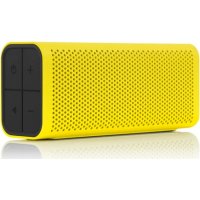
600 - Bluetooth speaker BRAVEN - Free user manual and instructions
Find the device manual for free 600 BRAVEN in PDF.

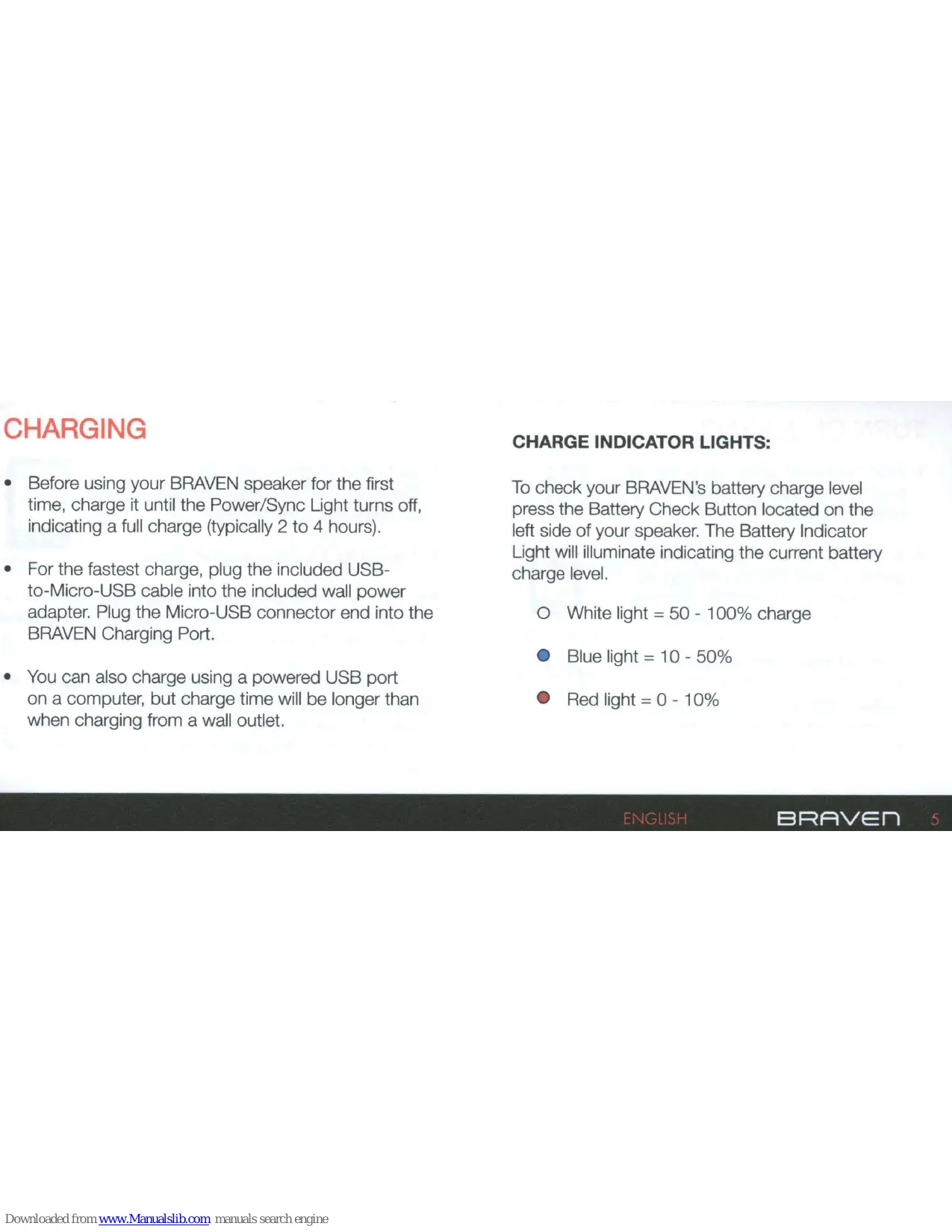

| Product type | Portable Bluetooth speaker |
| Brand | Braven |
| Model | 600 |
| Approximate dimensions | 20 x 8 x 8 cm |
| Approximate weight | 500 g |
| Power | Rechargeable lithium-ion battery, charging via USB-C port (5V, 1A) |
| Approximate battery life | 12 hours of continuous playback |
| Connectivity | Bluetooth 4.0, 3.5 mm AUX port for wired audio input |
| Main functions | Wireless audio streaming, hands-free function (built-in microphone), control buttons (volume, play/pause, pairing) |
| Protection level (estimated) | Splash resistance (IPX5) |
| Care and cleaning | Clean with a soft, dry cloth. Do not use abrasive products or solvents. |
| Safety | Do not open the device. Avoid exposure to extreme temperatures. Do not immerse in water. |
| Spare parts and repairability | No spare parts available. Device not user-serviceable. |
| Package contents | Braven 600 speaker, USB cable, user manual, warranty |
| General information | Device designed for nomadic and indoor/outdoor use (according to resistance). |
Frequently Asked Questions - 600 BRAVEN
User questions about 600 BRAVEN
0 question about this device. Answer the ones you know or ask your own.
Ask a new question about this device
Download the instructions for your Bluetooth speaker in PDF format for free! Find your manual 600 - BRAVEN and take your electronic device back in hand. On this page are published all the documents necessary for the use of your device. 600 by BRAVEN.
USER MANUAL 600 BRAVEN
Thank you for choosing the BRAVEN SIX Series, the world's most talented line of portable wireless speakers.
BRAVEN is the first high-fidelity wireless speaker to combine amazing sound quality with a multi-tasking speakerphone and mobile phone charger. Now you can amplify your mobile life and enjoy your music, movies and games the way they were meant to be heard. And with BRAVEN's built-in backup battery you will never have to worry about your phone or mp3 player running out of battery while you're on-the-go.
BRAVEN puts the power of a live performance in the palm of your hand.
CONNECTING TO YOUR BRAVEN
Connect to your BRAVEN speaker wirelessly through Bluetooth®.
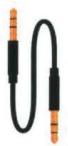
Daisy-chain and connect wired (non-Bluetooth®) devices to your BRAVEN speaker with the included 3.5mm audio cable.
Use the micro USB port on the right side of the speaker to charge your BRAVEN. Use the USB port on the left side to charge external devices.
2 BRAVEN ENGLISH
CONTENTS
GET TO KNOW YOUR BRAVEN 4
CHARGING 5
TURNSON&SYNC 6
EXTERNAI CHARGING 7
SPEAKERPHONE 8
DEVICE CONTROL & DAISY-CHAINING 9
TROUBLESHOOTING 10
DEVICE SPECIFICATIONS 11
WARNING & CAUTIONS 12
LEGAL INFORMATION 13
ENGLISH
BRAVEN
GET TO KNOW YOUR BRAVEN
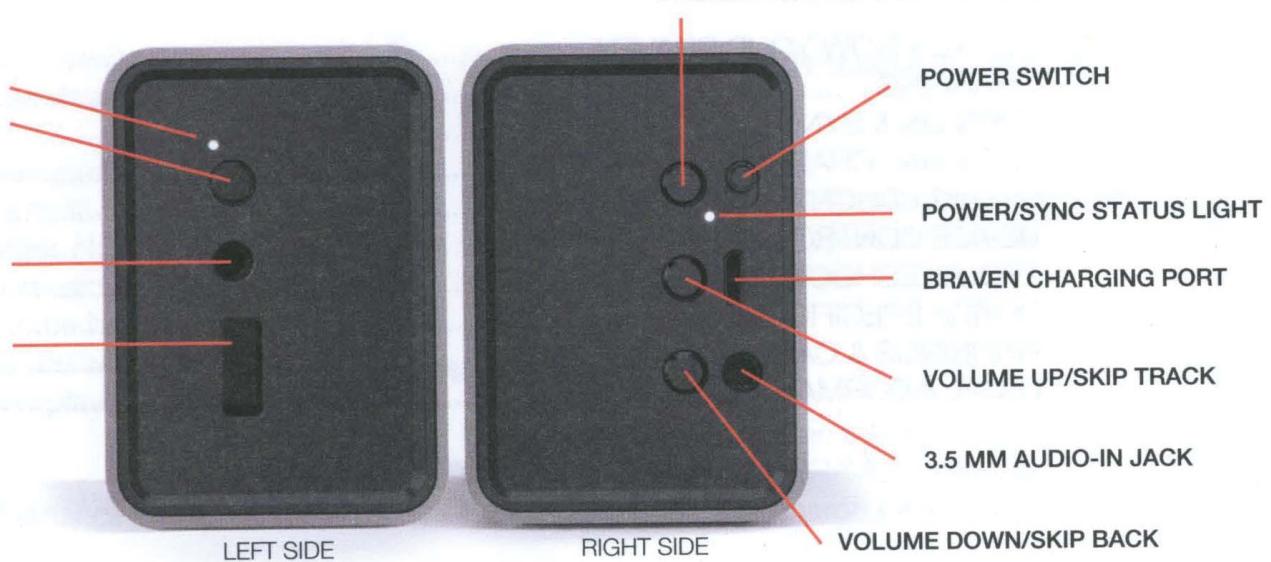
BATTERY INDICATOR LIGHT BATTERY CHECK BUTTON
3.5 MM AUDIO-OUT JACK (daisy-chain)
EXTERNAL USB CHARGING PORT
CHARGING
- Before using your BRAVEN speaker for the first time, charge it until the Power/Sync Light turns off, indicating a full charge (typically 2 to 4 hours).
- For the fastest charge, plug the included USB-to-Micro-USB cable into the included wall power adapter. Plug the Micro-USB connector end into the BRAVEN Charging Port.
- You can also charge using a powered USB port on a computer, but charge time will be longer than when charging from a wall outlet.
CHARGE INDICATOR LIGHTS:
To check your BRAVEN's battery charge level press the Battery Check Button located on the left side of your speaker. The Battery Indicator Light will illuminate indicating the current battery charge level.
White light = 50 - 100% charge
Blue light = 10 - 50%
Red light = 0 - 10%
ENGLISH
BRAVEN
TURNOsYNC
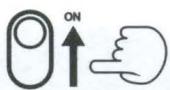
- Slide the power switch up to the "on" position. You will hear the BRAVEN power up sound.
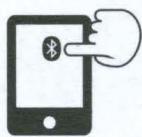
- Activate Bluetooth® on the phone or device you are pairing with (see your device's instruction manual for information on activating its Bluetooth® settings).
- Press and hold the Pairing Button on the BRAVEN speaker until the Sync Status Light begins to flash rapidly and you hear the BRAVEN sync sound.

- Go to your phone or device's Bluetooth® settings and select the BRAVEN device from the list.
- If asked for a passcode enter "0000"
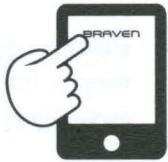
You only need to do this once for each device you areSyncing to your BRAVEN speaker. Your BRAVEN speaker will remember the last 8 devices it has paired with.
NOTE: If the BRAVEN does not have an active Bluetooth connection and is left on, it will shut itself off after 30 minutes. To restart the BRAVEN you will need to slide the switch to the "off" position and then back to the "on" position.
EXTERNAL CHARGING
BRAVEN is designed to charge USB devices that draw from 0.3A - 1A (most cell phones & mp3 players. Tablets and other 2A devices cannot be charged by your BRAVEN speaker) using the full-sized USB port on the left side of the speaker. To use external charging:
- Turn the BRAVEN power switch on.
- Plug the USB power cable that came with your phone, mp3 player, or other mobile device into the USB port on the BRAVEN speaker.
- Plug the other end of the cable into your mobile device, and it will immediately begin charging.
APPROXIMATE CHARGING CAPACITY
On a full charge, without music playing, your BRAVEN speaker can charge external devices to the following approximate levels:
BRAVEN 650 - will charge a typical smartphone approximately 80 - 100% (depending on model and battery size)
BRAVEN 625s - will charge a typical smartphone approximately 70 - 90% (depending on model and battery size)
BRAVEN 600 - will charge a typical smartphone approximately 50 - 70% (depending on model and battery size)
ENGLISH
BRAVEN
SPEAKERPHONE
You can use your BRAVEN speaker as a conference calling device if your phone supports this feature.
When the BRAVEN is synced via Bluetooth® with your phone and a call comes in, the speaker will beep. Music, if playing, will pause, and your ringtone will play over the speaker.
ANSWERING A CALL
Press the Phone/Pairing Button on the BRAVEN to answer the call over the speaker. The call will be answered using the BRAVEN's microphone and speakerphone.
If you press the answer button on your phone, some phones may answer via the mobile device and not the BRAVEN speaker. You may need to manually select the BRAVEN speaker as the audio source to use it as the speakerphone. (Consult your Bluetooth® device's user manual for instructions on selecting an audio source.)
Press the Phone/Pairing Button again to end the call.
Alternatively, you may press the end call button on your mobile phone to end the call.
Once the call is ended, your music will resume playing if your mobile phone allows this feature.
DEVICE CONTROL
While playing music and movies you can pause and skip tracks forward and back by using the following buttons on the BRAVEN speaker.

Pause: Press the Phone/Pairing/Pause Button for 0.5 seconds. Press again to resume playback.

Skip to next track: Press the Volume Up/Skip Track Button for 3 seconds.

Skip back: Press the Volume Down/Skip Back Button for 3 seconds. (To skip to the previous track instead of to the beginning of the current track, press and hold the Volume Down Button within the first few seconds of the current song)
DAISY-CHAINING
You can daisy-chain multiple BRAVEN speakers together for increased sound.
Using the included 3.5mm audio cable, connect the line-out of your paired BRAVEN speaker to the line-in port of another BRAVEN speaker.
- You can also connect via line-out to non-BRAVEN or non-Bluetooth®-enabled speaker systems (home, car, office, overhead systems, other portable speakers, etc.).
- The paired BRAVEN speaker acts as a Bluetooth receiver, and audio will play on both the BRAVEN and on the linked speaker systems. Volume can be controlled independently on each speaker and on the paired device.
ENGLISH
BRAVEN
TROUBLESHOOTING
I CAN'T HEAR ANYTHING FROM MY SPEAKER
- BRAVEN audio levels can be controlled independently, both on the speaker and the Bluetooth® source device. Check the volume levels on both devices to ensure that they are turned up sufficiently.
- If using the 3.5mm cable, check that the cable is fully inserted into both your device and the BRAVEN speaker.
- Some devices experience volume loss when connected to speakers through Bluetooth®. (Please refer to your device's owner's manual for further information.)
THE SIGNAL IS CUTTING OUT
- A Bluetooth® signal can be affected by objects that obstruct the BRAVEN from a clear path to the playing device to which it is paired. Ensure that your listening environment is conducive to the 33-foot (10-meter) Bluetooth® range between your BRAVEN and your playing device.
I'M ENABLE TO PAIR WITH MY DEVICE
- Check that the device you are attempting to pair with is Bluetooth® compatible.
- Follow TURN ON & SYNC instructions on page 6.
DEVICE SPECIFICATIONS
| BRAVEN 650 | BRAVEN 625s | BRAVEN 600 | |
| PLAY TIME | 20 hours* | 16 hours* | 12 hours* |
| DRIVERS | 6W (3W per channel) | 6W (3W per channel) | 6W (3W per channel) |
| DECIBEL RATING | 95 dB at 0.5m | 95 dB at 0.5m | 95 dB at 0.5m |
| FREQ. RESPONSE | 180Hz - 13kHz +/- 3dB | 180Hz - 13kHz +/- 3dB | 180Hz - 13kHz +/- 3dB |
| POWER ADAPTER | Output: DC 5V 1A | Output: DC 5V 1A | Output: DC 5V 1A |
| SIZE | 15.9cm x 6.4cm x 4.5cm | 16cm x 6.5cm x 4.6cm | 15.85cm x 6.4cm x 4.5cm |
| WEIGHT | 12.6 oz. (360g) | 11.6 oz. (330 g) | 12 oz. (340g) |
| BLUETOOTH® RANGE | 10m/33 ft. (line of sight) | 10m/33 ft. (line of sight) | 10m/33 ft. (line of sight) |
*Approximate play time based on playing audio at medium levels over Bluetooth®. Song genre, tempo and volume will affect play time.
ENGLISH
BRAVEN
WARNING & CAUTIONS
To reduce the risk of fire or electric shock, do not expose the BRAVEN to rain or moisture. The BRAVEN should not be exposed to dripping or splashing, and objects filled with liquids, such as vases, should not be placed on or near it. Do not use near bathtubs, washbows, kitchen sinks, laundry tubs, in a wet basement, near a swimming pool, or anywhere else that water is present. As with any electronic products, use care not to spill liquids into any part of the product. Liquids can cause a failure and/or a fire hazard. The power supply must be used indoors only. It is neither designed nor tested for charging outdoors, in recreation vehicles, or on boats. Make no modifications to the product or accessories. Unauthorized alterations may compromise safety, regulatory compliance, and system performance, and will void the warranty. Do not place any flame sources, such as lighted candles, on or near the BRAVEN. The BRAVEN contains small parts that may be a choking hazard and is not suitable for children under age 3. Before use, fully charge the battery using the supplied power adapter. Do not continue charging the battery if it does not reach full charge within the specified charging time. Overcharging may cause the battery to become hot, rupture, or ignite. If you see any heat deformation or leakage, properly dispose of the battery. Do not attempt to charge the battery in temperatures outside the range of 32^ -104°F (0°-40°C). If the battery begins to leak, do not allow the liquid to come in contact with your skin or eyes. If contact has been made, wash the affected area with plenty of water and seek medical attention immediately. Do not expose the product or battery to excessive heat, including direct sunlight or fire and storage or use inside cars in hot weather, where it can be exposed to temperatures in excess of 115^ F (60°C). Doing so may cause the battery and power supply to generate heat, rupture, or ignite. Using the product in this manner also may result in a loss of performance and a shortened life expectancy. Extended exposure to direct sunlight may damage the external appearance and material qualities. Do not step on, throw, or drop batteries or the power supply or device, or expose them to a strong shock. Do not pierce, crush, dent, or deform the batteries or power supply in any way. If either becomes deformed, properly dispose of it. Do not short-circuit batteries. Refer all servicing to qualified service personnel. Servicing is required when the apparatus has been damaged in any way: such as power supply cord or plug is damaged; liquid has been spilled or objects have fallen into the BRAVEN; the BRAVEN has been exposed to rain or moisture, does not operate normally, or has been dropped. Do not attempt to service the BRAVEN yourself. Opening or removing covers may expose you to dangerous voltages or other hazards and will void the manufacturer's warranty. To prevent risk of fire or electric shock, avoid overloading wall outlets, extension cords, or integral convenience receptacles. Do not place your BRAVEN on high surfaces such as shelves. During music playback the BRAVEN may vibrate and move which could cause the speaker to shift and fall off of the edge. Your Bluetooth device (mobile phone, music player, tablet, laptop, etc.) must support the A2DP Bluetooth profile in order to work wirelessly with your new BRAVEN SIX Series speaker. The A2DP profile is supported by most recent mobile products with built-in Bluetooth capability. Please refer to your device's user manual for details and instruction regarding the Bluetooth profiles it supports.
12 BRAVEN ENGLISH
LEGAL INFORMATION
This device complies with part 15 of the FCC Rules. Operation is subject to the following two conditions: (1) This device may not cause harmful interference, and (2) this device must accept any interference received, including interference that may cause undesired operation. NOTE: This equipment has been tested and found to comply with the limits for a Class B digital device, pursuant to part 15 of the FCC Rules. These limits are designed to provide reasonable protection against harmful interference in a residential installation. This equipment generates, uses and can radiate radio frequency energy and, if not installed and used in accordance with the instructions, may cause harmful interference to radio communications. However, there is no guarantee that interference will not occur in a particular installation. If this equipment does cause harmful interference to radio or television reception, which can be determined by turning the equipment off and on, the user is encouraged to try to correct the interference by one or more of the following measures: Reorient or relocate the receiving antenna. Increase the separation between the equipment and receiver. Connect the equipment into an outlet on a circuit different from that to which the receiver is connected. Consult the dealer or an experienced radio/TV technician for help.
This device complies with Industry Canada license-exempt RSS standard(s). Operation is subject to the following two conditions: (1) this device may not cause interference, and (2) this device must accept any interference, including interference that may cause undesired operation of the device.
ENGLISH
BRAVEN
WE’RE HERE FOR YOU

ONLINE: www.braven.com

TUTORIALS: www.braven.com/tutorials

SUPPORT: www.braven.com/support

EMAIL: support@braven.com

PHONE: 1-877-9 BRAVEN (1-877-927-2836)

TWITTER: @bravenproducts

FACEBOOK: facebook.com/bravenproducts
FULL MANUAL AT BRAVEN.COM/MANUALS
Read First Lisez Ceci Leia Erst Lesen Leggi Leia
To remove the BRAVEN, turn the package over and tap it against your hand.
On the BRAVEN press and hold until beep
Activate mobile device Bluetooth
International Adapter Instructions
BRAVEN
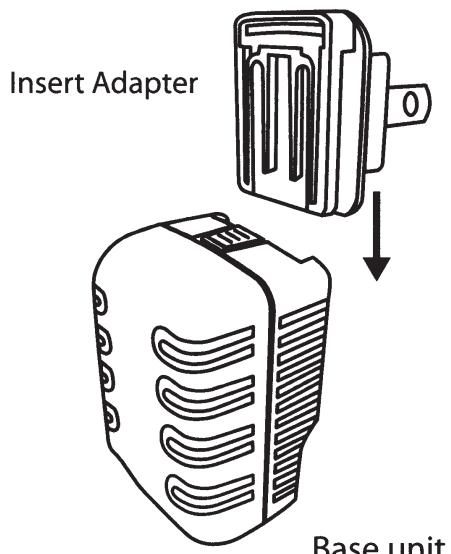
To remove the current plug adapter, pull the release latch back on the base unit. Then insert your desired adapter from the top and slide down into the base until it clicks into place.
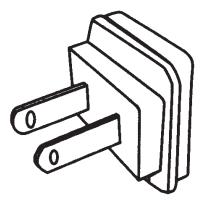
USA
Japan
Mexico
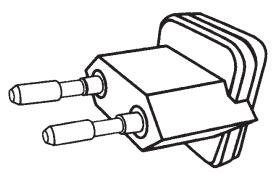
European Union
Philippines
Russia
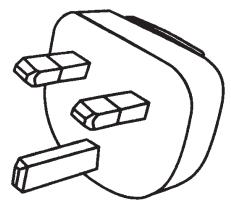
UK
Hong Kong
Singapore
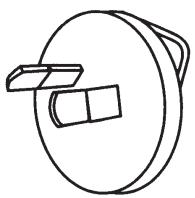
Australia
New Zealand
China