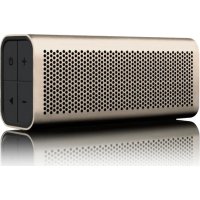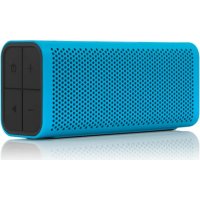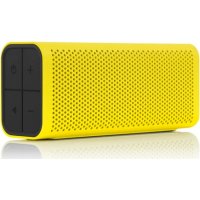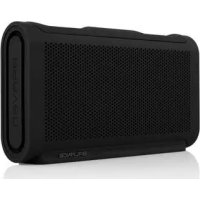
805 - Docking station BRAVEN - Free user manual and instructions
Find the device manual for free 805 BRAVEN in PDF.



| Product Type | Docking Station / Bluetooth Speaker |
| Brand | Braven |
| Model | 805 |
| Power Supply | Built-in rechargeable battery (charges via AC adapter) |
| Charge Time | Approximately 4 to 6 hours |
| Connectivity | Bluetooth |
| Water Resistance | IPX3 (resistant to splashes and rain) |
| Hands-free Function | Yes, with built-in microphone |
| Audio Technology | DTS SRS WOW HD (activatable via Volume + and - buttons) |
| External Device Charging | Yes, via USB port (for smartphones and tablets) |
| Stereo Pairing (True Wireless) | Yes, compatible with 805/1100/BRV-HD |
| Automatic Shutdown | After 90 minutes without active Bluetooth connection |
| Battery Indicators | 5 LED indicators |
| Power Button | On/Off (press 2-3 seconds) |
| Bluetooth Pairing Code | 0000 (if requested) |
Frequently Asked Questions - 805 BRAVEN
User questions about 805 BRAVEN
0 question about this device. Answer the ones you know or ask your own.
Ask a new question about this device
Download the instructions for your Docking station in PDF format for free! Find your manual 805 - BRAVEN and take your electronic device back in hand. On this page are published all the documents necessary for the use of your device. 805 by BRAVEN.
USER MANUAL 805 BRAVEN
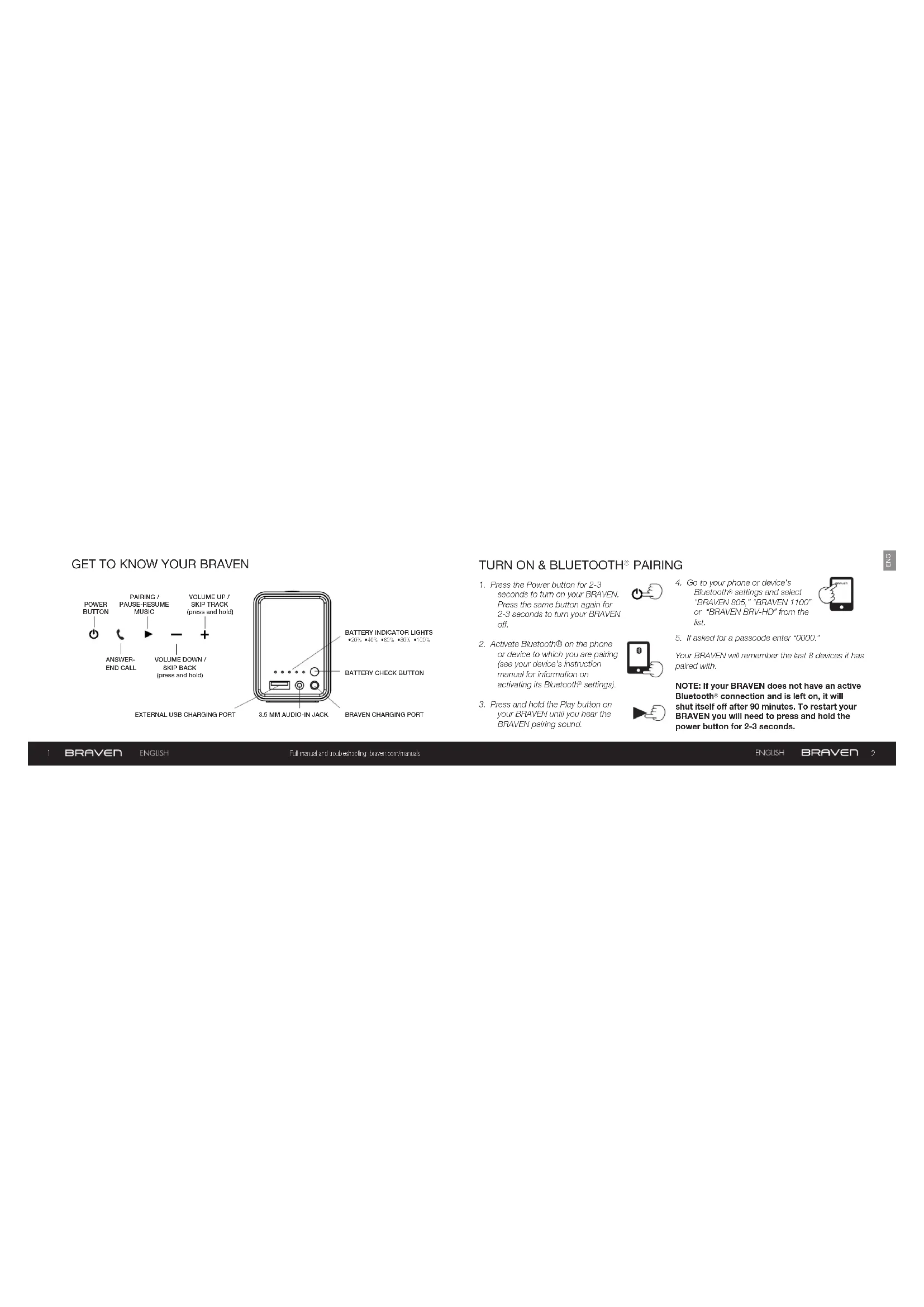
- Press the Power button for 2-3 seconds to turn on your BRAVEN. Press the same button again for 2-3 seconds to turn your BRAVEN off.
- Activate Bluetooth® on the phone or device to which you are pairing (see your device's instruction manual for information on activating its Bluetooth® settings).
- Press and hold the Play button on your BRAVEN until you hear the BRAVEN paining sound.

- Go to your phone or device's Bluetooth® settings and select "BRAVEN 805," "BRAVEN 1100" or "BRAVEN BRV-HD" from the list.
- If asked for a passcode enter "0000."
Your BRAVER will remember the last 8 devices it has paired with.
NOTE: If your BRAVEN does not have an active Bluetooth connection and is left on, it will shut itself off after 90 minutes. To restart your BRAVEN you will need to press and hold the power button for 2-3 seconds.
Before using your BRAVEN for the first time, charge the unit until all 5 Battery Indicator Lights are solid (not flashing), indicating a full charge (typically 4 to 6 hours).
To charge your BRAVEN, plug in the wall power adapter. Plug the connector end of the cable into the BRAVEN charging port.
CHARGING EXTERNAL DEVICES SPEAKERPHONE
Your BRAVEN 1100 or BRV-HD speaker is designed to charge USB devices that draw from 0.3A - 2A using the full sized USB port, including most tablets and cell phones. The BRAVEN 805 speaker will charge at speeds of up to 1A. To use external charging:
- Turn your BRAVEN on.
- Plug the USB power cable that came with your phone, mp3 player, or other mobile device into the USB port on your BRAVEN.
- Plug the other end of the cable into your mobile device, and it will immediately begin charging.
Press the Play button on your BRAVEN to answer the call over the speaker. Press the Play button again to end the call.
DTS AUDIO
BRAVEN 8 Series speakers include a proprietary, bass-enhancing technology from DTS Audio called SRS WOW HD. To activate SRS WOW HD, press the volume up and volume down buttons simultaneously for two seconds while music is playing on the speaker. Press the volume up and down buttons again for two seconds to turn off SRS WOW.
WATER-RESISTANT FEATURE (BRV-HD ONLY)
- The BRV-HD is IPX3 water-resistant. BRV-HD speakers are not intended to be submerged in water, but are resistant to light rainfall and light water splashing.
- IMPORTANT: To ensure your BRV-HD speaker is prepared for use in a wet environment, remove all cable connections and tightly close the side water cap. If the water cap is not properly closed, the BRV-HD will not be water resistant.
PAIR TWO 8-SERIES SPEAKERS TOGETHER FOR EVEN BIGGER SOUND
Two BRAVER B-series units (BRAVEN 805, 1100, BRV-HD, 850, and 655a) can be paired together for left and right stereo using "TrueWireless" technology by following those instructions precisely:
-
Disconnect all Bluetooth® connections (if any) on your cell phone, tablet, or other Bluetooth® source and remove any previously paired 8-series speakers from your device.
-
Press and hold the Battery Check button on both 8-series speakers for 5 seconds
until you hear a sonar sound from both speakers. Within 30 seconds, a second beep will indicate a True/WirelessTM connection between the speakers.
- Follow the regular procedure to Bluetooth ^9 pair your Bluetooth device with either one of your 8-series units.
When you turn off either of the paired speakers while connected in TrueWireless™, both speakers will turn off. To regain TrueWireless™, press the Power Button on both B-series speakers within 5 seconds of each other. Wait approximately 15 seconds.
The speakers will automatically reconnect to each other and to the previously connected device. You will hear two beeps indicating TrueWireless " is reestablished.
TrueWireless™ Note
TrueWireless™ technology only supports one active Bluetooth® connection to your device at the same time. If any other Bluetooth® device (other than the paired speakers) is simultaneously connected to your device, the BRAVEN speaker's audio will distort. If distortion occurs, power down all other
Bluetooth devices in range of your device, other than the paired B-series speakers. Refresh the Bluetooth connections on your device by turning Bluetooth off and then back on. TrueWireless is now reestablished.
For troubleshooting and tutorial videos, please go to www.youtube.com/bravenproducts
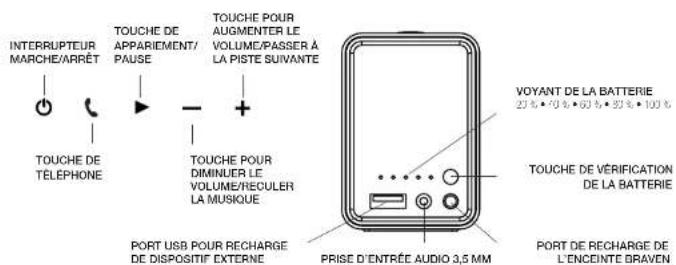
FAMILIARISEZ-VOUS AVEC L'ENCEINTE BRAVEN
MISE SOUS TENSION ET SYNCHRO
NOTA DE TRUE WIRELESSTM
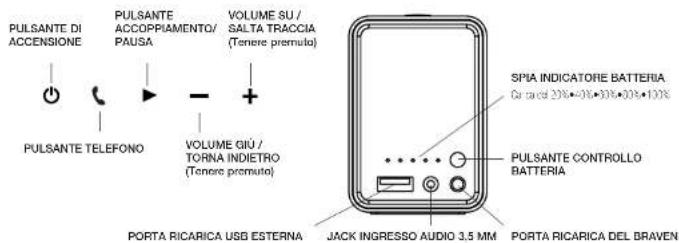
CONOSCERE IL BRAVEN
ACCENSIONEACCOPIAMENTO