
WT70I832X - Washing machine WHIRLPOOL - Free user manual and instructions
Find the device manual for free WT70I832X WHIRLPOOL in PDF.



| Product type | Washing machine |
| Brand | Whirlpool |
| Model | WT70I832X |
| Washing capacity | 7 kg |
| Dimensions (W x D x H) | 595 x 540 x 850 mm |
| Weight | Approximately 70 kg |
| Power supply | 220-240 V, 50 Hz |
| Energy class | A+++ |
| Maximum spin speed | 1200 rpm |
| Number of programs | 16 |
| Main functions | Delayed start, Child safety, Variable water level |
| Noise level (wash/spin) | 54 dB / 76 dB |
| Installation type | Freestanding |
| Display | Digital screen |
| Drum material | Stainless steel |
| Weighing system | Yes |
| Warranty | 2 years |
| Country of manufacture | Italy |
| Maintenance and cleaning | Regular cleaning of filter and detergent drawer |
| Safety | Child lock, overflow protection |
| Spare parts | Available from Whirlpool after-sales service |
Frequently Asked Questions - WT70I832X WHIRLPOOL
User questions about WT70I832X WHIRLPOOL
0 question about this device. Answer the ones you know or ask your own.
Ask a new question about this device
Download the instructions for your Washing machine in PDF format for free! Find your manual WT70I832X - WHIRLPOOL and take your electronic device back in hand. On this page are published all the documents necessary for the use of your device. WT70I832X by WHIRLPOOL.
USER MANUAL WT70I832X WHIRLPOOL
THANK YOU FOR PURCHASING A WHIRLPOOL PRODUCT
To receive more comprehensive help and support, please register your product at www.whirlpool.eu/register

You can download the Safety Instructions and the Use and Care Guide by visiting our website docs.whirlpool.eu and following the instructions on the back of this booklet.

Before using the appliance, carefully read the Health and Safety guide.
PRODUCT DESCRIPTION
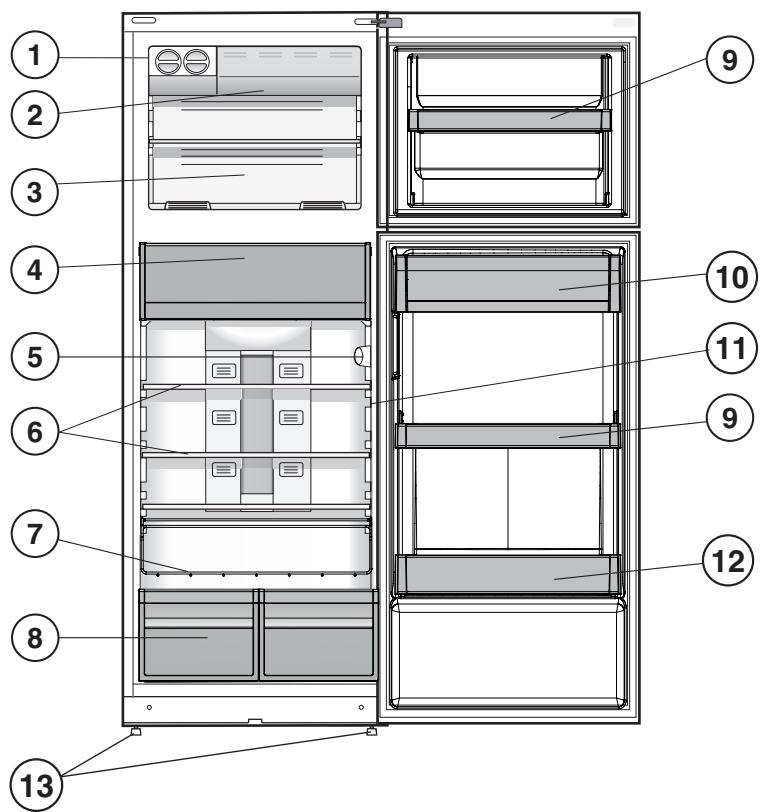
APPLIANCE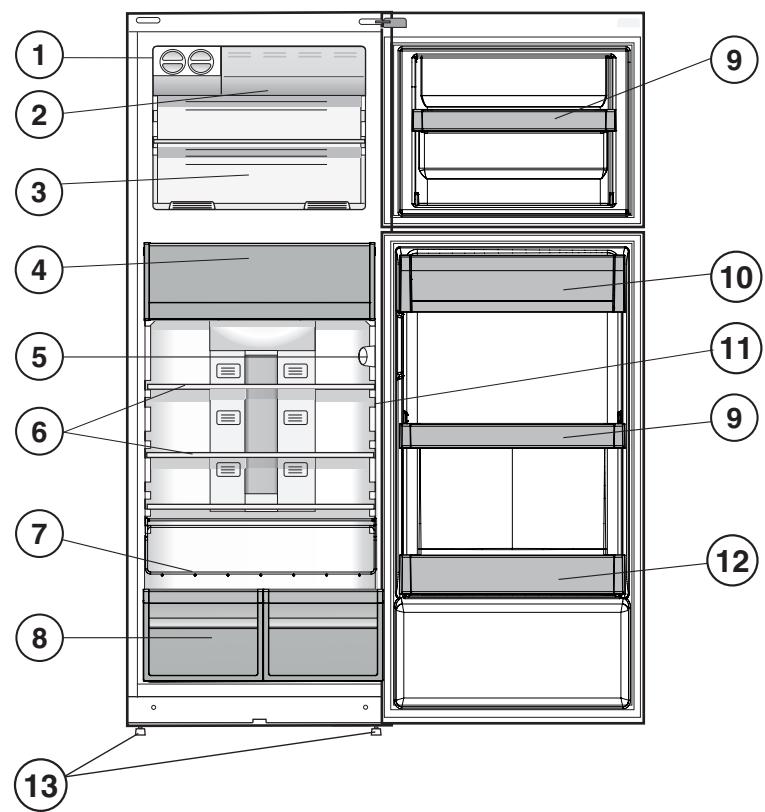
- Ice Device *
- Quick Freezer *
- Freezer And Storage Compartment
- Food Care Zone 0°C / Safe Defrost*
- Control Panel
- Shelves *
- Bottle Rack *
- Fruit And Vegetable Bin *
- Movable Shelves *
- Dairy Shelf *
- Temperature Indicator *
- Bottle Shelf
- Levelling Feet
- Varies by number and/or position, available only on certain models.
CONTROL PANEL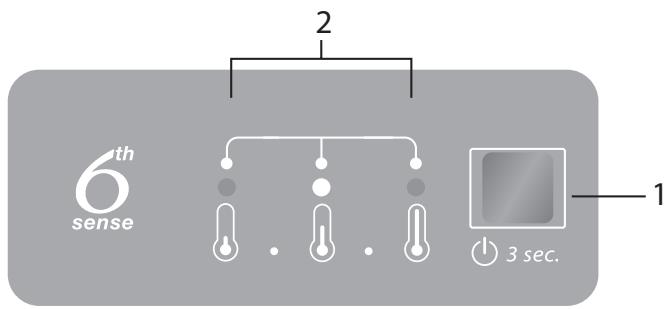
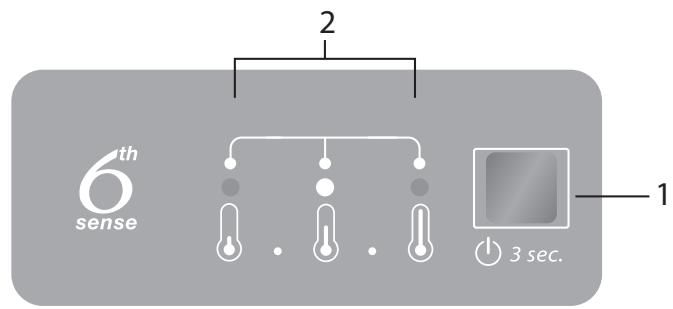
- ON/STANDBY Button and Temperature Button
- Indicator LEDs to display the current temperature setpoint or the Fast Freezing function.
ACCESSORIES
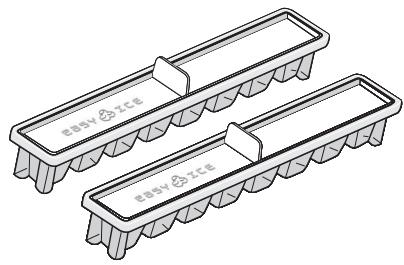
EASY ICE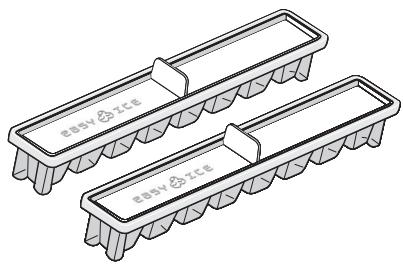
BOTTLE RACK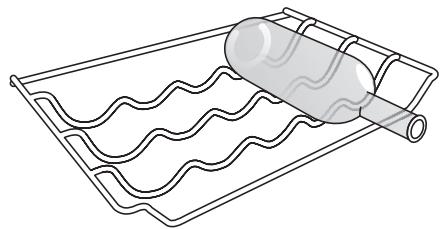
FIRST TIME USE
HOW TO START THE APPLIANCE
After plugging the appliance into the mains, it starts operating automatically. After starting the appliance, wait at least 4-6 hours before placing food in the fridge and freezer compartments.
When the appliance is connected to the power supply, the display lights up and all icons appear for approximately 1 second. The default (factory) settings for the fridge and freezer compartments are shown.
DAILY USE
See the Use and Care Guide for more details on functions / see the last page for information on how to obtain the Use and Care Guide.
FUNCTIONS
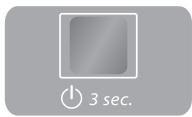
ON/STANDBY
To put the product in Stand-by, press and hold the On/Standby button for 3 seconds. All temperature indicators turn off. Press again to reactivate the appliance (see the Instructions for Use).
TEMPERATURE SETTING
Press the Temperature button on the control panel to adjust the temperature from the warmest to the coldest level.
Pressing the Temperature button will change the temperature setting cyclically.
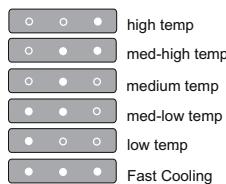
At first plug-in, the appliance's temperature setpoint is at the medium position (factory setting).
FAST FREEZING
The use of the Fast Freezing function is recommended to increase the cooling capacity of the freezer compartment when placing a very large quantity of food inside. To activate the Fast Freezing function, press the Temperature button cyclically on the control panel until all 3 LEDs blink and remain on.

The function is automatically deactivated after 48 hours and returns to the previously selected set point. The function can be manually deactivated by pressing the Temperature button on the control panel.
TEMPERATURE INDICATOR*
Temperature indicator informs you if the temperature in this cavity is cold enough for storage with the word "OK".
- Check that OK appears clearly on the indicator light (see the picture below).
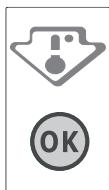
- If the word "OK" does not appear it means that the temperature is too high: set a lower temperature and wait approximately 10 hours until the temperature has been stabilised.
- Check the indicator light again: if necessary, readjust it following the initial process. If large quantities of food have been added or if the refrigerator door has been opened frequently, it is normal for the indicator not to show OK. Wait at least 10 hours before adjusting the REFRIGERATOR OPERATION knob to a higher setting.
FOOD CARE ZONE 0°C /SAFE DEFROST*
A compartment designed to keep delicate food such as meat and fish fresh. The low temperature in the compartment makes it possible to store the food for up to one week - tests performed on meat products - without changing its nutrients, appearance and flavour.
The compartment is also very suitable for healthy food defrosting, as low-temperature defrosting prevents any proliferation of microorganisms, while protecting its taste and organoleptic properties.
It is not suitable for fruit, vegetables and green salad. But it can be used for stuffed fresh pasta and even cooked food or leftovers.
FRUIT AND VEGETABLE BIN *
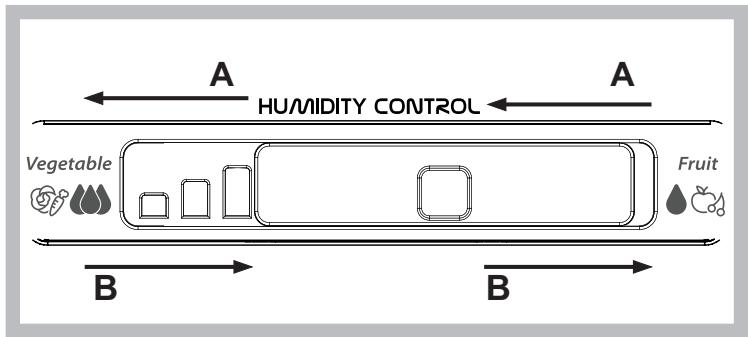
The salad crispers fitted inside the fridge have been specially designed for the purpose of keeping fruit and vegetables fresh and crisp. Open the humidity regulator (position B) if you want to store food in a less humid environment like fruit, or close it (position A) to store food in a more humid environment like vegetable.
SHELVES*
Due to the special guides the shelves are removable and the height is adjustable, allowing easy storage of large containers and food.
ICE DEVICE*
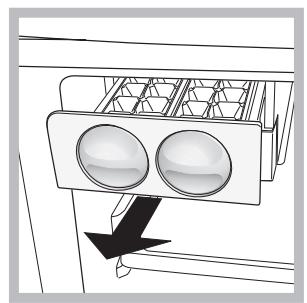
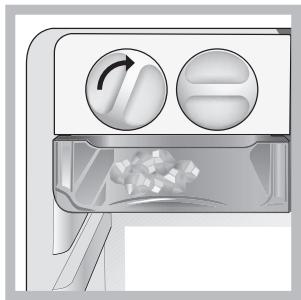
After pouring water in the special ice cups, place them in their places in the ice device. After about 2 hours, the ice cubes will be ready. In order to get the ice cubes, it will be sufficient to turn the two buttons to the right. The ice cubes will fall in to the tray below, ready to be used.
ALARM TABLE
| ALARM TYPE | SIGNAL | CAUSE | SOLUTION |
| Door open alarm. | Refrigerator Light blinks. Alarm Indicator blinks. | The door has remained open for more than 2 minutes. | Close the door. |
| Door open alarm. | Refrigerator Light OFF. | The door has remained open for more than 4 minutes. | Close the door. |
| Malfunction. | Any temperature indicators blinks. | Product malfunction. | Contact the After-sales Service. |
SOME OF THE FUNCTIONAL SOUNDS YOU MIGHT HEAR
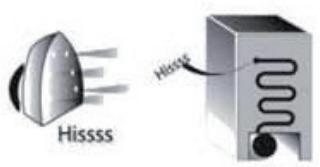
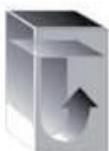
A hissing sound when switching on the appliance for the first time or after a long pause.
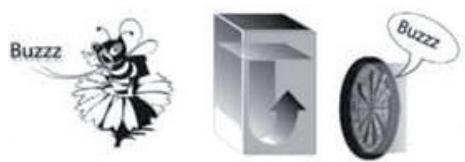
Buzzing sound when water valve or fan start working.
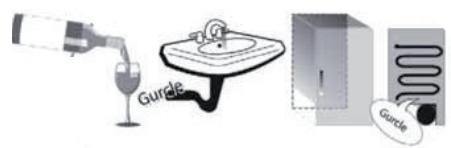
A gurgling sound when refrigerant fluid enters into the pipes.
A cracking sound when compressor starts.
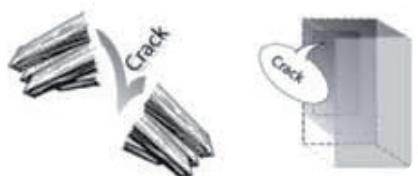
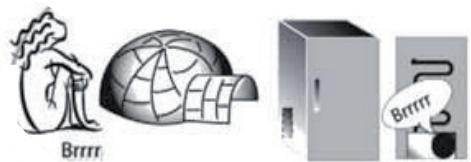
BRRR sound is from the compressor running.
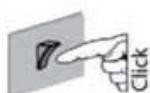
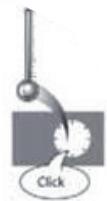
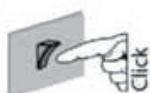
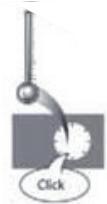
The Click is from the thermostat which adjusts how often the compressor is running.
HOW TO STORE FOOD
AND BEVERAGE
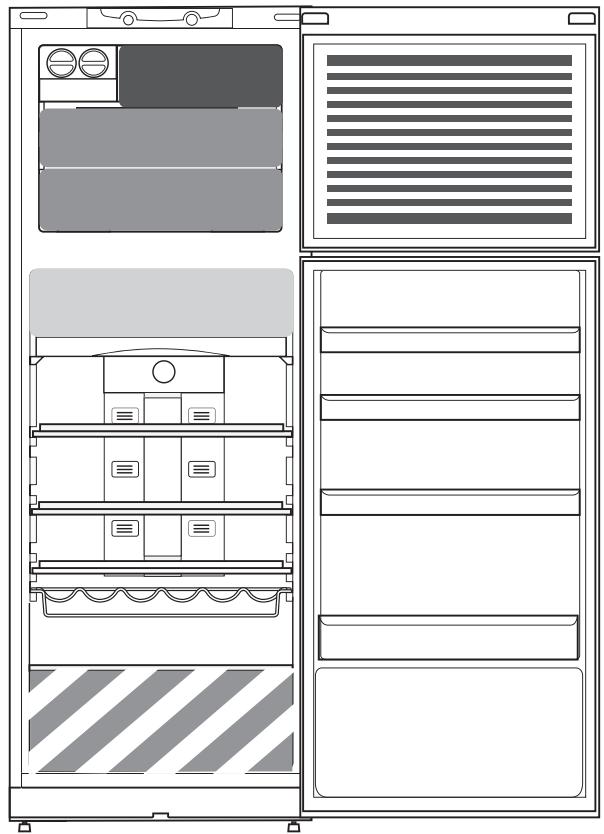
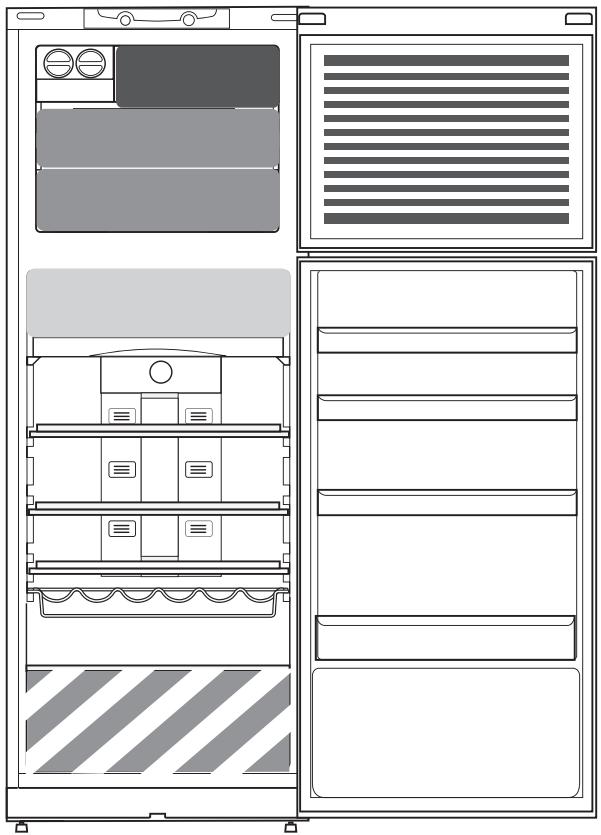
Legend
COOL ZONE
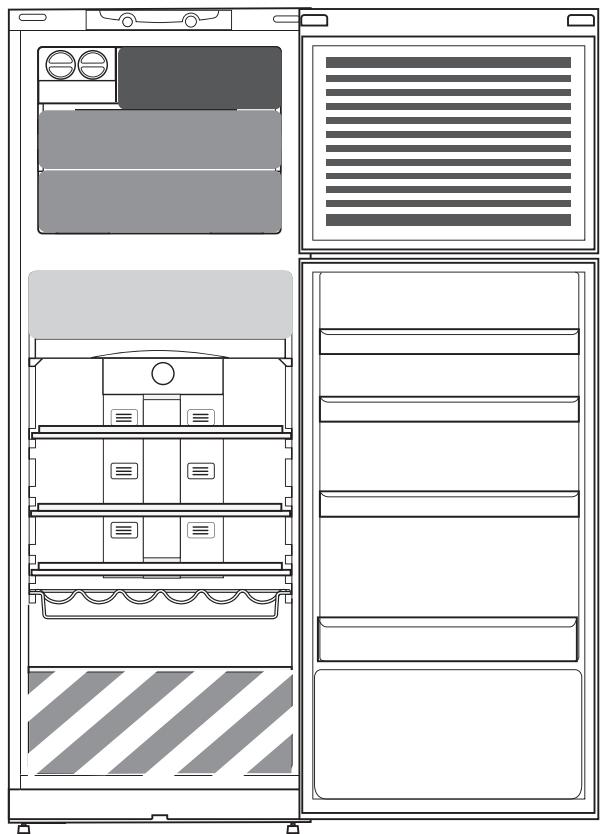
Suggested for the storage of beverage, milk and food as dairy food, delicatessen, yogurt, eggs, butter, sauces, pickles, desserts

COOLER ZONE:
FOOD CARE ZONE 0 °C / SAFE DEFROST *
Suggested for the storage of meat, fish, cold cuts, stuffed fresh pasta, cooked food, leftovers. This zone is also suggested for food defrosting.

FRUIT & VEGETABLE DRAWER

FAST FREEZING ZONE DRAWER
Max cool zone suggested to freeze fresh food and cooked food.

NORMAL FREEZER DRAWERS
Suggested for the storage of frozen food and ice cream.
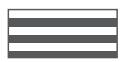
ICE CREAM LOADING IN THE BALCONIES AREA
Note: The Grey tone of the legend doesn't match with the color of drawers
FRIDGE COMPARTMENT
Use recyclable plastic, metal, aluminum and glass containers and cling film to wrap foods.
Always use closed containers for liquids and for food that may give off or be tainted by odor or flavor transfer or cover them.
If you have a little quantity of food to store in the refrigerator, we recommend to use the shelves above the crisper for fruits and vegetables since this is the coolest area of the compartment.
Foods which give off a large amount ethylene gas and those that are sensitive to this gas, such as fruit, vegetables and salad, should always be separated or wrapped so as not to reduce the storage life; for example do not store tomatoes together with kiwi fruits or cabbage.
To avoid bottles falling over, you can use the bottle holder (available on selected models).
Do not store food too close together to enable sufficient air circulation.
FREEZER COMPARTMENT
The freezer is the ideal storage location for storing frozen food, making ice cubes, and freezing fresh food in the freezer compartment.
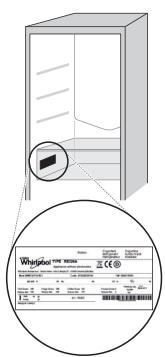
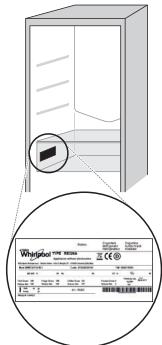
The maximum number of kilograms of fresh food that can be frozen within a 24-hour period is indicated on the rating plate (...kg/24h). If you have a small quantity of food to store in the freezer, we recommend using the coldest areas of your freezer compartment, corresponding to the middle area.
PRODUCT FICHE
The product fiche with energy data of this appliance can be downloaded from the Whirlpool website docs.whirlpool.eu
HOW TO OBTAIN THE USE AND CARE GUIDE
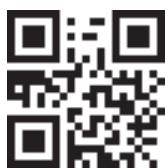
Download the Use and Care Guide from our website docs.whirlpool.eu (you can use this QR Code), specifying the product's commercial code. Alternatively, contact our Client After-sales Service.
CONTACTING AFTER-SALES SERVICE
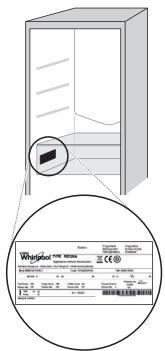
You can find our contact details in the warranty manual. When contacting our Client After-sales Service, please state the codes provided on your product's identification plate.

19514339802
Printed in Italy

THANK YOU FOR CHOOSING A WHIRLPOOL PRODUCT
THANK YOU FOR CHOOSING A WHIRLPOOL PRODUCT
STARTING UP THE APPLIANCE
STORING FOOD AND DRINKS
Legend
COLD ZONE
NORMAL FREEZER DRAWERS
Store the food items close to each other to allow sufficient air circulation.
FREEZER COMPARTMENT
The freezer is the ideal place for storing frozen food, making ice cubes and freezing fresh food in the freezer compartment. The maximum amount of fresh food that can be frozen within 24 hours is indicated on the rating plate (...kg/24h). If you have a small amount of food to store in the freezer, we recommend using the coldest areas of the freezer compartment, which correspond to the middle area.
ENERGY LABEL
The energy label data sheet can be downloaded from the Whirlpool website docs.whirlpool.eu
HOW TO USE THE USER MANUAL AND SUPPORT
Download the user manual and support from our website docs.whirlpool.eu (you can use this QR code), by indicating the commercial code of the product.
Another option is to contact our after-sales service department.

CONTACTING THE AFTER-SALES SERVICE
The contact information is provided in the warranty booklet. When contacting the after-sales service for customers, please quote the model number indicated on the product rating plate.

19514339802
PRINTED IN ITALY
MANUAL
FOR EVERYDAY USE

THANK YOU FOR PURCHASING A WHIRLPOOL PRODUCT.
BOTTLE RACK IN THE DOOR
Designed to hold bottles in the door.
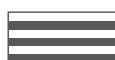
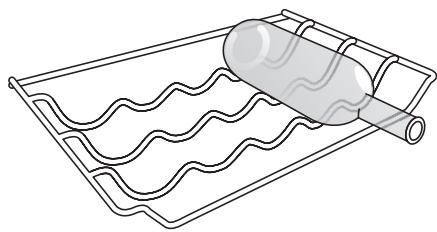
BOTTLE RACK SHELF
Place the bottles on the shelf as shown.
FOOD STORAGE
Store plastic, metal, aluminum, and other containers, as well as bottles, on the shelves provided.
Do not place hot food or containers in the refrigerator; allow them to cool first.
If the food storage compartment is not cold enough, adjust the thermostat to a colder setting, and place the most perishable items in the coldest area.
Store raw meat and fish in the coldest part of the refrigerator, and keep them separate from other foods to prevent cross-contamination.
To prevent odors, clean the interior regularly (at least once a month).
Keep the door gasket clean to ensure a proper seal.
The filter is designed to hold back food particles and impurities to keep the drain clean. During the 24-hour period, the food particles that can be drained are shown on the technical data plate (...kg/24h). If the food particles to be drained are less than this, the filter's indicator will show the strongest signal (the default is the strongest signal).
TECHNICAL PARAMETERS OF THE APPLIANCE
You can get the technical parameters of your appliance from the website www.whirlpool.eu
PROCEDURE FOR OBTAINING THE APPLIANCE'S TECHNICAL PARAMETERS AND INSTALLATION MANUAL
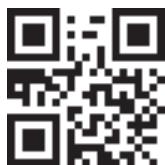
Open the commercial code of the appliance, then you can get the technical parameters and installation manual from the website www.whirlpool.eu (or by using the QR code). Or contact the after-sales service.

AFTER-SALES SERVICE CONTACT
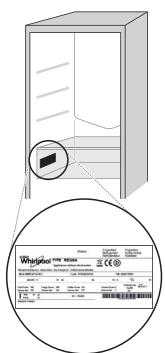
If your appliance has a malfunction, you can contact the after-sales service. When contacting the after-sales service, please provide the technical data shown on the rating plate.

19514339802
ItaJnaDa bacbIfah
GUIDE
FOR THE USER

THANK YOU FOR PURCHASING A WHIRLPOOL PRODUCT
WE THANK YOU FOR PURCHASING A WHIRLPOOL PRODUCT
The buzzer sounds when the refrigerator door is opened.

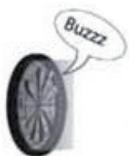
The buzzer sounds when the refrigerator door is opened.
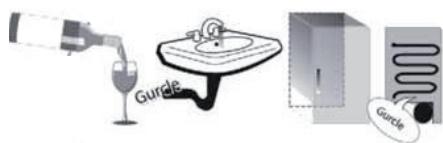
Type of compressor oil.
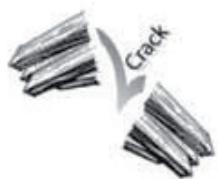
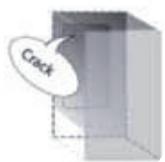
Compressor operation noise.
Hum.
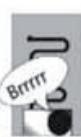
Thermostat setting, regulating the compressor's operation.
STORAGE OF PRODUCTS AND DRINKS
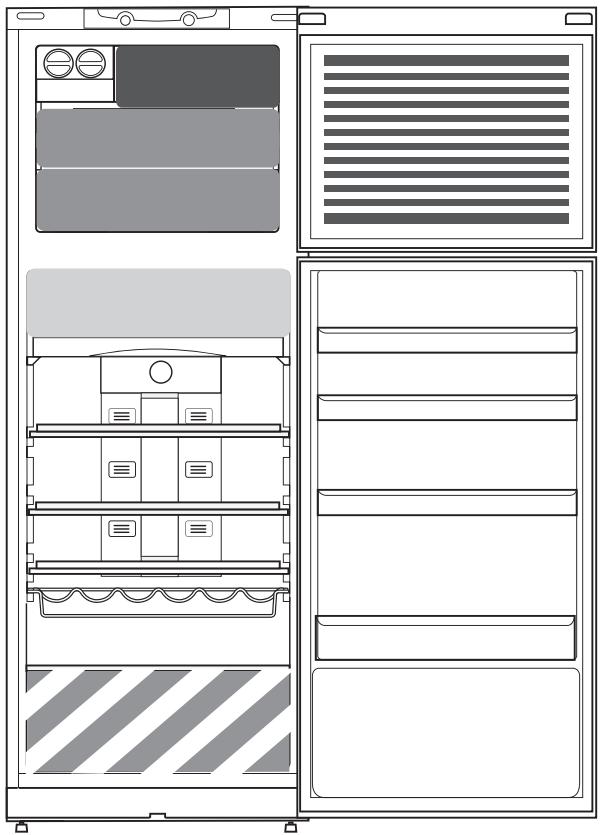
Designations
COLD ZONE
Recommended for storing drinks, milk and dairy products, snacks, semi-finished products, oils, sauces, pickles, desserts.

COLDER ZONE: FRESH ZONE 0°C / SAFE DEFROSTING*
Recommended for storing meat, fish, meat cuts, minced meat products, fresh dough, ready or semi-cooked dishes. This zone is also suitable for defrosting products.

FREEZER ZONE FOR PRODUCTS

FAST FREEZING ZONE
The coldest zone, recommended for freezing fresh/prepared products.

FREEZER DRAWERS
Recommended for storing frozen products and ice cream.
Freezer compartment
The freezer compartment is the ideal place for storing frozen foods, making ice cubes, and freezing fresh foods. The maximum amount of fresh foods in kilograms that can be frozen in 24 hours is indicated on the rating plate (...kg/24h). If the quantity of foods to be stored in the freezer is small, use the middle zone as the coldest zone in the freezer compartment.
TECHNICAL DATA SHEET
The technical data sheet of the appliance with energy consumption data can be downloaded from the Whirlpool website docs.whirlpool.eu
HOW TO OBTAIN THE USER MANUAL AND AFTER-SALES SERVICE
Download the "User Manual and After-Sales Service" from our website docs.whirlpool.eu (using the QR code provided), indicating the commercial code of the product. The manual can also be obtained by contacting our Customer Service Center.

AFTER-SALES SERVICE
Our contact details can be found in the warranty booklet. When contacting the Customer Service, provide the codes indicated on the rating plate of the appliance.

19514339802
PRINTED IN ITALY
DAILY USE GUIDE
OPERATING INSTRUCTIONS

THANK YOU FOR PURCHASING A WHIRLPOOL PRODUCT
To get more comprehensive help and support, register your appliance at www.whirlpool.eu/register

www
high temp med-high temp
medium temp med-low temp
low temp Fast Cooling
Fast Freezing
We recommend using the Fast Freezing function to increase cooling in the freezer compartment, before placing a large quantity of products in it.
To activate the Fast Freezing function, on the control panel press the "Temperature" button until the corresponding indicator lights up.

After 48 hours the function switches off automatically, and the temperature value returns to the previously selected setting. To switch off the function manually, on the control panel press the "Temp." (Temperature) buttons.
After switching on the appliance to the power supply, the display lights up and all symbols are displayed for about 1 second. The default parameters of the fridge-freezer compartment will then be displayed (factory settings).
For more detailed information about the functions of the appliance, see the "User Manual". Information on how to obtain the "User Manual" is on the last page.
TEMPERATURE INDICATOR*
The temperature indicator shows the word "OK" when the temperature in the compartment is low enough for food storage.
1. Make sure that the word "OK" is clearly displayed on the indicator (see figure).
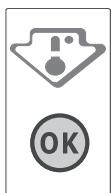
2. If the word "OK" does not appear, it means that the temperature is too high: set a lower temperature and wait approximately 10 hours until the temperature stabilizes. 3. Check the indicator again: if necessary, adjust it after the initial process. If a large quantity of products has been placed or the fridge door has been opened frequently, the absence of "OK" on the indicator is normal. Wait at least 10 hours before setting the fridge temperature control to a lower value.
ZONE FOR FRESHNESS 0°C / SAFE DEFROSTING*
The compartment is designed for storing fresh food such as meat and fish, fresh. The low temperature in the compartment allows storing products for up to one week - this is confirmed by tests conducted with meat products - without loss of their nutritional properties, appearance and taste. The compartment is also very suitable for defrosting fresh food, because defrosting at low temperature prevents the spread of microorganisms, while preserving taste and organoleptic properties. It is not suitable for storing fruits, vegetables and green salad. But it can be used for fresh pasta dishes and ready meals or leftovers.


Therefore, the area of triangle ABN is equal to one half times AB times MN.
a
yjll jbi
a jll aabil 2y jil yjil gail abio plaii i jia . gail plabll
aaiie
aR aal alal alal alal
a 1
cJrJgJgJgJgJgJgJgJgJgJgJgJgJgJgJgJgJgJgJgJgJgJgJgJgJgJgJgJgJgJgJgJgJgJgJgJgJgJgJg
y j
iill jll jll l 10 QR
Lulull laia 1uaiy
19514339802
山
- PRODUCT DESCRIPTION
- ACCESSORIES
- FIRST TIME USE
- HOW TO START THE APPLIANCE
- DAILY USE
- FUNCTIONS
- ON/STANDBY
- TEMPERATURE SETTING
- FAST FREEZING
- TEMPERATURE INDICATOR
- FOOD CARE ZONE 0°C /SAFE DEFROST
- FRUIT AND VEGETABLE BIN
- SHELVES
- ICE DEVICE
- SOME OF THE FUNCTIONAL SOUNDS YOU MIGHT HEAR
- HOW TO STORE FOOD
- AND BEVERAGE
- LEGEND
- COOL ZONE
- COOLER ZONE
- FOOD CARE ZONE 0 °C / SAFE DEFROST
- FRUIT & VEGETABLE DRAWER
- FAST FREEZING ZONE DRAWER
- NORMAL FREEZER DRAWERS
- ICE CREAM LOADING IN THE BALCONIES AREA
- FRIDGE COMPARTMENT
- FREEZER COMPARTMENT
- PRODUCT FICHE
- HOW TO OBTAIN THE USE AND CARE GUIDE
- CONTACTING AFTER-SALES SERVICE
- THANK YOU FOR CHOOSING A WHIRLPOOL PRODUCT
- STARTING UP THE APPLIANCE
- STORING FOOD AND DRINKS
- COLD ZONE
- ENERGY LABEL
- HOW TO USE THE USER MANUAL AND SUPPORT
- CONTACTING THE AFTER-SALES SERVICE
- MANUAL
- FOR EVERYDAY USE
- THANK YOU FOR PURCHASING A WHIRLPOOL PRODUCT
- BOTTLE RACK IN THE DOOR
- BOTTLE RACK SHELF
- FOOD STORAGE
- TECHNICAL PARAMETERS OF THE APPLIANCE
- PROCEDURE FOR OBTAINING THE APPLIANCE'S TECHNICAL PARAMETERS AND INSTALLATION MANUAL
- AFTER-SALES SERVICE CONTACT
- GUIDE
- FOR THE USER
- WE THANK YOU FOR PURCHASING A WHIRLPOOL PRODUCT
- STORAGE OF PRODUCTS AND DRINKS
- DESIGNATIONS
- COLDER ZONE: FRESH ZONE 0°C / SAFE DEFROSTING
- FREEZER ZONE FOR PRODUCTS
- FAST FREEZING ZONE
- FREEZER DRAWERS
- TECHNICAL DATA SHEET
- HOW TO OBTAIN THE USER MANUAL AND AFTER-SALES SERVICE
- AFTER-SALES SERVICE
- DAILY USE GUIDE
- OPERATING INSTRUCTIONS
- ZONE FOR FRESHNESS 0°C / SAFE DEFROSTING
Brand : WHIRLPOOL
Model : WT70I832X
Category : Washing machine