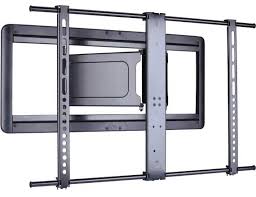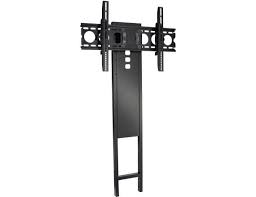
FMK056 - Wall TV mounts SANUS SYSTEMS - Free user manual and instructions
Find the device manual for free FMK056 SANUS SYSTEMS in PDF.


| Product Type | Wall TV mount |
| Brand | SANUS SYSTEMS |
| Model | FMK056 |
| Maximum load capacity | 59 kg (130 lbs) |
| Tilt | ±12° |
| Swivel | ±15° (on post only) |
| Mounting types | Wall mount (wood or concrete) or on Sanus post |
| Material | Steel |
| Finish | Black |
| Mount weight (estimated) | Approximately 5 kg |
| Package contents | Wall plate, post, TV brackets, mounting hardware |
| Maintenance | Clean with a soft, dry cloth. Do not use abrasive products. |
| Safety | Do not exceed the maximum load. Use the provided security bolts. Mount only on wood stud or solid concrete walls. |
| Warranty | 2 years (standard estimate) |
| Manufacturer | Milestone AV Technologies |
Frequently Asked Questions - FMK056 SANUS SYSTEMS
User questions about FMK056 SANUS SYSTEMS
0 question about this device. Answer the ones you know or ask your own.
Ask a new question about this device
Download the instructions for your Wall TV mounts in PDF format for free! Find your manual FMK056 - SANUS SYSTEMS and take your electronic device back in hand. On this page are published all the documents necessary for the use of your device. FMK056 by SANUS SYSTEMS.
USER MANUAL FMK056 SANUS SYSTEMS
13 SANUS ^TM FOUNDATIONS
FMK056
(6901-002058 <01>)
natural_image
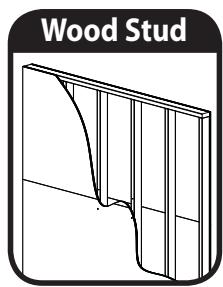
Wood Stud illustration showing a curved structural element with vertical divisions (no text or symbols)
natural_image
Isometric illustration of a brick wall with no text or symbols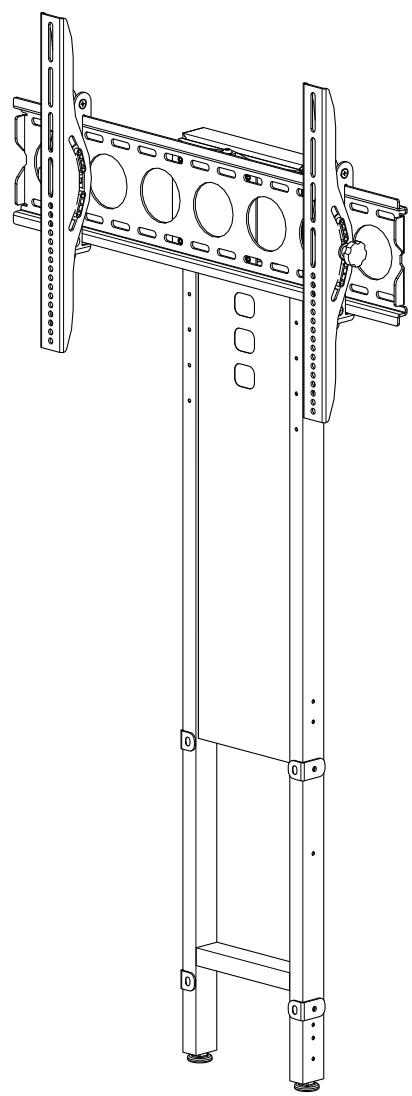
natural_image
Technical line drawing of a mechanical frame structure with mounting holes and structural supports (no text or symbols)
Sanus Systems
2221 Hwy 36 West
Saint Paul, MN 55113 USA
Customer Service
Americas: 800-359-5520 • 651-484-7988 • info@sanus.com
Europe, Middle East, and Africa: +31 40 2324700 • europe.sanus@milestone.com
Asia Pacific: 86 755 8996 9226 • sanus.ap@milestone.com
sanus.com
 |  |  |  |  |
| EnglishWood stud walls | Concrete/Concrete Block Walls | Choose an Option | CAUTION / WARNING | Do Not |
| FrançaisStructure de murs en bois | Murs en béton coulé ou en blocs de béton | Sélectionnez une option | ATTENTION/ AVERTISSEMENT! | Interdit |
| DeutschHolzbalkenwände | Beton-/Betonsteinwände | Wählen Sie eine Option | VORSICHT / WARNUNG | Tun Sie Folgendes nicht |
| EspañolParedes con montantes de madera | Paredes de hormigón o de bloques de hormigón | Elija una opción | PRECAUCIÓN /IADVERTENCIA! | Prohibido |
| PortuguêsParedes de pino de madeira | Paredes de concreto/Paredes de bloco de concreto | Escolha uma opção | ATENÇÃO / AVISO! | Não |
| NederlandsMuren met houten balkenconstructie | Muren van beton/betonblokken | Kies een optie | VOORZICHTIG/WAARSCHUWING | Niet |
| ItalianoPareti con montanti in legno | Pareti in calcestruzzo/blocchi di calcestruzzo | Scegliere un'opzione | PRECAUZIONE/ AVVERTENZA | Divieto |
| ΕλληνικάToixoi με ξύλινους ορθοστάτες | Toixoi από σκυρόδεμα/ τσιμεντόλιθους | Επιλέξτε μια επιλογή | ΠΡΟΣΟΧΗ/ ΠΡΟΕΙΔΟΠΟΙΗΣΗ | Μην |
| NorskVegger med trestendere | Betongvegger/vegger av betongblokker | Velg et alternativ | FORSIKTIG/ADVARSEL | Forbudt |
| DanskVægge med trædyveler | Beton / betonblokvægge | Vælg en mulighed | FORSIGTIG/ADVARSEL | Advarsel |
| SvenskaVäggar med träreglar | Betong/Betongvägg | Välj ett alternativ | FÖRSIKTIGHET/VARNING | Gör inte |
| РусскийСтена с деревянным каркасом | Стены из бетона/бетонных блоков | Выберите вариант | ПРЕДУПРЕЖДЕНИЕ/ ПРЕДУПРЕЖДЕНИЕ | Запрещается |
| polskiDrewniane ściany szkiletowe | Ściany z betonu lub pustaków betonowych | Wybrać opcję | UWAGA / OSTRZEŻENIE | Nie należy: |
| ČeskyZdi s dřevěnými výztuhami | Zdi z betonu/panelů | Vyberte jednu možnost | POZOR / VAROVÁNÍ | Nedělat |
| TürkçeAhşap Profilli Duvarlar | Beton/Beton Blok Duvarlar | Seçeneklerden Birini Belirleyin | DİKKAT / UYARI | Yapılmaması Gerekenler |
| 日本語木製スタッド壁 | コンクリート/コンクリートブロック壁 | オプションの選択 | 注意/警告 | 禁止事項 |
| 中文木墙柱墙壁 | 混凝土/混凝土砌块墙 | 选择一个选项 | 小心/警告 | 请勿 |
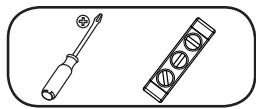
| EnglishTools required | WARNING: This product contains small items that could be a choking hazard. | Troubleshooting and Maintenance | Repeat Step | Heavy! Assistance Required. |
| FrançaisOutils nécessaires | Ce produit contient de petites pièces qui peuvent représenter un risque d'étouffement. | Dépannage et maintenance | Répétez l'étape | TRÈS LOURD ! Cette étape requiert deux personnes. |
| DeutschBenötigte Werkzeuge | Dieses Produkt enthält kleine Teile, die zum Erstickungstod führen können. | Fehlerbehebung und Wartung | Wiederholen Sie den Schritt | VORSICHT, SCHWER! Bei diesem Schritt werden Sie Hilfe benötigen. |
| EspañolHerramientas necesarias | Este producto contiene piezas pequeñas que, si fuesen tragadas, podrían producir asfixia. | Resolución de problemas y mantenimiento | Repita este paso | ¡PESADO! Necesitará ayuda para realizar esta operación. |
| PortuguêsFerramentas necessárias | Este produto contém itens pequenos que podem oferecer risco de sufocamento. | Solução de problemas e manutenção | Repita a etapa | PESADO! Necessitará de ajuda nesta etapa. |
| NederlandsBenodigd gereedschap | Dit product bevat kleine onderdelen die stikkingsgevaar kunnen opleveren. | Probleemoplossing en onderhoud | Herhaal stap | ZWAAR! Voor het uitvoeren van deze stap is assistentie vereist. |
| ItalianoStrumenti richiesti | Questo prodotto comprende elementi di piccole dimensioni che potrebbero causare il soffocamento. | Risoluzione dei problemi e manutenzione | Ripetere l'operazione | PESANTE! Per questa operazione, si avrà bisogno di aiuto. |
| ΕλληνικάΑπαιτούμενα εργαλεία | Το προϊόν αυτό περιλαμβάνει μικρά αντικείμενα που μπορεί να αποτελέσουν κίνδυνο πνιγμού. | Αντιμετώπιση προβλημάτων και Συντήρηση | Επαναλάβετε το βήμα | BAPY! Θα χρειαστείτε βοήθεια σ' αυτό το βήμα. |
| NorskNødvendig verktøy | Dette produktet inneholder små elementer som kan utgjøre kvelefare. | Feilsøking og vedlikehold | Gjenta trinn | TUNGT! Du vil trenge hjelp til denne operasjonen. |
| DanskRedskaber, der skal bruges | Dette produkt indeholder små dele, som kan forårsage kvælning, hvis de bliver slugt. | Fejlfinding og Vedligeholdelse | Gentag trin | TUNGT! Du skal bruge hjælp, når du udfører dette trin. |
| SvenskaVerktyg som behövs | Den här produkten innehåller små delar som kan utgóra kvävningsrisk. | Felsökning och underhåll | Upprepa steg | TUNGT! Du kommer att behöva hjälp under det här steget. |
| РусскийНеобходимые инструменты | В изделии есть мелкие детали, которые могут стать причиной удушения при попадании в дыхательные пути. | Устранение неисправностей и обслуживание | Повторить действие | БОЛЬШОЙ ВЕС! При выполнении данной операции вам понадобится помощь. |
| polskiWymagane narzędzia | Produkt zawiera małe elementy, które mogą grozić zakrztuszeniem. | Rozwiązywanie problemów i konserwacja | Powtórzyć krok | CIEŻKIE! W tej czynności potrzebna będzie pomoc drugiej osoby. |
| ČeskyPožadované nástroje | Tento výrobek obsahuje malé součástky, které hrozí rizikem zadušení. | Řešení problémů a údržba | Opakovat krok | TĚŽKÉ! K tomoto kroku budete potřebovat pomocníka. |
| TürkçeGereken Aletler | Bu ürün, boğulma tehlikesine neden olabilecek küçük parçalar içermektedir. | Sorun Giderme ve Bakım | Adımlı Tekrarlayın | AĞIR MALZEME! Bu aşamada yardıma ihtiyacınız vardır. |
| 日本語必要なツール | 本製品には小さい部品が付属しており、窒息の危険性があります。 | トラブルシューティングとメンテナンス | 手順の繰り返し | 重量あり!この操作は2人で行ってください。 |
| 中文需要的工具 | 此产品包含可能带来窒息危险的小组件。 | 故障排除与维护 | 重复步骤 | 支架臂很重!该步骤需要协助。 |
English
IMPORTANT SAFETY INSTRUCTIONS – SAVE THESE INSTRUCTIONS – PLEASE READ ENTIRE MANUAL BEFORE USING THIS PRODUCT
For best results, reference both the text and illustrations when using this manual. Cut along the dashed lines to match your language with the illustrations.
English Text Pages 1-20
Français
INFORMATIONS IMPORTANTES CONCERNANT LA SÉCURITÉ – CONSERVEZ CES INSTRUCTIONS – VEUILLEZ LIRE ATTENTIVEMENT LE MANUEL AVANT D'UTILISER CE PRODUIT
IMPORTANT SAFETY INSTRUCTIONS - SAVE THESE INSTRUCTIONS - PLEASE READ ENTIRE MANUAL BEFORE USING THIS PRODUCT
Thank you for choosing the FMK056 pillar kit. The FMK056 allows you to mount your TV to the wall or to the pillar mounted on select Sanus furniture.
For wall mounting, see steps 1, 7, and 8.
For pillar mounting, see steps 1-6 and 8.
Specifications
Weight capacity: 59 kg (130 lbs)
★ Swivel: ±15° (pillar mounting option only)
Tilt: ±12°
TV MOUNTED TO WALL
STEPS 1, 7, AND 8

TV MOUNTED TO PILLAR
STEPS 1-6 AND 8
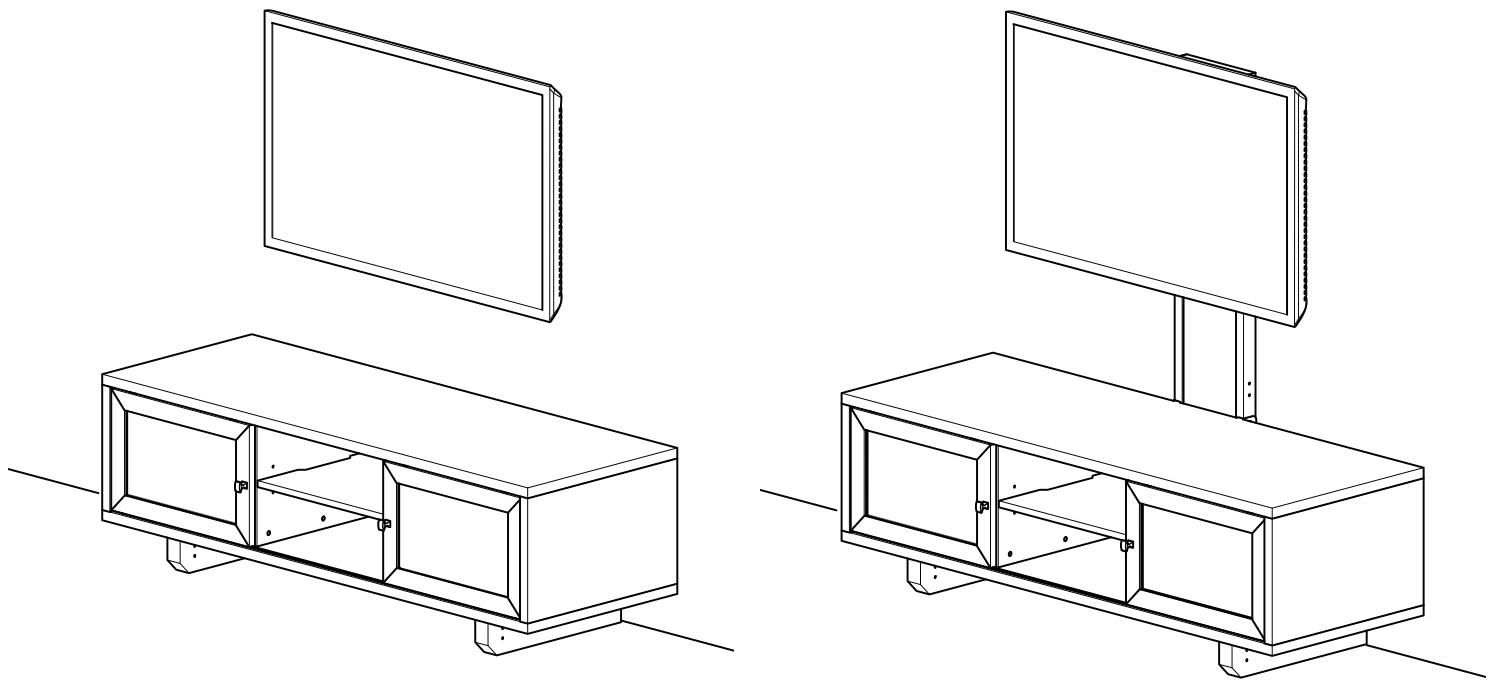
natural_image
Line drawings of two modular TV setups with front and back views, no text or symbols presentCAUTION:
▲ CAUTION: Avoid potential personal injuries and property damage!
Do not use this product for any purpose not explicitly specified by manufacturer.
The wall must be capable of supporting five times the weight of the monitor and mount combined.
This product is not designed for use in metal stud walls!
If you do not understand these instructions, or have doubts about the safety of the installation, assembly or use of this product, contact manufacturer Customer Service or call a qualified contractor.
Manufacturer is not responsible for damage or injury caused by incorrect assembly or use.
Supplied Parts and Hardware
Before starting assembly, verify all parts are included and undamaged. If any parts are missing or damaged, do not return the damaged item to your dealer; contact Customer Service. Never use damaged parts!
NOTE: Depending on your configuration needs, not all hardware provided will be used.
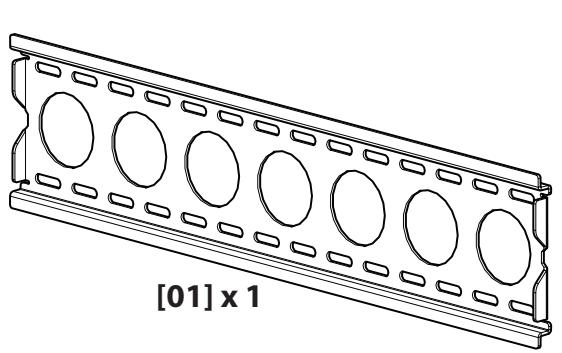
natural_image
Technical line drawing of a rectangular panel with circular cutouts and a labeled section [01] x 1 (no text or symbols on the diagram itself)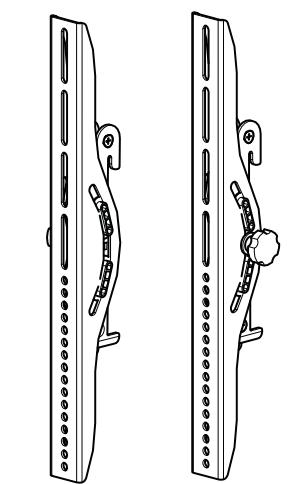
natural_image
Two identical line drawings of a mechanical device with a curved handle and circular components, no text or symbols present.[03] x 1
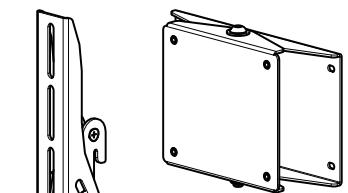
natural_image
Technical line drawing of two mechanical components: a vertical panel with a handle and a rectangular frame with mounting holes (no text or symbols)[05] x 1
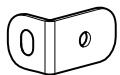
[06] x 4
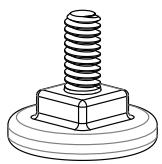
[07] x 2
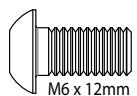
[08] x 8
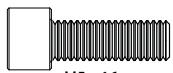
M5 x 16mm
[09] x 4
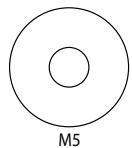
[10] x 4

natural_image
Line drawing of a vertical metal shelf with four square cutouts and mounting holes (no text or symbols)[02] x 1
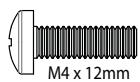
[11] x 4
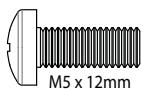
[12] x 4
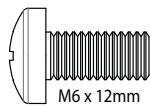
[13] x 4
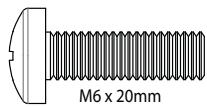
[14] x 4
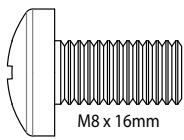
[15] x 4
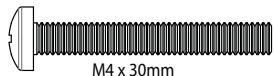
[16] x 4
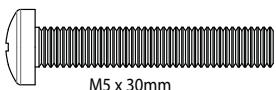
[17] x 4
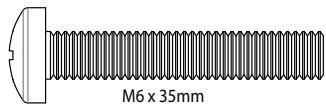
[18] x 4
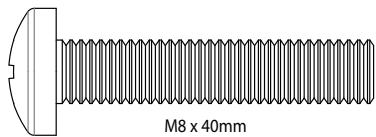
[19] x 4
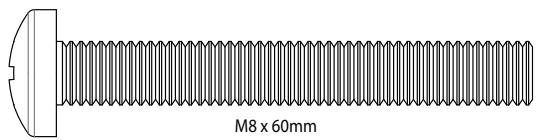
[20] x 4

[21] x 4
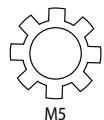
[22] x 4
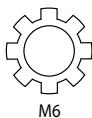
[23] x 4
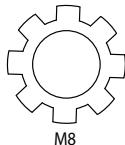
[24] x 4
natural_image
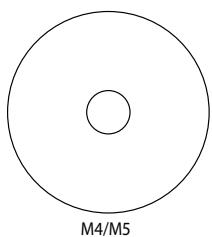
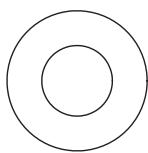
Simple geometric diagram showing a large circle with a smaller inner circle, labeled M4/M5 below (no text or symbols within the diagram itself)[25] x 8
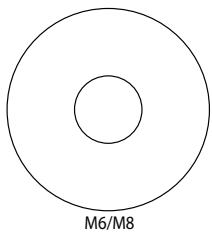
natural_image
Simple diagram of two concentric circles labeled M6/M8, no text or symbols present[26] x 4
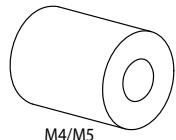
[27] x 4
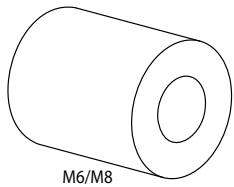
natural_image
Simple line drawing of a cylindrical object with a central hole, labeled M6/M8 (no other text or symbols)[28] x 4
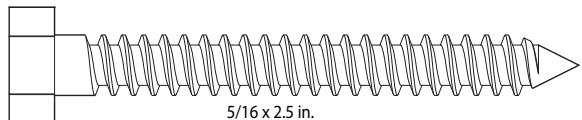
[29] x 6
[30] x 6
natural_image
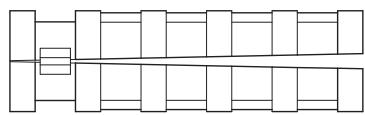
Pure geometric line drawing of stacked rectangles and squares without any text, numbers, or symbols[31] x 6
[32] x 2
![[33] x 1 M4 7/32 in. [34] x 1 3/16 in. [35] x 1](/content/2019/12/20769/images/e8e157916781ed3dc1159d0c6d75f5c444ee60edecf28326df7a6ddc9316b72a.jpg)
Attach TV Brackets
Before you begin, hand thread screws into the threaded inserts on the back of your TV to determine the correct screw diameter (M4, M5, M6, or M8). Verify that there are adequate threads to secure the brackets to the monitor. If you encounter resistance, stop immediately and contact customer service.
▲ CAUTION: Avoid potential personal injuries and property damage! Use the shortest screw and spacer combination to accommodate your needs. Using hardware that is too long may damage your monitor's internal components.
For TVs with a flat/unobstructed back. Ensure that the brackets are level on the back of the TV. If you need extra space to accommodate cables, recesses, or protrusions, see an installation option (1-2) that uses spacers.
![[04] [03]](/content/2019/12/20769/images/deda2437ced0c48fa3303d903298982d3f00ba4b49a8743eb232f66443a1379b.jpg)
![M4 [03]/[04] [25] [21] [11]](/content/2019/12/20769/images/884cb4b4d3d51d95e5bca5d3d55e87425eb1ed7254e2f29fc22e4bc05affd80f.jpg)
![M5 [03]/[04] [25] [22] [12]](/content/2019/12/20769/images/2b9e7aa3ea17238dedfc76df6ddfd2e032ae332a8f881db082c61aadb2997603.jpg)
![M6 [03]/[04] [26] [23] [13]/[14]](/content/2019/12/20769/images/68da6feb2e39146c459df9c57c710f5ddc83c64f844a5a2169bfaf7478c74112.jpg)
![M8 [03]/[04] [26] [24] [15]](/content/2019/12/20769/images/c5b5c6b1791513c983aef347cc10908e40355a01283e544058d8315790dec00b.jpg)
1-2
For TVs with an irregular/obstructed back or to accommodate cables. Ensure that the brackets are level on the back of the TV. Standard configurations are shown. For special applications, or if you are uncertain about your hardware selection, contact Customer Service.
![[03] [04]](/content/2019/12/20769/images/852e48ebde0ded0a074427c07a2f89bc41683d8b14e616f8594e14d9a44fe6e4.jpg)
![M4 [27] [25] [03]/[04] [25] [21] [16]](/content/2019/12/20769/images/bb4ef47fa67d5bfb1288b7c1ca802c2cb6a6752d1b5110bf40c57bf1fc4db3cc.jpg)
![M5 [27] [25] [03]/[04] [25] [22] [17]](/content/2019/12/20769/images/3b728a037f3312d9c4698a909c9a87e5ffe1ec60a4fdc13ac5a1ed29f0e6c517.jpg)
![M6 [28] [03]/[04] [26] [23] [18]](/content/2019/12/20769/images/4a0e5173874ddc7820fe5211244b2c7c3ef0cd8c95e0536352d2d372be02b998.jpg)
![M8 [03]/[04] [26] [24] [19]/[20]](/content/2019/12/20769/images/3c9b89cb59246cf0a9bbe9235f73f71d3900b31772e73beca4c0ca5449b383e6.jpg)
Attach Feet to Pillar
NOTE: This step is for mounting the TV to the pillar only. If you are mounting your TV to the wall go to step 7.
![[02] [07] [02]](/content/2019/12/20769/images/b4abe2eb84b4cd0851b1c8029f43c1917e9df248475b3fde4c68fc4a79a99c7a.jpg)
Attach Pillar Brackets to Furniture
NOTE: The hardware needed to attach the pillar kit brackets [06] is included with your select Sanus furniture.
If your furniture comes with:
A barrel nut and flat head socket cap screw
see 3-1.
A rubber spacer and flat head socket cap screw
see 3-2.
A flat head socket cap screw see 3-3.
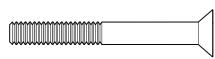


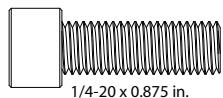
![3-1 The hardware shown in this configuration is a barrel nut (N) and flat head socket cap screw (S). 4x [06] (N) (S) [33] [06]](/content/2019/12/20769/images/dd670d45e574f2f894894efaebccc37654f65643bf5ff3f0cb801ba2c5cc6596.jpg)
3-2

The hardware shown in this configuration is a rubber spacer (R) and flat head socket cap screw (S).
![The hardware shown in this configuration is a rubber spacer (R) and flat head socket cap screw (S). 4x (R) [06] (S) [33]](/content/2019/12/20769/images/a6c2aeb6d8da536b5e22448789b58e79749c3925ef8f04af9a4a63fff6d26f01.jpg)

The hardware shown in this configuration is a flat head socket cap screw (S).
![The hardware shown in this configuration is a flat head socket cap screw (S). 4x [06] [S] [33]](/content/2019/12/20769/images/b9c67f1e294ce7336a30e16a74a427db4ac8f5ee42233ee65f4435ddb8a41987.jpg)
4
Attach Pillar to Brackets
Attach the pillar [02] to the brackets [06] making sure the top mounting holes face the front of the furniture. Ensure that the feet [07] are firmly on the floor and level.
![4x [06] [08] [33] [02] [06] [08] [02]](/content/2019/12/20769/images/89c218f9f5ac18d92eb38b1701aba776f721ff5f47a964af9eb32555381004b3.jpg)
Attach Pivot Head to Pillar
Attach the pivot head [05] to the pillar [02].
NOTE: The pivot head can be installed to any of the mounting holes on the pillar. Where you install the pivot head depends on the size of your TV and how much space you want between the bottom of the TV and the top of the furniture. Ensure all four screws [08] are securely fastened.
![[08] [33] [02] [05] [05] [02] [08] 4x [05]](/content/2019/12/20769/images/7581fad81ddbfd35cb4ba14c619cdb7b5c2e016eb90b9da465cb2b2333e26f7e.jpg)
6
Attach Wall Plate to Pillar
![4x [05] [10] [09] [33] [01]](/content/2019/12/20769/images/09ce68cea8b354bfa28e3789e3ef7f558079d02c42fecfc01914e38ae0524b8a.jpg)
CAUTION:
Attach Wall Plate to Wall
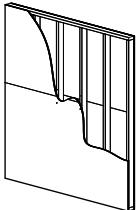
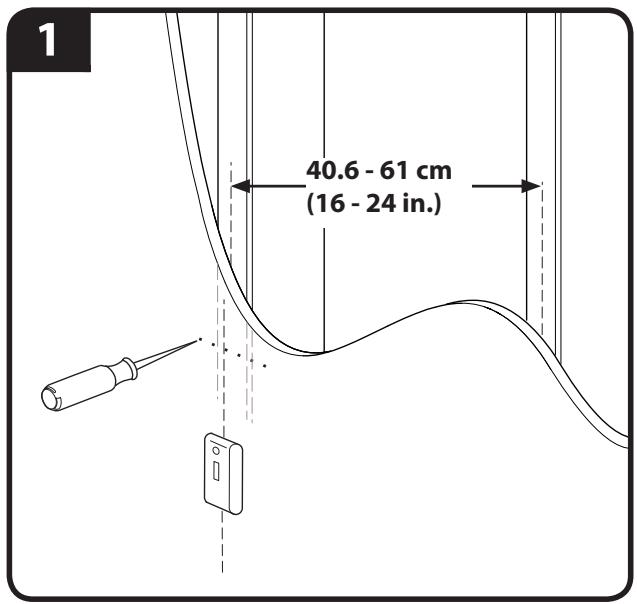
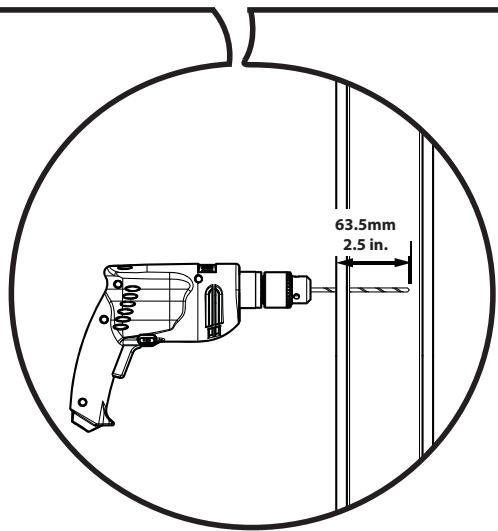
Wood Stud Mounting
- Locate studs. Verify the center of the stud with an awl or thin nail or use an edge to edge stud finder.
- Level the wall plate [01] and mark the hole locations.
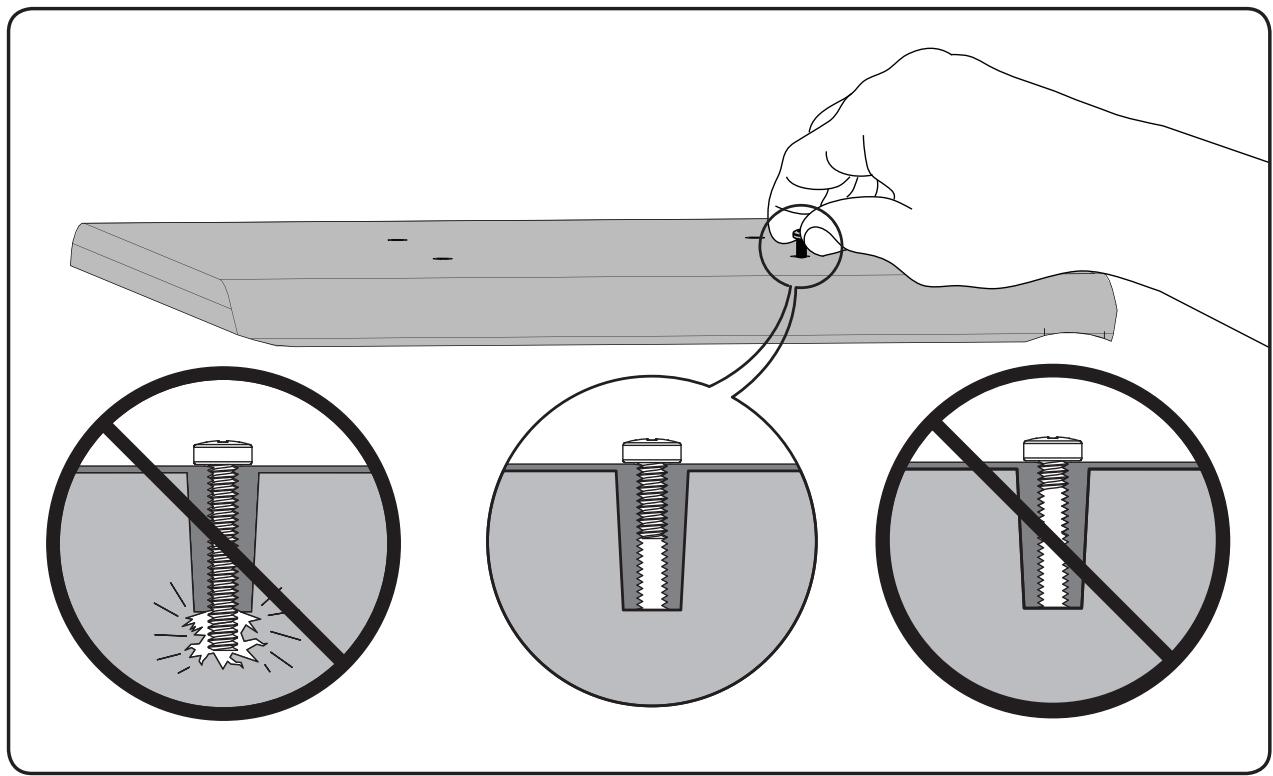
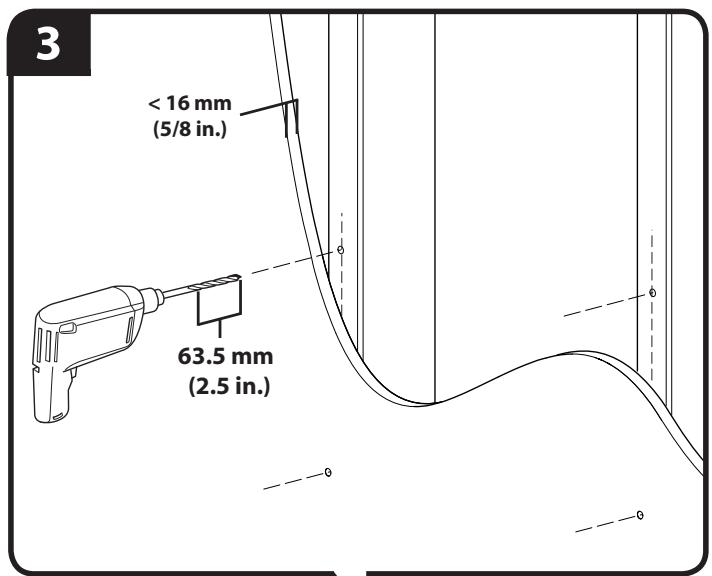
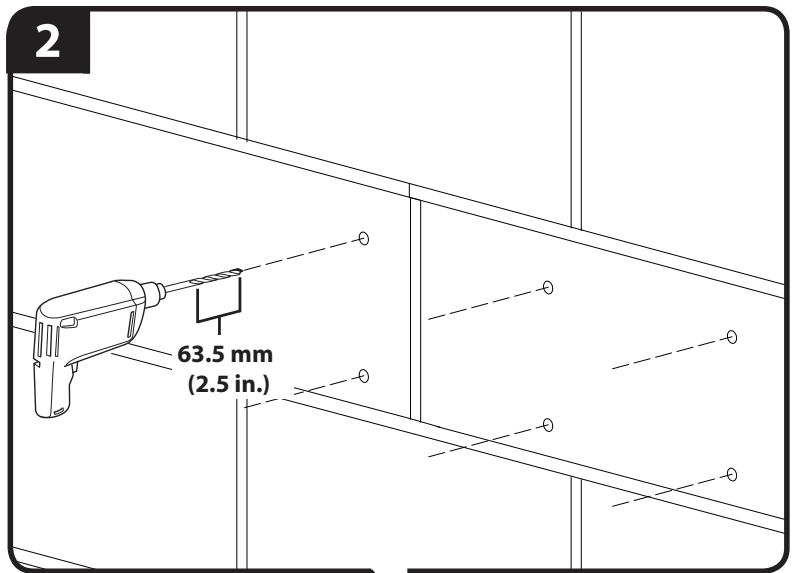
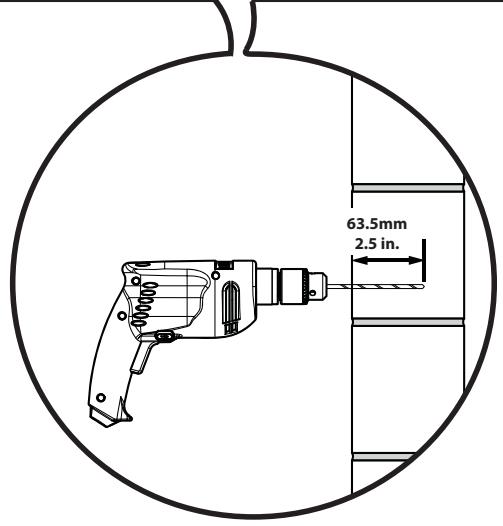
- Drill pilot holes as illustrated.
- Tighten the lag bolts [29] only until the washers [30] are pulled firmly against the wall plate [01].
▲ CAUTION: Improper use could reduce the holding power of the lag bolt. To avoid potential injuries or property damage:
Pilot holes MUST be drilled to a depth of 63.5 mm (2.5 in.), using a 5.5 mm (7/32 in.) diameter drill bit.
Do not over-tighten the lag bolts [29].
Any material covering the wall must not exceed 16 mm (5/8 in.).

natural_image
Technical line drawing of a mechanical component with circular cutouts and labeled section [01], no readable text or symbols beyond annotations![4 [29] [30]](/content/2019/12/20769/images/85b30061e270658b705e8db588cafd3c0c43ff4a12f487cf268f3fe3a1899e53.jpg)
CAUTION:
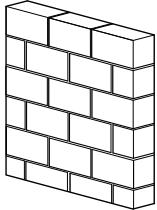
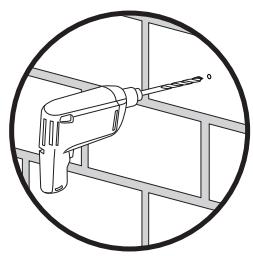
Solid Concrete and Concrete Block Mounting
- Level wall plate [01] and mark the hole locations.
- Drill pilot holes as illustrated.
- Insert lag bolt anchors [31] and then insert lag bolts [29].
- Tighten the lag bolts [29] only until the washers [30] are pulled firmly against the wall plate [01].
▲ CAUTION: Improper use could reduce the holding power of the lag bolt. To avoid potential injuries or property damage:
Mount wall plate directly onto the concrete surface.
Pilot holes MUST be drilled to a depth of 63.5 mm (2.5 in.), using a 13 mm (1/2 in.) diameter drill bit.
Be sure the anchors [31] seat flush with the concrete surface.
* Never drill into the mortar between blocks.
Do not over-tighten the lag bolts [29].
![1 X X X [01]](/content/2019/12/20769/images/39df20afc439aeb0e2f210a0f9a05505a6bcb9e94bc43465ee58a23b88afac6f.jpg)
natural_image
Illustration of a hand tool inside a metal frame structure (no text or symbols)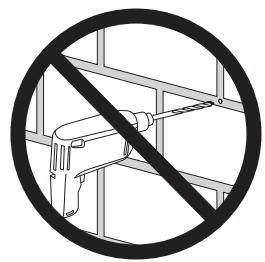
![[31]](/content/2019/12/20769/images/5156dbde685268226bd640092cdc2989719b8b53c2dada8e6ff717dc4c77fcd3.jpg)
![[31]](/content/2019/12/20769/images/fe3c0ac685f5eea517229b626f254a51dac1f0a8784189f5df5b167fc2d657c3.jpg)
![3 & 4 [31] [29] [30]](/content/2019/12/20769/images/f590842a0b59c8386380e57309b7726c1f09928de092769286defb2b69635faf.jpg)
CAUTION:
- Attach TV to wall plate [01].
- Install safety bolts [32].
▲ CAUTION: Avoid potential personal injuries or property damage! Be sure to install the safety bolts [32]. Periodic tightening may be required.
TV MOUNTED TO PILLAR
![1 [01] [03],[04]](/content/2019/12/20769/images/cfd317ae79c0daeffac5f2ea9cb610d4766b173b0b80d50fbcf35d31b439542e.jpg)

TV MOUNTED TO WALL
![1 [01] [03],[04]](/content/2019/12/20769/images/1bdd69eb779c69daefff2882c1e2b8be6e00965eb4cf60a51e9148d8f1f19275.jpg)
![2 [01] [03],[04] [32] [35] 2x](/content/2019/12/20769/images/1712cbca65d8086c397f97e489e4f97d60978c760ccf0ad4f4876b40140721e9.jpg)
![2 [01] [03],[04] [32] [35] 2x](/content/2019/12/20769/images/81cdc67bcd54c642ff62a9a6d0cb23288a89b0bfed130edcc9cdcb47226184b1.jpg)

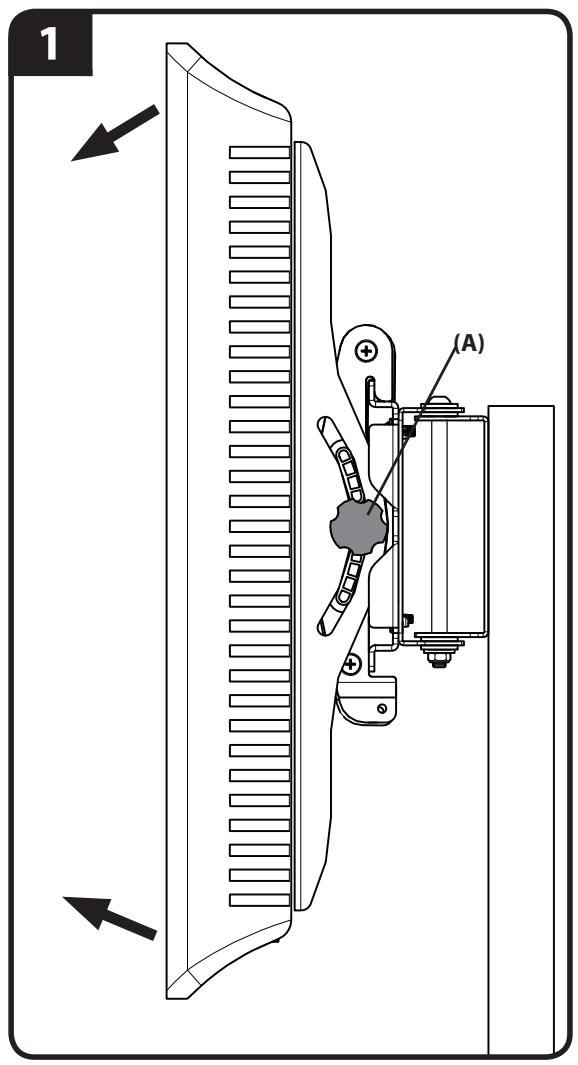
- Adjust tilt tension (A).
- Adjust swivel tension (B).
![2 (B) [34]](/content/2019/12/20769/images/483a5186824a2911606aae2b39b3bb53eca9144bb62336c8714e036c4ca4996b.jpg)
ATTENTION:
INFORMATIONS IMPORTANTES CONCERNANT LA SÉCURITÉ – CONSERVEZ CES INSTRUCTIONS – VEUILLEZ LIRE ATTENTIVEMENT LE MANUEL AVANT D'UTILISER CE PRODUIT
Milestone AV Technologies and its affiliated corporations and subsidiaries (collectively, "Milestone"), intend to make this manual accurate and complete. However, Milestone makes no claim that the information contained herein covers all details, conditions, or variations. Nor does it provide for every possible contingency in connection with the installation or use of this product. The information contained in this document is subject to change without notice or obligation of any kind. Milestone makes no representation of warranty, expressed or implied, regarding the information contained herein. Milestone assumes no responsibility for accuracy, completeness or sufficiency of the information contained in this document.