 ManualGo.com
SSD522SW - AMANA - Free user manual and instructions
Find the device manual for free SSD522SW AMANA in PDF.




Brand : AMANA
Model : SSD522SW
Download the instructions for your in PDF format for free! Find your manual SSD522SW - AMANA and take your electronic device back in hand. On this page are published all the documents necessary for the use of your device. SSD522SW by AMANA.
USER MANUAL SSD522SW AMANA
International Side-by-Side Refrigerator Use and Care Manual Contents Electrical Requirements Model Identification Features Setting Controls Fresh Food and Deepfreeze®* Touchmatic Electronic Automatic Ice Maker Ice 'N Water Dispenser Care and Cleaning Vacation Tips Normal Operating Sounds Before Calling For Service
*Fresh Food refers to refrigerator. Deepfreeze® refers to freezer. Electrical Requirements Refrigerator must be earthed and connected to a separate 230 volt, 50 hz., 10A circuit. Model Identification Locate product information on the nameplate, found in upper left corner of Fresh Food section. Record the following information: Model Number: Manufacturing Number: Serial or S/N Number: Date of purchase: Dealer’s name and address: Keep a copy of sales receipt for future reference.
Features Fresh Food Section (Refrigerator)
Deepfreeze® Section (Freezer)
Temp-Assure Thermostatic Control Spillsaver Shelves Slide Out Shelves Chiller Fresh System Garden Fresh Drawers Utility Rack Covered Utility Bucket Dairy Center Snack Chiller Beverage Chiller Door Buckets Adjustable Divider
Deepfreeze® Shelf Automatic Ice Maker Stor-Mor System Door Dike Door Shelves Tall Package Retainer Ice 'N Water Dispenser
Features vary from model to model.
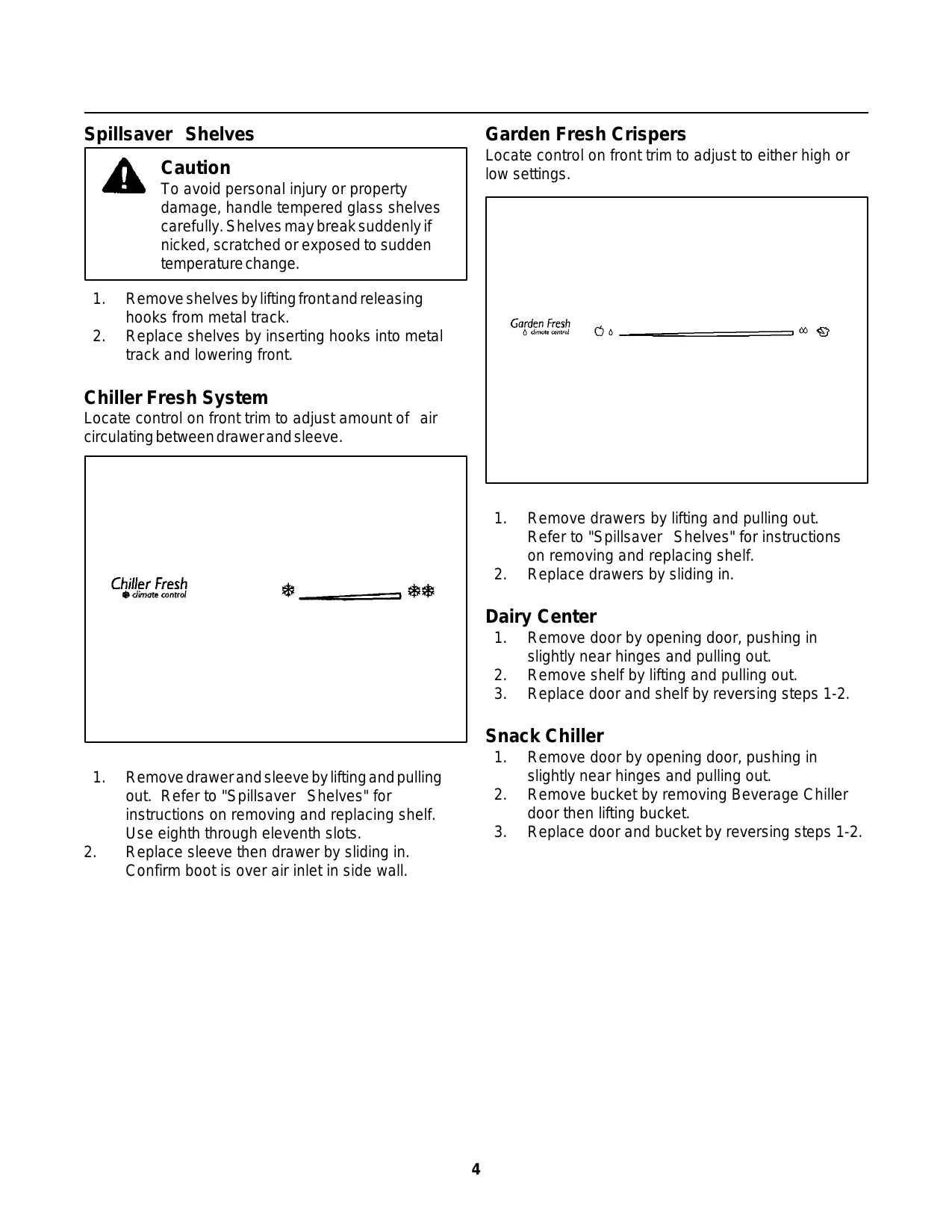
Spillsaver Shelves Garden Fresh Crispers Locate control on front trim to adjust to either high or low settings. Caution To avoid personal injury or property damage, handle tempered glass shelves carefully. Shelves may break suddenly if nicked, scratched or exposed to sudden temperature change.
Remove shelves by lifting front and releasing hooks from metal track. Replace shelves by inserting hooks into metal track and lowering front. Chiller Fresh System Locate control on front trim to adjust amount of air circulating between drawer and sleeve.
Remove drawers by lifting and pulling out. Refer to "Spillsaver Shelves" for instructions on removing and replacing shelf. Replace drawers by sliding in. Dairy Center
Remove door by opening door, pushing in slightly near hinges and pulling out. Remove shelf by lifting and pulling out. Replace door and shelf by reversing steps 1-2. Remove drawer and sleeve by lifting and pulling out. Refer to "Spillsaver Shelves" for instructions on removing and replacing shelf. Use eighth through eleventh slots. Replace sleeve then drawer by sliding in. Confirm boot is over air inlet in side wall.
Remove door by opening door, pushing in slightly near hinges and pulling out. Remove bucket by removing Beverage Chiller door then lifting bucket. Replace door and bucket by reversing steps 1-2. Stor-Mor System Beverage Chiller Locate control dial on left front wall of Fresh Food section to adjust amount of air.
Remove shelves and baskets by lifting and pulling out. Replace shelves and baskets by reversing step 1. Door Dike
Remove beverage chiller door by removing lower door buckets. Slide chiller door down and out through bottom of door track. Replace beverage chiller door by reversing step 1. Retention glides must remain in place to install door. Remove door buckets by pushing tabs toward center and pulling out. Replace door buckets by sliding in until tabs lock into place. Remove slide-style door shelves by lifting and pulling out. Replace slide-style door shelves by reversing step 1. Remove hook-style door shelves by tapping up each end. Lift bottom of shelf release hooks. Replace hook-style shelves by inserting hooks and lowering bottom of shelf. Tap down on ends.
Remove door dike by pulling forward and snapping out. Replace door dike by aligning clips with holes on Deepfreeze® door. Push until dike locks in place. Setting Controls This refrigerator operates most efficiently in normal household temperatures of 12° to 43°C. Touchmatic Electronic Controls (electronic models) Confirm power switch is on before programming. Remove toe grille and locate black box in center of cabinet. Power switch is on right side of box. Fresh Food and Deepfreeze® Controls (nonelectronic models) Locate Fresh Food and Deepfreeze® controls on upper rear wall of Fresh Food section. When Deepfreeze® control is set to off, neither Fresh Food nor Deepfreeze® sections will cool. Initially, set both controls to 4. Wait 24 hours for Fresh Food and Deepfreeze® sections to reach desired temperatures. After 24 hours, adjust controls as desired. 1 is warmest setting and 7 is coldest. Set temperatures precisely using a household thermometer that includes temperatures between -20.5° to 10°C. Put thermometer snugly between frozen packages in Deepfreeze® section. Wait 5-8 hours. If Deepfreeze® temperature is not -18° to -17°C, adjust control, one number at a time. Check again after 5-8 hours. Put thermometer in a glass of water in middle of Fresh Food section. Wait 5-8 hours. If Fresh Food temperature is not 3° to 4°C, adjust control, one number at a time. Check again after 5-8 hours.
Locate Touchmatic electronic control panel on refrigerator between handles. Press * pad to activate control panel. All other pads, except for Alarm Off pad, remain inactive until * pad is pressed. Once activated, pads remain programmable for at least 10 minutes. Fresh Food and Deepfreeze® controls are preset at 5. Wait 24 hours for Fresh Food and Deepfreeze® sections to reach desired temperatures. After 24 hours, adjust controls as desired. 1 is warmest setting and 9 is coldest. Refer to instructions on page 6 to set temperatures precisely. Deepfreeze Temp Fresh Food Temp Adjust Fresh Food or Deepfreeze® temperatures by pressing * pad then Fresh Food Temp pad or Deepfreeze® Temp pad. Press Warmer pad or Colder pad to adjust temperature setting one level at a time. Holding down Warmer pad or Colder pad adjusts temperature more than one level at a time. Warmer Colder Vacation Mode Vacation mode defrosts refrigerator less often during extended non-use periods. Activate vacation mode by pressing * pad then Vacation pad. Indicator light will glow. Repeat above to deactivate vacation mode. Opening Fresh Food or Deepfreeze® door will also deactivate vacation mode. Max Cool Mode Max cool mode adjusts Fresh Food temperature to coldest setting. After 10 hours, Fresh Food temperature automatically returns to previous setting. Activate max cool mode by pressing * pad then Max Cool pad. Indicator light will glow. Repeat above to deactivate max cool mode before automatic reset. Vacation Fast Freeze Mode Fast freeze mode adjusts Deepfreeze® temperature to coldest setting. After 24 hours, Deepfreeze® temperature automatically returns to previous setting. Activate fast freeze mode by pressing * pad then Fast Frz pad. Indicator light will glow. Repeat above to deactivate fast freeze mode before automatic reset. Entry Tone Entry tone indicates a pad was pressed and command was read and accepted. Deactivate entry tone by pressing and holding * pad for three to five seconds. Three short beeps indicate instructions were accepted. Repeat above to activate entry tone. Display Off
Automatic Ice Maker Refrigerator has an electrical connection in Deepfreeze® section for ice maker installation. Ice maker, model IC54, and water filter, part #R0183114, can be purchased separately. Door Open Alarm Door open alarm sounds and glowing indicator light blinks if either door is open for three minutes. Deactivate door open alarm by pressing Alarm Off pad or by closing either door. Activate door open alarm by pressing * pad then holding Alarm Off pad for three to five seconds. Three short beeps will sound. Repeat above to deactivate door open alarm indefinitely.
High Temperature Alarm High temperature alarm sounds and indicator light glows if Fresh Food or Deepfreeze® temperature is high for two hours. A blinking light signals affected compartment. Deactivate high temperature alarm by pressing Alarm Off pad. Alarm discontinues when proper temperature is reached.
Thermistor Alarm Thermistor alarm sounds and indicator lights scroll if Fresh Food or Deepfreeze® thermistor is not operating properly. Deactivate display by pressing Alarm Off pad. Confirm ice storage bucket is in place and ice maker arm is down. After Deepfreeze® section reaches normal temperature, ice maker fills with water and begins operating. Allow 24-48 hours after installation before first harvest of ice. Ice maker produces seven to nine harvests of ice in a 24-hour period under ideal conditions. After ice is formed, ice maker drops ice cubes into ice storage bucket. During ice production, ice maker arm raises and lowers. When ice storage bucket is full, ice maker arm turns ice maker off. Important Discard first three harvests of ice so any impurities are not consumed.
If thermistor alarm sounds, contact an authorized servicer immediately. If Alarm Off pad is pressed, thermistor control retests to confirm situation has been corrected. Alarm sounds again if thermistor is still not operating properly. Stop ice maker by lifting ice maker arm. A definite click will be heard when proper position is reached. Ice maker arm will remain in that position. Important Do not force ice maker arm down or up past stop position. Display Lights Deactivate temperature display lights by pressing * pad then pressing Display Off pad. Activate temperature display lights by pressing any of top five pads. Clean Condenser Coil Light Clean condenser coil light glows once every three months as a reminder to clean condenser coil. Light automatically cancels in 72 hours. Deactivate clean condenser coil light before automatic reset by pressing Alarm Off pad.
Ice 'N Water Dispenser If dispensing ice continuously, dispenser motor shuts off after approximately two minutes. Motor resets after three minutes and dispensing can continue. Caution To avoid personal injury or property damage, observe following instructions:
1. Do not operate dispenser with
Deepfreeze® door open.
2. Do not put fingers, hands, or any
foreign object into dispenser opening.
3. Do not use sharp objects to break
ice. A slight delay occurs when switching between cubed and crushed modes. Pieces of crushed ice will vary in size and shape. “Snow” may form on door and ice chute when repeatedly dispensing crushed ice. Allow “snow” to evaporate or wipe dry. Dispenser operates only with cubes of proper size and crescent shape. Do not add purchased ice cubes or other cubes. Water Dispenser Operation
1. Dispense water by pressing container against
water dispenser bar.
2. Shut off water by releasing pressure on bar.
Slight dripping may occur. Spill shelf is not selfdraining. Large spills should be wiped dry immediately. Dispenser Light A light is activated when dispensing ice or water. Some models feature a night light. Deactivate night light by pushing switch, located underneath dispenser facade and left of ice dispenser bar. Water Taste and Odor Observe the following to minimize taste and odor difficulties: Ice Dispenser Operation
1. Select cubed or crushed mode (some models) by
sliding lever on dispenser panel. Dispense ice by pressing wide mouthed container against ice dispenser bar. Hold container close to chute to minimize spraying ice.
To avoid property damage, do not dispense ice directly into thin glass, fine china or delicate crystal.
Shut off ice by releasing pressure on bar before container is full. Some ice will continue to fall. Do not remove container until last of ice falls.
Throw away first 10 to 14 regular glasses of water after initially connecting refrigerator to household water supply. Flush water system and reservoir as above after extended periods of non-use. Wrap foods in tightly sealed containers or moisture proof bags. Install water filter, part #R0183114 on water line. Contact local water treatment company for specialized help if difficulties persist. Care and Cleaning Light Bulbs WARNING To avoid electrical shock which can cause severe personal injury or death, disconnect power to refrigerator before cleaning. After cleaning, reconnect power. WARNING To avoid electrical shock which can cause severe personal injury or death, disconnect power to refrigerator before replacing light bulb. After replacing light bulb, reconnect power. Caution To avoid personal injury or property damage, read and follow all cleaning product manufacturer's directions. Caution To avoid personal injury or property damage, observe the following: General
Wash surfaces with four tablespoons baking soda diluted in one quart warm water as needed. Rinse and dry surfaces thoroughly. Do not use the following items:
- abrasive cleaners such as ammonia, chlorine bleach, etc.
- metal scouring pads These items can scratch, crack and discolor surfaces. Allow bulb to cool. Wear gloves when replacing light bulb. Remove light bulb cover. Replace light bulb with same size and type of appliance bulb. Glass Shelves Caution Clean door gaskets every three months or according to "General" cleaning instructions. Rinse and dry gaskets thoroughly. Apply a light film of petroleum jelly to keep door gaskets pliable. Condenser Coil To avoid personal injury or property damage, handle tempered glass shelves carefully. Shelves may break suddenly if nicked, scratched or exposed to sudden temperature change. Clean condenser coil every three months. Accumulated dust and lint may cause the following:
- reduced cooling performance
- increased energy usage
- premature part failure Remove glass shelf and place on a towel. Allow shelf to adjust to room temperature before cleaning.
Remove toe grille by pulling forward. Clean coil with a vacuum cleaner hose nozzle. Install toe grille by positioning top and snapping in bottom. Top is indicated on back of toe grille. Pull refrigerator away from wall. Run a vacuum brush across condenser fan outlet grille on back of refrigerator. Vacation Tips Before Calling For Service For short vacations, remove perishable foods. If an ice maker is installed, move ice maker arm to off position. Refrigerator does not operate.
- Confirm Deepfreeze® control is on.
- Confirm electrical power cord is plugged in.
- Check fuse or circuit breaker. Plug in another item at that wall outlet.
- Wait 40 minutes to see if refrigerator restarts. If Deepfreeze® control is on and lights work but two fans and compressor are not operating, refrigerator may be in defrost cycle. For long vacations, do the following:
1. Remove food from refrigerator.
2. Unplug refrigerator.
3. Clean refrigerator.
4. Clean door gaskets.
5. Prop doors open, so air can circulate inside.
6. Turn off water supply to refrigerator if an ice maker
is installed and move ice maker arm to off position. Refrigerator still won’t operate.
- Unplug refrigerator. Transfer food to another unit or place dry ice in Deepfreeze® section to preserve food until refrigerator can be serviced. Caution To avoid property damage, turn off water supply to refrigerator and move ice maker arm to off position before leaving on vacation. Food temperature appears too warm.
- Allow adequate time for food to reach Fresh Food or Deepfreeze® temperature if a large supply of food was recently added.
- Clean condenser coil.
- Adjust Fresh Food and/or Deepfreeze® control.
- Confirm rear air grille is not blocked. Rear air grille is located behind left crisper. Normal Operating Sounds This new refrigerator may be replacing a differently designed, less efficient or smaller refrigerator. Today’s refrigerators have new features and are more energy efficient. As a result, certain sounds may be unfamiliar. These sounds are normal and will soon become familiar. These sounds also indicate refrigerator is operating and performing as designed. Chiller fresh system is too warm.
- Slide control to a colder setting.
- Adjust Deepfreeze® control to a colder setting. Food temperature is too cold.
- Clean condenser coil.
- Adjust Fresh Food control.
- Allow several hours for temperature to adjust. Electronic Control Models Evaporator fan does not operate when either Fresh Food or Deepfreeze® door is open. Refrigerator runs too frequently.
- It may be normal to maintain an even temperature.
- Doors may have been opened frequently or for an extended period of time.
- Clean condenser coil.
- Adjust Deepfreeze® control.
- Check gasket for proper seal. Water droplets form on inside of refrigerator.
- This is normal during periods of high humidity or if doors have been opened frequently. Water droplets form on outside of refrigerator.
- Check gasket for proper seal.
Crisper drawers or chiller fresh system do not close freely.
- Check for a package which may prevent drawers from closing properly.
- Confirm drawers are in proper position.
- Clean drawer channels with warm, soapy water. Rinse and dry thoroughly.
- Apply a thin layer of petroleum jelly to drawer channels.
- Confirm refrigerator is level. Refrigerator has an odor.
- Clean inside of Fresh Food and Deepfreeze® sections.
- Cover all foods tightly and use freezer wrap. Ice cubes have an odor.
- Discard ice and clean ice bucket or trays more frequently. Ice cubes are very porous and absorb odors very easily. Refrigerator or ice maker make unfamiliar sounds or seems too loud.
- See "Normal Operating Sounds" section. These may be normal. Ice cubes stick together or ‘shrink’.
- Empty ice cube bucket or trays more frequently. If used infrequently, ice cubes may stick together or shrink. Ice forms in inlet tube to ice maker.
- Check water pressure. Low water pressure will cause valve to leak. Self-piercing valves cause low water pressure. Do not use self-piercing valves.
Stor-Mor™ -System Getränkekühler
Stor-Mor™-systemet Dryckkylare
Deepfreeze® kast (Vrieskast) Stor-Mor™ system Stor-Mor™-system
Tmhvma Katayuvkth Deepfreeze® (Katavyuxh) Suvsthma Stor-Mor™ Diakoph Mevgisthqermokrasiva Grhvgorh Yuvxh Diakophv Sunagermouv Sunthvrhsh kai Kaqarismov" PROEIDOPOIHSH Lavmpe" Part No. 10488007 Printed in U.S.A.
1994 Amana Refrigeration, Inc. Amana, Iowa 52204