OFFICE X8 CD - Shredder GEHA - Free user manual and instructions
Find the device manual for free OFFICE X8 CD GEHA in PDF.



| Brand | GEHA |
| Model | OFFICE X8 CD |
| Product type | Paper shredder |
| Cutting method | Particles (cross-cut) |
| Cut size (paper) | 4 × 30 mm |
| Cut size (CD/credit card) | 5 pieces |
| Cutting capacity (manual) | 8 sheets (80 g/m²) |
| Cutting capacity (auto feed) | Up to 60 sheets (80 g/m²) |
| Insertion width (paper) | 225 mm |
| Insertion width (CD) | 122 mm |
| Cutting speed | 2 m/min |
| Power supply | 220-240 V AC, 50-60 Hz |
| Dimensions (L × D × H) | 345 × 269 × 555 mm |
| Net weight | 9.16 kg |
| Noise level | ~58 dB |
| Duty cycle | 5 min ON / 60 min OFF |
| Bin capacity | Not specified |
| Special features | Auto feed, auto stop, jam detection, LED indicators (Power, overheat/bin full) |
| Safety | Overheat protection, bin full detection, auto stop in case of jam |
| Maintenance | Clean the exterior with a damp cloth; do not use solvents |
| Warranty | 24 months |
| Spare parts and repairability | Contact the dealer (no spare parts specified) |
Frequently Asked Questions - OFFICE X8 CD GEHA
User questions about OFFICE X8 CD GEHA
0 question about this device. Answer the ones you know or ask your own.
Ask a new question about this device
Download the instructions for your Shredder in PDF format for free! Find your manual OFFICE X8 CD - GEHA and take your electronic device back in hand. On this page are published all the documents necessary for the use of your device. OFFICE X8 CD by GEHA.
USER MANUAL OFFICE X8 CD GEHA
We would like to thank you for the purchase of this Geha quality product. Please, read these instructions carefully before commissioning. In particular, adhere to the safety notes as, in the case of their non-observation, there is danger of injury!
WARNING SYMBOLS
The warning symbols in these operating instructions and on the device are meant to help you to avoid dangers and to use the device correctly.

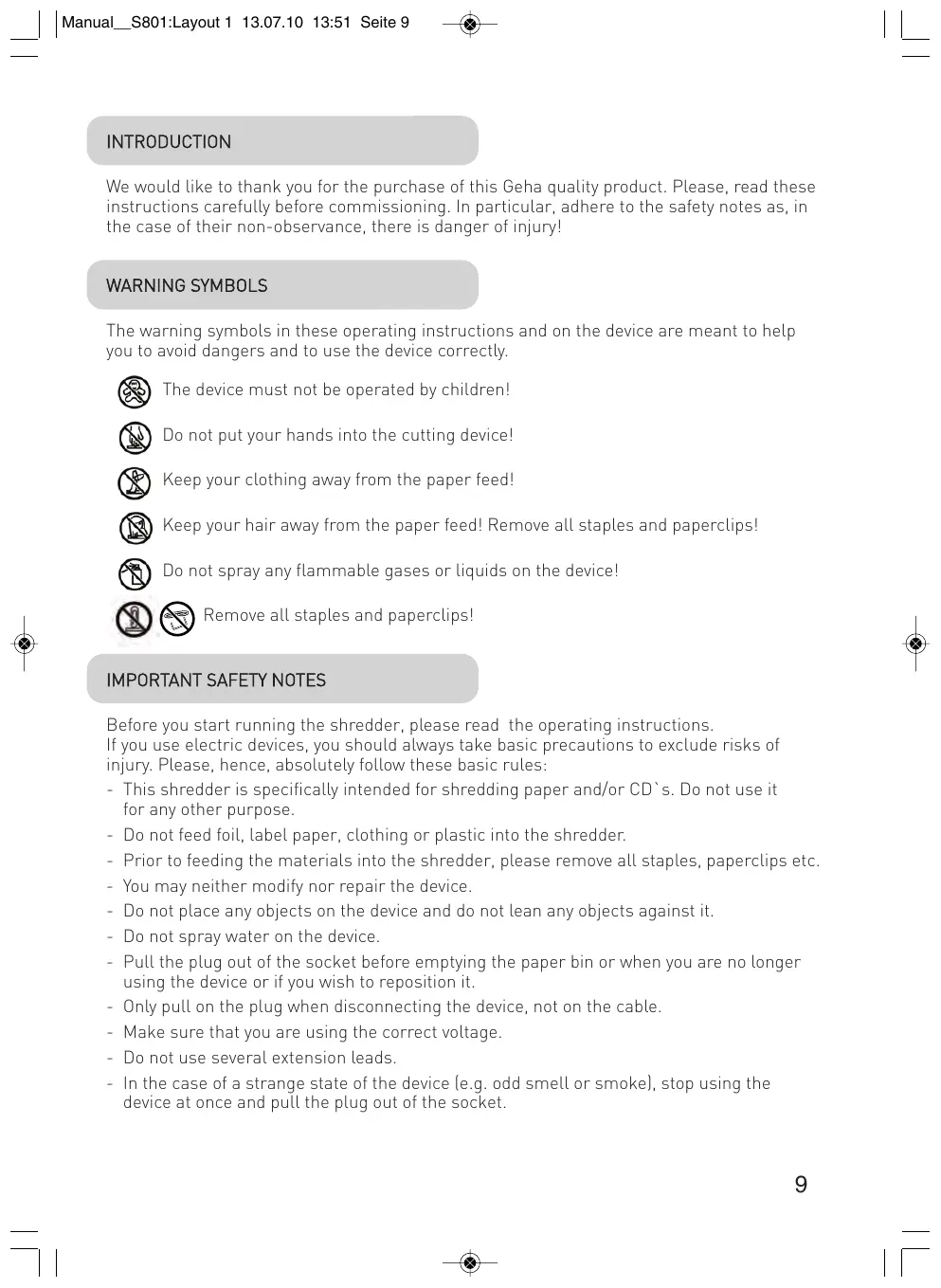
The device must not be operated by children!

Do not put your hands into the cutting device!

Keep your clothing away from the paper feed!

Keep your hair away from the paper feed! Remove all staples and paperclips!

Do not spray any flammable gases or liquids on the device!

Remove all staples and paperclips!
IMPORTANT SAFETY NOTES
Before you start running the shredder, please read the operating instructions.
If you use electric devices, you should always take basic precautions to exclude risks of injury. Please, hence, absolutely follow these basic rules:
- This shredder is specifically intended for shredding paper and/or CD's. Do not use it for any other purpose.
- Do not feed foil, label paper, clothing or plastic into the shredder.
- Prior to feeding the materials into the shredder, please remove all staples, paperclips etc.
- You may neither modify nor repair the device.
- Do not place any objects on the device and do not lean any objects against it.
- Do not spray water on the device.
- Pull the plug out of the socket before emptying the paper bin or when you are no longer using the device or if you wish to reposition it.
- Only pull on the plug when disconnecting the device, not on the cable.
- Make sure that you are using the correct voltage.
- Do not use several extension leads.
-
In the case of a strange state of the device (e.g. odd smell or smoke), stop using the device at once and pull the plug out of the socket.
-
The centre of gravity is on the upper part of the device. Put the device on a level surface, so that it cannot tip over.
- Use the device neither in the vicinity of heat no cold sources nor in overheated, wet or dusty environments.
- Install the device near a socket and put no objects beside the socket, so that the power plug can be easily pulled out from the socket.
- First, insert a collection container (for CD
s/DVDs) into the paper tray (see image 1). - Make sure that the paper tray is slid into the device until it catches.
- Connect the power plug with a customary 220-240V alternating current socket.
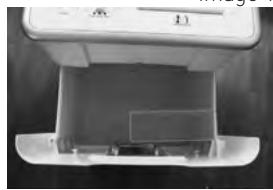
image 1
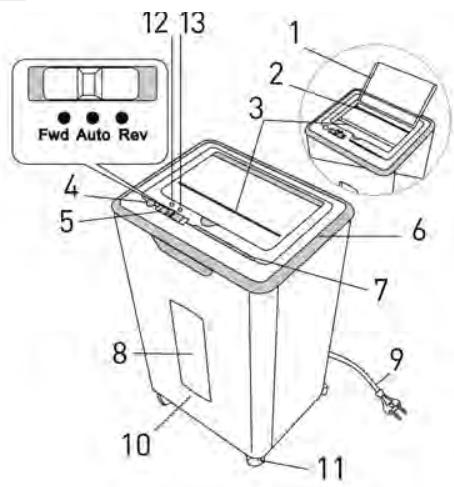
STRUCTURE AND FUNCTION
1 Top Cover
2 Auto Paper Feeding
3 Manual Paper Feeding
4 Off switch
5 Select Switch Fwd/Auto/Rev
6 Main Unit
7 CD entry
8 Transparent Viewing Window
9 Power Cord
10 Waste Bin
11Truckle
12 LED Power
13 LED Overheat [red] / Bin full [yellow]
COMMISSIONING THE SHREDDER
A. Manual paper feed
The device can shred a maximum of 8 sheets (DIN A4, 80g / m2 ) at once. Switch on the document shredder with the ON/OFF switch. The green LED "Power" comes on. Use the slide switch to choose between three different operating modes:
"Fwd" continuous operation (Cutting device runs in forward mode)
"Auto" Paper in the paper feed is automatically recognised and the device starts up. When the paper has been shredded and there is no more paper in the paper feed, the device stops automatically (Standby).
"Rev" Removing paper jams (Cutting device runs in reverse mode)
B. Automatic paper feed (Auto-Feed Function)
This device has an automatic paper feed that allows you to feed up to 60 sheets (DIN A4, 80g / m2 ) at once. The paper is automatically and continuously pulled in by the device and shredded. If you wish to use this mode, please proceed as follows:
-
- Switch on the document shredder with the ON/OFF switch. The green LED "Power" comes on.
- Move the slide switch to position "Auto".
-
- Open the device lid (see image 2) and put in the sheets to be shredded (max. 60 sheet [DIN A4, 80g / m2 ). The individual sheets must not be stuck or glued to each other. Absolutely remove any staples or paperclips.
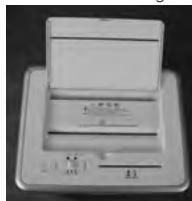
image 2
Paper in the paper feed is automatically recognised and the device starts up. When the paper has been shredded and there is no more paper in the paper feed, the device stops automatically (Standby).
Please pay attention to the cycle of operation of the device (see note under C).
C. Manual feed of CDs/DVDs and credit cards
This device has a separate cutting device for CDs/DVDs and credit cards. If you wish to use this mode, please proceed as follows:
- Switch on the document shredder with the ON/OFF switch. The green LED "Power" comes on.
- Move the slide switch to position "Auto".
- CDs/DVDs and credit cards in the CD feed are automatically recognised and the device starts up.
CD/DVDs are cut into 5 pieces. Because, with these materials, there is always the danger of splintering exists, keep your face at sufficient distance from the feeder inlet while feeding in CDs/DVDs!
The cuttings are collected in a separate collection tray, which facilitates environmentally-friendly disposal.
Important note:
The device switches off automatically when the engine temperature gets too high. The red LED "Overheat"/"Bin Full" comes on and points out the fact that the overheat protection of the device has triggered. In this case, the device does not react if you move the slide switch to position "Rev" or "Fwd". As soon as the engine temperature has cooled down, the device changes again to the normal operating mode.
Important:
Before you wait the shredder, you must pull the power plug from the socket!
When the waste bin is full, a sensor identifies this and the device shuts down. The yellow LED "Overheat"/"Bin Full" comes on. Please empty the waste bin.
Clean the outside with a wet cloth. Pay attention that the cloth does not get into the paper feed. This step only applies for the external parts of the device.
The external part of the device is made of plastic. Therefore, no solvents petrol and benzene or organic solvents like dilutants may be used. Do not clean the device with a stain remover to avoid paling, breaking, dissolution or scratching of the device.
Careful:
Pay attention that, when cleaning the outside, no water get into the device.
TECHNICAL SPECIFICATIONS
| Model name: | Shredder Office X8 CD |
| Cutting type: | Particles |
| Cut sire: | 4 x 30 mm (Paper), 5 parts (CD or credit card) |
| Shredding output: | 8 sheet (DIN A4, 80g/m2), 1 CD or credit card |
| Auto feed: | up to 60 sheet |
| Cutting speed: | 2 m/min |
| Feed tray width: | 225 mm for paper / 122 mm for CD |
| Inout voltage: | 220-240V AC/ 50-60Hz |
| Dimensions: | 345 x 269 x 555 mm |
| Noise level: | approx. 58 dB |
| Waste bin – volume: | 22 L |
| Cycle of operation: | 5 Min. ON / 60Min. OFF |
| Net weight: | 9,16 kg |
DISPOSAL
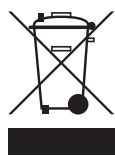
The icon with the crossed out garbage can points to the fact that electric devices may not be disposed of with regular domestic waste. Please take this device to an approved recycling depot for an environmentally-friendly disposal.
GUARANTEE
The guarantee period for your device is 24 months.
Please absolutely save your receipt and the original package.
If you have a problem with your device, please contact your dealer.
TROUBLESHOOTING
| Malfunction | Causes | Troubleshooting |
| Device does not start following paper insertion. | 1. Plug not correctly inserted in socket 2. Paper too think. 3. Paper jam. | 1. Put the plug in the socket once more. 2. Fold paper and reinsert in shredder. 3. Activate “Rev” function and pull the jammed paper out. |
| The device does not switch off after shredding the paper. | The sensor of the feed is covered by dust or paper. | Wipe off the dust or remove the paper. |
| The device is very loud. | The device does not stand on a firm, level surface. | Put the device on a firm, level surface. |
| The device does not work. | 1. Paper quantity exceeds shredder capacity. 2. Paper size exceeds feed width. 3. Paper not inserted vertically. | 1. Make sure that quantity does not exceed shredder capacity. 2. Pull out paper; if appl.. activate “Rev” function. 3. Insert paper vertically. |
If the device fails to work after you have applied the preceding solutions, pull the power plug from the socket and contact your dealer.
INTRODUZIONE
Auto Marche arrriere/Rev
WAARSCHUWINGSSYMBOLEN
laaalall aalal alal 80A4 860
g j 100000000000000000000000000000000000000000000
a aalll 1
(olj) (y j) aLlal l 100
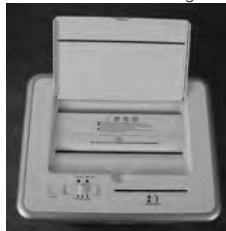
image 2
i 1
Jaiil 1iJIbIyI cIiyI bIyI cyIiI Iuyia paia Juaia gblie ie iSll oia
aaii iiaaiii
"Power" ON/OFF 1.1
"Auto," 151, 162, 163, 164, 165, 166, 167, 168, 169, 170, 171, 172, 173, 174, 175, 176, 177, 178, 179, 180, 181, 182, 183, 184, 185, 186, 187, 188, 189, 190, 191, 192, 193, 194, 195, 196, 197, 198, 199, 200
Jlalal Jlll 11111111111111111111111111111.3
aiol aay jy bia valill Lueu laa 5 15 1 1 1 1 1 1 1 1 1 1 1 1 1 1 1 1 1 1 1 1 1 1 1 1
"Overheat"/,Bin full"Jgall gglal Aislll aagtt alal 1e jgai lil . "alill ay gill ale!" gl "plall ay gill ale!" yglal ay slall ay gial ay gial ay gial ay
#
:
ailllll 1 jll llllll
Ae 11111111111111111111111111111111111111
J 1
j 1 j 1 j 1 j 1 j 1 j 1 j 1 j 1 j 1 j 1 j 1 j 1 j 1 j 1 j 1 j 1 j 1 j 1 j 1 j 1 j 1 j 1 j 1 j 1 j 1 j 1 j 1 j 1 j 1 j 1 j 1 j 1 j 1 j 1 j
4
J 1
y
Shredder Office X8 CD
:Jgall
中
:
()/()03×4
:
1/(²/80)A4 8
:
60
:
4 12
abill
()122/()225
Jz
60-50 240-220
1
555× 269× 345
:
58
:swll s sinn
22
:g
60/5
∴ 在 Rt ABD 中:
9,16
:
ailll llll llll lllllllllllllll

- WARNING SYMBOLS
- IMPORTANT SAFETY NOTES
- STRUCTURE AND FUNCTION
- COMMISSIONING THE SHREDDER
- MANUAL PAPER FEED
- AUTOMATIC PAPER FEED (AUTO-FEED FUNCTION)
- MANUAL FEED OF CDS/DVDS AND CREDIT CARDS
- IMPORTANT NOTE
- IMPORTANT
- CAREFUL
- TECHNICAL SPECIFICATIONS
- DISPOSAL
- GUARANTEE
- TROUBLESHOOTING
- INTRODUZIONE
- WAARSCHUWINGSSYMBOLEN
- :
- 4
- Y
Brand : GEHA
Model : OFFICE X8 CD
Category : Shredder