
A3 BASIC - Laminator GEHA - Free user manual and instructions
Find the device manual for free A3 BASIC GEHA in PDF.



User questions about A3 BASIC GEHA
0 question about this device. Answer the ones you know or ask your own.
Ask a new question about this device
Download the instructions for your Laminator in PDF format for free! Find your manual A3 BASIC - GEHA and take your electronic device back in hand. On this page are published all the documents necessary for the use of your device. A3 BASIC by GEHA.
USER MANUAL A3 BASIC GEHA
text_image
Geha LAMINATOR A3 Basic LAMINATORLAMINATOR
Home & Office
A3 Basic
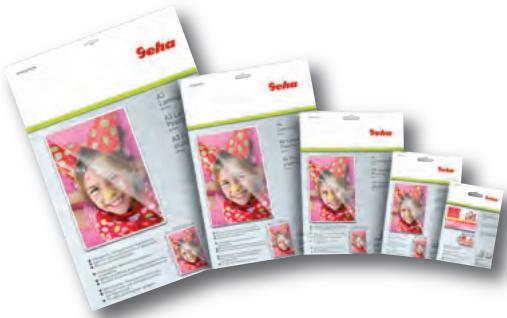
Laminierfolien Laminating Pouches
text_image
Seha Seha Seha Sehanatural_image
Pure diagram of a mechanical component with curved lines and a central oval shape, no text or symbols present.natural_image
Symbol of a trash bin crossed with a diagonal line, no text or labels presentGARANTIE
Congratulations on your purchase of the laminator. Now you can protect your favourite photos, recipe cards, letters and legal size documents as well as other types of thin objects up to A3 size in a waterproof, airtight seal. Follow the instructions for proper use and keep this book for future reference.
IMPORTANT SAFETY NOTES
- Read all instructions.
- Do not touch hot surfaces.
- To protect from risk of electrical hazards, do not immerse cord, plugs, etc. of the appliance in water or other liquid.
- Closely supervise if necessary when any appliance is used by, or close to, children.
- Unplug from the outlet when not in use and before cleaning. Allow to cool before putting on or taking off parts, and before cleaning the appliance.
- Do not operate any appliance with a damaged cord or plug or after the appliance malfunctions, or has been damaged in any manner. Return the appliance to the nearest authorised service facility.
- The use of accessory attachments not recommended or sold by the appliance manufacturer may cause injuries.
- Do not use outdoors.
- Do not use appliance for other than intended use.
- Turn the laminator off when not in use for prolonged periods of time.
- The socket-outlet should be installed near the equipment and should easily be accessible.
- Do not laminate sheets containing metal or conductive materials.
-
A short power cord is provided with this appliance to reduce hazards resulting from becoming entangled in, or tripping over, a longer cord. Extension cords may be used if care is exercised in their use. If an extension cord is used, the following must apply:
a. The marked electrical rating should at least be as high as the electrical rating of the appliance.
b. The extension cord should not drop over the counter top or table top where it can be pulled on by children or tripped over accidentally. -
We do not recommend laminating any type of self-developing photo.
- Any photo to be laminated must be dry before processing.
- Do not laminate any documents that appear thick or heavy, as they will get stuck in the laminator. If this occurs, please contact your local service centre for servicing.
- This product bonds the laminate sleeve to the items processed. It is a permanent seal and cannot be removed.
- We do not recommend laminating any collector's items of value or any item you may wish to remove at a later date. Do not attempt to laminate coins or thicker items.
natural_image
Simple diagram of a vertical U-shaped object with labeled parts, no text or symbols present
natural_image
Pure diagram of a mechanical component with no text or symbols, labeled 'fig. 2' at bottom left (no readable text or symbols within the diagram itself)- Activate the device by pushing the sliding switch to the right or left, depending on the temperature required for the actual pouch thickness (fig. 2). The red indicator light is on.
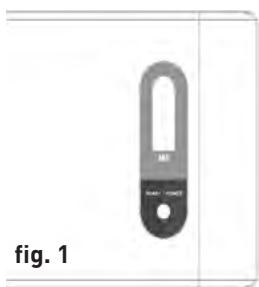
- When the blue light comes on, the machine is ready for hot pouches lamination (fig. 1). The warm-up time takes approx. 3-5 minutes.
- Place the item to be laminated into the laminating sleeve, centring it within the sleeve. Please make sure your document or picture is positioned as close to the sealed edge as possible.
- The laminator does not require the use of a carrier in order to operate.
- The laminator can laminate pouches from 80 microns to 125 microns. It works with most types of heat-sealing laminating pouches.
- Insert the sealed edge of the laminating sleeve straight into the CENTRE of the laminator opening.
- Remove the sleeve from the rear of the machine after is has stopped moving.
- Some types of paper do not laminate evenly, or appear somewhat cloudy. In such cases, the lamination can be fed through the machine a second time and the lamination process may be repeated.
- If there is a jam, please press the ABS button located on the top of the machine (fig. 1). The laminator will stop then. Please pull out the laminating pouches with one hand slowly.
CARE AND CLEANING
Only authorised service teams should perform any servicing other than cleaning and user maintenance. Do not immerse in water.
To reduce the risk of fire or electrical shock, do not remove the base. No user serviceable parts are inside. Repair should be done by authorised service personnel only.
- Keep your hands and the cord away from hot parts of the appliance during operation.
- Never clean with scrubbing powders or hard implements.
- Wipe clean with a soft cloth.
TECHNICAL DATA
| Voltage | 220-240 V, 50 Hz |
| Current | 1.0 A |
| Power | max. 250 W |
| Film thickness | 80-125 microns |
| Max. document size | A4 |
| Warm-up time | approx. 3-5 mins |
| Laminating speed | approx. 300 mm/min |
| Max. document thickness | 0.6 mm |

natural_image
Symbol of a trash bin crossed with a diagonal line, no text or numbers presentDISPOSAL
The crossed out wheelie bin symbol on this product is to remind you that electrical products should not be disposed of with household waste.
Please dispose of in a responsible manner at an approved waste or recycling facility.
WARRANTY
The warranty period for your appliance is 24 months.
It is essential that you retain your proof of purchase and the original packaging.
Should any problem arise with your appliance, please contact your dealer.
INTRODUZIONE
natural_image
Simple diagram of a vertical U-shaped object with labeled parts, no readable text or symbols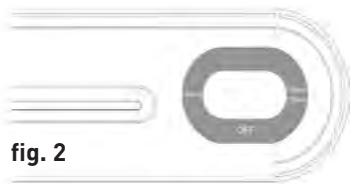
natural_image
Diagram of a U-shaped object with concentric arcs and a label 'fig. 2' (no readable text or symbols)natural_image
Symbol of a trash bin crossed with two crossed lines, no text or labels presentGARANZIA
natural_image
Simple diagram of a device labeled 'M1' with a black handle and circular body, marked as Fig. 1 (no text or symbols on the device itself)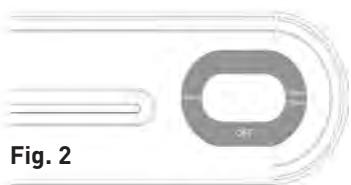
natural_image
Diagram of a mechanical component labeled Fig. 2, showing a circular housing with internal curved elements (no text or symbols on the object itself)natural_image
Symbol of a trash bin crossed with a diagonal line, no text or labels presentGARANTÍA
natural_image
Simple diagram of a U-shaped object with labeled parts, no readable text or symbols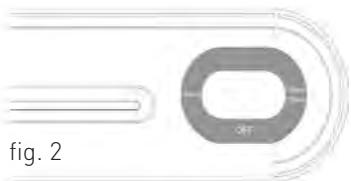
natural_image
Pure diagram of a U-shaped object with curved lines and a central oval, labeled 'fig. 2' (no text or symbols on the object itself)natural_image
Symbol of a trash bin crossed with a diagonal line, representing waste sorting or disposal (no text or labels)GARANTIE
natural_image
Pure diagram of a mechanical component with no text or symbols, showing a circular part and curved lines (no readable labels or symbols)natural_image
Simple line drawing of a trash bin with crossed lines indicating no waste or discharge (no text or symbols)GARANTIE
natural_image
Pure electrical circuit lines without any symbolsالشكل ٢
م Expected Casual Estuary
لا ت Connectivity—as Simple Japanese, besides as suggested by the United States. No other information can be extracted from this report.
natural_image
Symbol of a trash bin crossed with a diagonal line, no text or numbers presentالمعطيات التقنية
۲۵۰-۲۲.
. امبیر
۲۰.
120-8.
r1
حوالي ٣٠-٥ دقائق
حوالي ٣٠٠ مم/د
م.٦
الجهد الكهربائي
التيار
الاستطاعة
سماكة老百姓
natural_image
Close-up of a metallic cylindrical device with a black handle and circular top, labeled 'рис. 1' at bottom (no other text or symbols visible)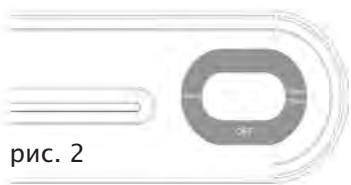
natural_image
Pure diagram of a mechanical component with no text or symbols, showing a circular part and curved lines (no readable labels or symbols)natural_image
Symbol of a trash bin crossed with a diagonal line, no text or labels presentГАРАНТИЯ
natural_image
Diagram of a U-shaped object with concentric arcs and a label 'bild 2' (no readable text or symbols beyond label)natural_image
Symbol of a trash bin with crossed lines indicating no waste or restriction, accompanied by a black rectangular block below (no text or labels)GARANTI
natural_image
Pure electrical circuit lines without any symbolsnatural_image
Symbol of a trash bin crossed with a diagonal line, representing waste sorting or disposal (no text or labels)ΕΓΓΥΗΣΗ
natural_image
Pure diagram of a mechanical component with no text or symbols, showing a circular ring and curved lines (no readable labels or symbols)natural_image
Simple line drawing of a trash bin with crossed lines indicating no waste or restriction (no text or symbols)GARANTI
natural_image
Symbol of a trash bin with crossed lines indicating no waste or discharge (no text or labels)GARANTIE
natural_image
Pure electrical circuit lines without any symbolsnatural_image
Symbol of a waste bin crossed with a diagonal line, no text or labels presentGWARANCJA
natural_image
Symbol of a trash bin with crossed lines indicating no waste or discharge (no text or labels)保修
您的机器保修期为24个月。
请您务必保管好购买凭证和原厂包装。
如果对机器有问题,请向您的经销商咨询。