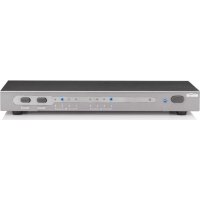
CONNECT 411 - HDMI switch MARMITEK - Free user manual and instructions
Find the device manual for free CONNECT 411 MARMITEK in PDF.


User questions about CONNECT 411 MARMITEK
0 question about this device. Answer the ones you know or ask your own.
Ask a new question about this device
Download the instructions for your HDMI switch in PDF format for free! Find your manual CONNECT 411 - MARMITEK and take your electronic device back in hand. On this page are published all the documents necessary for the use of your device. CONNECT 411 by MARMITEK.
USER MANUAL CONNECT 411 MARMITEK
- To prevent short circuits, this product should only be used inside and only in dry spaces. Do not expose the components to rain or moisture. Do not use the product close to a bath, swimming pool etc.
- Do not expose the components of your systems to extremely high temperatures or bright light sources.
- In case of improper usage or if you have altered and repaired the product yourself, all guarantees expire. Marmitek does not accept responsibility in the case of improper usage of the product or when the product is used for purposes other than specified. Marmitek does not accept responsibility for additional damage other than covered by the legal product responsibility.
This product is not a toy. Keep out of reach of children. - Do not open the product (battery panel excepted): the device may contain live parts. The product should only be repaired or serviced by a qualified expert.
- Keep batteries out of the reach of children. Dispose of batteries as chemical waste. Remove the batteries when you are not using the system for a longer period of time. Check the polarity (+/-) of the batteries when inserting them in the product. Wrong positioning can cause an explosion.
- Only connect the adapter to the mains after checking whether the mains voltage is the same as the values on the identification tags. Never connect an adapter or power cord when it is damaged. In that case, contact your supplier.
INTRODUCTION
Congratulations on purchasing the Marmitek Connect411! With this you can connect up to 4 HDMI sources to your (HD-) TV with just one cable, without any loss of signal or encryption. Examples of HDMI sources are: HD-DVD player, Blu-ray player, HD-Set top Box, PlayStation3, Xbox 360, etc. The Connect411 supports HD resolutions up to 1080p.
The Marmitek products are manufactured with the utmost precision and are of high quality. Please read this manual first and follow the instructions so you can enjoy the possibilities of this product optimally.
SET CONTENTS
1x HDMI Switcher
1x Remote control (battery included)
1x Power adaptor
1x User manual
ADVANTAGES
Connect411
- Suitable for simultaneously connecting 4 HDMI sources like set-top boxes, Blu Ray players and game consoles to every HDTV or projector. You only need 1 HDMI input on your TV and you never have to switch cables again.
Supports all HDTV resolutions up to 1080p and 8 channels digital audio for 7.1 surround sound. - With digital audio output for your home cinema set which supports codec formats like Dolby True HD and DTS-HD Master Audio.
- With built-in repeater and equalizer for correcting any possible loss of signal, so you can connect up to 15 metres of HDMI cable to the output.
- High quality 24K Gold Plated HDMI connectors to prevent transmitting- and corrosion resistance.
Free of interference because of the solid metal casing.
Remote control included. - This switcher can be stored invisibly using the optional IR receiver.
- Controllable via RS232 serial port.
- Meets the HDCP standards (High-bandwidth Digital Content Protection)
HDMI V1.3
Video bandwidth 225 MHz (makes image reproduction of 1080p, 12-bit and 60Hz possible)
- Deep Color 12-bit (billions instead of millions colours, better reproduction of subtle differences in gradation and a higher contrast ratio)
- Dolby TrueHD & DTS HD Master Audio (high quality audio support)
- Lip-Sync (prevents synchronisation problems between image and sound)
- CEC (operate multiple 'CEC' devices with just one remote control).
INSTALLATION
- Connect the HDMI cable to your screen (TV, monitor of projector) with the "HDMI output" of the Connect411
- Connect the HDMI cables from your sources to the "HDMI inputs" of the Connect411.
- Connect the digital audio out to a digital audio receiver (for instance a home cinema set) using a coaxial digital audio cable (not included).
- If desired, connect the RS232 cable (not included), see page 38 for more information.
- Connect the power adaptor to the power connector of the Connect411 and connect to the mains.
Remark: Use only category 2 HDMI certified cables for the best quality in image and sound.
Remote control
Remove the plastic strip from the battery compartment to activate the battery and use the remote control.
USING THE SWITCHER
Switching between the connected HDMI sources
With the selection button on the switcher
With the Select button at the front of the panel you can manually switch between the various HDMI sources.
With the remote control
Point the remote control at the Connect411 and press the number that corresponds with the desired HDMI source.
The LED lighting at the front of the panel shows which source is selected.
Turning the switcher on or off
By pressing the Select button for 2 seconds the Connect411 will be switched on or off (or use the remote control).
FREQUENTLY ASKED QUESTIONS
No (or poor) image and sound
If you experience poor or no image after connecting the HDMI switcher, try to recover the problem by connecting the devices one at the time to your screen (TV, monitor or projector). This way you can determine whether the problem lies with the HDMI sources, the HDMI cables, the HDMI switcher or the screen.
- Check if the power adaptor of the Connect411 is connected and plugged into the mains.
- Use HDMI certified cables of the highest quality (category 2 HDMI certified).
- Do not use HDMI cables that are longer than specified in the technical data.
- Both the HDMI source and your screen have to support HDMI fully.
- Check whether your HDMI sources, DVI device and screen support the copy protection HDCP (High-bandwidth Digital Content Protection).
Remote control does not work
- Infrared signals have a maximum reach of approximately 10 metres. Try a shorter distance.
- Replace the battery in the remote control, it could be empty.
Do you still have questions? Please check out www.marmitek.com for more information.
TECHNICAL DATA
Resolution
Supported HDTV Resolutions 480p, 576i, 576p, 720p, 1080i, 1080p
Supported PC Resolution (max) 1920 x 1200
Pixel Frequency (max) 225 MHz
Single link Bit Rate (max) 2.25 Gbps
Video Data Rate (max) 6.75Gbps
In- and outputs
HDMI Input (19-pin female) 4 HDMI
HDMI Output (19-pin female) 1 HDMI
Infrared extension cable input 3.5mm jack
Digital Audio output Coaxial (RCA)
Serial port connection RS-232
Maximal HDMI cable length 15 metres
Remote control
Infrared remote control Battery included CR2025
Housing Switcher
Dimensions (H x W x D) 220 x 71 x 27mm
Weight 1050 g
Ambient
Ambient temperature +0 to +40^
Ambient humidity 10% to 85%
Power
External power adaptor Input: 100-240VAC @50-60Hz Output: 5VDC 1mA
Specifications may be modified without prior notice.
OPTIONAL ACCESSORIES
IR receiver (art. nr 09852)
Place the IR receiver on, under or beside the A/V unit, within sight of your remote control. The Connect411 can now be operated with the cupboard doors closed or when it is otherwise placed out of sight of the remote control.
Infrared extension
Marmitek offers several products to operate your devices, even when these are placed in a closed cupboard or in a different room. This as well wired as wireless. More information about these so called infrared extenders can be found at www.marmitek.com.
Extra remote control
If you want to operate your device from various places in your home, or if you want to use just one single remote control for all your A/V devices, then make your choice from the complete range of Marmitek universal remote controls; EasyControl or EasyTouch. These replace almost every remote control you are using at the moment. More information about these so called universal remote controls can be found at www.marmitek.com

Environmental Information for Customers in the European Union
European Directive 2002/96/EC requires that the equipment bearing this symbol on the product and/or its packaging must not be disposed of with unsorted municipal waste. The symbol indicates that this product should be disposed of separately from regular household waste streams. It is your responsibility to dispose
of this and other electric and electronic equipment via designated collection facilities appointed by the government or local authorities. Correct disposal and recycling will help prevent potential negative consequences to the environment and human health. For more detailed information about the disposal of your old equipment, please contact your local authorities, waste disposal service, or the shop where you purchased the product.
SICHERHEITSHINWEISE
VEILIGHEIDSWAARSCHUWINGEN
The Connect411 can be controlled via infrared remote control, select button and by RS-232 port. Computers and control panels using an RS-232 serial port can be used to operate the Connect411.
Use following settings for the control protocol
| Bits per second | 19200 |
| Data bits | 8 |
| Parity | None |
| Stop bits | 1 |
| Flow Control | None |
RS-232 pin configuration
| Connect411 | Controller End | ||
| Pin | Function | Pin | Function |
| 1 | NC | 1 | NC |
| 2 | RxD | 2 | RxD |
| 3 | TxD | 3 | TxD |
| 4 | NC | 4 | NC |
| 5 | GND | 5 | GND |
| 6 | NC | 6 | NC |
| 7 | NC | 7 | NC |
| 8 | NC | 8 | NC |
| 9 | NC | 9 | NC |
Use a 9-pins female to female RS-232 cross cable for connecting the controller to the Connect411.
Command line Code
1:Switch to port 1
2 : Switch to port 2
3:Switch to port 3
4 : Switch to port 4
5 : Turn on / off
V : Check Version
? : To list the command help
DECLARATION OF CONFORMITY
Hereby, Marmitek BV, declares that this Connect411 is in compliance with the essential requirements and other relevant provisions of the following Directives:
DIRECTIVE 2004/108/EC OF THE EUROPEAN PARLIAMENT AND OF THE COUNCIL of 15 December 2004 on the approximation of the laws of the Member States relating to electromagnetic compatibility
Directive 2006/95/EC of the European Parliament and of the Council of 12 December 2006 on the harmonisation of the laws of Member States relating to electrical equipment designed for use within certain voltage limits
Directive 2002/95/EC of the European Parliament and of the Council of 27 January 2003 on the restriction of the use of certain hazardous substances in electrical and electronic equipment
Hiermit erklart Marmitek BV die Übereinstimmung des Gerätes Connect411 den grundlegenden Anforderungen und den anderen relevanten Festlegungen der Richtlinien:
RICHTLINIE 2004/108/EG DES EUROPÄISCHEN PARLAMENTS UND DES RATES vom 15. Dezember 2004 zur Angleichung der Rechtsvorschriften der Mitgliedstatesen über die elektron magnetische Verträglichkeit
Richtlinie 2006/95/EG des Europäischen Parliaments und des Rates vom 12. Dezember 2006 zur Angleichung der Rechtsvorschriften der Mitgliedstaaten betreffend elektrische Betriebsmittel zur Verwendung innerhalb bestimmter Spannungsgrenzen
Richtlinie 2002/95/EG des Europäischen Parlaments und des Rates vom 27. Januar 2003 zur Beschränkung der Verwendung bestimmter gefährlicher Stoffe in Elektro- und Elektronikgeräten
Par la presente Marmitek BV déclare que l'appareil Connect411 est conforme aux exigences essentielles et aux autres dispositions pertinentes de la directives:
DIRECTIVE 2004/108/CE DU PARLEMENT EUROPEEN ET DU CONSEIL du 15 décembre 2004 relative au rapprochement des légisations des États membres concernant la compatibilité electromagnetique
Directive 2006/95/CE du Parlement européen et du Conseil du 12 décembre 2006 concernant le rapprochement des législations des États membres relatives au matériel électrique destiné à être employé dans certaines limites de tension
Directive 2002/95/CE du Parlement européen et du Conseil du 27 janvier 2003 relative à la limitation de l'utilisation de certaines substances dangereuses dans les équipements électriques et Electroniques
Copyrights
Marmitek is a trademark of Marmidenko B.V. Connect411 is a trademark of Marmitek B.V.
Home Networks is a registered trademark of Marmitek B.V.
PlayStation is a trademark of Sony Computer Entertainment Inc.
Xbox is a trademark of the Microsoft Corporation. All rights reserved.
Copyright and all other proprietary rights in the content (including but not limited to model numbers, software, audio, video, text and photographs) rests with Marmitek B.V. Any use of the Content, but without limitation, distribution, reproduction, modification, display or transmission without the prior written consent of Marmitek is strictly prohibited. All copyright and other proprietary notices shall be retained on all reproductions.
Marmitek BV declares que este Connect411 cumple con las exigencias esenciales y con las cuales reglas relevantes de la directriz:
DIRECTIVA 2004/108/CE DEL PARLAMENTO EUROPEO Y DEL CONSEJO de 15 de días de 2004 relativa a la aproximación de las legislaciones de los Estados miembrlos en materia de compatibiliidad electromagnética
Directiva 2006/95/CE del Parliamento Europeo y del Consejo de 12 deDICiembre de 2006 relativa a laapproximacion de las legislaciones de los Estados miembros sobre el material eletrico destinado autilizarse con determinados limites de tension
Directiva 2002/95/CE del Parlamento Europeo y del Consejo de 27 de enero de 2003 sobre restricciones a la realizacion de determinadas sustancias peligrosas en aparatos electricos y electronicos
Con ciò, Marmitek BV, dichiara che il Connect411 è conforme ai requisiti essenziali ed alter disposizioni relative alla Direttiva:
DIRETTIVA 2004/108/CE DEL PARLAMENTO EUROPEO E DEL CONSIGLIO del 15 dicembre 2004 concennte il ravicinamento delle legislazioni degli Stati membri relative alla compatibilità elettromagnetica
Direttiva 2006/95/CE del Parlamento europeo e del Consiglio del 12 dicembre 2006 concennte il rav vincamento delle legislazioni degli Stati membri relative al materiale elettrico destinato ad essere adoperato entro taluni limiti di tensione
Direttiva 2002/95/CE del Parlamento europeo e del Consiglio del 27 gennaio 2003 sulla restrizione dell'uso di determinate sostanze pericolose nelle apparecchiature elettriche ed elettroniche
Bij deze verklaart Marmitek BV, dat deze Connect411 voldoet aan de essentiele eisen en aan de overige relevante bepalingen van Richtlijnen:
RICHTLIJN 2004/108/EG VAN HET EUROPEES PARLEMENT EN DE RAAD van 15 deember 2004 betreffende de onderlinge aanpassing van de wetgevingen van de lidstates inzake elektromagnetische compatibiliteit
Richtlij 2006/95/EG van het Europees Parlement en de Raad van 12 decan 2006 betreffende de onderlinge aanpassing van de wettelijk voorschriftden der lidstates inzake elektrisch materiaal bestemd voor gebruik bennen bepaalde spanningsgrenzen
Richtlijn 2002/95/EG van het Europees Parlement en de Raad van 27 januari 2003 betreffende beperking van het gebruik van bepaalde govaarlijke stoffen in elektrische en elektronische apparatuur
MARMITEK BV - P.O. BOX 4257 - 5604 EG EINDHOVEN - THE NETHERLANDS
C E