NEXT BASE CLICK 7 DUO - Tablet

CLICK 7 DUO - Tablet NEXT BASE - Free user manual and instructions

Find the device manual for free CLICK 7 DUO NEXT BASE in PDF.

📄 22 pages English EN Download 💬 AI Question 10 questions ⚙️ Specs
Notice NEXT BASE CLICK 7 DUO - page 1
View the manual : Français FR English EN
Pick your language and provide your email: we'll send you a specifically translated version.
Product type Multimedia tablet
Brand NEXT BASE
Model CLICK 7 DUO
Dimensions (approx.) 19 x 11 x 0.8 cm
Weight (approx.) 280 g
Screen size 7 inches
Power Rechargeable Li-ion battery 2500 mAh
Connectivity Wi-Fi / Bluetooth / Headphone jack / Micro USB port
Storage 16 GB internal expandable via microSD up to 64 GB
Operating system Android (version not specified)
Main functions Web browsing, video/audio playback, games, camera, note taking
Care and cleaning Clean with a soft, dry cloth. Avoid abrasive products.
Safety Do not expose to moisture or excessive heat. Unplug during cleaning.
Spare parts and repairability Parts not available separately. Contact customer service for repairs.
General information Manual freely downloadable in PDF format at notice-facile.com
Warranty 1 year (parts and labor)

Frequently Asked Questions - CLICK 7 DUO NEXT BASE

How to turn the CLICK 7 DUO tablet on and off?
Press and hold the Power button on the side of the device for 3 seconds to turn it on. To turn off, press and hold the same button then select 'Shut down' from the menu.
How to insert a microSD memory card?
Locate the memory card slot on the edge of the tablet. Insert the card with the contacts facing down until it clicks. To remove, push it to unlock.
Does the battery last long?
The 2500 mAh Li-ion battery provides about 4 to 5 hours of battery life in moderate use (web browsing, video). Time may vary depending on settings and usage.
How to connect the tablet to Wi-Fi?
Go to Settings > Wi-Fi, turn on Wi-Fi, select your network, then enter the password if necessary.
Can I install applications?
Yes, you can download apps from the Google Play Store if it is present. Otherwise, install APK files after enabling unknown sources in security settings.
How to transfer files between the tablet and a computer?
Connect the tablet to the computer using the USB cable. On the tablet, select File Transfer (MTP) mode in the notifications. The files will then appear on the computer.
What to do if the tablet does not turn on?
Try fully charging the battery. If the problem persists, perform a forced reset by pressing and holding the Power and Volume + buttons simultaneously for 10 seconds.
How to take a screenshot?
Press the Power and Volume Down buttons simultaneously for one second. The image will be saved in the gallery.
Is the tablet compatible with a Bluetooth keyboard?
Yes, enable Bluetooth in settings, put the keyboard in pairing mode, then select it from the list of available devices.
Where can I find the full manual?
The full manual is available free of charge in PDF format on the website notice-facile.com. You can download it directly from the product page.

User questions about CLICK 7 DUO NEXT BASE

0 question about this device. Answer the ones you know or ask your own.

Ask a new question about this device

The email remains private: it is only used to notify you if someone responds to your question.

No questions yet. Be the first to ask one.

Download the instructions for your Tablet in PDF format for free! Find your manual CLICK 7 DUO - NEXT BASE and take your electronic device back in hand. On this page are published all the documents necessary for the use of your device. CLICK 7 DUO by NEXT BASE.

USER MANUAL CLICK 7 DUO NEXT BASE

7" Portable DVD Player

Quick Start
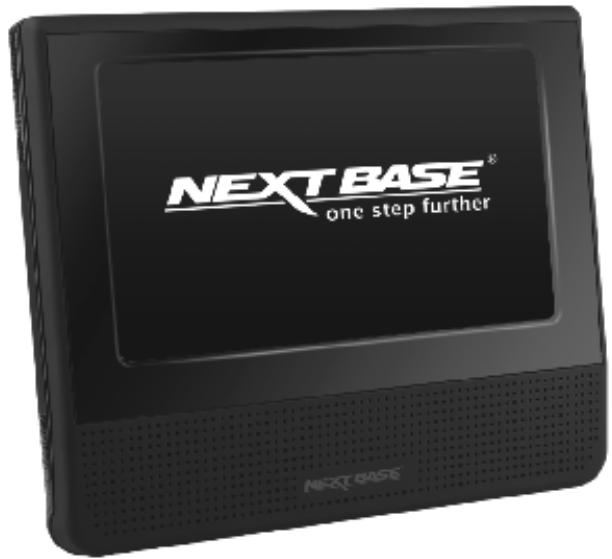
NEXT BASE CLICK 7 DUO - Quick Start - 1
Click&Go

English

Deutsch

Français

Italiano

Espanol

Nederlandss

Svenska

Norsk

Dansk

Suomi

DVD

VIDEO

COMPACT

DIGITAL AUDIENCE

DOLBY

DIGITAL

NEXT BASE CLICK 7 DUO - Quick Start - 2

NEXT BASE CLICK 7 DUO - Quick Start - 3

NEXT BASE CLICK 7 DUO - Quick Start - 4

NEXT BASE CLICK 7 DUO - Quick Start - 5
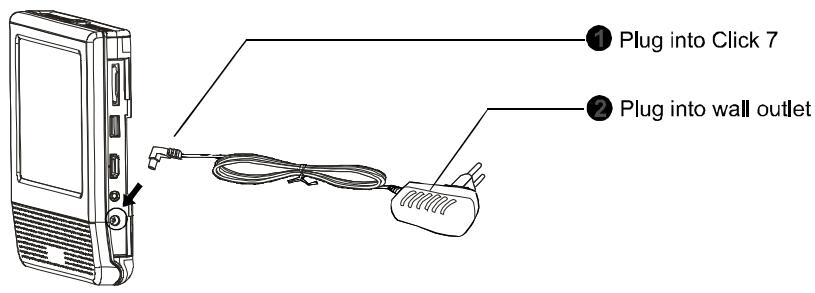
1. Turn On

NEXT BASE CLICK 7 DUO - Quick Start - 6
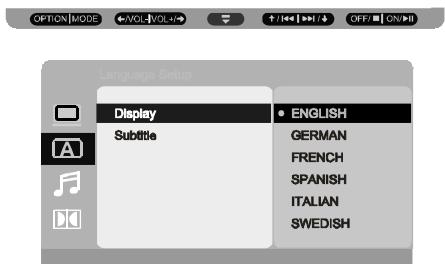
2. Set Language

NEXT BASE CLICK 7 DUO - Quick Start - 7

NEXT BASE CLICK 7 DUO - Quick Start - 8
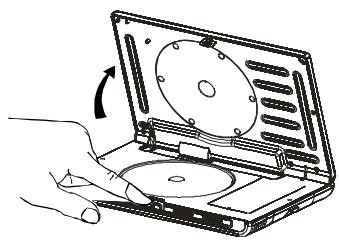
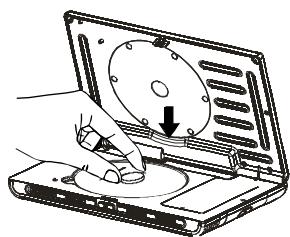
3. Insert a disc

NEXT BASE CLICK 7 DUO - Quick Start - 9

English

NEXT BASE CLICK 7 DUO - English - 1
English

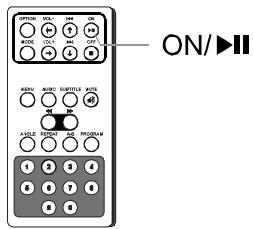
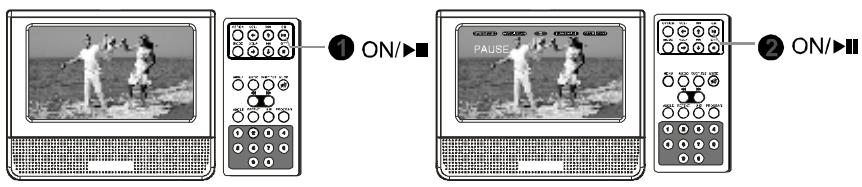
4. Play / Pause

NEXT BASE CLICK 7 DUO - Play / Pause - 1

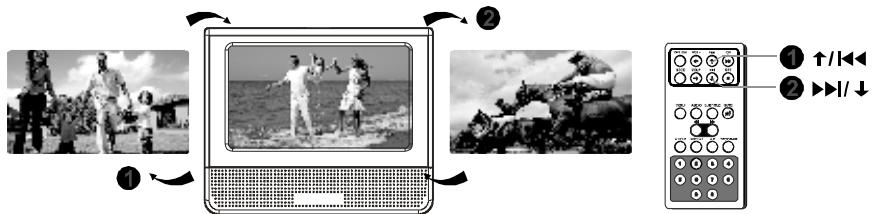
5. Previous / Next

NEXT BASE CLICK 7 DUO - Previous / Next - 1

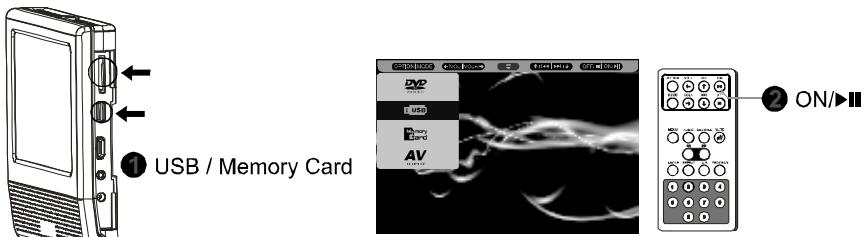
6. USB / Memory Card

NEXT BASE CLICK 7 DUO - USB / Memory Card - 1

NEXT BASE CLICK 7 DUO - USB / Memory Card - 2

NEXT BASE CLICK 7 DUO - USB / Memory Card - 3
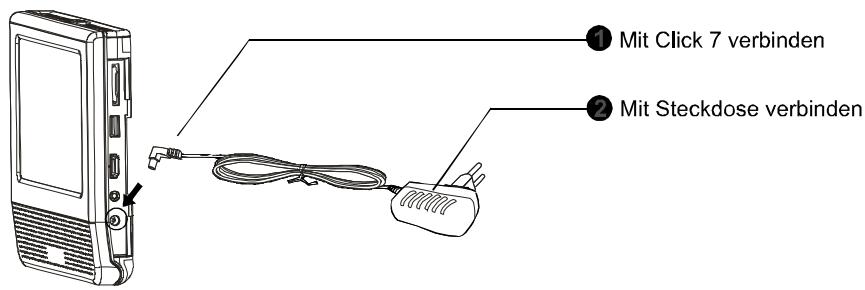
1. Einsatzen

Deutsch

NEXTBASE® one step further

www.next-base.com

Click 7 Series Quick Start B2

NEXT BASE CLICK 7 DUO - USB / Memory Card - 4

NEXT BASE CLICK 7 DUO - USB / Memory Card - 5

NEXT BASE CLICK 7 DUO - USB / Memory Card - 6

Table of contents Click a title to access it
Manual assistant
Powered by Anthropic
Waiting for your message
Product information

Brand : NEXT BASE

Model : CLICK 7 DUO

Category : Tablet