
ALTI-COMPASS - Sports Watch NIKE - Free user manual and instructions
Find the device manual for free ALTI-COMPASS NIKE in PDF.


| Product Type | Sports Watch |
| Brand | NIKE |
| Model | ALTI-COMPASS |
| Main Functions | Altimeter, compass, barometer, thermometer, weather forecasts, chronograph, timer, alarms (time, altitude, hydration), dual time zones, altitude graph display |
| Water Resistance | 100 meters (10 ATM) |
| Operating Temperature | -5°C to 50°C |
| Case Material | Titanium or aluminum |
| Glass Material | Mineral glass |
| Strap Material | Polyurethane |
| Back Material | Stainless steel |
| Button and Buckle Material | Stainless steel |
| Battery | CR2032 3V Lithium |
| Battery Replacement | Must be done by a Nike authorized service center |
| Maximum Measurable Altitude | 10,000 meters (32,800 feet) |
| Chronograph Limits | 999:59'59" |
| Timer Limits | 99:59'59" |
| Maintenance and Cleaning | Wipe with a soft dry cloth. Rinse with fresh water after exposure to salt water. Avoid solvents |
| Safety | Do not use for scuba diving. Respect temperature and altitude limits |
| Spare Parts and Repairability | Battery replaceable only by a Nike authorized center. No other spare parts indicated |
| General Information | User manual available free in PDF format at notice-facile.com |
Frequently Asked Questions - ALTI-COMPASS NIKE
User questions about ALTI-COMPASS NIKE
0 question about this device. Answer the ones you know or ask your own.
Ask a new question about this device
Download the instructions for your Sports Watch in PDF format for free! Find your manual ALTI-COMPASS - NIKE and take your electronic device back in hand. On this page are published all the documents necessary for the use of your device. ALTI-COMPASS by NIKE.
USER MANUAL ALTI-COMPASS NIKE
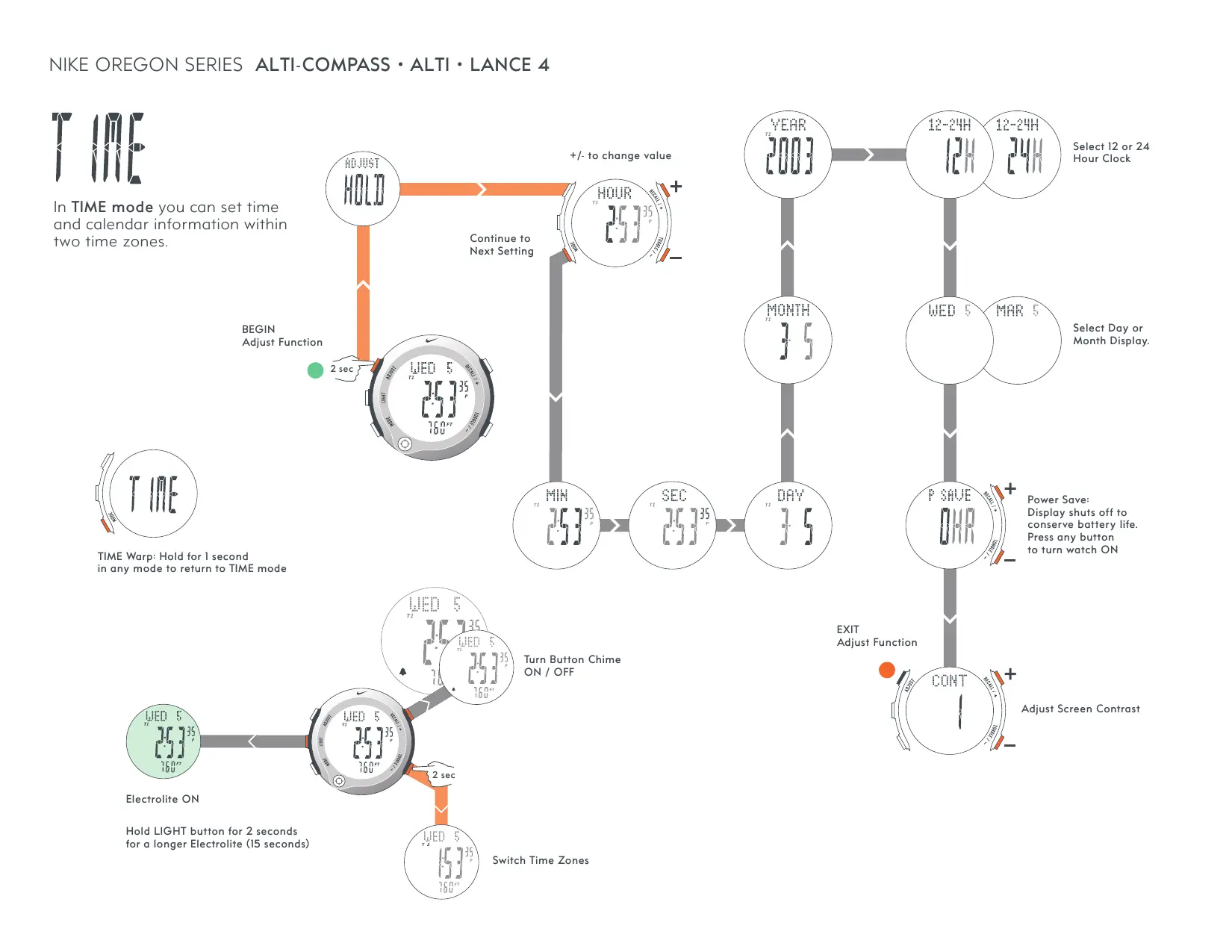
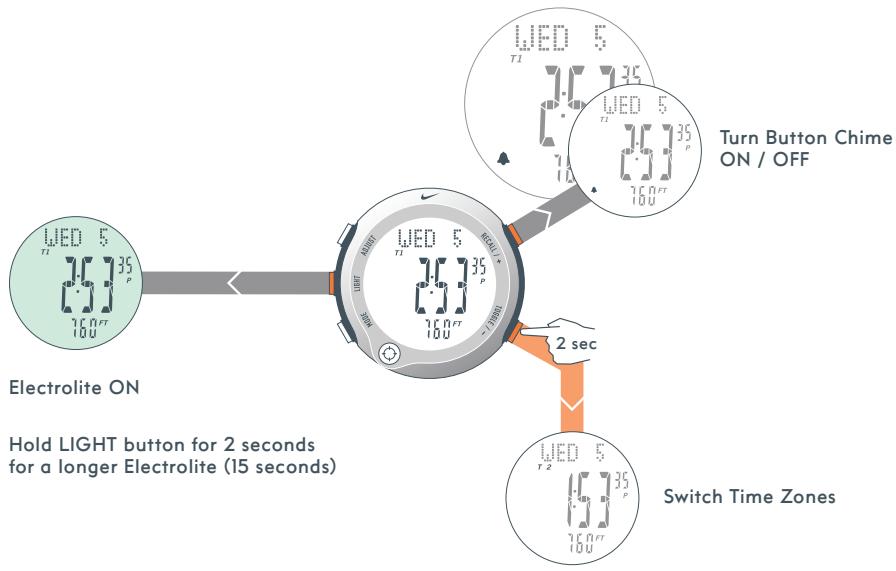
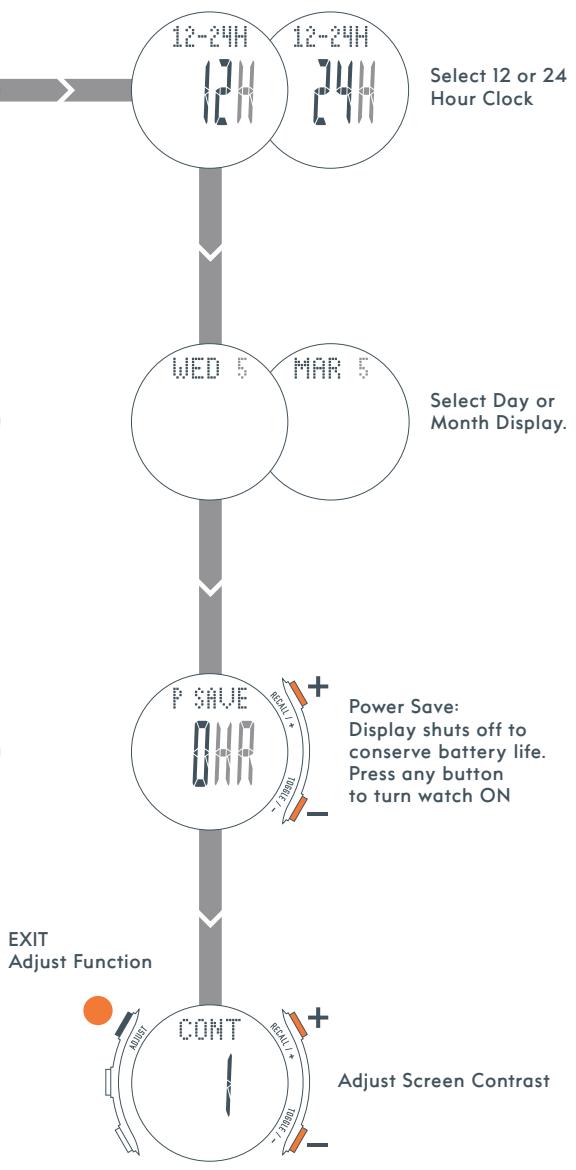
In TIME mode you can set time and calendar information within two time zones.
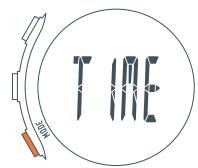
TIME Warp: Hold for 1 second in any mode to return to TIME mode
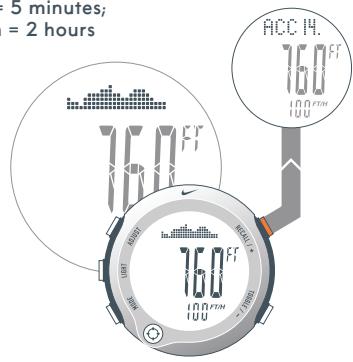
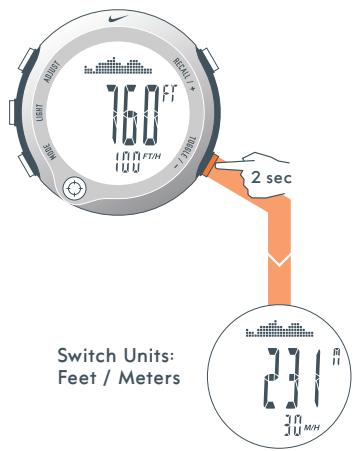
In ALTITUDE mode you can view and calibrate your current altitude; view and reset your maximum and accumulated altitudes.
Altitude Graph:
Each Bar = 5 minutes;
Full Graph = 2 hours
Recall Accumulated /
Maximum Data
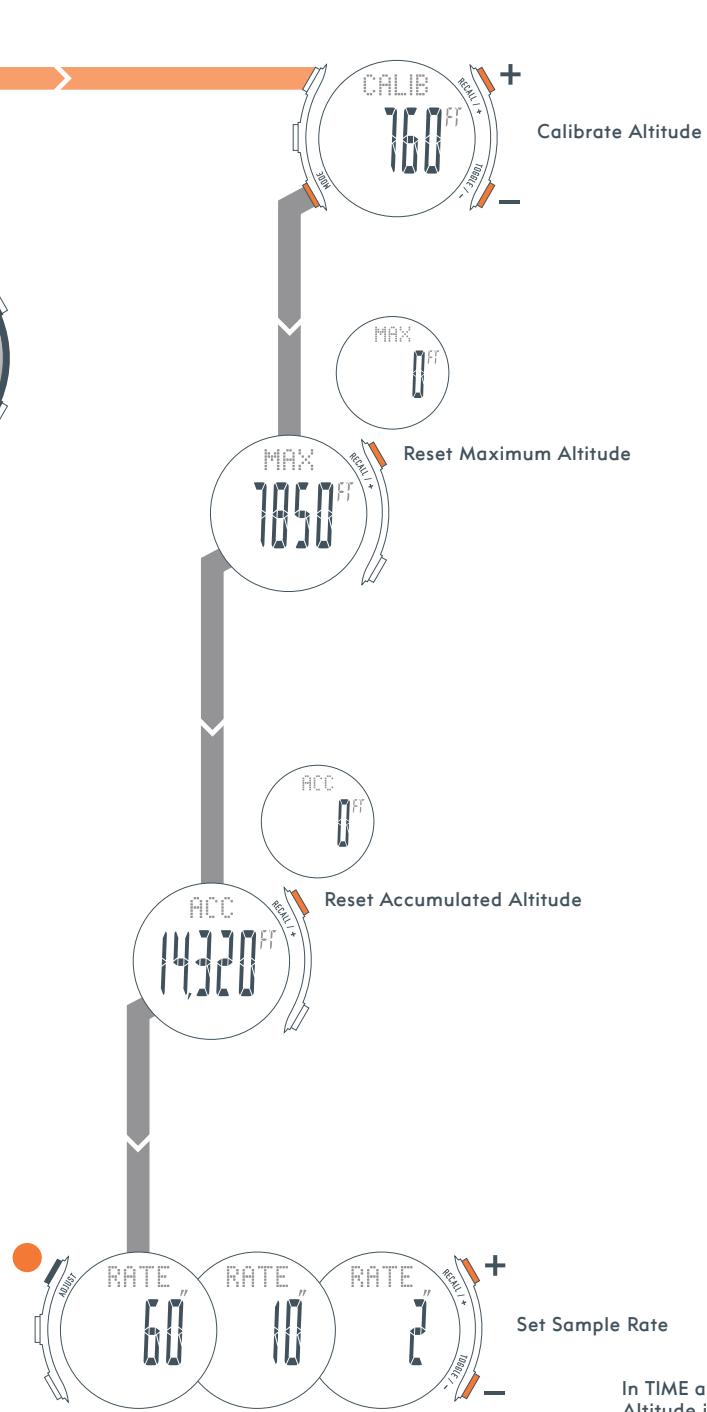
Set Sample Rate
In TIME and CHRON mode,
Altitude is automatically
sampled every 2.5 minutes
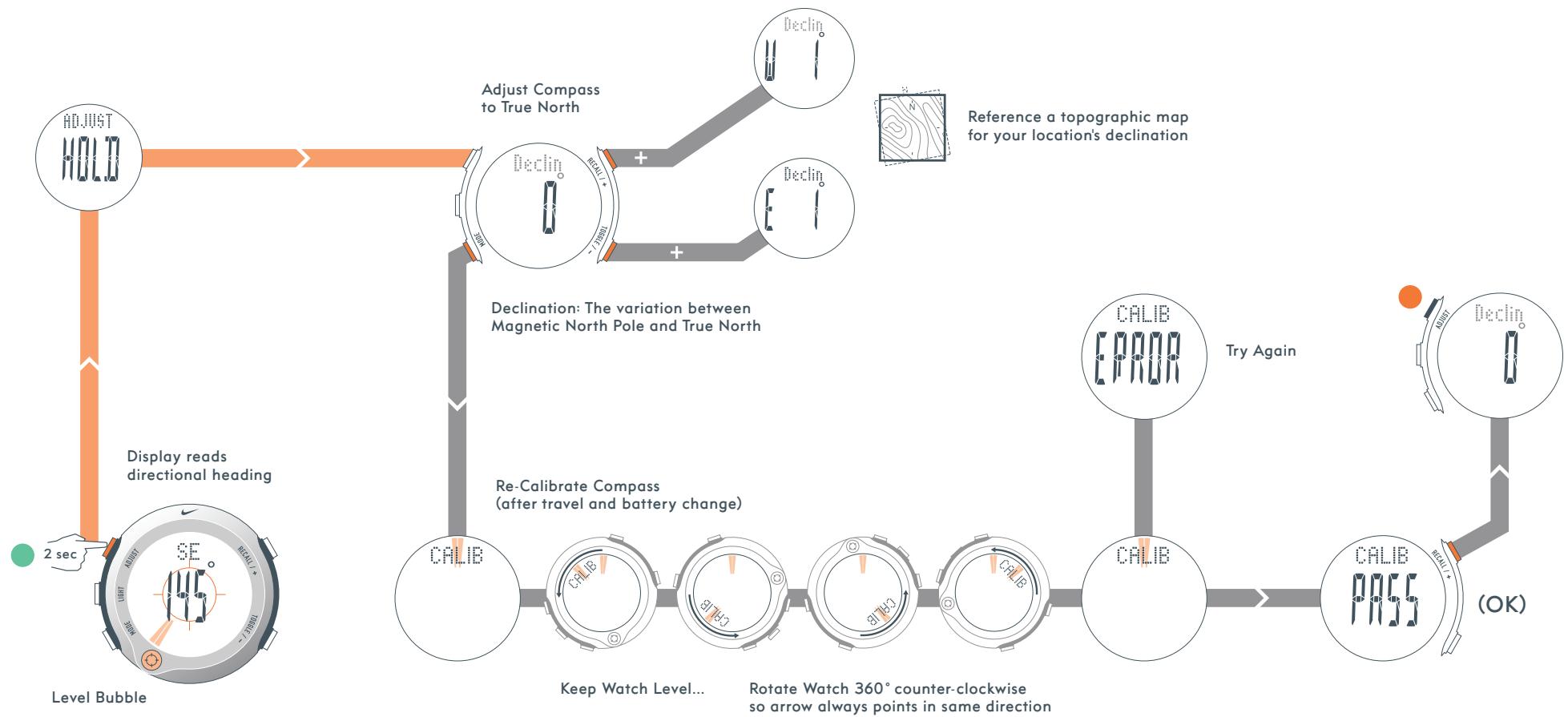
COMPASS mode displays a digital compass that points to the magnetic north pole. It can be adjusted to point to True North.
Digital Arrow points North
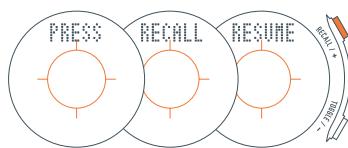
Recall Compass
COMPASS mode not included on NIKE OREGON SERIES ALTI
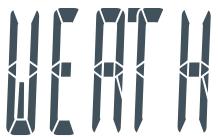
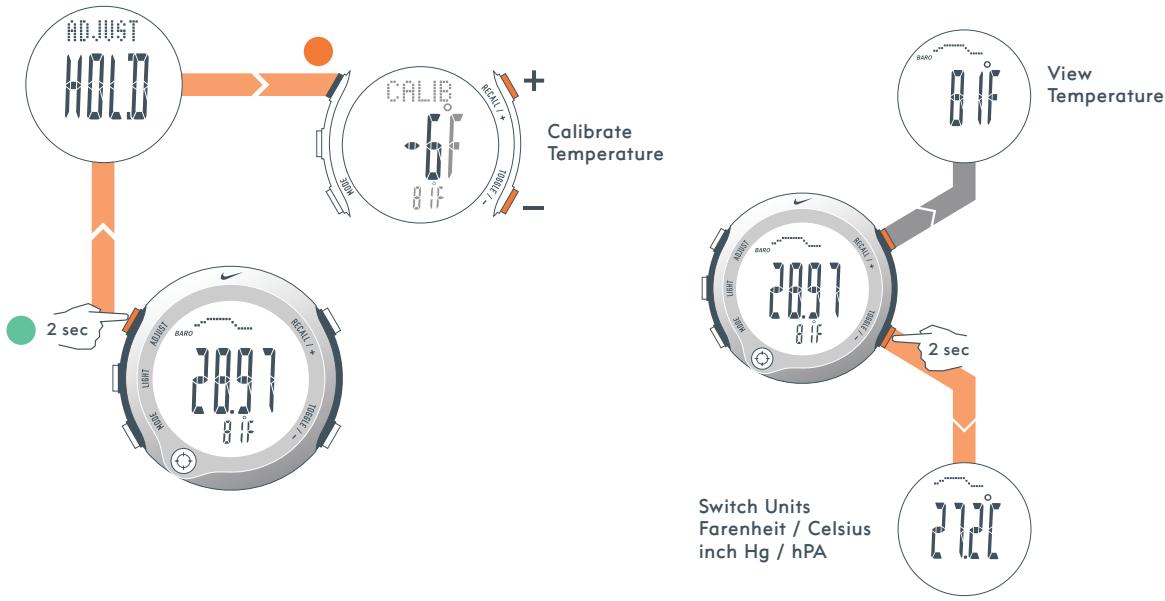
WEATHER mode provides a barometer, thermometer, and barometric weather forecaster.
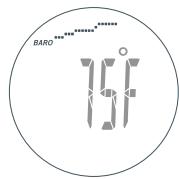
Rising Pressure: Clear weather likely
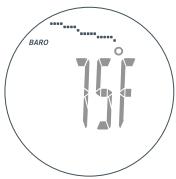
Falling Pressure: Clouds / Precipitation likely
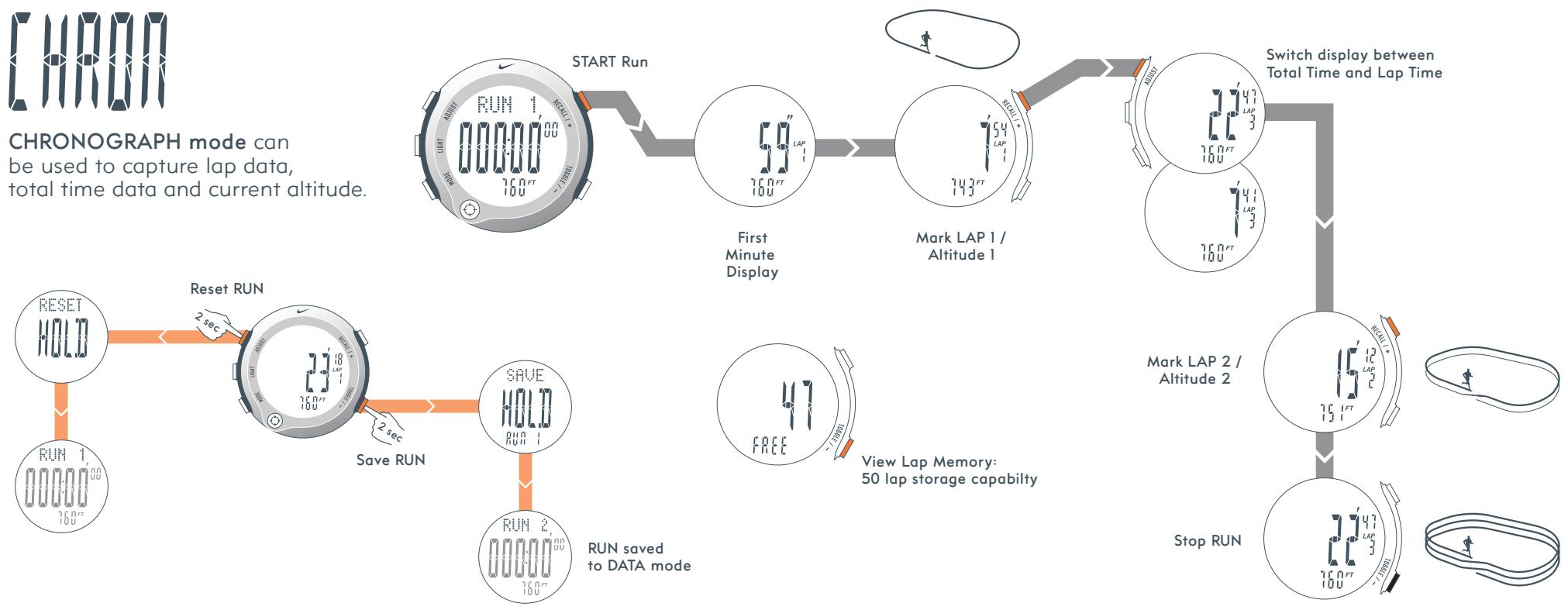
CHRONOGRAPH mode can be used to capture lap data, total time data and current altitude.
In Timer Mode you can setup to 5 repeating segments for customized interval training.
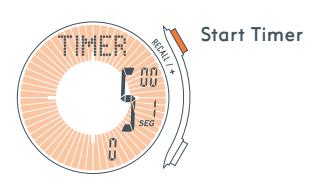
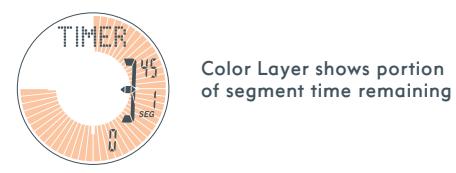
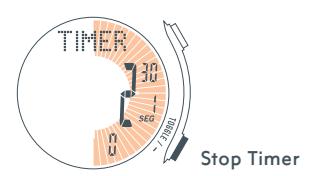
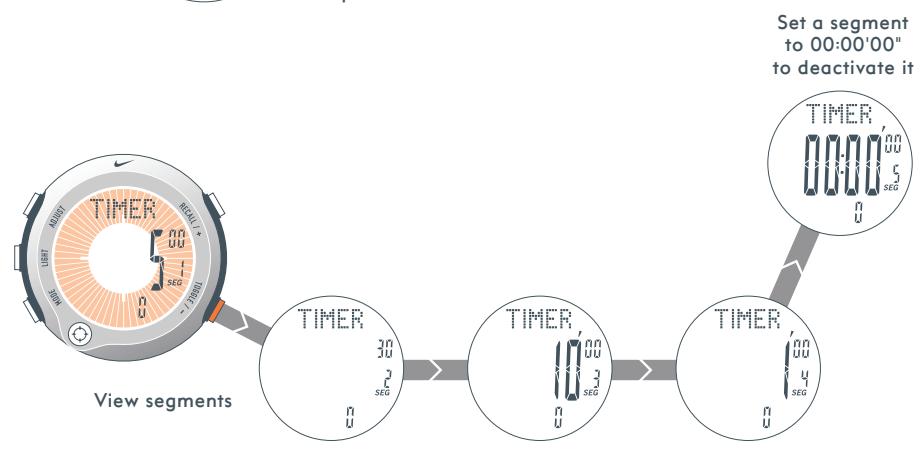
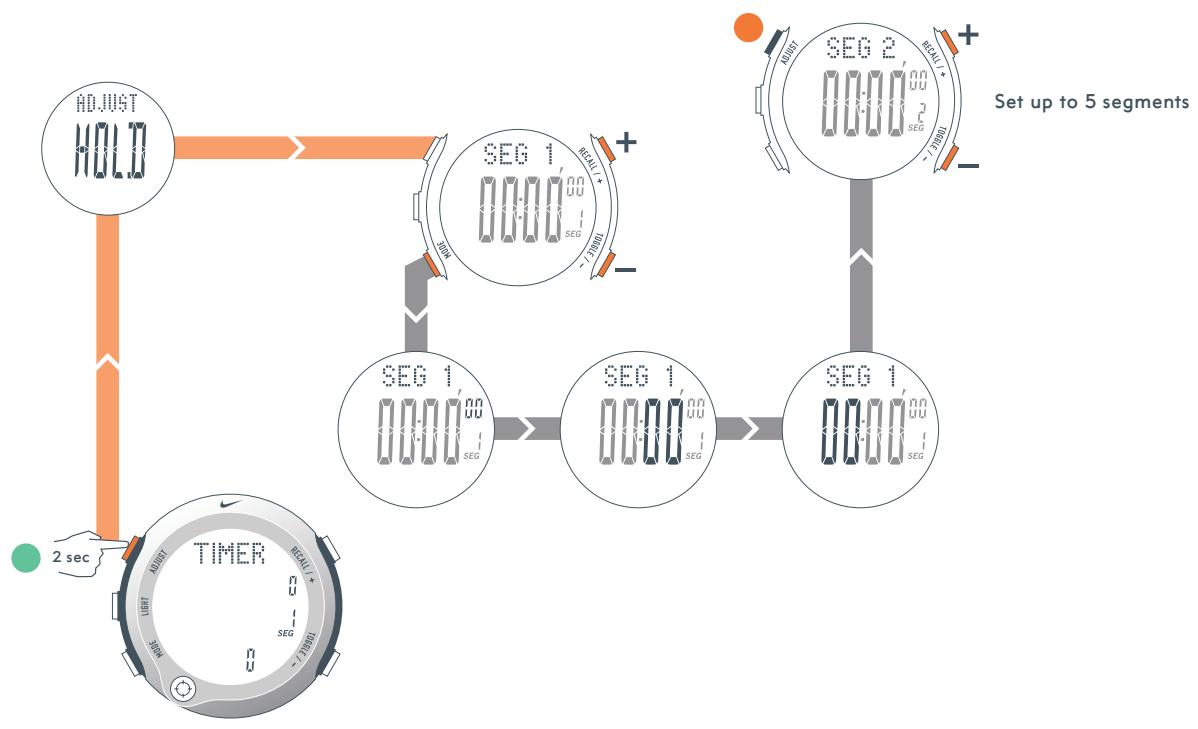
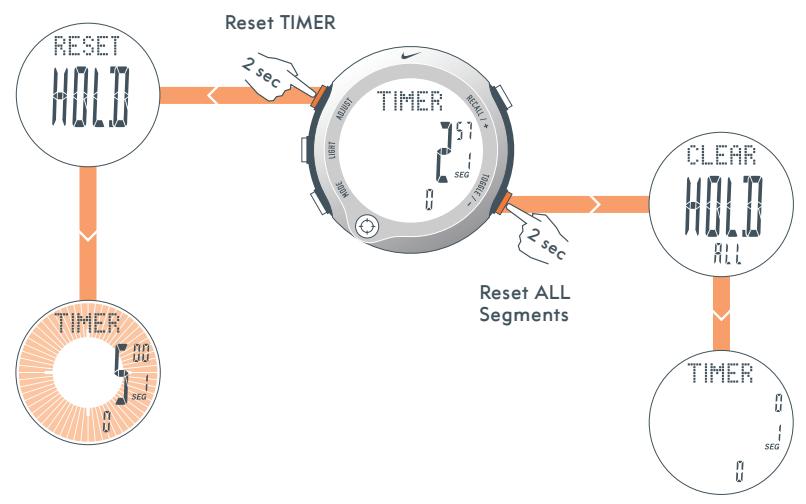
In DATA mode you can review lap and total time data saved from CHRONOGRAPH mode.
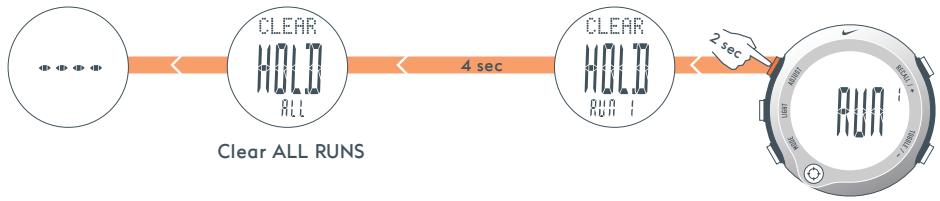
Clear Selected RUN

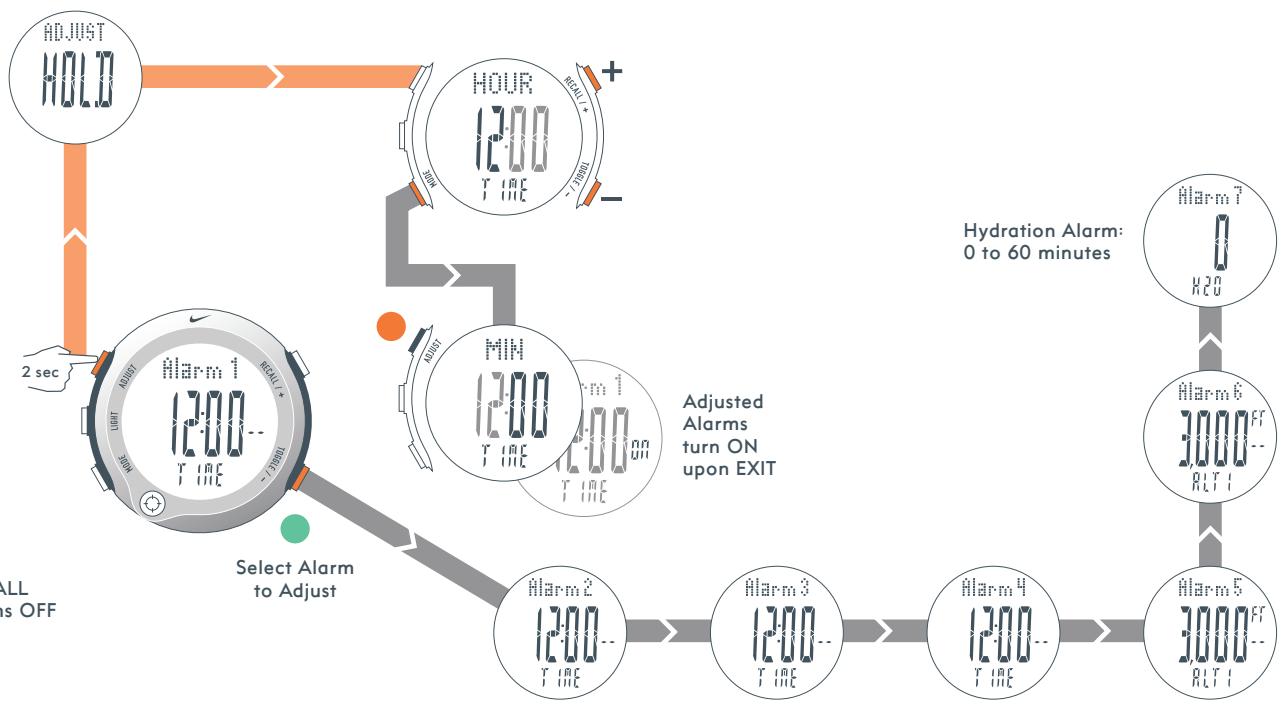
In ALARM mode you can set four time alarms, two altitude alarms and one hydration alarm. The time alarm will sound intermittently for 55 seconds. The altitude alarm will sound for five seconds.
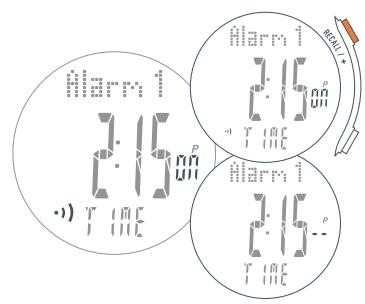
Alarm ON / OFF
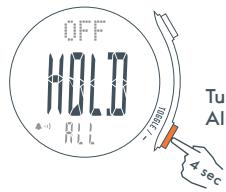
Turn ALL Alarms OFF
H20 RESIST
100m
-5 to 50° Celsius
Material Specifications
CRYSTAL
Mineral Glass
STRAP
Polyurethane
CASE
Titanium or Aluminum
CASEBACK
Stainless Steel
BUTTONS
Stainless Steel
BUCKLE
Stainless Steel
Mode Limits
CHRONOGRAPH
999:59'59"
TIMER
99:59'59"
MAXIMUM ALTITUDE
32,800 feet / 10,000 meters
BATTERY TYPE
CR2032 3V Lithium
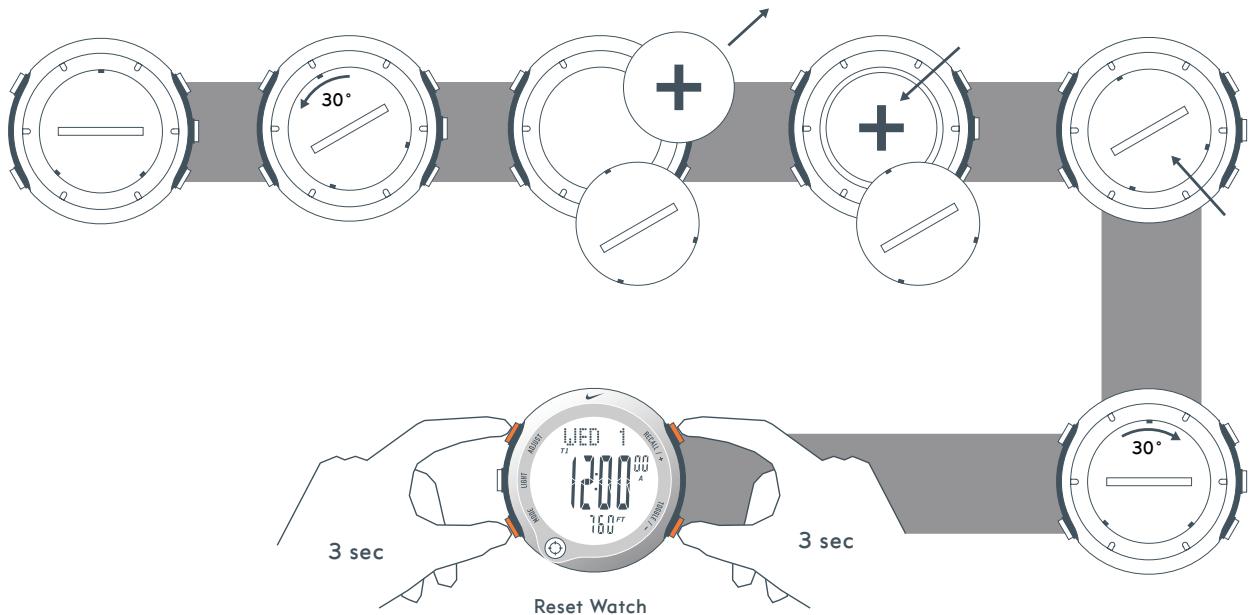
Note: Battery replacement must be performed by a certified Nike Service Center to retain a valid warranty.
Brand : NIKE
Model : ALTI-COMPASS
Category : Sports Watch