
TRIAX GMLE - Wristwatch NIKE - Free user manual and instructions
Find the device manual for free TRIAX GMLE NIKE in PDF.


| Brand | Nike |
| Model | Triax Gmle |
| Product type | Digital watch |
| Category | Sport watch |
| Main functions | Time display, chronograph, alarms (7), countdown, interval timer, running data, time zones |
| Available modes | TIME, CHRONOGRAPH, ALARM, COUNTER, DATA, TIMER |
| Display | Liquid crystal digital display |
| Power source | Button cell battery (type not specified, probably CR2032) |
| Battery life | Approximately 2 years depending on use |
| Water resistance | Splash resistant (not suitable for swimming) |
| Case size | Approximately 40 mm diameter |
| Case thickness | Approximately 12 mm |
| Strap width | 20 mm |
| Weight | Approximately 50 g (with strap) |
| Case material | Resin / plastic |
| Strap material | Rubber / silicone |
| Care and cleaning | Clean with a soft, dry cloth. Avoid chemical products. |
| Safety | No specific safety features |
| Spare parts | Not available separately |
| Repairability | Battery replacement possible by a watchmaker |
Frequently Asked Questions - TRIAX GMLE NIKE
User questions about TRIAX GMLE NIKE
0 question about this device. Answer the ones you know or ask your own.
Ask a new question about this device
Download the instructions for your Wristwatch in PDF format for free! Find your manual TRIAX GMLE - NIKE and take your electronic device back in hand. On this page are published all the documents necessary for the use of your device. TRIAX GMLE by NIKE.
USER MANUAL TRIAX GMLE NIKE
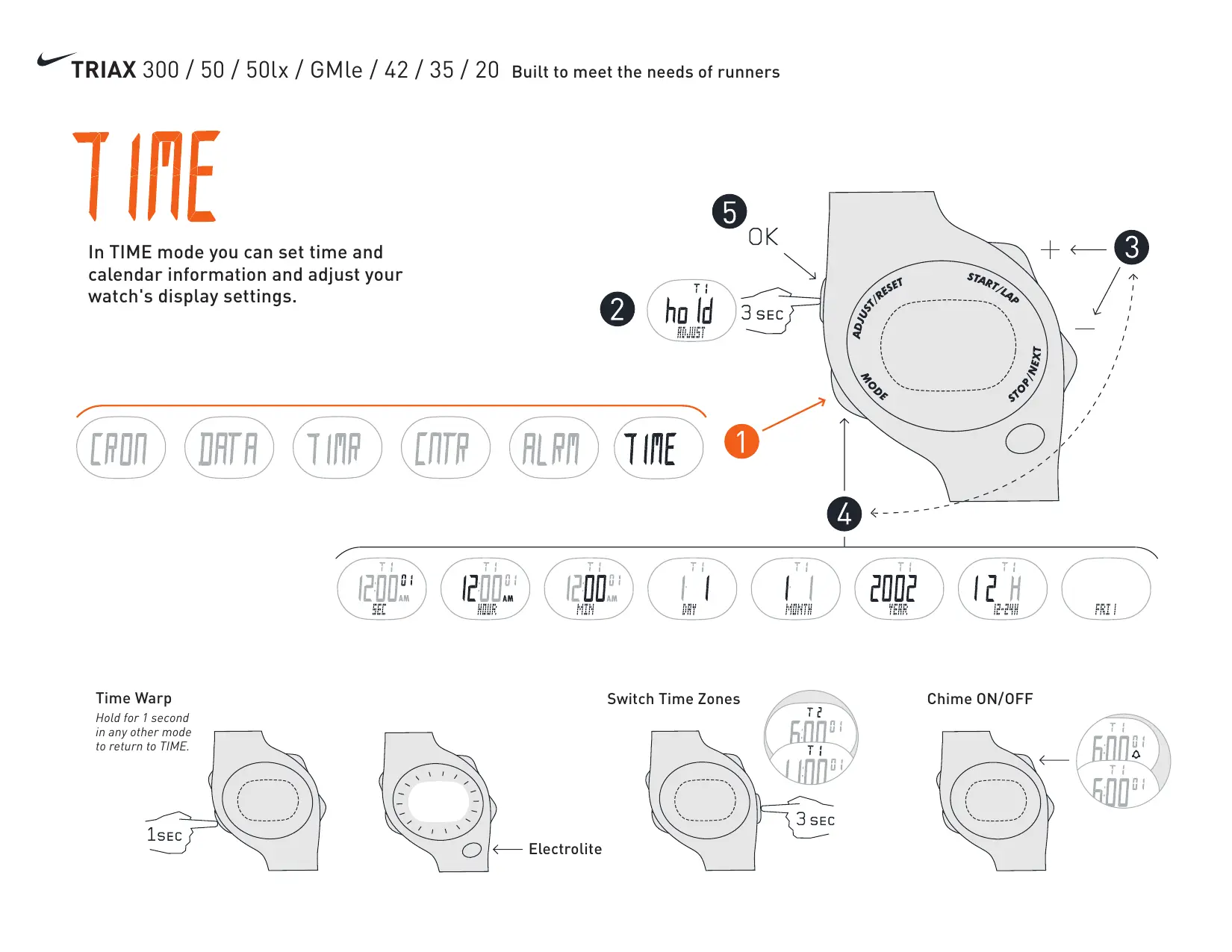
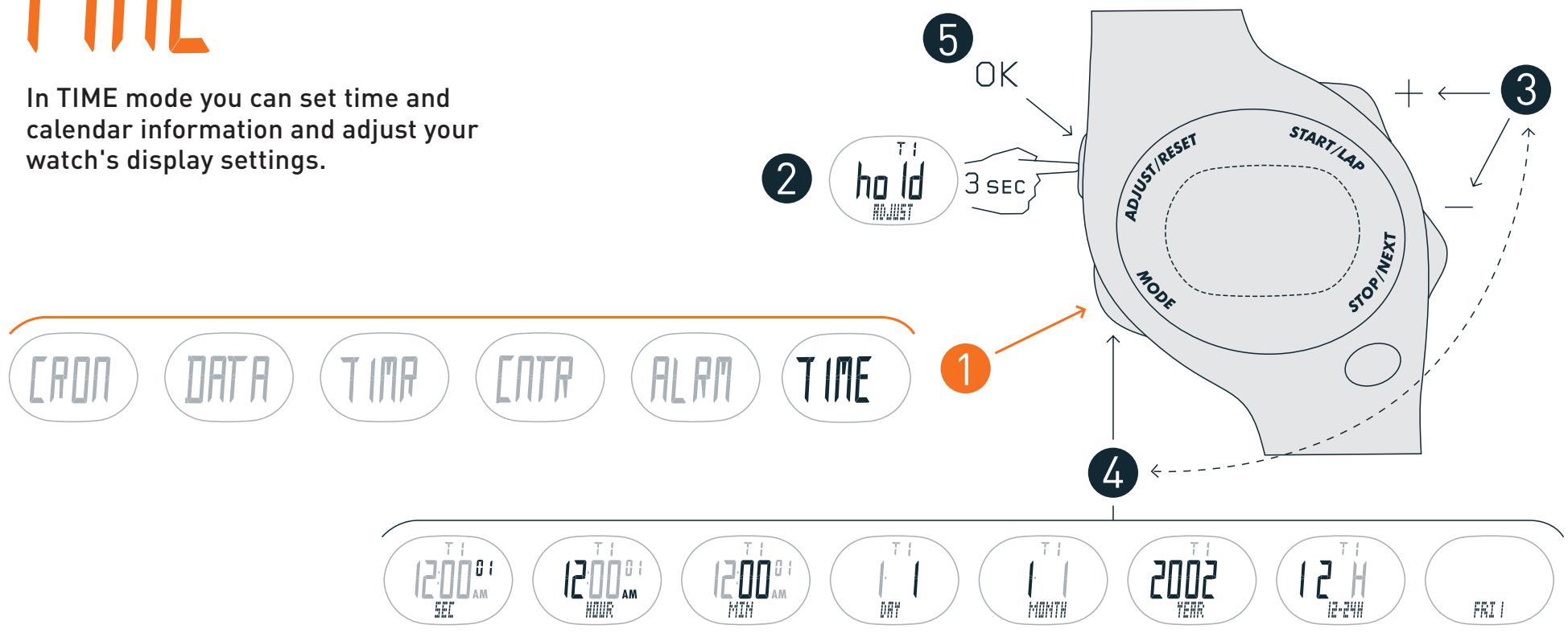
In TIME mode you can set time and calendar information and adjust your watch's display settings.
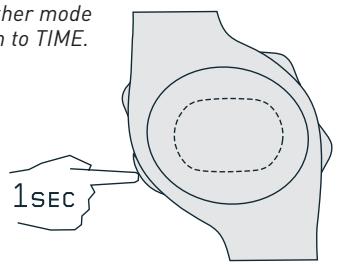
Time Warp
Hold for 1 second in any other mode to return to TIME.
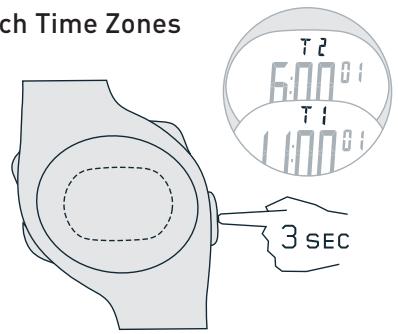
Switch Time Zones
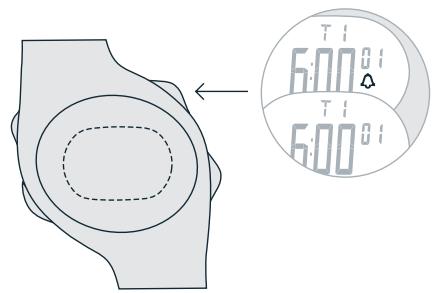
Chime ON/OFF
[FRON]
In CHRONOGRAPH mode you can capture lap, split and run times. Save your times for review in DATA mode.
![NIKE TRIAX GMLE - [FRON] - 1](/content/2025/01/180685/images/1c5dc01f8c2538cc8a53c38b1138bfcdc112fde5a82fe631fc36c343781df8ee.jpg)
![NIKE TRIAX GMLE - [FRON] - 2](/content/2025/01/180685/images/c66061578e9d7a2a3e72c9fb156643e173997f20772403a45c101d20cb6be469.jpg)
6 Choose Save Run or Clear Run
![NIKE TRIAX GMLE - [FRON] - 3](/content/2025/01/180685/images/e8fe3c8df0544345741d69ec8b8112218c758d7aa23c45719e86320ce2e82c3b.jpg)
![NIKE TRIAX GMLE - [FRON] - 4](/content/2025/01/180685/images/c53bb87bfa6038ae46f5d21db9988dc894fd549786fec125ec1b05447e29f1d5.jpg)
![NIKE TRIAX GMLE - [FRON] - 5](/content/2025/01/180685/images/78d7744dfe80ec86b7948bc78534201ea49351090ac23a527ea19fda460984c9.jpg)
ALPM
In ALARM mode you can set 7 alarms within 2 time zones. Press any button to stop alarm. Alarm will stop after 20 sec
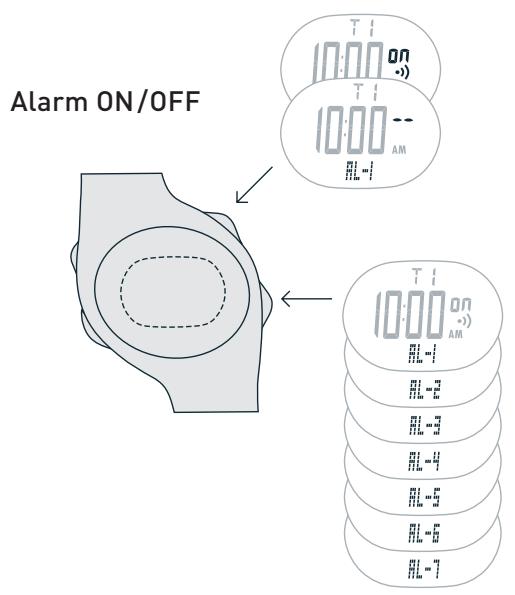

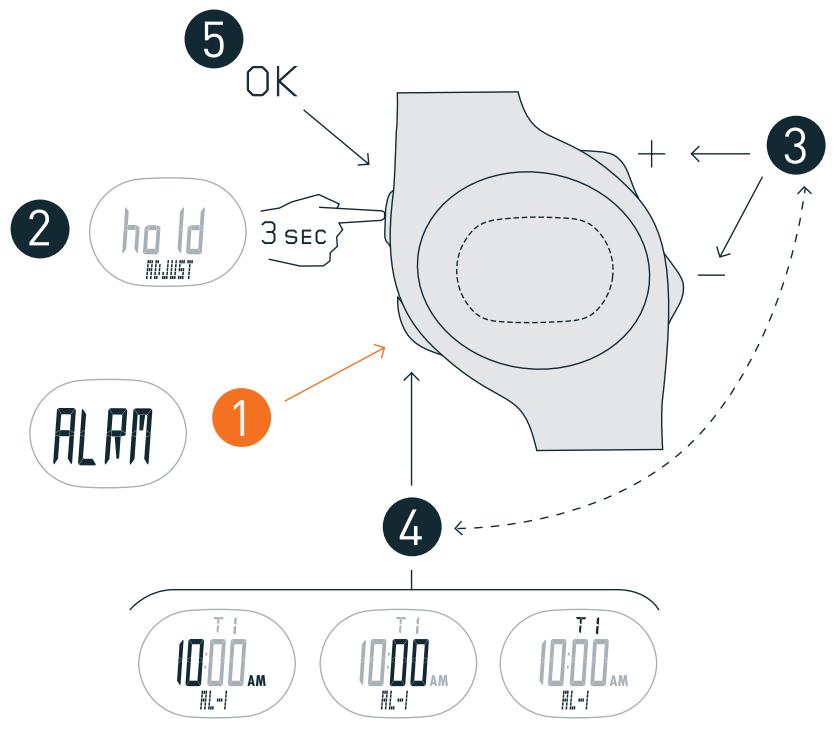
[NTA
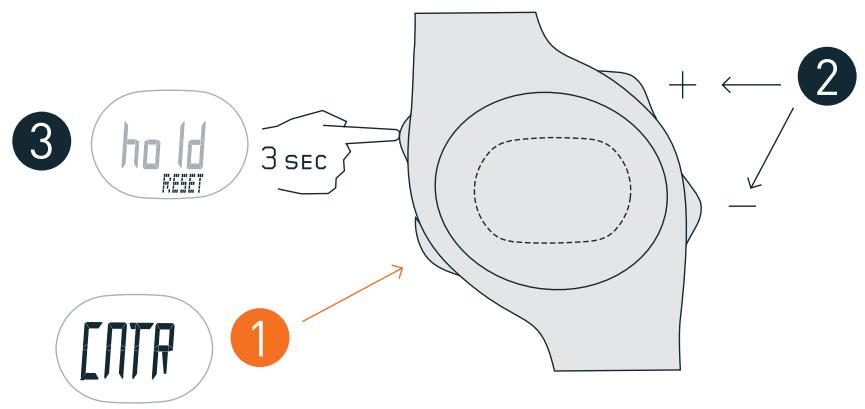
In COUNTER mode you can count in positive and negative increments. Use COUNTER to keep track of golf strokes, baseball innings, running miles or other.
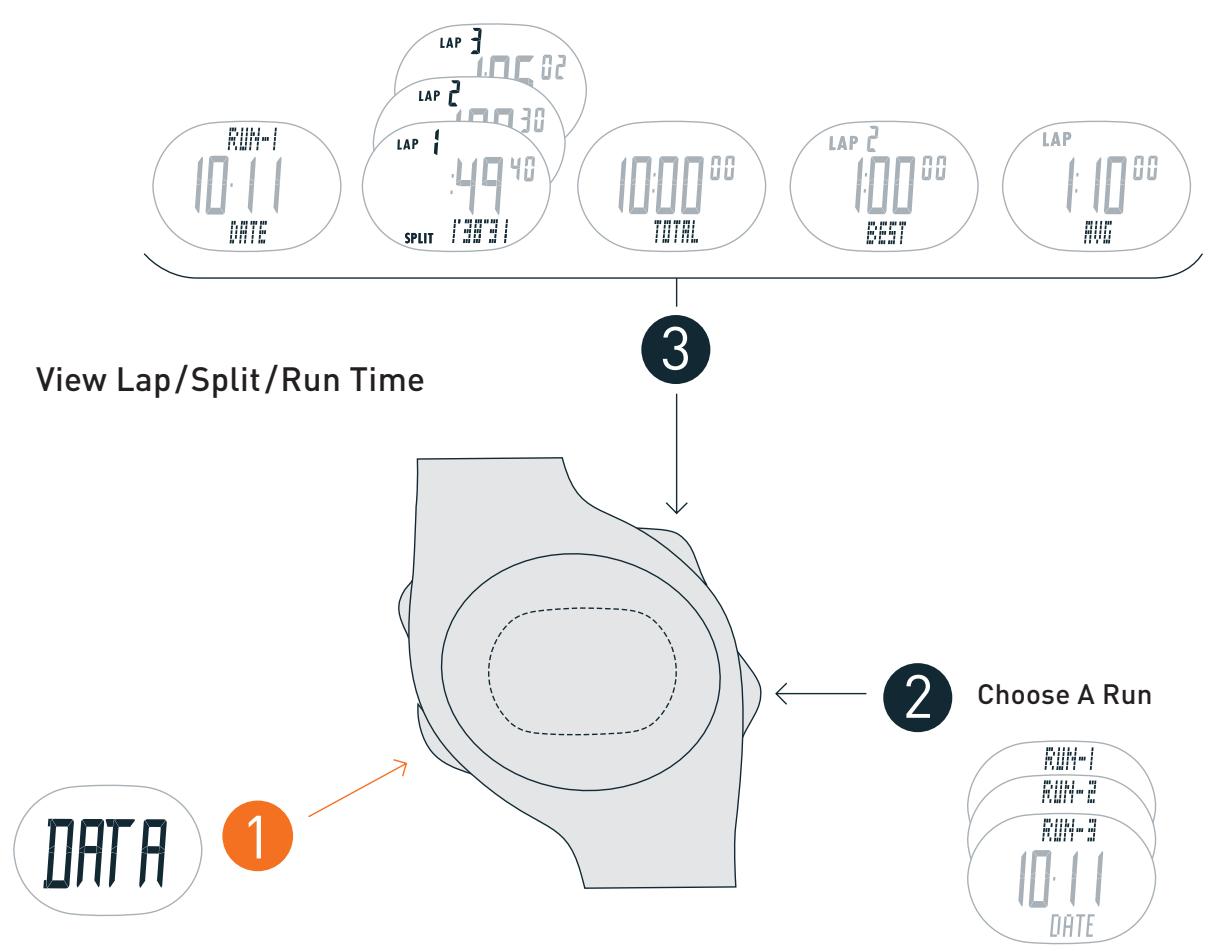
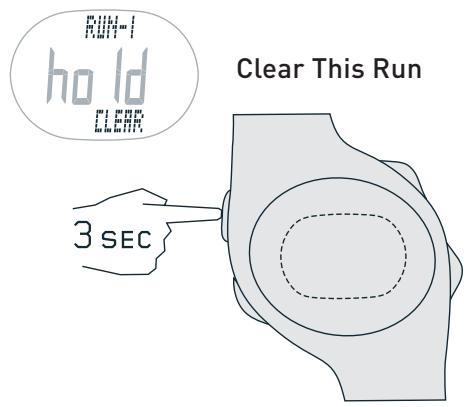
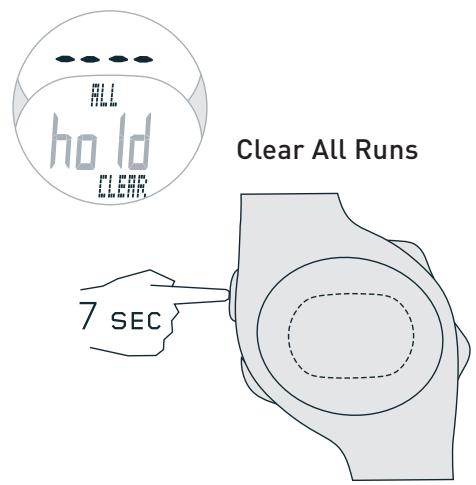
In DATA mode you can review lap, split and run times.
Record your times in CHRONOGRAPH mode.
In TIMER mode you can set up to 5 timed training segments.
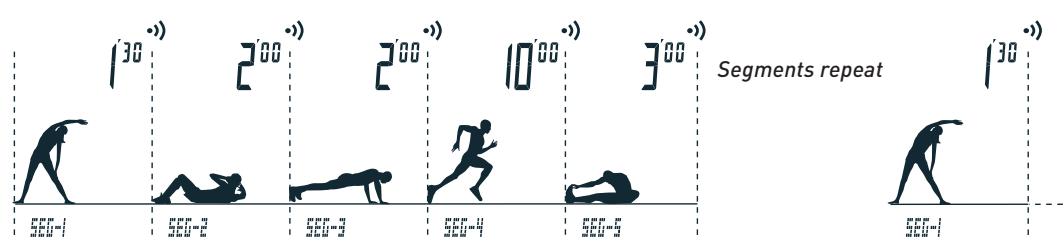
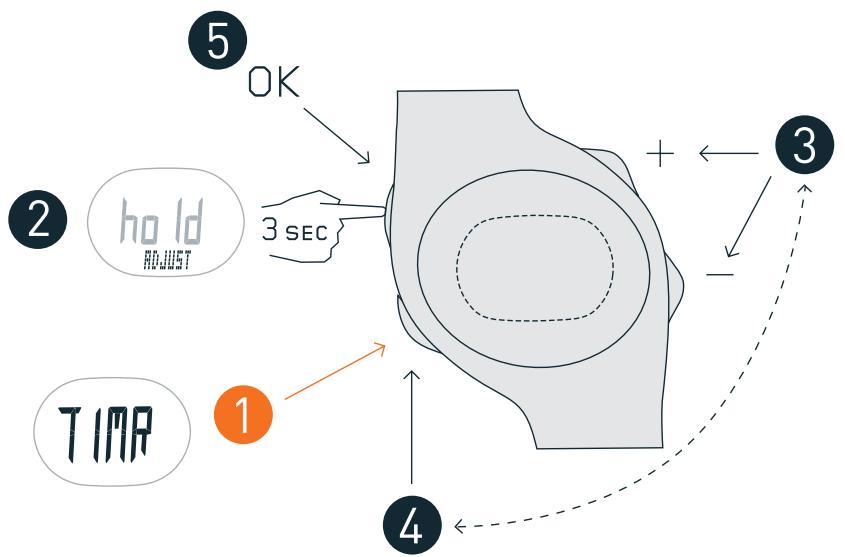

SEG-1
SEG-2
SEG-3
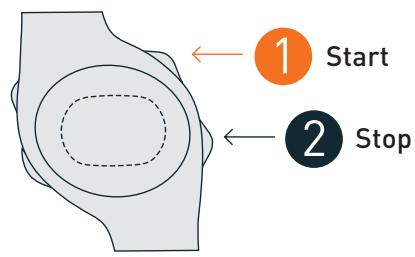
Start & Stop Countdown
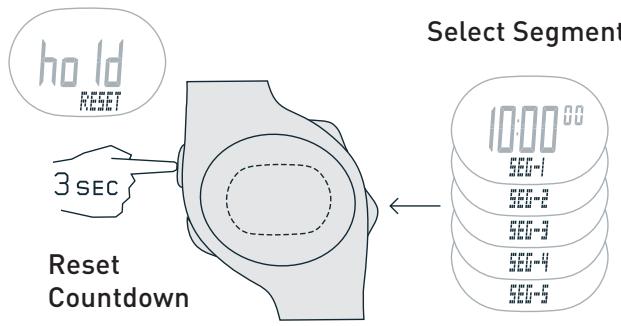
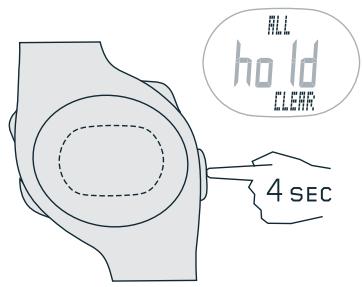
Clear All Segments