
STYLUS LITHIUM-ION - Rotary tool DREMEL - Free user manual and instructions
Find the device manual for free STYLUS LITHIUM-ION DREMEL in PDF.



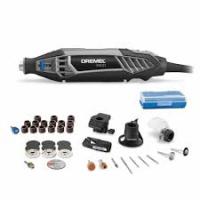
| Product type | Cordless rotary tool |
| Brand | DREMEL |
| Model | STYLUS LITHIUM-ION |
| Rated voltage | 7.2 V |
| Battery capacity | 1 Ah (Lithium-ion) |
| No-load speed | 25,000 rpm |
| Speed range | 5,000 - 25,000 rpm (adjustable) |
| Charging time | Approximately 5 hours |
| Collet diameters supplied | 0.8 mm, 1.6 mm, 2.4 mm, 3.2 mm |
| Main uses | Sanding, carving, engraving, cutting, cleaning, polishing |
| Safety system | Stall prevention, power-on delay |
| Maintenance | Clean ventilation slots with compressed air; no lubrication needed |
| Included accessories | Charger, collets (4 sizes), collet wrench |
| Warranty | Complies with legal regulations |
| Weight | Approximately 0.2 kg |
| Dimensions (L x W x H) | Approximately 20 x 4 x 4 cm |
| Sound pressure level | 58 dB(A) |
| Sound power level | 69 dB(A) |
| Vibration (hand-arm) | 0.2 m/s² |
Frequently Asked Questions - STYLUS LITHIUM-ION DREMEL
User questions about STYLUS LITHIUM-ION DREMEL
0 question about this device. Answer the ones you know or ask your own.
Ask a new question about this device
Download the instructions for your Rotary tool in PDF format for free! Find your manual STYLUS LITHIUM-ION - DREMEL and take your electronic device back in hand. On this page are published all the documents necessary for the use of your device. STYLUS LITHIUM-ION by DREMEL.
USER MANUAL STYLUS LITHIUM-ION DREMEL
CE DECLARATION OF CONFORMITY We declare under our sole responsibility that this product is in conformity with the following standards or standardized documents: EN 60 745, EN 55 014, in accordance with the provisions of the directives 2006/95/EC, 2004/108/EC, 98/37/EC (until Dec. 28, 2009), 2006/42/EC (from Dec. 29, 2009 on).
NOISE/VIBRATION Measured in accordance with EN 60 745 the sound pressure level of this tool is 58dB(A) and the sound power level 69dB(A) (standard deviation: 3dB ), and the vibration 0.2m / s^2 (hand-arm method).
Technical file at: SKIL Europe BV (PT-SEU/PJE), 4825 BD Breda, NL.
D
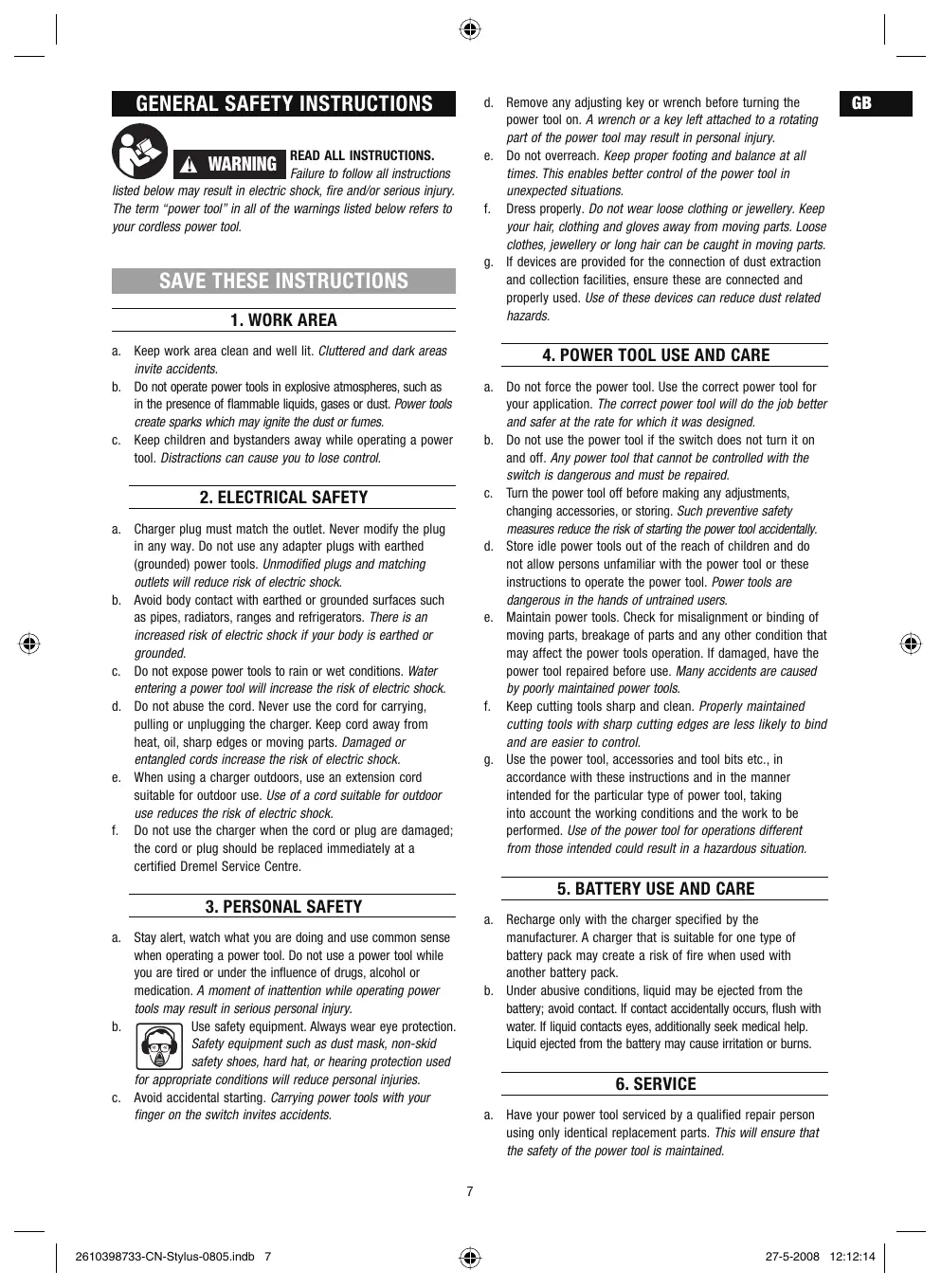
GENERAL SAFETY INSTRUCTIONS

WARNING
READ ALL INSTRUCTIONS.
Failure to follow all instructions
listed below may result in electric shock, fire and/or serious injury. The term "power tool" in all of the warnings listed below refers to your cordless power tool.
SAVE THESE INSTRUCTIONS
1. WORK AREA
a. Keep work area clean and well lit. Cluttered and dark areas invite accidents.
b. Do not operate power tools in explosive atmospheres, such as in the presence of flammable liquids, gases or dust. Power tools create sparks which may ignite the dust or fumes.
c. Keep children and bystanders away while operating a power tool. Distractions can cause you to lose control.
2. ELECTRICAL SAFETY
a. Charger plug must match the outlet. Never modify the plug in any way. Do not use any adapter plugs with earthed (grounded) power tools. Unmodified plugs and matching outlets will reduce risk of electric shock.
b. Avoid body contact with earthed or grounded surfaces such as pipes, radiators, ranges and refrigerators. There is an increased risk of electric shock if your body is earthed or grounded.
c. Do not expose power tools to rain or wet conditions. Water entering a power tool will increase the risk of electric shock.
d. Do not abuse the cord. Never use the cord for carrying, pulling or unplugging the charger. Keep cord away from heat, oil, sharp edges or moving parts. Damaged or entangled cords increase the risk of electric shock.
e. When using a charger outdoors, use an extension cord suitable for outdoor use. Use of a cord suitable for outdoor use reduces the risk of electric shock.
f. Do not use the charger when the cord or plug are damaged; the cord or plug should be replaced immediately at a certified Dremel Service Centre.
3. PERSONAL SAFETY
a. Stay alert, watch what you are doing and use common sense when operating a power tool. Do not use a power tool while you are tired or under the influence of drugs, alcohol or medication. A moment of inattention while operating power tools may result in serious personal injury.
b. Use safety equipment. Always wear eye protection. Safety equipment such as dust mask, non-skid safety shoes, hard hat, or hearing protection used for appropriate conditions will reduce personal injuries.
c. Avoid accidental starting. Carrying power tools with your finger on the switch invites accidents.
d. Remove any adjusting key or wrench before turning the power tool on. A wrench or a key left attached to a rotating part of the power tool may result in personal injury.
e. Do not overreach. Keep proper footing and balance at all times. This enables better control of the power tool in unexpected situations.
f. Dress properly. Do not wear loose clothing or jewellery. Keep your hair, clothing and gloves away from moving parts. Loose clothes, jewellery or long hair can be caught in moving parts.
g. If devices are provided for the connection of dust extraction and collection facilities, ensure these are connected and properly used. Use of these devices can reduce dust related hazards.
4. POWER TOOL USE AND CARE
a. Do not force the power tool. Use the correct power tool for your application. The correct power tool will do the job better and safer at the rate for which it was designed.
b. Do not use the power tool if the switch does not turn it on and off. Any power tool that cannot be controlled with the switch is dangerous and must be repaired.
c. Turn the power tool off before making any adjustments, changing accessories, or storing. Such preventive safety measures reduce the risk of starting the power tool accidentally.
d. Store idle power tools out of the reach of children and do not allow persons unfamiliar with the power tool or these instructions to operate the power tool. Power tools are dangerous in the hands of untrained users.
e. Maintain power tools. Check for misalignment or binding of moving parts, breakage of parts and any other condition that may affect the power tools operation. If damaged, have the power tool repaired before use. Many accidents are caused by poorly maintained power tools.
f. Keep cutting tools sharp and clean. Properly maintained cutting tools with sharp cutting edges are less likely to bind and are easier to control.
g. Use the power tool, accessories and tool bits etc., in accordance with these instructions and in the manner intended for the particular type of power tool, taking into account the working conditions and the work to be performed. Use of the power tool for operations different from those intended could result in a hazardous situation.
5. BATTERY USE AND CARE
a. Recharge only with the charger specified by the manufacturer. A charger that is suitable for one type of battery pack may create a risk of fire when used with another battery pack.
b. Under abusive conditions, liquid may be ejected from the battery; avoid contact. If contact accidentally occurs, flush with water. If liquid contacts eyes, additionally seek medical help. Liquid ejected from the battery may cause irritation or burns.
6. SERVICE
a. Have your power tool serviced by a qualified repair person using only identical replacement parts. This will ensure that the safety of the power tool is maintained.
SAFETY WARNINGS THAT ARE COMMON FOR GRINDING, SANDING, WIRE BRUSHING, POLISHING AND ABRASIVE CUTTING OFF OPERATIONS
a. This power tool is intended to function as a grinder, sander, wire brush, polisher or cut-off tool. Read all safety warnings, instructions, illustrations and specifications provided with this power tool. Failure to follow all instructions listed below may result in electric shock, fire and/or serious injury.
b. Do not use accessories which are not specifically designed and recommended by the tool manufacturer. Just because the accessory can be attached to your power tool, it does not assure safe operation.
c. The rated speed of the accessory must be at least equal to the maximum speed marked on the power tool. Accessories running faster than their rated speed can fly apart.
d. The outside diameter and the thickness of your accessory must be within the capacity rating of your power tool. Incorrectly sized accessories cannot be adequately guarded or controlled.
e. The arbour size of wheels, flanges, backing pads or any other accessory must properly fit the spindle of the power tool. Accessories with arbour holes that do not match the mounting hardware of the power tool will run out of balance, vibrate excessively and may cause loss of control.
f. Do not use a damaged accessory. Before each use inspect the accessory such as abrasive wheels for chips and cracks, backing pad for cracks, tear or excess wear, wire brush for loose or cracked wires. If power tool or accessory is dropped, inspect for damage or install an undamaged accessory. After inspecting and installing an accessory, position yourself and bystanders away from the plane of the rotating accessory and run the power tool at maximum no load speed for one minute. Damaged accessories will normally break apart during this test time.
g. Wear personal protective equipment. Depending on application, use face shield, safety goggles or safety glasses. As appropriate, wear dust mask, hearing protectors, gloves and shop apron capable of stopping small abrasive or workpiece fragments. The eye protection must be capable of stopping flying debris generated by various operations. The dust mask or respirator must be capable of filtrating particles generated by your operation. Prolonged exposure to high intensity noise may cause hearing loss.
h. Keep bystanders a safe distance away from work area. Anyone entering the work area must wear personal protective equipment. Fragments of workpiece or of a broken accessory may fly away and cause injury beyond immediate area of operation.
i. Hold power tool by insulated gripping surfaces only, when performing an operation where the cutting accessory may contact hidden wiring. Cutting accessory contacting a "live" wire may make exposed metal parts of the power tool "live" and shock the operator.
j. Never lay the power tool down until the accessory has come to a complete stop. The spinning accessory may grab the surface and pull the power tool out of your control.
k. Do not run the power tool while carrying it at your side. Accidental contact with the spinning accessory could snag your clothing, pulling the accessory into your body.
1. Regularly clean the power tool's air vents. The motor's fan will draw the dust inside the housing and excessive accumulation of powdered metal may cause electrical hazards.
m. Do not operate the power tool near flammable materials. Sparks could ignite these materials.
n. Do not use accessories that require liquid coolants. Using water or other liquid coolants may result in electrocution or shock.
0. Do not work materials containing asbestos (asbestos is considered carcinogenic).
p. Take protective measures when during work dust can develop that is harmful to one's health, combustible or explosive (some dusts are considered carcinogenic); wear a dust mask and work with dust/ chip extraction when connectable.
KICKBACK AND RELATED WARNINGS
Kickback is a sudden reaction to a pinched or snagged rotating wheel, backing pad, brush or any other accessory. Pinching or snagging causes rapid stalling of the rotating accessory which in turn causes the uncontrolled power tool to be forced in the direction opposite of the accessory's rotation at the point of the binding. For example, if an abrasive wheel is snagged or pinched by the workpiece, the edge of the wheel that is entering into the pinch point can dig into the surface of the material causing the wheel to climb out or kick out. The wheel may either jump toward or away from the operator, depending on direction of the wheel's movement at the point of pinching. Abrasive wheels may also break under these conditions. Kickback is the result of power tool misuse and/or incorrect operating procedures or conditions and can be avoided by taking proper precautions as given below.
a. Maintain a firm grip on the power tool and position your body and arm to allow you to resist kickback forces. Always use auxiliary handle, if provided, for maximum control over kickback or torque reaction during start-up. The operator can control torque reactions or kickback forces, if proper precautions are taken.
b. Never place your hand near the rotating accessory. Accessory may kickback over your hand.
c. Do not position your body in the area where power tool will move if kickback occurs. Kickback will propel the tool in direction opposite to the wheel's movement at the point of snagging.
d. Use special care when working corners, sharp edges etc. Avoid bouncing and snagging the accessory. Corners, sharp edges or bouncing have a tendency to snag the rotating accessory and cause loss of control or kickback.
e. Do not attach a saw chain woodcarving blade or toothed saw blade. Such blades create frequent kickback and loss of control.
SAFETY WARNINGSPRECIFIC FOR GRINDING AND ABRASIVE CUTTING OFF OPERATIONS
a. Use only wheel types that are recommended for your power tool and the specific guard designed for the selected wheel. Wheels for which the power tool was not designed cannot be adequately guarded and are unsafe.
b. Wheels must be used only for recommended applications. For example: do not grind with the side of cut-off wheel. Abrasive cut-off wheels are intended for peripheral grinding, side forces applied to these wheels may cause them to shatter.
c. Always use undamaged wheel flanges that are of correct size and shape for your selected wheel. Proper wheel flanges support the wheel thus reducing the possibility of wheel breakage. Flanges for cut-off wheels may be different from grinding wheel flanges.
d. Do not use worn down wheels from larger power tools. Wheel intended for larger power tool is not suitable for the higher speed of a smaller tool and may burst.
ADDITIONAL SAFETY WARNINGS SPECIFIC FOR ABRASIVE CUTTING OFFOPERATIONS
a. Do not "jam" the cut-off wheel or apply excessive pressure. Do not attempt to make an excessive depth of cut. Overstressing the wheel increases the loading and susceptibility to twisting or binding of the wheel in the cut and the possibility of kickback or wheel breakage.
b. Do not position your body in line with and behind the rotating wheel. When the wheel, at the point of operation, is moving away from your body, the possible kickback may propel the spinning wheel and the power tool directly at you.
c. When wheel is binding or when interrupting a cut for any reason, switch off the power tool and hold the power tool motionless until the wheel comes to a complete stop. Never attempt to remove the cut-off wheel from the cut while the wheel is in motion otherwise kickback may occur. Investigate and take corrective action to eliminate the cause of wheel binding.
d. Do not restart the cutting operation in the workpiece. Let the wheel reach full speed and carefully reenter the cut. The wheel may bind, walk up or kickback if the power tool is restarted in the workpiece.
e. Support panels or any oversized workpiece to minimize the risk of wheel pinching and kickback. Large workpieces tend to sag under their own weight. Supports must be placed under the workpiece near the line of cut and near the edge of the workpiece on both sides of the wheel.
f. Use extra caution when making a "pocket cut" into existing walls or other blind areas. The protruding wheel may cut gas or water pipes, electrical wiring or objects that can cause kickback.
SAFETY WARNINGS SPECIFIC FOR SANDING OPERATIONS
a. When sanding, do not use excessively oversized sanding disc paper. Follow manufacturers recommendations, when selecting sanding paper. Larger sanding paper extending
beyond the sanding pad presents a laceration hazard and may cause snagging, tearing of the disc, or kickback.
SAFETY WARNINGSPRECIFICFORPOLISHING OPERATIONS
a. Do not allow any loose portion of the polishing bonnet or its attachment strings to spin freely. Tuck away or trim any loose attachment strings. Loose and spinning attachment strings can entangle your fingers or snag on the workpiece.
SAFETY WARNINGSPRECIFIC FOR WIRE BRUSHING OPERATIONS
a. Be aware that wire bristles are thrown by the brush even during ordinary operation. Do not overstress the wires by applying excessive load to the brush. The wire bristles can easily penetrate light clothing and/or skin.
b. If the use of a guard is recommended for wire brushing, do not allow any interference of the wire wheel or brush with the guard. Wire wheel or brush may expand in diameter due to work load and centrifugal forces.
ENVIRONMENT
DISPOSAL
The machine, accessories and packaging should be sorted for environmental-friendly recycling.
ONLY FOR EC COUNTRIES

Do not dispose of power tools into household waste! According the European Guideline 2002/96/EC for Waste Electrical and Electronic Equipment and its implementation into national right, power tools that are no longer usable must be collected separately and disposed of in an environmentally correct manner.
SPECIFICATIONS
GENERAL SPECIFICATIONS
Voltage Rating 7.2V Lithium-1on
Amperage Rating 0,2A / 1Ah
No Load Speed. 25.000/min
Collet Capacity 0.8mm, 1.6mm, 2.4mm, 3.2mm
EXTENSION CORDS
Use completely unrolled and safe extension cords with a capacity of 5 Amps.
ASSEMBLY
ALWAYS TURN OFF THE TOOL BEFORE CHANGING ACCESSORIES, CHANGING COLLETS OR SERVICING THE TOOL.
GENERAL
The Dremel multitool is a high quality precision tool that can be used to perform detailed and intricate tasks. The wide range of Dremel accessories and attachments allow you to perform a large variety of tasks. These include tasks such as sanding, carving and engraving, cutting, cleaning and polishing.
PICTURE 1
A. Collet Nut
B. Collet
C. On/Off Switch
D. Shaft Lock Button
E. Variable Speed Dial
F. Ventilation Openings
G. Softgrip
H. Charge Indicator Light
I. Charger
J. Accessory Storage
K. Wrench Storage
CHARGING THE TOOL
The Cordless Rotary Tool is not fully charged. The tool is equipped with a non-removable battery pack. Be sure to charge pack prior to initial use.
To charge the tool:
- Turn tool off.
- Place tool in the charger.
-
Plug charger into power source.
-
Green light ON=charging.
Solid green OFF=charging completed.
Charger will automatically stop charging the battery when charging is completed. It is ok to leave tool on charger.
- Charger will require approximately 5 hours to charge a completely discharged battery.
IMPORTANT CHARGING NOTES
This tool has a Lithium-1on battery and docking station offering the following benefits:
- Lithium-ion battery will hold its charge while in storage for up to 2 years so it's always ready when you need it.
- You can place the tool on the charger and recharge it at any time without reducing the original factory charge capacity.
- The charger was designed to use as a place to store your tool while you are working on your projects. Simply place the tool in the charger when you're not using it on your project, and it will continually recharge the battery so it will run longer.
- The charger was designed to fast charge the battery only when the battery temperature is between 4^ and 41^ .
- If battery does not charge properly:
a. Check to see if tool is properly placed in charger.
b. Check for voltage at outlet by plugging in some other electrical device.
c. Check to see if outlet is connected to a light switch which turns power "off" when lights are turned off.
d. Check battery pack terminals for dirt. Clean with cotton swab and alcohol if necessary.
NOTE: Use of chargers not sold by Dremel may void the warranty.
COLLETS
The Dremel accessories available for the multitool come with various shank sizes. Four size collets are available to accommodate the different shank sizes. Collet sizes are identified by the rings on the back of the collet.
PICTURE 2
L. 0.8mm Collet with one ring (483)
M. 1.6mm Collet with two rings (482)
N. 2.4 mm Collet with three rings (481)
0. 3.2mm Collet without ring (480)
NOTE: Some multitool kits may not include all four collet sizes. Collets are available separately.
Always use the collet that matches the shank size of the accessory you plan to use. Do not force a larger diameter shank into a smaller collet.
CHANGING COLLETS
PICTURE 3
P. Shaft Lock Button
Q. Collet Wrench
R. To tighten
S. To loosen
T. Collet Nut
- Slide the shaft lock button forward, hold down and rotate the shaft by hand until it engages the shaft lock. Do not engage the shaft lock button while multitool is running.
- With the shaft lock button engaged, loosen and remove the collet nut. Use the collet wrench if necessary.
- Remove the collet by pulling it free from the shaft.
- Install the appropriate size collet fully into the shaft and reinstall the collet nut finger tight. Do not fully tighten the nut when there is no bit or accessory installed.
CHANGING ACCESSORIES
PICTURE 3/4
P. Shaft Lock Button
- Slide the shaft lock button forward, hold down and rotate the shaft by hand until it engages the shaft lock.
- With the shaft lock button engaged, loosen (do not remove) the collet nut. Use the collet wrench if necessary.
- Insert the bit or accessory shank fully into the collet.
- With the shaft lock button engaged, finger tighten the collet nut until the bit or accessory shank is gripped by the collet. Use the collet wrench to secure the bit or accessory in the collet.
NOTE: Be sure to read the instructions supplied with your Dremel accessory for further information on its use.
Use only Dremel tested, high performance accessories.
USE
The first step in using the multitool is to get the "feel" of it. Hold it in your hand and feel its weight and balance. Feel the taper of the housing. This taper permits the tool to be grasped much like a pen or pencil. The unique softgrip provides added comfort and control during use. Always hold the tool away from your face. Accessories can be damaged during handling and can fly apart as they come up to speed. When holding tool, do not cover the ventilation openings with your hand. Blocking the ventilation openings could cause the motor to overheat.
IMPORTANT! Practice on scrap material first to see how the tool's high-speed action performs. Keep in mind that your multitool will perform best by allowing the speed, along with the correct Dremel accessory, to do the work for you. Do not put pressure on the tool during use, if possible. Instead, lower the spinning accessory lightly to the work surface and allow it to touch the point at which you want to begin. Concentrate on guiding the tool over the work using very little pressure from your hand. Allow the accessory to do the work. Usually it is better to make a series of passes with the tool rather than to do the entire job with one pass. A gentle touch gives the best control and reduces the chance of error. For best control of the Stylus, hold the tool like a pencil between your thumb and forefinger. PICTURE 5. An alternative grip is the reverse grip for close up applications. PICTURE 6 Rotate the tool sideways, with the handle pointing out while resting your hand on the table. PICTURE 7 For ultimate stability, rest the handle of the tool on the table to help stabilize and control the accessory. PICTURE 8
OPERATING SPEEDS
This tool is a high speed rotary tool. Its speeds vary from 5.000 to 25.000 RPM. Adjusting the no. of RPM to your project will give a better end result. To achieve the best results when working with different materials, set the variable speed control to suit the job. To select the right speed for the accessory in use, practice with scrap material first. The speed settings are marked on the variable speed dial at the back of the tool. Refer to the Speed Settings chart on pages 4-6 to help determine the proper speed for the material being worked on and the accessory to use.
*) Speed for light cuts. Caution, burning on deep grooves possible.
Most jobs can be accomplished using the tool at the highest setting. However, certain materials (some plastics and metals) can be damaged by high-speed generated heat and should be worked on at relatively low speeds. Low speed operation (15,000 RPM or less) is usually best for polishing operations employing the felt polishing accessories. All brushing applications require lower speeds to avoid wire discharge from the holder. Let the performance of the tool do the work for you when using lower speed settings. Higher speeds are better for hardwoods, metals and glass and for drilling, carving, cutting, shaping and cutting dades or rabbets in wood. The settings for approximate RPM's are:
| Switch Setting | Speed Range | |
| 1-2 | 5.000 | - 9.000 RPM |
| 3-4 | 9.000 | -13.000 RPM |
| 5-6 | 13.000 | -17.000 RPM |
| 7-8 | 17.000 | -21.000 RPM |
| 9-10 | 21.000 | -25.000 RPM |
Some guidelines regarding tool speed:
- Plastic and other materials that melt at low temperatures should be cut at low speeds.
Polishing, buffing and cleaning with a wire brush must be done at speeds not greater than 15,000 RPM to prevent damage to the brush and your material.
Wood should be cut at high speed. - Iron or steel should be cut at high speed.
If a high speed steel cutter starts to vibrate, it usually indicates that it is running too slow.
Aluminium, copper alloys, lead alloys, zinc alloys and tin may be cut at various speeds, depending on the type of cutting being done. Use a paraffin (not water) or other suitable lubricant on the cutter to prevent the cut material from adhering to the cutter teeth.
NOTE: Increasing pressure on the tool is not the answer when it is not performing properly. Try a different accessory or speed setting to achieve the desired result.
STALL PROTECTION
This tool has a stall protection feature to protect the motor and battery in the event of a stall. If you stall the tool for too long, or bind the bit in a work piece, especially at high speeds, it will automatically turn itself off. Simply take the tool out of the material, turn it off for 3 seconds, then turn it on again to continue using it. When the battery becomes close to empty, the tool may shut down automatically more frequent than normal. If this happens, it is time to recharge the battery.
DELAY START SWITCH
The Stylus is equipped with a momentary delayed on/off switch to protect from accidental starting of your tool. To turn your tool on, you must hold the button down for approximately half a second. If your tool is not turning on immediately, try holding the button down longer.
MAINTENANCE
Preventative maintenance performed by unauthorized personnel may result in misplacing of internal wires and components which could cause serious hazard. We recommend that all tool service be performed by a Dremel Service Facility. To avoid injury from unexpected starting or electrical shock, always turn off powertool before performing service or cleaning.
CLEANING THE TOOL
TURN OFF TOOL BEFORE CLEANING
Ventilation openings and switch levers must be kept clean and free of foreign matter. Do not attempt to clean by inserting pointed objects through openings.
The tool may be cleaned with compressed air. Always wear safety goggles when cleaning tool with compressed air.
There is no need to lubricate the Dremel multitool.
Certain cleaning agents and solvents will damage plastic parts.
Some of these are: gasoline, carbon tetrachloride, chlorinated cleaning solvents, ammonia and household detergents that contain ammonia.
Clean the "soft grip" areas of the tool using a damp cloth.
Tougher soiled areas may require more than one wipe application to get clean.
SERVICE AND WARRANTY
This DREMEL product is guaranteed in accordance with statutory/country-specific regulations; damage due to normal wear and tear, overload or improper handling will be excluded from the guarantee.
In case of a complaint, send the tool undismantled together with proof of purchase to your dealer.
CONTACT DREMEL
For more information on the Dremel assortment, support and hotline, go to www.dremel.com
Dremel Europe, P.O. Box 3267, 4800 DG Breda, The Netherlands
D
SOLO PER I PAESI DELLA CE

De能力和 sensibilities.
De能力和 sensibilities.
De能力和 sensibilities.
De能力和 sensibilities.
De能力和 sensibilities.
De能力和 sensibilities.
De能力和 sensibilities.
UDSKIFTNING AF TILBEHOR
BILLEDE 3/4
YLEISET TEKNISET TIEDOT
Jannitearvot .7,2 V Lithium-Ion
HOIDKE KÖIK JUHISED HOOLIKALT ALLES
1. TÖÖPIARKOND
UKSNES ELI LIKMESRIIKIDELE

OLULISED LAADIMISJUHISED
[IRANK] ISJUNKITE PRIES VALYDAMI
Dremel European Sales Office The Netherlands
- D
- GENERAL SAFETY INSTRUCTIONS
- WARNING
- SAVE THESE INSTRUCTIONS
- WORK AREA
- ELECTRICAL SAFETY
- PERSONAL SAFETY
- POWER TOOL USE AND CARE
- BATTERY USE AND CARE
- SERVICE
- SAFETY WARNINGS THAT ARE COMMON FOR GRINDING, SANDING, WIRE BRUSHING, POLISHING AND ABRASIVE CUTTING OFF OPERATIONS
- KICKBACK AND RELATED WARNINGS
- SAFETY WARNINGSPRECIFIC FOR GRINDING AND ABRASIVE CUTTING OFF OPERATIONS
- ADDITIONAL SAFETY WARNINGS SPECIFIC FOR ABRASIVE CUTTING OFFOPERATIONS
- SAFETY WARNINGS SPECIFIC FOR SANDING OPERATIONS
- SAFETY WARNINGSPRECIFICFORPOLISHING OPERATIONS
- SAFETY WARNINGSPRECIFIC FOR WIRE BRUSHING OPERATIONS
- ENVIRONMENT
- DISPOSAL
- ONLY FOR EC COUNTRIES
- SPECIFICATIONS
- GENERAL SPECIFICATIONS
- EXTENSION CORDS
- ASSEMBLY
- GENERAL
- PICTURE 1
- CHARGING THE TOOL
- IMPORTANT CHARGING NOTES
- COLLETS
- PICTURE 2
- CHANGING COLLETS
- PICTURE 3
- CHANGING ACCESSORIES
- PICTURE 3/4
- USE
- OPERATING SPEEDS
- STALL PROTECTION
- DELAY START SWITCH
- MAINTENANCE
- CLEANING THE TOOL
- SERVICE AND WARRANTY
- CONTACT DREMEL
- SOLO PER I PAESI DELLA CE
- UDSKIFTNING AF TILBEHOR
- BILLEDE 3/4
- YLEISET TEKNISET TIEDOT
- HOIDKE KÖIK JUHISED HOOLIKALT ALLES
- TÖÖPIARKOND
- UKSNES ELI LIKMESRIIKIDELE
- OLULISED LAADIMISJUHISED
- [IRANK] ISJUNKITE PRIES VALYDAMI
- Dremel European Sales Office The Netherlands
Brand : DREMEL
Model : STYLUS LITHIUM-ION
Category : Rotary tool