USER MANUAL AC 9 E ALPATEC
For your comfort and safety, ALPATEC has checked all the steps of manufacturing. The products have been made for you to enjoy their design and easiness to use. ALPATEC, a complete range of air conditioners, coolers, fans and heaters for you to be completely satisfied.
CAUTION
When using electrical appliances, some rules have to be respected. READ THESE INSTRUCTIONS CARREFULLY BEFORE USING THIS PRODUCT.
- Take care to install this product by complying with the national rules of electric installation. Make sure that the voltage on the rating plate is same as your main one before plugging. Always connect to earth ground.
- Place the appliance on a dry and level surface, with enough room, without obstacle. Clearance of 50~cm between product and wall is needed.
- Always place the appliance in a vertical position, in order to maintain the compressor in good working conditions.
- Never let the appliance in a room with children and handicapped people without supervising.
- Do not use outdoor, in a wet environment, close to a bath-tub, a shower or a swimming pool.
- Do not immerse appliance or power cord
- This product is provided with its own power cord. Do not use any other electrical connection but the one supplied and recommended by the manufacturer. This could be dangerous and may damage the appliance.
- Do not use if power cord or appliance is damaged
- Only use this appliance for domestic purpose, following the instructions of that manual.
- Never move or unplug by pulling the power cord.
- Unplug before cleaning or replacement of one part.
- Do not use without filter.
- In order to avoid any electrical interference, keep away from electric sources.
- Never use near a hot place.
- Do not use if it is not totally assembled and particularly if the protection grid is not secured, or the exhaust pipe is not assembled.
- Do not introduce parts through the grid.
- Do not put anything on the appliance. Do not block air inlet and outlet.
- Do not attempt to repair the appliance yourself. Otherwise, guarantee would cancel. It has to be repaired by a qualified worker. Power cord has to be changed by a qualified person if needed.
THE MANUFACTURER WILL NOT ASSUME ANY RESPONSABILITY IN CASE OF NON ADHERENCE TO THIS RECOMMANDATIONS.
KEEP THIS MANUAL CAREFULLY.
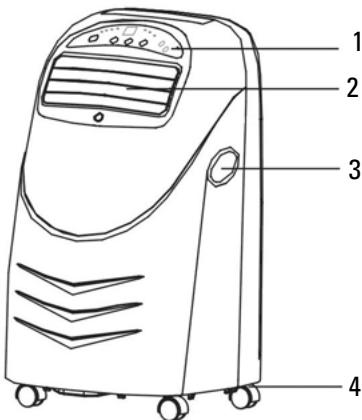
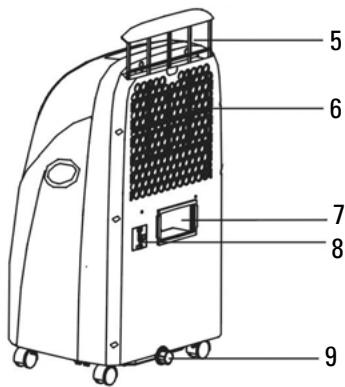
PARTS LIST
- Control panel
- Air out let
- Handle
- Casters
- Anti dust filter
- Air inlet
- Exhausted air outlet
-
Power cord
-
Drainage knob
- Window adaptor
- Connection on product side (with clips)
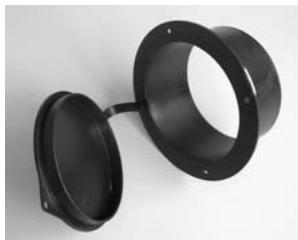
- Wall accessory with cover
- Exhaust pipe with extremities
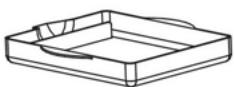
- Movable water tank
14

13
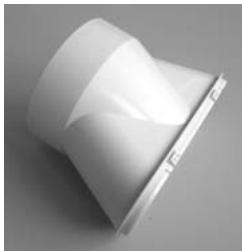
10
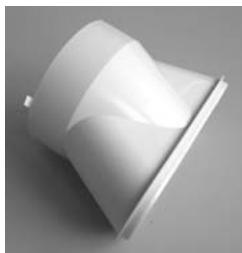
11
12
CONTROL PANEL
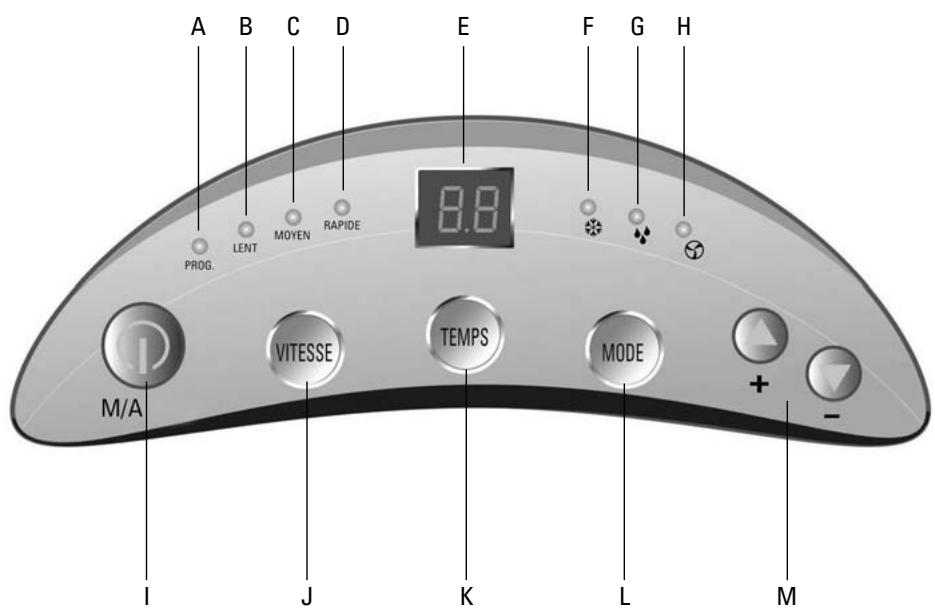
A. PROG: light for timer
B. LENT: light for low speed
C. MOYEN : light for medium speed
D. RAPIDE: light for high speed
E. LED screen
F. 《茶》
G. (A)
H.《 》
I. M/A: on / off
J. VITESSE : speed
K. TEMPS : timer
L. MODE
M. + / - : adjust temperature or time
Plug in the unit, a sound « bip » is heard.
Press button M/A (I), the unit starts setting the last used parameters (mode, temperature and fan speed).
LED screen (E) displays the surrounding temperature.
SELECTION OF THE MODE:
Press button MODE (L) to change the mode.
Each time, function changes according to following diagram: COOLING -> DRY -> FAN ONLY -> COOLING.
ADJUSTMENT OF THE TEMPERATURE:
Use + / - (M) touches to set temperature.
One pressure increases or decreases temperature by 1^ .
Temperature is displayed on LED screen (E).
A few seconds after, surrounding temperature will be displayed again.
Temperature range is from 16^ to 31^ .
ADJUSTMENT OF THE FAN SPEED:
Press VITESSE (J) touch to adjust fan speed.
Each pressure, fan speed changes according to following diagram: LOW -> MEDIUM -> HIGH

DRY MODE.
During the dry operation, the fan speed cannot be adjusted. Low speed will be set automatically. It is no use adjusting temperature; it will have no effect on the drying way.
FAN ONLY MODE.
It is no use adjusting temperature.
STOP:
Press M/A (I) touch to stop the unit.
A sound can be heard and the unit stops running.
All lights switch off.
TIMER:
To turn on the unit automatically, press TEMPS (K) touch when unit is plugged but not running.
Set remaining time before starting using + / - (M) touches. Each pressure adds or removes half an hour, from 0.5 to 10h and one hour from 10h to 12h.
(A) light switch on.
Remaining time before starting is displayed on LED screen (E).
To turn off the unit automatically, press TEMPS (K) touch when unit is plugged and running.
Set remaining time before stopping using + / - (M) touches. Each pressure adds or removes half an hour, from 0.5 to 10h and one hour from 10h to 12h.
(A) light switch on.
Remaining time before stopping is displayed on LED screen (E) and after a few seconds, room temperature is displayed again.
To cancel the timer, press TEMPS again and set 00:00 time.
ADJUSTMENT OF THE WIND DIRECTION.
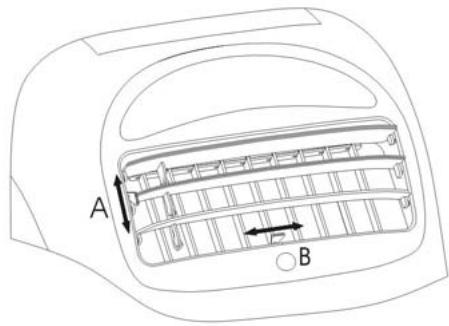
First, open the swing wind direction A.
Flow can be adjusted in both A and B directions.
AIR EXHAUST PIPE.
Assemble extremity 11 on the pipe.
Assemble the pipe on the air conditioner in the exhaust air outlet 7.
Make a hole in the wall with diameter adapted to part 12.
Insert part 12 in the hole and exhaust pipe extremity in part 12.
If you do not use the air conditioner, you can close the hole using the cover of part 12.
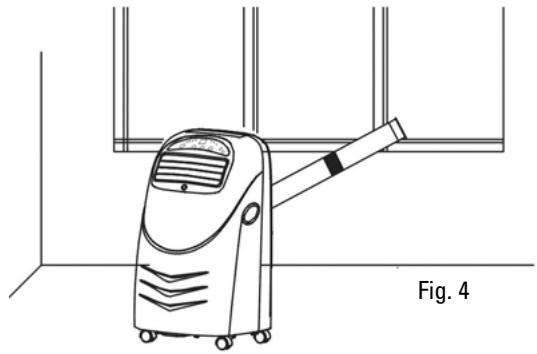
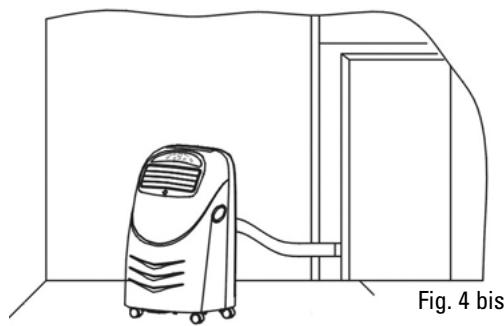
- Through the window or the door:
Assemble window accessory 10 on exhaust pipe extremity.
Open door or window and put the extremity of the pipe through it. (Fig. 4 and 4bis)
NOTE:
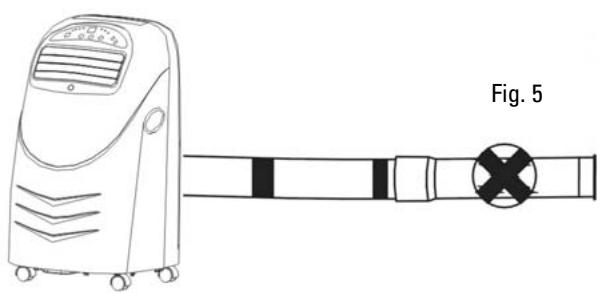
- Exhaust pipe can be as 1m50 long. The shorter it is, the more powerful your unit will be. Do not use additional exhaust pipe. (Fig. 5)
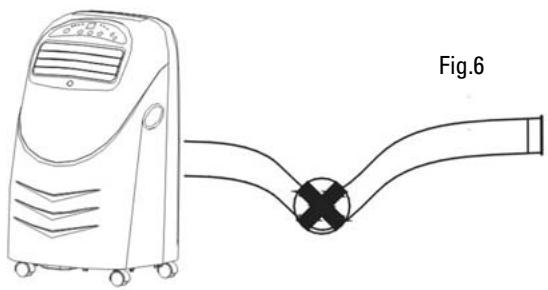
- The pipe must not be damaged or bent. (Fig. 6)
DRAINING OPERATION.
Your product is with shower technology, which means that most of the moistures will be drained through the exhaust pipe.
This is automatic.
Sometimes there are too many moistures and some parts go in an inner water tank.
When the water tank is full, E2 error appears on LED screen, unit "bip" several times and stops working. Turn off the unit, put the movable water tank (14) under the drainage knob (9) and unscrew the knob and rubber plug to let water flow out.
When water tank is empty, replace knob and rubber plug and restart the unit.
CLEANING
Before any cleaning operation, stop and unplug the unit.
Do not use chemical solvent.
Use a dry and wet cloth to clean the outside of the unit.
ANTI DUST AIR FILTER:
If the anti dust air filter is dirty, the air conditioner will be less performing.
Clean the filter at least every two months.
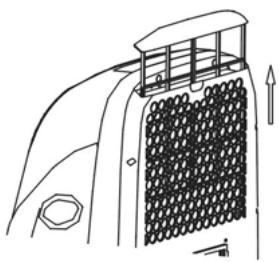
Take the filter upward.
Wash with warm water and neutral cleanser, dry and put back.
TROUBLE SHOOTING.
Before asking for repair service, please check:
| Problems | Causes | Suggest solution |
| Unit does not work | It is not plugged in
Socket or plug is damaged
fuse or power cord are damaged | Plug in
Change it
Make it repair by a qualified person |
| Unit stops working automatically | Timer was on
Room temperature is lower than set temperature | Cancel timer
Normal symptom |
| No cool in cooling mode | Room temperature is lower than set temperature
Evaporator is frosted | Normal symptom
Eliminate frost |
| LED screen display E3.E4.E5
LED screen display E2 | The coil pipe is damaged
Water tank is full | Change the coil pipe
Empty water tank |
| LED screen display E1 | Voltage is too high or too low
Unit is damaged | Restart when voltage is normal
Make it repair by a qualified person |
When there is something wrong with your unit, contact a qualified person.
TECHNICAL SPECIFICATIONS
| Rotative compressor | R 407 C |
| Max cooling capacity | 2360 W |
| Cooling capacity | 2022 W |
| Input power | 777 W |
| Dehumidifying capacity | 48 L / day |
| Air flow (min – max) | 270 m³ / h |
| Fan speed | 3 |
| Exhaust pipe length | 1.5 m |
| Exhaust pipe diameter | 110 mm |
| Suitable for rooms up to | 16 m² |
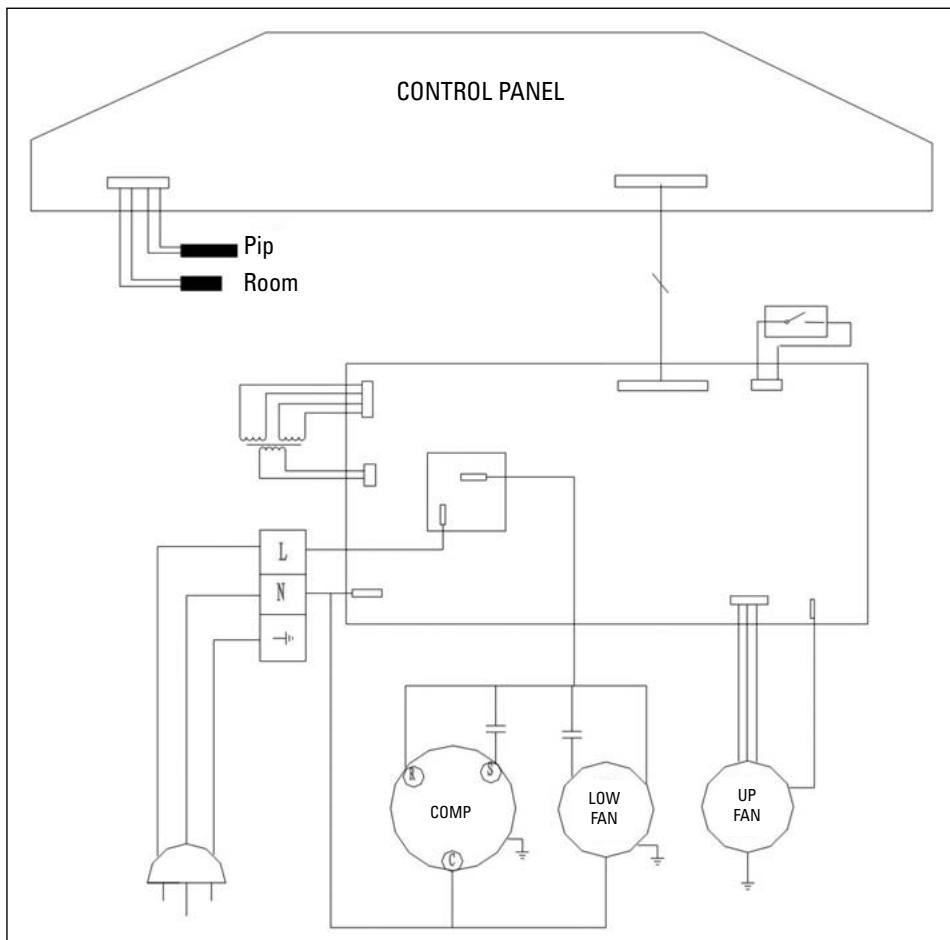
ELECTRIC DIAGRAM
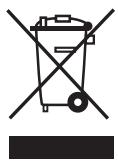
Instructions on environment protection
Do not dispose of this product in the usual household garbage at the end of its life cycle; hand it over a collection point for the recycling of electrical and electronic appliances. The symbol on the product, the instructions for use or the packing will inform about the methods of disposal. The materials are recyclable as mentioned in its marking. By recycling or others forms of re-utilization of old appliances, you are making an important contribution to protect our environment. Please inquire at the community administration for the authorized disposal location.
ALPATEC
SOLUTIONS CLIMATIQUES
12/05