
SO SMART PVR - Digital Video Recorder DANE-ELEC - Free user manual and instructions
Find the device manual for free SO SMART PVR DANE-ELEC in PDF.



User questions about SO SMART PVR DANE-ELEC
0 question about this device. Answer the ones you know or ask your own.
Ask a new question about this device
Download the instructions for your Digital Video Recorder in PDF format for free! Find your manual SO SMART PVR - DANE-ELEC and take your electronic device back in hand. On this page are published all the documents necessary for the use of your device. SO SMART PVR by DANE-ELEC.
USER MANUAL SO SMART PVR DANE-ELEC
The following are to protect safety of user and to prevent damages to property. Use product properly after carefully reading the following contents.

Warning
Violating instructions may lead to serious injury or death.

Caution
Violating instructions may lead to slight injury or damage to product.
Instructions:
| Act prohibited | Contact by wet hand prohibited | |
| Modification prohibited | Power plug to be separated from power outlet | |
| Do not connect a number of power plugs at the same time. (This may generate heat or cause fire.) | Do not forcefully pull out power cord. (Breakage of power cord may cause fire and electric shock.) | Do not insert power plug if it fits loose to power outlet. (This may cause fire or electric shock.) |
| Do not insert power plug if it fits loose to power outlet. (This may cause fire or electric shock.) | Make sure to turn off power switch and pull out power plug when moving product. | Do not place plant pots, cups or objects filled with chemical or water, etc. on top of product. (This may cause breakdown of product.) |
| Clean the outside of product by wiping it with lightly wet or dry towel. (Using detergent for grease removal, thinner or heavily wet towel, etc. may cause breakdown of product.) | Product must not be disassembled, repaired or modified. Take caution not to have foreign substances inserted into products. (This may cause breakdown of product or electric shock.) | Do not forcefully bend the connected power cord or have it pressed down by heavy objects. (This may cause fire or electric shock.) |
The following are to protect safety of user and to prevent damages to property. Use product properly after carefully reading the following contents.

Warning
Violating instructions may lead to serious injury or death.

Caution
Violating instructions may lead to slight injury or damage to product.
Instructions:
| Act prohibited | Contact by wet hand prohibited |
| Modification prohibited | Power plug to be separated from power outlet |
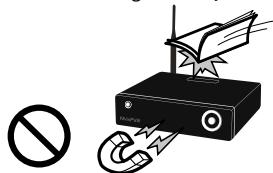
Do not drop objects on top of product or exert impact to product. Keep product away from severe vibration or magnetic objects.
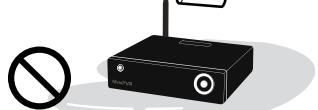
Do not place plant pots, cups or containers filled with chemical or water, etc. on top of product. (This may cause fire/ electric shock. Falling of the objects may also cause injury.)
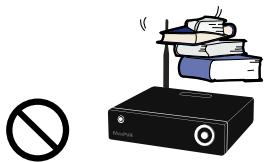
Do not place heavy objects on top of product. (Falling of objects may cause injury.)
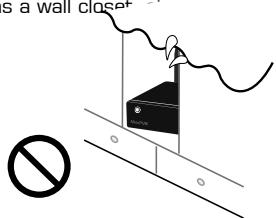
Do not cover up product or install it in places with poor ventilation, such as a wall closet
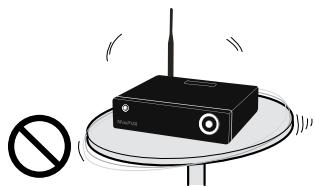
Install product in level and stable place. (Otherwise, product may not operate normally.)
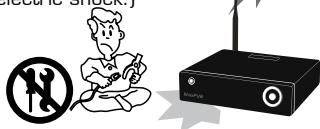
Product must not be disassembled, repaired or modified. Take caution not to have foreign substances inserted into products. (This may cause breakdown of product or electric shock.)
Do not install product in places where temperature is too high (35° or higher)/too low(5°or less)or humidity is high.
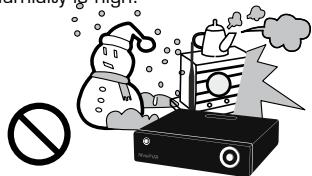
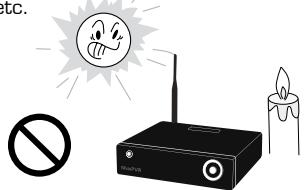
Do not install product under direct sunlight or near objects of heat, such as lit candle, cigarette or fire, etc.
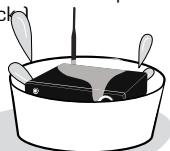
Do not place product in water. (This may cause breakdown of product or electric shock)

1
2
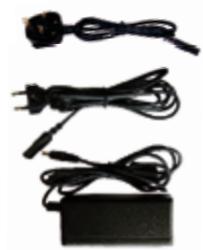
3
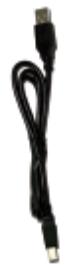
4
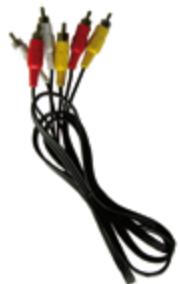
5
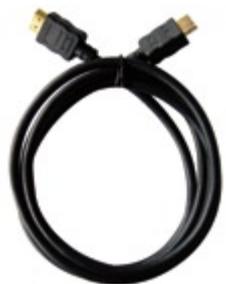
6
7
8

9
10
1- External Hard Drive
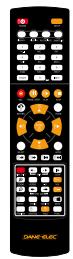
2- Remote Control
3-A/C Adapter (EUR & UK)
4-USB cable
5- Audio/Video cable
6-HDMI Cable
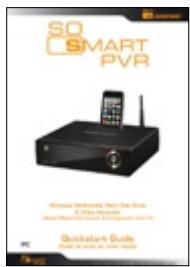
7-Quick Start Guide
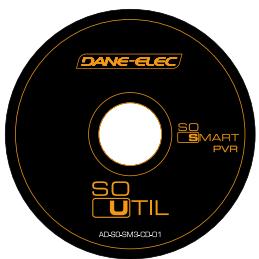
8- CD-ROM
Batteries
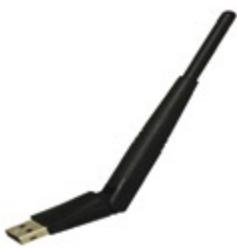
10-USB Antenna
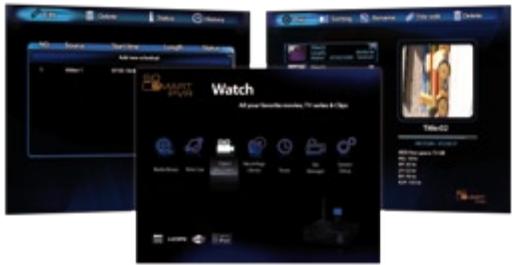
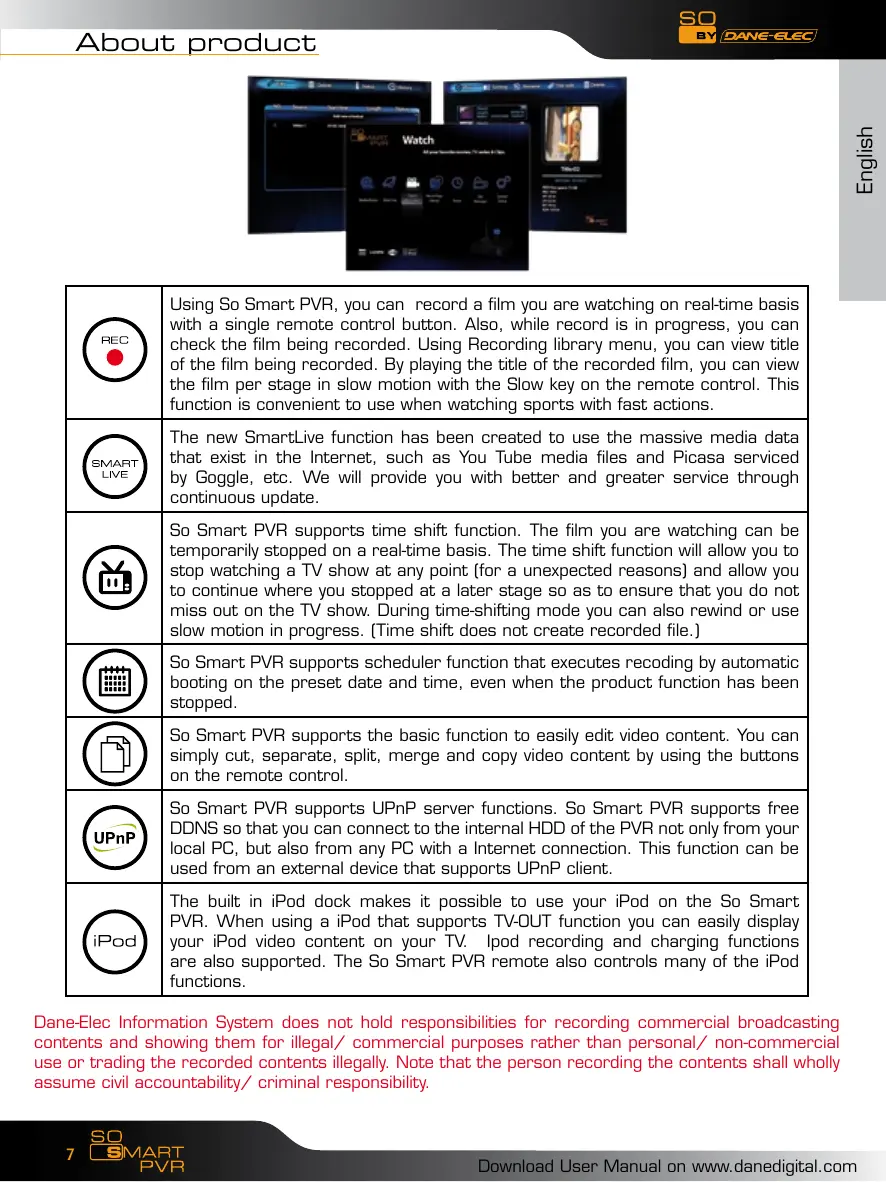
| REC | Using So Smart PVR, you can record a film you are watching on real-time basis with a single remote control button. Also, while record is in progress, you can check the film being recorded. Using Recording library menu, you can view title of the film being recorded. By playing the title of the recorded film, you can view the film per stage in slow motion with the Slow key on the remote control. This function is convenient to use when watching sports with fast actions. |
| SMART LIVE | The new SmartLive function has been created to use the massive media data that exist in the Internet, such as You Tube media files and Picasa serviced by Goggle, etc. We will provide you with better and greater service through continuous update. |
| So Smart PVR supports time shift function. The film you are watching can be temporarily stopped on a real-time basis. The time shift function will allow you to stop watching a TV show at any point (for a unexpected reasons) and allow you to continue where you stopped at a later stage so as to ensure that you do not miss out on the TV show. During time-shifting mode you can also rewind or use slow motion in progress. (Time shift does not create recorded file.) | |
| So Smart PVR supports scheduler function that executes recoding by automatic booting on the preset date and time, even when the product function has been stopped. | |
| So Smart PVR supports the basic function to easily edit video content. You can simply cut, separate, split, merge and copy video content by using the buttons on the remote control. | |
| UPnP | So Smart PVR supports UPnP server functions. So Smart PVR supports free DDNS so that you can connect to the internal HDD of the PVR not only from your local PC, but also from any PC with a Internet connection. This function can be used from an external device that supports UPnP client. |
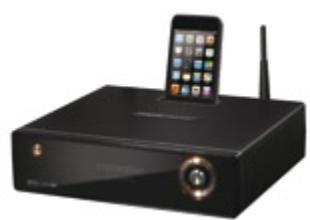
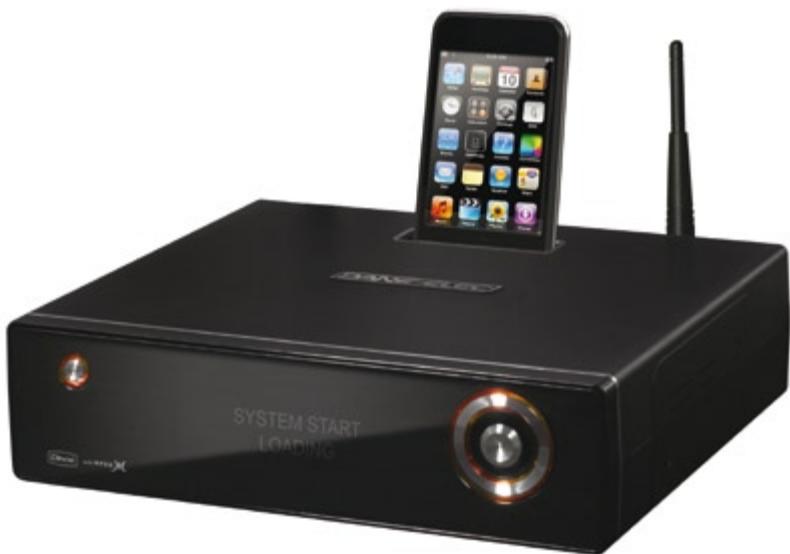
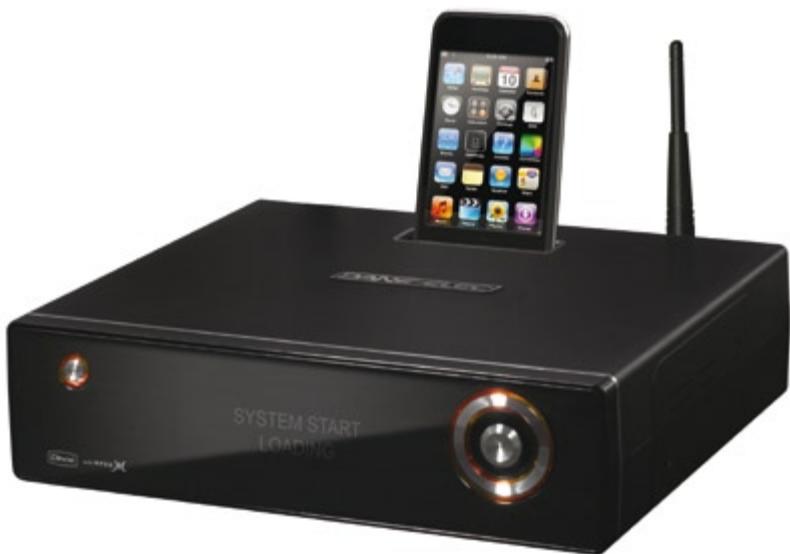
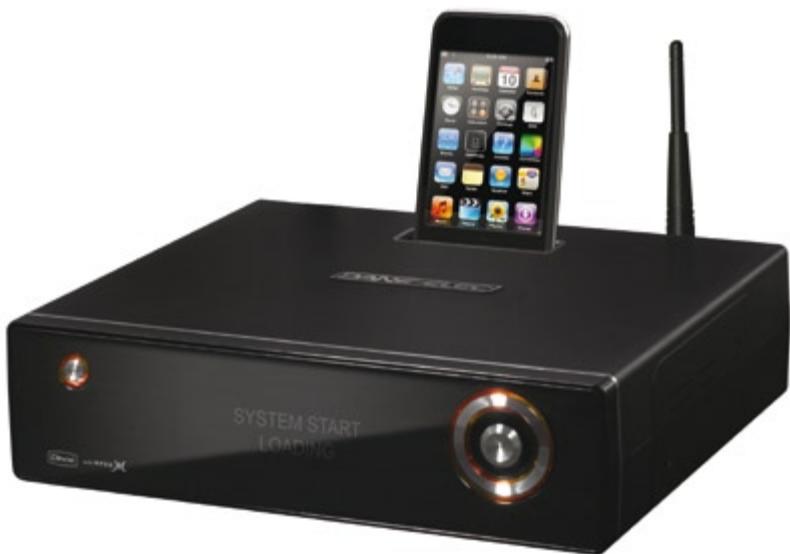
| iPod | The built in iPod dock makes it possible to use your iPod on the So Smart PVR. When using a iPod that supports TV-OUT function you can easily display your iPod video content on your TV. Ipod recording and charging functions are also supported. The So Smart PVR remote also controls many of the iPod functions. |
Dane-Elec Information System does not hold responsibilities for recording commercial broadcasting contents and showing them for illegal/ commercial purposes rather than personal/ non-commercial use or trading the recorded contents illegally. Note that the person recording the contents shall wholly assume civil accountability/ criminal responsibility.
| Multimedia library High Resolution HD-level File Play: So Smart PVR supports the max. of 1920X1080 interface scan to provide clear and high resolution picture quality. | |
| Supporting Diverse Movie Format Types So Smart PVR supports a variety of HD files, such as TP, TS and TRP files, but also MPEG, Divx (3/4/5), Xvid, DAT, ISO, DVD (VOB, IFO) and MKV / WMV / ASF / MOV (if using Dane-ElecFTS), etc. You can conveniently enjoy watching movies anywhere as long as you have access to a display device, such as TV, etc. (supporting SD-level film play for MKV). | |
| Convenient Copy So Smart PVR allows you to copy a recorded media file (with FAT32 partition) to a network-connected PC. Also, you can copy files by high-speed from PC to So Smart PVR HDD or to USB storage device connected to So Smart PVR. | |
| Supporting Diverse Music Files So Smart PVR supports a variety of music sources, such as MP3, OGC, WAV, WMA, AC3 and DTS, etc. As the player supports fast rewind/ forward functions, you can quickly find the desired part you require for listening. | |
| Digital Photo Album So Smart PVR supports the upgraded JPEG and BMP image files. The entire family can enjoying watching the files through TV, etc. Also, vertically photographed filed can be rotated in screen for viewing without requiring modification. | |
| Network-shared File Play Files shared on a network can be played through wired/ wireless means without having to move them to the So Smart PVR hard disk. | |
| Supporting USB Host So Smart PVR supports 2 USB2.0 hosts. By connecting USB external storage devices, you can easily add additional storage to the So Smart PVR and play the files on the external USB devices. A USB type memory card reader, etc. can also be used. | |
| Supporting High Resolution HDMI Built in with HDMI terminal for digital signal output, So Smart PVR enables you to enjoy video content with better picture quality. | |
| 5.1CH Audio Output and Down Mix Function So Smart PVR provides 5.1CH AC3 audio and DTS, etc. Also, down mix function lets you play 2CH audio through TV, etc. without requiring an additional decoding device, such as amplifier, etc. (optical, coaxial). |

Made for iPod
"Made for iPod" means that an electronic accessory has been designed to connect specifically to iPod and has been certified by the developer to meet Apple performance standards.
Apple is not responsible for the operation of this device or its compliance with safety and regulatory standards.
iPod is a trademark of Apple Inc., registered in the U.S. and other countries.
| 1 | Contents with copyright, such as music sources or media contents, etc., are protected pursuant to the related laws and regulations, such as Copyright Act, etc. The legal responsibilities in violating copyright or intellectual property right by using this product shall be assumed by the user. |
| 2 | Make sure to check CODEC of the file to be played. This product does not support media files of all CODEC types. Only the playable CODEC files must be used. Change media file or CODEC that is not supported into the supported file by using specific utilities, etc. Even if CODEC is playable, the file may not be successfully played according to file characteristics or user environment. |
| 3 | When removing USB after connection to a PC, make sure to protect data and prevent erroneous operation of product by removing safety device. Also, make sure to turn off power of product when connecting or disconnecting separate storage devices to USB host of product. Otherwise, it may cause erroneous operation of product. |
| 4 | The HDD inside of your So Smart PVR is a 3.5" SATA HDD. It's already formatted and ready to used. Becarefull format erases all data. Make sure to back up before. |
| 5 | This product uses a Windows PC and network sharer function. Network sharer may not operate normally due to error in Windows program or user environment. Dane-Elec is not liable for this. |
| 6 | Save data stored in this product separately in a safe location. Dane-Elec does not assume responsibilities for loss of or damage to the stored data. |
| 7 | Do not drop or exert impact to product. This may cause breakdown of product. |
| 8 | Protect inside of product from metallic objects or combustible foreign substances, etc. This may cause fire or breakdown of product. |
| 9 | Do not randomly disassemble, modify or repair product. This may cause breakdown of product. After-sale service will be provided at cost for breakdowns caused by random disassembly, modification or repair. |
| 10 | Keep product not to be in contact with water or liquid. Also, do not use product in a humid area. This may cause fire, electric shock or breakdown of product. |
| 11 | Do not clean the surface of product with chemical substances or detergents. This may damage the surface of product. |
| 12 | Do not expose product to high heat or direct sunlight. Long-term storage or use in high temperature may cause breakdown or disable successful file play. Make sure to use product in a well-ventilated area. |
| 13 | Do not leave product near highly magnetic objects. This may lead to data loss and breakdown of product. |
| 14 | Connect all cables when power to So Smart PVR and TV is turned off. So Smart PVR can be used as a multimedia player and a mobile disk when connected to PC. However, both functions cannot be used simultaneously. |
| 15 | Product may not operate successfully if used for a long period of time or used in areas with harmful elements. If buffering occurs, stop operation and restart product. Or rebooting is also recommended. |
Front Panel
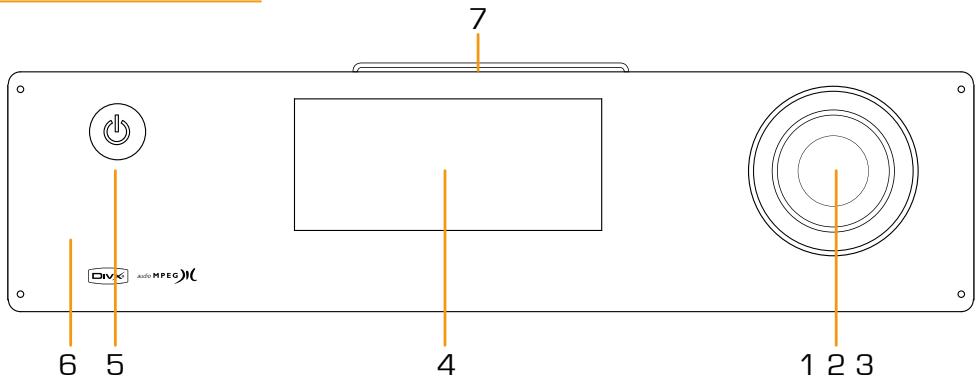
| 1 | Direction key (up/down/left/right) | 5 | Power button |
| 2 | Direction key OK (press) | 6 | IR reception part |
| 3 | Direction key OK (press by 3 seconds or longer -> move to HOME) | 7 | iPod expand connections |
| 4 | LCD status window | ||
Back Panel
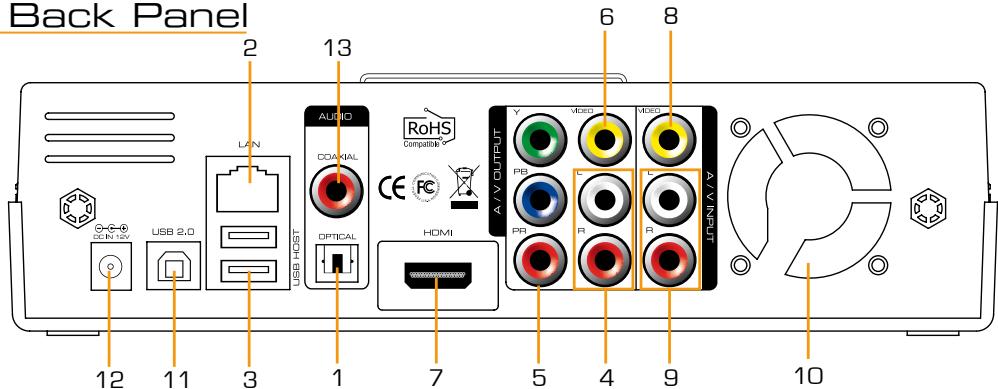
| 1 | Optical terminal | 8 | Input composite terminal |
| 2 | 10/100Mbps LAN port | 9 | Input stereo RCA terminal |
| 3 | USB2.0 A-type 2-port host | 10 | Fan |
| 4 | Output Stereo RCA terminal | 11 | USB 2.0 A-type slave |
| 5 | Output Component terminal | 12 | Power |
| 6 | Output Composite terminal | 13 | Coaxial terminal |
| 7 | HDMI terminal | ||
| Product Name | So Smart PVR | |
| Operating System | Linux | |
| File Format | Recording Partition : UDF (UNIX file system) File Partition : FAT32 / NTFS | |
| iPod Dockstation | Compatible iPod, iPod Classic, iPod Touch | |
| Encoding (Recording) | Recording Mode | HQ, SP, LP, EP, SLP |
| Video | MPEG II (PAL 720x576, 352x576 / NTSC 720x480, 352x480) | |
| Audio | MPEG II (48KHz Stereo 256Kbps / 192Kbps) | |
| Supported Files & Formats | Video | MPEG2 HD(ts,tp), Xvid HD(avi), MPEG1/2 (dat.mpg.vob.ifo.iso), DivX (avi, DivX certified to play DivX video), Xvid(avi), MKV(NOT H.264), (Dane-ElecFTS use : MKV(H.264 720P), RMVB, MOV,WMV) |
| Audio | MP3, WMA, ACC, OGG, WAV, AC3, DTS decoding including down-mixing, DTS pass through | |
| Image | BMP, HD JPEG/JPG,GIF,PNG,TIFF/TIF(Progressive JPEG not supported) | |
| Video Input | Composite | |
| Subtitles | SRT, SUB, SSA, SMI SAMI, SRT multi files, SUB+IDX | |
| Video Output | Composite, Component, and HDMI With CEC | |
| Audio Output | Analog | Stereo RCA |
| Digital | Coaxial, Optical | |
| TV System | NTSC, PAL, or HDMI AUTO | |
| Hi-Def Decoding | HD Component YPbPr (720p,1080i) / HD HDMI (720p,1080i) | |
| WMV, ASF, AVI and MP4 formats | ||
| Audio Decoding | MPEG-1 and MPEG-2 Layers I, II and III (MP3), MPEG-2 BC multi-channel layers I, II and III, MPEG-2 and MPEG-4 AAC-LC,WMA9 and WMA9 Pro decoding | |
| Networking | Wire | Ethernet (10/100) LAN via RJ-45 Port |
| Wireless | Wireless LAN | |
| Network Security | Wireless: WEP, WPA, | |
| Network Protocol | Wireless : IEEE802.11N, 3dBi USB antenna Wire : 10/100Mbps Fast Ethernet (RJ45) TCP/IP (DHCP client mode, Manual IP mode) | |
| Hard-Disk Type | 3.5" Internal SATA I/II | |
| USB Interface | USB2.0 host, USB2.0 Slave | |
| Power | Adapter : Input : AC 100V-240V, 50/60Hz Output : DC 12V, 3A, DC In : 12V | |
| Dimension | 225mm(W) X 200mm(H) X 59mm(D) | |
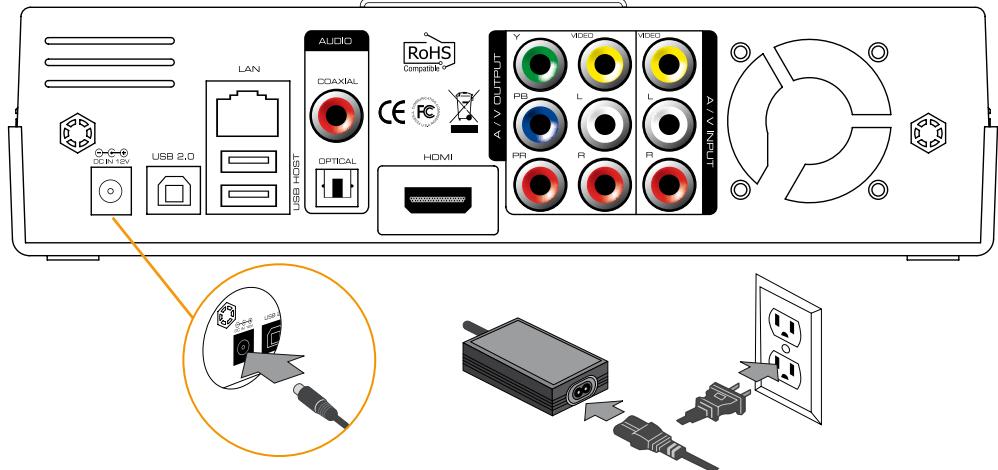
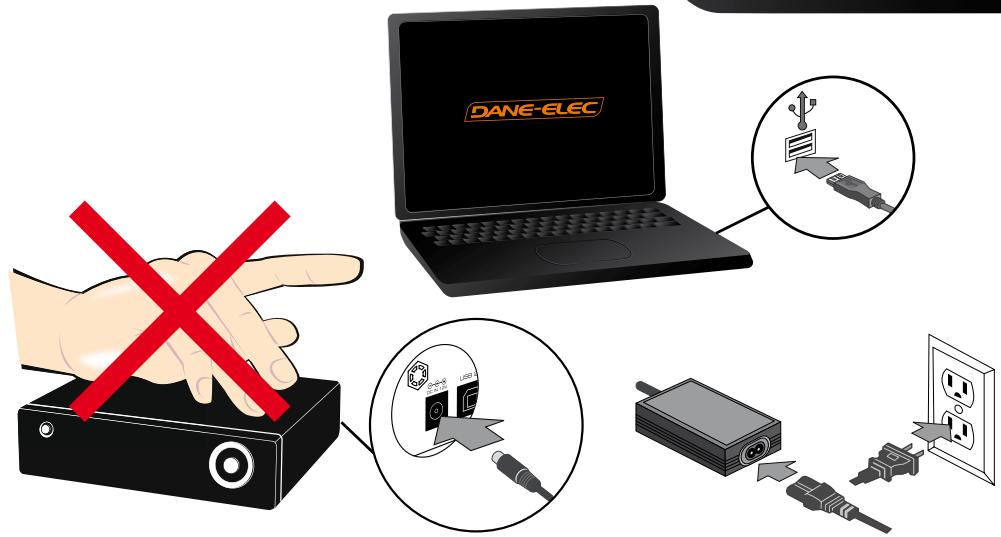
- Connect the A/C adapter
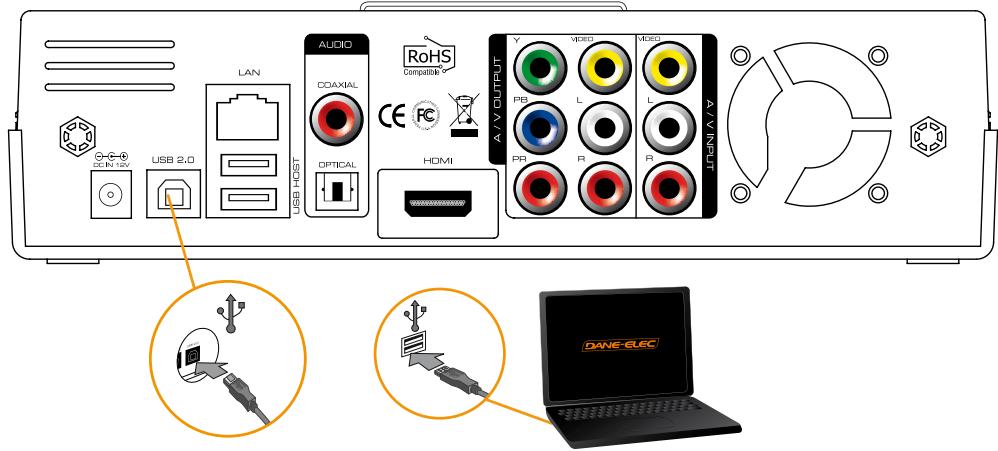
- Connect the USB Cable
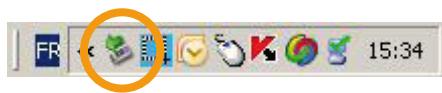
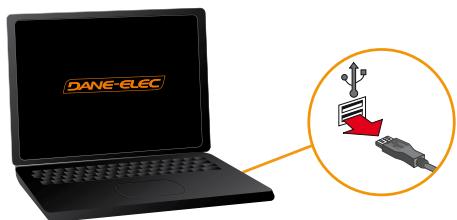
- Disconnect the So Smart PVR :
1: Click on
2:Disconnect
- Connect to the network
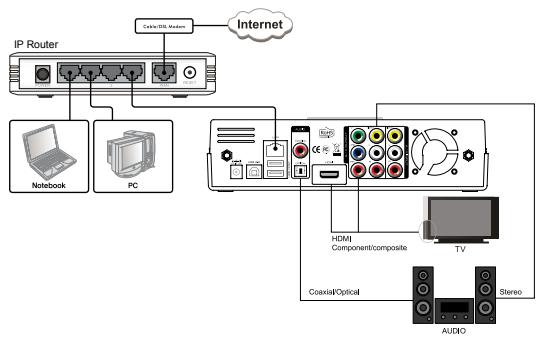
Wired : via RJ45, 10/100 LAN
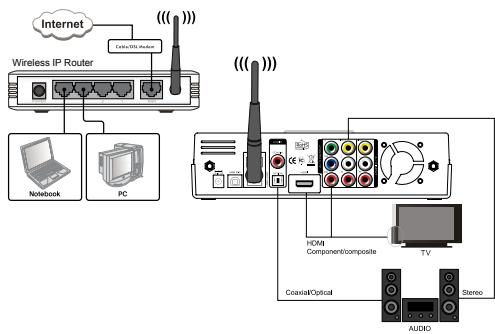
Wireless : via WIFI

Inputs/outputs :
Composite Output Device Connection to Video In (Video IN)
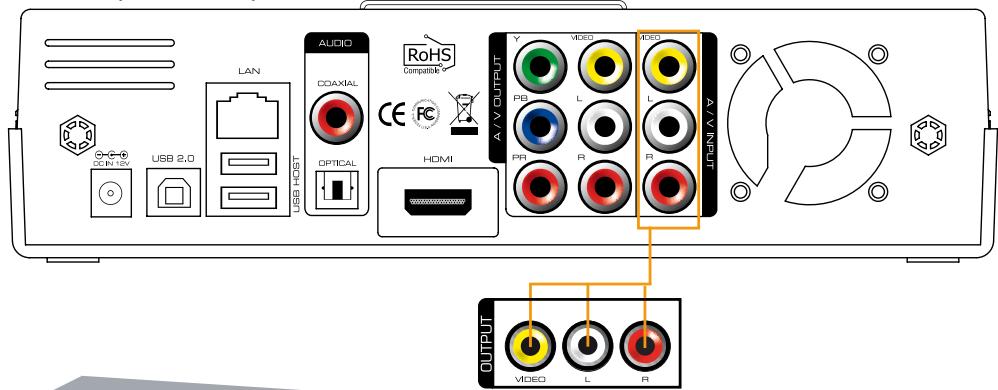
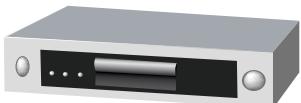
IPTV Set Top Box Input Device Connection
Only composite connection input is possible. Therefore, composite input terminal must be connected to So Smart PVR in the set top box. In set top box, connect yellow cable for video signal output as well as red and white cables for audio signal output. Then, to A/V INPUT terminal at the back of So Smart PVR, connect yellow, red and white cables accordingly.
Bypass Support (Composite => Power Off => Composite)
Even when So Smart PVR power is turned off, signals sent into A/V Input are still transmitted. Bypass function of So Smart PVR can be activated only when using composite input and output. If So Smart PVR power is on, all outputs to HDMI/ component/ composite are supported.
- Connection to a TV
If you have to use a scart adapter, please follow this process :
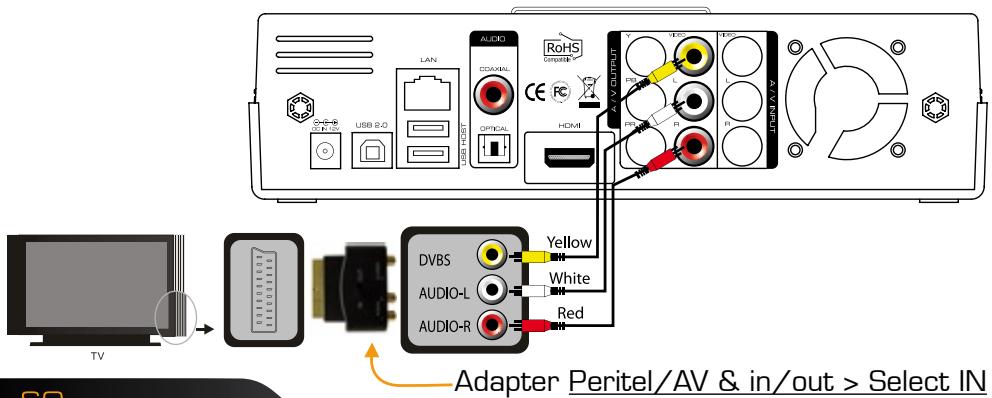
Inputs/outputs :
- HDMI and Composite Output Connection
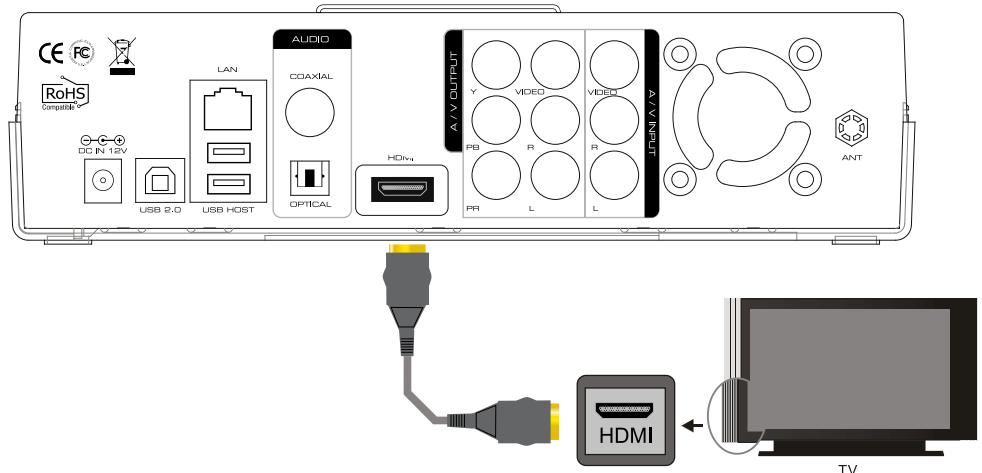
HDMI Cable Connection
Connect HDMI cable to HDMI terminal at the back of product. Connect the remaining cable terminal to HDMI terminal at the back of digital TV. Make sure to carefully distinguish between input and output terminals.
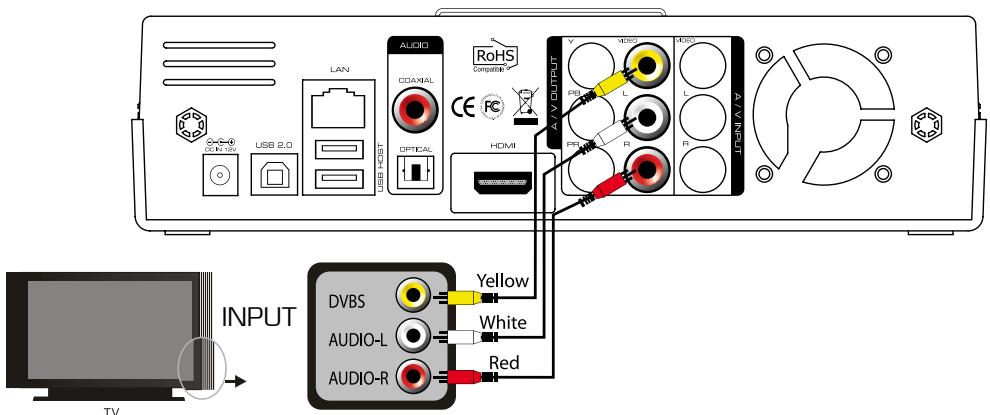
Composite Cable Connection
Connect yellow cable for video signal to the terminal located at the back of side of TV. Then, select external input of TV. Connect the remaining red and white terminal cables to the left/ right and audio output terminal at the back of the device. Then, connect red and white cables to the left/ right terminal of DTV input or component audio input located at the back of digital TV.
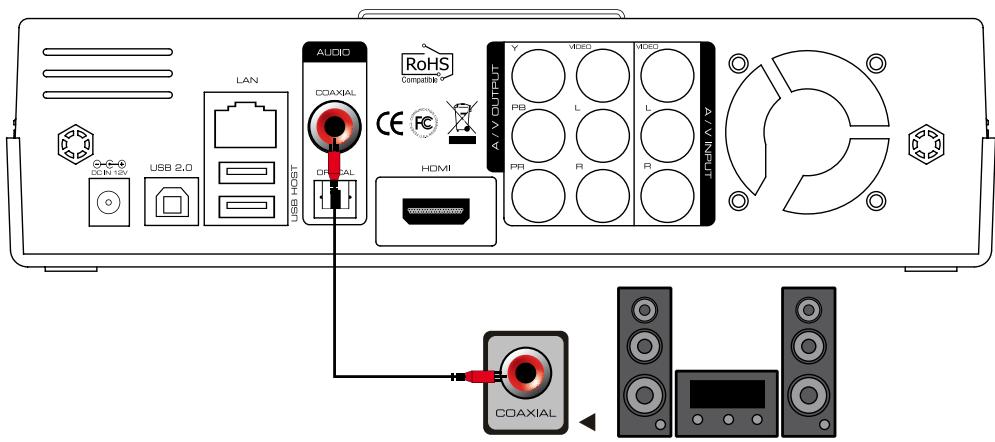
Coaxial Cable Connection :
You can enjoy high-quality sound 5.1CH if the audio device is an amplifier or a receiver with coaxial cable input terminal. Connect coaxial cable to Coaxial of So Smart PVR as shown above. Then, connect amplifier or receiver to enjoy 5.1CH.
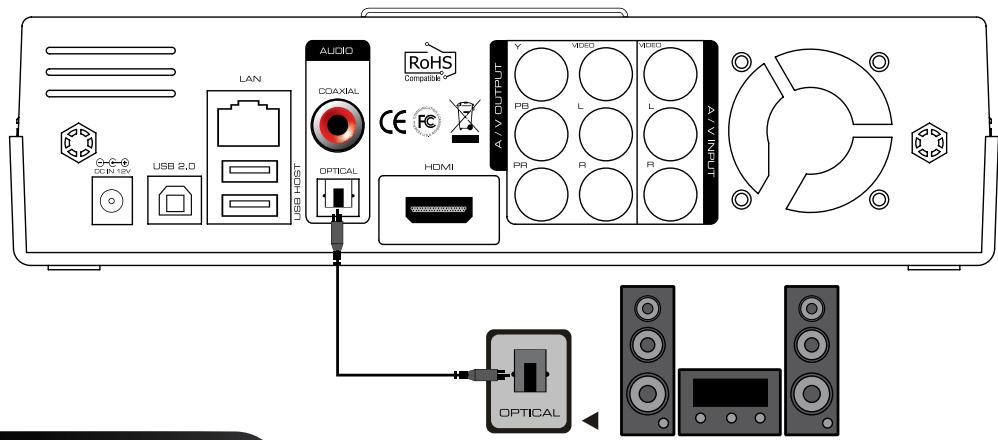
Optical Cable Connection :
You can enjoy high-quality sound 5.1CH if the audio device is an amplifier or a receiver with optical output cable input terminal. Connect optical cable to Optical, the optical output terminal of So Smart PVR as shown above. Then, connect amplifier or receiver to enjoy 5.1CH.
USB WIFI 11N Antenna Connection :
USB 11N Antenna Connection :
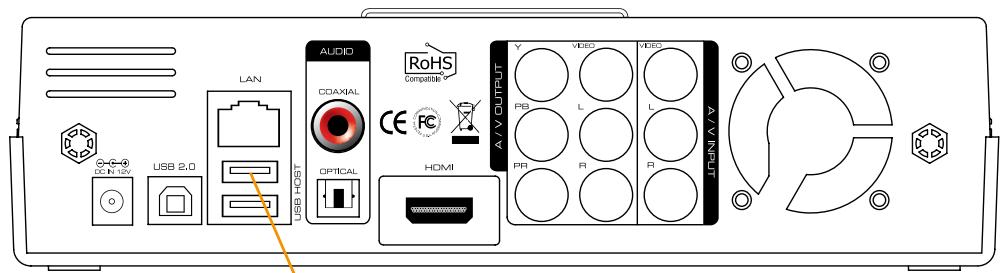
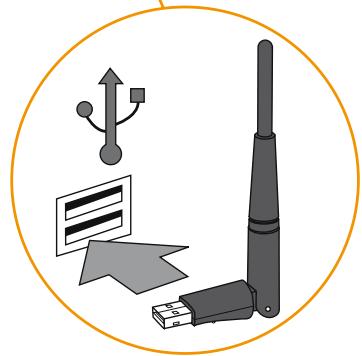
Remote Control Functions :
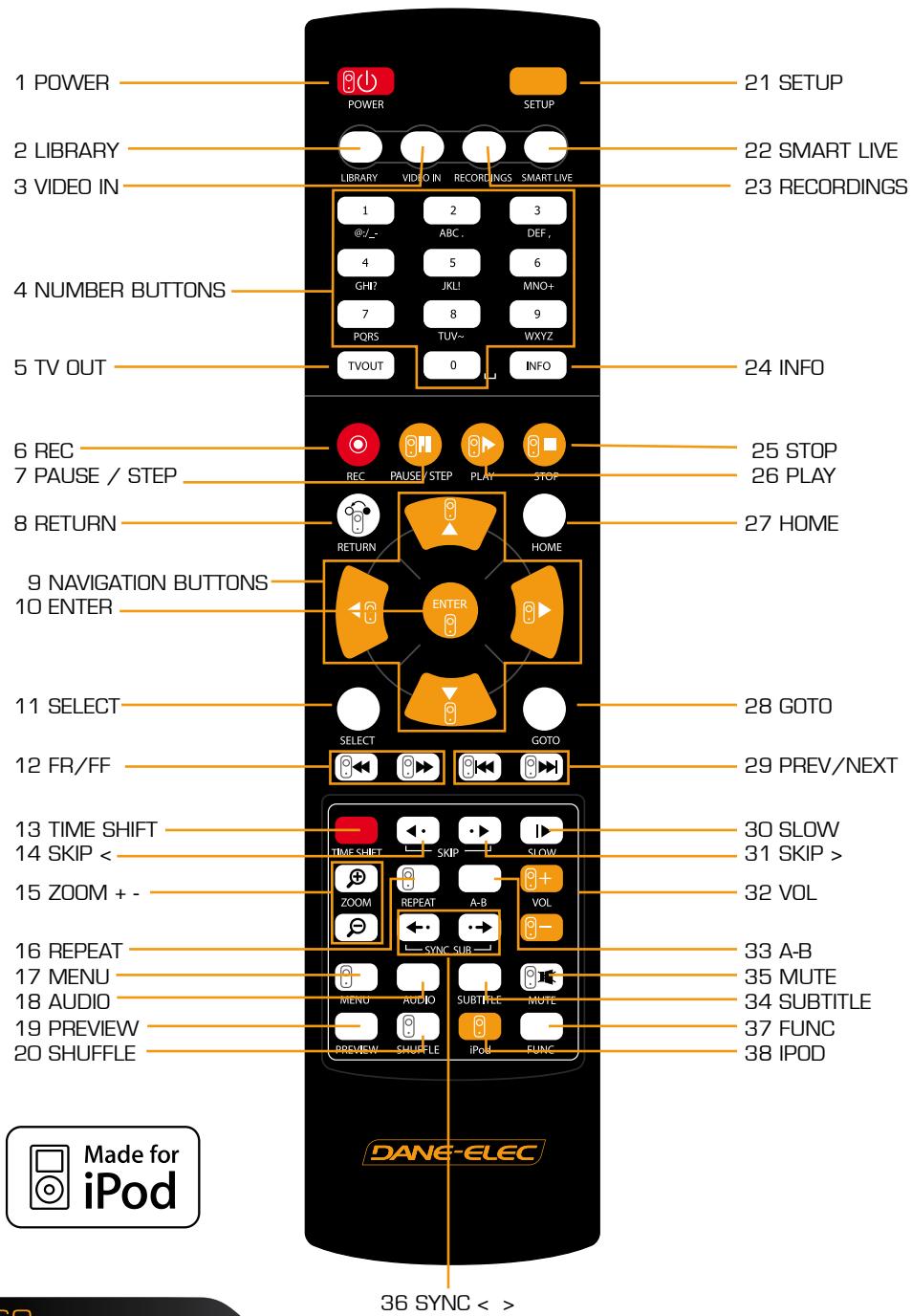
| N° | Button | Fonction |
| 1 | POWER: To turn on/ off power or stand-by mode | |
| 2 | LIBRARY: Shortcut to LIBRARY menu | |
| 3 | VIDEO IN: Shortcut to DIGITAL REORDER menu | |
| 4 | 0 ~ 9 | NUMBER BUTTON: To press buttons for numbers 0 ~ 9 |
| 5 | TVOUT | TVOUT: Toggle Video Output Modes (HDMI, YUV, AV) |
| 6 | REC: To start recording/ repetitive pressing for recording by one-touch recording [OTR] with the fixed value of 30min/60min/ 90min/ 120min/ 180 min | |
| 7 | TEMPORARY STOP: To stop screen temporarily/ repetitive pressing for moving screen per 1 frame | |
| 8 | RETURN/ CANCEL: For returning | |
| 9 | DIRECTION KEY: To move and select cursor | |
| 10 | ENTER | ENTER: To confirm selection/ play |
| 11 | SELECT | SELECT: To select files to be copied when using copy function |
| 12 | F.B / F.F: 1.5x/2x/4x/8x/16x/32x speed, function available in mp3 as well sound output available in 2x speed | |
| 13 | TIME SHIFT: Stop watching TV at any point and continue where you stopped at a later stage | |
| 14 | SKIP <- To go back to screen in play by 10 seconds | |
| 15 | ZOOM + / - : To enlarge and reduce screen/ repetitive pressing for adjusting zooming +/- percentage/moving to position of enlarged output by using direction keys. Function available for use during film/ photo file play (2x/3x/4x/8x) | |
| 16 | REPEAT: To repeat file in play or to repeat all media files in the corresponding folder | |
| 17 | 8 | MENU: To change or set DVD file menus by moving to MENU screen during DVD(VOB) file play |
| 18 | ○ | AUDIO: TO change or select audio tracks of file in play |
| 19 | ○ 9 | PREVIEW: To turn on/ off preview screen automatically displayed in media play file search mode |
| 20 | 8 | Shuffle: To change play sequence to shuffle (for iPod only) |
| 21 | SETUP: Function available when playing media file or using menu's in VIDEO IN screen to display various setup screens | |
| 22 | ○ | SMARTLIVE: Shortcut to SMARTLIVE menu |
| 23 | ○ | RECORDINGS: Shortcut to RECORDINGS menu |
| 24 | INFO | INFO: To display the current status function available while recording is in play/ repetitive pressing for displaying network status/ to hide or display OSD of TIME SHIFT func-tion |
| 25 | ○ 9 | STOP: To stop file in play |
| 26 | ○ | PLAY: To play the selected file |
| 27 | ○ | HOME: To go to main screen or to display the projected main screen |
| 28 | ○ 9 | GOTO: To select file in the same title or to execute shortcut to the already designated chapter position/shortcut to the desired time position |
| 29 | ○ 9 | PREV/NEXT: To move to previous file (list) or next file (list) |
| 30 | ○ | SLOW: Repetitive pressing for play in slow motion by 3/4x / 1/2x / 1/4x / 1/8x / 1/16x / 1x in sequence |
| 31 | ○ 9 | SKIP ->: To advance screen in play by 30 seconds |
| 32 | ○+○- | VOL: To adjust volume |
| 33 | ○ | A-B: To set zone repetition |
| 34 | ○ 9 | SUBTITLE: To change or select size of subtitle |
| 35 | ○ | MUTE: For mute function |
| 36 | ←·→ | SYNC +/- ->: To adjust sync of subtitle files played with film (100ms/ 0.1sec) |
| 37 | ○ | FUNC: To implement the function of ~ |
| 38 | ○ | iPod: To convert remote control to iPod control mode/ re-pressing for returning to PVR mode |
Change the language/resolution/time setting in Wizard
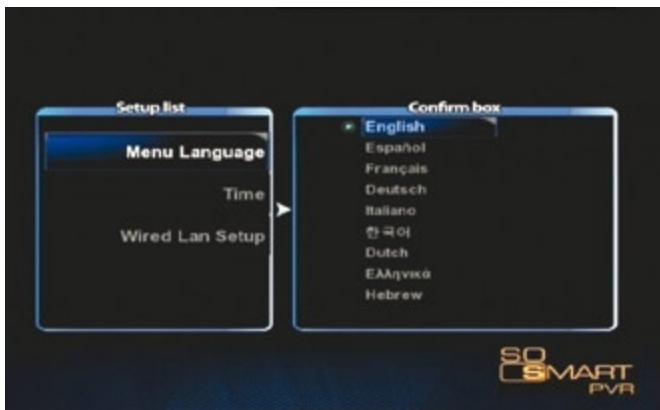
- Initial setup screen is displayed as shown in the picture. Select the language used and press OK.
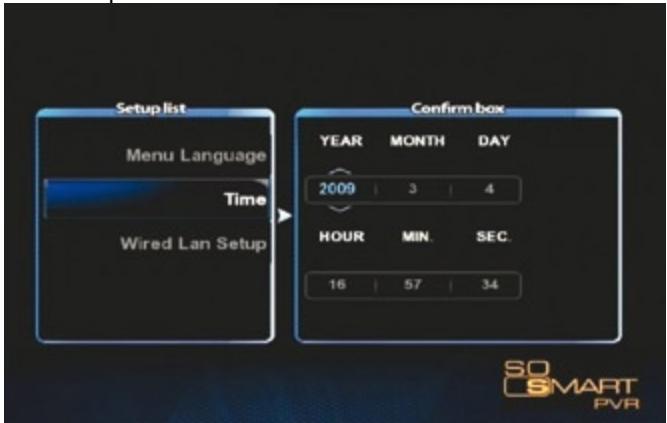
- Reserved for person informed : Set current date and time by pressing up/ down button. Press OK.
TIP : Make sure to set time to be the same as current time in order for normal recording with record preset function of TIMER.
Network Setting in Start Wizard
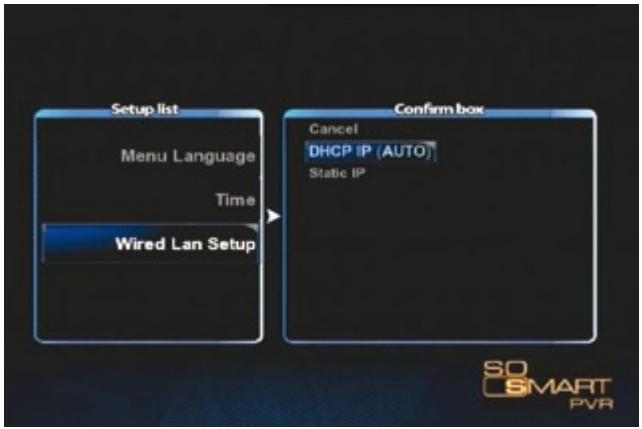
- Select the method to connect wired LAN to network. DHCP IP automatically allocates IP address.
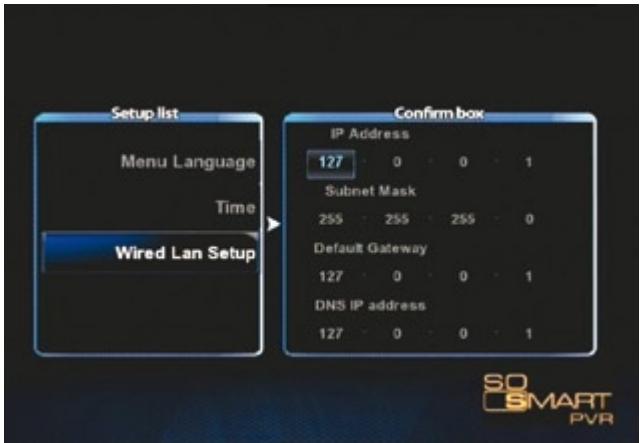
- To set static IP address and allocated them, make and save input by using number keys in remote control.
Note : Normal operation is not possible if setting the same IP as peripherals. Make sure to enter accurate IP address within IP bandwidth that can be used in router.
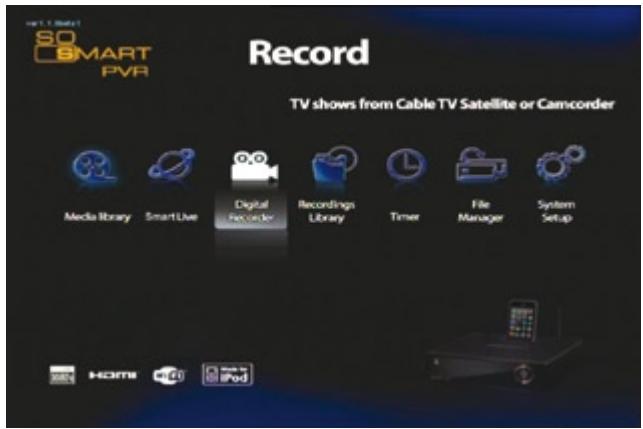
1. MEDIA LIBRARY
You can play media of various files, such as film, music and photograph, etc. connected to USB, HDD and NET or enjoy high-resolution movies. Also, you can connect to and play share files in a computer that is connected to network. So Smart PVR also supports the functions of preview or to control storage devices connected to USB host. In addition, you can play media file while recording is in progress. By connecting USB card reader to USB host, various memory chips can be expanded for use. Digital camera and mobile phone, etc., which can be used as mobile storage device, can be directly connected to play and copy media files.
2. SmartLIVE
Supporting online RSS, this function enables you to view movies, photos and weather information directly.
3. DIGITAL LIBRARY
Video input is directly displayed. Also, video content on the display can be recorded or processed for time shift function. So Smart PVR supports multi-threading function that enables you to use the MEDIA LIBRARY menu by returning to the HOME screen while maintaining the recording status.
Recorded and saved media files can be viewed. This menus provides the basic editing functions, such as cut, split, merge and extract file based on Windows file system.
5. TIMER
Set preset recording from VIDEO IN source. When unit is switched off the So Smart PVR will automatically turn on and begin recording. When recording is completed, it will be automatically turned off.
6. FILE MANAGER
Without the complication of having to copy files between storage devices by connecting them to your PC, you can copy files using USB/ HDD/ NET from PC to HDD, from USB storage device to HDD or from So Smart PVR to network - connected PC.
7. SYSTEM SETUP
This function is used to make or change various system setups, such as menu language/ subtitle coding method/ network/ TV output method and audio and video recording setup, etc. Settings can be changed while file is being played. Setup is immediately applied.
8. iPod DOCKING (Expansion)
iPod TV-OUT function can be used. Recording and play control are possible while charging is in progress.
9. UPnP SERVER (Additional Function)
Using free DDNS, you can play or download all data by connecting to HDD mounted in So Smart PVR anywhere as long as there is a local connection PC or PC with Internet connection.
ABOUT DivX VIDEO: DivX® is a digital video format created by DivX, Inc. This is an official DivX Certified device that plays DivX video. Visit www.DivX.com for more information and software tools to convert your files into DivX video.
ABOUT DivX VIDEO-ON-DEMAND: This DivX Certified® device must be registered in order to play DivX Video-on-Demand (VOD) content. To generate the registration code, locate the DivX VOD section in the device setup menu. Go to vod.DivX.com with this code to complete the registration process and learn more about DivX VOD.
Software Installation :

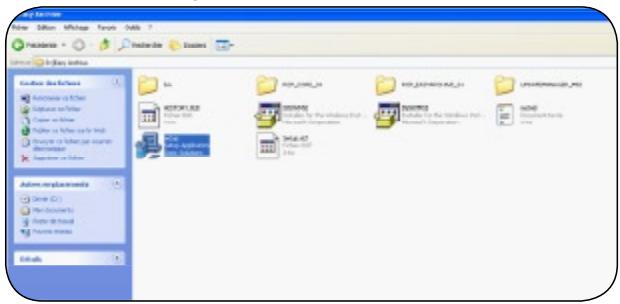
Easy Archive: Choose the data that you want to save
Back Up My PC: Make an image of your hard drive
PC Tools Antivirus with free updates for 3 months
PC Tools Antispyware : Anti-spyware with free updates for 3 months

1) Backup My PC: > Setup (2/2)
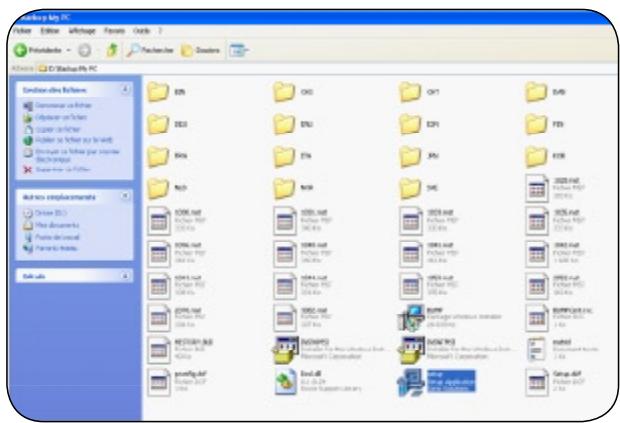
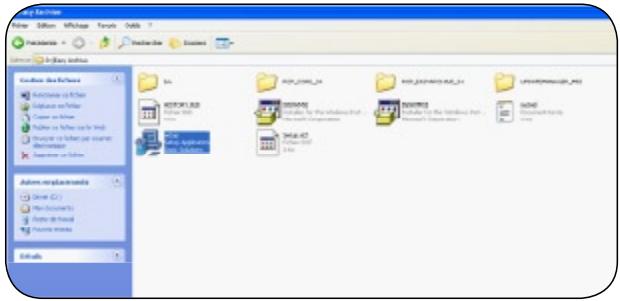
2) Easy Archive (1/2):
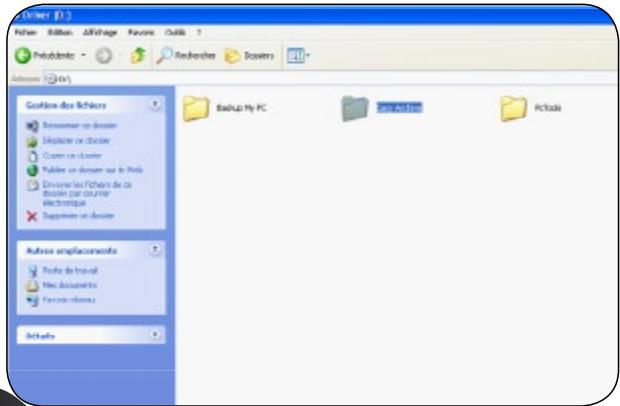
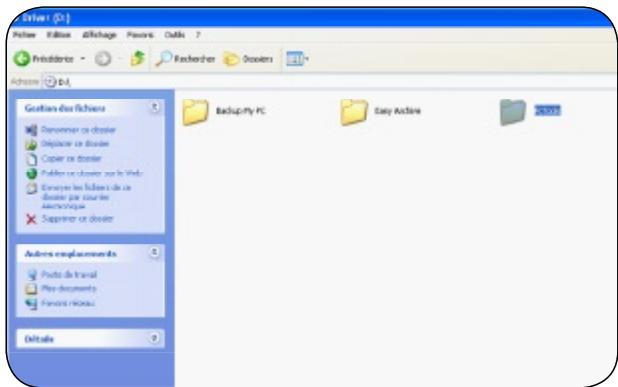
2) Easy Archive: > Setup (2/2)
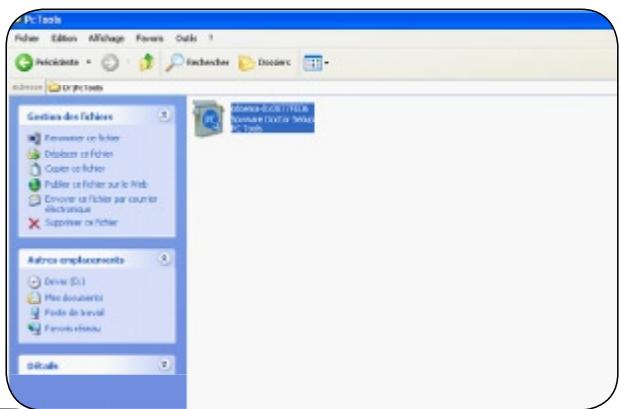
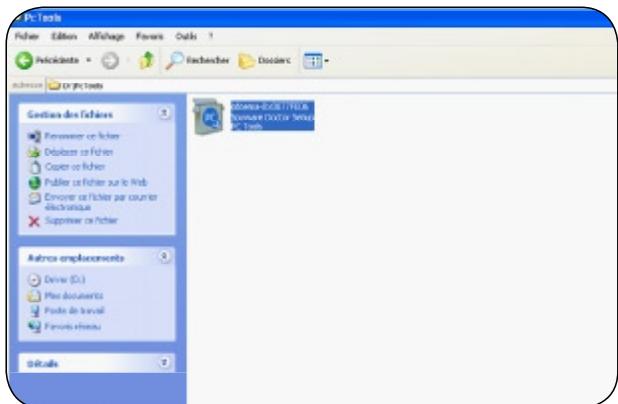
3) PC Tools Antivirus & Antispyware (1/2)
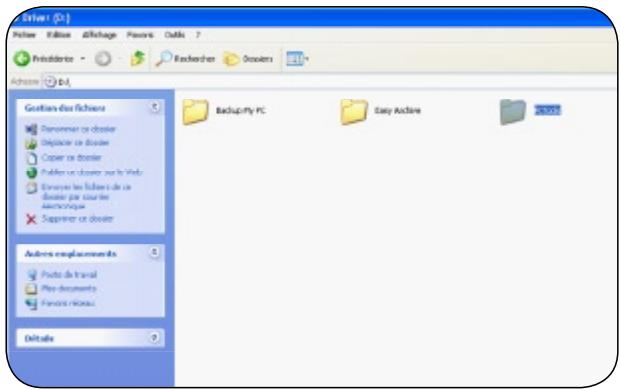
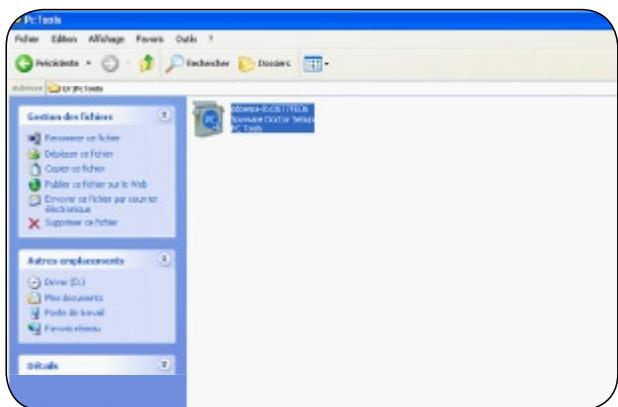
3) PC Tools Antivirus & Antispyware > PC Tools (2/2)
www.danedigital.com www.dane-elec.com
SMART PVR
Easy Archive: Choose the data that you want to save
Back Up My PC: Make an image of your hard drive
PC Tools Antivirus with free updates for 3 months
PC Tools Antispyware : Anti-spyware with free updates for 3 months

1) Backup My PC: > Configuration (2/2)
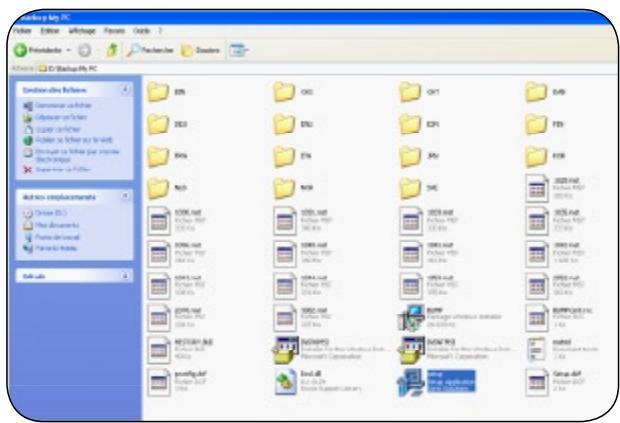
2) Easy Archive (1/2):
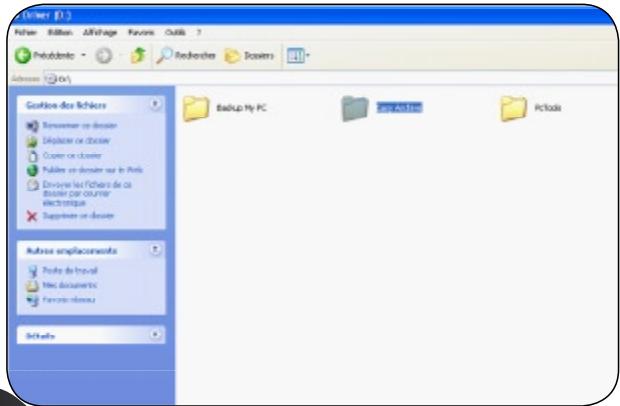
2) Easy Archive: > Configuration (2/2)
3) PC Tools Antivirus & Antispyware (1/2)
3) PC Tools Antivirus & Antispyware > PC Tools (2/2)
www.danedigital.com www.dane-elec.com
SMART PVR
Easy Archive: Choose the data that you want to save
Back Up My PC: Make an image of your hard drive
PC Tools Antivirus with free updates for 3 months
PC Tools Antispyware : Anti-spyware with free updates for 3 months

1) Backup My PC: > Configuration (2/2)
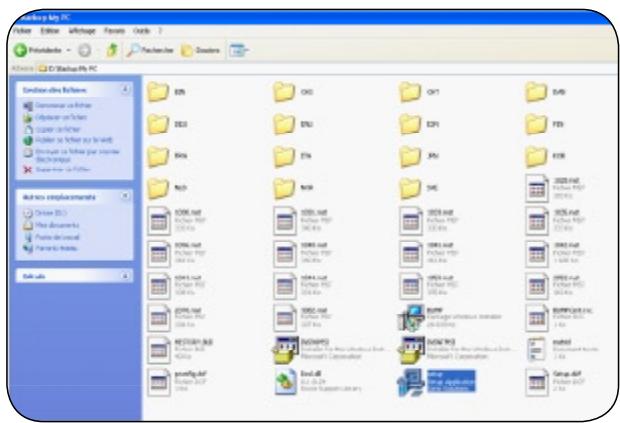
2) Easy Archive (1/2):
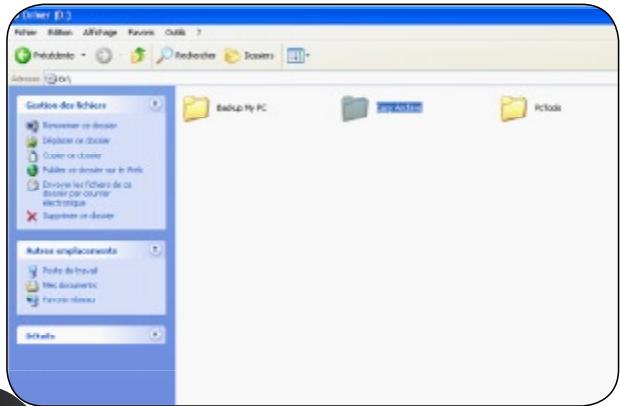
2) Easy Archive: > Configuration (2/2)
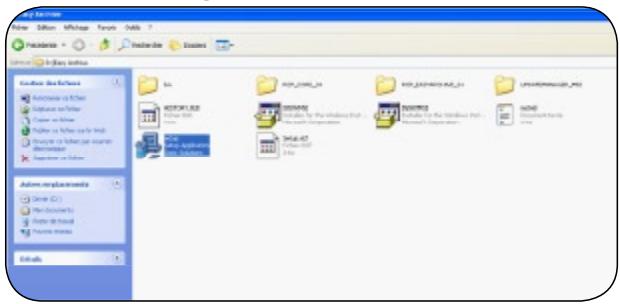
3) PC Tools Antivirus & Antispyware (1/2)
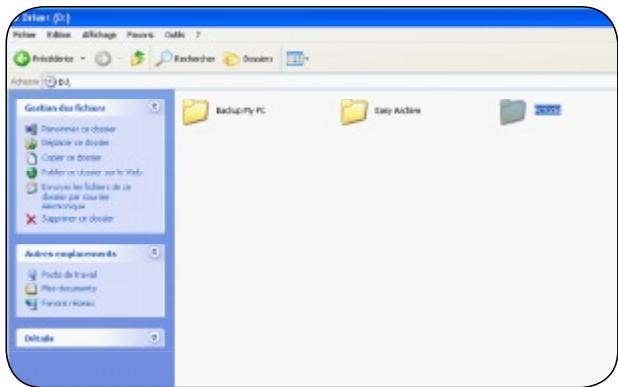
3) PC Tools Antivirus & Antispyware > PC Tools (2/2)
www.danedigital.com www.dane-elec.com
SMART PVR
1. MEDIA BIBLIOTHEEK
3. DIGITALE BIBLIOTHEEK
4. OPNAME BIBLIOTHEEK
Easy Archive: Choose the data that you want to save
Back Up My PC: Make an image of your hard drive
PC Tools Antivirus with free updates for 3 months
PC Tools Antispyware : Anti-spyware with free updates for 3 months

1) Backup My PC: > Setup (2/2)
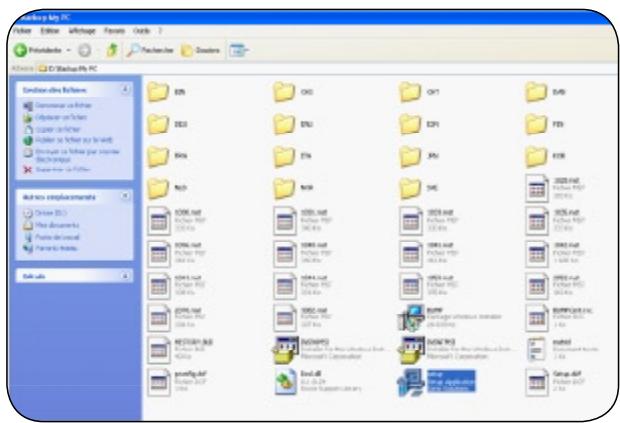
2) Easy Archive (1/2):
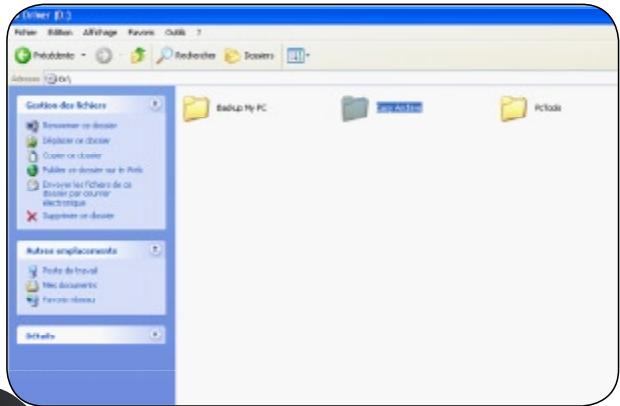
2) Easy Archive: > Setup (2/2)
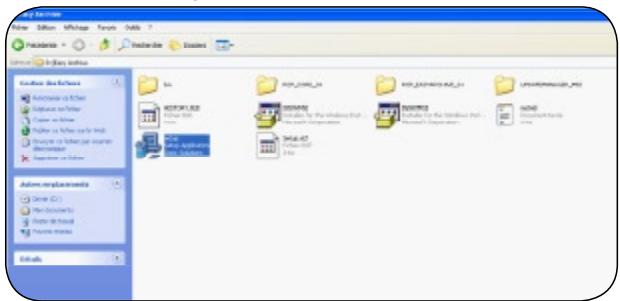
3) PC Tools Antivirus & Antispyware (1/2)
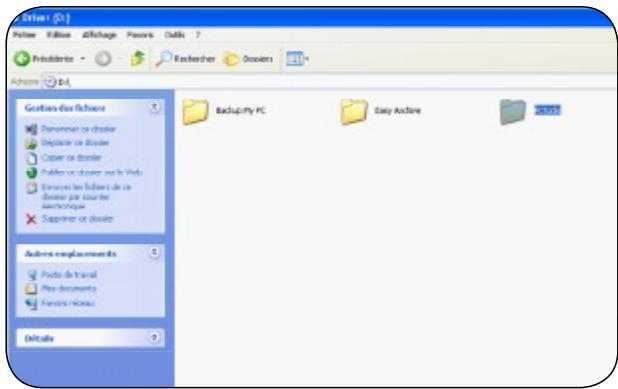
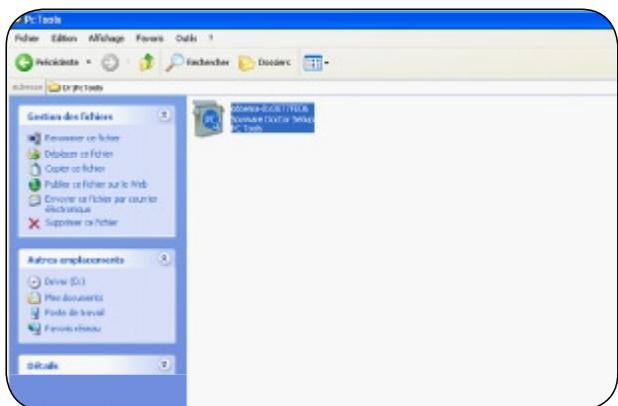
3) PC Tools Antivirus & Antispyware > PC Tools (2/2)

Activez votre garantie en ligne sur www.dane-elec.com Formulaire a replir si pas de connexion internet/Activate your guarantee on-line at www.dane-elec.com If you don't have a internet connexion, please fill this form

Activate your guarantee online at the "dane-elec.com" site in order to immediately benefit from your guarantee. These specifications and characteristics are supplied for your information; Dane-Elec reserves the right to modify this information without prior notice. The guarantee does not cover loss of data.
[]:1 one GB = approximately 1 billion bytes, which is the true capacity in terms of content; the formatted capacity is less.
So by DaneElec Warranty
159 Avenue de Gallieni - BP33
93171 Bagnolet Cedex
France
All rights reserved, Dane-Elec, So Smart PVR and logo Dane-Elec and So Smart PVR are either registered trademarks or trademarks of Dane-Elec Memory in Europe, USA or other countries.Roxio®, Easy Archive®, Back Up My PC® are registered trademark or trademarks of Sonic® and PC Tools® are registered trademarks of PC Tools®. Microsoft® and Windows® are either registered trademarks or trademarks of Microsoft® Corporation in the United States and/or other countries. Mac, Mac OS, Firewire, ipod, iphone are trademarks of Apple© Computer, Inc. registered in United States and countries.This product can contains GPL licenced source code (Licence list of such programs and way to get source code are printed in a separate form). Certain other product names, brand names and company names may be trademarks or designations of their respective owners.
R&TTE Certification
English : Hereby, Dane-Elec, declares that this So Smart PVR is in compliance with the essential requirements and other relevant provisions of Directive 1999/5/EC.
Part of this product software falls under open source licence (GPL).
For more information about GPL see : http://www.gnu.org/licenses/gpl.html
A copy of GPL license at the end of this document.
The GPL'ed source code used in this product falls into a number of categories:
1-The compiler toolchain used to build the software.
2-The linux kernel 2.6.12 used as the operating system
3-Other third parties software :
MTD
This program is used to erase flash memory, and is a utility from the Memory Technology Device (MTD) subsystem for Linux. The official MTD site is:
http://www.linux-mtd.infradead.org/
The version we used (unmodified) can be downloaded from:
http://www.linux-mtd.infradead.org/source.html
dosfstools
These tools are used to check and optionally repair FAT filesystems. The official site for dosfstools is:
ftp://ftp.uni-erlangen.de/pub/Linux/LOCAL/dosfstools/
The base version we used can be downloaded from:
ftp://ftp.uni-erlangen.de/pub/Linux/LOCAL/dosfstools/dosfstools-2.11/src.tar.gz
Source code is freely available (three years from date of purchase) upon written request to:
Dane Elec Memory
Legal Department
159 avenue Gallieni
93171 Bagnolet
France
A fee of 10€ will be requested for CDROM duplication and delivery fees only.
Each version is given a distinguishing version number. If the Program specifies a version number of this License which applies to it and «any later version», you have the option of following the terms and conditions either of that version or of any later version published by the Free Software Foundation. If the Program does not specify a version number of this License, you may choose any version ever published by the Free Software Foundation.
- If you wish to incorporate parts of the Program into other free programs whose distribution conditions are different, write to the author to ask for permission. For software which is copyrighted by the Free Software Foundation, write to the Free Software Foundation; we sometimes make exceptions for this. Our decision will be guided by the two goals of preserving the free status of all derivatives of our free software and of promoting the sharing and reuse of software generally.
NO WARRANTY
-
BECAUSE THE PROGRAM IS LICENSED FREE OF CHARGE, THERE IS NO WARRANTY FOR THE PROGRAM, TO THE EXTENT PERMITTED BY APPLICABLE LAW. EXCEPT WHEN OTHERWISE STATED IN WRITING THE COPYRIGHT HOLDERS AND/OR OTHER PARTIES PROVIDE THE PROGRAM «AS IS» WITHOUT WARRANTY OF ANY KIND, Either EXPRESSED OR IMPLIED, INCLUDING, BUT NOT LIMITED TO, THE IMPLIED WARRANTY OF MERCHANTABILITY AND FITNESS FOR A PARTICULAR PURPOSE. THE ENTIRE RISK AS TO THE QUALITY AND PERFORMANCE OF THE PROGRAM IS WITH YOU. SHOULD THE PROGRAM PROVE DEFECTIVE, YOU ASSUME THE COST OF ALL NECESSARYServICING, REPAIR OR CORRECTION.
-
IN NO EVENT UNLESS REQUIRED BY APPLICABLE LAW OR AGREED TO IN WRITING WILL ANY COPYRIGHT HOLDER, OR ANY OTHER PARTY WHO MAY MODIFY AND/OR REDISTRIBUTE THE PROGRAM AS PERMITTED ABOVE, BE LIABLE TO YOU FOR DAMAGES, INCLUDING ANY GENERAL, SPECIAL, INCIDENTAL OR CONSEQUENTIAL DAMAGES ASING OUT OF THE USE OR INABILITY TO USE THE PROGRAM (INCLUDING BUT NOT LIMITED TO LOSS OF DATA OR DATA BEING RENDERED INACCURATE OR LOSSES SUSTAINED BY YOU OR THIRD PARTIES OR A FAILURE OF THE PROGRAM TO OPERATE WITH ANY OTHER PROGRAMS), EVEN IF SUCH HOLDER OR OTHER PARTY HAS BEEN ADVISED OF THE POSSIBILITY OF SUCH DAMAGES.
END OF TERMS AND CONDITIONS
How to Apply These Terms to Your New Programs?
If you develop a new program, and you want it to be of the greatest possible use to the public, the best way to achieve this is to make it free software which everyone can redistribute and change under these terms.
To do so, attach the following notices to the program. It is safest to attach them to the start of each source file to most effectively convey the exclusion of warranty; and each file should have at least the «copyright» line and a pointer to where the full notice is found.
Copyright (C)
This program is free software; you can redistribute it and/or modify it under the terms of the GNU General Public License as published by the Free Software Foundation; either version 2 of the License, or (at your option) any later version.
This program is distributed in the hope that it will be useful, but WITHOUT ANY WARRANTY; without even the implied warranty of MERCHANTABILITY or FITNESS FOR A PARTICULAR PURPOSE. See the GNU General Public License for more details.
You should have received a copy of the GNU General Public License along with this program; if not, write to the Free Software Foundation, Inc., 59 Temple Place, Suite 330, Boston, MA 02111-1307 USA
Also add information on how to contact you by electronic and paper mail.
If the program is interactive, make it output a short notice like this when it starts in an interactive mode:
Gnomovision version 69, Copyright (C) year name of author Gnomovision comes with ABSOLUTELY NO WARRANTY; for details type 'show w'. This is free software, and you are welcome to redistribute it under certain conditions; type 'show c' for details.
The hypothetical commands show w' andshow c' should show the appropriate parts of the General Public License. Of course, the commands you use may be called something other than 'show w' and 'show c'; they could even be mouse-clicks or menu items--whatever suits your program. You should also get your employer (if you work as a programmer) or your school, if any, to sign a «copyright disclaimer» for the program, if necessary. Here is a sample; alter the names:
Yoyodyne, Inc., hereby disclaims all copyright interest in the program 'Gnomovision' (which makes passes at compilers) written by James Hacker.
Ty Coon, President of Vice
This General Public License does not permit incorporating your program into proprietary programs. If your program is a subroutine library, you may consider it more useful to permit linking proprietary applications with the library. If this is what you want to do, use the GNU Library General Public License instead of this License.
GNU GENERAL PUBLIC LICENSE
Version 2, June 1991
A French translation of the Licence is available on http://www.linux-france.org/article/thes/gpl.html
Copyright (C) 1989, 1991 Free Software Foundation, Inc.
59 Temple Place, Suite 330, Boston, MA 02111-1307 USA
Everyone is permitted to copy and distribute verbatim copies of this license document, but changing it is not allowed.
Preamble
The licenses for most software are designed to take away your freedom to share and change it. By contrast, the GNU General Public License is intended to guarantee your freedom to share and change free software--to make sure the software is free for all its users. This General Public License applies to most of the Free Software Foundation's software and to any other program whose authors commit to using it. (Some other Free Software Foundation software is covered by the GNU Library General Public License instead.) You can apply it to your programs, too.
When we speak of free software, we are referring to freedom, not price. Our General Public Licenses are designed to make sure that you have the freedom to distribute copies of free software (and charge for this service if you wish), that you receive source code or can get it if you want it, that you can change the software or use pieces of it in new free programs; and that you know you can do these things.
To protect your rights, we need to make restrictions that forbid anyone to deny you these rights or to ask you to surrender the rights. These restrictions translate to certain responsibilities for you if you distribute copies of the software, or if you modify it.
For example, if you distribute copies of such a program, whether gratis or for a fee, you must give the recipients all the rights that you have. You must make sure that they, too, receive or can get the source code. And you must show them these terms so they know their rights.
We protect your rights with two steps: (1) copyright the software, and (2) offer you this license which gives you legal permission to copy, distribute and/or modify the software.
Also, for each author's protection and ours, we want to make certain that everyone understands that there is no warranty for this free software. If the software is modified by someone else and passed on, we want its recipients to know that what they have is not the original, so that any problems introduced by others will not reflect on the original authors' reputations.
Finally, any free program is threatened constantly by software patents. We wish to avoid the danger that redistributors of a free program will individually obtain patent licenses, in effect making the program proprietary. To prevent this, we have made it clear that any patent must be licensed for everyone's free use or not licensed at all.
The precise terms and conditions for copying, distribution and modification follow.
GNU GENERAL PUBLIC LICENSE TERMS AND CONDITIONS FOR COPYING, DISTRIBUTION AND MODIFICATION
- This License applies to any program or other work which contains a notice placed by the copyright holder saying it may be distributed under the terms of this General Public License. The «Program», below, refers to any such program or work, and a «work based on the Program» means either the Program or any derivative work under copyright law: that is to say, a work containing the Program or a portion of it, either verbatim or with modifications and/or translated into another language. (Hereinafter, translation is included without limitation in the term «modification».) Each licensee is addressed as «you».
Activities other than copying, distribution and modification are not covered by this License; they are outside its scope. The act of running the Program is not restricted, and the output from the Program is covered only if its contents constitute a work based on the Program (independent of having been made by running the Program). Whether that is true depends on what the Program does.
- You may copy and distribute verbatim copies of the Program's source code as you receive it, in any medium, provided that you conspicuously and appropriately publish on each copy an appropriate copyright notice and disclaimer of warranty; keep intact all the notices that refer to this License and to the absence of any warranty; and give any other recipients of the Program a copy of this License along with the Program.
You may charge a fee for the physical act of transferring a copy, and you may at your option offer warranty protection in exchange for a fee.
- You may modify your copy or copies of the Program or any portion of it, thus forming a work based on the Program, and copy and distribute such modifications or work under the terms of Section 1 above, provided that you also meet all of these conditions:
a) You must cause the modified files to carry prominent notices stating that you changed the files and the date of any change. b) You must cause any work that you distribute or publish, that in whole or in part contains or is derived from the Program or any part thereof, to be licensed as a whole at no charge to all third parties under the terms of this License.
c) If the modified program normally reads commands interactively when run, you must cause it, when started running for such interactive use in the most ordinary way, to print or display an announcement including an appropriate copyright notice and a notice that there is no warranty (or else, saying that you provide a warranty) and that users may redistribute the program under these conditions, and telling the user how to view a copy of this License. (Exception: if the Program itself is interactive but does not normally print such an announcement, your work based on the Program is not required to print an announcement.)
These requirements apply to the modified work as a whole. If identifiable sections of that work are not derived from the Program, and can be reasonably considered independent and separate works in themselves, then this License, and its terms, do not apply to those sections when you distribute them as separate works. But when you distribute the same sections as part of a whole which is a work based on the Program, the distribution of the whole must be on the terms of this License, whose permissions for other licensees extend to the entire whole, and thus to each and every part regardless of who wrote it.
Thus, it is not the intent of this section to claim rights or contest your rights to work written entirely by you; rather, the intent is to exercise the right to control the distribution of derivative or collective works based on the Program.
In addition, mere aggregation of another work not based on the Program with the Program (or with a work based on the Program) on a volume of a storage or distribution medium does not bring the other work under the scope of this License.
- You may copy and distribute the Program (or a work based on it, under Section 2) in object code or executable form under the terms of Sections 1 and 2 above provided that you also do one of the following:
a) Accompany it with the complete corresponding machine-readable source code, which must be distributed under the terms of Sections 1 and 2 above on a medium customarily used for software interchange; or,
b) Accompany it with a written offer, valid for at least three years, to give any third party, for a charge no more than your cost of physically performing source distribution, a complete machine-readable copy of the corresponding source code, to be distributed under the terms of Sections 1 and 2 above on a medium customarily used for software interchange; or,
c) Accompany it with the information you received as to the offer to distribute corresponding source code. (This alternative is allowed only for noncommercial distribution and only if you received the program in object code or executable form with such an offer, in accord with Subsection b above.)
The source code for a work means the preferred form of the work for making modifications to it. For an executable work, complete source code means all the source code for all modules it contains, plus any associated interface definition files, plus the scripts used to control compilation and installation of the executable. However, as a special exception, the source code distributed need not include anything that is normally distributed (in either source or binary form) with the major components (compiler, kernel, and so on) of the operating system on which the executable runs, unless that component itself accompanies the executable. If distribution of executable or object code is made by offering access to copy from a designated place, then offering equivalent access to copy the source code from the same place counts as distribution of the source code, even though third parties are not compelled to copy the source along with the object code.
- You may not copy, modify, sublicense, or distribute the Program except as expressly provided under this License. Any attempt otherwise to copy, modify, sublicense or distribute the Program is void, and will automatically terminate your rights under this License. However, parties who have received copies, or rights, from you under this License will not have their licenses terminated so long as such parties remain in full compliance.
- You are not required to accept this License, since you have not signed it. However, nothing else grants you permission to modify or distribute the Program or its derivative works. These actions are prohibited by law if you do not accept this License. Therefore, by modifying or distributing the Program (or any work based on the Program), you indicate your acceptance of this License to do so, and all its terms and conditions for copying, distributing or modifying the Program or works based on it.
- Each time you redistribute the Program (or any work based on the Program), the recipient automatically receives a license from the original licensor to copy, distribute or modify the Program subject to these terms and conditions. You may not impose any further restrictions on the recipients' exercise of the rights granted herein.
You are not responsible for enforcing compliance by third parties to this License.
- If, as a consequence of a court judgment or allegation of patent infringement or for any other reason (not limited to patent issues), conditions are imposed on you (whether by court order, agreement or otherwise) that contradict the conditions of this License, they do not excuse you from the conditions of this License. If you cannot distribute so as to satisfy simultaneously your obligations under this License and any other pertinent obligations, then as a consequence you may not distribute the Program at all. For example, if a patent license would not permit royalty-free redistribution of the Program by all those who receive copies directly or indirectly through you, then the only way you could satisfy both it and this License would be to refrain entirely from distribution of the Program.
If any portion of this section is held invalid or unenforceable under any particular circumstance, the balance of the section is intended to apply and the section as a whole is intended to apply in other circumstances.
It is not the purpose of this section to induce you to infringe any patents or other property right claims or to contest validity of any such claims; this section has the sole purpose of protecting the integrity of the free software distribution system, which is implemented by public license practices. Many people have made generous contributions to the wide range of software distributed through that system in reliance on consistent application of that system; it is up to the author/donor to decide if he or she is willing to distribute software through any other system and a licensee cannot impose that choice.
This section is intended to make thoroughly clear what is believed to be a consequence of the rest of this License.
- If the distribution and/or use of the Program is restricted in certain countries either by patents or by copyrighted interfaces, the original copyright holder who places the Program under this License may add an explicit geographical distribution limitation excluding those countries, so that distribution is permitted only in or among countries not thus excluded. In such case, this License incorporates the limitation as if written in the body of this License.
- The Free Software Foundation may publish revised and/or new versions of the General Public License from time to time. Such new versions will be similar in spirit to the present version, but may differ in detail to address new problems or concerns.
www.danedigital.com www.dane-elec.com