DUSTY520WET - Robot vacuum Point - Free user manual and instructions
Find the device manual for free DUSTY520WET Point in PDF.
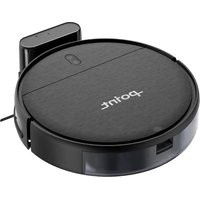


Pick your language and provide your email: we'll send you a specifically translated version.
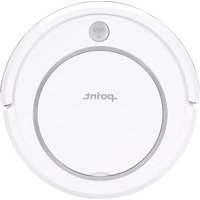
| Product Type | Robot vacuum with wet mopping |
| Brand | Point |
| Model | DUSTY520WET |
| Dimensions | Approx. 32 cm diameter, 7.6 cm height |
| Weight | 2.5 kg |
| Battery Type | Rechargeable lithium-ion battery |
| Battery Capacity | 2600 mAh |
| Charging Time | Approx. 4-5 hours |
| Runtime | Approx. 100 minutes on standard mode |
| Dust Bin Capacity | 300 ml |
| Water Tank Capacity | 200 ml |
| Suction Power | 1800 Pa |
| Navigation System | Gyro-sensor with anti-collision and anti-drop sensors |
| Cleaning Modes | Auto, spot, edge, and scheduled cleaning |
| Mopping Function | Yes, with water tank and microfiber pad |
| Remote Control | Included with battery (AAA) |
| Scheduling | Weekly programmable cleaning schedule |
| Filter Type | HEPA filter, washable |
| Accessories Included | Charging dock, adapter, remote, side brushes, mopping pad |
| Maintenance | Clean dust bin, filter, and brushes regularly |
| Spare Parts Available | Filter, side brushes, battery, mopping pad could be replaced |
| Safety Features | Anti-drop sensors, auto-return to dock when battery low |
| Noise Level | Approx. 60 dB |
Frequently Asked Questions - DUSTY520WET Point
How do I start a cleaning cycle on the DUSTY520WET?
Press the power button on the robot or use the remote control. The robot will automatically start cleaning in auto mode. To stop, press the power button again or send it back to the dock.
Can I use the mopping function on all floor types?
The mopping function is suitable for hard floors such as tile, laminate, and hardwood. Avoid using it on carpets or rugs, as the water tank can wet them.
How often should I clean the filter and brushes?
Clean the HEPA filter and side brushes after every few cleaning cycles to maintain performance. Replace them when visibly worn or damaged, typically every 3-6 months.
What should I do if the robot gets stuck?
Turn off the robot, carefully remove any obstructions from the wheels or brushes, and then restart. Ensure the area is free of tangled cables or small objects that could cause blockage.
How do I schedule cleaning sessions?
Use the remote control to set the current time and then program a weekly schedule. Refer to the manual for exact steps, but typically you press the timer button and select the days and times.
Why is the robot not returning to the charging dock?
Ensure the charging dock is placed against a wall with enough clearance on both sides. Also, verify the dock is not covered and the robot's sensors are clean. If the issue persists, manually press the home button on the robot.
Can I control the robot with a smartphone app?
The DUSTY520WET does not have Wi-Fi connectivity. It is controlled via the included remote control or the buttons on the unit.
How long does the battery last and how long to charge?
The 2600 mAh battery provides approximately 100 minutes of runtime on standard mode. A full charge takes about 4-5 hours.
Is the robot safe to use on stairs?
Yes, the robot is equipped with anti-drop sensors that prevent it from falling down stairs or ledges. Always test the sensors on a single step first to ensure they work correctly.
What maintenance does the robot require?
Regularly empty the dust bin, clean the filter, and remove hair or debris from the main brush and side brushes. Wipe the sensors and charging contacts with a dry cloth. Check the mopping pad for wear and wash it after each use.
User questions about DUSTY520WET Point
0 question about this device. Answer the ones you know or ask your own.
Ask a new question about this device
No questions yet. Be the first to ask one.
Download the instructions for your Robot vacuum in PDF format for free! Find your manual DUSTY520WET - Point and take your electronic device back in hand. On this page are published all the documents necessary for the use of your device. DUSTY520WET by Point.
USER MANUAL DUSTY520WET Point
Manual assistant
Powered by Anthropic
Waiting for your message
Product information
Brand : Point
Model : DUSTY520WET
Category : Robot vacuum