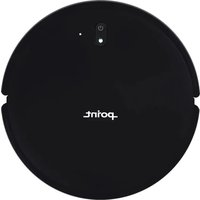
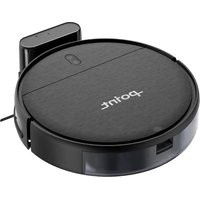
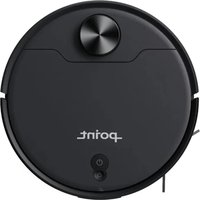
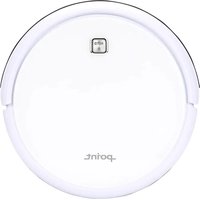
DUSTY510WETV2 - Robot vacuum Point - Free user manual and instructions
Find the device manual for free DUSTY510WETV2 Point in PDF.


Pick your language and provide your email: we'll send you a specifically translated version.
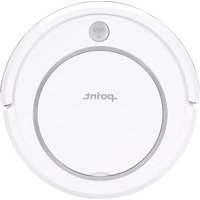
| Product Type | Robot vacuum cleaner with wet mopping |
| Brand | Point |
| Model | DUSTY510WETV2 |
| Dimensions | 34 cm × 34 cm × 9.5 cm |
| Weight | 3.6 kg |
| Power Supply | 100-240 V ~ 50/60 Hz input, 19 V output |
| Battery | 2600 mAh lithium-ion |
| Runtime | Up to 120 minutes |
| Charging Time | Approx. 4 hours |
| Dustbin Capacity | 0.4 L |
| Water Tank Capacity | 0.25 L |
| Suction Power | Adjustable (max 1800 Pa) |
| Mopping Function | Electronically controlled water pump |
| Navigation | Infrared sensors, anti-fall and anti-collision |
| Filter | HEPA filter |
| Side Brushes | 2 pieces |
| Mop Cloth | Reusable and washable |
| Scheduling | Daily schedule via buttons |
| Auto Return to Base | Yes |
| Noise Level | Approximately 55 dB |
| Maintenance | Empty dustbin after each use; clean filter weekly |
| Spare Parts | Replacement filter, mop cloth, side brushes, battery |
| Security | Anti-fall sensors, obstacle detection |
| General Information | Manual available for free from Point |
Frequently Asked Questions - DUSTY510WETV2 Point
How to start cleaning?
Press the Power button on the top of the robot or on the remote control. The robot will automatically exit the charging dock and begin cleaning.
How to set a schedule?
Use the Schedule button on the robot or remote. Press and hold it until the clock icon flashes, then set the hour and minute using the direction buttons. Confirm to save.
How to use the mopping function?
Attach the water tank with a mop cloth, fill with water, and switch to Mopping mode on the remote or robot. The robot will vacuum and mop simultaneously.
Why does the robot stop and return to the base?
This could be due to a low battery or the completion of a cleaning cycle. The robot automatically returns to the dock to recharge. Check that the dock is placed on a level surface and not blocked.
How to clean the filter?
Remove the dustbin, take out the HEPA filter, and gently tap off dust. Rinse with water, let it dry completely before reinserting.
What to do if the robot gets stuck?
Turn off the robot, carefully untangle the side brushes or wheels from obstacles like cables or carpet fringes, and restart.
How often to replace side brushes?
Inspect the side brushes monthly. Replace them every 3–6 months or when worn. Genuine replacements are available.
Can it work on carpets?
It works well on low-pile and medium-pile carpets. On high-pile carpets, the suction may reduce, and mopping is not recommended.
Is it safe for pets?
Yes, the robot has anti-collision and anti-fall sensors to prevent harm. However, small items like pet toys may be picked up.
How to reset the robot?
Press and hold the Power button for 10 seconds to reset. If not responsive, place the robot on the charging dock and restart.
User questions about DUSTY510WETV2 Point
0 question about this device. Answer the ones you know or ask your own.
Ask a new question about this device
No questions yet. Be the first to ask one.
Download the instructions for your Robot vacuum in PDF format for free! Find your manual DUSTY510WETV2 - Point and take your electronic device back in hand. On this page are published all the documents necessary for the use of your device. DUSTY510WETV2 by Point.
USER MANUAL DUSTY510WETV2 Point
Manual assistant
Powered by Anthropic
Waiting for your message
Product information
Brand : Point
Model : DUSTY510WETV2
Category : Robot vacuum