DUSTY410 - Robot vacuum Point - Free user manual and instructions
Find the device manual for free DUSTY410 Point in PDF.


Pick your language and provide your email: we'll send you a specifically translated version.
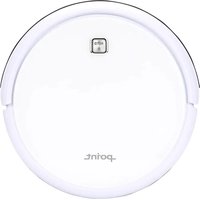
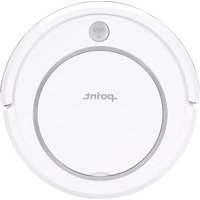
| Product type | Robotic vacuum cleaner |
| Brand | Point |
| Model | DUSTY410 |
| Dimensions (L × W × H) | 340 × 340 × 82 mm |
| Net weight | 2.6 kg |
| Battery type | 14.8 V lithium-ion, 2600 mAh |
| Charging time | Approximately 4 hours |
| Runtime | Up to 90 minutes |
| Dustbin capacity | 600 ml |
| Cleaning modes | Auto, Edge, Spot, Scheduled |
| Navigation system | Gyroscopic path planning |
| Suction power | 2000 Pa |
| Safety sensors | Anti-drop, anti-collision, cliff detection |
| Floor compatibility | Hard floors, tiles, low-pile carpets |
| Control method | Remote control and manual buttons |
| Auto charging | Returns to the dock when battery is low |
| Dustbin maintenance | Empty after every large cleaning cycle |
| Filter maintenance | Clean high-efficiency filter weekly |
| Side brush replacement | Replace every 3–6 months |
| Spare parts availability | Replacement side brushes, filters, batteries, dustbin and charger |
| Repair service | Authorized Point service centers |
Frequently Asked Questions - DUSTY410 Point
How do I clean the dustbin of my Point DUSTY410?
Switch off the robot, open the dustbin cover, remove the filter, empty the bin and rinse the dustbin if necessary. Let it dry completely before reinstalling.
How often should I clean the filters?
Clean the HEPA filter once a week with a soft brush or by tapping. Replace it every 3 to 6 months to keep suction efficient.
What should I do if the robot vacuum gets stuck?
Remove obstacles, untangle the side brush and wheels, and relocate the charging dock on a flat surface with no steps. Press the power button to restart.
Can I schedule the DUSTY410 to clean automatically?
Yes. Use the remote control to set a scheduled cleaning time; the robot will start automatically and return to the dock when done.
Why isn't my robot returning to its charging dock?
Make sure the dock is powered and the charging contacts are clean. Do not move the dock during cleaning; the robot can lose its home reference.
What floors can the robot vacuum handle?
It is designed for hardwood, tile and low-pile carpets. Avoid thick rugs with long fringes that could get tangled.
How do I replace the side brush?
Using a screwdriver, remove the screw from the old side brush, pull it off and click the new one into place. Ensure the brush direction matches the labels.
How long does the battery last and how do I maintain it?
The lithium battery provides up to 90 minutes of cleaning. Charge fully for about 4 hours before the first use, and do not leave it empty for long periods.
The robot beeps and shows a red light. What does it mean?
Normal error beeps can indicate a blocked brush, full dustbin or an obstacle sensor issue. Clean the sensors and remove all blockages, then restart the robot.
Can I repair the Point DUSTY410 myself?
Basic part replacements such as the battery, side brush and filter are described in the manual. For motor or circuit board faults, contact an authorized Point service center.
User questions about DUSTY410 Point
0 question about this device. Answer the ones you know or ask your own.
Ask a new question about this device
No questions yet. Be the first to ask one.
Download the instructions for your Robot vacuum in PDF format for free! Find your manual DUSTY410 - Point and take your electronic device back in hand. On this page are published all the documents necessary for the use of your device. DUSTY410 by Point.
USER MANUAL DUSTY410 Point
Manual assistant
Powered by Anthropic
Waiting for your message
Product information
Brand : Point
Model : DUSTY410
Category : Robot vacuum