DUSTY300 - Robot vacuum Point - Free user manual and instructions
Find the device manual for free DUSTY300 Point in PDF.


Pick your language and provide your email: we'll send you a specifically translated version.
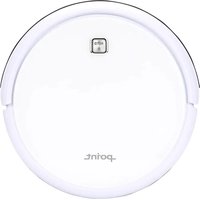
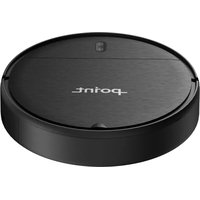
| Product Type | Robot Vacuum |
| Brand | Point |
| Model | DUSTY300 |
| Dimensions | 34 cm diameter x 8.5 cm height |
| Weight | 2.8 kg |
| Power Supply | 100-240V ~ 50/60Hz adapter |
| Battery Type | Rechargeable lithium-ion battery |
| Battery Capacity | 2500 mAh |
| Runtime | Up to 90 minutes |
| Charging Time | 3-4 hours |
| Navigation System | Gyroscope and optical sensor mapping |
| Cleaning Modes | Auto, Edge, Spot, Random |
| Dustbin Capacity | 0.6 L |
| Filtration | High-efficiency HEPA filter |
| Brushes | Main roller brush + 2 side brushes |
| Sensor System | Anti-drop, anti-collision, obstacle sensors |
| Remote Control | IR remote control included |
| App Control | Wi-Fi enabled companion app |
| Scheduling | Weekly schedule via app or remote |
| Maintenance | Clean filter, empty dustbin, wipe sensors |
| Safety Features | Anti-collision, anti-drop, overheat protection |
| Spare Parts | Replacement filters, side brushes, main brush, battery |
| General Information | Free PDF manual download (72 pages) |
Frequently Asked Questions - DUSTY300 Point
How do I start my DUSTY300 robot vacuum?
Press the power button on the top of the robot, then press the Clean button. Alternatively, use the remote control to initiate cleaning.
Why is my robot vacuum not charging?
Check that the charging dock is connected to a stable power source and the metal contacts on both the dock and robot are clean. Align the robot properly on the dock and ensure the charging pins make contact.
How often should I clean the filter?
For optimal performance, clean the HEPA filter every two weeks with a soft brush or by tapping it gently. Replace the filter every 2-3 months for best filtration.
What should I do if the robot gets stuck under furniture?
The robot uses anti-drop and obstacle sensors to avoid low-shape objects. If it becomes stuck, carefully remove it and clear the area. You can also set virtual boundaries using the app.
Can I schedule cleaning sessions?
Yes, the DUSTY300 supports scheduling. Use the remote control or the companion app to set weekly cleaning times. The robot will automatically start at the scheduled time.
How do I connect the robot vacuum to my Wi-Fi?
Download the manufacturer's app, turn on the robot, press the Wi-Fi button until the indicator blinks, then follow the app instructions to enter your router password. Ensure your router uses 2.4 GHz frequency.
What does the dustbin full indicator mean?
The orange indicator near the dustbin illuminates when the dustbin is full or airflow is blocked. Empty the dustbin and clean the filter to clear the indicator.
How do I replace the side brushes?
Use a screwdriver to remove the screw on each side brush, pull the old brush off, and attach the new one. Ensure the left and right brushes are correctly installed according to the color code.
How do I prevent the robot from falling down stairs?
The robot is equipped with anti-drop infrared sensors at the bottom. Keep these sensors clean. Do not use the robot on a floor without proper boundaries if you are concerned.
Is the battery replaceable?
Yes, the lithium-ion battery can be replaced by opening the battery compartment on the bottom of the robot. Use only genuine Point replacement batteries to ensure safety and performance.
User questions about DUSTY300 Point
0 question about this device. Answer the ones you know or ask your own.
Ask a new question about this device
No questions yet. Be the first to ask one.
Download the instructions for your Robot vacuum in PDF format for free! Find your manual DUSTY300 - Point and take your electronic device back in hand. On this page are published all the documents necessary for the use of your device. DUSTY300 by Point.
USER MANUAL DUSTY300 Point
Manual assistant
Powered by Anthropic
Waiting for your message
Product information
Brand : Point
Model : DUSTY300
Category : Robot vacuum