DUSTY810 - Robot vacuum Point - Free user manual and instructions
Find the device manual for free DUSTY810 Point in PDF.
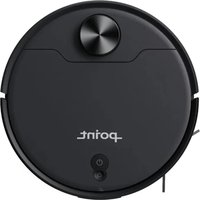


Pick your language and provide your email: we'll send you a specifically translated version.
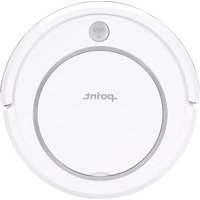
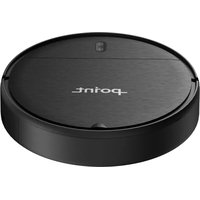
| Product Type | Robot vacuum cleaner |
| Brand | Point |
| Model | DUSTY810 |
| Dimensions (W x D x H) | 340 x 340 x 80 mm |
| Weight | 2.5 kg |
| Power Supply | Rechargeable lithium-ion battery |
| Battery Capacity | 2600 mAh |
| Runtime | 90 minutes |
| Charging Time | 4 hours |
| Navigation | Intelligent sensor navigation |
| Cleaning Modes | Auto, edge, spot, manual |
| Filtration System | High-efficiency filter |
| Dustbin Capacity | 300 ml |
| Brushes | Side brushes + roller brush |
| Connectivity | Infrared remote control |
| Noise Level | Less than 55 dB |
| Sensors | Drop sensors, obstacle sensors |
| Maintenance | Empty dustbin and clean filter regularly |
| Spare Parts | Filter, side brushes available |
| Package Includes | Robot, charging dock, remote control, user manual |
Frequently Asked Questions - DUSTY810 Point
How does the robot avoid obstacles?
The robot uses obstacle sensors located on its front and bumpers to detect objects and change direction smoothly.
How do I start a cleaning cycle?
Press the start button on the robot or use the remote control to begin an automatic cleaning session.
How often should I clean the filters?
It is recommended to clean the high-efficiency filter after every 3-5 cleaning cycles to maintain strong suction power.
What should I do if the robot gets stuck?
First, turn off the robot and remove any tangled wires or obstructions from its brushes. Then restart it to resume cleaning.
Can I schedule cleaning sessions?
Yes, you can program a weekly schedule using the remote control or the included user manual to set specific cleaning times.
How should I store the robot vacuum?
Keep the robot in a dry and cool place, preferably on the charging dock so it stays fully charged and ready for the next use.
What is the battery runtime?
The lithium-ion battery provides approximately 90 minutes of continuous cleaning on a full charge.
How do I replace the side brushes?
Use a screwdriver to remove the screws holding the side brushes, then replace them with new ones and tighten the screws securely.
My robot is not charging, what can I do?
Check the charging contacts on both the robot and the dock, and make sure the adapter is properly connected. Clean the contacts if necessary.
Is the robot suitable for carpets?
Yes, the DUSTY810 is designed to handle low-to-medium pile carpets with its powerful roller brush and adjustable suction.
User questions about DUSTY810 Point
0 question about this device. Answer the ones you know or ask your own.
Ask a new question about this device
No questions yet. Be the first to ask one.
Download the instructions for your Robot vacuum in PDF format for free! Find your manual DUSTY810 - Point and take your electronic device back in hand. On this page are published all the documents necessary for the use of your device. DUSTY810 by Point.
USER MANUAL DUSTY810 Point
Manual assistant
Powered by Anthropic
Waiting for your message
Product information
Brand : Point
Model : DUSTY810
Category : Robot vacuum