DUSTY500 - Robot vacuum Point - Free user manual and instructions
Find the device manual for free DUSTY500 Point in PDF.


Pick your language and provide your email: we'll send you a specifically translated version.
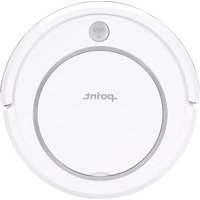
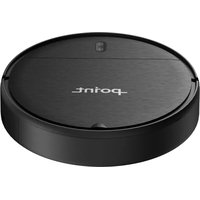
| Product Type | Robot vacuum |
| Brand | Point |
| Model | DUSTY500 |
| Dimensions (W x D x H) | 340 mm x 340 mm x 80 mm |
| Weight | 2.5 kg |
| Battery Type | Lithium-ion 14.4V |
| Battery Capacity | 2600 mAh |
| Runtime | Up to 90 minutes |
| Charging Time | About 3 hours |
| Dustbin Capacity | 0.4 L |
| Filtration System | HEPA filter |
| Cleaning Modes | Auto, Spot, Edge, Turbo |
| Navigation | Gyroscope sensor navigation |
| Sensors | Anti-drop, anti-collision, cliff detectors |
| Power Consumption | 30 W |
| Charging Dock | Included with auto-return |
| Remote Control | Yes, with LCD display |
| Scheduling | 7-day programmable schedule |
| Maintenance | Washable dustbin, replaceable filters and brushes |
| Safety Features | Auto-dock, anti-fall protection, IR remote |
| Spare Parts Available | Filters, side brushes, batteries, charging base |
| Warranty | 1 year |
Frequently Asked Questions - DUSTY500 Point
How do I start the Point DUSTY500?
Press the power button on the robot or the remote control, then choose a cleaning mode. The robot will begin cleaning automatically and return to the charging base when finished or when battery is low.
How often should I empty the dustbin?
Empty the dustbin after every cleaning session or when the indicator shows it is full. This prevents clogs and maintains suction power.
Can I wash the HEPA filter?
Yes, the HEPA filter is washable. Gently rinse it with water and let it dry completely for at least 24 hours before putting it back. Do not use a hair dryer or expose it to direct sunlight.
Why is the robot not returning to the charging dock?
Check that the charging dock is plugged in and placed on a flat surface against a wall, with at least 1 meter of free space on each side. Also clean the sensors on the robot and dock with a dry cloth.
How do I set a cleaning schedule?
Use the remote control to access the scheduling function. Select the day of the week and set the desired time. The robot will start automatically at those times.
What is the battery life on a full charge?
The lithium-ion battery provides up to 90 minutes of continuous cleaning. Actual runtime may vary depending on floor type and selected mode.
How do I maintain the side brushes?
Regularly remove tangled hair and debris from the side brushes. When they are bent or worn out, replace them with new ones to ensure effective edge cleaning.
Is the DUSTY500 safe on thick carpets?
The robot is designed for low-pile carpets. On high-pile or fringed carpets, it may get stuck. We recommend using it on hard floors or thin rugs.
What should I do if the robot gets stuck?
Turn off the robot, carefully free it from obstacles such as cables, tassels, or narrow spaces. Before restarting, clear the area and restore the virtual wall if needed.
How do I reset the robot to factory settings?
Press and hold the power button for 10 seconds until the indicator light flashes. The robot will reboot and all settings will be restored to default.
User questions about DUSTY500 Point
0 question about this device. Answer the ones you know or ask your own.
Ask a new question about this device
No questions yet. Be the first to ask one.
Download the instructions for your Robot vacuum in PDF format for free! Find your manual DUSTY500 - Point and take your electronic device back in hand. On this page are published all the documents necessary for the use of your device. DUSTY500 by Point.
USER MANUAL DUSTY500 Point
Manual assistant
Powered by Anthropic
Waiting for your message
Product information
Brand : Point
Model : DUSTY500
Category : Robot vacuum