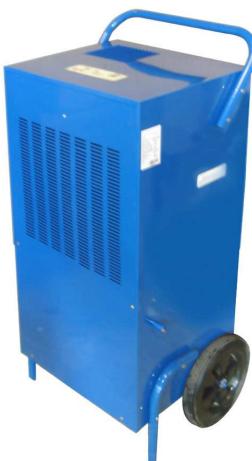
PLC 2000 - Dehumidifier PUR LINE - Free user manual and instructions
Find the device manual for free PLC 2000 PUR LINE in PDF.

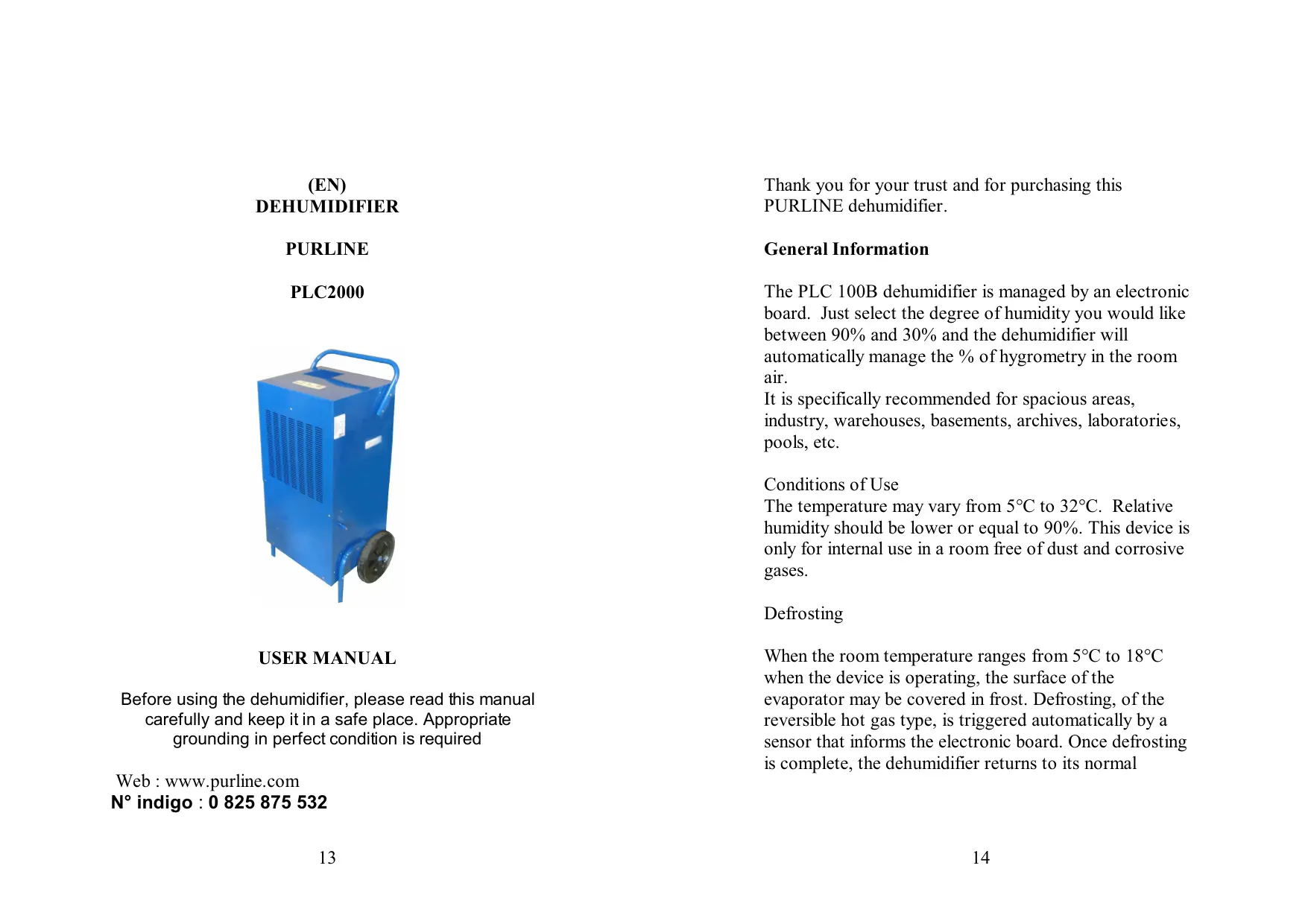


| Product type | Dehumidifier |
| Brand | PUR LINE |
| Model | PLC 2000 |
| Dehumidification capacity | 120 L/day |
| Power supply | 220-240 V / 50 Hz |
| Rated power | 1790 W |
| Noise level | 52 dB(A) at 1 m |
| Refrigerant | R407C / 1.26 kg |
| Dimensions (L x P x H) | 590 x 440 x 1115 mm |
| Net weight | 57 kg |
| Operating temperature range | 5 °C to 32 °C |
| Adjustable humidity range | 30 % to 90 % |
| Display | Ambient humidity and set point |
| Automatic defrost | Yes, hot gas |
| Memory function | Yes, remembers last setting |
| Control type | Electronic with buttons |
| Air filter | Washable, monthly cleaning recommended |
| Water drainage | Continuous drainage possible (hose) |
| Casters | Yes, for easy movement |
| Warranty | 2 years |
| Use | Indoor only |
| Standards | Grounding required, do not use extension cord |
Frequently Asked Questions - PLC 2000 PUR LINE
User questions about PLC 2000 PUR LINE
0 question about this device. Answer the ones you know or ask your own.
Ask a new question about this device
Download the instructions for your Dehumidifier in PDF format for free! Find your manual PLC 2000 - PUR LINE and take your electronic device back in hand. On this page are published all the documents necessary for the use of your device. PLC 2000 by PUR LINE.
USER MANUAL PLC 2000 PUR LINE
Site web: www.purline.com
Before using the dehumidifier, please read this manual carefully and keep it in a safe place. Appropriate grounding in perfect condition is required
Web: www.purline.com
N^ indigo: 0 825 875 532
Thank you for your trust and for purchasing this PURLINE dehumidifier.
General Information
The PLC 100B dehumidifier is managed by an electronic board. Just select the degree of humidity you would like between 90% and 30% and the dehumidifier will automatically manage the % of hygrometry in the room air.
It is specifically recommended for spacious areas, industry, warehouses, basements, archives, laboratories, pools, etc.
Conditions of Use
The temperature may vary from 5^ to 32^ . Relative humidity should be lower or equal to 90% . This device is only for internal use in a room free of dust and corrosive gases.
Defrosting
When the room temperature ranges from 5^ to 18^ when the device is operating, the surface of the evaporator may be covered in frost. Defrosting, of the reversible hot gas type, is triggered automatically by a sensor that informs the electronic board. Once defrosting is complete, the dehumidifier returns to its normal
operations. The device can therefore operate in relatively low room temperatures.
Safety instructions :
Please read the instruction carefully before operation.
- Please make sure the power supply is 220-240V/50Hz before operation. Please make sure the unit is grounded.
- Please do not cut off the power by pulling the wire.
- Please do not plug or unplug to startup or shut off the unit.
- Please be careful when moving the unit.
- Do not mangle the wire.
- Please do not put finger or stick into the grid.
- Please prohibit child to climb, stand or sit on the unit.
- Please unplug the unit before cleaning or maintenance.
Notice : we suggest that any reparation should be executed under professional members.
- Please do not use unit in strait airproof space.
- Please keep the instructions carefully.
- Do not use any relay, prolonged wire or adapter. It might result in fire radiation, or get an electric shock.
- Do not use the unit in sunshine, wind or rain. It is only for indoor use.
-
Do not use the unit in the place easily affected by dust or chemicals.
-
Do not use the unit near water. Risk of electric shock.
Location:
- The device must be installed on a flat surface. There should be at least one meter of empty space, free of large objects, around the dehumidifier.
- The device must be placed far away from any source of heat or inflammable gas.
- The drained water may be discharged directly into a container or outside of the room using a pipe of drainage.
- It is preferable not to install the dehumidifier in a very polluted or dusty location.
Electrical source:
Carefully follow the manual's indications.
Use electrical power with proper grounding in good condition.
Place the device close to an electrical outlet.
The device must be installed in accordance with local electrical standards.
The electrical plug must be connected to a circuit equipped with a 15 A fuse.
NOTE
If the electrical cord is damaged, it must be replaced by an electrician or qualified person to avoid damages.
Installation:
- Refer to qualified professionals to install the dehumidifier.
- The slant of the floor bearing the device must not exceed 10^ .
Note:
This device is not to be used for marine purposes. The device's environment must not be polluted by corrosive gases.
Note :
- When displace the unit, do not slope over 45^ to avoid any damaging of the compressor.
- The unit should be operated between 5^ to 32^
- When dehumidifying, because of the heat resulted from the running compressor, the indoor temperature will rise 1^ to 3^ . It is normal.
- When indoor temperature is below 10^ , and the ambient absolute humidity is quite low, it is unnecessary using the machine.
- Air inlet and air outlet should be at least 10cm away from the wall.
- Try to seal the room to enhance the dehumidification effect.
- You should be helped by qualified technician to install the unit.
Introduction :
| MODELE | PLC2000 |
| Dehumidification capacity | 120 L/DAY |
| Voltage/Frequency | 220-240V/50Hz |
| Required power | 1790 Watts |
| Noise level | 52 Dba/1m |
| Cooling load | R407C/1.26 Kg |
| Dimensions | 590x440x1115 mm |
| Net weight | 57 Kg |
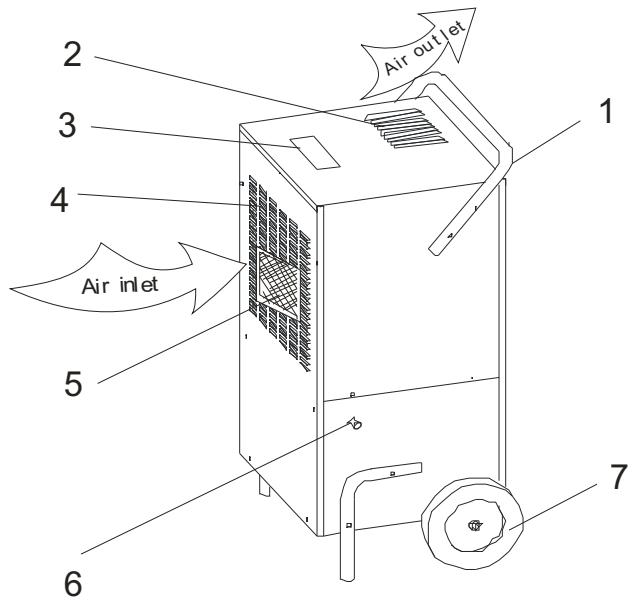
1- Handle
2-Air outlet
3- Control panel
4-Air inlet
5-Filter net
6- Water outlet
7-Wheel
PLC2000 CONTROL PANEL
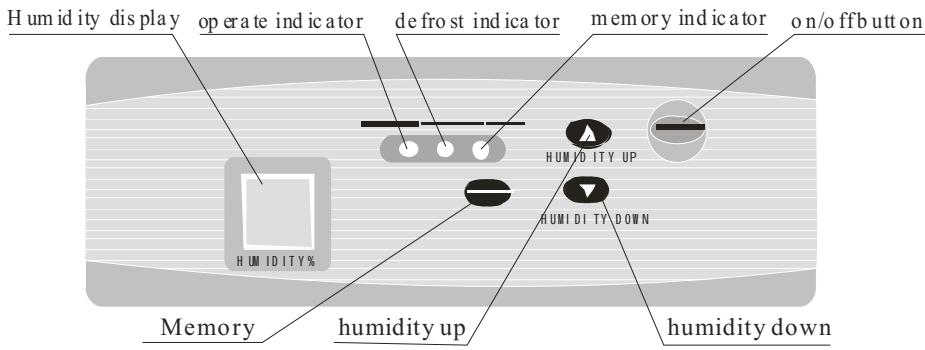
- “ON/OFF” button. This button indicates either the “Off” or “On” mode.
- "Up Humidity" and "Down Humidity" buttons. By (rapidly) pressing once on one of these buttons, the control point rises or lowers by 1% . If you press for a second and a half, the control points are displayed at the speed of 5 points per second.
- "Memory" button. When you press on this button, the "Memory" indicator lights up to indicate that the memory function is active when the device is turned off. Press on this button again and the light indicator will turn off, thereby deactivating the memory function when the device is off.
Start-up Operations
- Plug the device in. You will hear a sound.
- Press on the "ON/OFF" button. The light indicator will light up and the relative humidity display will indicate the humidity control point that was originally
entered. The degree of humidity initially displayed is 60% . Three seconds later, the display will indicate the ambient humidity.
-
Press on the "UP" or "DOWN" button to enter the desired control point. If the ambient relative humidity is lower than 3% of the ambient degree, the device will turn on. If the ambient relative humidity is higher than 3% of the ambient degree, the device will turn off.
-
If the control point is lower than 30% , the device will continue to dehumidify and the display will show "CO".
On/Off
When the device is on, press on "ON/OFF" to turn the device off. The light indicators will turn off.
Note
1) When the control point is higher than the ambient humidity, the device will not operate.
2) In the dehumidification mode, when the compressor is active and the fan turns, they must operate for at least 3 minutes. Do not try to restart the compressor again for 3 minutes after the device has been turned off.
3) When used in a room with a lower temperature, the device automatically detects the defrosting operations. In the defrosting mode, the light indicator turns on, the fan continues to work, but the compressor automatically stops.
4) If you press on the "Memory" button, the internal recorder will detect the ambient humidity, even when the device is turned off.
5) The display indicates humidity from 30% to 90% .
6) Carefully press on the various buttons so as not to damage them.
7) Clean the dehumidifier with caution, as the humidity sensor is very fragile. Have the device repaired or replaced if it no longer works.
8) When the dehumidifier is not in use, turn it off and unplug it.
Turn the device off, then unplug it before cleaning.
Because of the accumulation of dust, the air "grill" must be cleaned regularly, at least once per month. If necessary, clean it once per week or more often if required. This is essential for the dehumidifier to operate properly.
Cleaning the Air Filter
Use either a vacuum cleaner (cautiously) or soak the air filter in warm water at approximately 40^ with a non-abrasive detergent, and clean it with a sponge, then rinse it.
Note:
To avoid any deformation, the air filter must not be exposed to any source of heat.
- Before plugging the device in again, properly return the air filter to its place and re-screw the front grill..
Note : To make the filter more endurable, seal it in a plastic bag when the unit keeps power off for a long time.
To keep your dehumidifier for many years, have it cleaned and its proper operations checked regularly by a professional.
- If the electrical cord is damaged, it must be replaced by the installer or another qualified person.
Troubleshooting:
| Malfunction | Analysis | Solution |
| The device does not want to turn on. | Power failure The fuse has blown The device is not | Replace the fuse Plug the device in |
| plugged in properly | carefully | |
| The device does not dehumidify | The grill is dirty The air entries and outlets are obstructed | Clean the grill |
| Water leakage | The device is placed on a slope The drain is obstructed | Stand the device up Clean the drain |
| The light indicator is flashing | The temperature sensor is not working | Replace it |
| The defrosting does not work | The temperature sensor is loose | Replace the temperature sensor |
| E1 is displayed | The hygrometry sensor is not positioned properly or is defective | Check the component or positioning |
| E2 is displayed | The defrosting sensor is not positioned properly or is defective | Check the component or positioning |
| The device does not want to turn on. | Power failure The fuse has blown The device is not plugged in properly | Replace the fuse Plug the device in carefully |
If the breakdown continues, please contact your reseller or technical department. When the dehumidifier starts or stops, the refrigeration cycle produces a specific sound. This sound is normal. It is also normal for the air flowing from the air outlet to be hot.
WARRANTY:
Two years from the date of purchase.
To use the warranty, please bring or send (PREPAID) the device to your reseller along with the proof of sale indicating the purchase date.
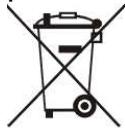
Removal of used domestic appliances
European Directive 2002/96/EC on Electric and Electronic Equipment Waste requires that domestic appliances not be thrown out with the rest of municipal waste. Used devices must be collected separately in order to optimize the recuperation and recycling rates of their materials and so as to reduce the impact on human health and the environment. The symbol of the crossed out garbage can appears on all the products as a reminder of the obligations regarding separated collection.
Consumers must contact local authorities or resellers regarding the procedure to follow for the removal of the device.
(ES) DESHUMIDIFICADOR
PURLINE
PLC2000