GPS GS160 - Gps DANEW - Free user manual and instructions
Find the device manual for free GPS GS160 DANEW in PDF.


| Product type | Car navigation GPS |
| Brand | DANEW |
| Model | GPS GS160 |
| Screen | Color touch screen |
| Dimensions (L x W x H) | Approximately 12.5 x 8.5 x 2 cm |
| Weight | Approximately 200 g |
| Power supply | Internal rechargeable battery via cigarette lighter (charger included) or mini-USB port |
| Charge indicator | Orange LED (charging), green (charged) |
| Speaker | Built-in |
| Ports | 1 x mini-USB, 1 x 2.5 mm headphone jack, 1 x micro-SD slot |
| Buttons | Power/On-Off, Reset |
| Main functions | GPS navigation, speed camera alert (option), TMC real-time traffic (option) |
| Car mount | Included: arm with suction cup and GPS mount |
| Supplied accessories | Cigarette lighter charger, car mount |
| Options | Speed camera update (coupon on danew.com), TMC support (sold separately) |
| First use | Fully charge the battery before first use |
| Satellite acquisition | A few minutes during first use |
| Safety | Do not place the mount in front of an airbag or obstruct the driver's view |
| Maintenance | Clean with a soft, dry cloth. Avoid moisture. |
| Technical support | France hotline: 0899 782 728 |
| Full manual | Available at www.danew.com |
Frequently Asked Questions - GPS GS160 DANEW
User questions about GPS GS160 DANEW
0 question about this device. Answer the ones you know or ask your own.
Ask a new question about this device
Download the instructions for your Gps in PDF format for free! Find your manual GPS GS160 - DANEW and take your electronic device back in hand. On this page are published all the documents necessary for the use of your device. GPS GS160 by DANEW.
USER MANUAL GPS GS160 DANEW
(Accessory in option)
Quick start
1.2 Device features
Front components
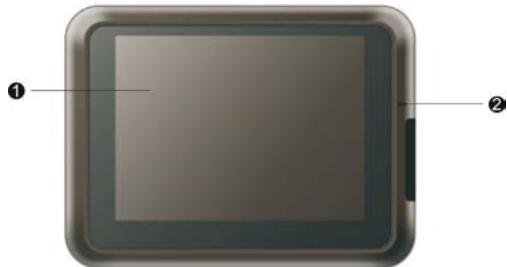
Touch screen
Displays the output of your device.
Tap the screen with your fingertip to select menu commands or enter information.
Charge indicator
Glows bright amber to indicate that the battery is charging and turns green when the battery is fully charged.
Back components
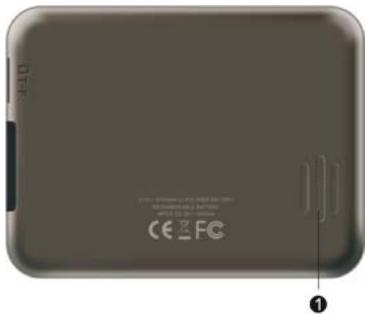
Speaker
Sends out music, sound and voices
Top components

1 ON/OFF button
Turns on and of f the device (standby, by pressing brievely)
Side components
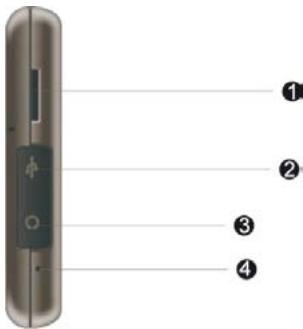
SD/MMC Slot
Accepts a SD (Secure Digital) or MMC (MultiMedia Card) for accessing data such as MP3 music.
2 Mini-USB connector
Connects to the USB cable.
3 Headphone connector (jack 2,5 mm)
Connects to stereo headphones.
4 Reset button
Restart system.
1.2 Performing the initial Start Up
- Press the ON/OFF button for several seconds.
- Your device will automatically turn on.
Connect the car charger.
- The opening screen appears.
- Then, the main menu appears as shown below.
You can now use your device
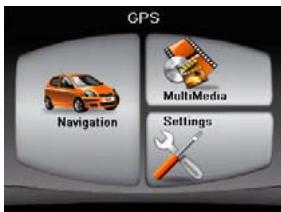
- Fully charge the battery before using your device the first time.
1.3 Using your device in a vehicle
A car holder and a car charger are supplied with your device.
The car holder consists of a bracket and a stand. The GPS may take a few minutes to find its current location initially.
Caution: Never place the holder where the driver's field of vision is blocked, or in front of airbags.
For full manual, please visit our website:
www.danew.com
1.4 GPS Speedcamera locator
Turn your GPS into a speed camera locator. Please visit our website www.danew.com
1.5 TMC option: Real Time Traffic information
Activate TMC option on your device by adding an optional TMC cradle that you can buy from your official DANEW retailer or on the webstore www.danew.com/store
For technical issues, please contact us on our hotline:
Tel: 0899 782 728 (In France)