
L-71 - Turntable LENCO - Free user manual and instructions
Find the device manual for free L-71 LENCO in PDF.


| Product type | Vinyl turntable with USB/SD encoder |
| Brand | LENCO |
| Model | L-71 |
| Power supply | 220-240 V ~ 50 Hz |
| Power consumption | 14 W max |
| Rotation speeds | 33 ⅓ and 45 RPM |
| Drive | Direct drive |
| Preamplifier | Built-in (selector PH/USB/PHONO) |
| Audio output | RCA cable (red/white) |
| Supported audio formats | MP3, WMA |
| Storage media | USB flash drive, SD card |
| Recording | From vinyl to USB/SD with REC button |
| Playback functions | Repeat (1, all, folder), random, intro, program (up to 32 tracks) |
| Display | LCD screen |
| ID3 function | Display ID3 tags (artist, title) |
| Auto stop | Yes, at end of record |
| Tonearm | Auto return at end of record |
| Included accessories | Dust cover, spindle adapter, audio cable |
| Minimum ventilation distance | 50 mm around the device |
| Safety | Do not expose to water or humidity; do not obstruct ventilation openings |
Frequently Asked Questions - L-71 LENCO
User questions about L-71 LENCO
0 question about this device. Answer the ones you know or ask your own.
Ask a new question about this device
Download the instructions for your Turntable in PDF format for free! Find your manual L-71 - LENCO and take your electronic device back in hand. On this page are published all the documents necessary for the use of your device. L-71 by LENCO.
USER MANUAL L-71 LENCO
Direct encoding turntable
For information and supports: www.lenco.eu
Usage of controls or adjustments or performance of procedures other than those specified herein may result in hazardous radiation exposure.
This unit should not be adjusted or repaired by anyone except qualified service personnel.
PRECAUTIONS FOR USE
Installation
- Unpack all parts and remove protective material.
- Do not connect the unit to the mains before checking the mains voltage and before all other connections have been made.
- Do not cover any vents and make sure that there is a space of several centimeters around the unit for ventilation.
LOCATION OF CONTROLS
The record player has an inbuilt preamplifier and can therefore be connected directly to the Line In / Aux input on a hi-fi system.
- Connect the audio cable(4) to the Line In / Aux input on your hi-fi system (red plug = right channel; white plug = left channel).
Mains connection
- Connect the power cord to AC outlet
- switch the OFF/USB/PH Selector to " PH " function. if "PHONO" is displayed on the LCD display, it's mean the power supply is normal. now your system is ready to play the music.
PHONO
NOTED:
- remove the stylus protector.
-
be sure that the tone arm is being detached from the tone arm rest before operating and re-secured again afterwards.
-
Slide the OFF/USB/PH selector(13) to "PH" function, "PHONO" is displayed on the LCD display
- Set the 33/45 rpm speed selector(7) to the proper position depending on the record to be played.
- Place the record on the platter (use the spindle adaptor if required).
- Slide the UP/DOWN selector(6) to "UP" position
- Lift the tone arm from the rest and slowly move it to the record side. the platter will start to rotate.
- Place the tone arm to the desired position of the record, Slide the UP/DOWN selector(6) to "DOWN" position
- Adjust the volume to the desired level on your hi-fi system.
- At the end of record, the platter will automatically stop rotating, lift the tone arm from the record and return it to the rest.
- To stop manually, press the STOP Button(20) directly, or lift the tone arm from the record and return it to the rest
PHONO ENCODING
- Insert the USB flash disk or SD card into appropriate slot(18)/(19).
- Slide the OFF/USB/PH selector(13) to "PH" function, "PHONO" is displayed on the LCD display
- select and playback at phono for the track which will be assigned to the encoded sounds on the USB flash disk or SD card.
- Press once the "REC" button(10), the LCD display shows "USB" flashing/ "CARD" flashing. The encoding will start after 10 seconds and shows "PHONO" with flashing words "USB" / "CARD" lower left corner of the LCD display.
NOTED: Press twice the "REC" button(10) directly, the encoding will starting immediately.
- To stop encoding, press "STOP/SD" button(15).
Remark: Do not interrupt during the phono recording process until completed. Otherwise, recording function cannot be performed.
PLAYBACK OF MP3/WMA SONGS VIA USB FLASH DISK OR SD CARD STORAGE MEDIA
- Insert the USB flash disk or SD card into appropriate slot(18)/(19).
- Slide the OFF/USB/PH selector(13) to "USB" function, the unit will automatically read the total folders and the number of the total tracks.
- Playback will start by pressing "PLAY/PAUSE" button(16). playback starts with the first track, the LCD display shows the current track number and the song "WMA" or "MP3" format.
- To interrupt playback, press "PLAY/PAUSE" button(16). the time elapsed indicator will flash.
- To resume playback, press the "PLAY/PAUSE" button(16) again.
- To stop playback, press stop by using the "STOP/SD" button(15).
TRACKSKIP
"SKIP - DN" button(14) - press once to return to the beginning of the current track. press again quickly to back up another track.
"SKIP - UP" button(12) - press once to skip to the next track. press again to move forward another track.
-F - UP" button(9) - allow you to switch between the folder while the playback, hold either "SKIP - DN"(14) or "SKIP - UP"(12) button to audiably search the current track in the desired direction.
ID3 Tag Support - allowing you to conveniently view the artist name and the title of the track currently being played. To enable ID3 functions by press the "ID3/PROG" button(8) during the playback mode, the "ID3 ON" is displayed on the LCD display. To cancel ID3 functions by press the "ID3/PROG" button(8) again.
REPEAT/INTRO/RANDOM MODE
(1) REPEAT 1 (2) REPEAT ALL TRACKS (3) REPEAT 1 FOLDER

(6) OFF MODE (5) RANDOM (4) INTRO PLAY
PLAY MODE INDICATOR ON LCD DISPLAY
REPEAT SINGLE TRACK
REPEAT ALL TRACKS
- When the playback, if you desire to repeat the same track only, press the "MODE" button(11) on the unit.
- To repeat all disc, press the "MODE" button(11) twice and the "ALL" display will light up.
- To repeat folder, press the "MODE" button(11) thrice and the " FOLDER "display will light up.
- To cancel repeat play, press the "STOP/SD" button(15) or press the "MODE" button(11) repeatedly until the repeat indicator disappears.
INTRO PLAY
Introduce all songs by playing 10 seconds of each track.
- Either in stop or playback mode, press the "MODE" button(11) four times, the "INTRO" indicator will light up..
- To cancel intro play, press the "STOP/SD" button(15) or press the "MODE" button(11) repeatedly until the intro indicator disappears.
RANDOM PLAY
- Either in stop or playback mode press the "MODE" button(11) five times, the "RANDOM" indicator will light up.
- In the stop mode, press the "PLAY/PAUSE" button(16) to start playing. the tracks will be played randomly.
- To cancel random play, press the "STOP/SD" button(15) once again until the "RANDOM" indicator disappears.
PROGRAM PLAY
Allow you to program up to 32 tracks to play in any order, including repeating tracks.
- When the playback is stopped, press the "ID3/PROG" button(8), the "PROG" indicator will flash.
- Select a desired track by pressing "SKIP - DN"(14) or "SKIP - UP"(12) button. or by pressing "F - UP" button(9) to switch between the folder.
- Press the "ID3/PROG" button(8) to store the track into memory.
- Repeat the steps 3 and 4 for additional tracks into the memory if necessary.
- To play the programmed of desired tracked, press the "PLAY/PAUSE" button(16).
- To cancel the program memory, press "STOP/SD" button(15) until the "PROG" indicator disappears.
Model:L-71
Mains Voltage: 220 / 240 v ~ 50hz
Power Consumption: 14 w max.
Outputs: Audio output (cinch)
WARNING
To prevent fire or shock hazard, do not expose this appliance to rain or moisture.
Mains plug is used as the disconnect device and it shall remain readily operable. To be completely disconnected the power input, the mains plug of the apparatus shall be disconnected from the mains completely.
Dripping warning : " The product shall not be exposed to dripping or splashing and that no objects filled with liquids, such as vases, shall be placed on the product."
Ventilation warning : " The normal ventilation of the product shall not be impeded for intended use."
-
minimum distance 50mm around the apparatus for sufficient ventilations;
-
no naked flame sources such as lighted candles should be placed on the apparatus;
-
attention should be drawn to the environmental aspects of battery disposal;
-
the use of apparatus in moderate climates
The marking is located at the bottom of the apparatus.
Mains plug is used as the disconnect device and it shall remain readily operable. To be completely disconnected the power input, the mains plug of the apparatus shall be disconnected from the mains completely. The mains plug should not be obstructed OR should be easily accessed during intended use.
The apparatus shall not be exposed to dripping or splashing and that no objects filled with liquids, such as vases, shall be placed on apparatus.
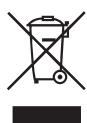
IF AT ANY TIME IN THE FUTURE YOU SHOULD NEED TO DISPOSE OF THIS PRODUCT PLEASE NOTE THAT: WASTE ELECTRICAL PRODUCTS SHOULD NOT BE DISPOSED OF WITH HOUSEHOLD WASTE. PLEASE RECYCLE WHERE FACILITIES EXIST. CHECK WITH YOUR LOCAL AUTHORITY OR RETAILER FOR RECYCLING ADVICE. (WASTE ELECTRICAL AND ELECTRONIC EQUIPMENT DIRECTIVE)
ACHTUNG:
REPETER/INTRO/MODE ALEATOIRE
(1) REPETER 1 (2) REPETER TOUS LES MORCEAUX (3) REPETER 1 ALBUM

| MODE DE LECTURE | INDICATIONS SUR L'ECRAN LCD |
| REPETER LE MORCEAU | |
| REPETER TOUS LES MORCEAUX | TOUT |
| RELEAT SINGLE FOLDER | FOLDER ALBUM |
| MODE LECTURE INTRO | INTRO |
| MODE ALEATOIRE | ALEATOIRE |
| MODE OFF | - - - - - - - - - - - - - - - - - - - - - - - - - - - - - - - - - - - - - - - - - - - - - - - - - - - - - - - - - - - - - - - - - - - - - - - - - - - - - - - - - - - - - - - - - - - - - - - - - - - - - |
REPETER LA LECTURE
- Direct encoding turntable
- PRECAUTIONS FOR USE
- LOCATION OF CONTROLS
- PHONO
- NOTED:
- PHONO ENCODING
- PLAYBACK OF MP3/WMA SONGS VIA USB FLASH DISK OR SD CARD STORAGE MEDIA
- TRACKSKIP
- REPEAT/INTRO/RANDOM MODE
- INTRO PLAY
- RANDOM PLAY
- PROGRAM PLAY
- WARNING
- ACHTUNG:
- REPETER/INTRO/MODE ALEATOIRE
- REPETER LA LECTURE
Brand : LENCO
Model : L-71
Category : Turntable