
IFREEDOM A-250 WIRELESS SPEAKER - Wireless speaker SAITEK - Free user manual and instructions
Find the device manual for free IFREEDOM A-250 WIRELESS SPEAKER SAITEK in PDF.


| Product type | 2.1 Wireless Speaker |
| Brand | SAITEK |
| Model | IFREEDOM A-250 WIRELESS SPEAKER |
| Power source | 4 AA batteries (up to 24 h) or supplied AC adapter |
| Wireless connection type | USB transmitter (30 m range) |
| Wired input | 3.5 mm jack for MP3 player, iPod, etc. |
| Main functions | Play, pause, next/previous track, volume, mute, source selection |
| Display | Backlit LCD screen (battery level, volume, status, connection) |
| Audio components | Two tweeters + one subwoofer, digital 2.1 stereo sound |
| Audio technology | Active bass, noise reduction |
| PC compatibility | Windows 2000/XP (USB transmitter) |
| Remote control | Buttons on speaker: volume, play, track, pause, stop, source |
| Internet radio listening | Possible via PC media player with limited controls |
| Care and cleaning | Wipe with a soft, dry cloth. Do not use abrasive products. |
| Safety | Prolonged listening at high volume may damage hearing. |
| Spare parts and repairability | Standard AA batteries, supplied AC adapter. No specific spare parts listed. |
| General information | Indoor use. Avoid metal obstacles between speaker and transmitter. |
Frequently Asked Questions - IFREEDOM A-250 WIRELESS SPEAKER SAITEK
User questions about IFREEDOM A-250 WIRELESS SPEAKER SAITEK
0 question about this device. Answer the ones you know or ask your own.
Ask a new question about this device
Download the instructions for your Wireless speaker in PDF format for free! Find your manual IFREEDOM A-250 WIRELESS SPEAKER - SAITEK and take your electronic device back in hand. On this page are published all the documents necessary for the use of your device. IFREEDOM A-250 WIRELESS SPEAKER by SAITEK.
USER MANUAL IFREEDOM A-250 WIRELESS SPEAKER SAITEK
This Saitek A-250 wireless speaker system allows you to access your entire PC music library from anywhere in and around your home. Reliable high-fidelity wireless technology streams your music or internet radio to powered speakers which provide exceptional clarity and bass performance.
CONNECTING THE WIRELESS TRANSMITTER
Switch your computer on if you haven't already done so. Find a free USB port (preferably on the front of your computer or on your keyboard) and insert the Wireless speaker system transmitter into it. Press the blue button switch on top of the transmitter for one second to turn it on. The button will flash blue while the transmitter is establishing a wireless connection and will stop flashing and remain lit when communication is established.
The computer should automatically recognise the transmitter. Please see the Troubleshooting section at the end of this guide if your computer does not recognise the transmitter.
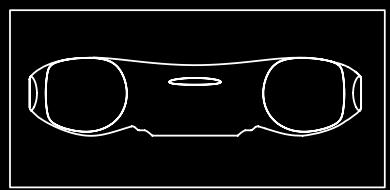


POWERING UP
Open the battery compartment on the bottom of your Saitek Wireless Speaker System.
Insert four AA batteries in the direction shown.
Replace the battery compartment cover.
Press the “ ” button for one second. The button should glow green and the LCD screen will illuminate.




PLAYING MUSIC
Open the music player on your PC (Windows Media Player, iTunes etc). Select the album or playlist you want to hear and press "play". The computer should automatically play the music through the USB transmitter rather than its speakers or headphone socket. Please see the Troubleshooting section at the end of this guide if the Wireless Speaker system does not start to play the music from your computer.
CONTROLLING MUSIC
Once you have selected an album or playlist on your computer's media player you can control the music using the buttons on the Wireless speaker system.
Press "▶" to start the music
Press "▶" to pause the music
Press "III" to start the music again
Press "▶" to skip to the next track in the list
Press "K" to return to the previous track in the list
Press “+” to increase the speaker system's volume
Press "■" to decrease the speaker system's volume
Press “ ” to turn off the wireless speaker system
Press “+” and “-” together to mute the output.
Press "▶" for 3 seconds to switch between the Wireless and the 3.5mm jackplug (LINE) input (The default source is wireless when you initially turn on the speaker system).




CONNECTING TO A MUSIC PLAYER OTHER THAN A COMPUTER
If you want to connect to a music source such as an iPod or other MP3 player not using the computer USB wireless transmitter, plug one end of the 3.5 mm jackplug cable supplied into the MP3 player and the other end into the Socket on the rear right-hand side of your wireless speaker system.
Press the Play/Pause control for three seconds to switch the audio source from wireless to 3.5mm jackplug inout.
If you are using the audio cable to connect, use the controls on your music player to control track selection, stop start etc, and not the controls on your wireless speaker system.



LISTENING TO INTERNET RADIO
Connect your computer to the internet and open your preferred radio station. When your wireless speaker system is switched on you should hear the radio station through the speakers. Please note that you will be able to control programmes only if your internet radio player accepts standard media controls.
BATTERIES AND AC ADAPTER
Your Saitek 2.1 Wireless Speaker system requires 4 × AA batteries. With normal use these should last for up to 24hrs play.
Please note that you can also use rechargeable batteries in your wireless speaker system - these must be taken out of the battery compartment to be recharged. To save battery life or when the batteries have expired, if you are near a mains power source you can power the wireless speaker system using the AC Adapter supplied. Simply plug it into a mains socket and then plug the cable into the power socket on the rear right-hand side of the wireless speaker system.
Note that the speaker system will only function at its highest volume when the connected to the AC Adapter.
TROUBLESHOOTING
My computer does not recognise the wireless transmitter
Check that the switch on top of the wireless transmitter is in the "on" position. PC - Please go to Settings, Control Panel, select Sounds and Audio devices, Audio Device tab, and select USB audio as default audio device.
My computer is turned on, music playing on the media player and wireless speaker system turned on but I cannot hear any sound
Check that the wireless speaker system volume is not at 0. Press the "+" button to increase volume until you can hear the music.
Check that your PC system volume is not at 0. If it is, increase the volume control to the desired level. Likewise, if you are using the 3.5mm jackplug input, check that your music player's volume setting is not at 0.
Check that the speaker system is within 30m range of your computer and that there are no solid metal barriers blocking the wireless signal. If necessary, move the speaker system nearer the computer and remove any large obstructions.
Check that the batteries have not run out. If the battery level indicator is at 0, replace the batteries.
Music is playing through my speaker system but the pause, previous track/next track buttons do not work.
Ensure the music player window on PC is not minimised. If it is, maximise it and the controls will work correctly.
When I stop or play tracks directly on my computer's music player, the speaker system will no longer control the computer.
When you first turn your speaker system on it will automatically tell your computer's music player to stop playing. The Saitek speaker system will then be able to directly control the stop and play functions on your music player. To avoid "confusing" the computer, always control tracks using your speaker system's controls and not your computer.
If your music player does not respond to your speaker system's controls, quit and then restart the music player application.
LCD DISPLAY
The Saitek A-250 Wireless speaker system is equipped with a backlit LCD display which indicates battery life, volume, play status, and wireless or wired connection. The screen backlighting illuminates when you press “ ” and after any key press. After 10 seconds, the backlighting switches off to save power.
When you switch the wireless speaker system on the unit will automatically "look" for the wireless transmitter to connect.
While the speaker system is looking for the transmitter, the LCD screen will show "-----" and the wireless indicator will flash to show that the wireless link is not established. When the transmitter has been discovered and both units are ready, the wireless indicator stops flashing and will show "OK".
If the connection to the transmitter is lost or not established (perhaps because it is out of range), the LCD will show “-----” and the wireless indicator will flash again.


PLAY
When "III" is pressed, the display reads PLAY until another command is entered. Your speaker system should now be playing music from your computer.

VOLUME
Each press of “+” raises the volume by 1 level. Pressing the “+” button causes the display to show the current volume level and the volume level is displayed for 3 seconds after the last volume button press. After 3 seconds, the display reverts back to the previously displayed message, eg, PLAY or PAUSE.
The volume display ranges from MUTE,VOL 1,VOL 2,VOL 3,to VOL 9,and VOL10.
There are 10 volume levels, and MUTE.
The volume level is also represented by 10 horizontal bars, the number of bars represents the volume level, eg,VOL I = 1 bar,VOL 5 = 5 bars.
Pressing and holding the "+" button raises the volume continuously.

VOLUME DOWN is a similar operation to VOLUME UP. Each press of “- ” decreases the volume by 1 level. When the Volume is set to 0, MUTE is displayed.
MUTE
Pressing the "+" and "-" keys together will mute the output and the display will read MUTE. Pressing either "+" or "-" button makes the volume revert back to the last setting.

PAUSE
When “III” is pressed during playing, PAUSE is displayed continuously on the LCD and the music will be paused.

PREVIOUS TRACK
Pressing “K” displays PREV. This selects and plays the previous track unless your music player is at the start of the play list. After half a second, the display reverts back to the previously displayed text.

NEXT TRACK
Pressing “ ” displays NEXT for half a second. This selects and plays the next track unless your music player is at the end of the play list. The display them reverts back to the previously displayed text.

BATTERY LIFE INDICATOR
Battery life is represented by 10 horizontal bars that indicate the remaining amount of operation time.
When the battery level is down to the last bar, the battery icon starts to flash and BATT is displayed on screen.

AUDIO SOURCE SELECTION
If the "III" button is pressed for 3 seconds, the audio source switches between the Wireless and the 3.5mm jackplug (LINE) input (The default source is wireless when you initially turn on the speaker system).
After power up, if the “▶” button is pressed for 3 seconds, LINE is displayed on the LCD. The Wireless indicator is now switched off, and the 3.5mm jackplug LINE input is enabled.

If LINE is the source, Volume UP “+” and Volume Down “-” operate as normal but you will be unable to control track selection. To switch back to the wireless audio source, press and hold “▶” button for 3 seconds. The unit switches back to the wireless mode, and after the signal is found, the LCD shows OK.

TECHNICAL INFORMATION
True digital 2.1 stereo delivered through two tweeters and sub-woofer
- Speaker technology with active crossover boosts bass clarity and reduces noise for outstanding audio response
- LCD display and volume, play, next track, previous track, pause and stop buttons to control your PC
- Reliable high-quality wireless link receives and controls audio within 30m range
- Wireless connection to PC only (requires Windows 2000/XP)
- Connect to MP3, CD and portable media players via 3.5mm jack audio cable (provided)
- Requires 4 x AA batteries (for up to 24hrs play) and AC adapter
FRANÇAIS
A-250
WIRELESS
2.1 SPEAKER SYSTEM
WARNING: Prolonged use at high volume may damage your hearing.
GUIDE DE DEMARRAGE
RAPIDE
A-250 Wireless 2.1 Speaker System
Article Number: DM03 P/N: 43DM03-00103GL


- CONNECTING THE WIRELESS TRANSMITTER
- POWERING UP
- PLAYING MUSIC
- CONTROLLING MUSIC
- CONNECTING TO A MUSIC PLAYER OTHER THAN A COMPUTER
- LISTENING TO INTERNET RADIO
- BATTERIES AND AC ADAPTER
- TROUBLESHOOTING
- LCD DISPLAY
- PLAY
- VOLUME
- MUTE
- PAUSE
- PREVIOUS TRACK
- NEXT TRACK
- BATTERY LIFE INDICATOR
- AUDIO SOURCE SELECTION
- TECHNICAL INFORMATION
- FRANÇAIS
Brand : SAITEK
Model : IFREEDOM A-250 WIRELESS SPEAKER
Category : Wireless speaker