
DWL-AG530 - Wireless Network Card D-LINK - Free user manual and instructions
Find the device manual for free DWL-AG530 D-LINK in PDF.


User questions about DWL-AG530 D-LINK
0 question about this device. Answer the ones you know or ask your own.
Ask a new question about this device
Download the instructions for your Wireless Network Card in PDF format for free! Find your manual DWL-AG530 - D-LINK and take your electronic device back in hand. On this page are published all the documents necessary for the use of your device. DWL-AG530 by D-LINK.
USER MANUAL DWL-AG530 D-LINK
This product works with the following operating system software: Windows XP, Windows 2000, Windows Me, Windows 98SE
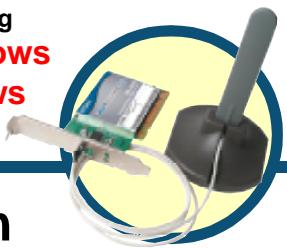
DWL-AG530
Air Premier™ Dualband Wireless PCI Adapter
Before You Begin
You must have at least the following:
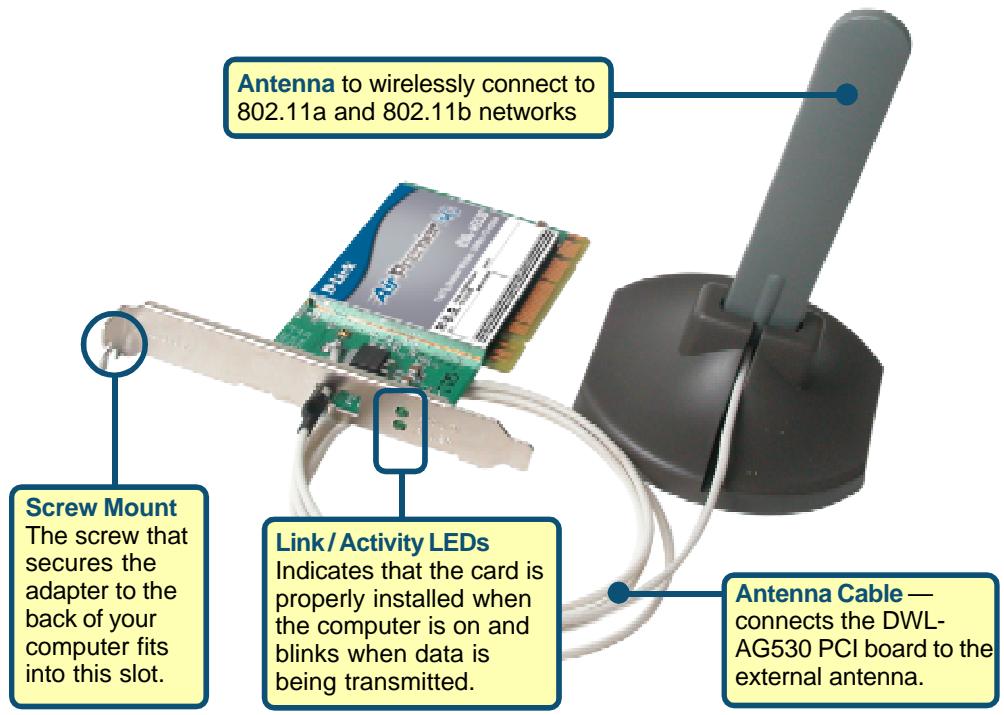
- A desktop computer with an available PCI 2.2, 32-bit, 5 volt PCI slot
- At least a 500MHz processor and 128MB of memory
- An 802.11a, 802.11b or 802.11g Access Point (for Infrastructure Mode) or another 802.11a, 802.11b, or 802.11g wireless adapter (for Ad-Hoc; Peer-to-Peer networking mode.)
Check Your Package Contents
These are the items included with your DWL-AG530 purchase:
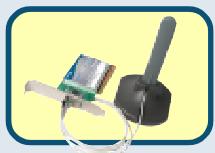
DWL-AG530 Dualband Wireless PCI Adapter

CD-ROM (containing Drivers, Manual and Warranty)
If any of the above items are missing, please contact your reseller.
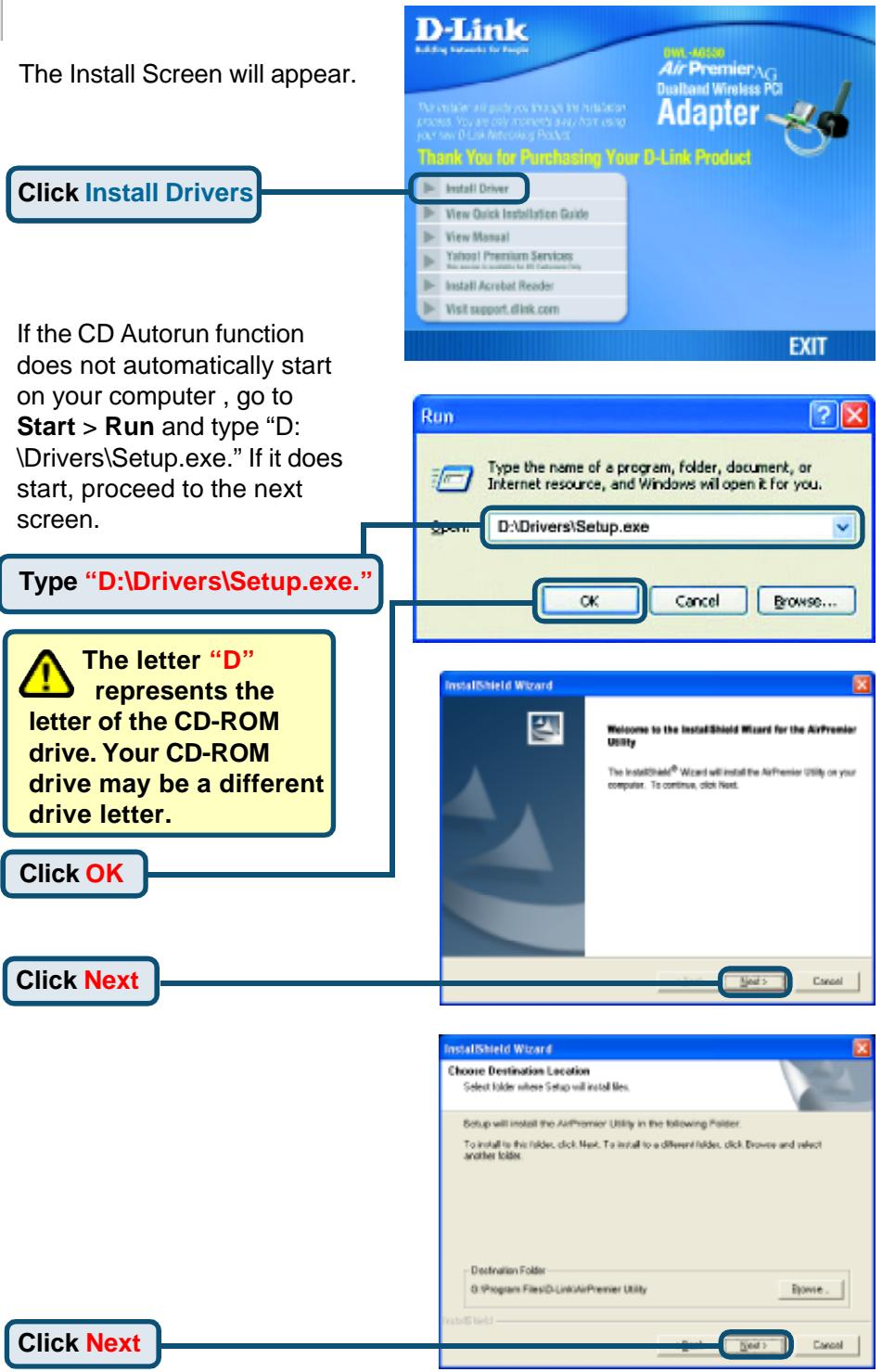
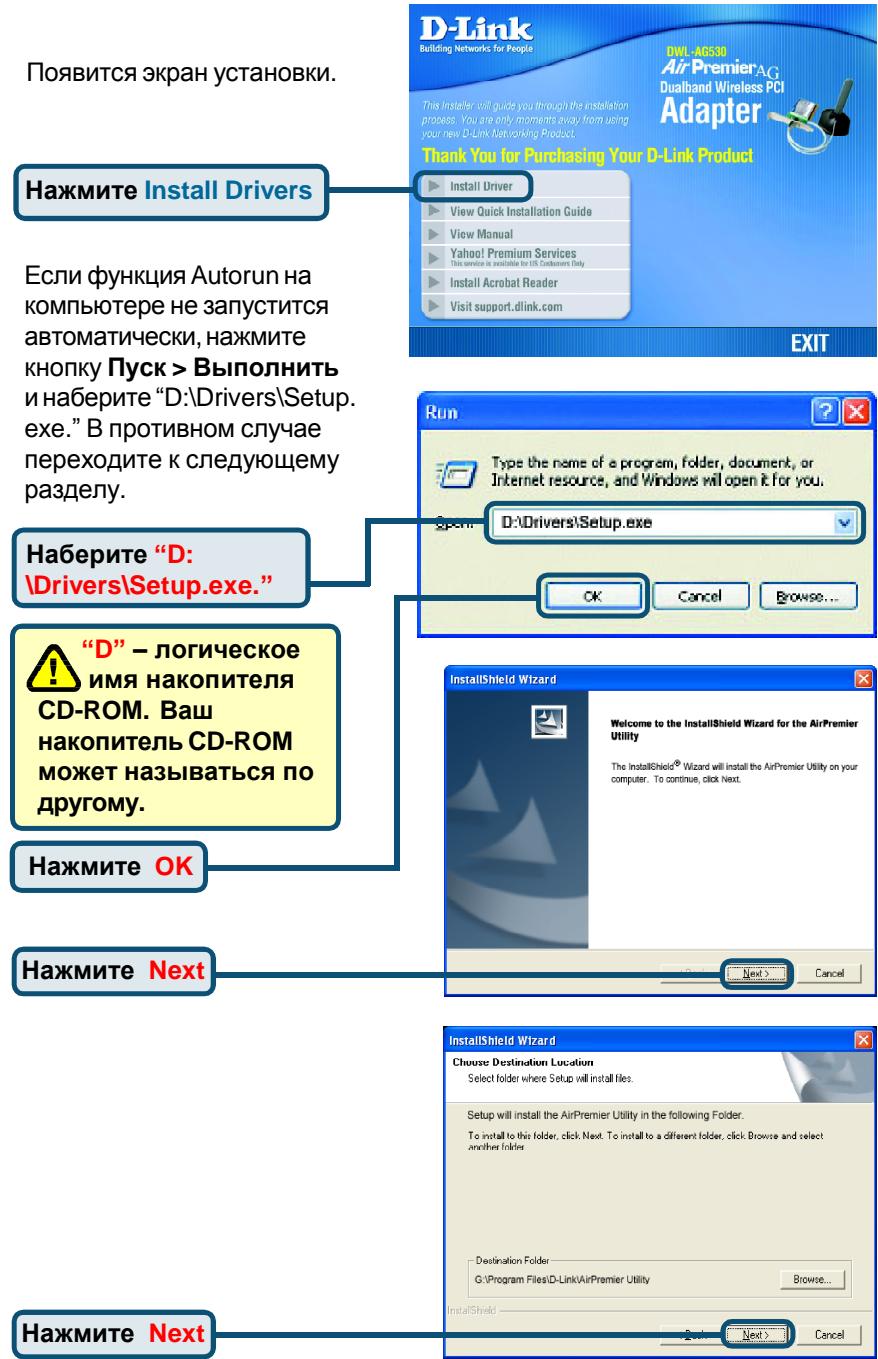
1 Insert the D-Link CD Into Your Desktop PC
Turn on the computer and Insert the D- Link AirPremier DWL-AG530 Driver CD in the CD-ROM drive.
The step-by-step instructions that follow are shown in Windows XP. The steps and screens are similar for the other Windows operating systems

Do NOT install the DWL-AG530
Wireless PCI Adapter into your computer before installing the driver software from the D-Link CD!
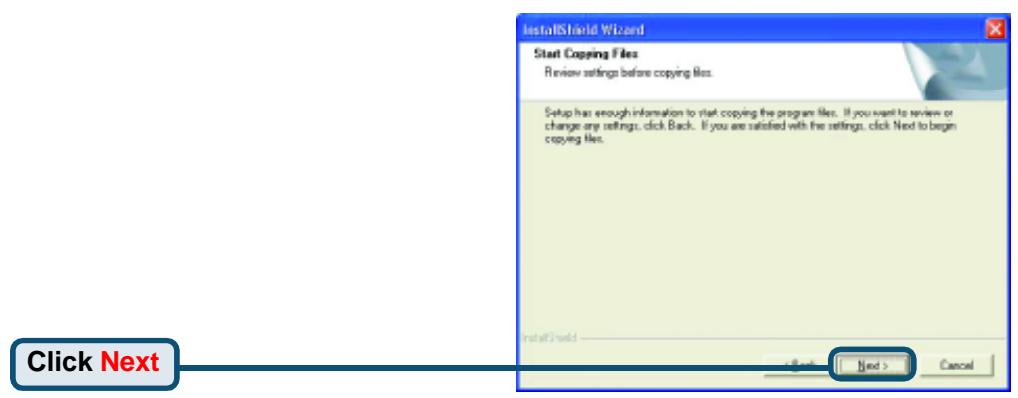
Shut down your computer
Installing the DWL-AG530 Wireless PCI Adapter in Your Computer
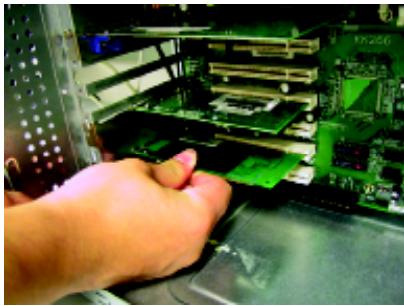
A. Make sure to turn off your computer and unplug the power cord before you begin. Remove the back or side cover of the computer.
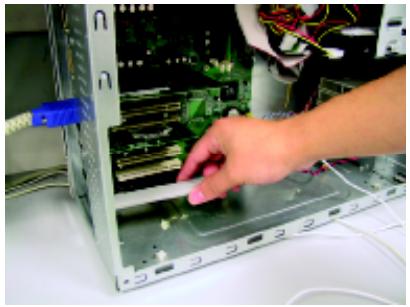
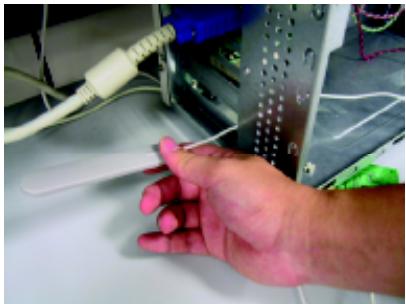
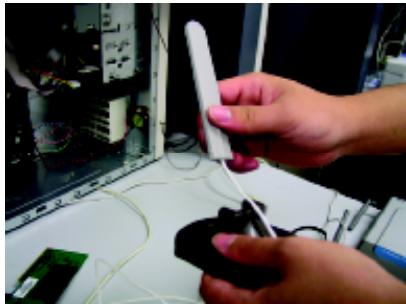
B. Carefully guide the DWL-AG530's antenna through the PCI bracket opening adjacent to the PCI slot you intend to use for the DWL-AG530.
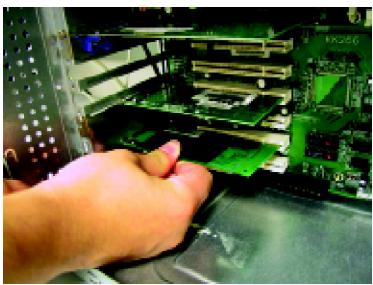
C. Install the DWL-AG530 carefully, and firmly set it into the available PCI slot (which is typically white or cream-colored).
D. Secure the DWL-AG530's back panel bracket with its mounting screw.
E. Replace the computer's cover.

To avoid damage caused by static electricity, make sure to properly ground yourself by first touching a metal part of your computer to discharge any static electricity before working with the DWL-AG530.
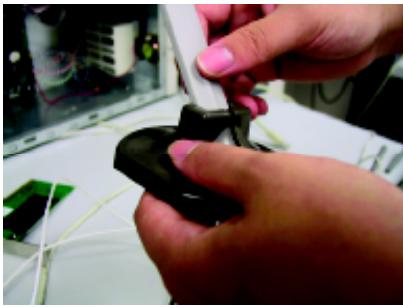
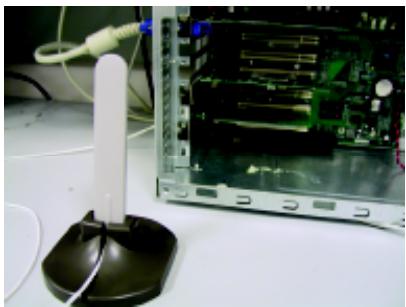
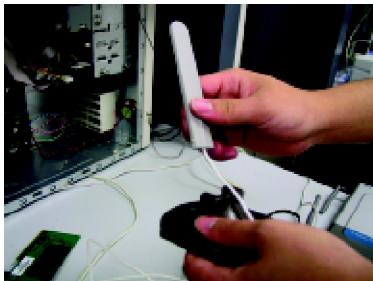
F. Gently connect the antenna to the antenna stand.
G. Finished!
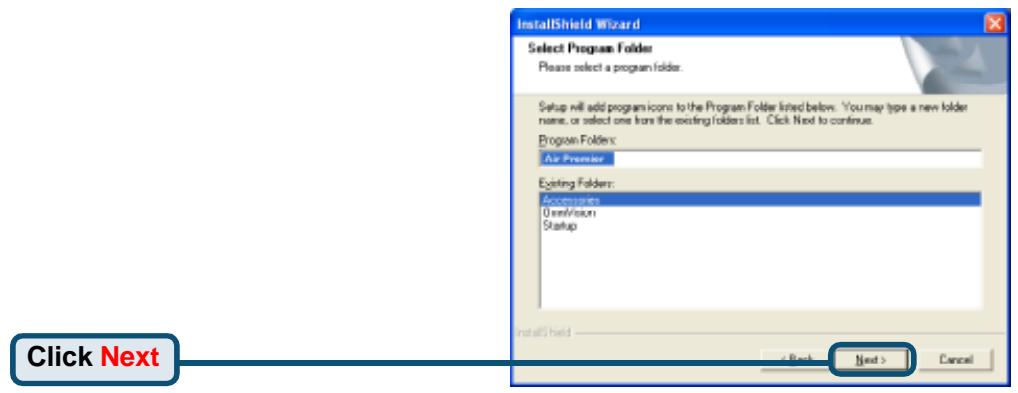
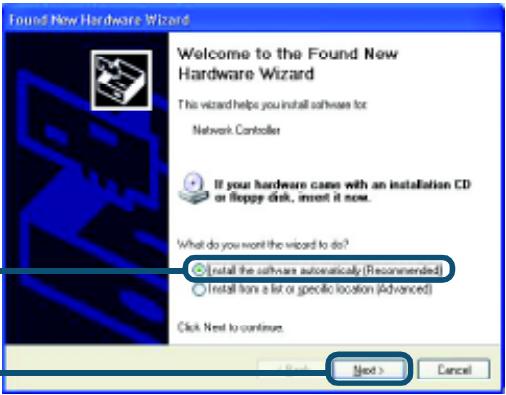
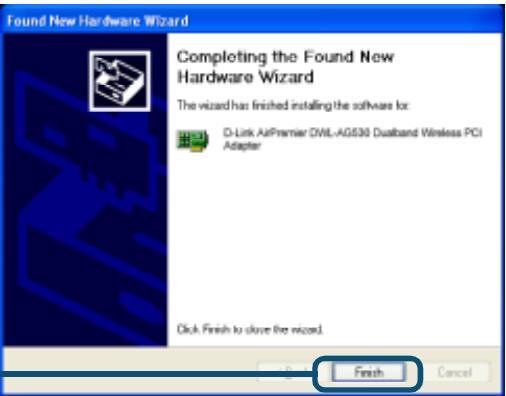
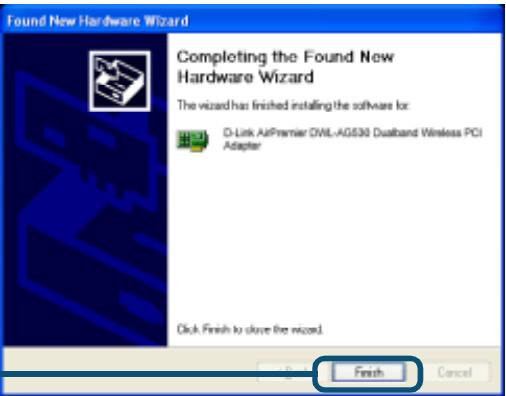
When you restart your computer this Found New Hardware Wizard (Windows XP) screen will appear:
Select Install the software automatically (Recommended)
Click Next

For Windows XP: This Hardware
Installation alert screen may appear after the desktop computer restarts.
Click Continue Anyway
to finalize the installation
Hardware Installation

The software you are installing for this hardware:
D-Link AirPremier DML-A3630 Dualband Wireless PCI Adapter
has not passed Windows Logo testing to verify its compatibility with Windows XP. [Tell me who this testing is important.]
Continuing your installation of this software may impair or destabilize the correct operation of your system either immediately or in the future. Microsoft strongly recommends that you stop this installation now and contact the hardware vendor for software that has passed Windows Logo testing.
Continue Anyway
3TOP Installation
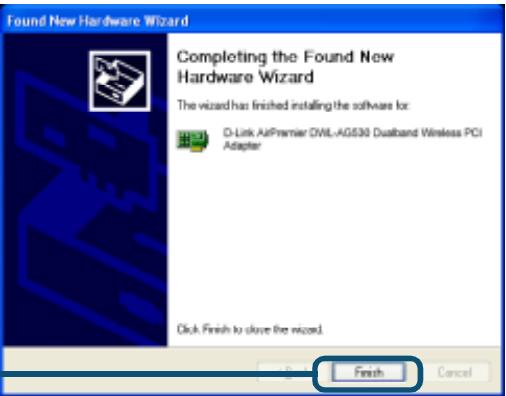
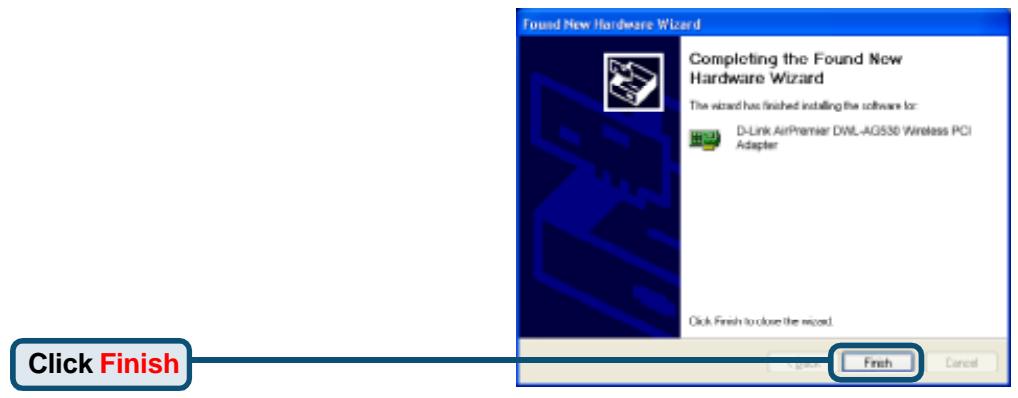
Click Finish to finalize the installation.

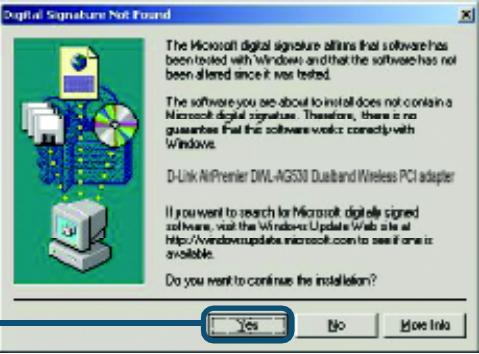
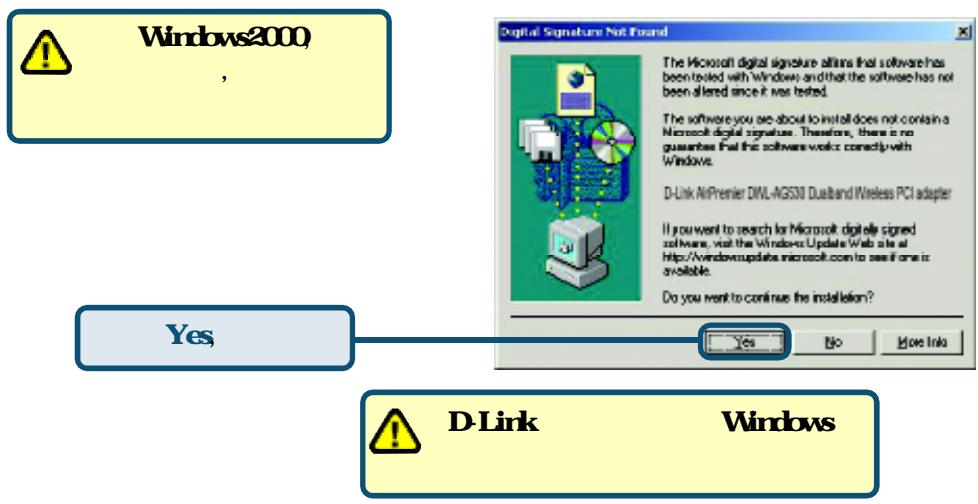
For Windows 2000, this Digital Signature Not
Found screen may appear after your computer restarts.
Click Yes to finalize the installation.

The D-Link driver software for this device is undergoing Windows Logo testing. Microsoft certification is pending.

Your Installation is Complete!
After you've continued in Windows 2000, Me, or 98SE, the D-Link AirPremier DWL-AG530 Configuration Utility will automatically start and the utility icon will appear in the bottom right hand corner of the desktop screen (systray). If this icon appears GREEN, then you have successfully installed the DWL-AG530, are connected to a wireless network and are ready to communicate!
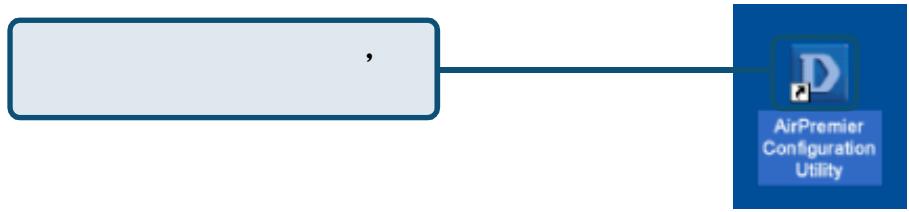
If the utility icon does not appear, double-click the shortcut icon that has appeared on your desktop.
Double-click the utility icon to use the configuration utility.

Appendix
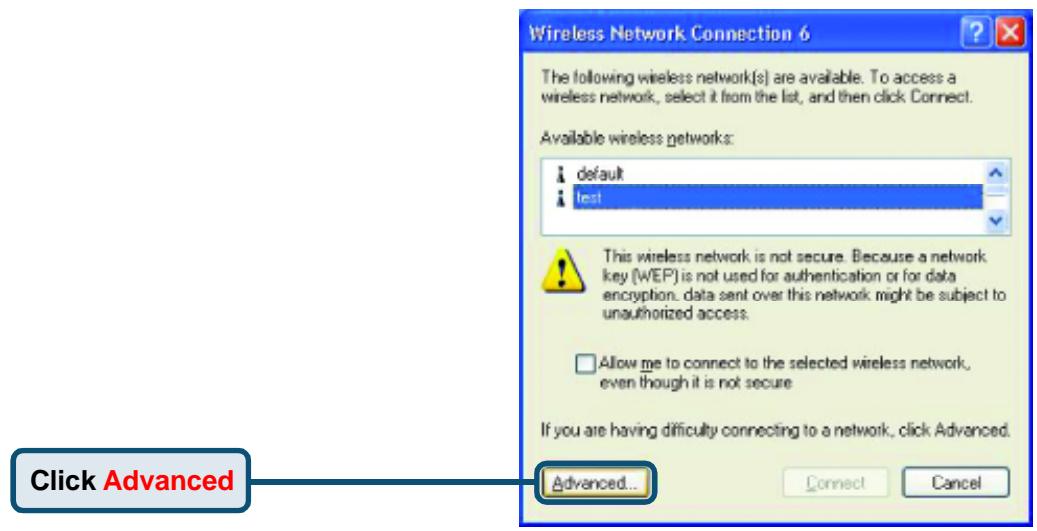
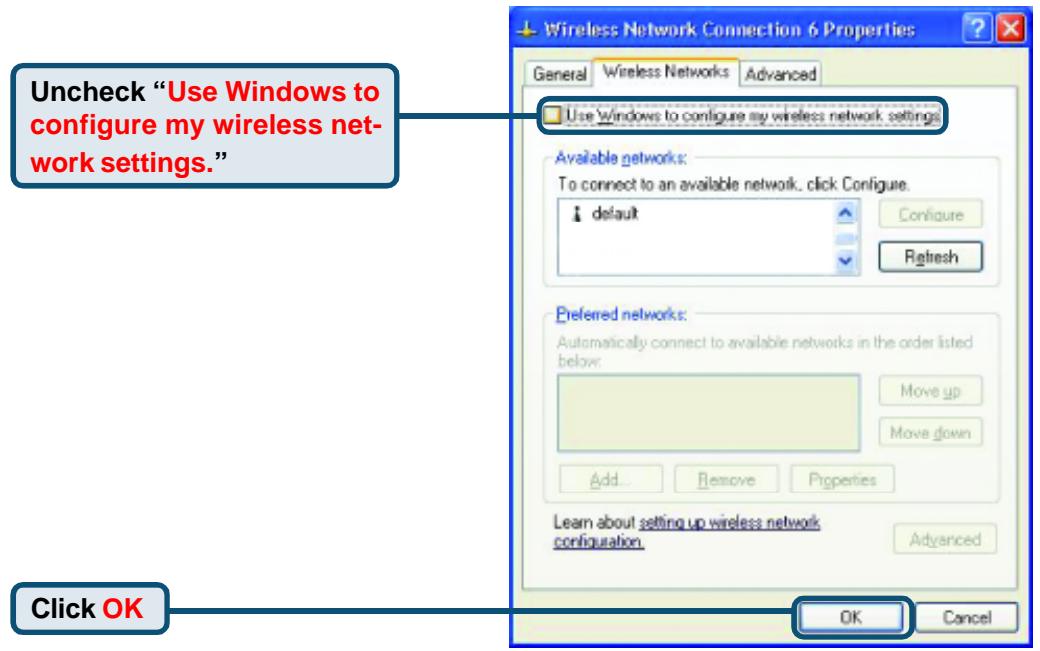
For Windows XP, if you wish to use the AirPremier utility, please do the following steps.
Click the XP Networking icon to use the Zero Configuration Wireless Settings.

9:15 AM
Appendix (Continued)
Using the Configuration Utility
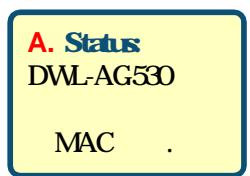
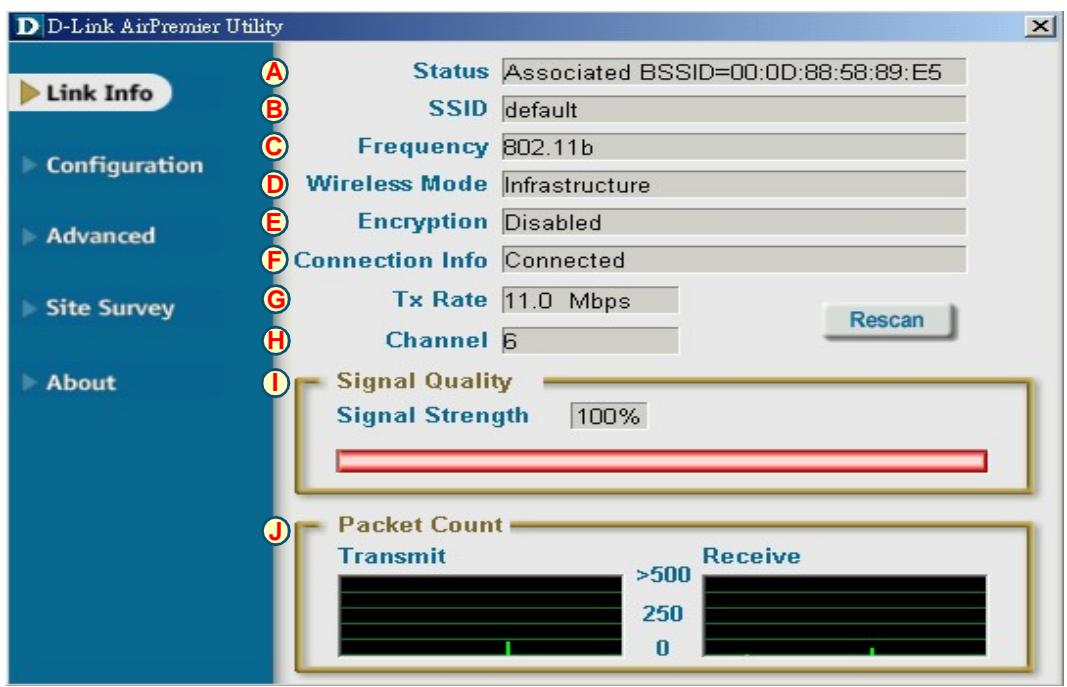
A. Status: Displays the MAC Address of the Access Point that is associated with the DWL-AG530.
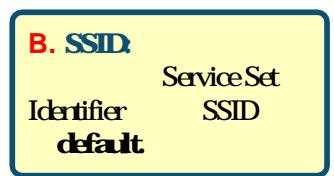
B. SSD: The Service Set Identifier is the name assigned to the wireless network. The factory SSD setting is set to default.
C. Frequency: Displays the current frequency used by the adapter.
D. Wireless Mode: The factory setting is set to Infrastructure. Ad-Hoc mode is used for peer-to-peer networking.
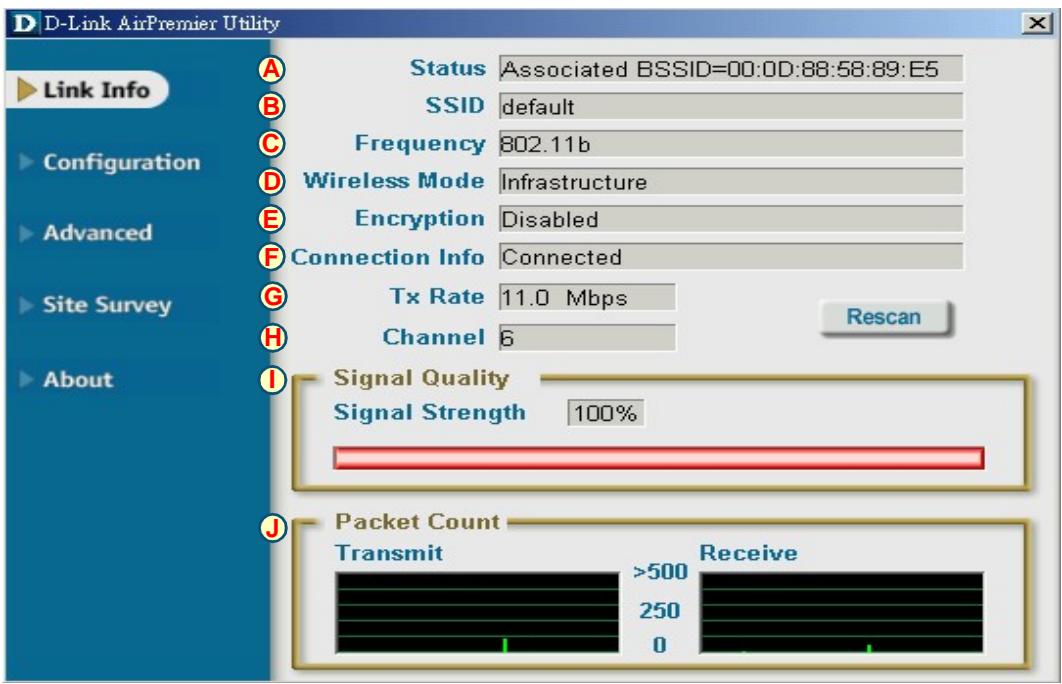
E. Encryption: Displays the current encryption status of the wireless connection.
F. Connection Info: Displays connected or authenticated information.
G. TxRate: The default setting is Auto; meaning, TxRate settings are automatically determined by the DWL-AG530 depending on the distance from the access point.
H. Channel: Displays the channel information. By default, the channel is set to 6. Please note that the DWL-AG530 will automatically adjust channel depending on the Access Point.
J. Packet Count: Graphically displays the statistics of data transmitted and received.
I. Signal Quality : Displays the Link Quality for the DWL-AG530 wireless connection to the access point. The Signal Strength represents the wireless signal between the access point and the DWL-AG530. The percentage coincides with the graphical bar.
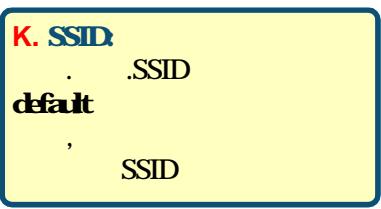
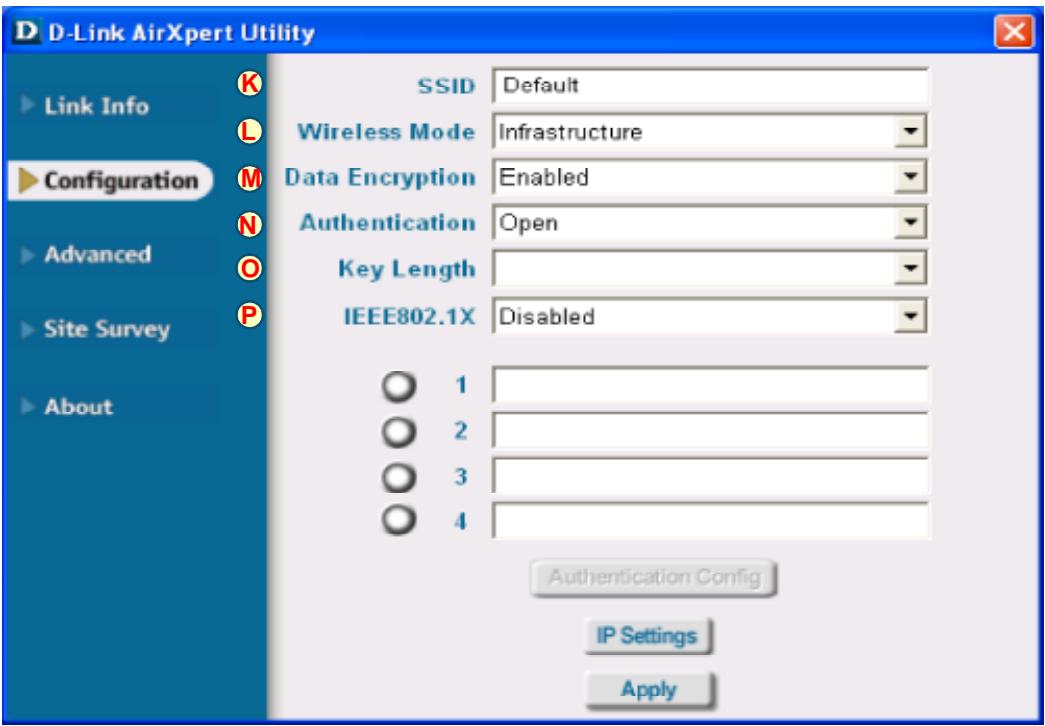
K. SSID: The Service Set Identifier is the name assigned to the wireless network. The factory SSID setting is set to default. Make changes here to match the SSID on existing Wireless Router or Access Point.
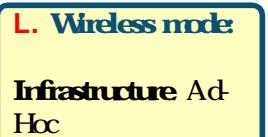
L. Wireless Mode: The factory setting is set to Infrastructure. Ad-Hoc mode is used for peer-to-peer networking.
M. Data Encryption: The default setting is set to Disabled. The adapter supports WEP and AES when encryption is enabled.
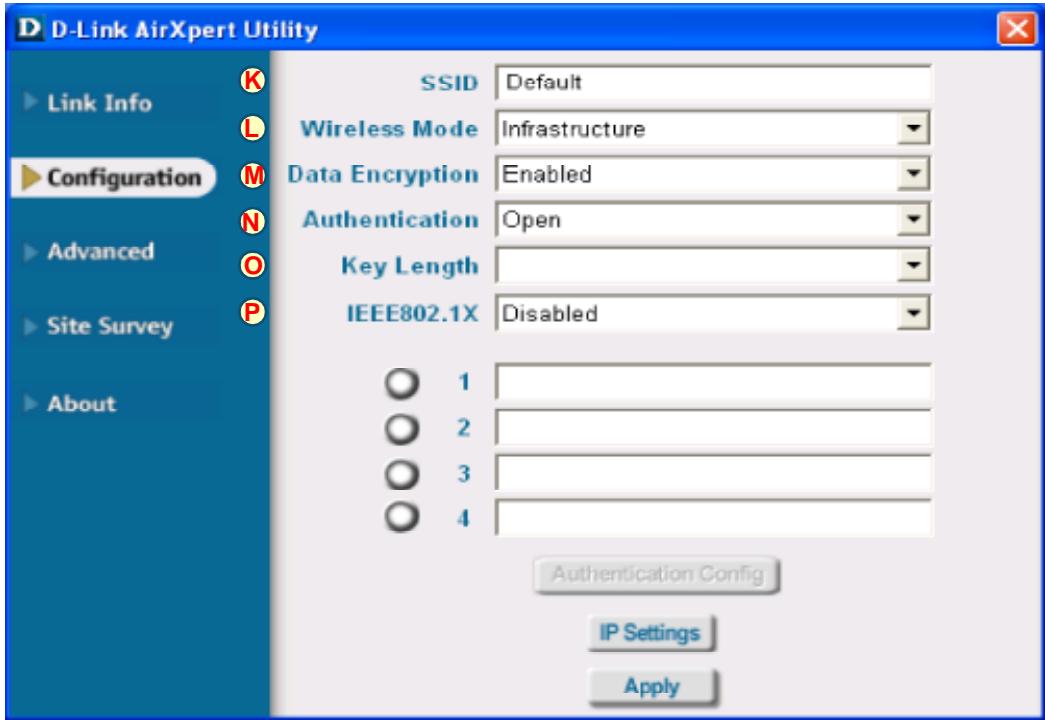
N. Authentication: You can specify the authentication mode for the wireless network. The default setting is set to Open Authentication.
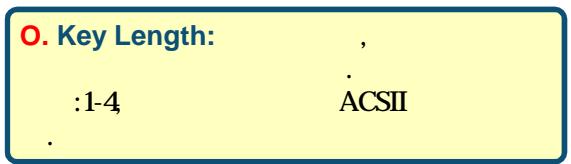
O. Key Length: When encryption is enabled, you will have the option to specify the level and key format of the encryption used. Select the appropriate Key Index : 1-4 and enter ACSII or hexadecimal digits in the appropriate field.
P. IEEE 802.1x: When encryption is enabled, you will have the option to specify the level and key format of the encryption used. Select the appropriate Key Index : 1-4 and enter ACSII or hexadecimal digits in the appropriate field.
Technical Support
You can find software updates and user documentation on the D-Link website.
D-Link provides free technical support for customers within the United States and within Canada for the duration of the warranty period on this product.
U.S. and Canadian customers can contact D-Link technical support through our website, or by phone.
Tech Support for customers within the United States:
D-Link Technical Support over the Telephone:
(877) 453-5465
24 hours a day, seven days a week.
D-Link Technical Support over the Internet:
http://support.dlink.com
email:support@dlink.com
Tech Support for customers within Canada:
D-Link Technical Support over the Telephone:
(800)361-5265
Monday to Friday 8:30am to 9:00pm EST
D-Link Technical Support over the Internet:
http://support.dlink.ca
email:support@dlink.ca
D-Link
Quick Installation Guide
Hardware Installation

The software you are installing for this hardware:
D-Link AirPremier DAN AG630 Dualband Wireless PCI Adapter
has not passed Windows Logs testing to verify its compatibility with Windows XP. [Tell me why this testing is important.]
Continuing your installation of this software may impair or destabilize the correct operation of your system either immediately or in the future. Microsoft strongly recommends that you stop this installation now and contact the hardware vendor for software that has passed Windows Logo testing.
Continue Anyway
3TOP Installation
AirPremier Configuration Utility
Hardware Installation

The software you are installing let this hardware:
D-Link AirPremier DML-A3630 Dualband Wireless PCI Adapter
has not passed Windows Logo testing to verify its compatibility with Windows XP. [Tell me who this testing is important.]
Continuing your installation of this software may impair or destabilize the correct operation of your system either immediately or in the future. Microsoft strongly recommends that you stop this installation now and contact the hardware vendor for software that has passed Windows Logo testing.
Continue Anyway
3TOP Installation
The Microsoft digital signature alls that software has been tested with windows and that the software has not been altered since it was tested.
The software you see about to install does not contain a Microsoft digital signature. Therefore, there is no guarantee that this software works correctly with Windows.
D-Link AirPremier DWL-AG530 Dualband Wireless PCI adapter
If you want to search for Microsoft digits signed software, visit the Windows-Update Web site at http://www.windowspeeddata.microsoft.com to see if it is available.
Do you want to continue the installation?


Configuration Utility
Assistance technique
E-mail :support@dlink.fr
D-Link
Quick Installation Guide
Hardware Installation

The software you are installing for this hardware:
D-Link Axipen DwL-AG530 Multimode Wireless PCI Adapter
has not passed WindowsLogo testing to verify its compatibility with Windows XP. [Tell me who this testing is important.]
Continuing your installation of this software may impair or destabilize the correct operation of your system either immediately or in the future. Microsoft strongly recommends that you stop this installation now and contact the hardware vendor for software that has passed Windows Lifecycle testing.
Hacer click en
The Microsoft digital signature offers that software has been booted with Windows and that the software has not been altered since it was tested.
The software you see about to install does not contain a Microsoft digital signature. Therefore, there is no guarantee that this software works correctly with Windows.
D-Link AirPremier DWL-AG530 Dualband Wireless PCI adapter
If you want to search for Microsoft digitally signed software, visit the Windows Update Web site at http://windowsupdate.microsoft.com to see if it is available.
Do you want to continue the installation?

图

Configuration Utility
This wizard helps you install software for
Network Control

If your hardware cases with an installation CD or floppy disk, insert it now.
What do you want the wicard to do?
Install the software automatically (Recommended)
Instalntion a list or specic location [Advanced]
Click Next to continue.
y
Cancel

Per Windows XP:
Hardware Installation

The software you are installing for this hardware:
D-Link Aikper DwLAG520 Multimode Wireless PCI Adapter
has not passed WindowsLogo testing to verify its compatibility with Windows XP. [Tell me who this testing is important.]
Continuing your installation of this software may impair or destabilize the correct operation of your system either immediately or in the future. Microsoft strongly recommends that you stop this installation now and contact the hardware vendor for software that has passed Windows Logo testing.
Continue Anyway
STOP Installation

Found New Hardware Wizard
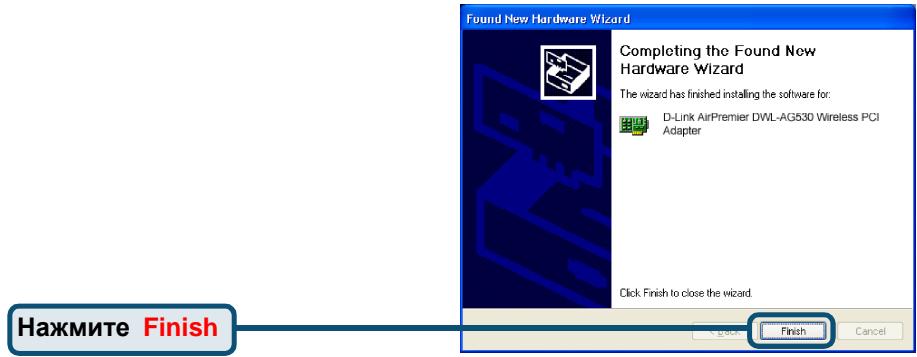
Completing the Found New Hardware Wizard
The wizard has finished installing the software for

D Link Aispan DAWLAG520 Multimode Wireless PCI
A
The Microsoft digital signature alls that software has been tested with Windows and that the software has not been altered since it was tested.
The software you see about to install does not contain a Microsoft digital signature. Therefore, there is no guarantee that this software works correctly with Windows.
D-Link Ad/Per Dif/L4G520 Multmode Wireless PCI Adapter
If you want to search for Microsoft signed software, visit the Windows Update Web site at http://www.windowsupdate.comMicrosoft.com to see if there is available.
Do you want to continue the installation?

图
Configuration Utility
YCTPOIcTBO COBMeCTHMO CO CNeDyUoIIMN
Wireless PCI Adapter
Праздем надаь
Heo6xOIMo HAIuHne cIeDyUoTeo 0bOpdyOBaHn
- HactonbHbKOMnBIOTeP CO CBO6OHNbIM 32-6HTbIM CNOTOM PCI 2.2,5B
- KaK MInHmym npoceccop 500 MfU n 128 M5 O3Y
Tocka doctya (Для ржима Инфрастуктуbl) стандарta 802.11a, 802.11b, илг 802.11g илдрую бесправочи радалтет (Для ВЗамоевоства «Точka-Точka») стандарta 802.11a, 802.11b илг 802.11g
BkJIIOUHTe KOMNbIOTep N BCTaBBTe INCK
D-Link Air Premier DWL-AG530 Driver CD
B HAKONITeIb CD-ROM
IooarObIe HNCTpyKcun, npedctaBJeHHbIe HNKe, npoJemOHCTpnpOBaHbI Ha npimpe Windows XP. IuaI n3kpaHbI Bdpyrnx Bepcnx Windows 6bydnt nooxkMn.

HE
yctaHaBnBaIte
aandaTep B cnoT PCI do Hnctanlaun npaiBepac D-Link CD!
BbIKnIOuHTe BaW KOMNbIOTep

YcTaHOBka 6ecPpOBoHOro aJaITepa DWL-AG530 B KOMpbIOTep
A. Y6eIntecb,чTO KOMNblOtep BbIKNoChEN IuHyp NITaHnO TCOeDInHeH OT Hero.OTKpoIte Kopnyc KOMNblOtepa.
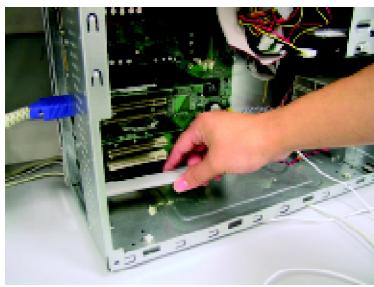
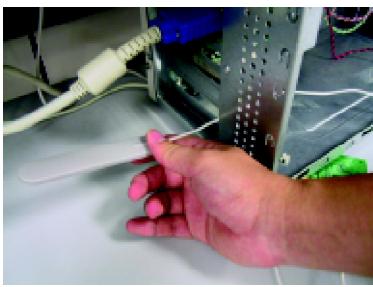
B. AkkypaTHoHpOBeaHTeHyDWL-AG530uepe3ToKpbIbIpa3bEm PCI.
C.AkypaTHO yCTaHOBtE DWL-AG530 nIIOTHO BCTaBbTe erO BCBO6nHbI cNToPCI(KOTOpbI O6bUHO"6eNoRo" IIN "KpemOBoro"CbEta).
D.3aФнКсИpyTeDWL-AG530Ha 3aДнЕПаНЕЛКОрпуСВИNTOM
E. YctaHOBNTe Ha MecTo KpbIuKy KOpNyca KOMNbIoTepa.

Hardware Installation

The software you are installing for this hardware
D-Link AirXpert DWL AG520 Multimode Wireless PCI Adapter
has not passed Windows Logo testing to verify its compatibility with Windows XP (Tell me who this testing is important )
Continuing your installation of this software may impair or destabilize the correct operation of your system either immediately or in the future. Microsoft strongly recommends that you stop this installation now and contact the hardware vendor for software that has passed Windows Lifecycle testing.
Haxmte Continue
Anyway n
IpoJIoJIKeHnY yCTaHOBKn
Continue Anyway
STOP Installation
Found New Hardware Wizard

Completing the Found New Hardware Wizard
The wizard has finished installing the software for

D Link A/Export D/W. AG520 Multimode Wireless PCI Adapter
Click Finish to close the wizard.
HaxmTeFinish 3aBepseHnYyCTaHOBKn
Cancel

B Windows 2000 nocne nepe3arpy3kn
KOMNbIbOTepa MoXeT NOBuTbc7 3KpaH Digital Signature Not Found.
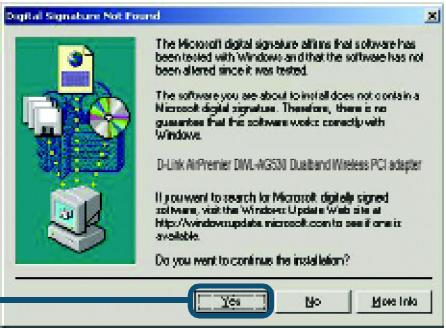
Haxmnte Yes dIa3aBepuHeHn yCTaHOBKn.

ДраиВер D-Link ДЯг STOrO yctPoIcTbA npoxoIur ceTnФнkaцИr Windows Logo.

YctaHOBka 3abepseHa!
I locne TOrO, kAc BbI npoDoJIkIne pa6Oy B Windows 2000, Me, nIIN 98SE, yTuJIIna NaCTPouK D-Link Air Premier DWL-AG530 Configuration Utility cTAPTyET abTOMaTnueCKN INoRbLnEeTcRApIbIK B HnXHem IpabOM yIpy nAHeJI N3aDaqu pa6Oye O cToJa. EcNI 3OTЯrpbIK OkpaWeH B 3EJIeHbI uBET, TO yCTaHOBka DWL-AG530 npoSha ycNeuHo, KOMNbIoTeP NOdKnIOUChIcR K BeScnpOBoHDNo CETn I rTOB nepeDaBaTb No HeN daHHbIe!
Ecn npbik ytntbI He NOBnIc, TO ueKNHte DBaKdbI no npbiky Ha pa6oem cTone.

AirPremier Configuration Utility
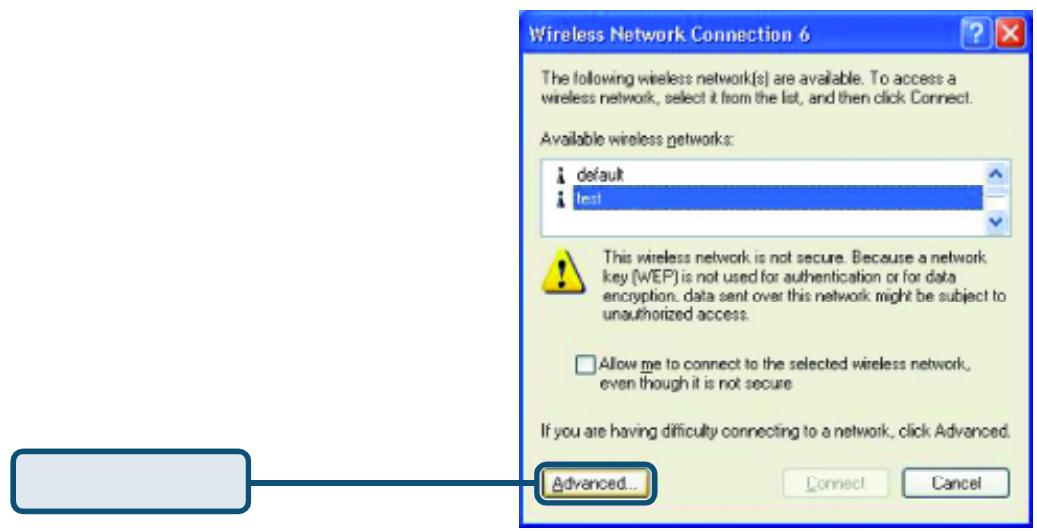
Wireless Network Connection 6


The following wireless network[s] are available. To access a wireless network, select it from the list, and then click Connect.
Available wireless networks:

default

test


This wireless network is not secure. Because a network key [WEP] is not used for authentication or for data encryption, data sent over this network might be subject to unauthorized access.

Allow me to connect to the selected wireless network, even though it is not secure
If you are having difficulty connecting to a network, click Advanced.
HaxmTe Advanced
Advanced.
Connect
Cancel
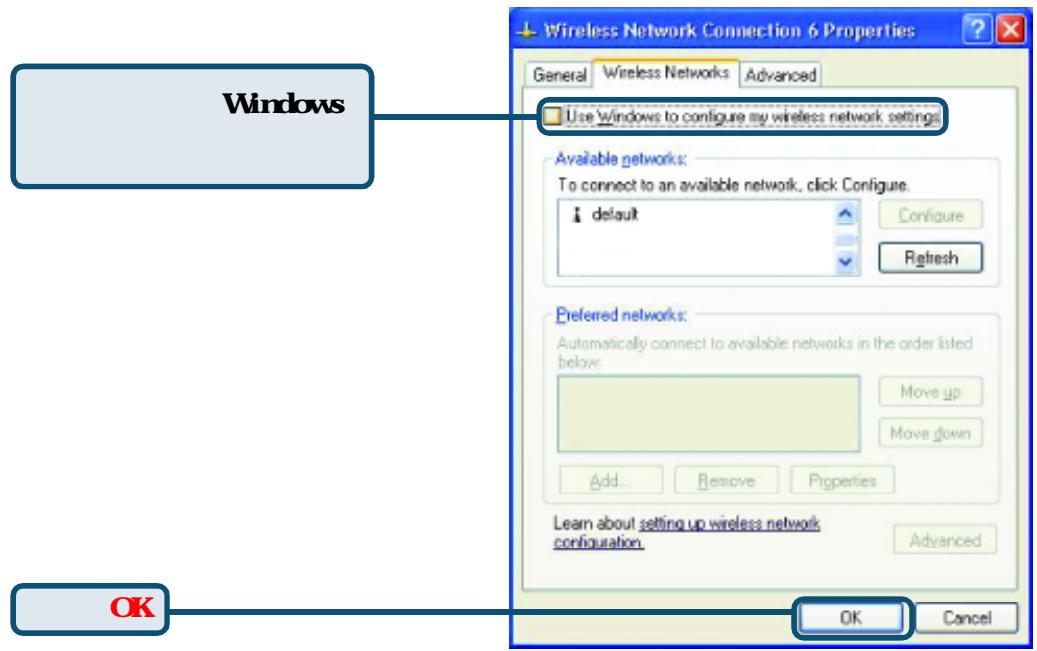
СнIMпе ra loчку с nyнкта "Use Windows to configure my wireless network settings.

Wireless Network Connection 6 Properties


General
Wireless Networks
Advanced

Use Windows to configure my wireless network settings
Available networks:
To connect to an available network, click Configure.

default

Configure

Refresh
Preferred networks:
Automatically connect to available networks in the order listed below.


Move up
Move down:
Add...
Remove
Properties
Learn about setting up wireless network configuration.
Advanced
Haxmnte OK
OK
Cancel
Приложения (прогольожения) Ист百年 <|im_start|>assistant Тулков <|im_start|>assistant Ист百年Настоя <|im_start|>assistant НастояНастояНастояНастояНастояНастояНастояНастояНастояНастояНастояНастояНастояНастояНастояНасuntoяНасuntoяНасuntoяНасuntoяНасuntoяНасuntoяНасuntoяНасuntoяНасuntoяНасuntoяНасuntoяНасuntoяНасuntoяНасuntoяНасuntoяНасuntoяНасuntoяНасuntoяНасuntoяНасuntoяНас,toяНас,toяНас,toяНас,toяНас,toяНас,toяНас,toяНас,toяНас,toяНас,toяНас,toяНас,toяНас,toяНас,toяНас,toяНас,toяНас,toяНас,toяНас,toяНас,toяНас.ToяНС.ToяНС.ToяНС.ToяНС.ToяНС.ToяНС.ToяНС.ToяНС.ToяНС.ToяНС.ToяНС.ToяНС.ToяНС.ToяНС.ToяНС.ToяНС.ToяНС.ToяНС.ToяНС.ToяНС.ToяНс.ToяНС.ToяНС.ToяНС.ToяНС.ToяНС.ToяНС.ToяНС.ToяНС.ToяНС.ToяНС.ToяНС.ToяНС.ToяНС.ToяНС.ToяНС.ToяНС.ToяНС.ToяНС.ToяНС.ToяНC.ToяНС.ToяНС.ToяНС.ToяНС.ToяНС.ToяНС.ToяНС.ToяНС.ToяНС.ToяНС.ToяНС.ToяНС.ToяНС.Toянс.Toянс.Toянс.Toянс.Toянс.Toянс.Toянс.Toянс.Toянс.Toянс.Toянс.Toянс.Toянс.Toянс.Toянс.Toянс.Toянс.Toянс.Toянс.Toянс.Toянc.Toянс.Toянс.Toянс.Toянс.Toянс.Toянс.Toянс.Toянс.Toянс.Toянс.Toянс.Toянс.Toянс.Toянс.Toянс.Toянс.Toянс.Toянс.Toянс.Toянь.Tою
A.Status: OTo6paKaTe MAC-aIpec TOnKu IocTyna,K KOTOpoi noKnHouen aanTep DWL-AG530.
I3MeHnTe DaHHbI npaMeTp IJIa COBnaDeHnIc SSID
Cuiectbyuioe
6ecnpoBODHOrO coeINHeHnC TOnKoI DoCTyna.
L. Wireless Mode:
This wigsd helps you install software for
Network Controller

If your hardware came with an installation CD or floppy disk, insert it now.
What do you want the wicard to do?
(roltae)
Instalb harn a let or specic locaton [Advenced]
Click Next to continue
Next
当
Cancel

Windows XP
Continue Anyway
Hardware Installation

The software you are installing let this hard drive
D-Link AixOpen DwL-AG520 Multmode Wireless PCI Adapter
has not passed WindowsLogo testing to verify its compatibility with Windows XP. [Tell me why this testing is important.]
Continuing your installation of this software may impair or destabilize the correct operation of your system either immediately or in the future. Microsoft strongly recommends that you stop this installation now and contact the hardware vendor for software that has passed Windows Logo testing.
Continue Anyway
STOP Installation

Found New Hardware Wizard
Completing the Found New Hardware Wizard
The wizard has finished installing the software for

D Link A@spart DwLAGS20 Multimode Wireless PO adaptor
Finish
ClickFinish to close the window.
Frist
Cancel

WindowsXP,2000ME, 98SE , D-Link Air Premier DWL-AG530
DWL-AG530

XP

9:15 AM






8:30 a.m. 5:30 p.m
- DWL-AG530
- Before You Begin
- Check Your Package Contents
- Insert the D-Link CD Into Your Desktop PC
- Shut down your computer
- Installing the DWL-AG530 Wireless PCI Adapter in Your Computer
- Hardware Installation
- Your Installation is Complete!
- Appendix
- Appendix (Continued)
- Using the Configuration Utility
- Technical Support
- Tech Support for customers within the United States:
- Tech Support for customers within Canada:
- D-Link
- Quick Installation Guide
- Assistance technique
- Per Windows XP:
- Праздем надаь
- HE
- YcTaHOBka 6ecPpOBoHOro aJaITepa DWL-AG530 B KOMpbIOTep
- Found New Hardware Wizard
- YctaHOBka 3abepseHa!
- Wireless Network Connection 6
- HaxmTe Advanced
- Wireless Network Connection 6 Properties
- Приложения (прогольожения) Ист百年 <|im_start|>assistant Тулков <|im_start|>assistant Ист百年Настоя <|im_start|>assistant НастояНастояНастояНастояНастояНастояНастояНастояНастояНастояНастояНастояНастояНастояНастояНасuntoяНасuntoяНасuntoяНасuntoяНасuntoяНасuntoяНасuntoяНасuntoяНасuntoяНасuntoяНасuntoяНасuntoяНасuntoяНасuntoяНасuntoяНасuntoяНасuntoяНасuntoяНасuntoяНасuntoяНас,toяНас,toяНас,toяНас,toяНас,toяНас,toяНас,toяНас,toяНас,toяНас,toяНас,toяНас,toяНас,toяНас,toяНас,toяНас,toяНас,toяНас,toяНас,toяНас,toяНас.ToяНС.ToяНС.ToяНС.ToяНС.ToяНС.ToяНС.ToяНС.ToяНС.ToяНС.ToяНС.ToяНС.ToяНС.ToяНС.ToяНС.ToяНС.ToяНС.ToяНС.ToяНС.ToяНС.ToяНС.ToяНс.ToяНС.ToяНС.ToяНС.ToяНС.ToяНС.ToяНС.ToяНС.ToяНС.ToяНС.ToяНС.ToяНС.ToяНС.ToяНС.ToяНС.ToяНС.ToяНС.ToяНС.ToяНС.ToяНС.ToяНC.ToяНС.ToяНС.ToяНС.ToяНС.ToяНС.ToяНС.ToяНС.ToяНС.ToяНС.ToяНС.ToяНС.ToяНС.ToяНС.Toянс.Toянс.Toянс.Toянс.Toянс.Toянс.Toянс.Toянс.Toянс.Toянс.Toянс.Toянс.Toянс.Toянс.Toянс.Toянс.Toянс.Toянс.Toянс.Toянс.Toянc.Toянс.Toянс.Toянс.Toянс.Toянс.Toянс.Toянс.Toянс.Toянс.Toянс.Toянс.Toянс.Toянс.Toянс.Toянс.Toянс.Toянс.Toянс.Toянс.Toянь.Tою
- Wireless Mode:
- Windows XP
- Continue Anyway
- Finish
Brand : D-LINK
Model : DWL-AG530
Category : Wireless Network Card