
WII POKEPARK - Video game NINTENDO - Free user manual and instructions
Find the device manual for free WII POKEPARK NINTENDO in PDF.



| Product Type | Video game on Wii optical disc |
| Platform | Nintendo Wii |
| ESRB Rating | E (Everyone) |
| Number of players | 1 player |
| Available languages | French, English, Spanish (depending on version) |
| Required memory | 95 free blocks on Wii memory |
| Supported controller | Wii Remote (held horizontally or pointed) |
| Main features | PokéPark exploration, challenges, attractions, collecting Prism Shards, befriending Pokémon |
| Game modes | Main adventure, Attractions Fair (unlocked after progression) |
| Number of save files | 4 save files |
| Virtual accessories | Toys for Pikachu (e.g., surfboard) unlocked via codes |
| Maintenance and cleaning | Clean the disc with a soft, dry cloth; avoid scratches |
| Safety | Follow warnings about epilepsy, repetitive motion, and nausea; take breaks every hour |
| Warranty | 12 months for console, 3 months for game (per Nintendo terms) |
| Customer service | 1-800-255-3700 (US/Canada) or support.nintendo.com |
Frequently Asked Questions - WII POKEPARK NINTENDO
User questions about WII POKEPARK NINTENDO
0 question about this device. Answer the ones you know or ask your own.
Ask a new question about this device
Download the instructions for your Video game in PDF format for free! Find your manual WII POKEPARK - NINTENDO and take your electronic device back in hand. On this page are published all the documents necessary for the use of your device. WII POKEPARK by NINTENDO.
USER MANUAL WII POKEPARK NINTENDO
NEED HELP WITH INSTALLATION, MAINTENANCE OR SERVICE?
Nintendo Customer Service
SUPPORT.NINTENDO.COM
or call 1-800-255-3700
For game play assistance, we recommend using your favorite Internet search engine to find tips for the game you are playing. Some helpful words to include in the search, along with the game's title, are: "walk through," "FAQ," "codes," and "tips."
BESOIN D'AIDE POUR L'INSTALLATION, L'ENTRETIEN OU LA RÉPARATION?
The Official Seal is your assurance that this product is licensed or manufactured by Nintendo. Always look for this seal when buying video game systems, accessories, games and related products.
- Some people (about 1 in 4000) may have seizures or blackouts triggered by light flashes or patterns, and this may occur while they are watching TV or playing video games, even if they have never had a seizure before.
- Anyone who has had a seizure, loss of awareness, or other symptom linked to an epileptic condition should consult a doctor before playing a video game.
- Parents should watch their children play video games. Stop playing and consult a doctor if you or your child has any of the following symptoms:
Convulsions Eye or muscle twitching Altered vision
Loss of awareness Involuntary movements Disorientation
- To reduce the likelihood of a seizure when playing video games:
- Sit or stand as far from the screen as possible.
- Play video games on the smallest available television screen.
- Do not play if you are tired or need sleep.
- Play in a well-lit room.
- Take a 10 to 15 minute break every hour.
WARNING - Repetitive Motion Injuries and Eyestrain
Playing video games can make your muscles, joints, skin or eyes hurt. Follow these instructions to avoid problems such as tendinitis, carpal tunnel syndrome, skin irritation or eyestrain
- Avoid excessive play. Parents should monitor their children for appropriate play,
Take a 10 to 15 minute break every hour, even if you don't think you need it. - If your hands, wrists, arms or eyes become tired or sore while playing, or if you feel symptoms such as tingling, numbness, burning or stiffness, stop and rest for several hours before playing again.
- If you continue to have any of the above symptoms or other discomfort during or after play, stop playing and see a doctor.
CAUTION - Motion Sickness
Playing video games can cause motion sickness in some players. If you or your child feel dizzy or nauseous when playing video games, stop playing and rest. Do not drive or engage in other demanding activity until you feel better.
IMPORTANT LEGAL INFORMATION
This Nintendo game is not designed for use with
any unauthorized device. Use of any such device will invalidate your Nintendo product warranty. Copying of any Nintendo game is illegal and is strictly prohibited by domestic and international intellectual property laws. "Back-up" or "archival" copies are not authorized and are not necessary to protect your software. Violators will be prosecuted.
WELCOME TO THE POKÉ PARK!
CONTENTS
What Is the PokePark? 2
Zones and Zone Keepers 4
Basic Controls 6
Getting Started 7
Main Menu 8
Game Screen 10
PokéPark Pad 12
Pokémon and Skill Games 14
Attractions 16
Passwords 18
Note: This game cannot communicate with other Pokémon games, including other copies of this game.
SYSTEM MENU UPDATE
Please note that when first loading the Game Disc into the Wii console, the system will check if you have the latest version of the system menu, and if necessary a Wii system menu update screen will appear. Select OK to proceed with the update. Please note that the Wii console must have the latest version of the Wii system menu in order to play the Game Disc.

When the system menu is updated, unauthorized hardware and/or software modifications may be detected and unauthorized content may be removed causing the immediate or delayed interoperability of your console. Failure to accept the update may render this game, and future games, unplayable. Please note that Nintendo cannot guarantee that unauthorized software or accessories will continue to function with the Wii console after this or future updates of the Wii system menu.
WHAT IS THE POKÉPARK?
Far away, there exists a PokéPark surrounded by the beauties of nature.
A long time ago, many humans lived in the PokéPark, and they built things like buildings and mines in order to live. Now, however, there are no signs of humans living in the PokéPark.
With no humans living there, the PokePark became a playground for Pokémon. They used natural locations like the woods, beaches, and caves to play, as well as human-made items like the Mine Cart and the Haunted House.
The areas where Pokémon play competitive games are called Attractions. Many Pokémon came to play the Attractions, and the PokéPark became a very lively place.
The PokePark is divided into several Zones, based on the type of terrain. The Zone Keepers represent the Pokémon in each Zone. They manage the Attractions and watch over the other Pokémon.
At the center of the PokéPark is the Meeting Place. From there, Pokémon can pass through the gates to the Zone they want to visit. There are legends of ruins in the sky, too. Pokémon call this the Sky Pavilion, but none of them know if it really exists or how it could be found.
PLAY AS PIKACHU ON AN ADVENTURE WITH FRIENDS!
But the peaceful PokéPark has been plunged into danger!
The problems began when the Zone Keepers closed the gates in the Meeting Place, and Pokémon were no longer able to enjoy the Attractions freely.
Since they weren't allowed to play the Attractions anymore, many Pokémon left the PokePark or became less friendly with one another. The vitality of the PokePark itself decreased.
The Pokémon who worries the most about this situation is Mew™, who lives in the Sky Pavilion (which really does exist!).
The Sky Pavilion has the ability to float in the sky, thanks to the power of a giant crystal called the Sky Prism. The source of the Sky Prism's power is the friendship and happiness of all of the Pokémon in the PokePark.
If the Pokémon in the Pokémon Park continue on their unhappy path, the Sky Prism will lose its power completely, and the Sky Pavilion will come crashing down.
Mew has called upon some special Pokémon that love to play with friends in the hope that if they make friends with everyone, the PokePark will become lively and happy again. Mew has invited four Pokémon that were playing happily together: Pikachu™, Chikorita™, Piplup™, and Charmander™.
Pikachu, along with three friends, has arrived in the PokePark through the Mysterious Tunnel. Your adventure begins here!
Play Chase, fight battles, and more to make friends with many Pokémon, and use their help to clear the Attractions. The more you play in the PokePark, the more new Pokémon will be drawn to the happy atmosphere.
Gather all the Sky Prism Pieces, and unite the Pokémon of the PokePark!
ZONESAND ZONE KEEPERS
Introducing some of the Zones and the Zone Keepers of the PokePark...
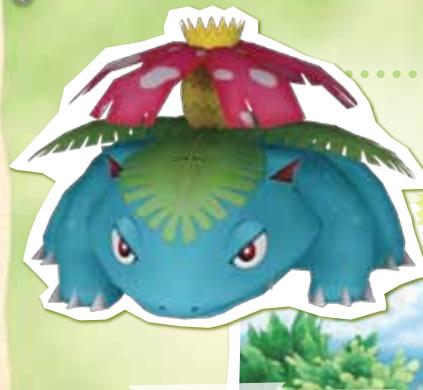
VENUSAUR
The Keeper of the Meadow Zone. Kindhearted and concerned about everyone.

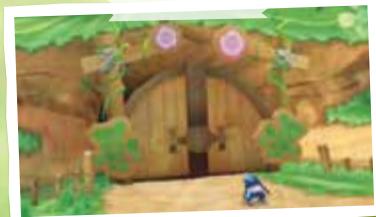
Meadow Zone
A lush, nature-filled area
Attractions:
Bulbasaur's Daring Dash
Venusaur's Vine Swing

EMPOLEON
The Keeper of the Beach Zone and the Iceberg Zone. Nothing will bend Empoleon's Steel Will.

Iceberg Zone
A silvery, snow-covered island
Attraction: Empoleon's Snow Slide
Beach Zone
A region of bright, sunny beaches
Attractions:
Pelipper's Circle Circuit
Gyarados's Aqua Dash
BLAZIKEN
The Keeper of the Cavern Zone and the Lava Zone. Training himself, Blaziken prepares to face the danger threatening the PokePark.
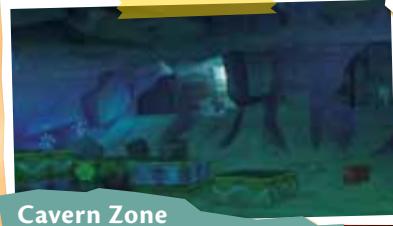
Cavern Zone
A mine tunnel inside a mountain
Attraction:
Bastiodon's Block Barrage
Laya Zone
A scorching volcano district
Attractions:
Rhyperior's Bumper Burn
Blaziken's Boulder Bash

BASICCONTROLS
PokéPark™ Wii: Pikachu's Adventure uses the Wii Remote™ controller to play. (The Nunchuk™ controller is not used.)
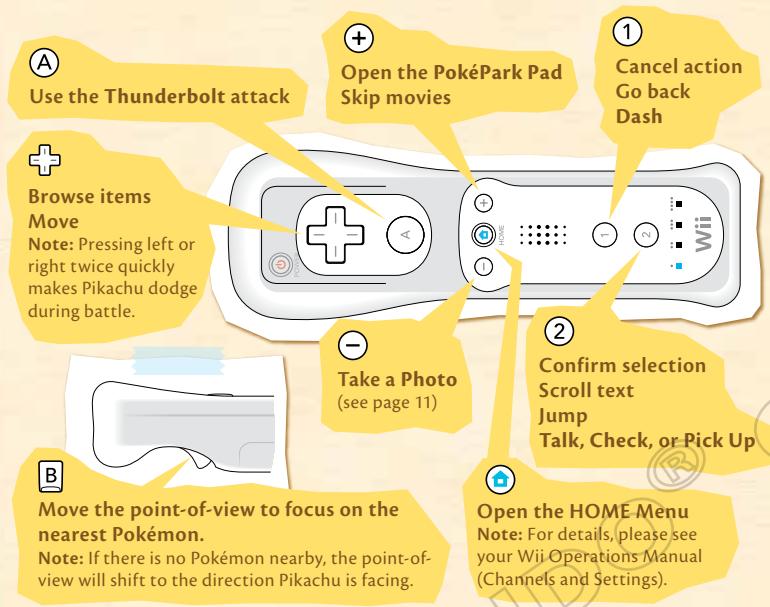
Note: During play, the Wii Remote is held horizontally. Certain Attractions may require the player to point the Wii Remote toward the screen.
Note: Shake the Wii Remote up and down during battles to use Pikachu's Iron Tail attack. Pikachu learns Iron Tail during the adventure.
Point
Pointing the Wii Remote toward the screen and pressing changes the point-of-view to Pikachu's point-of-view. Pikachu will look where you point until you point away from the screen and press which returns the point-of-view to normal.

GETTING STARTED
1 Please insert the Wii Game Disc PokePark Wii: Pikechu's Adventure correctly in the Wii console's disc slot. When you see the screen to the right, read the message, then press A.
Please select the Wii Disc Channel on the Wii Menu by pointing and pressing 已 You'll see the Channel Preview screen.
Note: Please see "SYSTEM MENU UPDATE" (on Contents page).
Point at Start and press 已 . You'll see the Strap Usage screen.
Put the Wii Remote wrist strap on, then press ④ . Next, hold the Wii Remote in a horizontal position and press ④ . You'll see the title screen.
Press ② to start the game.

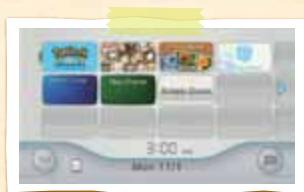
Wii Menu
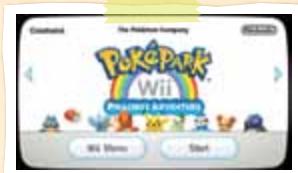
Channel Preview Screen

CAUTION: Wrist STRAP USE
Please use the wrist strap to help prevent injury to other people or damage to surrounding objects or the Wii Remote in case you accidentally let go of the Wii Remote during game play.
Also remember the following:
- Make sure all players put on the wrist strap properly when it is their turn.
- Do not let go of the Wii Remote during game play.
- Dry your hands if they become moist.
- Allow adequate room around you during game play and make sure that all areas you might move into are clear of other people and objects.
- Stay at least three feet from the television.
- Use the Wii Remote Jacket.

Press ② at the title screen to see the Main Menu.
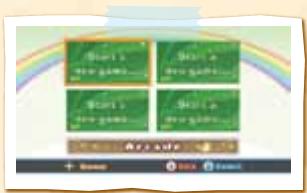
Start a New Game
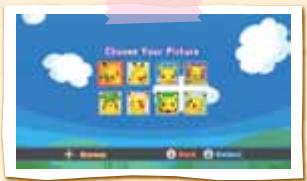
To start a new game from the beginning, select Start a new game.... Use + to look at the pictures of Pikachu used to keep track of different Games, then select the picture you want to use for your Game by pressing ②
Select Yes, and you'll see the screen to the right. Select Play in PokePark and press ② to start the Game.
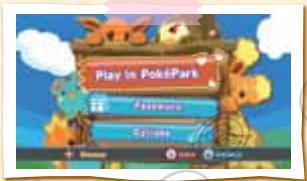
Games (1 to 4)
You can create up to four Games. Select the Game you want to play, and press ② on Play in PokePark to start the Game from the entrance of the Zone where you last saved the Game.
Note: Games cannot be copied.
Saving the Game
Select Save Game (see page 13) to save a record of your adventure. You need over 95 open blocks in Wii system memory.
Please do not press the POWER Button or the RESET Button while saving.
Please refer to the Wii Operations Manual (Channels and Settings) that came with the Wii console when deleting data from Wii system memory.
Attention: Deleting data from Wii system memory deletes all data, including Games (1 to 4). This information cannot be restored.
- Password
Enter a Password (see page 18) to get Pikechu's Accessories or to have new Pokémon appear in the game.
- Options
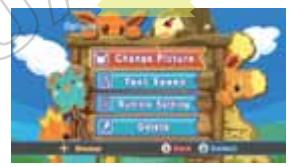
Change Picture
Change the picture of Pikachu that shows which Game is yours. You cannot choose a picture that is being used for another Game.
Text Speed
Select between two speeds for displaying text: Normal and Fast.
Rumble Setting
Turn the Wii Remote controller's Rumble ON or OFF.
Delete
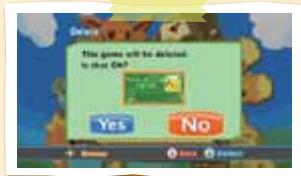
Delete the selected Game.
Note: Deleted Games cannot be restored.
Arcade
Play the Attractions unlocked in any of the Games (1 to 4) as many times as you want. Any Pokémon that has become your friend in any of the Games (1 to 4) can play the Attractions.
Note: Records set in the Arcade are saved separately from the Records in the main game and cannot be deleted.
(If data is deleted from Wii system memory, all of the data, including the Save Games [1 to 4], will be deleted.)
Note: Photos (see page 11) cannot be taken in the Arcade.

GAMESCREEN
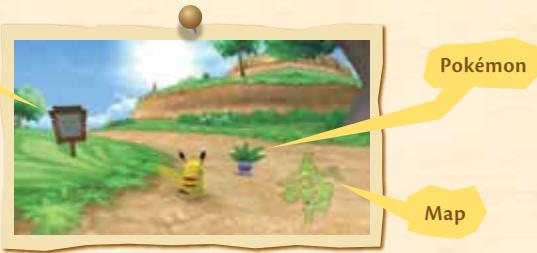
Signboard
Pokémon
You'll see Talk when Pikachu approaches a Pokémon. Press ② to talk to that Pokémon. The icon displays when Pokémon have something important to say.
Signboards
You'll see ② Check when you approach a Signboard. Press ② to read what that Signboard says. You can also check other things in addition to Signboards.
Crates
Dash into crates or hit them with Thunderbolt to break them. Sometimes they contain items like Berries.
- Berries
In the PokePark, Berries are used for things like participating in events and increasing Pike's Stats. Receive Berries by winning Skill Games or when you achieve the Bonus at Attractions. Do your best to gather lots of Berries!
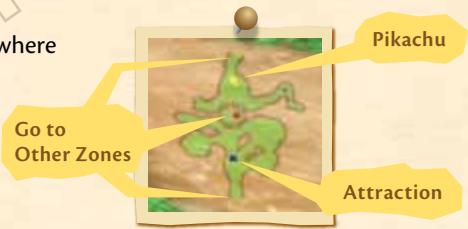
Map
This is a map of the Zone where
Pikachu is currently playing.
Note: Pressing 5 and ^+ at the same time toggles the map from visible to invisible.

Go to Other Zones
The Meeting Place
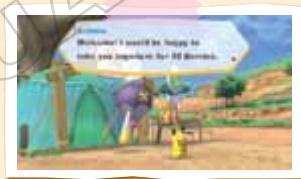
After you've made some progress in your adventure, you'll be able to go to the Meeting Place. There, you'll find Pokémon who will power up Pikachu in exchange for Berries. As you continue, more Pokémon appear, and you can raise Thunderbolt's power or increase Dash's speed (up to a limit).
Drifblim's Transportation Service
Drifblim™ can give you a lift to any Zone you've already visited in exchange for Berries. Check the Drifblim Stop in each Zone to make Drifblim appear.
Misdreavus's Photo Studio
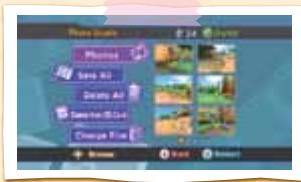
You can take Photos of your adventures! First, you need Film. Exchange 100 Berries in the Change Film menu to get up to a maximum of 30 exposures. Then, press to take Photos when you're playing in the Zones or Attractions. You can only keep the most recent 30 Photos, unless you save them on an SD Card (sold separately).
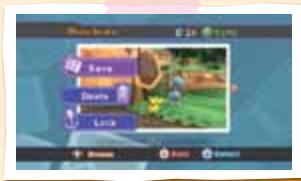
To protect special Photos from being deleted, select Lock in Photos. A icon will appear on that Photo to show that it won't be deleted. If you later decide to delete it, select Unlock.
Saving Photos on the SD Card
Select a Photo in Photos, open the menu with ② , then select Save and Yes to save the Photo on the SD Card. Select Save All to save all of the Photos to the SD Card. Select Delete All to delete all unlocked Photos from Wii system memory. To delete all Photos on the SD card, select Delete from SD Card.
Note: Data on the SD Card cannot be seen within the Game.
Note: All Photos are protected by copyright and are jointly owned by The Pokémon Company, Nintendo, GAME FREAK, and Creatures. Please remember that the Photos are only intended for personal, non-commercial use.
POKÉPARKPAD
At the beginning of the adventure, Pikachu receives the PokéPark Pad from Chatot™. Press to open the PokéPark Pad. You can only do this in the PokéPark, not while playing Attractions.
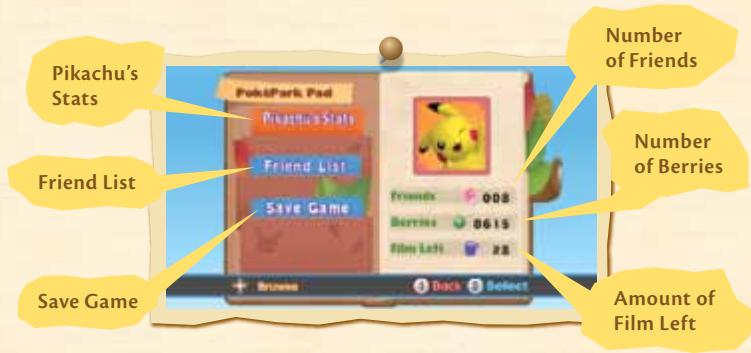
Pikachu's Stats
On this screen, you'll see information such as how strong Pikechu is in battle and how many Sky Prism Pieces you have collected.
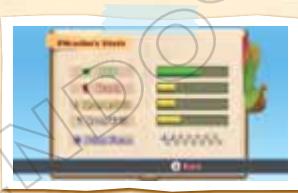

Pikachu's Battle HP

Pikachu's Dash Speed

Thunderbolt's Strength

Iron Tail's Strength

Sky Prism Pieces Collected
Friend List
This is a list of Pokémon that have become your friends. The list is ordered by number. Press A to sort the list by name (alphabetical order). Press A again to return the list to numerical order.
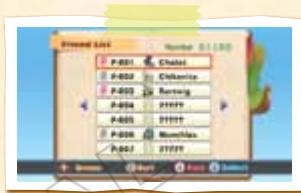
Select a Pokémon and press ② to read information about that Pokémon. Press left or right on ^+ to read about the previous or next Pokémon on the list.

This picture means the Pokémon is one of your friends.

This picture means the Pokémon is one of your best friends.
Note: One of the ways you can make a friend into a best friend is by playing a Skill Game with that Pokémon.
Save Game
Save the Game at this point. After saving, you will be asked if you want to quit playing. Select Yes to return to the title screen. Select No to return to the PokePark Pad screen.
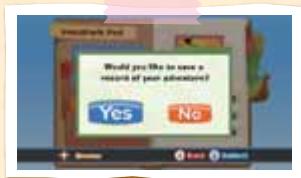
After you've saved at least one Game, select Game (1 to 4) on the Main Menu (see page 8) to play a different Game or continue from where you left off. Note: At different points during the adventure, such as when you have cleared an Attraction, you'll be asked whether you want to save the Game.
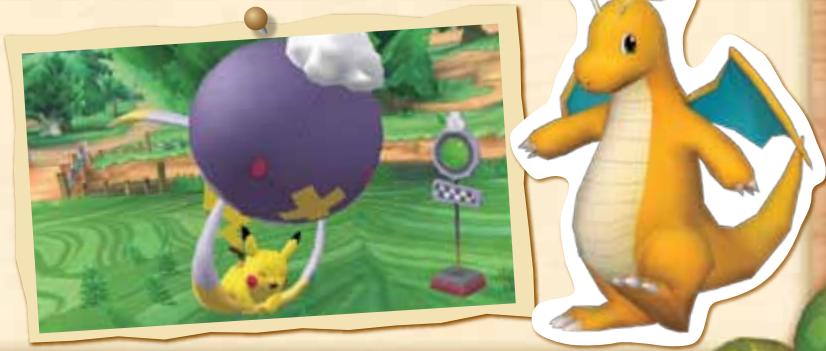
POKÉMON AND SKILL GAMES
When you talk to other Pokémon in the Zones, they will invite you to play Skill Games. There are several different types of Skill Games.
When you win a Skill Game, your opponent will become your friend, and you'll receive some Berries.
Some of your friends can participate in particular Attractions.
Note: Press during a Skill Game to quit playing that Skill Game. You cannot resume the Skill Game after quitting. You cannot quit during a Quiz.
Note: Photos cannot be taken during Skill Games.
Chase
Win this game by Tagging the other Pokémon within the time limit. You won't be able to Tag the other Pokémon without using ① to Dash into them.
Hit Pikechu's opponents with a Thunderbolt by pressing ④ , and you may stop them in their tracks!
Battle
The first Pokémon to knock the opponent's HP all the way down within the time limit wins. If Pikachu's HP is all gone or time runs out, you'll lose that battle.
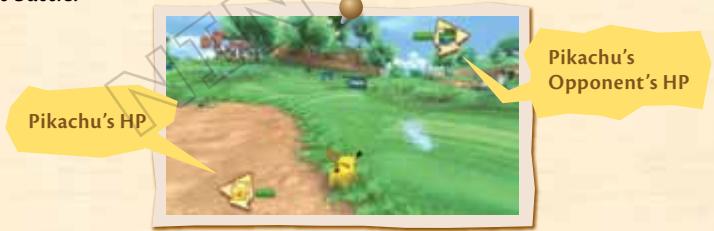
Pikachu lowers the opponent's HP with the following methods. But, beware! Thunderbolt doesn't work on some opponents.
① Dash into the opponent
Fire off a Thunderbolt
Shake the Wii Remote up and down to use Iron Tail*
*Iron Tail is learned later in the adventure.
Quickly tapping either left or right twice on moves Fukushima at high speed, which makes it easier to dodge the opponent's attacks. Also, if your opponent is shown as blinking on and off, that means Fukushima's attacks temporarily have no effect.
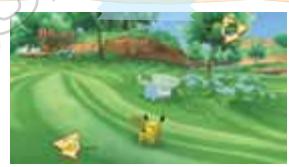
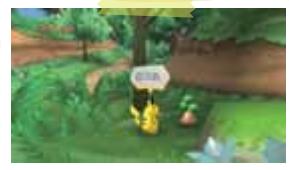
Hide-and-Seek
Win this game by finding the other Pokémon within the time limit. When you get close to your opponent, ② Tafk will be displayed. Press ② to find the Pokémon.
When you're getting closer to finding your opponent, you will hear that Pokémon's voice. When you're heading in the wrong direction, you might get a hint.
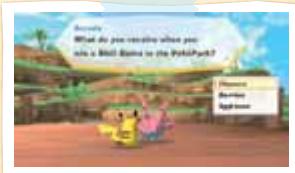
Quiz
There are three questions in the Quiz. Answer them all correctly to win. There is no time limit. Press up or down on to choose an answer, then press ② to confirm.
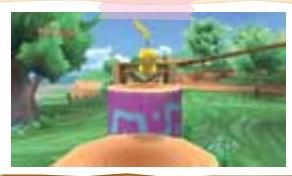
Obstacle Hop
Hop from obstacle to obstacle with ② If Pikachu reaches the opponent within the time limit, you win! If Pikachu gets off course or falls off a platform, you'll have to start over at the beginning.
ATTRACRATIONS
You must clear each Zone's Attractions to make progress in your adventure. Talk to the Attraction Chief standing next to the Signboard, and give that Pokémon the number of Berries necessary to play the Attraction. Depending on the Attraction, you may need to meet other conditions in order to play.
Before beginning each Attraction, you'll have a chance to read about how to play it. Press ② to read the next page, or press ① to return to the previous page. Press ④ to skip the explanation. When the Attraction hasn't been cleared yet, the Goal is displayed.
Next, you'll read how to use the Wii Remote. Press ② to continue reading, or press ① to return to the previous section. Press ④ to skip the explanation. Sometimes you'll see extra information that might help you, such as suggestions about Skillful Pokémon who are good at that Attraction.
Choose the Pokémon to play the Attraction. Pikachu and friends are displayed, so use left or right on to choose a Pokémon, then press ② to confirm.
Each Pokémon's Record
The Record needed for this Pokémon to get a Bonus.
Note: If the Pokémon has already received the Bonus, you'll see Achieved.
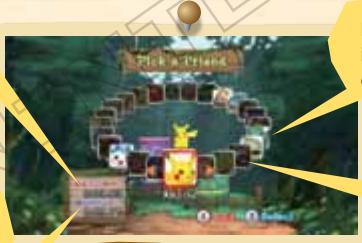
Pokémon displayed in bright colors can play.
You can't select Pokémon to play Attractions unless they're your friends.
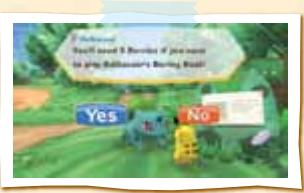
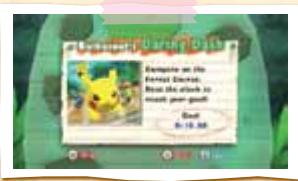
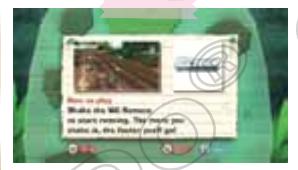
To play an Attraction, first select a Pokémon. You'll have to perform specific actions depending on the Attraction. For example, in Bulbasaur's Daring Dash, you shake the Wii Remote up and down to Dash.
Note: Do not shake the Wii Remote too hard.
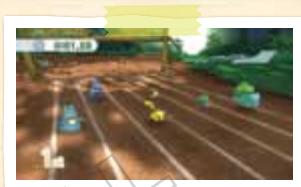
Note: Please read the Wii Operations Manual or the Wii Remote Jacket Operations Manual to learn how to attach the jacket and wrist strap to the Wii Remote.
Pressing ① during the Attraction pauses the action and brings up the following screen.
Return to the previous screen.
Start again from the beginning.
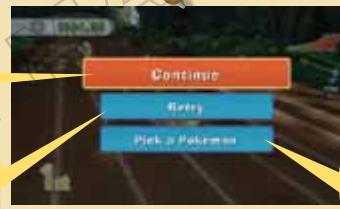
Return to the screen for picking Pokémon.
If you achieve the Goal after playing the Attraction, the Attraction is cleared, and the Attraction Chief will give you a Sky Prism Piece.
If you break the Bonus record, you'll receive Berries—but only one time for each Pokémon.

When the game is complete, you'll see the following screen. You can play as many times as you like without paying more berries, until you choose Quit.
Play again with the same Pokémon.
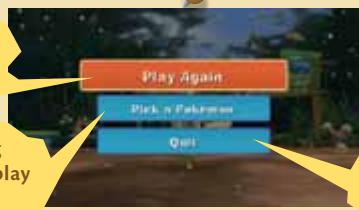
Quit playing this Attraction.
KEYWORDS
Enter Passwords to get Accessories for Pikachu and to make new Pokémon appear in the game.
Entering Passwords
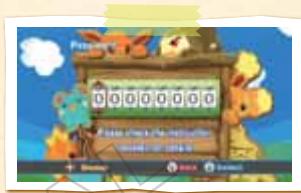
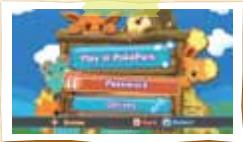
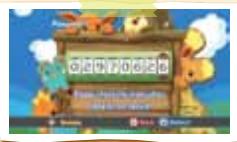
Select Password on the Main Menu, and press ② to go to the Password entry screen. Pressing left or right on moves around the entry screen. Press up or down to change the numbers. Once the Password has been entered, press ② to confirm.
First, try entering this Password: 02970626. This Password gives you the Accessory Pikachu's Surfboard. There are other Passwords, so try to get a lot of Accessories and meet many Pokémon.
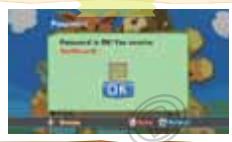
Note: If the Password is entered incorrectly, you'll return to the Password entry screen.
Pikachu's Accessories
You can use the PokePark Pad (see page 12) to check which Accessories Pikachu has. There are some Attractions that Pikachu can't play. But after you have the right Accessory, you can! For example, with Pikachu's Surfboard, Pikachu can play Gyarados's Aqua Dash.
Pokémon That Appear in the PokePark
When a Password is entered, some Pokémon will appear somewhere in the PokePark. Making friends with these Pokémon is difficult. If you succeed, try using these Pokémon to play Attractions. They just might do something amazing.

For more information on Passwords, visit: http://www.pokeparkwii.com.
Note: Passwords may be removed from the Web site without notice.
STAFFCREDITS
Director
Kenji Takahashi
Planning
Hirofumi Matsuoka
Hajime Kuroyanagi
Yota Hirano
Kazuyoshi Isari
Norihide Okamura
Yasuki Watanabe
Scenario
Misato Kadosawa
Akihito Toda
Script
Minoru Kawamura
Kouichi Nomaki
Koichiro Kurosawa
Programming Direction
Kouichi Watanabe
Programming
Kenji Furukawa
Masaaki Kobayashi
Shigeomi Habuki
BAUHAUS
ENTERTAINMENT
Yoshinobu Matono
Hiroya Mifune
Daisuke Nakanishi
Technical Support
Hiroyuki Ogasawara
Graphic Director
Hiroaki Ito
Graphics
Mikiko Takeda
Shunsuke Uematsu
Yasuyuki Sakuma
Masahiko Ishii
Misaki Nakaoka
Hiroyuki Takahashi
Atsuko Ujiie
BAUHAUS
ENTERTAINMENT
Masaya Ishizuka
Takeshi Ochiai
Kazuaki Daimon
Takumi Mizuno
Wataru Masuda
Azusa Nakagami
Masafumi Sugiyama
Kenichi Tanaka
Ryoko Hikawa
Ruri Fukuoka
Rena Ohki
Eriko Kato
Hiromichi Hidaka
Kazuhiro Suganuma
Kazuki Kobayashi
Yasuko Motoki
Yousuke Takahashi
Shino Hiranabe
Kaori Kitano
Yasuhsa Sakamoto
Shoji Ando
Nozomi Inomata
Shinichi Kawaguchi
DIGITALSCAPE Co., Ltd.
Kazuhisa Nishimura
Technical Support
Rie Takeuchi
Sound Direction
Takuto Kitsuta
Music
Ken-ichi Koyano
Manami Kiyota
SIGERO
Sound Effects
Kazutaka Yamaguchi
Kenichi Kikkawa
Movies
Yasunori Yanagisawa
Hazuki Ago
Debug
Yoshiharu Tsukuda
Maiko Shindo
Shintarou Tada
DIGITAL Hearts Co., Ltd.
Jun Ito
Yoshihito Oku
Yasuhiro Mizuno
Fumitaka Akutsu
Mario Club Co., Ltd.
Kiyoshi Ishibiki
Ryosuke Yamada
Masato Kise
Hiroki Tsuchii
Keisuke Fukushima
Takehiro Oyama
Yuki Sakamoto
Development Support
Takafumi Misawa
Joe Naha
Yuma Kato
Takashi Sakuma
Ryosuke Hanawa
Kou Ohnuma
Takao Nakano
Kazuki Yoshihara
Kaori Ando
Artwork
Sakae Kimura
Kenichi Koga
Hidefumi Ide
Chiaki Shinkai
Naoyuki Miyashita
Kiyomi Itani
Yasuko Sugiyama
Sachiko Nakamichi
Pokémon Model
Supervision
Yukiko Kanagawa
Nobue Kamikawabata
English Localization
Yasuhiro Usui
Mikiko Ryu
Satomi Honda
Translation
Hisato Yamamori
Tim Hove
English-Version
Editing
Eoin Sanders
Blaise Selby
English-Version
Artwork
Eric Medalle
Bridget O'Neill
Voice Recording
Supervision
John Hershberger
English-Version
Dubbing
DuArt Inc.
English-Version Voice
Acting
Carmen Borgia
James Carter Cathcart
Bella Hudson
Emily Jenness
Michele Knotz
Sarah Natochenny
Amy Palant
Sean Reyes
Kayzie Rodgers
Bill Rogers
Marc Thompson
Tom Wayland
Tim Werenko
Scott Williams
Localization
Development
Yoshiharu Tsukuda
Hajime Kuroyanagi
Yota Hirano
Kouichi Watanabe
Masaaki Kobayashi
Misaki Nakaoka
Kenichi Higeta
Takuto Kitsuta
Kenichi Kikkawa
Maiko Shindo
Localization
Coordinators
Tomoko Nakayama
Seth McMahill
Rie Fujiwara
Joel Simon
NOA Product Testing
Masayasu Nakata
Kyle Hudson
Eric Bush
Sean Egan
Tomoko Mikami
Teresa Lillygren
Kathy Huguenard
Makiko Szolas
Leland Jones
Josh Newman
Special Thanks
MIRACLE ARTS
Satoshi Mitsuhara
DINGO Inc.
Very Special Thanks
GAME FREAK INC.
Original Pokémon
Director
Satoshi Tajiri
Supervisor
Katsuyoshi Irie
Production
Management
Masamichi Anazawa
Miku Majima
Development
Producers
Kunimi Kawamura
Hitoshi Yamagami
Producers
Hirokazu Tanaka
Hiroyuki Jinnai
Hiroaki Tsuru
Mikiko Ohashi
Tomotaka Komura
Toshio Miyahara
Executive Producer
Satoru Iwata
Executive Producer
Tsunekazu Ishihara
WARRANTY & SERVICE INFORMATION
You may need only simple instructions to correct a problem with your product. Try our website at support.nintendo.com or call our Consumer Assistance Hotline at 1-800-255-3700, rather than going to your retailer. Hours of operation are 6 a.m. to 7 p.m., Pacific Time, Monday - Sunday (times subject to change If the problem cannot be solved with the troubleshooting information available online or over the telephone, you will be offered express factory service through Nintendo. Please do not send any products to Nintendo without contacting us first.
HARDWARE WARRANTY
Nintendo of America Inc. ("Nintendo") warrants to the original purchaser that the hardware product shall be free from defects in material and workmanship for twelve (12) months from the date of purchase. If a defect covered by this warranty occurs during this warranty period, Nintendo will repair or replace the defective hardware product or component, free of charge.* The original purchaser is entitled to this warranty only if the date of purchase is registered at point of sale or the consumer can demonstrate, to Nintendo's satisfaction, that the product was purchased within the last 12 months.
GAME & ACCESSORY WARRANTY
Nintendo warrants to the original purchaser that the product (games and accessories) shall be free from defects in material and workmanship for a period of three (3) months from the date of purchase. If a defect covered by this warranty occurs during this three (3) month warranty period, Nintendo will repair or replace the defective product, free of charge.*
SERVICE AFTER EXPIRATION OF WARRANTY
Please try our website at support.nintendo.com or call the Consumer Assistance Hotline at 1-800-255-3700 for troubleshooting information and repair or replacement options and pricing.*
*In some instances, it may be necessary for you to ship the complete product, FREIGHT PREPAID AND INSURED FOR LOSS OR DAMAGE, to Nintendo. Please do not send any products to Nintendo without contacting us first.
WARRANTY LIMITATIONS
THIS WARRANTY SHALL NOT APPLY IF THIS PRODUCT: (a) IS USED WITH PRODUCTS NOT SOLD OR LICENSED BY NINTENDO (INCLUDING, BUT NOT LIMITED TO, NON-Licensed GAME ENHANCEMENT AND COPIER DEVICES, ADAPTERS, SOFTWARE, AND POWER SUPPLIES); (b) IS USED FOR COMMERCIAL PURPOSES (INCLUDING RENTAL); (c) IS MODIFIED OR TAMPERED WITH; (d) IS DAMAGED BY NEGLIGENCE, ACCIDENT, UNREASONABLE USE, OR BY OTHER CAUSES UNRELATED TO DEFECTIVE MATERIALS OR WORKMANSHIP; OR (e) HAS HAD THE SERIAL NUMBER ALTERED, DEFACED OR REMOVED.
ANY APPLICABLE IMPLIED WARRANTYES, INCLUDING WARRANTYES OF MERCHANTABILITY AND FITNESS FOR A PARTICULAR PURPOSE, ARE HEREBY LIMITED IN DURATION TO THE WARRANTY PERIODS DESCRIBED ABOVE (12 MONTHS OR 3 MONTHS, AS APPLICABLE). IN NO EVENT SHALL NINTENDO BE LIABLE FOR CONSEQUENTIAL OR INCIDENTAL DAMAGES RESULTING FROM THE BREACH OF ANY IMPLIED OR EXPRESS WARRANTYES. SOME STATES DO NOT ALLOW LIMITATIONS ON HOW LONG AN IMPLIED WARRANTY LASTS OR EXCLUSION OF CONSEQUENTIAL OR INCIDENTAL DAMAGES, SO THE ABOVE LIMITATIONS MAY NOT APPLY TO YOU.
This warranty gives you specific legal rights. You may also have other rights which vary from state to state or province to province.
Nintendo's address is: Nintendo of America Inc., P.O. Box 957, Redmond, WA 98073-0957 U.S.A.
This warranty is only valid in the United States and Canada.

CONTENT RATED BY
ESR B
© 2010 Pokémon. © 1995-2010 Nintendo/Creatures Inc./GAME FRETIC acquired by Creatures Inc. TM, ®, and the Wii logo are trademarks of Nintendo. © 2010 Nintendo.
VEUILLEZ LIRE ATTENTIVEMENT L'INTÉGRAlité DU MODE D'EMPLOI DE LA Wii™ AVANT D'UTILISER VOTRE CONSOLE, VOTRE DISQUE DE JEU OU VOS ACCESSOIRS Wii. CE MODE D'EMPLOI CONTIENT D'IMPORTANTES INFORMATIONS SUR VOTURE SANTÉ ET VOTURE SECURITÉ.
INFORMATIONS IMPORTANTES CONCERNANT VOITE SECURITE : VEUILLEZ LIRE LES PRECAUTIONS SUIVANTES AVANT QUE VOUS OU QUE VOITE ENFANT NE JOUIEZ À DES JEUX VIDEO.
AVENTURE AVEC SES AMIS!
(ZONES AND ZONE KEEPERS)
Zone Ardente (Lava Zone)
Tollmerte (Thunder bolt)

Ouvrir le carnet