
WII KIRBYS EPIC YARN - Video game NINTENDO - Free user manual and instructions
Find the device manual for free WII KIRBYS EPIC YARN NINTENDO in PDF.



| Product type | Video game |
| Platform | Nintendo Wii |
| Publisher | Nintendo |
| Language | French (configurable in Wii settings) |
| Number of players | 1 to 2 (cooperative mode) |
| Genre | Platform, action-adventure |
| Required save space | 31 blocks on Wii memory |
| Controller | Wii Remote controller (held horizontally) |
| Main features | Platform game with transformations into car, parachute, weight, etc.; collecting pearls and treasures; apartment decoration; missions for friends |
| Game modes | Single-player adventure, two-player cooperation (two Wii Remotes) |
| Save | Automatic after each successful level, after obtaining fabrics/furniture or redecorating |
| Disc maintenance | Clean with a soft, dry cloth, avoid scratches and dust |
| Safety | Warnings for epilepsy, repetitive movements, eye strain, and wrist strap use |
| Customer service | Support.nintendo.com or 1 800 255-3700 (USA/Canada) |
| Warranty | 12 months for the console, 3 months for the game and accessories (according to Nintendo warranty) |
Frequently Asked Questions - WII KIRBYS EPIC YARN NINTENDO
User questions about WII KIRBYS EPIC YARN NINTENDO
0 question about this device. Answer the ones you know or ask your own.
Ask a new question about this device
Download the instructions for your Video game in PDF format for free! Find your manual WII KIRBYS EPIC YARN - NINTENDO and take your electronic device back in hand. On this page are published all the documents necessary for the use of your device. WII KIRBYS EPIC YARN by NINTENDO.
USER MANUAL WII KIRBYS EPIC YARN NINTENDO
PLEASE CAREFULLY READ THE Wii™ OPERATIONS MANUAL COMPLETELY BEFORE USING YOUR Wii HARDWARE SYSTEM, GAME DISC OR ACCESSORY. THIS MANUAL CONTAINS IMPORTANT HEALTH AND SAFETY INFORMATION.
IMPORTANT SAFETY INFORMATION: READ THE FOLLOWING WARNINGS BEFORE YOU OR YOUR CHILD PLAY VIDEO GAMES.
WARNING - Seizures
- Some people (about 1 in 4000) may have seizures or blackouts triggered by light flashes or patterns, and this may occur while they are watching TV or playing video games, even if they have never had a seizure before.
- Anyone who has had a seizure, loss of awareness, or other symptom linked to an epileptic condition should consult a doctor before playing a video game.
- Parents should watch their children play video games. Stop playing and consult a doctor if you or your child has any of the following symptoms:
Convulsions
Loss of awareness
Eye or muscle twitching
Involuntary movements
Altered vision
Disorientation
-
To reduce the likelihood of a seizure when playing video games:
-
Sit or stand as far from the screen as possible.
- Play video games on the smallest available television screen.
- Do not play if you are tired or need sleep.
- Play in a well-lit room.
- Take a 10 to 15 minute break every hour.
WARNING - Repetitive Motion Injuries and Eyestrain
Playing video games can make your muscles, joints, skin or eyes hurt. Follow these instructions to avoid problems such as tendinitis, carpal tunnel syndrome, skin irritation or eyestrain.
- Avoid excessive play. Parents should monitor their children for appropriate play.
Take a 10 to 15 minute break every hour, even if you don't think you need it. - If your hands, wrists, arms or eyes become tired or sore while playing, or if you feel symptoms such as tingling, numbness, burning or stiffness, stop and rest for several hours before playing again.
- If you continue to have any of the above symptoms or other discomfort during or after play, stop playing and see a doctor.
CAUTION - Motion Sickness
Playing video games can cause motion sickness in some players. If you or your child feel dizzy or nauseous when playing video games, stop playing and rest. Do not drive or engage in other demanding activity until you feel better.
IMPORTANT LEGAL INFORMATION
This Nintendo game is not designed for use with
any unauthorized device. Use of any such device will invalidate your Nintendo product warranty. Copying of any Nintendo game is illegal and is strictly prohibited by domestic and international intellectual property laws. "Back-up" or "archival" copies are not authorized and are not necessary to protect your software. Violators will be prosecuted.
WARRANTY & SERVICE INFORMATION
You may need only simple instructions to correct a problem with your product. Try our website at support.nintendo.com or call our Consumer Assistance Hotline at 1-800-255-3700, rather than going to your retailer. Hours of operation are 6 a.m. to 7 p.m., Pacific Time, Monday - Sunday (times subject to change). If the problem cannot be solved with the troubleshooting information available online or over the telephone, you will be offered express factory service through Nintendo. Please do not send any products to Nintendo without contacting us first.
HARDWARE WARRANTY
Nintendo of America Inc. ("Nintendo") warrants to the original purchaser that the hardware product shall be free from defects in material and workmanship for twelve (12) months from the date of purchase. If a defect covered by this warranty occurs during this warranty period, Nintendo will repair or replace the defective hardware product or component, free of charge.* The original purchaser is entitled to this warranty only if the date of purchase is registered at point of sale or the consumer can demonstrate, to Nintendo's satisfaction, that the product was purchased within the last 12 months.
GAME & ACCESSORY WARRANTY
Nintendo warrants to the original purchaser that the product (games and accessories) shall be free from defects in material and workmanship for a period of three (3) months from the date of purchase. If a defect covered by this warranty occurs during this three (3) month warranty period, Nintendo will repair or replace the defective product, free of charge.*
SERVICE AFTER EXPIRATION OF WARRANTY
Please try our website at support.nintendo.com or call the Consumer Assistance Hotline at 1-800-255-3700 for troubleshooting information and repair or replacement options and pricing.*
*In some instances, it may be necessary for you to ship the complete product, FREIGHT PREPAID AND INSURED FOR LOSS OR DAMAGE, to Nintendo. Please do not send any products to Nintendo without contacting us first.
WARRANTY LIMITATIONS
THIS WARRANTY SHALL NOT APPLY IF THIS PRODUCT: (a) IS USED WITH PRODUCTS NOT SOLD OR LICENSED BY NINTENDO (INCLUDING, BUT NOT LIMITED TO, NON-Licensed GAME ENHANCEMENT AND COPIER DEVICES, ADAPTERS, SOFTWARE, AND POWER SUPPLIES); (b) IS USED FOR COMMERCIAL PURPOSES (INCLUDING RENTAL); (c) IS MODIFIED OR TAMPERED WITH; (d) IS DAMAGED BY NEGLIGENCE, ACCIDENT, UNREASONABLE USE, OR BY OTHER CAUSES UNRELATED TO DEFECTIVE MATERIALS OR WORKMANSHIP; OR (e) HAS HAD THE SERIAL NUMBER ALTERED, DEFACED OR REMOVED.
ANY APPLICABLE IMPLIED WARRANTYES, INCLUDING WARRANTYES OF MERCHANTABILITY AND FITNESS FOR A PARTICULAR PURPOSE, ARE HEREBY LIMITED IN DURATION TO THE WARRANTY PERIODS DESCRIBED ABOVE (12 MONTHS OR 3 MONTHS, AS APPLICABLE). IN NO EVENT SHALL NINTENDO BE LIABLE FOR CONSEQUENTIAL OR INCIDENTIAL DAMAGES RESULTING FROM THE BREACH OF ANY IMPLIED OR EXPRESS WARRANTYES. SOME STATES DO NOT ALLOW LIMITATIONS ON HOW LONG AN IMPLIED WARRANTY LASTS OR EXCLUSION OF CONSEQUENTIAL OR INCIDENTIAL DAMAGES, SO THE ABOVE LIMITATIONS MAY NOT APPLY TO YOU.
This warranty gives you specific legal rights. You may also have other rights which vary from state to state or province to province.
Nintendo's address is: Nintendo of America Inc., P.O. Box 957, Redmond, WA 98073-0957 U.S.A.
This warranty is only valid in the United States and Canada.

©2010 Nintendo / Good-Feel. ©2010 HAL Laboratory, Inc. / Nintendo. TM, * and the Wii logo are trademarks of Nintendo. ©2010 Nintendo.

THE STORY

One day in the peaceful kingdom of Dream Land, Kirby™ was out for a stroll when he spotted his favorite food, a bright red tomato, sitting on top of a bush. As soon as he tried to swallow the tomato, though, a caped sorcerer appeared!

Yin-Yarn the Sorcerer
"Hey! That's my magic Metamato!" the sorcerer shouted.
But Kirby gulped the Metamato right down! Just then, a white sock around the sorcerer's neck began to glow...and Kirby was sucked right into the sock!
It took Kirby a moment to realize that somehow the sock had transported him to a world made completely of cloth and yarn. And to his great surprise,
he saw that his whole body was made out of yarn!
Then Kirby noticed a yarn monster chasing a blue yarn boy! Kirby transformed into a car and saved the boy from the monster.
Apparently, that strange
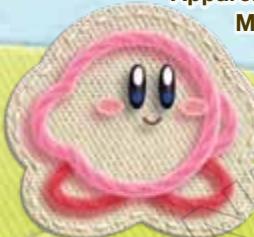
Metamato gave Kirby the power to seamlessly transform into a car and...who knows what else?
The blue yarn boy said his name was Fluff and that he was the prince of Patch Land. Prince Fluff explained that he was on a journey to stitch the continents of Patch Land back together after they had been torn apart by
Kirby
Yin-Yarn the Sorcerer. When Kirby heard this, he decided to help Prince Fluff save Patch Land and destroy the evil Yin-Yarn!
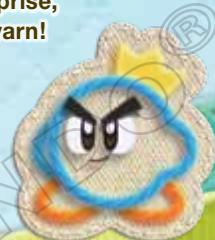
Prince Fluff

CONTENTS

STARTING THE GAME 5
CONTROLS 7
ACTIONS 9
PLAYING THE GAME 13
QUILTY SQUARE 17
QUILTY COURT 18
PHOTO ALBUM 21
See p. 6 for more info about saving.

LANGUAGE SELECTION
To play this game in English, change your language settings in the Wii System Settings.

SYSTEM MENU UPDATE
Please note that when first loading the Game Disc into the Wii console, the system will check if you have the latest version of the system menu, and if necessary a Wii system menu update screen will appear. Select OK to proceed with the update. Please note that the Wii console must have the latest version of the Wii system menu in order to play the Game Disc.
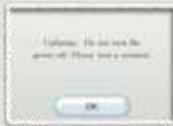
When the system menu is updated, unauthorized hardware and/or software modifications may be detected and unauthorized content may be removed, causing the immediate or delayed inoperability of your console. Failure to accept the update may render this game, and future games, unplayable. Please note that Nintendo cannot guarantee that unauthorized software or accessories will continue to function with the Wii console after this or future updates of the Wii system menu.
Insert the Kirby's Epic Yarn Game Disc into your
Wii™ console disc slot. The Wii console will turn on.

When the screen on the right appears, read the information and press .


Point at the Disc Channel on the Wii Menu, then press A.
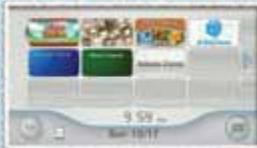
Wii Menu

When the Channel Preview screen appears, point at Start and press .
Channel Preview Screen

Fasten the wrist strap as shown, and press A when you are ready. Turn the Wii Remote™ and hold it sideways.
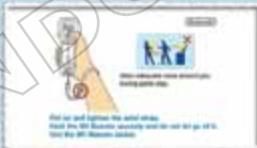
Strap Usage Screen

CAUTION: WRIST STRAP USE
Please use the wrist strap to help prevent injury toother people or damage to surrounding objects or the
Wii Remote in case you accidentally let go of the Wii Remote during game play. Also remember the following:
- Make sure all players put on the wrist strap properly when it is their turn.
- Do not let go of the Wii Remote during game play.
- Dry your hands if they become moist.
- Allow adequate room around you during game play, and make sure that all areas you might move into are clear of other people and objects.
- Stay at least three feet from the television.
- Use the Wii Remote Jacket.
PLAYING FOR THE FIRST TIME (Creating a Save File)
The first time you play, you must create a save file. Choose YES to create a save file and proceed to the title screen. You will need 31 blocks of free memory on your Wii Console to create a save file for this game.

TITLESCREEN
Select either ONE PLAYER or TWO PLAYERS by pressing up or down on ① , then press ② to confirm your selection. You will need to sync a second Wii Remote to play with two players.
See p. 8 for more information about TWO-PLAYER CO-OP MODE.

FILE-SELECTION SCREEN
To load a game, choose a save file and select OK.
You can also copy and erase save files at this screen.
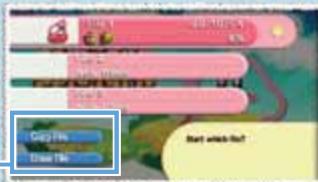
| File Options | |
| Copy File | Copy the selected save file to another save slot. Choose the file you want to copy, then choose the desired slot for the new file. |
| Erase File | You can erase save files. Erased save files cannot be restored, so please be careful! |

ABOUTSAVING
Whenever you successfully clear a stage (p. 16), acquire fabric or furniture (p. 18, 19), or redecorate Kirby's pad (p. 18), your data will be saved automatically.
For more information about managing save files and SD Card data from your Wii Menu, please see the Wii Operations Manual: Channels and Settings.
Hold the Wii Remote sideways to play Kirby's Epic Yarn. There will also be
parts of the game that will require you to point the Wii Remote at the screen.
Wii REMOTE
(When Held Sideways)
Red text refers to when you are making menu selections, and blue text refers to when you are controlling Kirby. For more information on Kirby's actions, please see p. 9-12.
When watching a movie in-game, you can press ① and select YES to skip to the end. Movies you have seen once will be available for later viewing in Patch Plaza (p. 17).
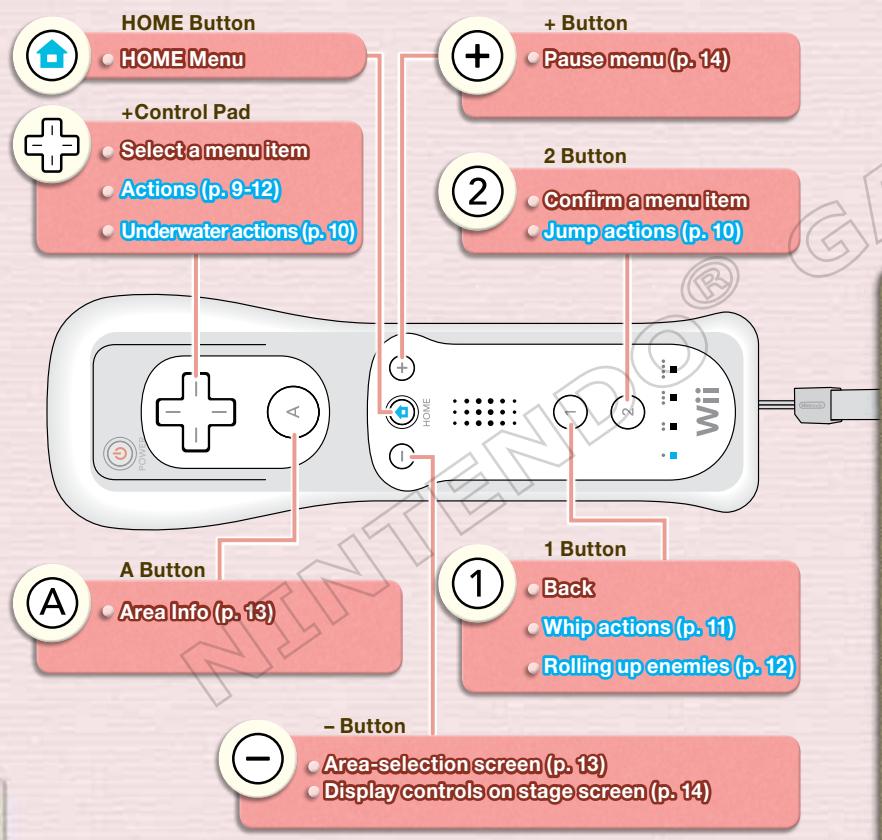
WII REMOTE
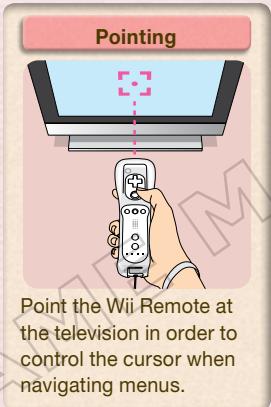
(When Pointed at the Screen)
You will need to point the Wii Remote at the screen when you redecorate (p. 18) your room in Dom Woole's apartment building.
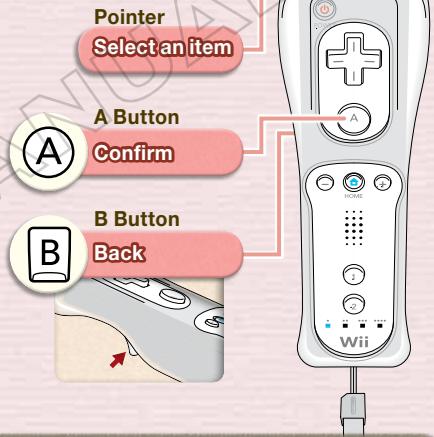

If you have two Wii Remotes, you can play as Kirby while a friend plays as Prince Fluff. Prince Fluff's controls are the same as Kirby's. Sync the second player's remote, then choose TWO PLAYERS from the title screen or stage-start screen (p. 14).
When the P2 mark appears, the second player may press ② on his or her remote to start two-person cooperative play.
Some transformations (p. 12) will entail different controls for the two players.
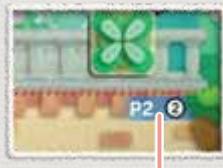
P2 Mark
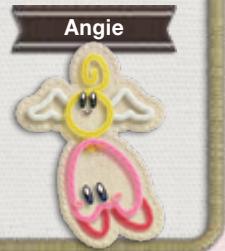
ANGIE TO THE RESCUE!
On a stage, either player can press A to summon Angie and have her carry you to the other player. While Angie is carrying you, you cannot be hurt by enemies (p. 15). While being carried, you can press ② to make Angie fly faster.
Kirby now has many ways of manipulating both himself and his surroundings.
Kirby can throw out a piece of yarn to defeat enemies or use objects.
You will need to master these actions in order to save Patch Land!

MOVEMENT ACTIONS
Walk


Dash

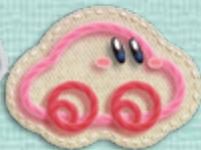

Press left or right twice quickly to turn into a car.
Crouch

Climb/Descend Ladder

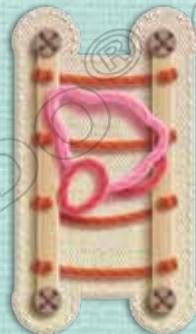
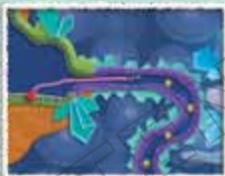
Snake
Press in the direction of an open passage.
Turn yourself into a single strand of yarn that can pass through narrow openings.


Go in Front Of/Behind a Layer of Fabric
Door
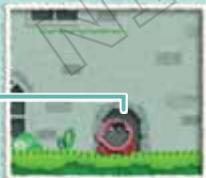

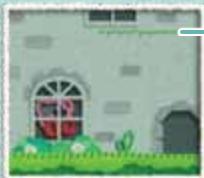
Stitching
If you're behind a piece of fabric, you can use the stitching as a platform!
Stand in front of a doorway and press up on
Now you've passed through to the other side of the fabric!
JUMP ACTIONS

Jump
Jump high into the air.
Weight
Transform into a weight and crush enemies or break blocks (p. 11).
Press and hold ② again while in the air.
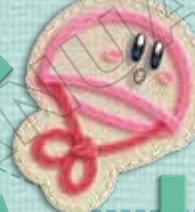
Parachute
When you transform into a parachute, you can slowly drift downward. Release ② to transform back

UNDERWATER ACTIONS
Swim


You can swim with ^+ and press ② repeatedly to speed up.
Press and hold ② to tread water.
You can still use whip actions (p. 11) and rolling-up actions (p. 12) while underwater.

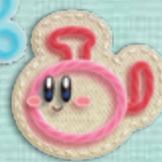
Jump
Press up on or press and hold


SPEAK/ADVANCE THROUGH THE STAGE
On the Area screen (p. 13), when you approach the characters in Quilty Square (p. 17) or entrances to various stages, a will appear. When you see this icon, press up on to speak to those characters or enter those areas.
WHIP ACTIONS
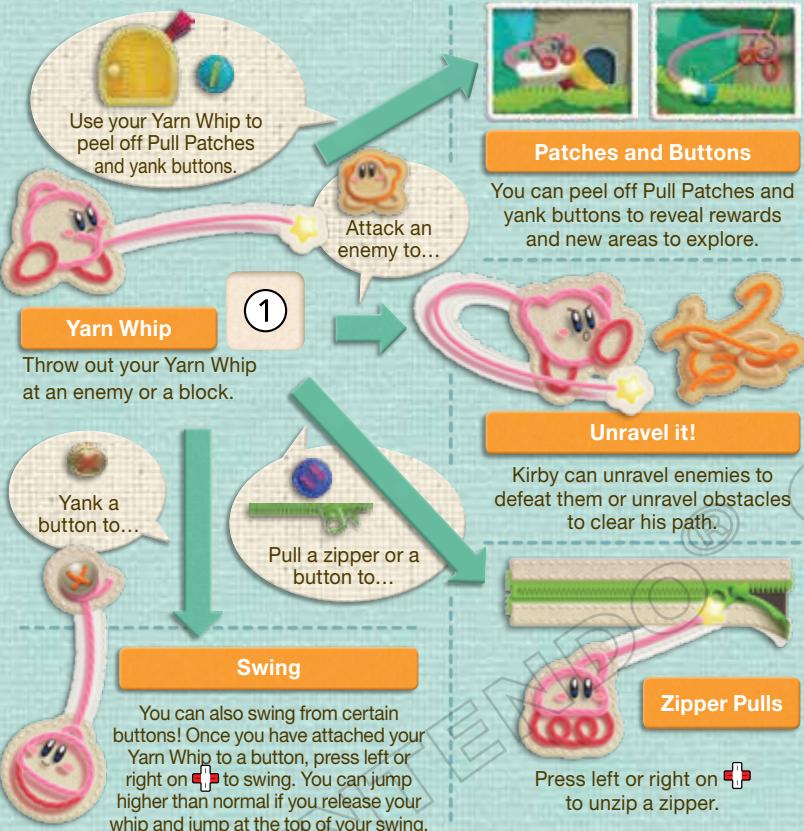

UNRAVEL A BLOCK
Kirby can unravel certain blocks. Yarn blocks can be cleared out by unraveling them or by throwing a ball at them. Cloth Blocks can be removed by throwing a ball of yarn at them. There is also another kind of block called a Denim Block that Kirby can
Yarn Block
Cloth Block
ROLLING-UP ACTIONS
Roll Up
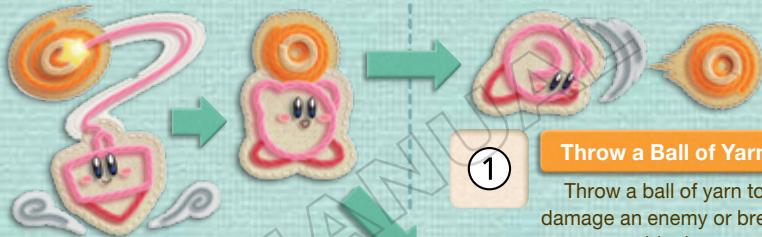
Press ① to attack enemies, and hold down ① to roll them up!
You can roll up an enemy or a block into a ball of yarn. Some things you roll up will explode if you don't throw them quickly! Some things will even target enemies after being thrown!

Drop a Ball of Yarn
You can drop a ball of yarn, then whip it again to pick it up.
TRANSFORMATIONS
Pull on a Transform Patch to reveal a Metamortex! Each Metamortex is different and will grant Kirby different abilities! For more information about Metamortexes and transformations, see Controls in the pause menu (p. 14).
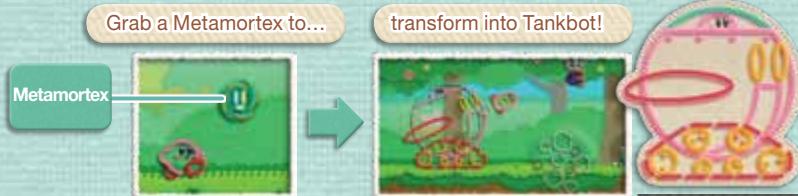
Check out all of the transformations!
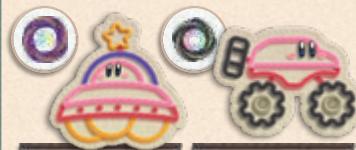
Saucer
Off- roader

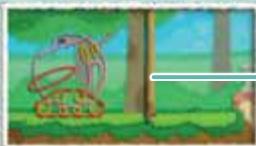
Tankbot
Finish your transformation at a Reel Gate.
Reel Gate
PLAYING THE GAME
Control Kirby as he explores Patch Land! Each land contains
several areas, including a boss stage as well as bonus stages!
AREA SCREEN
When you start a game, you will begin at the Area screen. From here, you can access a stage.
Stages
Stages marked with ??? are not yet open. Find the correct Area Patch (p. 16) to open them!
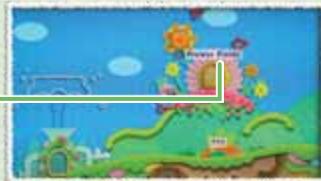

DISPLAY FULL MAP
Press A while on the Area screen to see a map that shows which stages are open, as well as the medals (p. 16) and treasures (p. 15) you have acquired on each stage.
Current Area
Stage Info

is the medal you've
earned, is treasure
If you've found, and is
treasure you haven't found yet.
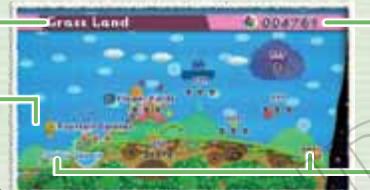
Number of Beads
Next Area
Areas you cannot yet enter will be marked with ???

MOVING TO OTHER AREAS
Exiting to the far left and right ends of each area will take you to a new land. You can also press to select an are and move there instantly. Select the a you want to move to by pressing left o right on + then press ② to confirm.
You cannot move to areas you have not yet unlocked. You can also choose an area to visit by selecting Map on the pause menu.


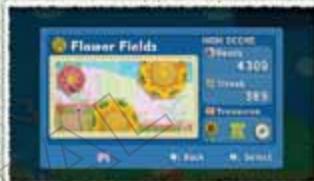
STAGE-START SCREEN
Entering a stage takes you to the stage-start screen. If you have already cleared the stage, you will see how many beads you acquired there, your Streak (p. 15), acquired treasures, and your medal rating. Once you have reviewed this info, press ② and choose the number of players you v
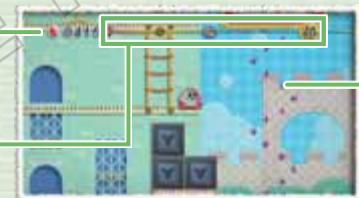
STAGE SCREEN
Control Kirby as he makes his way to the end of each stage (p. 16). You can spend the beads you acquire in any stage at the shops in Quilty Square (p. 17).
Beads Acquired
Bead Gauge and Streak
Beads
There are four types of beads, each with a different value:

:1

+5

+10

+100

PAUSE MENU
Press ① on the Area screen or a stage screen to pause the game and display the pause menu. Depending on where you are, you might see different options displayed here.
| AREA SCREEN | Change Layout | Only appears in the apartments. Allows you to redecorate an apartment (p. 18). |
| Map | Move to a different area on the Area-selection screen. | |
| Take Photo | Take a picture of the paused game screen (p. 21). | |
| Album | View pictures you've taken and send them to the Wii Message Board (p. 21). | |
| Quit | Return to the title screen. | |
| STAGE SCREEN | Continue | Unpause the game. |
| Start Over | Start the stage over from the beginning. | |
| Controls | Explains how to control Kirby in the current environment. | |
| Quit | Quit the current stage and return to the Area screen. |

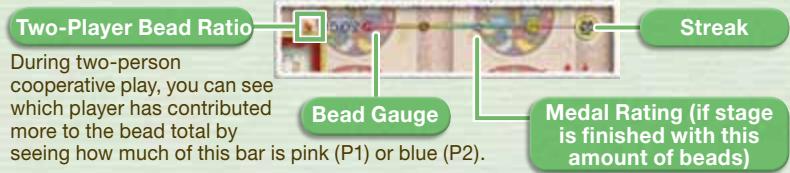
BEAD GAUGE AND STREAK
As you pick up beads, your Bead Gauge will fill up. As your beads accumulate, you will reach certain medal markers. Here you can see how close you are to earning a medal at the end of the stage. If you continue to pick up beads without taking damage, your Streak will increase and you will receive bonus beads!

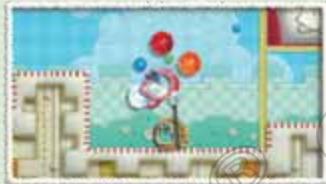
TAKING DAMAGE
When you are hurt, you will lose some of your beads and your Streak will return to zero. Your Bead Gauge will go down according to the number of beads you drop. If you fall in a hole, Angie (p. 8) will carry you back to safety!
Losing beads may cause you to drop below the number needed to earn a medal. If this happens, you may finish the stage without earning the
medal you want! Dropped beads disappear after a certain amount of time, but you might be able to pick some of them right back up!

TREASURE
With the exception of boss stages, each stage contains three treasures. You may find furniture that you can use to decorate the apartment (p. 18) or music that you hear in the game.

Here's how to find treasures:
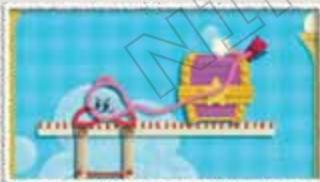
Peel off a Treasure Patch...

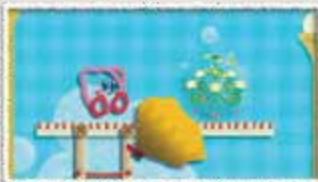
to reveal a treasure!

RING THE BELL AT THE FINISH LINE
Swing from the Bonus Bell at the end of a stage to finish that stage. You will spin the wheel to win bonus beads based on the number of Bonus Stars the wheel lands on.
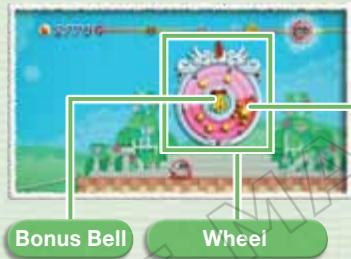
Bonus Stars
Three types of panels can appear on the wheel, showing two, three, or five stars. Grab all of the Bonus Stars in a stage to make all three panels
appear on the wheel and give yourself the best chance at a big bonus!
CLEAR GREEN
When you clear a stage, you can view your results, such as the number of beads you acquired and your medal ranking. Press ② to advance to the Area screen.
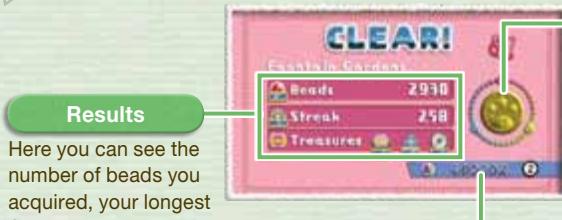
Total Number of Beads
Earned Medals
There are four types of medals you can earn based on the number of beads you have when you clear a stage.
Medal Types


WOOD BRONZE SILVER GOLD
Results
Here you can see the number of beads you acquired, your longes
Streak, and the treasures you found! (You will see silhouettes of any treasures you missed.)
Area Patch
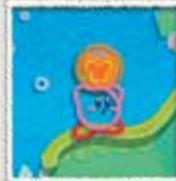

AREAPATCHES
Clearing a stage will earn you a new Area Patch. While holding this patch, press ① on the Area screen to open a new stage! These patches must be used in the same area in which they were earned.
You can also earn a bonus Area Patch by clearing a boss stage with a certain number of beads.
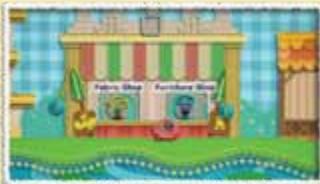
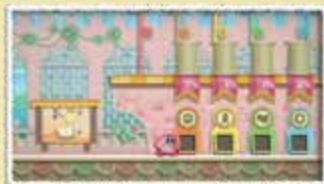
Here you will find a fabric store, a furniture store, Quilty Court,
and the entrance to Patch Plaza where you can view what you've acquired.
SHOPS
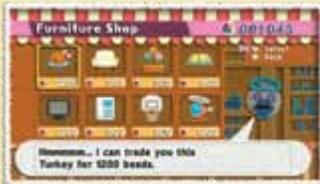
You can trade beads at the furniture and fabric stores. Just talk to the shop owner, use ① to select an item, and press ② to confirm your selection. The items available at the shop will change each time you talk to the owner.

QUILTY COURT
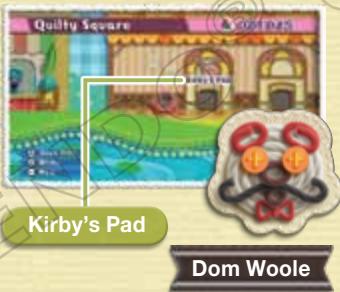
As you proceed, you will meet the manager of the apartment building, Dom Woole, who will give Kirby his own room. You can decorate this room any way you like with the furniture and fabric you acquire. You can also give Dom Woole a certain number of beads to add an extra floor to the building! See p. 18-20 for more info about Quilty Court.
PATCHPLAZA
You can come here to read up on various characters in the game as well as see which medals you've earned on each stage, review in-game movies, listen to music you've found, and more!
You can design Kirby's Pad as well as other rooms
to attract new tenants who will become your friends!
ARRANGE ROOMS
Press in Kirby's Pad, and hold the Wii Remote as the screen indicates. Point the Wii Remote at the screen and press to display the Layout menu.
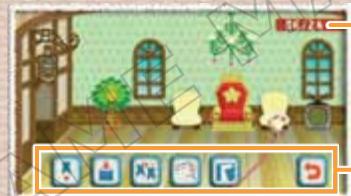
Number of Furniture Items
Number of items/Maximum number of items you can place.
Layout Menu

PLACE FURNITURE
To place furniture, use the Wii Remote Pointer to point to , select a piece of furniture, and place it with ! To rearrange your room, point at a piece of furniture, press to select it, move it to another spot, and press again to place it.
Furniture
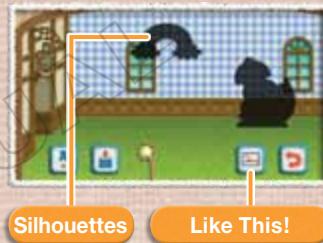
Furniture you have not yet acquired will appear as a silhouette and cannot be selected.
Furniture Types
You can choose from four categories: Motif, Furniture, Objects, and Toy Box.
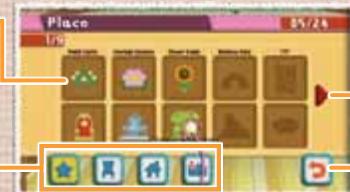
Turn Page
Point and press A to turn the page.
Back
You can return to the screen displaying the Change Layout menu.

PUTAWAY
Put away a piece of furniture that was placed in the room. Select the furniture you want to put away, then select

COPY
You can copy furniture that has been placed in a room. Just select point at the piece of furniture you want to copy, and point to where you want to copy it to.

REUPHOLSTER
You can change the pattern and color of your furniture items by reupholstering them with new fabrics! Select the furniture item you want to reupholster, then select to display the screen below. Choose the type of fabric and the pattern you want to use, then confirm with. You can also change the position and size of the fabric as you reupholster!
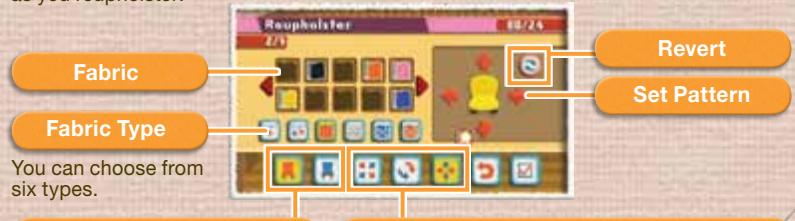
Selection Area
Depending on the type of furniture, there may be two fields you can change.

Object Area 1

Object Area 2
Editing Menu
Choose a fabric to display it. Select the menu to display the Edit Icon and perform the change there.

Stretch pattern

Rotate pattern

Shift pattern

CHANGE WALLPAPER
You can place fabric you own on the floor or walls. Choose , then choose where you want to put the fabric and the fabric you want to use.
Area to Cover

Wall

Floor
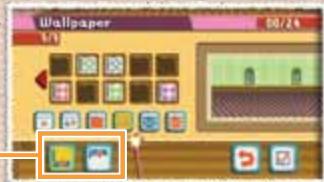

BACK
End your redecorating. Choose when you're finished, then turn the Wii Remote sideways and press ②.
MAKE NEW FRIENDS
There are empty rooms in the apartment building that you can decorate a certain way to attract new tenants who will become your friends. The silhouettes will indicate what furniture should be placed there. Placing all of the indicated furniture will cause a new tenant to appear! You can also choose Like This! to see how the room is supposed to look when it is finished and what furniture you may still need to find. Adding a floor to the apartment building will give you more rooms!

LISTEN TO YOUR FRIENDS!
Talk to your new friends to hear their requests. Different characters will ask you for different things, and completing each task successfully will earn you a reward. After talking to a friend, you can accept a task and select your desired stage.
Zeke
Find all of his friends hidden on a stage!

Beadrix
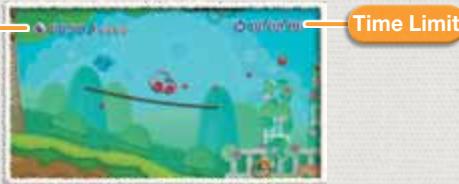
Collect beads before time runs out!
REQUEST SCREEN
This shows your given task and the amount of time you have to complete it. If you don't fulfill the request, you will fail the mission.
Conditions
Each friend will give you a different type of task. For example, Beadrix will always ask you to collect a certain number of beads.
You can take a picture of the Area screen from the pause menu by selecting
Take Picture, and then you can send photos you've taken to the Wii Message Board.
TAKING AND SAVING PICTURES
Choose Take Picture on the pause menu, then take a picture to display the menu below. You can save up to 10 pictures in the Photo Album.
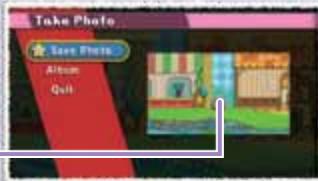
Take a Photo!
| Save Photos | Save a photo you've taken in the Album. If your album is full, you will need to choose View Album and delete some photos. |
| Album | Display the Photo Album, look at pictures, and erase pictures as needed. |
| Quit | Return to the Area screen. Pictures you've taken will not be saved unless you put them in your album. |
ALBUM
Choose Album on the pause menu to look at/erase photos or send photos to the Wii Message Board. Choosing a photo will display the menu below. From there, you can choose one of the available options.
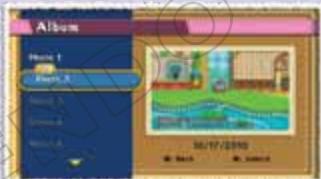
| To Wii Message Board | Send the photo to the Wii Message Board. Once there, you can send the photo to your friends! For more information about the Wii Message Board, please see the Wii Message Board section of your Wii Operations Manual. |
| Erase Photo | Erase a photo from your album. Erased photos cannot be recovered, so please be careful! |
| Erase All Photos | Erase all photos in your album. Erased photos cannot be recovered, so please be careful! |
STAFF CREDITS
Director
Kentaro Sei
Planning Director
Atsushi Kono
Planning
Yuichi Abe
Yuta Bundo
Akira Kawase
Yosuke Suda
Takanori Mori
Yudai Shibata
Tomoya Sugiyama
Yasunori Fujimoto
Program Director
Hironori Kuraoka
Programming
Yuhei Matsuda
Naoya Abe
Yuji Shibata
Yasuhiro Masuoka
Keita Sakunaga
Satoshi Kobayashi
Kazunobu Sameshima
Tomonori Kowari
Design Director
Kazumasya Yonetani
Design
Atsuko Ichii
Akiko Izumi
Asami Kawabata
Yoshihiro Hobo
Yuko Ito
Yoshie Nobe
Ayaka Miyazawa
Satoko Ozaki
Sachiko Hara
Megumi Watanabe
Akiko Konagaya
Misako Akaike
Ayano Otsuka
Yuichi Nakamura
Masaya Okada
Masuhiko Toda
Music & Sound Effects
Tomoya Tomita
Programming Advisor
Kolchi Yagi
Visual Concept
Tadanori Tsukawaki
Game Design Concept
Madoka Yamauchi
Assistant Director
Keita Kawaminami
Special Thanks
Yoshikazu Isono
Mayuko Sato
Manabu Matsumoto
Hiroshi Fujie
Tomohiro Minemura
Masahiro Shiotani
Sound
Tadashi Ikegami
Jun Ishikawa
Hirokazu Ando
Voice
Pablo Magaz
France Marien
Dave White
Makiko Ohmoto
Tomoko Nakamura
Technical Support
Tomohiro Umeda
Debug
NOA Product Testing
NOA Localization
Management
Nate Bihldorff
Reiko Ninomiya
Tim O'Leary
Leslie Swan
NOA Localization
Gema Almonguera
Hélène Bisson-Pelland
Anne-Marie Laperriere
Ed Murray
Cesar Pérez
Scot Ritchey
Artwork
Tetsuya Notoya
Rieko Kawahara
Yumiko Sano
Artwork Support
Hisayo Osanai
Sachiko Nakamichi
Keiko Uetani
Character Supervisor
Masanobu Yamamoto
Coordination
Emi Watanabe
Producers
Etsunobu Ebisu
Yuichi Yamamoto
Nobuo Matsumiya
Senior Producers
Shigehara Umezaki
Masayoshi Tanimura
Hiroshi Sato
General Producer
Shinya Takahashi
Executive Producer
Satoru Iwata
VEUILLEZ LIRE ATTENTIVEMENT L'INTÉGRAlité DU MODE D'EMPLOI DE LA Wii™ AVANT D'UTILISER VOTRE CONSOLE, VOTRE DISQUE DE JEU OU VOS ACCESSOIRS Wii. CE MODE D'EMPLOI CONTIENT D'IMPORTANTES INFORMATIONS SUR VOTURE SANTÉ ET VOTURE SECURITÉ.
INFORMATIONS IMPORTANTES CONCERNANT VOITE SECURITE: VEUILLEZ LIRE LES PRECAUTIONS SUIVANTES AVANT QUE VOUS OU QUE VOITE ENFANT NE JOUIEZ À DES JEUX VIDEO.
Movements involontaires
Perte de conscience
Désorientation