WII FLING SMASH - Video game NINTENDO - Free user manual and instructions
Find the device manual for free WII FLING SMASH NINTENDO in PDF.



User questions about WII FLING SMASH NINTENDO
0 question about this device. Answer the ones you know or ask your own.
Ask a new question about this device
Download the instructions for your Video game in PDF format for free! Find your manual WII FLING SMASH - NINTENDO and take your electronic device back in hand. On this page are published all the documents necessary for the use of your device. WII FLING SMASH by NINTENDO.
USER MANUAL WII FLING SMASH NINTENDO
NEED HELP WITH INSTALLATION, MAINTENANCE OR SERVICE?
Nintendo Customer Service
SUPPORT.NINTENDO.COM
or call 1-800-255-3700
For game play assistance, we recommend using your favorite Internet search engine to find tips for the game you are playing. Some helpful words to include in the search, along with the game's title, are: "walk through," "FAQ," "codes," and "tips."
BESOIN D'AIDE POUR L'INSTALLATION, L'ENTRETIEN OU LA RÉPARATION?
The Official Seal is your assurance that this product is licensed or manufactured by Nintendo. Always look for this seal when buying video game systems, accessories, games and related products.
- Some people (about 1 in 4000) may have seizures or blackouts triggered by light flashes or patterns, and this may occur while they are watching TV or playing video games, even if they have never had a seizure before.
- Anyone who has had a seizure, loss of awareness, or other symptom linked to an epileptic condition should consult a doctor before playing a video game.
- Parents should watch their children play video games. Stop playing and consult a doctor if you or your child has any of the following symptoms:
Convulsions Eye or muscle twitching Altered vision Loss of awareness Involuntary movements Disorientation
-
To reduce the likelihood of a seizure when playing video games:
-
Sit or stand as far from the screen as possible.
- Play video games on the smallest available television screen.
- Do not play if you are tired or need sleep.
- Play in a well-lit room.
- Take a 10 to 15 minute break every hour.
WARNING - Repetitive Motion Injuries and Eyestrain
Playing video games can make your muscles, joints, skin or eyes hurt. Follow these instructions to avoid problems such as tendinitis, carpal tunnel syndrome, skin irritation or eyestrain.
- Avoid excessive play. Parents should monitor their children for appropriate play.
Take a 10 to 15 minute break every hour, even if you don't think you need it. - If your hands, wrists, arms or eyes become tired or sore while playing, or if you feel symptoms such as tingling, numbness, burning or stiffness, stop and rest for several hours before playing again.
- If you continue to have any of the above symptoms or other discomfort during or after play, stop playing and see a doctor.
CAUTION - Motion Sickness
Playing video games can cause motion sickness in some players. If you or your child feel dizzy or nauseous when playing video games, stop playing and rest. Do not drive or engage in other demanding activity until you feel better.
IMPORTANT LEGAL INFORMATION
This Nintendo game is not designed for use with
any unauthorized device. Use of any such device will invalidate your Nintendo product warranty. Copying of any Nintendo game is illegal and is strictly prohibited by domestic and international intellectual property laws. "Back-up" or "archival" copies are not authorized and are not necessary to protect your software. Violators will be prosecuted.
WARRANTY & SERVICE INFORMATION
You may need only simple instructions to correct a problem with your product. Try our website at support.nintendo.com or call our Consumer Assistance Hotline at 1-800-255-3700, rather than going to your retailer. Hours of operation are 6 a.m. to 7 p.m., Pacific Time, Monday - Sunday (times subject to change). If the problem cannot be solved with the troubleshooting information available online or over the telephone, you will be offered express factory service through Nintendo. Please do not send any products to Nintendo without contacting us first.
HARDWARE WARRANTY
Nintendo of America Inc. ("Nintendo") warrants to the original purchaser that the hardware product shall be free from defects in material and workmanship for twelve (12) months from the date of purchase. If a defect covered by this warranty occurs during this warranty period, Nintendo will repair or replace the defective hardware product or component, free of charge.* The original purchaser is entitled to this warranty only if the date of purchase is registered at point of sale or the consumer can demonstrate, to Nintendo's satisfaction, that the product was purchased within the last 12 months.
GAME & ACCESSORY WARRANTY
Nintendo warrants to the original purchaser that the product (games and accessories) shall be free from defects in material and workmanship for a period of three (3) months from the date of purchase. If a defect covered by this warranty occurs during this three (3) month warranty period, Nintendo will repair or replace the defective product, free of charge.*
SERVICE AFTER EXPIRATION OF: WARRANTY
Please try our website at support.nintendo.com or call the Consumer Assistance Hotline at 1-800-255-3700 for troubleshooting information and repair or replacement options and pricing.*
*In some instances, it may be necessary for you to ship the complete product, FREIGHT PREPAID AND INSURED FOR LOSS OR DAMAGE, to Nintendo. Please do not send any products to Nintendo without contacting us first.
WARRANTY LIMITATIONS
THIS WARRANTY SHALL NOT APPLY IF THIS PRODUCT: (a) IS USED WITH PRODUCTS NOT SOLD OR LICENSED BY NINTENDO (INCLUDING, BUT NOT LIMITED TO, NON-Licensed GAME ENHANCEMENT AND COPIER DEVICES, ADAPTERS, SOFTWARE, AND POWER SUPPLIES); (b) IS USED FOR COMMERCIAL PURPOSES (INCLUDING RENTAL); (c) IS MODIFIED OR TAMPERED WITH; (d) IS DAMAGED BY NEGLIGENCE, ACCIDENT, UNREASONABLE USE, OR BY OTHER CAUSES UNRELATED TO DEFECTIVE MATERIALS OR WORKMANSHIP; OR (e) HAS HAD THE SERIAL NUMBER ALTERED, DEFACED OR REMOVED.
ANY APPLICABLE IMPLIED WARRANTYES, INCLUDING WARRANTYES OF MERCHANTABILITY AND FITNESS FOR A PARTICULAR PURPOSE, ARE HEREBY LIMITED IN DURATION TO THE WARRANTY PERIODS DESCRIBED ABOVE (12 MONTHS OR 3 MONTHS, AS APPLICABLE). IN NO EVENT SHALL NINTENDO BE LIABLE FOR CONSEQUENTIAL OR INCIDENTIAL DAMAGES RESULTING FROM THE BREACH OF ANY IMPLIED OR EXPRESS WARRANTYES. SOME STATES DO NOT ALLOW LIMITATIONS ON HOW LONG AN IMPLIED WARRANTY LASTS OR EXCLUSION OF CONSEQUENTIAL OR INCIDENTIAL DAMAGES, SO THE ABOVE LIMITATIONS MAY NOT APPLY TO YOU.
This warranty gives you specific legal rights. You may also have other rights which vary from state to state or province to province.
Nintendo's address is: Nintendo of America Inc., P.O. Box 957, Redmond, WA 98073-0957 U.S.A.
This warranty is only valid in the United States and Canada.

© 2010 Nintendo / ARTOON. TM, ® and the Wii logo are trademarks of Nintendo. © 2010 Nintendo.
STORY AND CHARACTERS
The Great Palm Tree and nature spirits have long protected Suthon Island, for the isle is a source of a mysterious power that sustains the world.
Everything changed when Omminus appeared with his dark underlings, seeking to steal the island's power and take over the world. When the Great Palm Tree began to wither and the princess fell ill, the leader of the nature spirits knew it was time to take action. He recalled an old legend...
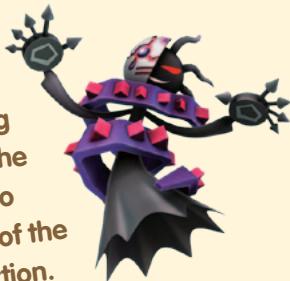
A long time ago, when a terrible evil bore brave hero gathered up the isle's sacred pearls and used them to restore peace. When he had saved the island, the pearls were sealed away for a future day—and, mysteriously, so was the hero.
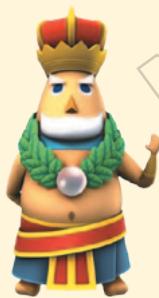
But now the leader of the nature spirits needs the hero to return! And when he opens up the chest where the hero has been sleeping, the leader sees the legend for the first time! He's a bouncy, spherical hero—and he's ready to find those sacred pearls all over again!
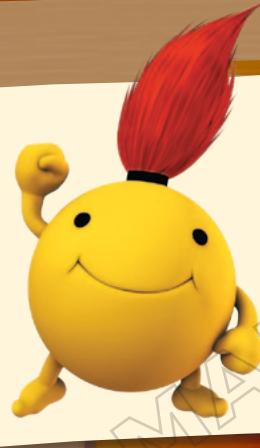
Zip
The legendary hero who
defends Suthon Island!
Don't be fooled by his
gentle appearance.
He wields amazing power!
PiP
The hero of nearby
Easturn Island! She's
upbeat, levelheaded,
and ready to fight
alongside Zip!

CONTENTS
Story and Characters 3 Selecting a World and Stage 11
Using the Controller 5 Advancing through a Stage 13
ControllingZip and Pip 7 Clearing a Stage 17
Starting the Game 9 Tips and Techniques 19
Hold the controller upright while playing the game FlingSmash, whether you're using the Wii Remote™ Plus or Wii Remote with Wii MotionPlus™ accessory. Each player will need one of these controllers when playing two-player mode (additional accessories sold separately).
WII REMOTE PLOS
The Wii Remote Plus incorporates the features of the Wii MotionPlus accessory, so you don't need to additionally attach the separately sold accessory. When using the Wii Remote Plus, refer to the Wii Remote Plus Operations Manual if you have any questions about its use.
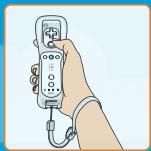
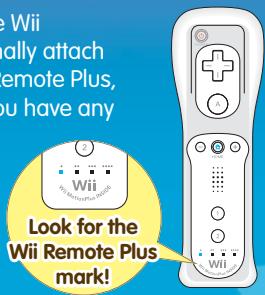
Wii REMOTE WITH Wii MOTIONPLUS ATTACHED
The Wii MotionPlus accessory adds more precise movements to the standard Wii Remote. Please correctly attach the Wii MotionPlus accessory to it when you play FlingSmash. When using the accessory, refer to the Wii MotionPlus Accessory Operations Manual if you have any questions about its use. Do not grip the Wii Remote around the accessory while playing FlingSmash.
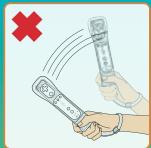
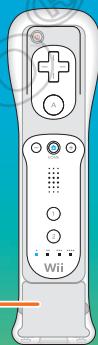
Wii MotionPlus
HOW TO ATTACH THE WIII MOTIONPLUS ACCESSORY
Select the Instructional Video option on the title screen to see how to attach and remove the Wii MotionPlus accessory. Watch this video any time you need further help with your Wii MotionPlus accessory.
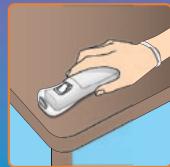
If FlingSmash prompts you to recalibrate, place your controller on a flat surface with A facing down, then wait a few seconds for it to calibrate. You can also check out the status of calibration at any time while playing.
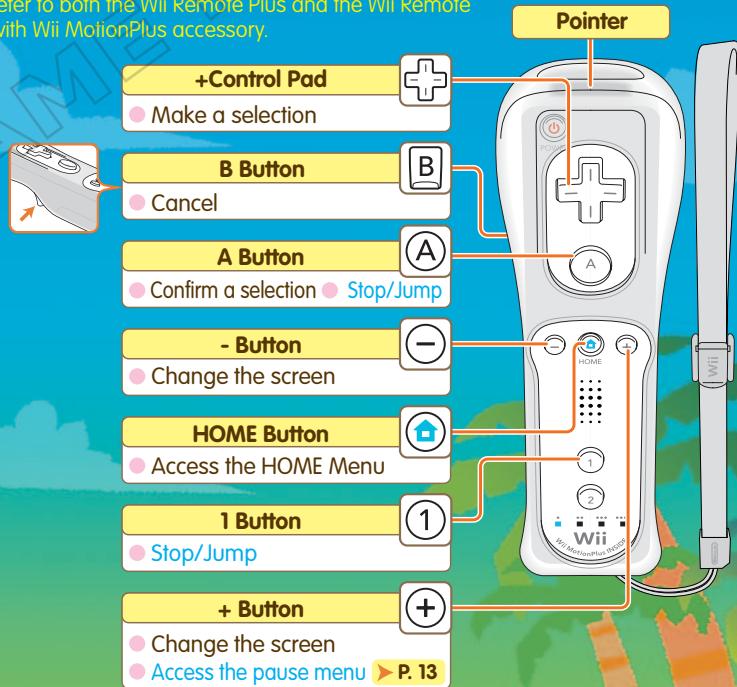
Words in light blue indicate controls during a stage.
See pages 7-8 for details on controlling characters.
The controls are the same whether you're playing with a Wii Remote Plus or Wii Remote with Wii MotionPlus accessory. From this point forward in the manual, "Wii Remote" will
refer to both the Wii Remote Plus and the Wii Remote with Wii MotionPlus accessory.

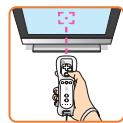
POINING
Aim the pointer at the place on the TV screen you want to interact with, such as menu selections.
CONTROLLING ZIP AND PiP





Move the heroes by swinging the Wii Remote—both Zip and Pip are controlled in the same way!
FLING THE HEROES
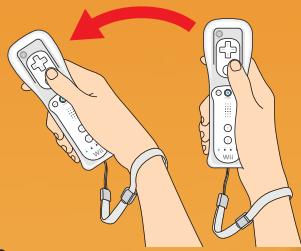
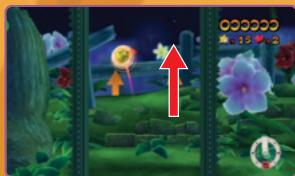
To fling a hero in a direction, swing the Wii Remote in that same direction. Fling the heroes at enemies and barriers to destroy them. To eyeball exactly where you're aiming, look at the controller guide in the lower right-hand corner.
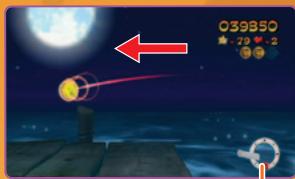
Controller Guide
The guide shows the direction and angle of your current swing.
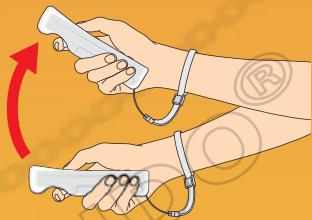

You don't need to be overly forceful! In fact, flinging faster than necessary doesn't move the hero any faster.
CAUTION: Wrist STRAP USE
Please use the wrist strap to help prevent injury to other people or damage to surrounding objects or the Wii Remote in case you accidentally let go of the Wii Remote during game play. Also remember the following:
- Make sure all players put on the wrist strap properly when it is their turn.
- Do not let go of the Wii Remote during game play.
- Dry your hands if they become moist.
- Allow adequate room around you during game play and make sure that all areas you might move into are clear of other people and objects.
- Stay at least three feet from the television.
- Use the Wii Remote Jacket.

SUPER SHOT
When you are not swinging the Wii Remote, the characters accumulate power and start glowing. If you shoot when they are glowing, you can perform a Super Shot. A Super Shot is more powerful than a regular shot, and it's required to smash some things.
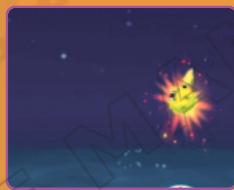
The character will start glowing when you are not swinging the Wii Remote.

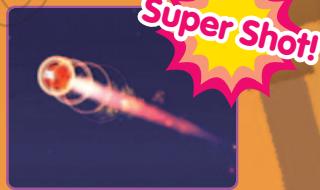
Swing the Wii Remote and shoot!
STOPPING AND JUMPING
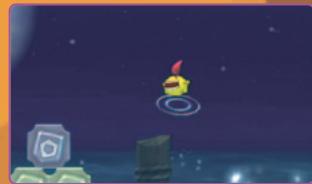
By pressing A or 1, you can stop the character on the screen. He'll make a small jump after he stops. You can use this to stop the hero in midfling.
SYSTEM MENU UPDATE
Please note that when first loading the Game Disc into the Wii console, the system will check if you have the latest version of the system menu, and if necessary a Wii system menu update screen will appear. Select OK to proceed with the update. Please note that the Wii console must have the latest version of the Wii system menu in order to play the Game Disc.
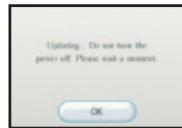
When the system menu is updated, unauthorized hardware and/or software modifications may be detected and unauthorized content may be removed, causing the immediate or delayed interoperability of your console. Failure to accept the update may render this game, and future games, unplayable. Please note that Nintendo cannot guarantee that unauthorized software or accessories will continue to function with the Wii console after this or future updates of the Wii system menu.
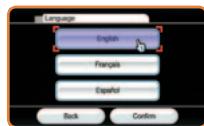
LANGUAGE SETTINGS
To play this game in English, change your language settings in the Wii System Settings.
Insert the FlingSmash Game Disc into the disc slot on the Wii console. The console power will turn on.
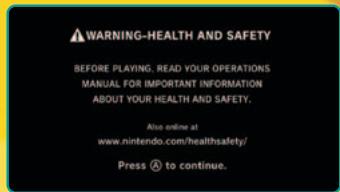
1 The screen on the right will be displayed. Once you have read the message, press A to continue.
On the Wii Menu, point at the Disc Channel and press A. The Channel Preview screen will appear. Point at Start and press A.
Note: If the game title does not appear on the Wii Menu Disc Channel, please refer to the Wii System Menu Update section >P.8.
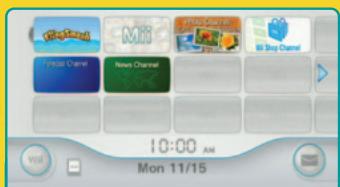
Wi Menu
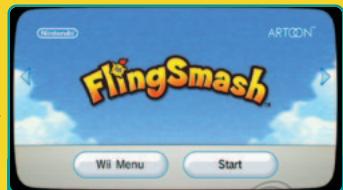
Channel Preview Screen
The Strap Usage screen will appear. Press A after putting on the strap. The title screen will then appear. When you point at Start Game and press A, you will advance to the Save Files screen.
Note: In some cases, the Strap Usage screen may appear after the Wii MotionPlus Instructional Video is played.
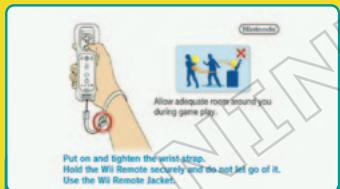
Strap Usage Screen
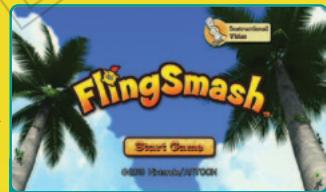
Title Screen
4 Select a file from the Save Files screen. Then select the number of players to begin the game.
SELECT A SAVE FILE
Point at a save file and select it by pressing A. You can have up to three save files.
STARTING A NEW GAME
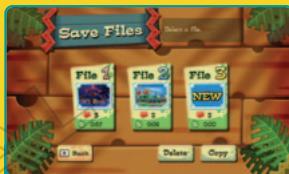
Save Files Screen
Select New, then decide whether you will play with the Wii Remote in your left or right hand. The action will move left if you play right-handed, and it will switch direction if you play left-handed. You'll then continue to the story introduction and the practice stage.
Note: This manual is based on a right-handed-player setting.
PLAYING A SAVE FILE
Select a save file to continue a previous game.
DELETING/COPYING A SAVE FILE
Select the Delete option from the Save Files screen if you want to delete save-file data. Then select the file you want to delete.
Select the Copy option if you want to copy save-file data. Select the file you want to copy, then select the file you want to copy over. If you have data in your destination file, it will be overwritten.
Note: You can't recover a save file once it's been erased or overwritten.
SELECT THE NUMBER OF PLAYERS
When you select the number of players, then choose which character you each want to play, you'll continue to the world-selection screen P.11.
Each player in the two-player mode must use a Wii Remote Plus controller or Wii Remote with Wii MotionPlus accessory.

Tip!
SAVE DATA
The software is set to save data automatically after a stage is cleared and settings are changed. One block of free memory on the Wii console is required. Please do not touch the Power button or the Reset button when the game is saving.
Note: If you are deleting data from Wii system memory, please refer to the Wii Settings and Data Management section of the Wii Operations Manual.
SELECTING A WORLD AND STAGE
There are many worlds across the island, so you must choose the world and stage that you want to enter. You'll unlock more areas as you continue in your adventure.
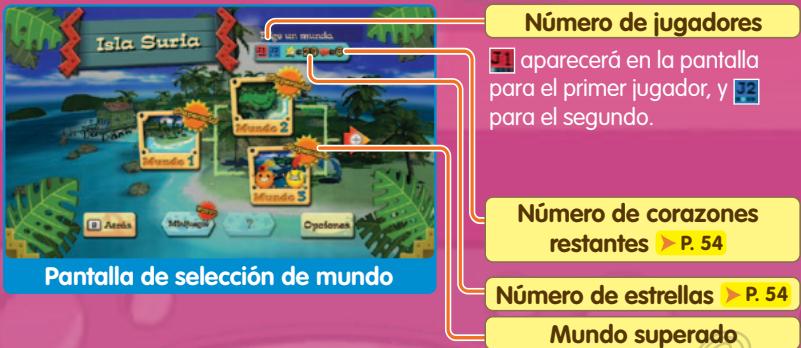
SELECT A WORLD
Choose the world you'd like to enter on the world-selection screen.
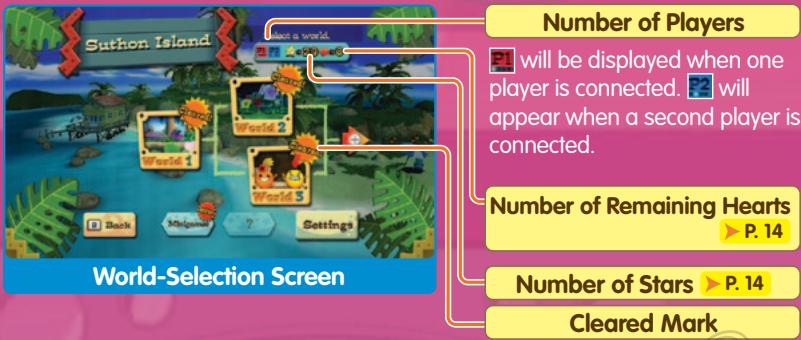
This will be displayed on a world that you cleared.

Tip!
CHANGING SETTINGS
You can change game settings by selecting Settings on the world-selection screen or stage-selection screen. After changing settings, select Confirm to save your settings. You'll then return to the previous screen.
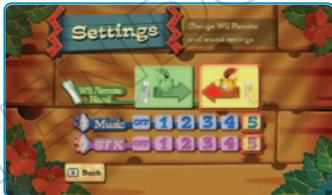
| Wii Remote Hand | You can change the direction in which the character moves. |
| Music | You can adjust the background-music volume. The music will stop playing if you select OFF. |
| SFX | You can adjust the volume of sound effects. The sound effects stop playing if you select OFF. |
SELECT A STAGE
Each world has three stages and one boss stage. Select the stage you would like to play from the stage-selection screen.
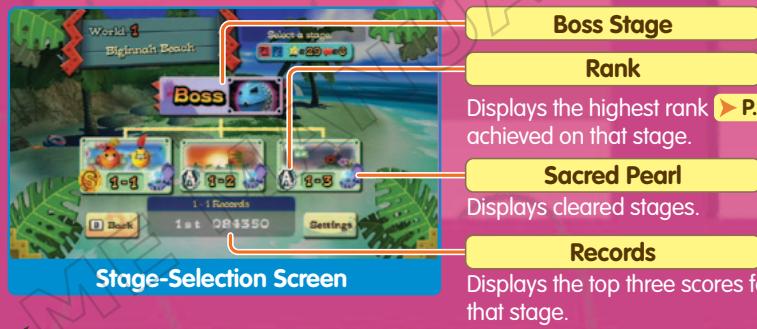

BOSS STAGE
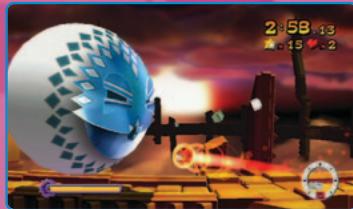
You can select the boss stage after clearing all three stages. You'll clear the world after you beat the boss.

MINIGAMES
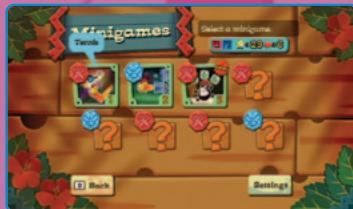
After you get an A ranking or better on all three stages of a world for the first time, a Minigames option will appear on the world-selection screen. Each minigame shows instructions for how to play it. In addition, when playing minigames with two players, you'll see a for a competitive game and a for cooperative play.

EXTRA STAGES
After you get an S ranking on all three stages of a world for the first time, an Extra Stages button will appear on the world-selection screen.
ADVANCING THROUGH A STAGE
Advance through a stage by flinging the character forward. Your main task is to collect at least three medals in the stage before you reach the goal.
STAGE SCREEN
The screen will scroll constantly in one direction. The direction depends on the stage and Wii Remote Hand.
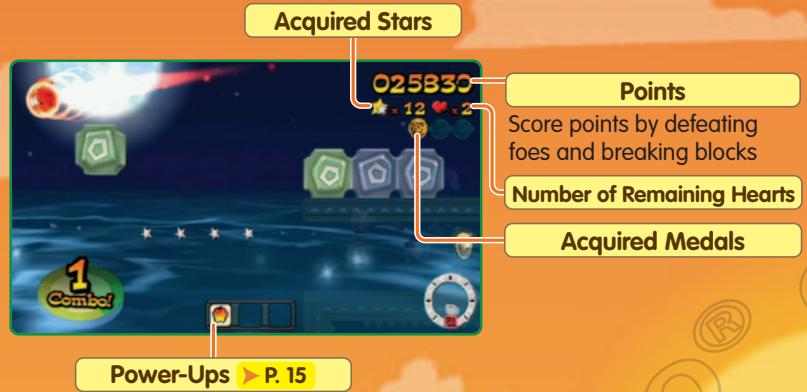
Displays acquired power-up items.

Tip!
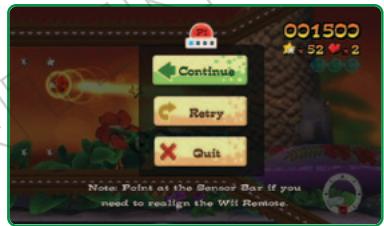
PAUSE MENU
Press ① while playing a stage to stop the game and open the pause menu.
Select Continue on the pause menu to resume the game.
Select Retry to start the stage from the beginning. Select Quit to return to the stage-selection screen.
COLLECTING MEDALS
There are medals placed and hidden within each stage. If you collect at least three medals, you'll win the sacred pearl at the end of the stage P.17. Enemies will carry medals into view, and others will appear when you satisfy certain goals.
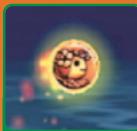
Medal
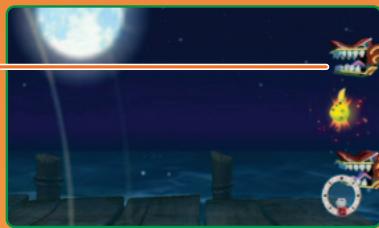
WATCH OUT FOR THE HYDRACOIL
If the hero falls back to the edge of the screen for too long, he'll get eaten by Hydracoil, and you will lose a life.
Hydracoil
HEARTS AND GAME OVER
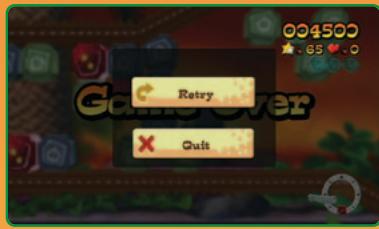
You will lose one life (heart) when the hero is eaten by the Hydracoil or beaten by a boss attack. The game ends if you lose a life when you have no hearts left. Select Retry to play again from the beginning of the stage or Quit to return to the stage-selection screen.
After selecting Retry, you will restart with two hearts and zero stars.
STARS
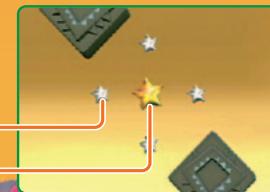
Silver and gold stars are spread throughout stages. A silver star is worth one star, and a gold star is worth five. When you collect 100 stars, you gain one heart.
Silver Star
Gold Star
POWER-UPS
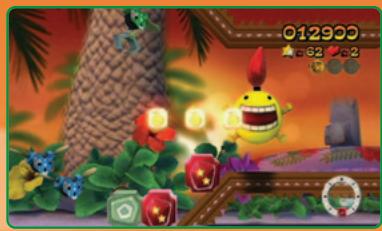
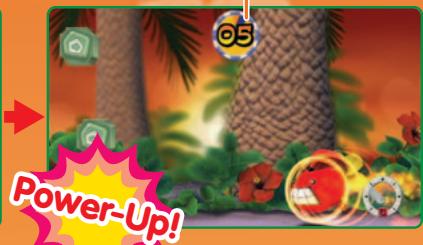
There are four kinds of power-ups that can be in each stage. When you collect three of the same type, the hero will power up for a short period of time. All points scored while you are powered up are doubled. If you collect a power-up while powered up, the effect will last longer.
- TYPES OF POWER-UPS
| Split | The hero splits into three. In two-player mode, each hero splits in two. |
| Big | The hero gets bigger. |
| Power | Every shot is a Super Shot > P.8 . |
| Fireworks | The hero's power is stronger, and his collisions cause burst effects that result in wider destruction. |

Tip!
DARK SPACE
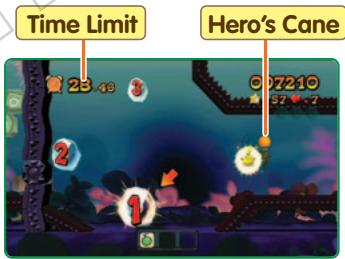
When you bump into a certain kind of enemy, the hero will be taken into Dark Space. In Dark Space, you'll use the Hero's Cane to bat the character around. If you fulfill the given challenge within the time limit, you will usually get a medal and points.
ITEMS AND STAGE FEATURES
There are a number of items and features that can appear during a stage. Some of them are shown below.
| Blocks | You can break these with shots or Super Shots. |
| Red Block | When you break a red block, all red blocks nearby will spin for a short amount of time. Each time you break a red block before they've all stopped, you will earn a higher combo and get a higher red-block bonus score. |
| Number Bumper | When these are hit, the bumper will drop one number, then move elsewhere. When you break a number block that has counted down to 1, you'll reveal a prize. |
| Key and Lock | When you hit a key, the corresponding lock will be opened. |
| Gem Switch | When you hit this switch, blocks will turn into gems for a fixed period of time. |
| Gem | You will score points from gems—the bigger the better. |
| Spinners | Fling the hero through spinners to spin them around—red ones will score you points. |
| Cannon | Fling a hero in to a cannon, then fling again to shoot the hero from the cannon. |
| Grouped Targets | Fling the hero through the entire group, lighting them all, to score bonus points. |
You will arrive at the goal at the end of a stage. If you collected at least three medals along the way, you'll win the sacred pearl and clear the stage.
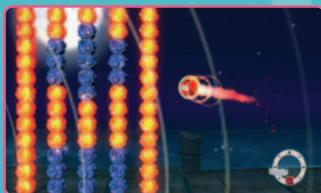
There are barriers in front of the goal. Break through the barriers with a Super Shot to reach the goal. You'll get more bonus points if you break through more of the red parts of the barriers.
GET THE SACRED PEARLS AND CLEAR THE WORLD
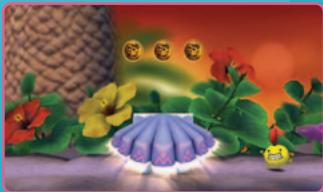
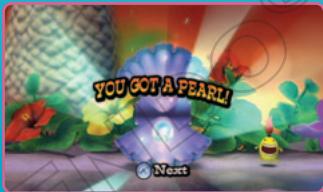
You will get a stage's sacred pearl and clear the stage when you first collect three medals on it. At the end of any stage, you can look at your overall results by pressing A.
Quic

Tip!
IF YOU DIDN'T GET THE SACRED PEARL...
You won't get the sacred pearl if you reach the goal with two medals or less. However, you can play the same stage again or choose to return to the stage-selection screen. You can select any other available new stages even if you don't get the pearl.
RESULTS SCREEN
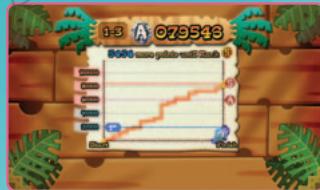
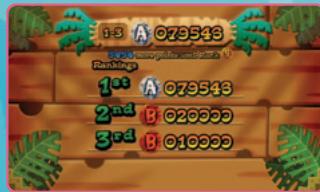
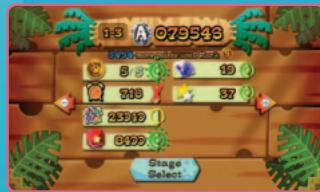
After you complete a stage, you'll see a succession of three results screens. You can also choose to go to the stage-selection screen, advance to the next stage, or play the same stage again.
1 RANKING DISPLAY
This display shows the accumulation of points as you traveled from start to the goal, then shows how your ranking relates to point scores. is the best score, followed by , then B
2 DANXING
The top three scores on the same stage are ranked by points.
3 SCORING DETAIL SCREEN
You can see the various ways that points can be scored, along with icons that show how well you performed using those methods. The icons, from best to worst, are as follows: , , , , .
- SCORE DETAILS
| Based on how many of the available medals you collected. |
| Based on the bonus points scored on beating a Dark Space challenge more quickly. |
| Based on the points scored while powered up. |
| Based on the points scored from red blocks. |
| Based on the gems you acquired. |
| Based on the stars you acquired. |
Consider these tips for getting medals and earning higher scores!
USE THE STOP MOVE
Some passages are narrow and can be hard to squeeze into from a distance. If you first fling the hero in the general area, then use the Stop move, you'll be in a great position for taking a second fling! Also, remember that if you don't immediately move the Wii Remote, you'll take a Super Shot instead of a regular shot.
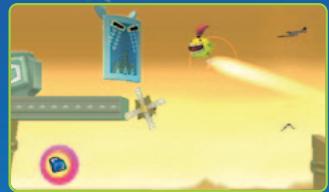
USE THE STAGE FEATURES
While you'll probably be most focused on blasting through barriers, don't forget that the stage features—like bumpers and unbreakable blocks—are an important part of FlingSmash strategy! If an item looks out of reach, consider whether you can rebound off of something else to reach it! There are other ways stage features can help you too!
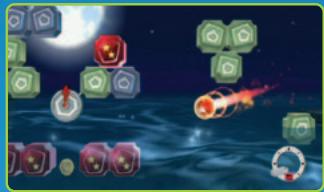
You'll see medals underwater—look for secret ways to get at them!
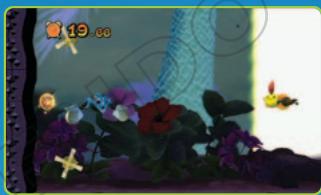
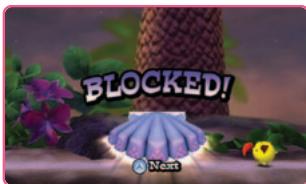
When a foe blocks your shots, use rebounds to get around him!
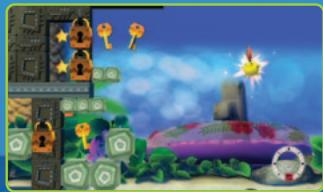
ALTERNATE ROUTES
Stages sometimes have split paths. When you play the same stage again, look for the paths you haven't yet taken! You may find medals, items, and other surprises!
STAFF CREDITS
DIRECTOR
Hidetoshi Takeshita
PLANNING DIRECTORS
Tsuneaki Kaneko
Masahide Kobayashi
PLANNING
Tomohide Hayashi
Hiroaki Suzuki
Masaya Kaneko
Noboru Shirasu
Yuusuke Nakadaira
Masaaki Shimoma
Hiroshi Hasobe
Taiji Miyajima
Go Iwaya
LEAD PROGRAMMING
Yuki Hatakeyama
PROGRAMMING
Tatsuo Yamajiri
Yusuke Wakui
Kenji Yatagai
Shunsuke Sekikawa
Atsushi Goto
Motoharu Terasaki
Masafumi Uchida
Yudai Ikeda
ART DIRECTOR
Manabu Kusunoki
DESIGN
Yasuhisa Nakagawa
Atsushi Yamamoto
Daisuke Kojima
Kayo Hoshina
Natsuki Wada
Yoko Takei
Ayae Hayashi
Hirokazu Takeda
Asahi Yara
Shogo Uema
Yoshihide Kuroyanagi
Shougo Kunigami
Koki Mogi
Hiroyuki Sekiguchi
Sho Kunagai
Keliji Kojima
SOUND MANAGEMENT
Yukifumi Makino
SOUND DIRECTOR
Shinpei Yamashita
MUSIC COMPOSITION
Mariko Nanba
Yutaka Minobe
SPECIAL THANKS
Rika Ishibashi
Yohei Koike
North American
Localization
Management
Rich Amtower
Nate Bihldorff
Reiko Ninomiya
Leslie Swan
North American
Localization
Gema Almoguera
Steven Grimm
Lars Knudson
Anne-Marie Laperriere
NOA Product Testing
Masayasu Nakata
Kyle Hudson
Eric Bush
Sean Egan
Tomoko Mikami
Ed Ridgeway
Teresa Lillygren
Nicko Gonzalez De
Santiago
Andy Kolden
Jeffrey Storbo
Christopher Hicks
TECHNICAL SUPPORT
Masahiro Takeguchi
DEBUG
MARIO CLUB
ARTWORK
Hisayo Osanai
Keiko Uetani
Yurie Sato
Shintaro Ishii
PROJECT MANAGER
Jun Imanishi
COORDINATION
Nagako Ikuta
ASSOCIATE PRODUCER
Nobuo Matsumiya
PRODUCERS
Yutaka Sugano
Toyokazu Nonaka
SENIOR PRODUCERS
Naoto Oshima
Hiroshi Sato
EXECUTIVE PRODUCER
Satoru Iwata
VEUILLEZ LIRE ATTENTIVEMENT L'INTÉGRAlité DU MODE D'EMPLOI DE LA Wii™ AVANT D'UTILISER VOTRE CONSOLE, VOTRE DISQUE DE JEU OU VOS ACCESSOIRS Wii. CE MODE D'EMPLOI CONTIENT D'IMPORTANTES INFORMATIONS SUR VOTURES SANTÉ ET VOTURES SECURITÉ.
INFORMATIONS IMPORTANTES CONCERNANT VOITE SECURITE : VEUILLEZ LIRE LES PRECAUTIONS SUIVANTES AVANT QUE VOUS OU QUE VOITE ENFANT NE JOUIEZ À DES JEUX VIDEO.
Movements involontaires
Perte de conscience
Désorientation
© 2010 Nintendo / ARTOON. TM, * and the Wii logo are trademarks of Nintendo. © 2010 Nintendo.
HiSTOIRE ET PERSONNAGES
All Rights, including the copyrights of Game, Scenario, Music and Program, reserved by NINTENDO and ARTOON.
Besides the rainfall, the weather is also interesting. The rain in the morning and afternoon is more intense than in the evening.