
SRP-145N - Watch CITIZEN - Free user manual and instructions
Find the device manual for free SRP-145N CITIZEN in PDF.



| Product type | Programmable scientific calculator |
| Brand | CITIZEN |
| Model | SRP-145N |
| Power supply | 2 alkaline G13 (LR44) batteries |
| Battery life | Approximately 9 minutes of inactivity before auto power-off |
| Display | 10 digits (8-digit mantissa, exponent ±99) |
| Main functions | Basic calculations, trigonometry (degrees, radians, grads), logarithms, exponentials, powers, roots, factorial, fractions, sexagesimal/decimal conversions, statistics (mean, variance, standard deviation), programming up to 40 steps, Ka and Kb constants, memories, parentheses up to 6 levels |
| Memory | 1 main memory (X→M, MR, M+), 2 constant memories (Ka, Kb) |
| Programming | PGM mode, up to 40 steps, variables, interrupts (HALT) |
| Statistics | SD mode, data entry, n, Σx, Σx², mean, standard deviation (σn, σn-1) |
| Precision | 10-digit floating point, configurable rounding (FIX) |
| Dimensions | Approximately 140 × 75 mm (according to manual format) |
| Weight | Approximately 100 g (estimated for pocket calculator) |
| Maintenance and cleaning | Clean with a dry cloth; replace batteries if display becomes dim |
| Safety | Keep batteries out of reach of children; dispose of used batteries immediately |
| Spare parts and repairability | Replacement batteries (G13/LR44); the calculator is not designed for user repair |
| General information | 179-page user manual available in multiple languages |
Frequently Asked Questions - SRP-145N CITIZEN
User questions about SRP-145N CITIZEN
0 question about this device. Answer the ones you know or ask your own.
Ask a new question about this device
Download the instructions for your Watch in PDF format for free! Find your manual SRP-145N - CITIZEN and take your electronic device back in hand. On this page are published all the documents necessary for the use of your device. SRP-145N by CITIZEN.
USER MANUAL SRP-145N CITIZEN
SCIENTIFIC CALCULATOR
SRP-145N
Instruction Manual
Design and specifications are subject to change without notice.
PROGRAMMING KEYS (USE IN THE PGM MODE ONLY) 5
STATISTICAL KEYS (USE IN THE STAT MODE ONLY) 5
THE DISPLAY 6
ORDER OF OPERATIONS 7
ACCURACY AND CAPACITY 7
OVERFLOW / ERROR CONDITIONS 8
POWER SUPPLY 9
NORMAL CALCULATIONS 9
Basic Calculation (Including Parenthesis Calculations)............9
Constant Calculations. 9
Memory Calculations 10
FUNCTION CALCULATIONS 10
Sexagesimal Decimal conversion 10
Fraction Calculation 11
Trigonometric / Inverse - Tri. Functions 11
Hyperbolic Functions and Inverse - Hyp. Functions 11
Common And Natural Logarithms / Exponentiations 12
Power, Root, Reciprocals, Factorials 12
STANDARD DEVIATIONS 12
PROGRAMMING 13
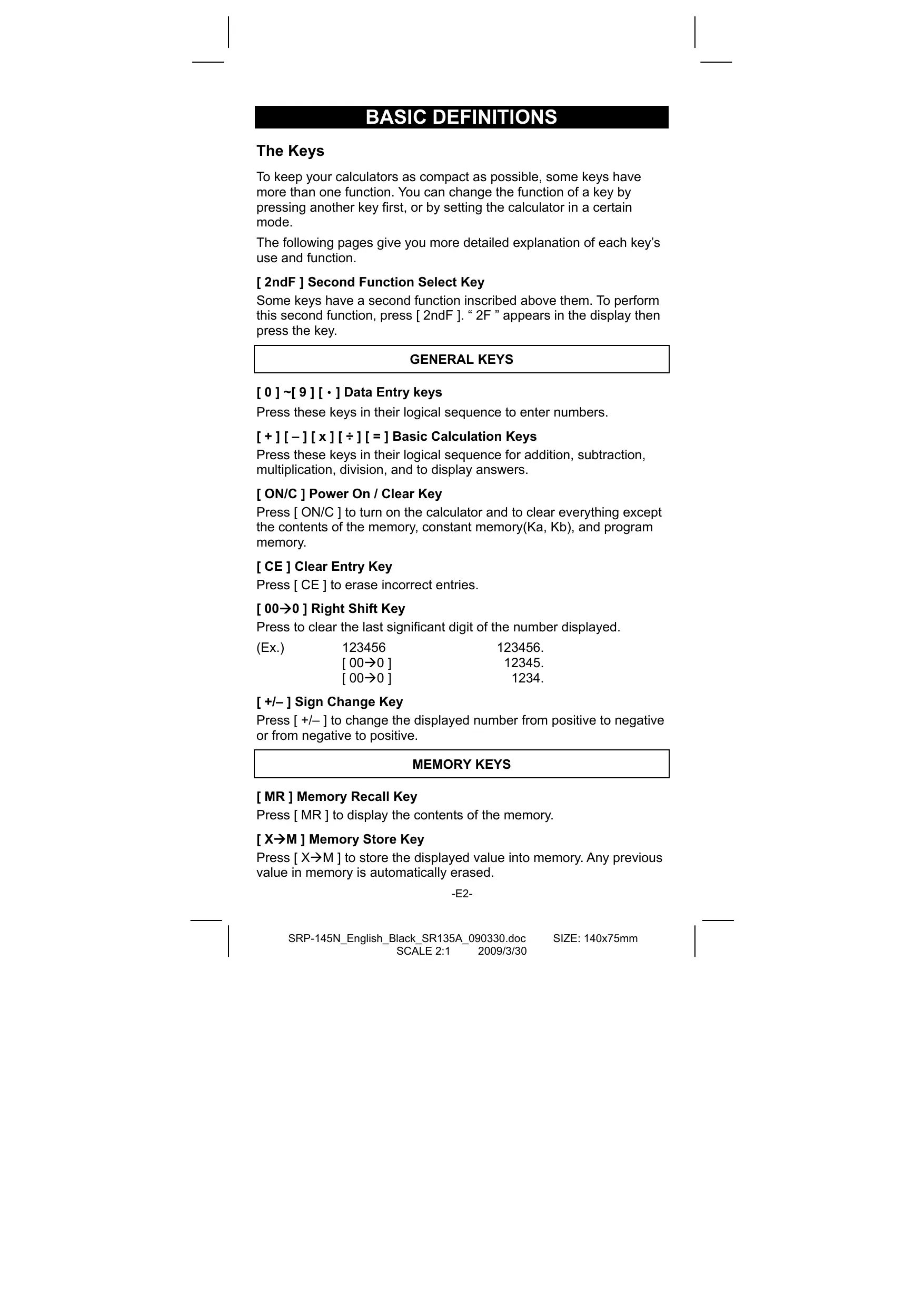
BASIC DEFINITIONS
The Keys
To keep your calculators as compact as possible, some keys have more than one function. You can change the function of a key by pressing another key first, or by setting the calculator in a certain mode.
The following pages give you more detailed explanation of each key's use and function.
[2ndF] Second Function Select Key
Some keys have a second function inscribed above them. To perform this second function, press [2ndF]. “2F” appears in the display then press the key.
GENERAL KEYS
[0]~[9][·] Data Entry keys
Press these keys in their logical sequence to enter numbers.
[ + ] [ - ] [ x ] [ ÷ ] [ = ] Basic Calculation Keys
Press these keys in their logical sequence for addition, subtraction, multiplication, division, and to display answers.
[ON/C] Power On / Clear Key
Press [ON/C] to turn on the calculator and to clear everything except the contents of the memory, constant memory(Ka, Kb), and program memory.
[CE] Clear Entry Key
Press [CE] to erase incorrect entries.
[00→0] Right Shift Key
Press to clear the last significant digit of the number displayed.
(Ex.)
123456
123456.
[00→0]
12345.
[00→0]
1234.
[+/-] Sign Change Key
Press [+/-] to change the displayed number from positive to negative or from negative to positive.
MEMORY KEYS
[MR] Memory Recall Key
Press [MR] to display the contents of the memory.
[X→M] Memory Store Key
Press [X M] to store the displayed value into memory. Any previous value in memory is automatically erased.
-E2-
[M+] Memory Plus Key
Press [M+] to total the current calculation and add the result to the value already in memory.
[2ndF] [Ka x k ], [2ndF] [Kb x k ] Constant (Ka, Kb) Memory Store Key
Press to enter the displayed value into constant memory Ka or Kb.
[Ka ^x k ], [Kb ^x k ] Memory Recall Key
Press to display the contents of a constant memory.
Note :
- Constant memories Ka and Kb can have a value of 0
- If you press [K a^x k] or [K b^x k] after entering a number or marking a calculation, the displayed value is multiplied by the value in K a or K b .
SPECIAL KEYS
[(),[]) Parenthesis Keys
Press to override the calculation's default order of operation by using parentheses. You can use up to 6 levels of parentheses in a single calculation.
[EXP] Exponent Key
To enter a number in scientific notation, first enter the numbers for the mantissa, press [EXP], and then enter the numbers for the exponent.
[2ndF] [π] Key
Press [2ndF] [] to display the value of , which is the ratio of circle's circumference to its diameter (approximately 3.141592654).
[2ndF] [X Y] Register Exchange Key
Press [2ndF] [X Y] to exchange the displayed value (X-register) with the contents of the working register (Y-register).
| (Ex.) | 123 [+] 456 [=] | 579. |
| [2ndF] [X↔Y] | 456. | |
| [2ndF] [X↔Y] | 579. |
[2ndF] [FIX] Decimal Point Set Key
Use to set the number of digits displayed after the decimal point in either final or intermediate results. The calculator continues to use its full range for internal calculations and only rounds the number in the display.
- [2ndF] [FIX] [0]~[6] — Sets the number of digits to be displayed to the right of decimal point.
- [2ndF] [FIX] [7], [8], [9], [·] — Selects floating point format.
| (Ex.) | 5 [÷] 9 [=] | 0.555555556 |
| [2ndF] [FIX] [2] | 0.56 | |
| [2ndF] [FIX] [5] | 0.55556 | |
| -E3- | ||
[2ndF][FIX][·] 0.55555556
Note : [ 2ndF ] [ FIX ] is inactive immediately after and during numerical input.
[SCI] Scientific Key
Converts the displayed number into a power of ten and back.
| (Ex.): 12.3456 [ x ] 10 [ = ] | 123.456 |
| [ SCI ] | 1.23456 02 |
| [ SCI ] | 123.456 |
| [ SCI ] | 1.23456 02 |
[ DRG ] Angle unit conversion key
Press to change the angle unit as DEG (Degrees), RAD (Radian), or GRAD (Gradient).
FUNCTION KEYS
[2ndF] [0,1] [2ndF][ 0,1] Sexagesimal Notation/Decimal Notation Conversion Keys
To change from sexagesimal (base 60) notation (degree, minute, second) to decimal notation (degree) press [2ndF] [ , ] . To change from decimal notation to sexagesimal notation, enter the number in decimal form and then press [2ndF] [ 0,] .
[ sin ], [ cos ], [ tan ] Sine, Cosine, Tangent Keys
Calculate the trigonometric functions of the displayed value.
[2ndF] [sin ^-1 ], [2ndF] [cos ^-1 ], [2ndF] [tan ^-1 ] Inverse Sine, Inverse Cosine, Inverse Tangent Keys
Calculate the inverse trigonometric functions of the displayed value.
[2ndF] [HYP] [sin], [2ndF] [HYP] [cos], [2ndF] [HYP] [tan] Hyperbolic Keys
Calculate the hyperbolic functions of the displayed value.
[2ndF] [HYP] [2ndF] [sin ^-1 ], [2ndF] [HYP] [2ndF] [cos ^-1 ], [2ndF] [HYP] [2ndF] [tan ^-1 ] Inverse Hyperbolic Keys
Calculate inverse hyperbolic functions of the displayed value.
[log], [2ndF] [10^×] Common Logarithm And Common Antilogarithm Keys
Calculate the common logarithm of the displayed value. To calculate the common antilogarithm of the displayed value, press [2ndF] [10 ^x ].
[In ], [2ndF] [e^x] Natural Logarithm And Natural Antilogarithm Keys
To calculate the neutral logarithm of the displayed value, press [In]. To calculate the natural antilogarithm of the displayed value, press [2ndF] [e ^× ].
-E4-
[], [x^2] Square Root And Square Keys
Press [] to find the square root of the displayed value. To square the displayed value, press [x^2] .
[2ndF] [[3]C] Cubic Root Key
Press [2ndF] [[3]r] to find the cubic root of the displayed value.
[2ndF] [1/x] Reciprocal Key
Press [2ndF] [1/x] to calculate the reciprocal of the displayed value.
[2ndF] [x!] Factorial Key
To find the factorial of the displayed value, press [2ndF] [x!]
[x y] Power Key
Press any number [x],[x^y] , any number [y] , and [=] raise x to the y power.
[2ndF] [√x] Root Key
Press any number [x] [2ndF] [√x], any number [y], and [=] to display the yth root of x.
[a / c], [2ndF] [ % ] Fraction key
Pressing by [&b/c] can enter a fraction or convert a fraction to a decimal number. Pressing by [2ndF] [ ] can convert a mixed number to an improper fraction and vice versa.
PROGRAMMING KEYS (USE IN THE PGM MODE ONLY)
[2ndF] [PGM]—Program Mode Set and Clear Key
Set the calculator to the learn program mode. PGM appears on the display and the previous contents of program memory are cleared.
When you finish entering the program, press [2ndF] [PGM]. The program you just entered is stored in the program memory. PGM disappears and the calculator exits the program mode.
[RUN]—Compute Key
Runs the recorded program.
[2ndF] [ [X]]—Specify Variable Key
Lets you have the calculator wait for an entry during a program.
[2ndF] [HALT]—Temporarily Halt Calculation Key
Temporarily halts a program so you can view the intermediate results or interrupt calculation.
STATISTICAL KEYS (USE IN THE STAT MODE ONLY)
[2ndF] [SD] Statistical Mode Select Key
Sets the calculator to statistical calculation mode. STAT appears in the
-E5-
display.
[2ndF] [CAD] Statistical Register Clear Key
Cleared statistical calculation registers.
[ DATA ], [ DEL ] Data Entry and Delete Key
In the STAT mode, enter data by pressing the desired numbers, then [DATA]. If you enter incorrect data and do not notice your mistake until you press [DATA], enter the same incorrect data and then press [DEL] to delete that incorrect data.
[x] Arithmetic Mean Key
Calculates the arithmetic mean () of the data.
[2ndF] [σn] Population Standard Deviation Key
Calculates the population standard deviation of the data.
[on-1] Sample Standard Deviation Key
Calculates the sample standard deviation of the data.
[2ndF] [ x^2] Sum of Square Value Key
Calculates the sum of the square value ( x^2) of the data.
[2ndF] [∑x] Sum of Value Key
Calculates the sum of the value ( x) of the data.
[n] Number of Data Key
Displays the number of data (n) entries.
The Display
Indicators showed on the display to indicate you the current status of the calculator.
- Floating point displays up to 10 digits.
- The mantissa section displays up to 8 digits. the exponent section displays up to ± 99 .
SD : Indicates the statistical mode.
M : Indicates that a value is stored in memory.
- : Appears to the left of the mantissa or exponent to indicate that the respective value is negative.
E : Indicates an error.
PGM : Indicates the program learn mode.
GRAD : Indicates the gradient units have been selected.
RAD : Indicates that radian units have been selected.
DEG :indicates that degree units have been selected.
2F : Appears when the second function has been selected.
HYP : Appears when the hyperbolic function has been selected.
-E6-
( : Appears when you press [ ( ). It shows the present level of nesting.
(n) : Appears when you press [SHIFT] [[X]] in the program learn mode and when program execution halts to let you enter a variable. The number in brackets shows the number of the place of the variable, and goes from 1 - 40.
ORDER OF OPERATIONS
Each calculation is performed in the following order of precedence:
1) Functions required inputting values before pressing the function key, for example, cos, sin, tan, cos -1 , ^-1 , ^-1 , , , x^2 , 1/x , , [3] , x! , % 0.111 , 0.111 .
2) Operation in parenthesis
3) Functions required pressing the function key before entering, for example, [EXP] key.
4) Fractions
5) + / -
6) y , x^y
7) x, ÷
8) +, -
ACCURACY AND CAPACITY
| Functions | Input range |
| sin x, cos x, tan x | Deg: |x| < 1 x 10¹¹deg Rad: |x| < 1745329252 rad Grad: |x| < 1.111111111 x 10¹¹grad however, for tan x Deg: |x| ≠ 90 (2n+1) Rad: |x| ≠ π/2 (2n+1) Grad: |x| ≠ 100 (2n+1) (n is an integer) |
| sin-1x, cos-1x | |x| ≤ 1 |
| tan-1x | |x| < 1 x 10100 |
| sinh x, cosh x | |x| ≤ 230.2585092 |
| tanh x | |x| < 1 x 10100 |
| sinh-1x | |x| < 5 x 1099 |
| cosh-1x | 1 ≤ x < 5 x 1099 |
| tanh-1x | |x| < 1 |
-E7-
| log x, ln x | 1 x 10-99 ≤ x < 1 x 10100 |
| 10x | |x|<100 |
| ex | |x|≤230.2585092 |
| √x | 0 ≤ x < 1 x 10100 |
| x2 | |x|<1 x 1050 |
| 1/x | 1 x 10-99 ≤ |x| < 1 x 10100, x ≠ 0 |
| 3√x | |x|<1 x 10100 |
| x! | 0 ≤ x ≤ 69, x is an integer. |
| →0,, , 0,, → | |x|<1 x 10100 |
| x^y | x > 0: -1 x 10100 < y log x < 100 x = 0: y > 0 x < 0: y=n, 1/(2n+1), n is an integer. but -1 x 10100 < y log |x| < 100 |
| √x | x > 0: y ≠ 0, -1 x 10100 < 1/y log x < 100 x = 0: y > 0 x<0: y=2n+1, l/n, n is an integer.(n≠0) but -1 x 10100 < 1/y log |x| 100 |
| a b/c | Input: Total of integer, numerator and denominator must be within 10 digits (includes division marks) Result: Result displayed as fraction for integer when integer, numerator and denominator are less than 1 x 10¹⁰ |
| STAT | |x|<1 x 1050, |Σx|<1 x 10100 0 ≤ Σx2<1 x 10100, 0 ≤ n<1 x 10100 x: n ≠ 0; σn-1:n>1; σn: n>0 |
OVERFLOW / ERROR CONDITIONS
A symbol “E” is indicated on the display when any of the following conditions occur and further calculation becomes impossible. Just press [ON/C] to release those overflow or error indicator and the subsequent calculation can then be performed.
- An intermediate or final calculation result exceeds 1 × 10^100 (including memory calculations).
- You try to divide by zero.
- The number of low priority storage levels exceeds 6 in a parentheses calculation or nesting parentheses exceed 7 in one level. (Even if the number of levels is within 6, an error might occur if you are using memories Ka or Kb, or program memories.)
-E8-
- You try to use [ 2ndF ] [ Ka x→k ] or [ 2ndF ] [ Kb x→k ] while memories Ka and Kb are being used for low-priority calculation storage.
- You make a calculation that is out of the range for functional and statistical calculations.
- You try to store over 40 steps in a program.
To clear calculation after an overflow condition, press [ON/C].
POWER SUPPLY
To turn the calculator on, press [ ON/C ]; To turn the calculator off, press [ OFF ]. This calculator automatically turns it off when not operated for approximately 9 minutes. It can be reactivated by pressing [ ON/C ] key and the display, memory, settings are retained.
The calculator is powered by two alkaline batteries (G13 or LR44). When the display dims, replace the batteries. Be careful not to be injured when you replace the battery.
- Unscrew the screws on the back of the calculator.
- Insert a flat bladed screwdriver into the slot between the upper and lower case then carefully twist it to separate the case.
- Remove both batteries and dispose of them properly. Never allow children to play with batteries.
- Wipe off the new batteries with a dry cloth to maintain good contact.
- Insert the two new batteries with their flat sides (plus terminals) up.
- Align the upper and lower cases then snap them to close together.
- Tighten the screws.
NORMAL CALCULATIONS
Basic Calculation
(Including Parenthesis Calculations)
| (Ex.): -3.5 + 8 ÷ 2 = 0.5 | |
| 3.5 [ +/-] [ + ] 8 [ ÷ ] 2 [ = ] | DEG 0.5 |
| (Ex.): (5-2 x 1.5) x 3 + 0.8 x (-4) = ? | |
| [(5[-]2[x]1.5[])[x]3[+]0.8[x]4[+/-][=] | DEG 2.8 |
| (Ex.): 2 x [7 + 6 x (5 + 4)] = 122 | |
| 2[x][(7[+]6[x][(5[+]4[=]] | DEG 122. |
(Note): It is unnecessary to press the [ ] key before the [ = ] key.
Constant Calculations
| (Ex.): 3 + 2.3 = 5.3 6 + 2.3 = 8.3 | ||
| 3 [+] 2.3 [=] | DEG | 5.3 |
| 6 [=] | DEG | 8.3 |
-E9-
| (Ex.): 7 - 5.6 = 1.4 -4.5 - 5.6 = -10.1 | ||
| 7 [−] 5.6 [=] | DEG | 1.4 |
| 4.5 [+/-] [=] | DEG | -10.1 |
| (Ex.): 12 x 2.3 = 27.6 12 x (-9) = -108 | ||
| 12 [x] 2.3 [=] | DEG | 27.6 |
| 9 [+/-] [=] | DEG | -108. |
| (Ex.): 74 ÷ 2.5 = 29.6 85.2 ÷ 2.5 = 34.08 | ||
| 74 [÷] 2.5 [=] | DEG | 29.6 |
| 85.2 [=] | DEG | 34.08 |
Memory Calculations
- Do not set the function mode to " SD " when performing memory calculation.
- A new number entered into memory by pressing [X M] repalces any number previously stored.
- To clear the memory's contents, press [0] [X→M] or [ON/C] [X→M] in sequence.
- M appears when a number which is not equal to “ 0 ” is stored in memory.
- When you press [X M] after pressing [MR], the displayed number is changed as the contents of the memory.
| (Ex.):(3-5)+(56÷7)+(74-8×7)=24 | ||
| 0 [X→M] | DEG | 0. |
| 3[-]5 [M+] | M | DEG -2. |
| 56[÷]7 [M+] | M | DEG 8. |
| 74[-]8[x]7 [M+] | M | DEG 18. |
| [MR] | M | DEG 24. |
| 0 [X→M] | DEG | 0. |
FUNCTION CALCULATIONS
Sexagesimal Decimal conversion
| (Ex.): 12° 45' 30" = 12.75833333 | |
| 12 [ · ] 4530 [ 2ndF ] [0,"]→] | DEG 12.75833333 |
| (Ex.): 2.12345 = 2° 7' 24.42" | |
| 2.12345 [ 2ndF ] [→0,"] | DEG 2.072442 |
-E10-
SRP-145N_English_Black_SR135A_090330.doc SIZE: 140x75mm
SCALE 2:1 2009/3/30
Before performing the following calculation, check to see that your calculator is fixed at 2 decimal disaply format.
Fraction Calculation
- By pressing [2ndF][ %] , the displayed value will be converted to the improper fraction.
| (Ex.): 2/3 + 7 3/5 = 124/15 | |
| 2 [a %] 3 [+] 7 [a %] 3 [a %] 5 [=] | DEG 8 ∪ 4^-15 |
| [2ndF] [→d/%] | DEG 124^-15 |
- When a press of [ ] key after the [ = ] key or a fraction performed with a decimal, the answer is displayed as a decimal.
| (Ex.): 5 4/9 + 3 3/4 = 9 7/16 = 9.19 | |
| 5 [a b/c] 4 [a b/c] 9 [+] 3 [a b/c] 3 [a b/c] 4 [=] | DEG 9 ∪ 7 ∪ 36 |
| [a b/c] | DEG 9.19 |
Trigonometric / Inverse - Tri. Functions
| (Ex.): 3 sin 30° = 1.50 | |
| 3 [x] 30 [sin ] [=] | DEG 1.50 |
| (Ex.): cos (2π/3 rad) = -0.5 | |
| 2 [x] [2ndF] [π] [÷] 3 [=] [cos] | RAD -0.50 |
| (Ex.): sin-10.5 = 30 (deg) | |
| 0.5 [2ndF] [sin-1] | DEG 30.00 |
| (Ex.): cos-1(1/√2) = 0.79 (rad) | |
| 2 [√] [2ndF] [1/x] [2ndF] [cos-1] | RAD 0.79 |
Hyperbolic Functions and Inverse - Hyp. Functions
| (Ex.): cosh 1.5 + sinh 1.5 = 4.48 | |
| 1.5 [2ndF] [HYP] [cos] [+] 1.5 [2ndF] [HYP] [sin] [=] | DEG 4.48 |
| (Ex.): sinh-17 = 2.64 | |
| 7 [2ndF] [HYP] [2ndF] [sin-1] | DEG 2.64 |
-E11-
Common And Natural Logarithms / Exponentiations
| (Ex.): In7 + log100 = 3.95 | |
| 7 [In] [+] 100 [log] [=] | DEG 3.95 |
| (Ex.): 10^2 = 100.00 | |
| 2 [2ndF] [10^x] [=] | DEG 100.00 |
| (Ex.): e^5 - e^-2 = ? | |
| 5 [2ndF] [e^x] [−] 2 [+/-] [2ndF] [e^x] [=] | DEG 148.28 |
Power, Root, Reciprocals, Factorials
| (Ex.): √2 + √3 × √5 = 5.29 | |
| 2 [√] [+] 3 [√] [x] 5 [√] [= ] | DEG 5.29 |
| (Ex.): 3√5 + 3√-27 = -1.29 | |
| 5 [2ndF] [3√] [+] 27 [+/-] [2ndF] [3√] [= ] | DEG -1.29 |
| (Ex.): 7^5 = 16807 | |
| 7 [xy] 5 [= ] | DEG 16807.00 |
| (Ex.): 5√32 = 2 | |
| 32 [2ndF] [y√x] 5 [= ] | DEG 2.00 |
| (Ex.): 1/1-1/3-4=12.00 | |
| 3 [2ndF] [1/x] [−] 4 [2ndF] [1/x] [= ] [2ndF] [1/x] | DEG 12.00 |
| (Ex.): 123 + 30^2 = 1023.00 | |
| 123 [+] 30 [x^2] [= ] | DEG 1023.00 |
| (Ex.): 8! = 1 x 2 x 3 x ....... x 7 x 8 = 40320.00 | |
| 8 [2ndF] [x!] | DEG 40320.00 |
STANDARD DEVIATIONS
- Press [2ndF] [SD] to set the calculator to the statistical calculation mode.
- Press [2ndF] [CAD] to clear statistical memory before you start a new calculation.
-E12-
- Instead of entering directly each data, when often several item of data have the same value, you can enter the value and the number of occurrences.
| (Ex.): Enter the following data to calculate n, Σx, Σx2, x̄, σn-1, σn, where data 1 = 2, data 2~4 = 5, data 5~6 = 9 | |
| [2ndF] [SD] | SD DEG 0. |
| [2ndF] [CAD] | SD DEG 0. |
| 2 [DATA] 5 [DATA] 5 [DATA] 5 [DATA] 9 [DATA] 9 [DATA] - or - 2 [DATA] 5 [x] 3 [DATA] 9 [x] 2 [DATA] | SD DEG 6. |
| [n] | SD DEG 6. |
| [2ndF] [Σx2] | SD DEG 241. |
| [2ndF] [Σx] | SD DEG 35. |
| [x̄] | SD DEG 5.8333333333 |
| [σn-1] | SD DEG 2.714160398 |
| [2ndF] [σn] | SD DEG 2.477678125 |
Note:
The sample standard deviation on-1 is defined as: x^2 - ( x)^2n - 1
The population standard deviation _n is defined as: x^2 - ( x)^2n
The arithmetical mean x is defined as: xn
- To delete an incorrect entry, press [DEL].
PROGRAMMING
With your programmable scientific calculator, complex repeated calculations are no longer time-consuming chores. All you have to do is tell the calculator what you want to do in a way it can understand (in other words, program it).
Your calculator can store one procedure with up to 40 steps. These "steps" can be either steps (like mathematical functions) or characters (like numbers). Each function counts as one steps. It remembers the -E13-
procedure even after you turn off the calculator. You can have more than one variable in your calculation.
Your calculator learns mathematical procedures or programs in the program (PGM) mode. To set the calculator to the program mode, press [2ndF] [PGM]. PGM appears on the display.
Now enter your procedure as if you were just going to calculate it once except—press [2ndF] [X] before entering variable data. You get your first answer while you are still in the PGM mode.
Note: If you press [2ndF] [X] then [·] or a number, and then [EXP], [+/-] , []) or [CE], both the number and the first function following the number are treated as one variable—they are not written into the program as steps.
Remember, you can enter a maximum of 40 steps. If you try to enter a 41st step, the calculator dispalys E. Press [ON/C] to clear the error.
To stop storing a program, press [2ndF] [PGM] again. PGM disappears and the calculator leaves the program mode. Press [RUN] to begin repeating the same mathematical procedure with different variables.
When you press [RUN], you can begin entering different variables. Just enter each variable in the order in which it occurs in the formula and press [RUN] after each variable. The answers appear on the display.
Stored programs are automatically erased when you press [ 2ndF ] [ PGM ]. So, unless you want to enter a new program, do not select the program mode.
You can program your calculator to give you interim values in your formula also. While programming the calculation (in PGM mode), press [ = ] when you reach the point where you want the interim value displayed. Then press [2ndF] [HALT] and continue entering your formula in the usual way.
When you run the program, press [RUN] after the calculator dispalys an interim value to resume the program. You can use the same method to program your calculator to run two or more formulas. One after another.
| (Ex.)Find the total amount of principal and interest on a $5,000 loan (x) at 6% annual interest (y) compounded annually over a period of 7 years (z)? Formula: total amount = x (1 + y )^z | |
| (Ex.):(1) x = $5,000 y = 6 % z = 7 years | (2) x = $1,000 y = 10 % z = 5 years |
| [2ndF] [PGM] | PGM DEG 0. |
| [2ndF] [ [X]] | PGM DEG [1] |
-E14-
| 5000 | PGM | DEG |
| 5000. | ||
| [x][(+]1[+]2ndF)[[X]] | PGM | DEG |
| [2] | ||
| 6 | PGM | DEG |
| 6. | ||
| [÷]100[)][xy][2ndF][[X]] | PGM | DEG |
| [3] | ||
| 7 | PGM | DEG |
| 7. | ||
| [=] | PGM | DEG |
| 7518.151295 | ||
| [2ndF][PGM] | DEG | |
| 0. | ||
| [RUN] | DEG | |
| [1] | ||
| 1000 | DEG | |
| 1000. | ||
| [RUN] | DEG | |
| [2] | ||
| 10 | DEG | |
| 10. | ||
| [RUN] | DEG | |
| [3] | ||
| 5 | DEG | |
| 5. | ||
| [RUN] | DEG | |
| 1610.51 | ||
| Description: | △→Y | |
| R1R2R3R4R5R6R4R5R6 | R1=R1·R2/R1+R2+R3 | |
| R5=R2·R3/R1+R2+R3 | ||
| R6=R3·R1/R1+R2+R3 | ||
| (Ex): (1) R1=12(Ω) | (2) R1=10(Ω) | |
| R2=47(Ω) | R2=20(Ω) | |
| R3=82(Ω) | R3=30(Ω) | |
| 12 [2ndF] [Ka x→k] | DEG | |
| 12. | ||
| 47 [2ndF] [Kb x→k] | DEG | |
| 47. | ||
-E15-
| 82 [X→M] | M | DEG | 82. | |
| [2ndF][PGM] | M | PGM | DEG | 0. |
| [Ka x→k][Kb x→k] | M | PGM | DEG | 564. |
| [÷][() [Ka x→k][+] [Kb x→k][+][MR][]=[] | M | PGM | DEG | 4. |
| [2ndF][HALT] | M | PGM | DEG | 4. |
| [MR][Kb x→k] | M | PGM | DEG | 3854. |
| [=] | M | PGM | DEG | 27.33333333 |
| [2ndF][HALT] | M | PGM | DEG | 27.33333333 |
| [MR][Ka x→k] | M | PGM | DEG | 984. |
| [=] | M | PGM | DEG | 6.978723404 |
| [2ndF][PGM] | M | DEG | 0. | |
| 10 [2ndF][Ka x→k] 20 [2ndF][Kb x→k] 30 [X→M] | M | DEG | 30. | |
| [ON/C][RUN] | M | DEG | 3.333333333 | R4 |
| [RUN] | M | DEG | 10. | R5 |
| [RUN] | M | DEG | 5. | R6 |
-E16-
CONTENIDOS
SRP-145N Spanish SR135A 090330.doc
1:1 2009/3/30
SIZE: 140x75mm
SCALE
DEFINICIONES BASICAS
El teclado
SRP-145N_Spanish_SR135A_090330.doc
1:1 2009/3/30
SIZE: 140× 75mm
SCALE
SRP-145N_Spanish_SR135A_090330.doc
1:1 2009/3/30
SIZE: 140 × 75 ~mm
SCALE
SRP-145N Spanish SR135A 090330.doc
1:1 2009/3/30
SIZE: 140× 75mm
SCALE
Para calcular el logaritmo natural del valormostatdo, presione [In]. Para calculer el antilogaritmo natural del valormostatdo, presione [2ndF] [e^×]
[2ndF] [1/x] Tecla reciproca
Presione [2ndF] [1/x] para calcular la reciproca del valormostatido.
[2ndF] [x!] Tecla factorial
Presione [2ndF] [x!] para calcular la factorial del valoramente.
[x^y] Tecla de potencia
[RUN]—Tecla decomputed
SRP-145N_Spanish_SR135A_090330.doc
1:1 2009/3/30
SIZE: 140× 75mm
SCALE
SRP-145N_Spanish_SR135A_090330.doc
1:1 2009/3/30
SIZE: 140 × 75 ~mm
SCALE
| sin x, cos x, tan x | Deg: |x| < 1 x 10^11 deg Rad: |x| < 1745329252 rad Grad: |x| < 1.111111111 x 10^11 grad como quiera, para tan x Deg: |x| ≠ 90 (2n+1) Rad: |x| ≠ π/2 (2n+1) Grad: |x| ≠ 100 (2n+1) (n es un número entero) |
| sin^-1x, cos^-1x | |x| ≤ 1 |
| tan^-1x | |x| < 1 x 10^100 |
| sinh x, cosh x | |x| ≤ 230.2585092 |
| tanh x | |x| < 1 x 10^100 |
| sinh^-1x | |x| < 5 x 10^99 |
| cosh^-1x | 1 ≤ x < 5 x 10^99 |
| tanh^-1x | |x| < 1 |
| log x, ln x | 1 x 10^-99 ≤ x < 1 x 10^100 |
| 10^x | |x| < 100 |
| ex | |x| ≤ 230.2585092 |
| √x | 0 ≤ x < 1 x 10^100 |
| x^2 | |x| < 1 x 10^50 |
| 1/x | 1 x 10^-99 ≤ |x| < 1 x 10^100, X ≠ 0 |
| 3√x | |x| < 1 x 10^100 |
| x! | 0 ≤ x ≤ 69, x es un número entero |
| →0:1n, 0:1n→ | |x| < 1 x 10^100 |
| x^y | x > 0: -1 x 10^100 < y log x < 100 x = 0: y > 0 x < 0: y = n, 1/(2n+1), n es un número entero mais -1 x 10^100 < 1/y log |x| 100 |
-S8-
SRP-145N Spanish SR135A 090330.doc
1:1 2009/3/30
SIZE: 140× 75mm
SCALE
SRP-145N Spanish SR135A 090330.doc
1:1 2009/3/30
SIZE: 140× 75mm
SCALE
| 7 [−] 5.6 [=] | DEG 1.4 |
| 4.5 [+/-] [=] | DEG -10.1 |
| (ej.) : 12 x 2.3 = 27.6 12 x (−9) = -108 | |
| 12 [x] 2.3 [=] | DEG 27.6 |
| 9 [+/-] [=] | DEG -108. |
| (ej.) : 74 ÷ 2.5 = 29.6 85.2 ÷ 2.5 = 34.08 | |
| 74 [÷] 2.5 [=] | DEG 29.6 |
| 85.2 [=] | DEG 34.08 |
Cáculos con Memoria
SRP-145N Spanish SR135A 090330.doc
1:1 2009/3/30
SIZE: 140× 75mm
SCALE
SRP-145N_Spanish_SR135A_090330.doc 1:1 2009/330
SIZE: 140× 75mm
SCALE
HIPERBÓLICO / FUNCIONES INVERSAS
HIPERBÓLICAS
| (ej.):cosh 1.5 + sinh 1.5 = 4.48 | |
| 1.5 [2ndF][HYP][cos][+] | DEG |
| 1.5 [2ndF][HYP][sin][=] | 4.48 |
| (ej.):sinh-17=2.64 | |
| 7 [2ndF][HYP][2ndF][sin-1] | DEG |
| 2.64 | |
SRP-145N Spanish SR135A 090330.doc
1:1 2009/3/30
SIZE: 140× 75mm
SCALE
| (ej.): 123 + 30^2 = 1023.00 | |
| 123 [+] 30 [x^2] [=] | DEG 1023.00 |
| (ej.): 8 != 1 x 2 x 3 x ....... x 7 x 8 = 40320.00 | |
| 8 [2ndF] [x!] | DEG 40320.00 |
DESVIACIONES NORMALES
SRP-145N Spanish SR135A 090330.doc
1:1 2009/3/30
SIZE: 140× 75mm
SCALE
| 1000 | DEG |
| 1000. | |
| [ RUN ] | DEG |
| [ 2 ] | |
| 10 | DEG |
| 10. | |
| [ RUN ] | DEG |
| [ 3 ] | |
| 5 | DEG |
| 5. | |
| [ RUN ] | DEG |
| 1610.51 |
| Descripción: | △→Y | |
| a R2R1R3R4R5R6c | R4= R1•R2/R1+R2+R3 | |
| R5= R2•R3/R1+R2+R3 | ||
| R6= R3•R1/R1+R2+R3 | ||
| (Ex):1) R1 = 12 (Ω) | (2) R1 = 10 (Ω) | |
| R2 = 47 (Ω) | R2 = 20 (Ω) | |
| R3 = 82 (Ω) | R3 = 30 (Ω) | |
| 12 [2ndF] [Ka x-k] | DEG | |
| 12. | ||
| 47 [2ndF] [Kb x-k] | DEG | |
| 47. | ||
| 82 [X→M] | M | DEG |
| 82. | ||
| [2ndF] [PGM] | M | PGM DEG |
| 0. | ||
| [Ka x-k] [Kb x-k] | M | PGM DEG |
| 564. | ||
| [+] [(?] [Ka x-k] [+] [Kb x-k] [+] [MR ]] [?] [=] | M | PGM DEG |
| 4. | ||
| [2ndF] [HALT] | M | PGM DEG |
| 4. | ||
-S17-
SRP-145N Spanish SR135A 090330.doc
1:1 2009/3/30
SIZE: 140× 75mm
SCALE
| \( \left\lbrack \mathrm{{MR}}\right\rbrack \left\lbrack {\mathrm{{Kb}}}^{\mathrm{x} - \mathrm{k}}\right\rbrack \) | M PGM DEG 3854. | \( {\mathrm{R}}_{2} \) x \( {\mathrm{R}}_{3} \) | |
| [ = ] | M PGM DEG 27.33333333 | \( {\mathrm{R}}_{5} \) | |
| [ 2ndF ] [ HALT ] | M PGM DEG 27.33333333 | ||
| \( \left\lbrack \mathrm{{MR}}\right\rbrack \left\lbrack {\mathrm{{Ka}}}^{\mathrm{x} - \mathrm{k}}\right\rbrack \) | M PGM DEG 984. | \( {\mathrm{R}}_{3} \times \) \( {\mathrm{R}}_{1} \) | |
| [ = ] | M PGM DEG 6.978723404 | \( {\mathrm{R}}_{6} \) | |
| [ 2ndF ] [ PGM ] | M DEG 0 . | ||
| 10 [ 2ndF ] [ Ka \( {}^{x - k} \) ] 20 [ 2ndF ] [ Kb \( {}^{x - k} \) ] 30 [ X→M ] | M DEG 30 . | ||
| [ ON/C ] [ RUN ] | M DEG 3.333333333 | \( {\mathrm{R}}_{4} \) | |
| [RUN] | M DEG 10 . | \( {\mathrm{R}}_{5} \) | |
| [RUN] | M DEG 5 . | \( {\mathrm{R}}_{6} \) |
-S18-
SRP-145N Spanish SR135A 090330.doc
1:1 2009/3/30
SIZE: 140x75mm
SCALE
Indices
DEFINIÇÖES BÁSICAS 2
As Teclas 2
TECLAS GERAIS 2
TECLAS DE MEMÓRIA 2
TECLAS ESPECIALIS 3
TECLAS DE FUNCAO 4
Die Taste [2ndF] [π]
[2ndF][FIX][5] 0.55556
[2ndF][FIX][·] 0.55555556
[2ndF][HYP][sin],[2ndF][HYP][cos],[2ndF][HYP] [tan]Hyperbeltasten
[2ndF][HYP][2ndF][sin-1], [2ndF][HYP][2ndF]
[cos], [2ndF] [HYP] [2ndF] [tan] Hyperbelfunktionen
[2ndF][3√]Kubikwurzel
[2ndF] [1/x] Reziproker Wert
[2ndF] [ x^2] Quadratsumme
| Beschreibung: | △ → Y | ||
| a R2R1R3R4R5R6C | b a R4R5R6C | R4= R1•R2/R1+R2+R3 | |
| R5= R2•R3/R1+R2+R3 | |||
| R6= R3•R1/R1+R2+R3 | |||
| (Ex):(1) R1 = 12 (Ω) | (2) R1 = 10 (Ω) | ||
| R2 = 47 (Ω) | R2 = 20 (Ω) | ||
| R3 = 82 (Ω) | R3 = 30 (Ω) | ||
| 12 [2ndF][Ka x-k] | DEG | ||
| 12. | |||
-G17-
| 47 [2ndF] [Kb x-k] | DEG | ||
| 47. | |||
| 82 [X → M] | M | DEG | |
| 82. | |||
| [2ndF] [PGM] | M | PGM DEG | |
| 0. | |||
| [Ka x-k] [Kb x-k] | M | PGM DEG | R1 x R2 |
| 564. | |||
| [+] [(Ka x-k] [+] [Kb x-k] [+] [MR ]] [=] | M | PGM DEG | R4 |
| 4. | |||
| [2ndF] [HALT] | M | PGM DEG | |
| 4. | |||
| [MR] [Kb x-k] | M | PGM DEG | R2 x R3 |
| 3854. | |||
| [=] | M | PGM DEG | R5 |
| 27.33333333 | |||
| [2ndF] [HALT] | M | PGM DEG | |
| 27.33333333 | |||
| [MR] [Ka x-k] | M | PGM DEG | R3 x R1 |
| 984. | |||
| [=] | M | PGM DEG | R6 |
| 6.978723404 | |||
| [2ndF] [PGM] | M | DEG | |
| 0. | |||
| 10 [2ndF] [Ka x-k] 20 [2ndF] [Kb x-k] 30 [X→M] | M | DEG | |
| 30. | |||
| [ON/C] [RUN] | M | DEG | R4 |
| 3.333333333 | |||
| [RUN] | M | DEG | R5 |
| 10. | |||
| [RUN] | M | DEG | R6 |
| 5. | |||
-G18-
Sommaire
DEFINITIONS FONDAMENTALES 2
Les Touches 2
LES TOUCHES GENERALES 2
TOUCHES DE MEMOIRE 2
TOUCHES SPECIALES 3
TOUCHES DE FONCTION 4
TOUCHES PROGRAMMANTES (S'UTILISE UNIQUEMENT EN
MODE PGM) 5
TOUCHES STATISTIQUES (S'EMPLOYE UNIQUEMENT EN MODE SD) 6
L'AFFICHAGE 7
ORDRE DES OPÉRATIONS 7
PRECISION DE CAPACITE 8
SURCHARGE / CONDITIONS D'ERREUR 9
SOURCE D'ALIMENTATION 10
CALCULS NORMAUX 10
[ON/C] Touches Allumage/Effacement ON/Clear
[2ndF][HYP][sin],[2ndF][HYP][cos],[2ndF][HYP] [tan] Touches d'Hyperbole
[2ndF][3√] Touche Racine Cubique
[2ndF] [1/x] Touche Inverse
[2ndF][x!] Factorial Touche
To find the factorial of the displayed value, Appuyez [ 2ndF ] [ x! ]
[x^] Touche Puissance
[2ndF][√x] Touche Racine
[2ndF] [on] Touche de l'Ecart Type
SOURCE D'ALIMENTATION
| (Ex.) Find the total amount of principal and interest on a $5,000 loan (x) at 6% annual interest (y) compounded annually over a period of 7 years (z)? Formula: total amount = x (1 + y)z | |
| (Ex.): (1) x = $5,000 y = 6 % z = 7 année | (2) x = $1,000 y = 10 % z = 5 année |
| [2ndF][PGM] | PGM DEG 0. |
| [2ndF][[X]] | PGM DEG [1] |
| 5000 | PGM DEG 5000. |
| [x][(+]1[+]2ndF)[[X]] | PGM DEG [2] |
| 6 | PGM DEG 6. |
| [+]100[+]x[y][2ndF][[X]] | PGM DEG [3] |
| 7 | PGM DEG 7. |
| [=] | PGM DEG 7518.151295 |
| [2ndF][PGM] | DEG 0. |
-F16-
| [RUN] | DEG[1] |
| 1000 | DEG1000. |
| [RUN] | DEG[2] |
| 10 | DEG10. |
| [RUN] | DEG[3] |
| 5 | DEG5. |
| [RUN] | DEG1610.51 |
| Description: a R1R2R3R4R5R6R7R8R9R10R11R12R13R14R15R16R17R18R19R20R21R22R23R24R25R26R27R28R29R30R31R32R33R34R35R36R37R38R39R40 | ||
| (Ex):(1) R1=12(Ω) (2) R1=10(Ω) R2=47(Ω) R2=20(Ω) R3=82(Ω) R3=30(Ω) | ||
| 12 [2ndF] [Ka x→k] | DEG | |
| 12. | ||
| 47 [2ndF] [Kb x→k] | DEG | |
| 47. | ||
| 82 [X→M] | M DEG | |
| 82. | ||
| [2ndF] [PGM] | M PGM DEG | |
| 0. | ||
| [Ka x→k][Kb x→k] | M PGM DEG | |
| 564. | R1x | |
| [+] [(J[Ka x→k][+] [Kb x→k][+] [MR][?]]=[ ] | M PGM DEG | |
| 4. | R4 | |
-F17-
| [2ndF][HALT] | M PGM DEG 4. | |
| [MR][Kb x→k] | M PGM DEG 3854. | R2x R3 |
| [=] | M PGM DEG 27.33333333 | |
| [2ndF][HALT] | M PGM DEG 27.33333333 | |
| [MR][Ka x→k] | M PGM DEG 984. | R3x R1 |
| [=] | M PGM DEG 6.978723404 | R6 |
| [2ndF][PGM] | M DEG 0. | |
| 10 [2ndF][Ka x→k] 20 [2ndF][Kb x→k] 30 [X→M] | M DEG 30. | |
| [ON/C][RUN] | M DEG 3.333333333 | R4 |
| [RUN] | M DEG 10. | R5 |
| [RUN] | M DEG 5. | R6 |
-F18-
SRP-145N French SR135A 090330.doc SIZE: 140× 75mm
SCALE 1:1 2009/3/30
Indice
SIZE: 140x75mm SCALE 2:1 2009/3/30
| (Ex.) | 5 [÷] 9 [=] | 0.555555556 |
| [2ndF][FIX][2] | 0.56 | |
| [2ndF][FIX][5] | 0.55556 | |
| [2ndF][FIX][·] | 0.555555556 |
[2ndF] [HYP] [sin], [2ndF] [HYP] [cos], [2ndF] [HYP] [tan] Tasti Iperbolici
[2ndF] [1/x] Tasto Reciproco
SIZE: 140x75mm SCALE 2:1 2009/3/30
| 2 [a %] 3 [+] 7 [a %] 3 [a %] 5 [= ] | DEG 8 ∪ 4 ∼ 15 |
| [2ndF] [→d/%] | DEG 124 ∪ 15 |
SIZE: 140x75mm SCALE 2:1 2009/3/30
| [ = ] | M PGM DEG 27.33333333 | R5 |
| [ 2ndF ] [ HALT ] | M PGM DEG 27.33333333 | |
| [ MR ] [ Ka x→k ] | M PGM DEG 984. | R3 × R1 |
| [ = ] | M PGM DEG 6.978723404 | R6 |
| [ 2ndF ] [ PGM ] | M DEG 0. | |
| 10 [ 2ndF ] [ Ka x→k ] 20 [ 2ndF ] [ Kb x→k ] 30 [ X→M ] | M DEG 30. | |
| [ ON/C ] [ RUN ] | M DEG 3.333333333 | R4 |
| [ RUN ] | M DEG 10. | R5 |
| [ RUN ] | M DEG 5. | R6 |
-It 17-
SIZE: 140x75mm
SCALE 2:1
2009/3/30
Inhoud
ALGEMENEDEFINITIES 2
De toetsen 2
ALGEMENE TOETSEN 2
GEHEUGENTOETSEN 2
SPECIAL TOETSEN 3
FUNCTIETOETSEN 4
PROGRAMMEERTOETSEN
(ENKEL VOOR GEBRUIK IN DE PGM-MODUS) 6
DE STATISTISCHE TOETSEN
(ENKEL VOOR GEBRUIK IN DE STAT-MODUS) 6
HET BEELDSCHERM 7
VOLGORDE VAN DE BEWERKINGEN 8
NAUWKEURIGHEID EN CAPACITEIT 8
OVERFLOW / FOUTMELDINGEN 9
VOEDING 10
NORMALE BEWERKINGEN 10
SRP-145N_Dutch_SR135A_090330.doc SIZE: 140x75mm SCALE 2:1
2009/3/30
SRP-145N_Dutch_SR135A_090330.doc SIZE: 140x75mm SCALE 2:1 2009/3/30
De hyperbolische toetsen: [2ndF] [HYP] [sin], [2ndF] [HYP] [cos] en [2ndF] [HYP] [tan]
De inverse hyperbolische toetsen: [2ndF] [HYP] [2ndF] [sin ^-1 ], [2ndF] [HYP] [2ndF] [cos ^-1 ] en [2ndF] [HYP] [2ndF] [tan ^-1 ]
SRP-145N_Dutch_SR135A_090330.doc SIZE: 140x75mm SCALE 2:1 2009/3/30
| (Bv.): (5-2 x 1.5) x 3 + 0.8 x (-4) = ? | |
| [()5[-]2[x]1.5[]) [x]3[+]0.8[x]4[+/−][=] | DEG |
| 2.8 | |
| (Bv): 2 x [7+6 x (5+4)] = 122 | |
| 2[x][(7[+]6[x][(5[+]4[=]] | DEG 122. |
SRP-145N_Dutch_SR135A_090330.doc SIZE: 140x75mm SCALE 2:1
2009/3/30
| 2 [x] [2ndF] [π] [÷] 3 [=] [cos] | RAD -0.50 | |
| (Bv.): sin-10.5 = 30 (deg) | ||
| 0.5 [2ndF] [sin-1] | DEG 30.00 | |
| (Bv.): cos-1(1/√2) = 0.79 (rad) | ||
| 2 [√] [2ndF] [1/x] [2ndF] [cos-1] | RAD 0.79 | |
| (Bv.): cosh 1.5 + sinh 1.5 = 4.48 | |
| 1.5 [2ndF] [HYP] [cos] [+ ] | DEG |
| 1.5 [2ndF] [HYP] [sin] [=] | 4.48 |
| (Bv.): sinh-17 = 2.64 | |
| 7 [2ndF] [HYP] [2ndF] [sin-1] | DEG |
| 2.64 | |
SRP-145N_Dutch_SR135A_090330.doc SIZE: 140x75mm SCALE 2:1
2009/3/30
| (Bv.): 1/1-1/3-4=12.00 | |
| 3 [2ndF] [1/x] [-] 4 [2ndF] [1/x] [=] [2ndF] [1/x] | DEG 12.00 |
| (Bv.): 123 + 30² = 1023.00 | |
| 123 [+] 30 [x²] [=] | DEG 1023.00 |
| (Bv.): 8 != 1 x 2 x 3 x ....... x 7 x 8 = 40320.00 | |
| 8 [2ndF] [x!] | DEG 40320.00 |
STANDAARDDAFWIJKINGEN
| (Ex): (1) | R1= 12 (Ω) | (2) | R1= 10 (Ω) |
| R2= 47 (Ω) | R2= 20 (Ω) | ||
| R3= 82 (Ω) | R3= 30 (Ω) |
| 12 [2ndF] [Ka x→k] | DEG | ||
| 12. | |||
| 47 [2ndF] [Kb x→k] | DEG | ||
| 47. | |||
| 82 [X → M] | M | DEG | |
| 82. | |||
| [2ndF] [PGM] | M | PGM | DEG |
| 0. | |||
| [Ka x→k] [Kb x→k] | M | PGM | DEG |
| 564. | |||
| [÷] [(Kb x→k] [+] [Kb x→k] [+] [MR ]] [=] | M | PGM | DEG |
| 4. | |||
| [2ndF] [HALT] | M | PGM | DEG |
| 4. | |||
| [MR] [Kb x→k] | M | PGM | DEG |
| 3854. | |||
| [=] | M | PGM | DEG |
| 27.33333333 | |||
| [2ndF] [HALT] | M | PGM | DEG |
| 27.33333333 | |||
| [MR] [Ka x→k] | M | PGM | DEG |
| 984. | |||
-D17-
| [ = ] | M PGM DEG 6.978723404 | R6 |
| [ 2ndF ] [ PGM ] | M DEG 0. | |
| 10 [ 2ndF ] [ Ka x→k ] 20 [ 2ndF ] [ Kb x→k ] 30 [ X→M ] | M DEG 30. | |
| [ ON/C ] [ RUN ] | M DEG 3.333333333 | R4 |
| [ RUN ] | M DEG 10. | R5 |
| [ RUN ] | M DEG 5. | R6 |
-D18-
SRP-145N Dutch SR135A 090330.doc SIZE: 140x75mm SCALE 2:1
2009/3/30
indhold
OPERATIONSRÆKKEFØLGE 7
NØJAGTIGHED OG KAPACITET 7
OVERLØB / FEJLTILSTANDE 8
STRØMFORSYNING 9
NORMALE BEREGNING 9
Grundlæggende beregninger (herunder parentesberegninger).....9
Konstantberegninger 10
Hukommelsesberegninger 10
SRP-145N_Dannish_SR135A_090330.doc
SIZE: 140x75mm
SCALE 2:1
2009/3/30
[2ndF] [HYP] [sin], [2ndF] [HYP] [cos], [2ndF] [HYP] [tan] Hyperbolske taster
[2ndF] [HYP] [2ndF] [sin ^-1 ], [2ndF] [HYP] [2ndF] [cos ^-1 ], [2ndF] [HYP] [2ndF] [tan ^-1 ] Inverse hyperbolske taster
[2ndF] [σn] Populationsstandardafvigelse
Beregner populationsstandardsfvgelsen for dataene.
OPERATIONSRÆKKEFØLGE
TOUHOCTb PACHTOB IN DONYCTMbie IPEDEJIbl
3HAUeHNI 8
IPEPENJIHEHNE/OLINBKA. 9
ПИТAHWE 10
OBblHbIE PACyETbl 10
OCHOBHbIe BbIcJIeHnB (BkJIIOUa paCteTb ICNcONJb3OBAHneM
cko6ok) 10
PaCteTbICnONb3OBaHHeM KOHCTaHT 11
PacyeTbICNcNoB3OBaHHeMnamrTn 11
OCHOBHbIe ONPeDEJIeHnY
KnaBn
Дя npdAniaн KaIbkyIaTOpy MaKcHMaIbHoi KOMnakTHOCTN HeKOTOpBm KnaIbIaMn PrpnciHa 6oone cem OdaФHyKUnIy. FyHKUIN KnaIbIaWe MoKHO N3MeHrTe, HaximJa ChaJana DpyIyo KnaIbUwIu IJInepeBOra KaIbKyIaTOpB OnpEdeNeHHb pEKMM.
Ntke prnbeDeho noloe noDpo6Hoe onoHcanee FyHKpI pa3bIX KnaBHeu npriMepeBu XpNIPEMeHHUE.
[2ndF] Bb6op Btropo fynkun
HekToptbMn KnaBnuAam npnncAna Btopa HK nJa ee npmHeHHaKmTe [2NdF].Korda Na dcNnee noarntc "2F" , HauKMeHy NkHuO KnaBtiu.
KnaBnns o6eRo Ha3NaeHn
[0]~[9][·]KlaBnH BVOda nΦp
Дагь Вдога цdрнхима Te 3TN KJIABHbB H KyHHOI NOcIeBOATeBHOCTN.
[+][-][x][÷][=] ApnФмETMueckne DeiCTBna
Hakatne 3THX KNABIW H Bo6xOIMMO NocpeDObaTeHNBOCTN n0BOLIeT BbIOHNITc OKeJHnE, BByuNTAHNe, yMHOKeHnE N DeENHe, a TaKoe BbIECTn Pe3yIbTaH NaCINPeN.
[ON/C] BkIIOUeHHe nITaHnI / C6poc
Knabniha [ON/C] cnkynt DnBKnHcyHnKaIbKnyIpaTOb 6pOca Bcex DaHHbIX,3a NckNIOHcHmCoepeKJIMOTo PAMrTn, BBeDeHNbIX B nAMrTb KOHCTaHT (Ka,Kb) aNzIcHnCBHXbB nAMrTn npORpAM.
[CE]C6poc uΦpyb
Knabniha [CE] nocnoIb3yeTcra dna c6pOca ounboH BOBENHO nUdPb.
[00→0] C6poc nocneHne uΦpbI nepeI 3aIToI
3Ta KnaBmua CnyKHT Dnla CbOpa NocpeHneuΦpbl 1eO4cMHNH qaTCHNCA.
(Приимер) 123456
[00→0]
123456
[00→0]
12345
[00→0]
1234
[ (+/-] \text{Пелемена 3нaka} ]
HAKMME[+/-],TOb6JI M3NEHMHTb 3HK BICBcEHHOH O HINCnIe HcNla C nIOCA H MNIHC NIN HA6OBOpT.
KJABUNBBODA B PAMrTb
[MR]BbI3OBn3namrTa
Hakab KnaBiyu [MR], MOxHO BbCBeTInb Ha DnCnIe e CoepXHMoe nAMTm.
-R2-
[X→M] BBoD B namrTb
Jahmmite KJIABHUI [X M] ,TTO6bI BBeCTn B nAMrTaB bICBeHeHHoe Ha dmCIIee 4cNcO. TeKUeE 3HaueHne nAMrTi 6ydet ABOTMaTHeCKn 3aMeHEHO HOBMbI.
[M+]BBoD B namTb c nnIOCOM
Hakmte Knabuhy [M+] JIa 3abepeHHBbYcNEHm I pIbAbeBumyC yMbMyK 3HaehHIO, ZIaHcNAHOB Y mAnRTM.
[2ndF][Kax→K], [2ndF][Kb x→K] Knabniha namrtn KOHCTaHT (Ka, Kb)
37Kny KaBnIy CneJyET HAKaTb, YTO6bI BBeCTN B NAMrTa 3HaueHnA KOHCTAHKa nn Kb.
[Ka x→k], [Kb x→k] BbI3OB n3 nAMrTn 3HaueHn KOHCTaHT
3TkyBanuHcyneyETNahtb,To6bBiBICBNTbHaDcNpnee 3aIcapnHbE bNAMATHbAHENHIA KOHCTAH.
PpIMeuaHne:
- KOHCTaHTb Ka N Kb MOrYT npHIMMaTb 3HaueHHe, paBHOe 0
Pn Haxattn KnaBbHnn [Ka-x] nI [Kb-x] nOcne BvoDa uCnA nI 3aBepenHn BvIcNcHn, BbIcBeueHnOe Ha DncnIee YnCNO bEET yMHOxEOHa NBeMNHy Ka IKn Kb.
CNEUJIbHbIE KJABNIIN
[(,)]CKo6Kn
CkO6Kn p03B0nHOT nMEnHTb nopRdoK ocUeCTBHeHna paChetOB. B ODHn IpoUeDyIe BbUcNcHm MOxHO pIMEnTb Do 6 ypOBHe CckO6K.
[EXP]3KcnoHeHTa
TcBbI BBEcTI cHNO, npeCTABNEHHeB H bayuHIO 3aHNCI, BBEDITE MAHTNCC, HAKMNTE KNABIUY [EXP], a3ATEM BBEDITE NOPADK.
KlaBnun [2ndF] [π]
Hakatne Knaibni [2ndF] [π] no3BONET BcBETnB 3aHuEHe Ncna π, (OTHOseHHe DNnHbO kOpKxHocN t DnAmETpy, np6bnnteHbHO 3.141592654).
[2ndF][X↔Y]KlaBnUn 3aMeHbIperncTpoB
Hakatne Knaibun [2nd] [X←Y] no3bonnet 3aemenhbybicbeueHHoe Ha dncnlee 3auehe (perntp X) Ha 3auHee, xpaHaeecBa paochem perntpe (perntcp Y).
(Приимер) 123 [+] 456 [=] 579.
[2ndF][X→Y] 456.
[2ndF][X Y] 579.
[2ndF][FIX]YncJIO3naKOBnocJIe3aIyToI
3Ta KnaBnIsha CnyKHT DnA YCTaHOBKn YCmCa BbCBeBMyBaEMbX 3NaKOB nocE 3aTApTOB B pOMeJyTOHOM MIn OKOHaTeBbHOM pe3yIbTaTe. BByNCcENHe 6bUT npO13BOdITcR B nonHOM ObSeMe, A OKyPrrHeNe
PpOIN3oIeT JINb B YNCne, BbICBeHbAeMOM Ha DnCJIee.
[2ndF][FIX][0]-[6]—YCTAHOBKa YHCnA BbCBeHbAeMbX 3ahokBnOncE3aIaTOr.
- [2ndF][FIX][7],[8],[9],[·]—Выбор рекима падаюшев зяразов.
| (Приимер) | 5 [÷] 9 [= ] | 0.555555556 |
| [2ndF][FIX][2] | 0.56 | |
| [2ndF][FIX][5] | 0.55556 | |
| [2ndF][FIX][·] | 0.555555556 |
Птмемаунке:Клавиши [2ndF] [FIX]HEAKTINBHA HENOCPECTBEHNOncI BO BVPMA BBODA WICNOBBXI DAHNBHIX.
[SCI] Haychbnye pexum
KoBepnpyet BbCBeueHHe Na DCnPee YNCNo B CTeneHb YNCa 10 n Hao6Opet.
| (Приимер): | 12.3456 [x] 10 [= ] | 123.456 |
| [SCI] | 1.23456 02 | |
| [SCI] | 123.456 | |
| [SCI] | 1.23456 02 |
[DRG]3aMeHaMepyrJIOB
3Ta knaBnla cnyknt for bbl6op a meyroB: DEG (rpaDycb), RAD (paHAnb) nmi GRAD (deaeTnhye rpaDycb).
ФУHKUMOHAJIbHbI E KJIABNIIIN
[2ndF] [01n→], [2ndF] [→01n] Knabmiu nepeBoda steDcTeaepTneHHbIX NcEN B DEcaTNaHbIe HNaBO6OP
Длсяпекрахоа OT lechTdecaTePmHOrO ChcHNeHAR (C OCHOBAHMEM 60) (rpadycbl, MHyTbI, CekyHbI) K ChcHneHIO DecaTPhOMHY (rpadycbl), HAKMITEKnabuIN [2ndF] [0 n] . Длсяпекрахоа DT lechTdecaTePmHOrK ChcHNeHAR K lechTdecaTePmHOMY, BBeDITe NcHNo B DecaTPhHOrO FOmeI NaHAKMITEKnabuIN [2ndF] [0 n] .
[sin],[cos],[tan]Knabnun cHyc,KocnHyc,TahreHc
Cnykata paceta TpnoHOMETpueeckxu FyHKuB BBeDeHHOrO cnua.
[2ndF][sin-1],[2ndF][cos-1],[2ndF][tan-1]O6paTHbIM CnHyc,06paTHbIKocnHyc,O6paTHbTahReHC
Cnykatd narn paaceta obaatbHx TPHROHOMeTpuecknx FyHKnI BBEDeHHORO YCNCA.
[2ndF][HYP][sin],[2ndF][HYP][cos],[2ndF][HYP] [tan]KnaBnunrnnep6oJnuecknxФункш
Cnyjat dIpa paueeta nnepeboiuecknx yHKnBVeDeHHoro Yncna.
[2ndF][HYP][2ndF][sin-1],[2ndF][HYP][2ndF] [cos-1], [2ndF][HYP][2ndF][tan-1] Knabniom o6paTHbix rnnep6oJIneCkXnФнки
Cnykata pacheta obaTbIX rnpep6oJnuecknx fynKcui
BVeEeHHOrO YmCJa.
[log],[2ndF][10 KnaBnIeCraTnHbIX NorapHΦMOB N DeCRAHTNbIX AHTINORAPHΦMOB
Knabluia [ Log ] cnykHT dnnBbYHcNEHn DEcTnTHoR nIorapMMA BBeDeHnHO rCnA.Дг bYHcNEHn DEcTmTHoR aHTnIorapMMA BBeDeHNO YCcnA hXMMTe [2ndF] [10*].
[In],[2ndF][ex]KnabunHnHaTpaIbIbIx nOrapuΦMOB HnatypaIIbIXAHTINORAPUΦMOB
ДлгБьИССЕнEHATypaIbHOrONotarpФMa BBeDEHORo YHcNlA HxKMTe [In].ДлгБьИССЕнEHATypaIbHOrOANTHINorapФMa BBeDEHORo YHcNlaHxMTe KlnaBnIu [2ndF][eX]
[ [\sqrt{]}, [x^2] ] KnaBnSiKopHkBaIpaTHoN KBaIpaTa
YtOb6 BByNCNtB KOpHeB KBaDpaTHbI N3 BBeDEHOrO YcNla, HaKMTe KJIaBnUW [√].ДЯ NOB3BeDEHn BBeDEHOrO YcNla B KaDpAT HaKMTe KNaBnUW [x²].
[2ndF][3√]Knabnwa KoprHry Ky6nyeckoro
YTObblBbHcJIbTbKOpHeb KByeckn N3 BBeDeHHOrO YNCla, HAKMITE KlaBmI [2ndF] [3. ]
[2ndF][1/x]KlaBnHa o6paTHoB eBnHbI
Длг Вьнсменя Велини,образно ВedlyehHomу Chicny,нжмite Калими [2ndF] [1/x].
[2ndF][x!]KnaBnuaΦakTopnana
ДиьчicneneHЯКOTpHAna BBeDEHHORO YCnA NaHXMITE KJIABHIMI [2NdF][x]
[x]KnaBnla cTeNeHH
Длв ВОЗБЕDEнИЧИСпа XВ CTENEиу BVEДиTe ChaHAnAчИСNoX, 3aTem HAXMITE [x'y], BVEДиTe NOKa3aTeIb CTENEиу И HAXMITE KnaBnuy [ = ].
[2ndF][√x]KlambuasakopnHa
Дя Вьчселеня Корн CTeпени УИЗЧСla X BВeДITE YССЮ X,надмite Клавиш [2ndF] [√x ], ВБЕДITE nOKa3aTeNBу Инадмite Kлавиш [ = ].
[ [a\% ],[2ndF][\rightarrow \frac{d}{e}]KnabmaДроби ]
Haximma KnaBnuy [a 1日 ], MOxHb BBeCTn Dpo6b nIIN nepeBcTn Dpo6b B DecaTHoe YncNo. Haximma KnaBnui [2ndF] [ ] , MOxH0 nepeBcTn CMeuAHoe YncNo B HnepaBnblHyo Dpo6b N Hao6opot.
KJIABUNI INPOPTPAMMPOBAHNA (TOJIbKO B PEXKIME PGM)
[2ndF][PGM]—IpehexoBpexim nporpammpobanra / c6poca nporpaMbbl
Hakatne 3tHX KnabuWne nepeoDHT KalbKnyTOp B pexIMnporpammOBaHa. Ha nCnIe BbCbeWaeCTaN dNdkatopPGM;npT 30M BCE 3aIINCAHbE B nAMrTn npOrpAmMb6 Dydt cTeptb.
No 3abepseHIO BbOa npOrpAmMbI haxMMte KnaBnI [ 2ndF ] [PGM]. InpOrpAmMA, KOtpOy BO bToNbKO YTO BBENI, 6bET aanicaha B naTIn. INdKATOP KGM cHe3HeT c DcNpIe N KaIbKyIpyTop BbyIet m3 pexkima npOrpammmpoBaHnI.
[RUN]—KnaBnHa 3aynca nporpammbi
3anyckaetpaetbBcootbetCTBnCnporpammoI.
[2ndF][X]—KlaBnua BBOda nepemehnoi
Hajatme 3toi KnaBmUin nepeBoDnT KaIbKyIaTOp B pexim BBoDa nepemehno npn 3anCn nporpaMbl.
[2ndF] [HALT]—KnaBnHa BpEmeHHo octaHOBKn BbYncHeH NBPemHHa octaHOBKa BbYncHeH N03BONRe T yBIDetb npOMexyTOHbIe pe3yNbTaTb IIN BpEmeHHO npIOCTaHOHBt BbYncHEH.
KLABINI CTATNCTUACKX PACHTOB (TOJIbKO B PEXIME STAT)
[2ndF][SD]KlaBnHa BbIbopa cTaTnCTnuecknx paCyeTOB
Hakatne 3T0I KnaBIMn nepeBoDNT KaIbKByaTOp B peKIM CTaMCTNuCeKHX paCteOTo. Ha DcNlnee BbCBeuBaETcN HINkAtoP STAT.
[2ndF][CAD]KlaBnHa c6pOca cTaTncTnecknx peRncTpoB
Hakatne 3toi KnaBnI npOn3bOInd c6poc CTaTHeCTUeckHX perNCtPOB namATN.
[DATA], [DEL] KnaBnwa BbOda n CtnpaHnJaHHbIX
B pexime STAT BVD danhblx oocyteCTBnreTc nocneIobaTeBbIM haxkTmem He6bXoMbIX uΦpOboBx KnaBmee, a3TeM KnaBmII [DATA]. Ecnbl BBy Bnn Ooi6Noe YncIIO n 3amEtINr 30 yKe NOce I HaxkTnra KnaBnua [DATA], BVeDITNE NOBTOHPO To Ke camoe HennpaOnbHeO YncILO, a3TeM HaxMITE KnaBnU [DEL] dner c5bpcota ooi6NoHOrO YncIa.
[x]KJabnwa cpeHero apuΦmetuYeCKoro
CnykntdBnIyHcNcHnepaIepHcMTeHcckoro ( X)HECKOblkXuCen.
[2ndF] [gn] KJIaBnIa cTaHdapTHoro OTKnHOHeHn IOnyIaun
Cnyknt dIpaucheta cTaNdapTHoro OTKNOHeHnI nonyIaun DaHbIx.
[σn-1] Knabniha cTaHapTHoro OTKLOHeHn BbIbOpkn
Cnyknt dnia paueeta ctaHndapTHoro OTKNoHEnn Bb6OpKn.
[2ndF][Σx²]KnaBnHa cymMbI KBaDpaTOB
[2ndF][∑x] Knabnwa cymmbi
CnykntIaBbUHCnHcYcMbblBeJ
[n]KnaBnHa KaJInuYeCTBa BBeDeHHbIX YHcEn
Toka3bIbaeKoJIuYeCTBO BBeDeHHbIX YIcEi (n).
Ducnnne
HaDnCnIeBbIcBcHbIAoTcpa3IIMHbIe INdIKaTOpbl, noka3bBaOuIe TeKyuIcStatyc KaIbKyIaTOpa:
B pexmne nnaaoue 3anrto BbCbeHbaetcdo10 3akOB nocne 3anrto.
MaHHTCCA YNCA MOKET 6bITB JINHOI DO 8 3NAKOB. IPOKAATeNBCTENHI ME KOHT PReBcUBTcB ±99.
SD :Ioka3bIbaETpeXIMCTaTnCTnuecknxpaCteTOB.
M :ПоказыBaet,чTo 3нанепe 3аиcaHoВ namTи.
- : CNEBA OT MAHTNCBcI INI NOK3aTeTAE TCTENEH NOK3aJIbEAET, YTO 3O 3HAHEME OPHTELTBHOE.
E : Yka3bIbaeT Ha 0wn6ky.
PGM : Yka3bIbaeT peXIM BBeDeHn npoIpaMMbl.
GRAD : Yka3bIbaeT Ha BbI6Op DeC8TmHbIX rpaIycOB.
RAD : Yka3bIbAeT Ha BbIbOp paIinaHOB.
DEG :Yka3bIbaeT ha BbI6Op rpaIycob.
2F :Yka3bIbaeHa BbIbOp BtOpoi yHKmN.
HYP : Yka3bIbaeT Ha BbI6op rInpe6oJIuueckoФyHKUIM.
( ) :PONBIAEcTc npn Haxatnn [().Yka3bBaet ypoBehcko60K.
(n) : Пяваяетс рпн Нжати [SHIFT] [X] в ржиме Вда поргамм, a Тада В рема пюoctановы Былочень поргамьк, когда калькунлартор ожигдот Вда поременho. Усяно с ckobakx (1-40) уkaibaaet MeCTO поременho.
TOPRAOK BBYINONHEHNA ONEPALIM
PaCyteBbINONHnHOCTcBAkOINOCNEIOBaTeJIbHOCTN:
1)Функши,т repушпс BVEдения aprymnetа neретн fixatmen klnabuши Функши,нарример,cos,tan,sin-sin-1, ^-1 ,tan - log,In,x²/1x,√,π³,√x,%,→0n→
-R7-
CTAHДAPTHOE OTKJOHOHEHIE
- HaMMTe [2ndF] [SD], Σθo6bI nepeBECTN KALbKyIaTOp B pEXHM CTATNCTYMECKNX pachetOB.
HaKMThMe [2ndF][CAD]TNObByBbNCHNTbCTaTHCTHNECKYIO nAMrMb nepeh Hauanom HOBx BbNCHNEH. - EcNt Tpe6yETcBBEcTn YCNCIOBOI MaccNB, COCTOJIIM I3 HECKoIbKHX OINHAKOBbIX YCNEI, MOXHO OINHOKPaTHO BEECTN YCNCIO, a3aTEM BEECTN UINPpO, POKa3bIbAOUpyO, CKoIbKa pA 3BCTpeHaETcA DAHNOE YCNCIO B BOVDMOM MACCIBE.
| (Приимер): В蜱ніte сnéдуніошие Вьборкі даніные рâсчétов n, Σx, Σx2, x̄, σn-1, σn, где Вьборka 1 = 2, Вьборka 2~4 = 5, Вьборka 5~6 = 9 | |
| [2ndF] [SD] | SD DEG 0. |
| [2ndF] [CAD] | SD DEG 0. |
| 2 [DATA] 5 [DATA] 5 [DATA] 5 [DATA] 9 [DATA] 9 [DATA] - __ - | SD DEG 6. |
-R14-
Приимechanical:
| 2 [DATA] 5 [x] 3 [DATA] 9 [x] 2 [DATA] | |
| [n] | SD DEG 6. |
| [2ndF][Σx²] | SD DEG 241. |
| [2ndF][Σx] | SD DEG 35. |
| [x] | SD DEG 5.8333333333 |
| [σn-1] | SD DEG 2.714160398 |
| [2ndF][σn] | SD DEG 2.477678125 |
CTaHdapTHoe OTKHOHeHne Bb6OpKn 0n-1 : x^2 - ( x)^2nn - 1 CTaHdapTHoe OTKHOHeHne nonyIaIe n: x^2 - ( x)^2nn CpeHne apiΦMeTnueckoe - xn
- UTo6bI cTepeTb OUn6OuHO BBeDeHHbIe DaHHbIe, HaxMMTe [DEL].
POTPAMMPOBAHVE
DaHhbl nporpamMpyembl Hayhbl kalbkyIaTOp npeBpaITn CxNObHbIe, cAto NOBTOPOUIEcPacHeBb BY PnRTHOE 3aHHTne.Bce, YOTo OT BtpeyETc, -CKa3aBt KaNbKYaTOpY, YTOu K aOH OdoJKe CDeNaTb, INbIMCNbOMn, HjXho erO 3anOprpaMMpoBaTb.
MaKcMmAbNHaBENiHnA nporpAmMbI, KOtOyIO cNoo6eH BbIOnHnTb DaHnB KaNbKyIaTrop-40 6aHT. IOnd "6aHT" NOHmApTeC TaDeCTb (HaNPMeP, MATematuCheKsA yHKnIa) INI bBO DzIFpOBbIX daHbIX (UHCen). KaXDaR PhYNkIa-3TO OOnH 6aHT. KaNbKyIaTrop COxpaHNT B nAMrTi nporpAmMy, dAke NoCte BblKnHOHeH. B paChetax MOxHO IcNpIb3ObaTb 6OJe Yem OHy nepeMEnHyUo.
BbMokTea3nncatbBaamrTaKaIbKyIpyo npOeDpy BbyHcNEHn INpOrpAMMy, nepeJzB pExzIM npOrpAMMnPOBAHnra (PGM).ДЯ nepexOda B pExzm npOrpAMMnBOAHn HxNMeTKe NaBmU [2ndF][PGM].Ha dnCnPee nOraBITc INhDkATOPPGM.
Tenebpb MyoKetepnCNYTNB K BVOByPOJeDyPb BvHcNcEHN -TAK, kac cEmb 6b4 bBb coBapInaR pnoB3eDn OohokpatthBe
BbHNCNEHn, 3a ONDHM NCKNCHENHE: NpeE BBOOM NpePEMeHHbIX HAKIMHe KnaBNI [2ndF] [X]. NpeBbI pe3yntat Bbl nonuHTe, KOrda KaIbkyIopTBC Ee Ie HAXODITcB PexIME nporpammPobAHnPGM.
Ппмчане : Ппн haкатин kлавиw [ 2ndF ] [ X ], a 3atem [ * ] nИн пп ВьоDE унса С посдушим крахатин клавиw [ EXP ], [ +/- ], [ ]) nИн [ CE ], nИнсNo, nИрега Функтуг, се dendушага чар紝 за чсONOM, калыктог BOCPNHIMMaTК Ak оduhy nepemehnyo —Они Небут ЗадисныВ рограму кak OTдьъбайт.
POMNHTE: MAKCHMAJIbHOE YHCNOI qaOBr IpoqramMbI paBHO 40 bAI. Ecnn Bb nonbIaTeB cBeCTN 416 bAI, na dciIe 6ydet BlbcbeHeO E. HaxMNTe KnaBIWI [ON/C] dIra sbcPoA oun6Kn.
ДлгзаьршениздпсиnpогамMbннхмiteКлавиш [2ndF] [PGM]еpe pa3.НадиьPGMИСЧЕЗNET,икалькypятрБундети ржима npогammpnOBaHЯ.нхмiteКлавиш [RUN]дпя NOTOPTOPENHЯЗИСАнHOнpoцEDpyBbIYSCLEHINcpa3JIYNHbIMN nepemehhblmN.
SRP-145N_Polish_SR135A_090330.doc SIZE: 140x75mm
1:1 2009/3/30
[X→M] Wprowadzanie do daneji
[2ndF][HYP][2ndF][sin-1],[2ndF][HYP][2ndF] [cos-1], [2ndF][HYP][2ndF][tan-1] Klawiszede odwrotnych
funkchi hyperboliczynch
[2ndF] [1/x] Klawisz odwrotnosci liczby
[2ndF] [Σx] Klawisz sumy
SRP-145N_Polish_SR135A_090330.doc SIZE: 140x75mm
1:1 2009/3/30
SCALE
DOKLADNOsC OBLICZEN ORAZ WPROWADZANE PRZEDZIALY
| Funkcja | Przedziat |
| sin x, cos x, tan x | Deg: |x| < 1 x 10¹¹degRad: |x| < 1745329252 radGrad: |x| < 1.11111111 x 10¹¹grad lecz dla tan xDeg: |x| ≠ 90 (2n+1)Rad: |x| ≠ π/2 (2n+1)Grad: |x| ≠ 100 (2n+1)(n liczba calkowita) |
| sin-1x, cos-1x | |x| ≤ 1 |
| tan-1x | |x| < 1 x 10100 |
| sinh x, cosh x | |x| ≤ 230.2585092 |
| tanh x | |x| < 1 x 10100 |
| sinh-1x | |x| < 5 x 1099 |
| cosh-1x | 1 ≤ x < 5 x 1099 |
| tanh-1x | |x| < 1 |
| log x, In x | 1 x 10-99 ≤ x < 1 x 10100 |
| 10x | |x| < 100 |
| ex | |x| ≤ 230.2585092 |
| √x | 0 ≤ x < 1 x 10100 |
| x2 | |x| < 1 x 1050 |
| 1/x | 1 x 10-99 ≤ |x| < 1 x 10100, X≠0 |
| 3√x | |x| < 1 x 10100 |
| x! | 0 ≤ x ≤ 69, x liczba calkowita. |
| →0: n, o: n→ | |x| < 1 x 10100 |
-P08-
| Opis : a R2R1R3R4R5R6c b a R4R5R6c | △ → Y R4 = R1 • R2/R1 + R2 + R3 R5 = R2 • R3/R1 + R2 + R3 R6 = R3 • R1/R1 + R2 + R3 | ||
| (Przyklad) : (1) R1 = 12 (Ω) R2 = 47 (Ω) R3 = 82 (Ω) | (2) R1 = 10 (Ω) R2 = 20 (Ω) R3 = 30 (Ω) | ||
| 12 [2ndF] [Ka x→k] | DEG 12. | ||
| 47 [2ndF] [Kb x→k] | DEG 47. | ||
| 82 [X→M] | M DEG 82. | ||
| [2ndF] [PGM] | M PGM DEG 0. | ||
| [Ka x→k] [Kb x→k] | M PGM DEG 564. | R1 × R2 | |
-Po 17-
| [+] [(Kαx→k][+] [Kb x→k][+] [MR ]] [ ]) [ = ] | M PGM DEG 4. | R4 | |
| [2ndF] [HALT] | M PGM DEG 4. | ||
| [MR] [Kb x→k] | M PGM DEG 3854. | R2 x R3 | |
| [=] | M PGM DEG 27.33333333 | R5 | |
| [2ndF] [HALT] | M PGM DEG 27.33333333 | ||
| [MR] [Ka x→k] | M PGM DEG 984. | R3 x R1 | |
| [=] | M PGM DEG 6.978723404 | R6 | |
| [2ndF] [PGM] | M DEG 0. | ||
| 10 [2ndF] [Ka x→k] 20 [2ndF] [Kb x→k] 30 [X→M] | M DEG 30. | ||
| [ON/C] [RUN] | M DEG 3.333333333 | R4 | |
| [RUN] | M DEG 10. | R5 | |
| [RUN] | M DEG 5. | R6 | |
-Po 18-
WEEE MARK
En If you want to dispose this product, do not mix with general household waste. There is a separate collection systems for used electronics products in accordance with legislation under the WEEE Directive (Directive 2002/96/EC) and is effective only within European Union.
Wenn Sie这点 Produkt entsorgen wollen, dann tun Sie这点itte nicht zusammen mit dem Haushaltsmull. Es gibt im Rahmen der WEEE-Direktive innerhalb der Europäischen Union (Direktive 2002/96/EC) gesetzliche Bestimmungen für separate Sammelsysteme für gebrauchtete elektronische Geräte und Produkte.
Si vous souhaitez vous débarrasser de cet apparilé, ne le mettez pas à la poubelle avec vos ordures menagères. Il existe un système de récapération distinct pour lesieux apparilés électroniques conformément à la législation WEEE sur le recyclage des déchets des équipements électriques et électroniques (Directive 2002/96/EC) qui est uniquement valable dans les pays de l'Union europeenne. Les apparilés et les machines électrées et électroniques contennent souvent des matières dangereuses pour l'homme et l'environnement si vous les utilisés et vous en débarrassés de façon inappropriée.
S p Si除去reshacere de este producto, no lo mezzle con residuos domesticos decae rgeral. Existe unsysteme de recogida selectiva de aparatos electricos usados, segun establece la legislacion prevista por la Directiva 2002/96/CE sobre residuos de aparatos electricos y electronicos (RAEE), vige nicaamente en la Union Europea.
Se desiderate gettare via"Thiso prodotto,non mescolatelo ai rifiuti generici da casa. Esiste unsystema di raccolta separato per i prodotti elettronici usati in conformità alla legisrazione RAEE (Direttiva 2002/96/CE),valida solo all'interno dell'Unione Europea.
Du Depoenderit product nicht bij het gewone huishoudelijk afval wannere u het wilt verwinderen. Erbestaat ingevolve de WEE-Richtlijn (Richtlijn 2002/96/EG) een speciaal wettelijk voorgeschrenve verzamelsysteme voor gebruikte elektronische producten, welk alleen geldt binnen de Europese Unie.
Dá Hvis du vil skilke dig af med dette produkt, mam du icke smide det udSAMme med dit almindelige hushholdingsaffald. Der findes et separat insdamlingsystem for udjente elektroniske produceri i overensstemmelse med lovginven den UWEE-direktivet (direktiv 2002/96/EC), som kon er gaeldende i den Europaiske Union.
Por Se quiser deitar para this produit, não o misture com oixo comum. De como com a leiisagao que decorre da Direactiva RREE - Residuos de Equipamentos Elétricos e Eletrónicos (2002/96/CE), existe umsysteme de recolha separado para os equipamentos electrónicos fora de uso, em vigor apenas na Unión Europeia.
Pol Jezieli zamierzasz pozyc sie tego produktu, ne wyrzucaj go razem ze zwykymi domowymi odopdami. Wedlug dyrektywy WEEE (Dyrektywa 2002/96/EC) obwia zujecej w Unii Europejskiej da uzywanych produktow elektronicznych nalezysstosuwac oddzielne spojoby utlizacja.
JM74932-00F
Information for Users on Collection and Disposal of used Batteries.
The symbol in this information sheet means that used batteries should not be mixed with general household waste.
For proper treatment, recovery and recycling of used batteries, please take them to applicable collection points.
For more information about collection and recycling of batteries, please contact your local municipality,your waste disposal service or the point of sale where you purchased the items.

Information on Disposal in other Countries outside the European Union.
This symbol is only valid in the European Union.
If you wish to discard used batteries, please contact your local authorities or dealer and ask for the correct method of disposal.
- SCIENTIFIC CALCULATOR
- SRP-145N
- THE DISPLAY 6
- ORDER OF OPERATIONS 7
- ACCURACY AND CAPACITY 7
- OVERFLOW / ERROR CONDITIONS 8
- POWER SUPPLY 9
- NORMAL CALCULATIONS 9
- FUNCTION CALCULATIONS 10
- STANDARD DEVIATIONS 12
- PROGRAMMING 13
- BASIC DEFINITIONS
- The Keys
- [2ndF] Second Function Select Key
- GENERAL KEYS
- [0]~[9][·] Data Entry keys
- [ + ] [ - ] [ x ] [ ÷ ] [ = ] Basic Calculation Keys
- [ON/C] Power On / Clear Key
- [CE] Clear Entry Key
- [00→0] Right Shift Key
- [+/-] Sign Change Key
- MEMORY KEYS
- [MR] Memory Recall Key
- [X→M] Memory Store Key
- [M+] Memory Plus Key
- [2ndF] [Ka x → k ], [2ndF] [Kb x → k ] Constant (Ka, Kb) Memory Store Key
- [Ka x → k ], [Kb x → k ] Memory Recall Key
- SPECIAL KEYS
- [(),[]) Parenthesis Keys
- [EXP] Exponent Key
- [2ndF] [π] Key
- [2ndF] [X ↔ Y] Register Exchange Key
- [2ndF] [FIX] Decimal Point Set Key
- [SCI] Scientific Key
- [ DRG ] Angle unit conversion key
- FUNCTION KEYS
- [2ndF] [0,1]→ [2ndF][→ 0,1] Sexagesimal Notation/Decimal Notation Conversion Keys
- [ sin ], [ cos ], [ tan ] Sine, Cosine, Tangent Keys
- [2ndF] [sin -1 ], [2ndF] [cos -1 ], [2ndF] [tan -1 ] Inverse Sine, Inverse Cosine, Inverse Tangent Keys
- [2ndF] [HYP] [sin], [2ndF] [HYP] [cos], [2ndF] [HYP] [tan] Hyperbolic Keys
- [2ndF] [HYP] [2ndF] [sin -1 ], [2ndF] [HYP] [2ndF] [cos -1 ], [2ndF] [HYP] [2ndF] [tan -1 ] Inverse Hyperbolic Keys
- [log], [2ndF] [10×] Common Logarithm And Common Antilogarithm Keys
- [In ], [2ndF] [ex] Natural Logarithm And Natural Antilogarithm Keys
- PROGRAMMING KEYS (USE IN THE PGM MODE ONLY)
- STATISTICAL KEYS (USE IN THE STAT MODE ONLY)
- [2ndF] [CAD] Statistical Register Clear Key
- [ DATA ], [ DEL ] Data Entry and Delete Key
- [x] Arithmetic Mean Key
- [2ndF] [σn] Population Standard Deviation Key
- [on-1] Sample Standard Deviation Key
- [2ndF] [ x2] Sum of Square Value Key
- [2ndF] [∑x] Sum of Value Key
- [n] Number of Data Key
- The Display
- ORDER OF OPERATIONS
- OVERFLOW / ERROR CONDITIONS
- POWER SUPPLY
- NORMAL CALCULATIONS
- Basic Calculation
- Memory Calculations
- FUNCTION CALCULATIONS
- Sexagesimal ↔ Decimal conversion
- Fraction Calculation
- Trigonometric / Inverse - Tri. Functions
- Hyperbolic Functions and Inverse - Hyp. Functions
- STANDARD DEVIATIONS
- PROGRAMMING
- CONTENIDOS
- DEFINICIONES BASICAS
- El teclado
- Cáculos con Memoria
- DESVIACIONES NORMALES
- Indices
- Die Taste [2ndF] [π]
- Sommaire
- SOURCE D'ALIMENTATION
- Indice
- [2ndF] [HYP] [sin], [2ndF] [HYP] [cos], [2ndF] [HYP] [tan] Tasti Iperbolici
- [2ndF] [1/x] Tasto Reciproco
- Inhoud
- ALGEMENEDEFINITIES 2
- HET BEELDSCHERM 7
- VOLGORDE VAN DE BEWERKINGEN 8
- NAUWKEURIGHEID EN CAPACITEIT 8
- OVERFLOW / FOUTMELDINGEN 9
- VOEDING 10
- NORMALE BEWERKINGEN 10
- STANDAARDDAFWIJKINGEN
- indhold
- OPERATIONSRÆKKEFØLGE 7
- NØJAGTIGHED OG KAPACITET 7
- OVERLØB / FEJLTILSTANDE 8
- STRØMFORSYNING 9
- NORMALE BEREGNING 9
- [2ndF] [HYP] [sin], [2ndF] [HYP] [cos], [2ndF] [HYP] [tan] Hyperbolske taster
- [2ndF] [HYP] [2ndF] [sin -1 ], [2ndF] [HYP] [2ndF] [cos -1 ], [2ndF] [HYP] [2ndF] [tan -1 ] Inverse hyperbolske taster
- [2ndF] [σn] Populationsstandardafvigelse
- OPERATIONSRÆKKEFØLGE
- OCHOBHbIe ONPeDEJIeHnY
- KnaBn
- [2ndF] Bb6op Btropo fynkun
- KnaBnns o6eRo Ha3NaeHn
- [0]~[9][·]KlaBnH BVOda nΦp
- [+][-][x][÷][=] ApnФмETMueckne DeiCTBna
- [ON/C] BkIIOUeHHe nITaHnI / C6poc
- [CE]C6poc uΦpyb
- [00→0] C6poc nocneHne uΦpbI nepeI 3aIToI
- [ (+/-] \text{Пелемена 3нaka} ]
- KJABUNBBODA B PAMrTb
- [MR]BbI3OBn3namrTa
- [X→M] BBoD B namrTb
- [M+]BBoD B namTb c nnIOCOM
- [Ka x→k], [Kb x→k] BbI3OB n3 nAMrTn 3HaueHn KOHCTaHT
- PpIMeuaHne:
- CNEUJIbHbIE KJABNIIN
- [(,)]CKo6Kn
- [EXP]3KcnoHeHTa
- KlaBnun [2ndF] [π]
- [2ndF][X↔Y]KlaBnUn 3aMeHbIperncTpoB
- [2ndF][FIX]YncJIO3naKOBnocJIe3aIyToI
- [SCI] Haychbnye pexum
- [DRG]3aMeHaMepyrJIOB
- ФУHKUMOHAJIbHbI E KJIABNIIIN
- KJIABUNI INPOPTPAMMPOBAHNA (TOJIbKO B PEXKIME PGM)
- KLABINI CTATNCTUACKX PACHTOB (TOJIbKO B PEXIME STAT)
- Ducnnne
- TOPRAOK BBYINONHEHNA ONEPALIM
- CTAHДAPTHOE OTKJOHOHEHIE
- POTPAMMPOBAHVE
- [X→M] Wprowadzanie do daneji
- [2ndF] [Σx] Klawisz sumy
- WEEE MARK
Brand : CITIZEN
Model : SRP-145N
Category : Watch