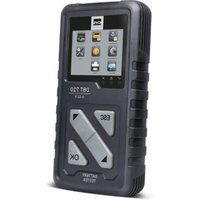
DBT 710 - Battery tester GYS - Free user manual and instructions
Find the device manual for free DBT 710 GYS in PDF.


Pick your language and provide your email: we'll send you a specifically translated version.
| Product type | Battery charger |
| Brand | GYS |
| Model | DBT 710 |
| Input voltage | 230 V AC, 50/60 Hz |
| Output voltage | 12 V / 24 V |
| Max charging current | 10 A |
| Compatible battery types | Lead-acid (AGM, GEL, EFB), Lithium (LiFePO4) |
| Functions | Charge, maintenance, battery test, repair mode |
| Built-in protections | Reverse polarity, short circuit, overload, overheating |
| Display | Backlit LCD screen |
| Dimensions | 250 x 200 x 150 mm |
| Weight | 2.5 kg |
| Cable length | 2 m with clamps |
| Operating temperature | -20 °C to +50 °C |
| Protection rating | IP54 |
| Standards | CE, RoHS |
| Warranty | 2 years |
Frequently Asked Questions - DBT 710 GYS
What is the output voltage of the GYS DBT 710?
The GYS DBT 710 charger operates at 12 V and 24 V, compatible with most car and truck batteries.
Can I charge a lithium battery with the DBT 710?
Yes, the DBT 710 supports lithium LiFePO4 batteries in addition to lead-acid batteries (AGM, GEL, EFB).
Does the charger protect against reverse polarity?
Yes, it is equipped with electronic protection against reverse polarity, short circuits, and overloads.
How to use the repair mode?
The repair mode (desulfation) is suitable for sulfated lead-acid batteries. Connect the battery, select the mode using the MODE button, and follow the instructions on the LCD screen.
What is the typical charging time for a car battery?
For a 50 Ah battery at 50% discharge, the charging time is approximately 3 to 4 hours with a 10 A current.
Can the DBT 710 be used as a trickle charger?
Yes, it has a maintenance mode that keeps the battery at its optimal level without overcharging, ideal for stored vehicles.
How to clean the charger?
Unplug the device and clean it with a soft, dry cloth. Do not use abrasive products or liquids.
What to do if the screen displays nothing?
Check the mains socket and the power cable. If the problem persists, contact GYS customer service.
Are the cables removable?
Yes, the cables with clamps are removable and can be replaced if worn out.
Where to find spare parts and accessories?
Spare parts such as cables or fuses are available from GYS authorized dealers or on the official website.
User questions about DBT 710 GYS
0 question about this device. Answer the ones you know or ask your own.
Ask a new question about this device
No questions yet. Be the first to ask one.
Download the instructions for your Battery tester in PDF format for free! Find your manual DBT 710 - GYS and take your electronic device back in hand. On this page are published all the documents necessary for the use of your device. DBT 710 by GYS.
USER MANUAL DBT 710 GYS

Manual assistant
Powered by Anthropic
Waiting for your message
Product information
Brand : GYS
Model : DBT 710
Category : Battery tester