
MOBILE HEADSET - Headphones PARROT - Free user manual and instructions
Find the device manual for free MOBILE HEADSET PARROT in PDF.



| Product Type | Wireless headset (earpiece) |
| Brand | Parrot |
| Model | Mobile Headset |
| Total weight (with cradle) | 60 g |
| Weight of earpiece | 13 g |
| Power supply | Charges via 12V cigarette lighter or 12V AC adapter |
| Charging time | 2 hours |
| Talk time | 5 hours |
| Standby time | 100 hours |
| Connectivity | Bluetooth 1.1 and 1.2 |
| Supported Bluetooth profiles | Handsfree v1.0, Headset v1.1 |
| Number of pairable devices | Up to 7 |
| Main functions | Make, receive and end calls; voice dialing; last number redial; volume control; automatic answer/hang-up on cradle |
| LED indicator | Blue (on/connected) and red (charging/off) |
| Incoming call buzzer | Yes |
| Package contents | Earpiece, two ear cushions, cigarette lighter charging cradle, 12V AC adapter, user manual, Parrot product guide |
| Customer service (hotline) | Europe: +33 (0) 148036069, UK: +44 (0) 870 112 5872, USA: +1 (877) 9 PARROT, Germany: +49 900 172 77 68 |
Frequently Asked Questions - MOBILE HEADSET PARROT
User questions about MOBILE HEADSET PARROT
0 question about this device. Answer the ones you know or ask your own.
Ask a new question about this device
Download the instructions for your Headphones in PDF format for free! Find your manual MOBILE HEADSET - PARROT and take your electronic device back in hand. On this page are published all the documents necessary for the use of your device. MOBILE HEADSET by PARROT.
USER MANUAL MOBILE HEADSET PARROT
Bluetooth rechargeable headset with
Plug&Play 12V cradle

Parrot
User Guide
Parrot DRIVER HEADSET/Parrot MOBILE HEADSET
English p 3
Francais p 13
Espanol p 23
Deutsch p 33
Portugués. p 43
Dutch p.53
Italiano 63
Norsk p 73
Dansk p 83
Svenska 93
Cesky p 103
Polski p 113
Pycckn p 123
Türkce p 133
Eληνικα p 143
p 153
日本語 p163
p 182
p 192
Parrot DRIVER HEADSET Parrot MOBILE HEADSET User Guide
ENGLISH
CONTENTS
Introduction p 5
Kit contents p 5
Using for the first time p 6
Features p 9
Hotline p 10
Technical specifications p 11
Notes p 12
General information p 193
INTRODUCTION
Parrot DRIVER HEADSET/Parrot MOBILE HEADSET
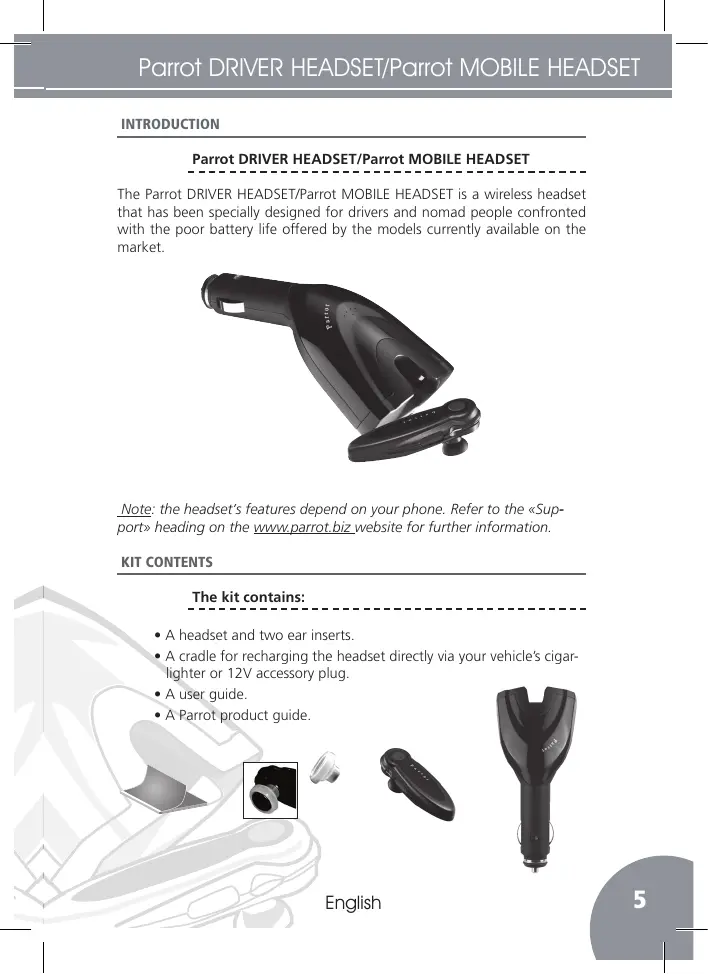
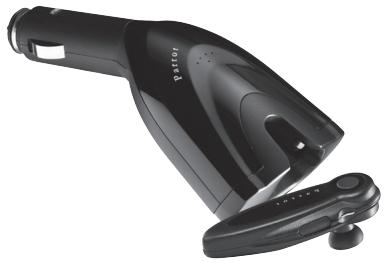
The Parrot DRIVER HEADSET/Parrot MOBILE HEADSET is a wireless headset that has been specially designed for drivers and nomad people confronted with the poor battery life offered by the models currently available on the market.
Note: the headset's features depend on your phone. Refer to the «Support» heading on the www.parrot.biz website for further information.
KIT CONTENTS
The kit contains:
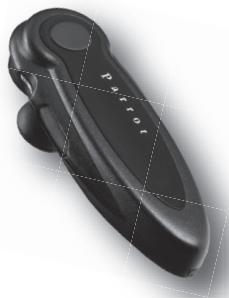
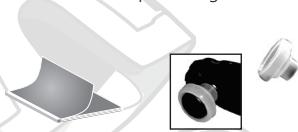
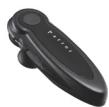
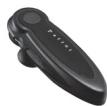
- A headset and two ear inserts.
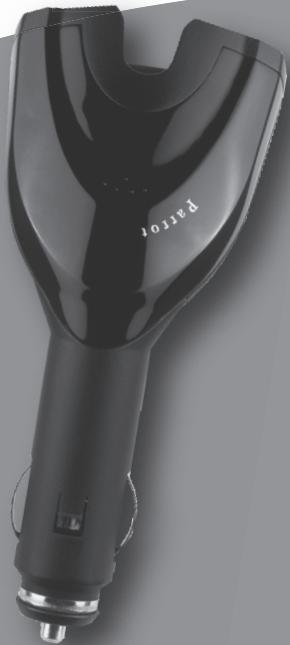
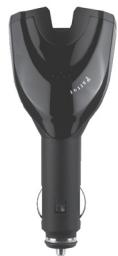
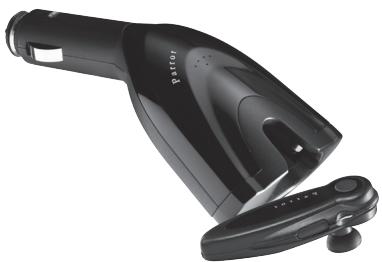
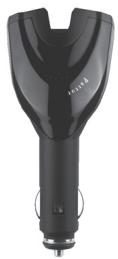
- A cradle for recharging the headset directly via your vehicle's cigarlighter or 12V accessory plug.
- A user guide.
- A Parrot product guide.
USING FOR THE FIRST TIME
Charging the headset
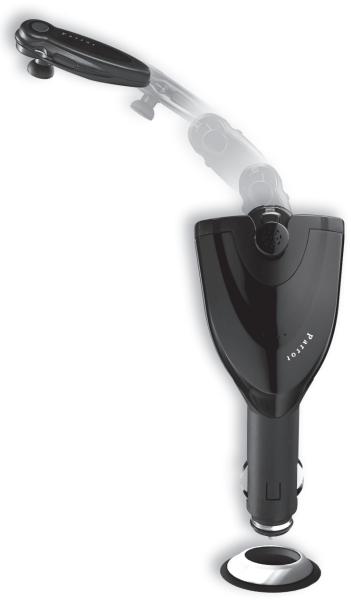
- Turn your vehicle's ignition on.
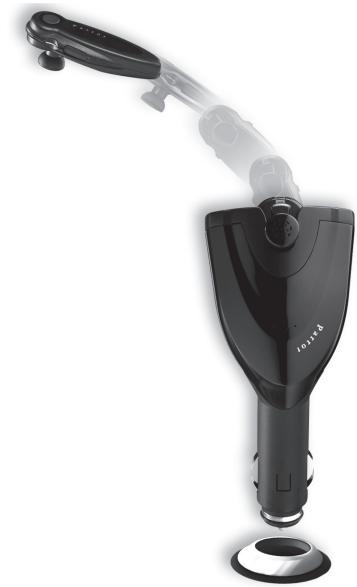
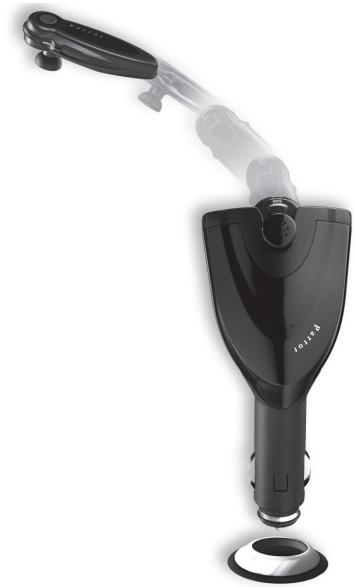
- Plug the headset and cradle into the cigar lighter or 12V accessory plug.
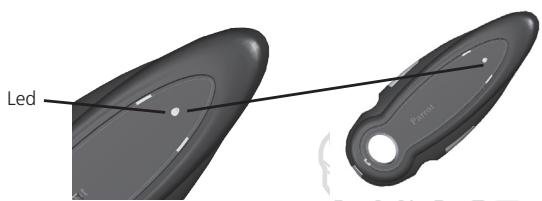
- The red LED lights up during recharging.
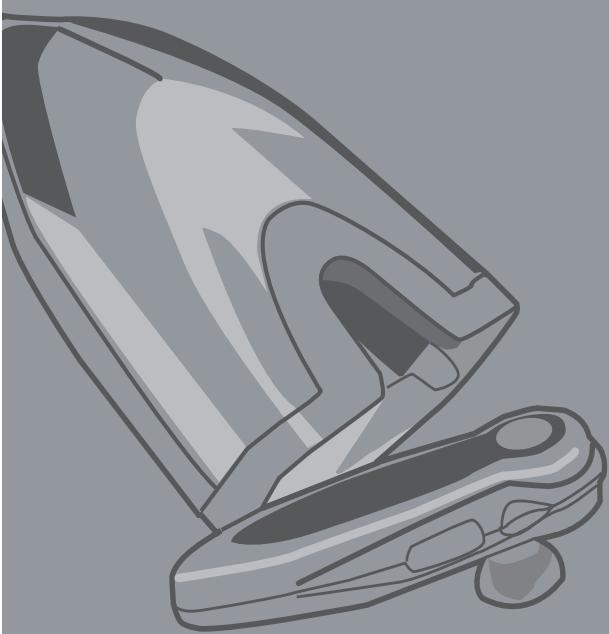
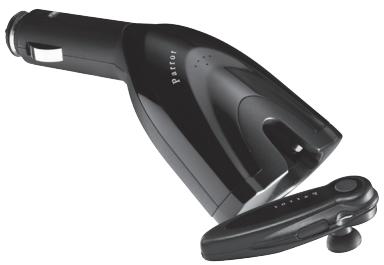
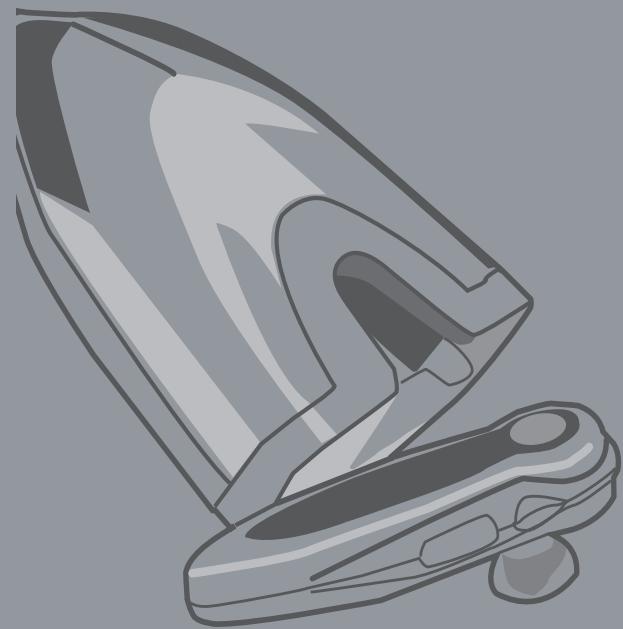
- To remove the headset from the cradle, press the protruding part of the headset.
Note: slide the headset into the cradle until you hear a click.
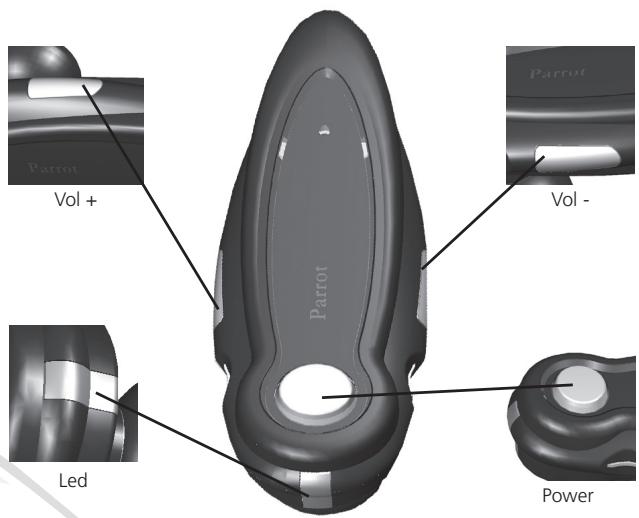
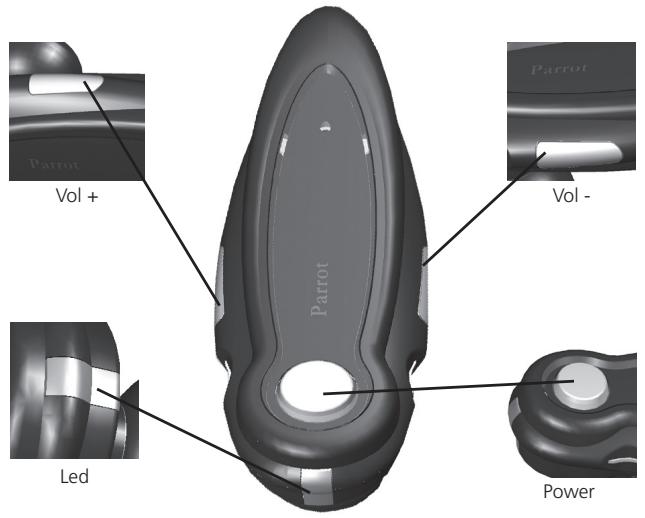
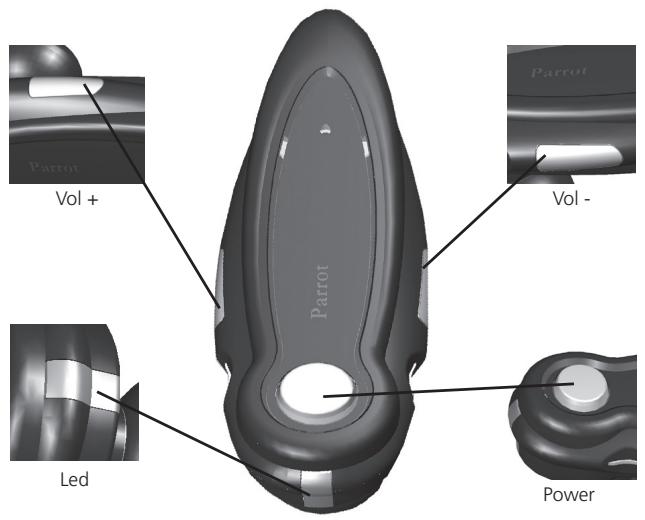
Headset button
- Vol +
Vol - - LED
- Power button
Switching the device on/off
- Hold down the «Power» button for three seconds.
- The blue LED lights up for three seconds. The headset switches on.
- Hold down the «Power» button for three seconds.
- The red LED lights up for one second and then the headset swits ches off.
Pairing a phone
- The headset must be switched off.
- Hold down the «Power» button for four seconds.
The LED flashes alternately blue and red. - The headset is visible to all Bluetooth devices for three minutes.
- From your Bluetooth phone, search for Bluetooth peripherals (consult your phone's user guide or refer to the «Support» heading on the www.parrot.biz website).
- Select «Parrot Headset».
- Enter «0000» on your phone when prompted.
- Once connected to your Bluetooth phone, the LED flashes slowly blue.
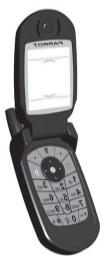
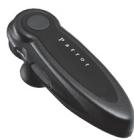
Your headset is now set up and ready to be used.
Note: if you are unable to find the headset with your phone, the headset might be invisible to Bluetooth devices. If so, switch the headset off and then hold down the «Power» button for four seconds. The LED flashes alternately blue and red. The Parrot DRIVER HEADSET/Parrot MOBILE HEADSET is now detectable.
FEATURES
Making a call from your phone
- Both devices must be connected (the blue LED flashes slowly).
- Dial the required number directly on your phone's keypad.
- The call is automatically transferred to the headset and continues until you hang up using the «Power» button or by replacing the headset in its cradle.
Making a call with your phone's voice recognition feature
- When both devices are connected, briefly press the «Power» button.
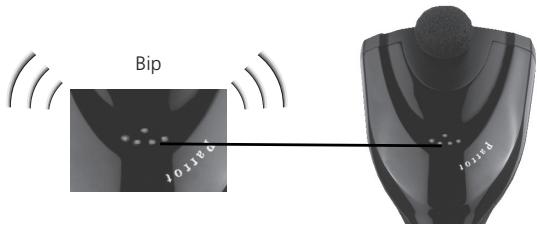
- You will hear a beep and your phone will prompt you to say the name of the person that you want to call.
Adjusting the volume during calls
- During calls, you can adjust the volume using the «Vol +» and «Vol -» buttons.
Answering a call
There are two ways to answer a call:
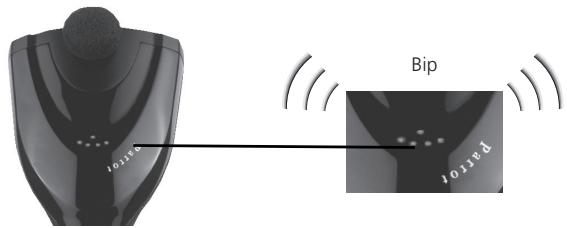
- If the headset is not in its cradle, the incoming call is indicated by the blue LED flashing on top of the headset and a beep is sounded. Press the «Power» button to answer the call.
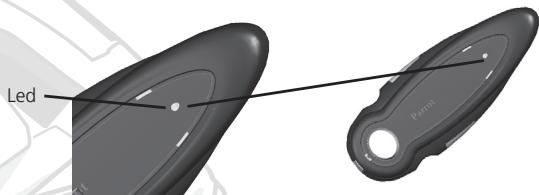
- The headset is being recharged in its cradle. A ringtone is sounded by the cradle to indicate an incoming call. Remove the headset from its cradle to automatically answer the call.
Ending a call
- Press the «Power» button or replace the headset in its cradle to automatically end the call.
Redialling the last number
- Hold down the «Vol +» button for two seconds to call back the last number.
Note: the features described above depend on your phone. Visit our website at www.parrot.biz for specific information concerning your phone.
HOTLINE
Our hotline is at your disposal. You can contact us by email or telephone.
- Europe: +33 (0) 148036069
UK: +44 (0) 870 112 5872
USA: +1 (877) 9 PARROT (toll-free)
Germany: +49 900 172 77 68
Visit our website at www.parrot.biz for further information.
TECHNICAL SPECIFICATIONS
Electronic - Mechanical
- Recharging time: two hours for five hours' talk time
- Standby time: 100 hours.
- Operating voltage: 9V - 16V
Power consumption: 100mA - Weight: 60 grams for the entire product, 13 grams for the headset.
- Buzzer for incoming calls.
Bluetooth
- Bluetooth 1.1 and 1.2 qualified
- Bluetooth profiles supported: - Handsfree v1.0 - Headset v1.1.
- Can pair up to seven devices.
Parrot DRIVER HEADSET/Parrot MOBILE HEADSET
NOTES
Parrot DRIVER HEADSET Parrot MOBILE HEADSET Guide d'utilisation
FRANCAIS
SOMMAIRE
TEXNIK'ES IPODIAIPA'E
TNTN NNNN NNNN 197011970119701
1777777
1970nnn nn nnnnnnnnnnn
n nn nnnnnnnnnnnnnnnnnnnnnnnnnnnnnnnnnnnnnnnnnnnnnnnnnnnnnnnnnnnnnnnnnnnnnnnnnnnnnnnnnnnnnnnnnnnnnnnnnnn
"Vol" -1 "+Vol"
1970nnn7
nnn nn nnnnnnnnn
"nnn nnnn nn nnnn nnnn nnnn nnnn nnnn nnnn nnnn nnnn nnnn nnnn nnnn nnnn nnnn nnnn nnnn nnnn nnnn nnnn nnnn nnnn nnnn nnnn nnnn nnnn nnnn nnnn nnnn nnnn nnnn nnnn nnnn nnnn nnnn nnnn nnne
wnn nn /n
3 3 Power"
.7n 3 nnnn
3 "Power"
.1 1
ywnyn yynnn
nTn
yinnxynn
nnnnn nn nnnn nn nnnn nnnn nnnn nnnn nnnn nnnn nnnn nnnn nnnn nnnn nnnn nnnn nnnn nnnn nnnn nnnn nnnn nnnn nnnn nnnn nnnn nnnn nnnn nnnn nnnn nnnn nnnn nnnn nnnn nnnn nnnn nnnn nnnn nnnn nn
.711111111
l_共线 = 0
()
Ae100:Jbuii
.V-16V9:
.mA 100:
Aclawl lalj 13 alsall 60:jjll
.2jgllllalkall jli
Bluetooth
1.2 Bluetooth 1.1
: a geall Bluetooth 1
.Handsfree v1.0
. Headset v1.1
a jzai aie gia jy
j 32yJySs yJy JyJyJyJyJyJyJyJyJy
Lgaiyj aalcal gld jll Jall Jn aeell
aillS a[gi]
Lalalalallllllllllllllllllllllllllllll
yds 1 yds 100
JyIyIyIyIyIyIyIyIyIyIyIyIyIyIyIyIyIyIyIyIyIy
jglal gle ci jiyl glinao o oy jpa dila o xia o aegall jglal ala
dlaty jslss ciajw www.parrot.biz
jssss
i 1
A. Juaill jisi jiaill jaii jayil jaii jiyu juyu juyu
Cullsall Dks Cgall sinn k
Aallllllllllllllllllllllllllllllllllllllll
S^2 = D · C
#
JJJJJJJJJJJJJJJJJJJJJJJJJJJJJJJJJJJJJJJJJJJJJJJJJJJJJJJJJJJJJJJJJJJJJJJJJJJJJJJJJJJJJJJJJJJJJJJJJJJJJJJJJJJJJJJJJJJJJJJJJJJJJJJJJJJJJJJJJJJJJJJJJJJJJJJJJJJJJJJJJJJJJJJJJJJJJJJJJJJJJJJJJJJJJJJJJJJJJJJJJjj
Jyj jyj yj jy jy jy
Jd d d a cllg e jlln Bluetooth s Js
Jllj jlll Bluetooth 10000 .Bluetooth 10000
i 1
.(www.parrot.biz
.《Parrot Headset》
diisie diis (0000)
a a a a a a a a a a a a a a a a a a a a a a a a a a a a a a a a a a a a a a a a a a a a a a a a a a a a a a a a a a a a a a
jglj jglj
Jj 《Power》jjgla jia bina lai
Jellal aclall idj jil dgd jzjll g
《Power》
actll lac iisjus lssjg sial g jai jai jai jai g
S OBC = S COD + S_ BOC
Clewall
山
V12 4aJbI JJIaIaI aIy, Jauu Jauu Jauu Jauu Jauu Jauu Jauu
Jusill sile! Jusie Dls yas jusell
aclaw jj jll jall biial .Jalall jaclaw alljj
Aiiis 3jbi jaii jai jai jai jai jai jai jai
1 + a2 = 6
Parrot DRIVER HEADSET
Juslll Lgssas gaaa aiey 1u Jelau y Parrot DRIVER HEADSET eclaw
y jil s jgsal gjil l qaii gill ay blls y sae agaegagagagagagagagagagagagagagagagagagagagagagagagagagagagagagagagagagagagagagagagagagagagagagagagag
1 2 3 4 5 6 7 8 9 10 11 12 13 14 15 16 17 18 19 20 21 22 23 24 25 26 27 28 29 30 31 32 33 34 35 36 37 38 39 40 41 42 43 44 45 46 47 48 49 50 51 52 53 54 55 56 57 58 59 60 61 62 63 64 65 66 67 68 69 70 71 72 73 74 75 76 77 78 79 80 81 82 \n<\hskip 1.0pt 一 1.0pt 一 1.0pt 一 1.0pt 一 1.0pt 一 1.0pt 一 1.0pt 一 1.0pt 一 1.0pt 一 1.
a.ajal ciy j
jia jai jai
jLgAeJy jzJzJxJy JzJy JzJy JzJy JzJy JzJy JzJy JzJy JzJy JzJy JzJy JzJy JzJy JzJy JzJy JzJy JzJy JzJy JzJy JzJy JzJy JzJy JzJy JzJy JzJy JzJy JZ
Parrot

( 5) y C

190
190
189
186
185
184 4
183
193 ale clagde
Parrot DRIVER HEADSET
P
G
Parrot DRIVER HEADSET Parrot MOBILE HEADSET
SAFETY INFORMATIONGENERAL INFORMATION
FCC Compliance Statement
This device complies with part 15 of the FCC rules. Operation is subject to the following two conditions:
- this device may not cause harmful interference, and
- this device must accept any interference received, including interference that may cause undesired operation.
Note: The manufacturer is not responsible for any radio or tv interference caused by unauthorized modifications to this equipment. Such modifications could void the user's authority to operate the equipment.
Declaration of Conformity
We, Parrot S.A. of 174 quai de Jemmapes, 75010 Paris, France, declare under our sole responsibility that our product, the Parrot DRIVER HEADSET/ Parrot MOBILE HEADSET to which this declaration relates is in conformity with appropriate standards EN300328, EN301489-1, EN60065 following the provision of Radio Equipment and Telecommunication Equipment directive, with requirements covering EMC directive 89/336/EEC and Low Voltage directive 73/23/EEC.
Bluetooth
The Bluetooth® word mark and logos are owned by the Bluetooth® SIG, Inc. and any use of such marks by Parrot S.A. is under license. Other trademarks and trade names are those of their respective owners.
Correct Disposal of This Product (Waste Electrical & Electronic Equipment)
(Applicable in the European Union and other European countries with separate collection systems). This marking shown on the product or its literature, indicates that it should not be disposed with other household wastes at the end of its working life. To prevent possible harm to the environment or human health from uncontrolled waste disposal, please separate this from other types of wastes and recycle it responsibly to promote the sustainable reuse of material resources. Household users should contact either the re
tailer where they purchased this product, or their local government office, for details of where and how they can take this item for environ, mentally safe recycling. Business users should contract their supplier and the terms and conditions of the purchase contract. This product should not be mixed with other commercial wastes for disposal.
GENERAL INFORMATION
Copyrights
Copyright © 2004 Parrot. All rights reserved. The total or even partial reproduction, transmission or storage of this guide in any form or by any process whatsoever (electronic, mechanical, photocopy, recording or otherwise) is strictly prohibited without prior consent from Parrot.
Registered trademarks
All the names and trademarks mentioned in this document are copyright-protected and are the property of their respective owners.
Modifications
The explanations and specifications in this guide are given for information purposes only and may be modified without prior notice. They are deemed to be correct at time of going to press. The utmost care has been taken when writing this guide, as part of the aim to provide you with accurate information. However, Parrot shall not be held responsible for any consequences arising from any errors or omissions in the guide, nor for any damage or accidental loss of data resulting directly or indirectly from the use of the information herein. Parrot reserves the right to amend or improve the product design or user guide without any restrictions and without any obligation to notify users.
As part of our ongoing concern to upgrade and improve our products, the product that you have purchased may differ slightly from the model described in this guide. If so, a later version of this guide might be available in electronic format at Parrot's website at www.parrot.biz.

Parrot
Parrot S.A. - 174, quai de Jemmapes - 75010 Paris - France
Fax +33 148030666/Phone+33148036060
http://www.parrot.biz


Bluetooth

HEAO

Federal
Communications
Commission


PI030319AB