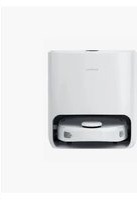
T10 - Robot vacuum Narwal - Free user manual and instructions
Find the device manual for free T10 Narwal in PDF.


Pick your language and provide your email: we'll send you a specifically translated version.
| Product Type | Robot Vacuum and Mop |
| Brand | Narwal |
| Model | T10 |
| Dimensions (Robot) | 350 x 350 x 100 mm (13.8 x 13.8 x 3.9 in) |
| Weight (Robot) | 4.5 kg (9.9 lb) |
| Battery Capacity | 5200 mAh Lithium-ion |
| Charging Time | Approximately 4 hours |
| Runtime | Up to 150 minutes (standard mode) |
| Suction Power | 2500 Pa |
| Noise Level | ≤ 60 dB (quiet mode) |
| Dustbin Capacity | 400 ml |
| Water Tank Capacity | 170 ml |
| Navigation System | LDS Laser Navigation |
| Cleaning Modes | Vacuum, Mop, Vacuum & Mop |
| App Control | Yes (Narwal app via Wi-Fi) |
| Voice Control | Compatible with Amazon Alexa, Google Assistant |
| Scheduled Cleaning | Yes (via app) |
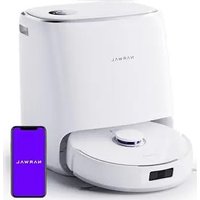
| Self-Emptying Base | Yes (auto-empty dustbin and clean mop) |
| Filter Type | High-efficiency filter (washable) |
| Maintenance | Regular cleaning of sensors, brushes, and filter |
| Special Features | Auto-lift mop pad, obstacle avoidance, carpet detection |
| Power Supply | 100-240V, 50/60Hz (adapter included) |
Frequently Asked Questions - T10 Narwal
How do I connect the Narwal T10 to Wi-Fi?
Download the Narwal app from the App Store or Google Play. Ensure your robot is charging and in standby mode. Press and hold the Wi-Fi button on the robot until the indicator blinks. Follow the in-app instructions to connect to your 2.4 GHz network.
How often should I clean the sensors?
Clean the LDS laser sensor and cliff sensors with a soft, dry cloth every 2-4 weeks to maintain navigation accuracy. Avoid using liquids or abrasive materials.
Can I use the Narwal T10 without the self-emptying base?
Yes, the robot can operate without the base. However, you will need to manually empty the dustbin and clean the mop pad after each use. The base automates these tasks for convenience.
How do I replace the filter?
Open the dustbin cover, remove the old filter, and insert a new Narwal T10 filter. It is recommended to replace the filter every 3-6 months depending on usage. Washable filters should be cleaned monthly.
What should I do if the robot loses suction?
Check the dustbin for fullness, clean the filter, and remove any hair tangled around the roller brush. Also inspect the suction path for blockages. A full dustbin or clogged filter is the most common cause.
Is the Narwal T10 suitable for pet hair?
Yes, with 2500 Pa suction and a tangle-resistant roller brush, it effectively picks up pet hair. Regular maintenance of the brush and filter will ensure optimal performance.
How long does the battery last?
The 5200 mAh battery provides up to 150 minutes of runtime in standard mode. Actual runtime may vary based on floor type, cleaning mode, and usage of mopping functions.
Can I set no-go zones?
Yes, via the Narwal app. After the robot maps your home, you can define virtual boundaries, no-go zones, and no-mop zones to restrict cleaning in certain areas.
How do I reset the Narwal T10?
To factory reset, press and hold the Reset button (located near the Wi-Fi button) for 10 seconds until the indicator light turns off and on again. This clears all settings and maps.
What is the warranty period?
The Narwal T10 typically comes with a 1-year limited warranty for manufacturing defects. Register your product on the Narwal website to extend warranty coverage (if applicable).
User questions about T10 Narwal
0 question about this device. Answer the ones you know or ask your own.
Ask a new question about this device
No questions yet. Be the first to ask one.
Download the instructions for your Robot vacuum in PDF format for free! Find your manual T10 - Narwal and take your electronic device back in hand. On this page are published all the documents necessary for the use of your device. T10 by Narwal.
USER MANUAL T10 Narwal
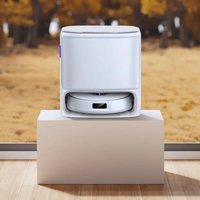
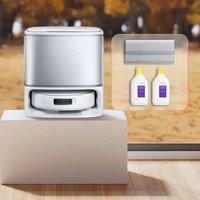
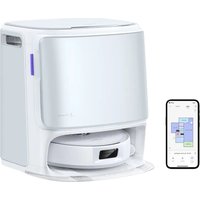
Manual assistant
Powered by Anthropic
Waiting for your message
Product information
Brand : Narwal
Model : T10
Category : Robot vacuum