59G063 - Grinder Graphite - Free user manual and instructions
Find the device manual for free 59G063 Graphite in PDF.


Pick your language and provide your email: we'll send you a specifically translated version.
| Product type | Document shredder |
| Brand | Graphite |
| Model | 59G063 |
| Cut type | Cross cut |
| Cut capacity | 8 sheets (70 g/m²) |
| Bin volume | 18 liters |
| Security level | P-3 (cross cut 4x40 mm) |
| Dimensions (L x W x H) | 34 x 25 x 45 cm |
| Weight | 4.2 kg |
| Power supply | 220-240 V ~ 50/60 Hz |
| Power | 350 W |
| Cutting speed | 3 m/min |
| Auto start/stop function | Yes |
| Reverse function | Yes, to clear paper jams |
| Overload protection | Automatic shutdown in case of overheating |
| Maintenance and cleaning | Oil the blades every 30 minutes of use |
| Spare parts | Blades, motor, waste bin |
| Repairability | Repairability index: 6.5/10 (estimate) |
| Warranty | 2 years |
Frequently Asked Questions - 59G063 Graphite
What type of cut does the Graphite 59G063 shredder offer?
The Graphite 59G063 shredder uses a cross cut (4x40 mm), offering a P-3 security level suitable for confidential documents.
How many sheets can it shred at once?
It can shred up to 8 sheets of standard paper (70 g/m²) in one pass.
How to empty the waste bin?
The bin simply pulls out forward; it has a capacity of 18 liters. Empty it regularly to avoid jams.
What to do in case of a paper jam?
Use the reverse function to clear the paper. If that doesn't work, unplug the device and carefully remove the paper with tweezers.
Should you oil the blades?
Yes, it is recommended to oil the blades every 30 minutes of use with a special shredder oil to maintain performance.
The shredder stops by itself during use: why?
This is normal: the thermal protection system cuts power in case of overload or overheating. Let it cool down for 15 minutes before restarting.
Can you shred staples or paper clips?
Yes, this model accepts staples and paper clips without issue. However, avoid thicker metal objects.
What materials should not be inserted?
Do not insert hard plastics, CD/DVDs, credit cards, or fabrics – this could damage the blades.
How to clean the exterior of the device?
Unplug it and wipe with a soft, slightly damp cloth. Do not use solvents or abrasives.
The shredder makes an unusual noise: what to check?
Check that there is no foreign object in the blades (accumulated staples). Oil the blades if the noise persists.
User questions about 59G063 Graphite
0 question about this device. Answer the ones you know or ask your own.
Ask a new question about this device
No questions yet. Be the first to ask one.
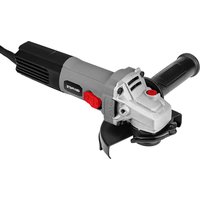
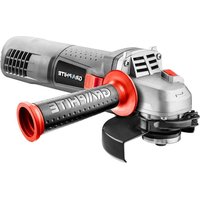
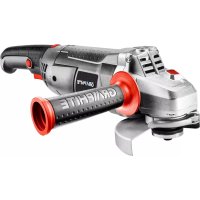
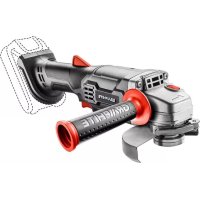
Download the instructions for your Grinder in PDF format for free! Find your manual 59G063 - Graphite and take your electronic device back in hand. On this page are published all the documents necessary for the use of your device. 59G063 by Graphite.
USER MANUAL 59G063 Graphite
Manual assistant
Powered by Anthropic
Waiting for your message
Product information
Brand : Graphite
Model : 59G063
Category : Grinder