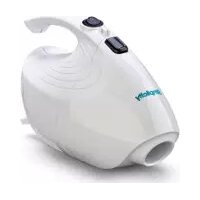
Flash F1.6 - Vacuum Cleaner Simplicity - Free user manual and instructions
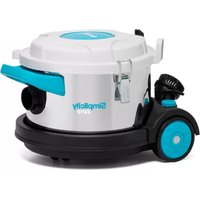
Find the device manual for free Flash F1.6 Simplicity in PDF.


| Brand | Simplicity |
| Model | Flash F1.6 |
| Product type | Canister vacuum cleaner |
| Power supply | Mains, 220-240 V, 50-60 Hz |
| Maximum power | 1200 W |
| Dust tank capacity | 2.5 L (bagless) |
| Filtration type | Cyclonic and washable HEPA filter |
| Weight | 5.5 kg |
| Dimensions (L x W x H) | 30 x 25 x 40 cm |
| Cord length | 8 m |
| Operating radius | 10 m |
| Noise level | 75 dB(A) |
| Compatible floor types | Hard floors, carpet, rugs |
| Included accessories | Main brush, crevice tool, upholstery brush |
| Routine maintenance | Empty the bin after each use, wash the filter every month |
| Safety | Thermal protection with automatic shutdown in case of overheating |
| Spare parts and repairability | Filters, brushes, belt, tank available on order |
| Warranty | 2 years parts and labor |
| Color | White and orange |
Frequently Asked Questions - Flash F1.6 Simplicity
User questions about Flash F1.6 Simplicity
0 question about this device. Answer the ones you know or ask your own.
Ask a new question about this device
Download the instructions for your Vacuum Cleaner in PDF format for free! Find your manual Flash F1.6 - Simplicity and take your electronic device back in hand. On this page are published all the documents necessary for the use of your device. Flash F1.6 by Simplicity.
USER MANUAL Flash F1.6 Simplicity
Getting Started
Important Safety Instructions 2
Polarization Instructions 3
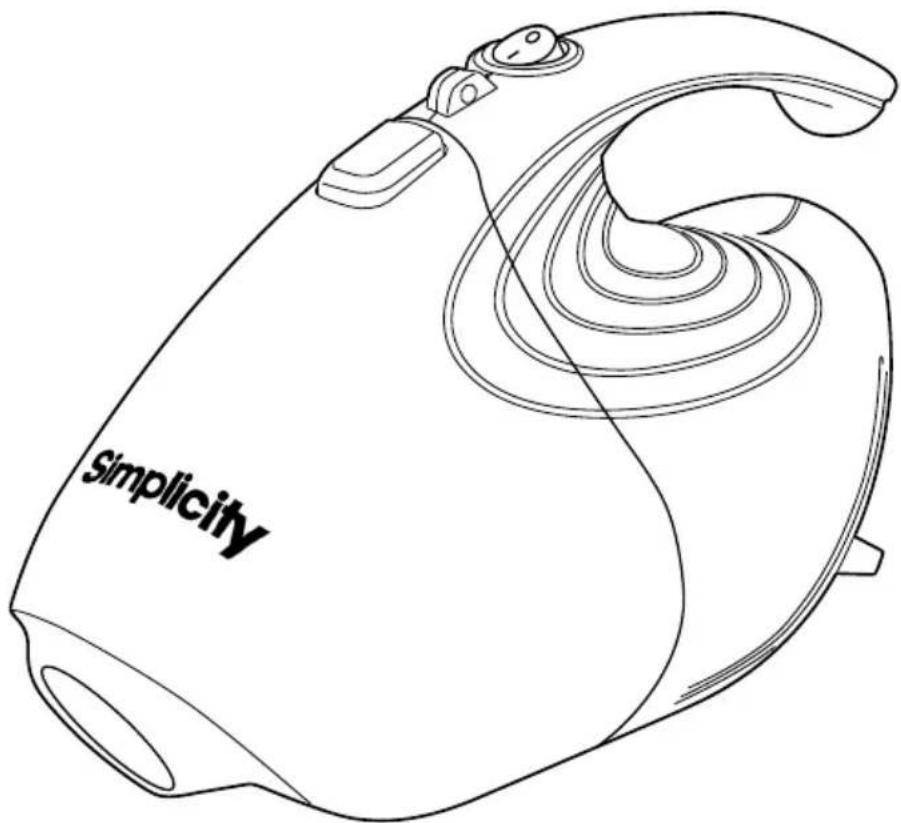
Description of the Vacuum 4
How to Operate 5
Maintenance and Care
How to Empty the Dust Cup 6
Problem Solving Guide
Troubleshooting 7
Visit Simplicity Vacuums Online 7
How to Contact Your Authorized Retailer 7
Key Replacement Parts 7
For Best Performance 7
Warranty 8
IMPORTANT SAFETY INSTRUCTIONS
When using an electrical appliance, basic precautions should always be followed, including the following:
READ ALL INSTRUCTIONS BEFORE USING THIS APPLIANCE. FOR HOUSEHOLD USE ONLY.
IMPORTANT:
IMPORTANT. The manufacturer cannot accept responsibility for damage caused when the appliance is not used according to the instructions, or for uses other than those for which it was intended.
WARNING:
To reduce the risk of fire, electric shock, damage or injury:
- Do not leave appliance when plugged in. Unplug from outlet when not in use and before servicing.
- WARNING: ELECTRIC SHOCK COULD OCCUR IF USED OUTDOORS OR ON WET SURFACES.
- Do not allow to be used as a toy. Close attention is necessary when used by or near children.
- Use only as described in this manual.
- Do not use with damaged cord or plug. If appliance is not working as it should, has been dropped, damaged, left outdoors, or dropped into water, return it to place of purchase for service.
- Do not pull or carry by cord, use cord as a handle, close a door on the cord, or pull cord around sharp edges or corners. Keep cord away from heated surfaces.
- Do not unplug by pulling on cord. To unplug, grasp the plug, not the cord.
- Connect to a properly grounded outlet only. See grounding instructions.
-
Do not handle plug or appliance with wet hands.
-
Do not put any object into openings. Do not use with any opening blocked; keep free of dust, lint, hair and anything that may reduce air flow.
- Keep hair, loose clothing, fingers and all parts of body away from openings and moving parts.
- Do not pick up anything that is burning or smoking, such as cigarettes, matches or hot ashes.
- Do not use without dust cup filter in place.
- Turn off all controls before unplugging.
- Use extra care when cleaning on stairs.
- Do not use to pick up flammable or combustible liquids such as gasoline or use in areas where they may be present.
- Do not attempt to service the unit while appliance is plugged in.
- Do not use vacuum to pick up water or any wet materials.
Power Cord, 2-Wire Polarized Cord
To reduce the risk of electric shock, the charger is equipped with a polarized alternating current line plug (a plug having one blade wider than the other). This plug will fit into the power outlet only one way. This is a safety feature. If you are unable to insert the plug fully into the outlet, try reversing the plug. If the plug should still fail to fit, contact a qualified electrician to replace the obsolete outlet. Do not defeat the safety purpose of the polarized plug.

natural_image
Line drawing of an electrical plug and its corresponding socket (no text or symbols)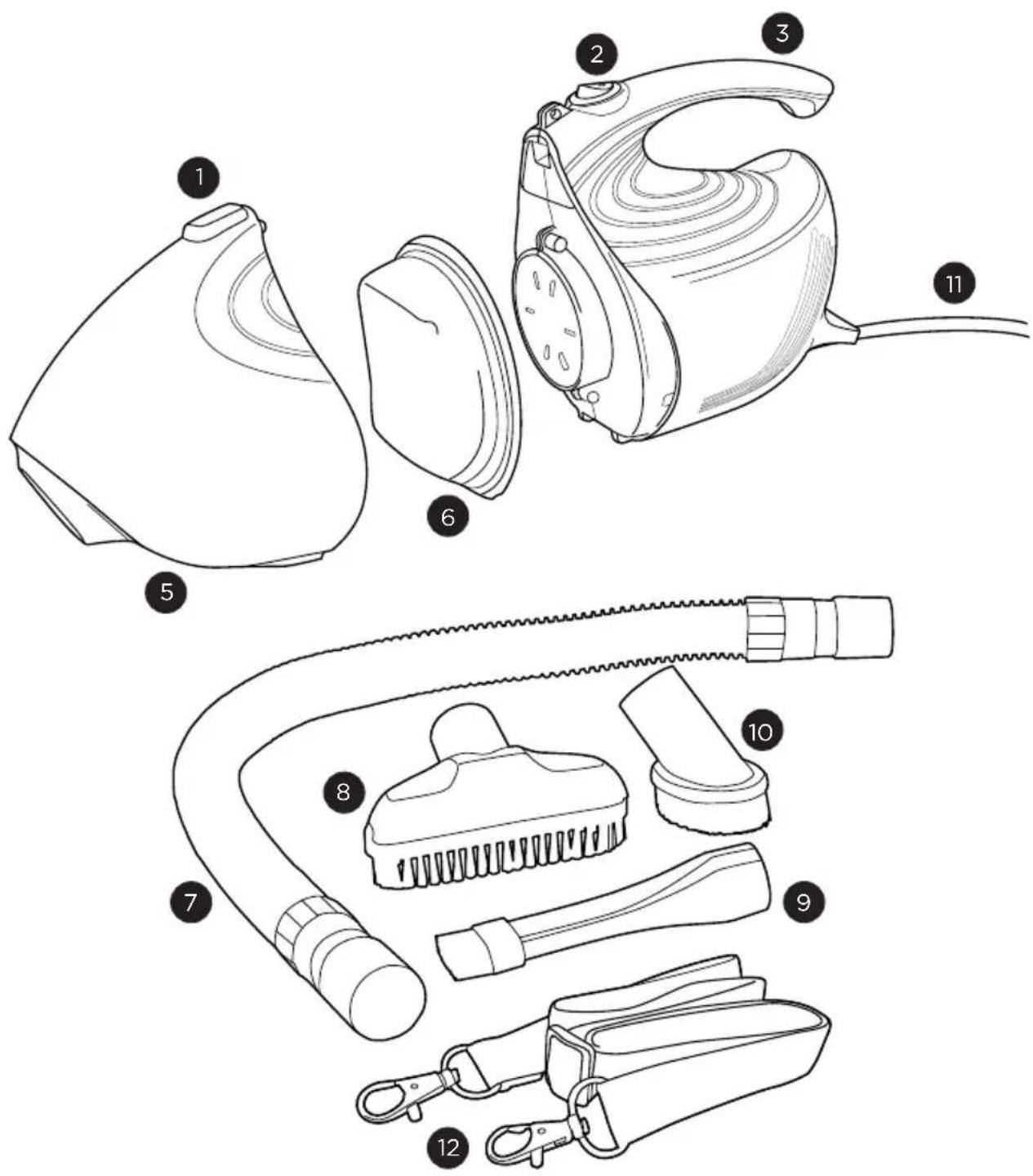
- Dust cup release button
- On/off switch
- Handle
- Suction inlet
- Dust cup
-
Dust cup filter
-
Flexible hose
- Upholstery brush
- Crevice tool
- Dusting brush
- Power cord
- Shoulder strap
On/Off Button
Hold the vacuum handle firmly with your hand and push the power button to the "on" position.
Cleaning Tools
This vacuum comes equipped with a dusting brush, crevice tool, upholstery brush and a flexible hose. Any of these tools can be directly connected to the suction inlet.
To use the flexible hose, insert the small end of the hose into the suction inlet. You can clean with just the hose or add any of the cleaning tools to the end of the hose.
NOTE: Only the small end of the hose will fit into the suction inlet.

natural_image
Line drawing of a hand washing machine (no text or symbols)
natural_image
Line drawing of a hand washing machine (no text or symbols)
natural_image
Line drawing of a steamer with handle and spout (no text or symbols)
natural_image
Line drawing of a hair dryer with multiple accessories and a curved body (no text or symbols)How to Empty the Dust Cup
WARNING: Always unplug the vacuum from the electrical outlet before removing the dust cup. The suction inlet must be free of obstructions at all times, or overheating could damage the motor.
- Push the dust cup release button to remove the dust cup.
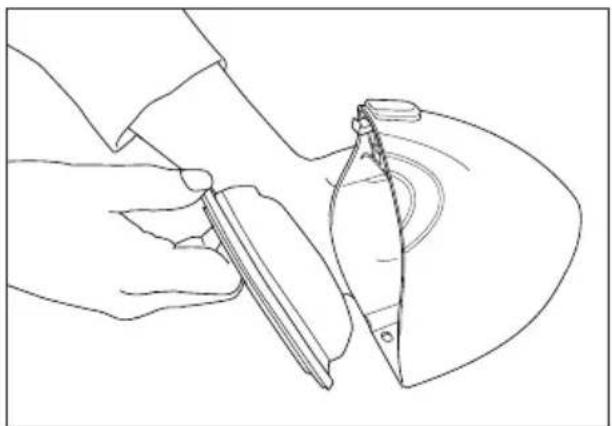
- Remove the dust cup filter and replace it with a new filter (Fig. 1).
- Empty the dust from the dust cup and shake out the filter (Fig. 2).
- If desired, you may rinse the dust cup filter under warm water.
- Replace the dust cup filter into the dust cup.
- Attach the dust cup to the vacuum.
NOTE: Do not wash or reuse filter.

natural_image
Line drawing of a hand using scissors to cut a curved object with concentric lines (no text or symbols)Fig. 1
natural_image
Line drawing of a hand holding a tool, partially cut the blade (no text or symbols)Fig. 2
Troubleshooting
WARNING! To reduce the risk of electrical shock or injury from moving parts, unplug vacuum before servicing or cleaning.
CAUTION! To reduce the risk of electric shock, do not handle plug or appliance with wet hands.
| PROBLEM CHECK POINT POSSIBLE SOLUTION | ||
| Vacuum will not operate | House Fuse or Breaker | Replace fuse or reset breaker. |
| Vacuum will not pick-up dirt or suction power is weak | Dust Cup Filter | Empty dust cup. |
| Turn off unit and unplug from outlet.Remove dust cup filter and check for object(s) in dust cup and remove. | ||
| Replace dust cup filter. | ||
| Vacuum hose or tools will not pick-up | Hose and/or Tool | Remove hose and/or tools. Remove obstruction from the hose and/or tool. |
| Empty the dust cup and replace the dust cup filter. | ||
Any other service should be performed by an Authorized Simplicity Vacuum Retailer. To locate your nearest Authorized Retailer, visit our website at SimplicityVac.com or call 888-974-6759.
Key Replacement Parts
• Part # HV-FILTERSET
For Best Performance
- Keep machine and all accessories clean and in good operating condition.
- Replace filters frequently if vacuuming fine powders such as flour or drywall dust.
- Always use genuine filters and parts, as use of other products may result in poor cleaning or filtration performance. Genuine filtration products are designed for maximum performance.
- Store machine carefully in a dry area.
- For optimum cleaning performance and safety, follow your owner's manual instructions.
What is Covered:
This warranty covers any defects in material and workmanship in the vacuum.
How Long Coverage Lasts:
Warranty coverage for this vacuum lasts 90 days.
What is Not Covered:
- Damage to the vacuum which occurs from neglect, abuse, alterations, accident, misuse or improper maintenance.
- Normal replacement items: dust cup filter.
What We Will Do:
This warranty provides, at no cost to you, all labor and parts to keep this vacuum in correct operating condition during the warranted period.
How to Get Service:
Warranty service can only be obtained by presenting the vacuum to an Authorized Simplicity Retailer. A proof-of-purchase and product serial number will be required before service is rendered. To locate your nearest service center, please call 888-974-6759 or visit SimplicityVac.com.
THIS WARRANTY IS EXCLUSIVE AND IN LIEU OF ANY AND ALL OTHER WARRANTIES WHETHER WRITTEN, ORAL, EXPRESSED OR IMPLIED, (INCLUDING ANY WARRANTY OF MERCHANTABILITY OR FITNESS FOR A PARTICULAR PURPOSE). THIS WARRANTY DISCLAIMS LIABILITY FOR INCIDENTAL OR CONSEQUENTIAL DAMAGES.
How State Law Applies:
This warranty gives you specific legal rights, and you may also have other rights which vary from state to state.
Owner's Warranty Information (keep this for your records...)
Store Name
Store Address ____ City ____ State ____ Zip ____
Telephone Date of Purchase
Serial Number Model Number
Register your warranty online at SimplicityVac.com
Simplicity® VAGUUMS
VACUUMS
FLASH
Manual del Usuario
Empezando
natural_image
Line drawing of an electrical outlet with two socket terminals (no text or symbols)
natural_image
Line drawing of a hand washing machine (no text or symbols)
natural_image
Line drawing of a hand washing machine (no text or symbols)
natural_image
Line drawing of a steamer with handle and spout (no text or symbols)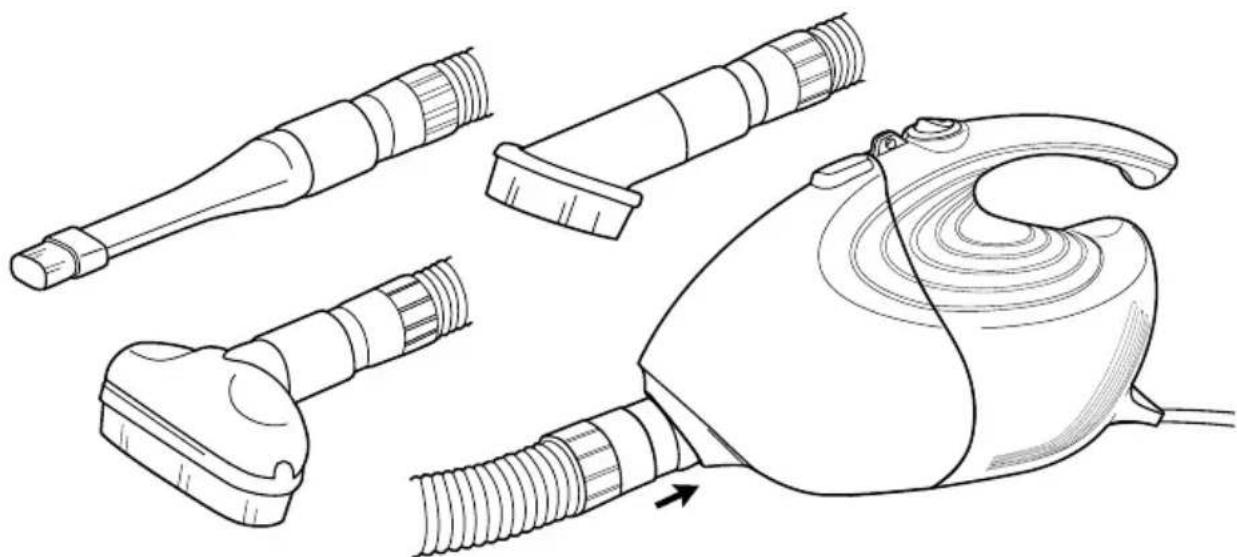
natural_image
Line drawing of a hair dryer with multiple accessories and a curved body (no text or symbols)natural_image
Line drawing of a hand using scissors to cut a curved object with concentric lines (no text or symbols)Fig. 1

natural_image
Line drawing of a hand holding a tool, partially cut the blade (no text or symbols)Fig. 2
Commencer
natural_image
Line drawing of an electrical plug with a separate hexagonal socket (no text or symbols)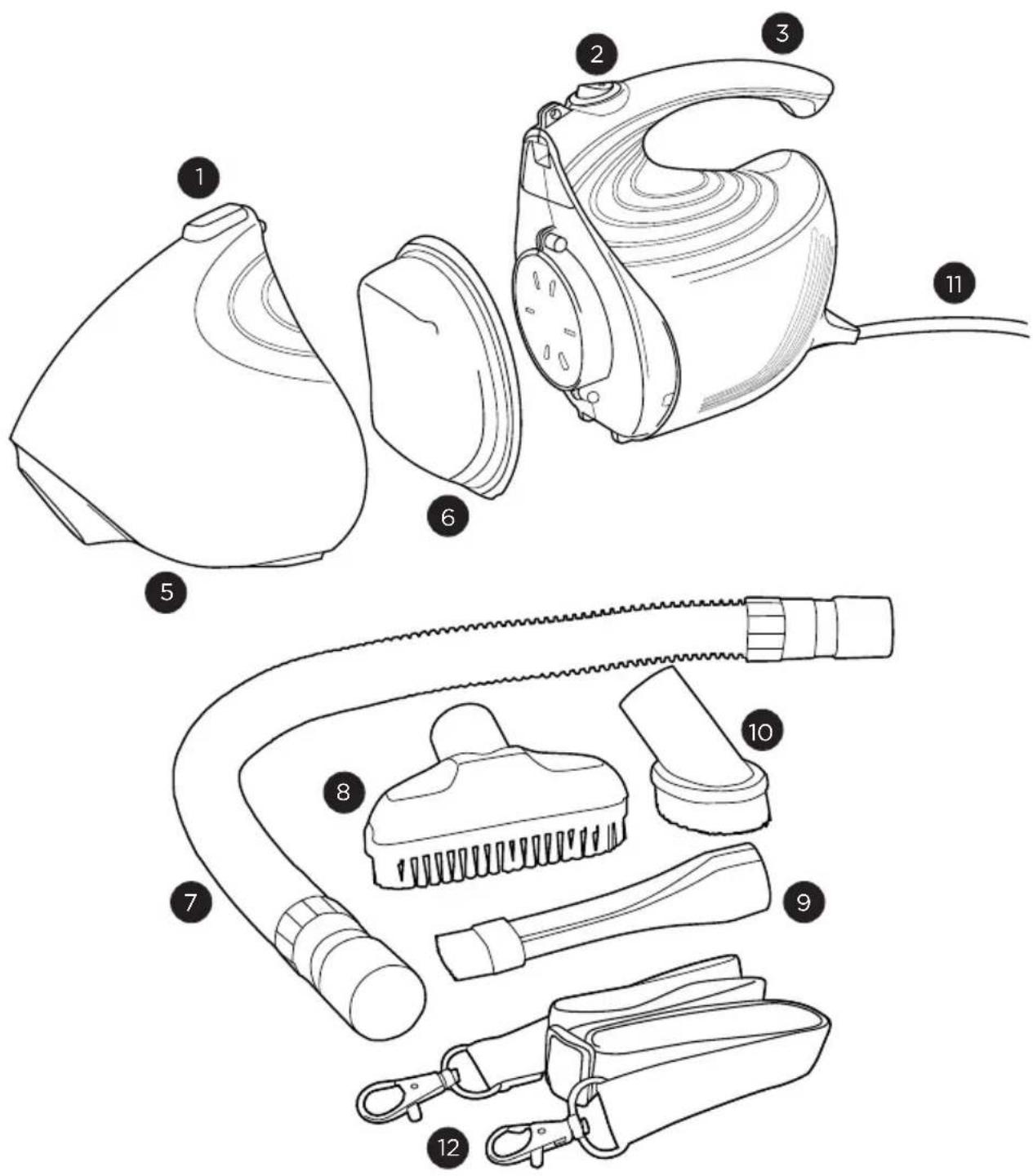
natural_image
Line drawing of a hand washing machine (no text or symbols)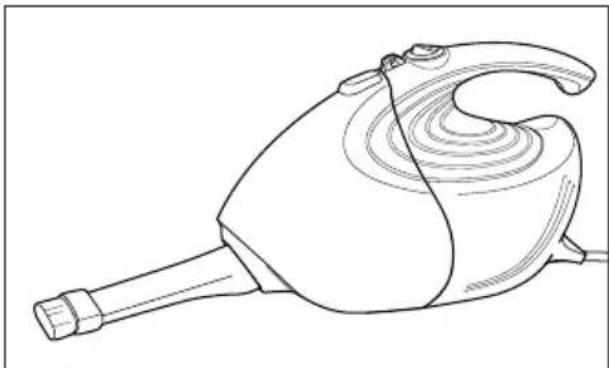
natural_image
Line drawing of a hand washing machine (no text or symbols)
natural_image
Line drawing of a steamer with handle and spout (no text or symbols)
natural_image
Line drawing of a hair dryer with multiple accessories and a curved body (no text or symbols)natural_image
Line drawing of a hand using a tool to cut a curved object with concentric lines (no text or symbols)Fig. 1

natural_image
Line drawing of a hand holding a tool interacting with a curved object (no text or symbols)Fig. 2
Dépannage

- Getting Started
- Maintenance and Care
- Problem Solving Guide
- Warranty 8
- IMPORTANT SAFETY INSTRUCTIONS
- READ ALL INSTRUCTIONS BEFORE USING THIS APPLIANCE. FOR HOUSEHOLD USE ONLY.
- IMPORTANT:
- WARNING:
- Power Cord, 2-Wire Polarized Cord
- On/Off Button
- Cleaning Tools
- How to Empty the Dust Cup
- Troubleshooting
- Key Replacement Parts
- For Best Performance
- What is Covered:
- How Long Coverage Lasts:
- What is Not Covered:
- What We Will Do:
- How to Get Service:
- How State Law Applies:
- Simplicity® VAGUUMS
- FLASH
- Empezando
- Commencer
- Dépannage
Brand : Simplicity
Model : Flash F1.6
Category : Vacuum Cleaner