CA-502Pro Mini - Air purifier Clean Air Optima - Free user manual and instructions
Find the device manual for free CA-502Pro Mini Clean Air Optima in PDF.


Pick your language and provide your email: we'll send you a specifically translated version.
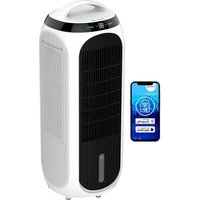
| Product type | Air purifier |
| Brand | Clean Air Optima |
| Model | CA-502Pro Mini |
| Dimensions (L x W x H) | Approximately 22 x 22 x 36 cm |
| Weight | Approximately 2.5 kg |
| Power supply | 220-240 V, 50 Hz |
| Power consumption | 30 W (max) |
| Coverage area | Up to 30 m² |
| Airflow (CADR) | 80 m³/h |
| Filtration system | Pre-filter, HEPA H13 filter, activated carbon filter |
| Main functions | Air purification, sleep mode, timer (1/2/4/8 h), air quality indicator |
| Speed levels | 3 speeds + auto mode |
| Noise level | 25 - 45 dB |
| Filter lifespan | 6 to 12 months depending on use |
| Filter replacement | With indicator light |
| Maintenance and cleaning | Clean pre-filter every 2-3 months, vacuum HEPA filter |
| Safety | Automatic shutdown in case of tipping, overheat protection |
| Spare parts and repairability | Replacement filters available, repair by authorized center |
| General information | 2-year warranty, CE certification |
Frequently Asked Questions - CA-502Pro Mini Clean Air Optima
How to clean the CA-502Pro Mini air purifier?
Unplug the device. Clean the pre-filter with a vacuum or damp cloth. For the HEPA filter, use a low-power vacuum. Do not wash the HEPA filter. Reassemble after drying.
How often should filters be replaced?
The pre-filter should be cleaned every 2-3 months. The HEPA filter and activated carbon filter should be replaced every 6 to 12 months depending on use. The indicator light will alert you.
The device makes noise, is that normal?
The noise level ranges from 25 dB (sleep mode) to 45 dB (maximum speed). Abnormal noise may indicate a dirty filter or a blocked object. Check and clean if necessary.
What is the coverage area of the CA-502Pro Mini?
This purifier is designed for rooms up to approximately 30 m². For optimal efficiency, place it in the room where you spend the most time.
Can I use the purifier continuously 24/7?
Yes, the device is designed for continuous use. However, it is advisable to turn off the timer for day and night use. Sleep mode is ideal for night.
How to interpret the air quality indicator?
The indicator light changes color: blue (good quality), yellow (moderate), red (poor). The device automatically adjusts the speed according to air quality.
What to do if the device does not turn on?
Check the power connection, make sure the outlet works. If the problem persists, contact customer service. Do not attempt to repair it yourself.
Where can I buy replacement filters?
Replacement filters (ref. CA-502-Filter) are available on the Clean Air Optima website and at authorized retailers. Check compatibility with your model.
Does the purifier consume a lot of electricity?
The maximum consumption is 30 W, about 0.72 kWh per day in continuous use. In sleep mode, it is less than 5 W. It is very economical.
Can I wash the HEPA filter?
No, the HEPA filter should not be washed with water. It should be gently vacuumed to remove dust. Washing would damage it. Replace it when saturated.
User questions about CA-502Pro Mini Clean Air Optima
0 question about this device. Answer the ones you know or ask your own.
Ask a new question about this device
No questions yet. Be the first to ask one.
Download the instructions for your Air purifier in PDF format for free! Find your manual CA-502Pro Mini - Clean Air Optima and take your electronic device back in hand. On this page are published all the documents necessary for the use of your device. CA-502Pro Mini by Clean Air Optima.
USER MANUAL CA-502Pro Mini Clean Air Optima
Manual assistant
Powered by Anthropic
Waiting for your message
Product information
Brand : Clean Air Optima
Model : CA-502Pro Mini
Category : Air purifier