USER MANUAL DN-S3500 DENON
TO PREVENT FIRE OR SHOCK HAZARD, DO NOT EXPOSE THIS APPLIANCE TO RAIN OR MOISTURE.
CAUTION
1. Handle the power supply cord carefully
Do not damage or deform the power supply cord. If it is damaged or deformed, it may cause electric shock or malfunction when used. When removing from wall outlet, be sure to remove by holding the plug attachment and not by pulling the cord.
2. Do not open the rear cover
In order to prevent electric shock, do not open the top cover.
If problems occur, contact your DENON DEALER.
3. Do not place anything inside
Do not place metal objects or spill liquid inside the system.
Electric shock or malfunction may result.
Please, record and retain the Model name and serial number of your set shown on the rating label.
Model No. DN-S3500
Serial No.

CAUTION
RISK OF ELECTRIC SHOCK DO NOT OPEN

CAUTION:
TO REDUCE THE RISK OF ELECTRIC SHOCK, DO NOT REMOVE COVER (OR BACK). NO USER-SERVICEABLE PARTS INSIDE. REFER SERVICING TO QUALIFIED SERVICE PERSONNEL.

The lightning flash with arrowhead symbol, within an equilateral triangle, is intended to alert the user to the presence of uninsulated "dangerous voltage" within the product's enclosure that may be of sufficient magnitude to constitute a risk of electric shock to persons.

The exclamation point within an equilateral triangle is intended to alert the user to the presence of important operating and maintenance (servicing) instructions in the literature accompanying the appliance.
NOTE:
This CD player uses the semiconductor laser. To allow you to enjoy music at a stable operation, it is recommended to use this in a room of 5^ (41^) 35^ (95^)
LABELS (for U.S.A. model only)
CERTIFICATION
THIS PRODUCT COMPLIES WITH DHHS RULES 21 CFR SUBCHAPTER J APPLICABLE AT DATE OF MANUFACTURE.
CAUTION:
USE OF CONTROLS OR ADJUSTMENTS OR REFOR-MANCE OF PROCEDURES OTHER THAN THOSE SPECIFIED HEREIN MAY RESULT IN HAZARDOUS RADIATION EXPOSURE.
THE COMPACT DISC PLAYER SHOULD NOT BE ADJUSTED OR REPAIRED BY ANYONE EXCEPT PROPERLY QUALIFIED SERVICE PERSONNEL.
This device complies with Part 15 of the FCC Rules. Operation is subject to the following two conditions: (1) This device may not cause harmful interference, and (2) this device must accept any interference received, including interference that may cause undesired operation.
This Class B digital apparatus meets all requirements of the Canadian Interference-Caising Equipment Regulations.
- Read Instructions - All the safety and operating instructions should be read before the product is operated.
- Retain Instructions - The safety and operating instructions should be retained for future reference.
- HeedWarnings - All warnings on the product and in the operating instructions should be adhered to.
- Follow Instructions - All operating and use instructions should be followed.
- Cleaning - Unplug this product from the wall outlet before cleaning. Do not use liquid cleaners or aerosol cleaners.
- Attachments - Do not use attachments not recommended by the product manufacturer as they may cause hazards.
- Water and Moisture - Do not use this product near water - for example, near a bath tub, wash bowl, kitchen sink, or laundry tub; in a wet basement; or near a swimming pool; and the like.
- Accessories - Do not place this product on an unstable cart, stand, tripod, bracket, or table. The product may fall, causing serious injury to a child or adult, and serious damage to the product. Use only with a cart, stand, tripod, bracket, or table recommended by the manufacturer, or sold with the product. Any mounting of the product should follow the manufacturer's instructions, and should use a mounting accessory recommended by the manufacturer.
- A product and cart combination should be moved with care. Quick stops, excessive force, and uneven surfaces may cause the product and cart combination to overturn.
- Ventilation - Slots and openings in the cabinet are provided for ventilation and to ensure reliable operation of the product and to protect it from overheating, and these openings must not be blocked or covered. The openings should never be blocked by placing the product on a bed, sofa, rug, or other similar surface. This product should not be placed in a built-in installation such as a bookcase or rack unless proper ventilation is provided or the manufacturer's instructions have been adhered to.
- Power Sources - This product should be operated only from the type of power source indicated on the marking label. If you are not sure of the type of power supply to your home, consult your product dealer or local power company. For products intended to operate from battery power, or other sources, refer to the operating instructions.
- Grounding or Polarization - This product may be equipped with a polarized alternating-current line plug (a plug having one blade wider than the other). This plug will fit into the power outlet only one way. This is a safety feature. If you are unable to insert the plug fully into the outlet, try reversing the plug. If the plug should still fail to fit, contact your electrician to replace your obsolete outlet. Do not defeat the safety purpose of the polarized plug.
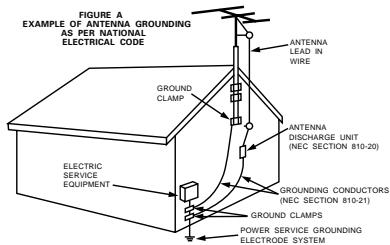
NEC-NATIONAL ELECTRICAL CODE
- Power-Cord Protection - Power-supply cords should be routed so that they are not likely to be walked on or pinched by items placed upon or against them, paying particular attention to cords at plugs, convenience receptacles, and the point where they exit from the product.
- Outdoor Antenna Grounding - If an outside antenna or cable system is connected to the product, be sure the antenna or cable system is grounded so as to provide some protection against voltage surges and built-up static charges. Article 810 of the National Electrical Code, ANSI/NFPA 70, provides information with regard to proper grounding of the mast and supporting structure, grounding of the lead-in wire to an antenna discharge unit, size of grounding conductors, location of antenna-discharge unit, connection to grounding electrodes, and requirements for the grounding electrode. See Figure A.
- Lightning - For added protection for this product during a lightning storm, or when it is left unattended and unused for long periods of time, unplug it from the wall outlet and disconnect the antenna or cable system. This will prevent damage to the product due to lightning and power-line surges.
- Power Lines - An outside antenna system should not be located in the vicinity of overhead power lines or other electric light or power circuits, or where it can fall into such power lines or circuits. When installing an outside antenna system, extreme care should be taken to keep from touching such power lines or circuits as contact with them might be fatal.
- Overloading - Do not overload wall outlets, extension cords, or integral convenience receptacles as this can result in a risk of fire or electric shock.
- Object and Liquid Entry - Never push objects of any kind into this product through openings as they may touch dangerous voltage points or short-out parts that could result in a fire or electric shock. Never spill liquid of any kind on the product.
- Servicing - Do not attempt to service this product yourself as opening or removing covers may expose you to dangerous voltage or other hazards. Refer all servicing to qualified service personnel.
- Damage Requiring Service – Unplug this product from the wall outlet and refer servicing to qualified service personnel under the following conditions:
a) When the power-supply cord or plug is damaged,
b) If liquid has been spilled, or objects have fallen into the product,
c) If the product has been exposed to rain or water,
d) If the product does not operate normally by following the operating instructions. Adjust only those controls that are covered by the operating instructions as an improper adjustment of other controls may result in damage and will often require extensive work by a qualified technician to restore the product to its normal operation,
e) If the product has been dropped or damaged in any way, and
f) When the product exhibits a distinct change in performance – this indicates a need for service.
- Replacement Parts - When replacement parts are required, be sure the service technician has used replacement parts specified by the manufacturer or have the same characteristics as the original part. Unauthorized substitutions may result in fire, electric shock, or other hazards.
- Safety Check - Upon completion of any service or repairs to this product, ask the service technician to perform safety checks to determine that the product is in proper operating condition.
- Wall or Ceiling Mounting - The product should be mounted to a wall or ceiling only as recommended by the manufacturer.
-
Heat - The product should be situated away from heat sources such as radiators, heat registers, stoves, or other products (including amplifiers) that produce heat.
-
DECLARATION OF CONFORMITY
We declare under our sole responsibility that this product, to which this declaration relates, is in conformity with the following standards: EN60065, EN55013, EN55020, EN61000-3-2 and EN61000-3-3. Following the provisions of 73/23/EEC, 89/336/EEC and 93/68/EEC Directive.
CLASS 1 LASER PRODUCT
LUOKAN 1 LASERLAITE
KCLASS 1 LASERAPPARAT
"CLASS 1 LASER PRODUCT"
ADVARSEL: USYNLIG LASERSTRÁLING VED ABNING, NÁR SIKKERHEDSAFBRYDER ERE UDE AF FUNKTION. UNDGÀ UDSAETTALSE FOR STRALING.
VAROITUS! LAITTEEN KÄYTTÄMINEN MUULLA KUIN TÄSSÄ KÄYTTOOHJESSA MAINITULLA TAVALLA SAATTAA ALTISTAA KÉTTRAJAN TURVALLISUUSLUOKAN 1 YLITTAVALLE NAKYMÄMTTOMALLE LASERSATEILLYL.
VARNING- OM APPARATEN ANVÄNDS PÄ ANNAT SÄTT ÄN I DENNA BRUKSANVISNING SPECICERATS, KAN ANVÄNDAREN UTSÄTTAS FÜR OSYNLIG LASERSTRÄLNING SOM ÖVERSKRIDER GRÄNSEN FÜR LASERKLASS 1.
CAUTION:
- To completely disconnect this product from the mains, disconnect the plug from the wall socket outlet.
When setting up this product, make sure that the AC outlet you are using is easily acceptable.
VORSICHT:
A NOTE ABOUT RECYCLING:
This product's packaging materials are recyclable and can be reused. Please dispose of any materials in accordance with your local recycling regulations.
When discarding the unit, comply with your local rules or regulations.
Batteries should never be thrown away or incinerated but disposed of in accordance regulations concerning chemical wastes.

ÜBER DAS RECYCLING:
- Use compact discs that include the

mark.
CD's with special shapes (heart-shaped CD's, octagonal CD's etc.) cannot be played on this set.
Attempting to do so may damage the set. Do not use such CD's.
- Minimum distances around the apparatus for sufficient ventilation.
-
The ventilation should not be impeded by covering the ventilation openings with items, such as newspapers, table-cloths, curtains, etc..
-
No naked flame sources, such as lighted candles, should be placed on the apparatus.
- Attention should be drawn to the environmental aspects of battery disposal.
- The use of apparatus in tropical and/or moderate climates.
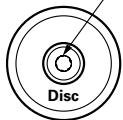
Residue
Rückstand
Récidu
Residuo
Residuos
Oneffenhe
Plastrester
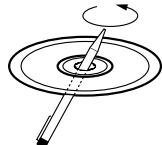
- The disc may not play normally if there is residue along the edges of the center hole.
- When using new discs in particular, use a pen, etc., to remove the residue.
Die Disk kann nicht normal abgespielt werden, wenn ein Rückstand entlang der Mittellochenden befindet.
- Insbesondere, wenn Sie neue Disks benutzen, dann entfern den Si mit einem Stift, etc. den Rückstand.
- Le disque peut ne pas etre lu normalements s'il y a un residu le long des bord du trou central.
Lors de l'utilisation de nouveaux disques en particulier, utiliser un stylo à bille, etc., pour enlever le résidu.
- Il disco non viene eseguito in modo corretto se sono presenti residuo ai bordi del foro centrale.
- Quando si utilizeszano dischi nuovi, utilizeszare una penna o uno strumento simile, per rimuovere i residui.
- El disco no puede ser reproducido normalmente bajo aterminationdeficiente delbordes del agujero central.
- Para quitar"Theseos residuos de material, especialmente cuando vaya a re-producir discos新模式, utilize un boligrafo, o algosimilar.
- Het is möglich dat de disc Niet normal wird weergegeben als de randen van het middengat van de schijf oneffenheden vertonen.
- Verwijder vooral bij gebruik van neue discs de oneffenheden met een pen of iets dergelijks.
- Det kan uppsta fel vid CD-avspelningen om det finns plastrester kvar i mitthalet.
Tänk på att bort dessa med en penna, e d, särskilt om CD-skivan är ny.
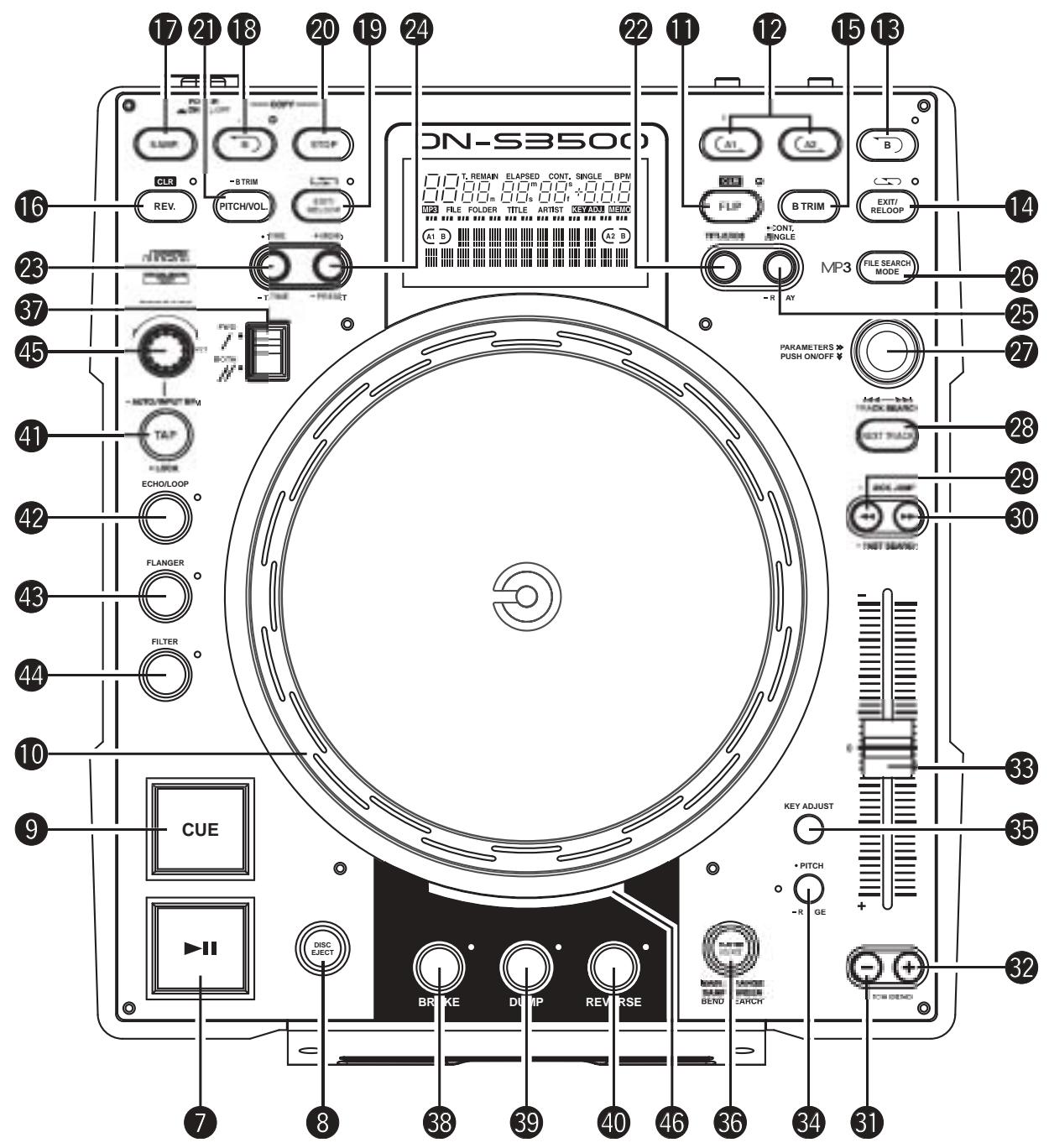
TOP PANEL DIAGRAM / OBERES BEDIENFELD-SCHEMA / SCHEMA DU PANNEAU SUPERIEUR / SCHEMA PANNEAU SUPERIEUR
DIAGRAMA DEL PANEL SUPERIOR / OVERZICHT VAN BOVENPANEL / BILD ÖVER ÖVERSTA PANELEN
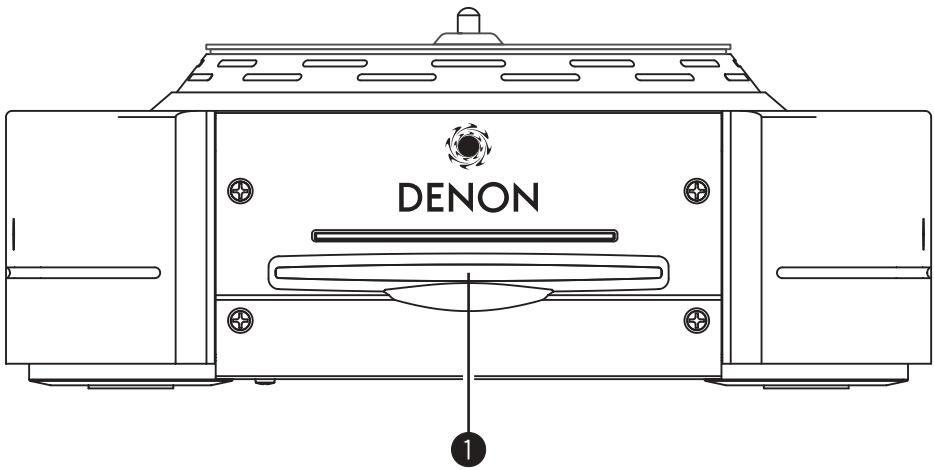
FRONT PANEL DIAGRAM / VORDERES BEDIENFELD-SCHEMA / SCHEMA DU PANNEAU AVANT / SCHEMA PANNEAU AVANT / DIAGRAMA DEL PANEL FRONTAL / OVERZICT VAN VOORPANEL / FRONTPANELEN
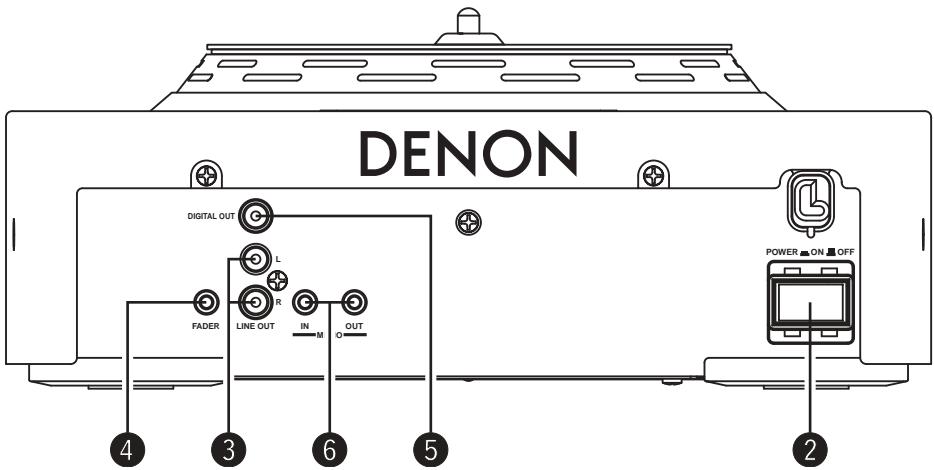
REAR PANEL DIAGRAM / HINTERES ANSCHLUSSFELD-SCHEMA / SCHEMA DU PANNEAU ARRRIERE / SCHEMA PANNEAU ARRRIERE / DIAGRAMA DEL PANEL POSTERIOR / OVERZICT VAN ACHTERPANEL / BAKPANELEN

- This unit can display text information on the display when playing CD text discs which contain text information in English category.
The CD text disc includes the mark shown at the right. NOTE:
1 Main features 1
2 Installing the platter, the scratch disc and the slipmat / Connections. 2
Part names and functions. 3\~5
4 Compact discs 6
5 Basic operation. 6,7
6 Next Track. 8
7 Scratch. 9
8 Seamless loop/Hot start/Stutter. 9, 10
B trim. 10
10 Sampler 11
11 Auto BPM Counter/Effector 12, 13
12 MP3 playback. 13, 14
13 Platter effect. 15
14 Memo (Custom setting memory) 16
15 Preset 17
16 Specifications 18
- ACCESSORIES
Check that the following parts are included in addition to the main unit:
① Operating instructions 1
② Connection cords for signal output (RCA) .........1
③ Aluminum platter 1
④ Slip Mat.
⑤ Scratch disc
⑥ Adaptor unit 1
- Scratch Disc adaptor (Adaptor (1)) 2
- 7"record adaptor (Adaptor (2))
Fixing Plate. 1
- Screw (⊕ head) 3
1 MAIN FEATURES
Congratulations on your new purchase of the DN-S3500. The DN-S3500 table top single CD/MP3 player is equipped with a variety of advanced features, functions and rich performance for unlimited creativeness and showmanship.
Professional Structure and parts
1. Active Motor Platter
When playback is started, the Platter turns, feels and reacts in the same way as with an analog turntable.
The active Platter consists of the Motor-driven Platter, Slip Mat and Scratch Disc just like an analog turntable for true vinyl emulation. Beats can be matched and scratching or cueing can be performed with the same feeling as an analog turntable.
2. High Torque Direct Drive Motor
Denon's all new in-house design Direct Drive Motor with brushless construction delivers a powerful start-up torque of 2.5 kg-cm, enabling the platter to instantly reach full rotation speed within 0.5 sec.
3. 33/45 R.P.M
You can adjust the platter speed to spin at 33 or 45 rpm, depending on your preference.
Features and Functions
With the implementation of a powerful DSP and large memory capacity allows for many new controlling features such as:
1. SCRATCH
Thanks to the active Platter and Scratch Disc, the Scratch sound is comparable to analog turntables. Furthermore, the Main Track and Samples can be selected as the Scratch sound source at the touch of a button.
2. MP3 PLAY BACK
It is possible to play MP3 and view files created in the specified format found on page 13.
Files can be searched for easily either manually, or by scanning or using a number of file search functions (File search, File/Folder search, Artist name search, Title name search, File name search).
3. NEXT TRACK RESERVE
The next track can be selected while continuing to play the current track for a seamless transition.
4. CROSS FADE
In conjunction with the Next Track feature, the DN-S3500 can perform a smooth internal cross fade when transitioning to the new track.
5. HOT START and STUTTER
The Hot Start function lets you start playback immediately from a set point decided by you. Up to two points can be set using the A1 and A2 buttons. The loaded Hot Starts can also be used to "Stutter" those same points. When in Stutter mode, momentary audio is triggered according to the length of time of which these buttons are held down and released.
6. SEAMLESS LOOP
With this function, any section on a disc can be played repeatedly between A & B points with no break in sound or limit in length. The DN-S3500 has a variety of looping options such as Exit, Reloop and dual looping.
7. SAMPLER
On-board digital Sampler can record up to 15 seconds CD quality sound at 44.1kHz sampling frequency. You can seamlessly loop this sample or play it backwards (REVERSE). The pitch and output level of a sample can be adjusted independently.
The B point can be easily set or changed exactly the same way as you would use with the A-B Seamless Loop function.
The CD Seamless loop can be easily copied to Sampler. This adds a whole new level of CD/Sample remixing.
8. B TRIM
The B points for the Seamless Loop and the Sampler can easily be adjusted using the Scratch Disc. Adjustments can be made in real-time while playing the live loop.
In addition to the Auto BPM counter and Manual Tap function, the DN-S3500 is also equipped with a Lock function for temporarily locking the Auto BPM counter. A Manual BPM Input function is available too for inputting the known BPM value directly by a Rotary knob, so the BPM setting can be made easily.
10. ON BOARD EFFECT'S
Seven types of effectors are included.
ECHO/LOOP:
The ECHO and LOOP functions can be selected. Looping for the feedback time (ECHO LOOP) is possible by setting the feedback number to "MAX".
FLANGER:
The feedback time and feedback gain can be selected.
FILTER:
One of three filters (LOW PASS, MID PASS and HIGH PASS) can be selected and Individually adjusted.
11. PLATTER MODE
Analog turntable-like playback can be simulated using three Platter effects.
BRAKE:
Simulates a winding-down sound of a turntable coming to a full stop slowly. (Slowing-down time can be adjusted.)
DUMP:
Plays the sound backwards while continuing in a forward motion without losing "elapse time" when you return back to normal play.
REVERSE:
(Reverse) Plays the sound and spins the platter backwards until you return to normal play.
12. MEMO (CD & MP3)
Various settings such as Cue Point, Hot Start, A-B Loop, BPM, Pitch and Key Adjust can be saved to the internal non-volatile memory for later recall. Up to 5000 points are available.
In Addition, memo data can be transferred into the DN-S3500 from an another DN-S3500, DN-S5000, DN-S3000 or DN-D9000.
13. PITCH/KEY ADJUST
PITCH:
Playback speed is adjusted with PITCH slider. Adjustable pitch ranges are + / - 4 10,16,24, 50, 100% (selectable live).
KEY ADJUST:
Keeps the original key even if the pitch playing speed is changed with the PITCH slider.
14. DIGITAL OUT
The digital output for Main provides a true 100% digital signal without any restrictions or limitations regardless of pitch change or mode setting.
15. FADER START
The DN-S3500 FADER START controls are compatible with our mixers and most other brand mixers.
16. SHOCKPROOF MEMORY
20 seconds of shock-proof memory guards against audible interruptions due to external mechanical shocks such as bumps or other hard vibrations, which is especially helpful for the mobile DJ as well as for nightclub-installed applications.
17. PRESETS
It is possible to customise the machine to your preference by saving your favourite setting to internal memory. For items found in the presets, please see page 17.
18. CD TEXT
19. CD-R/RW Play Back
This player can play CD-R/RW discs, but only if they are finalized. Note however that depending on the recording quality, the player may not be able to play some finalized CD-R/RW discs.
20. Power on Play
The player can be set so that playback in the relay mode starts when the power is turned on.
21. Plug Ins
From time to time, we will add new exciting features or improve upon the current ones by free firmware Plug Ins.
Please visit www.denondj.com ensure you have the latest firmware version.
2 INSTALLING THE PLATTER, THE SCRATCH DISC AND THE SLIPMAT / CONNECTIONS
(1) INSTALLING THE PLATTER, THE SCRATCH DISC and THE SLIPMAT
- Accessories
① Aluminum Platter. 1
② Scratch Disc. 1
③ Slip Mat
④ Adaptor (1) 2
(One is for spare parts.)
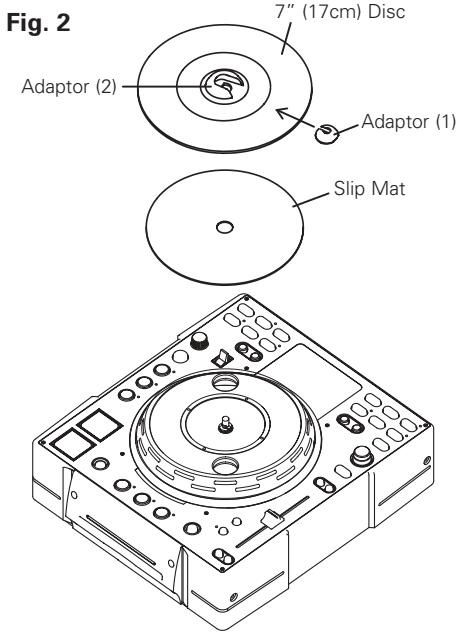
- Install the Platter on the taper boss of the motor.
- Install the Slip Mat on the Platter.
- Insert D hole of the Scratch Disc on the D shaft of the Motor.
NOTE: The printed face is located on the Slip Mat side.
- Insert the Adaptor according to the direction of the arrow.
NOTE: Please note the direction of insertion.
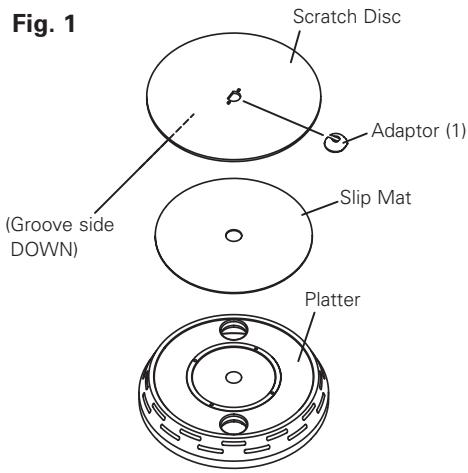
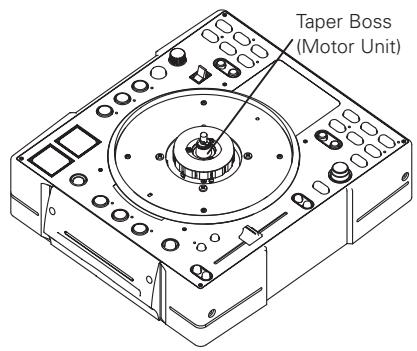
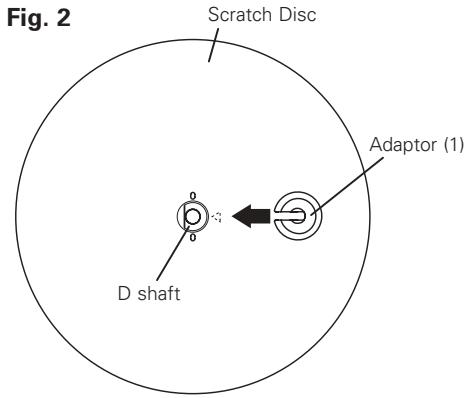
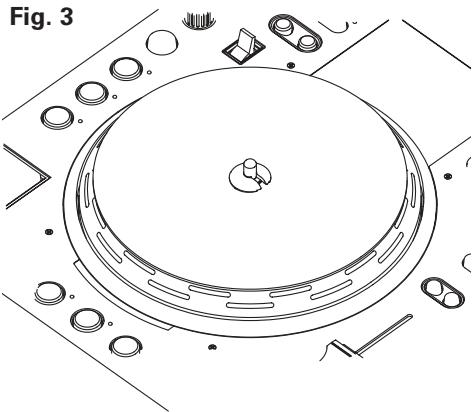
CAUTIONS:
- Do not touch the motor unit.
- Do not turn on the power without Platter.
NOTE:
Please note the fall of Platter when you move DN-S3500 after Platter is set.
(2) CONNECTIONS
- Turn off the POWER switch.
- Connect the RCA pin cords between the DN-S3500 outputs and inputs of your mixer.
- If your mixer has Fader Start function such as our DENON Mixer, connect FADER jack to the mixer using 3.5 mm stereo mini cord.
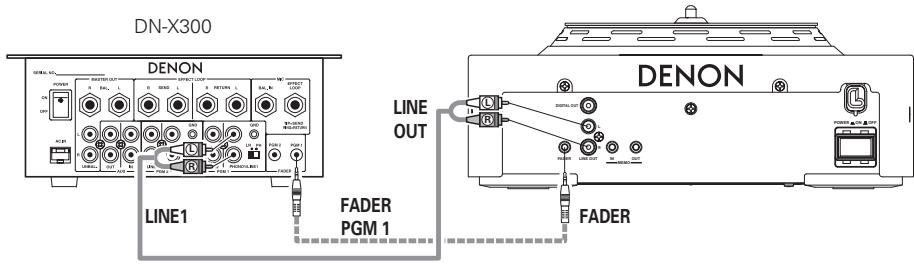
(3) INSTALLATION
Please set up DN-S3500 horizontally.
(4) INSTALLING THE 7'' (17cm) RECORD ADAPTOR
Your own 7'' (17cm) vinyl record can be installed on this product by using the provided adaptor.
This original design grants you the freedom to use your favorite vinyl record for that ultimate analog turntable feel.
*Make sure the record used is flat and not warped.
- 7'' (17cm) record adaptor accessories
① Adaptor (2) 1
② Screw ( head) 3
③ Fixing Plate
- Set Adaptor (2) in the hole of 7'' record.
- Fix Plate with 3 screws. ( head).
- Insert D hole of the Adaptor (2) on the D shaft of the Motor.
- Insert the Adaptor (1) on the Adaptor (2).
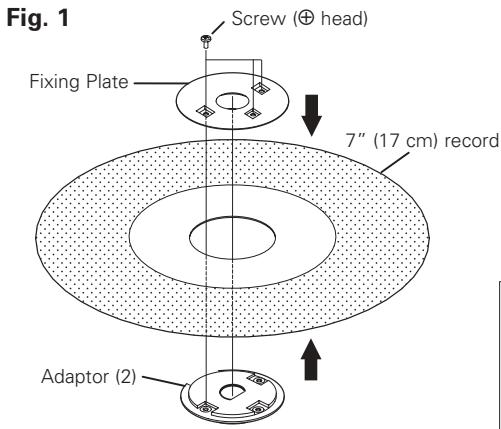
NOTE:
Depending on the RECORD you choose, friction with the Slipmat may not be enough, which can cause an undesired drag sound.
If so, use a different record that's thicker or heavier.
PART NAMES AND FUNCTIONS
(1) Front panel
1 Disc loading slot
- Load the disc slowly, and release it once the DN-S3500 starts grabbing the disc in.
NOTE:
Please clean the dirt of the label side of a disc and start loading of the disc. Dirty discs can cause the loading rollers to slip upon insertion.
CAUTIONS:
- Do not load discs when the power is turned off.
- Do not try to forcibly remove a disc once the DN-S3500 has started to grab the disc.
- Do not load more than once disc at a time or insert anything other than discs. Otherwise the loading mechanism may be damaged.
(2) Rear panel
- Push this button to turn power on and off.
CAUTION:
- Do not turn off the power while a disc is loading or being ejected. Otherwise the loading mechanism may be damaged.
Analog output jacks (LINE OUT)
- This is unbalanced RCA output jacks.
- Audio signals outputs.
Fader start jack
- Use this when your mixer has the Fader Start function.
Digital output jack
- Digital data is available from this jack.
- Use 75 Ω/ohms pin cord for connection.
- We recommend you use braided wire type shielded cable.
NOTE:
The playback level after analog conversion is set to -6dB below the usual level to avoid digital distortion.
6 Memo jack (MEMO IN/OUT)
- Use this when you transfer the Memo data from an another DN-S3500, DN-S3000, DN-S5000 or DN-D9000.
(3) Top panel
CAUTION:
- Note that there are many buttons working two different function selected by short time pushing or long pushing (1 second or more). The - mark indicates short time push function and - mark indicates long time push function.
- This button will start or pause playback.
- Push once to start playback, once again to pause playback, and once more to resume playback.
- Push this button to eject the disc.
- The disc will not eject during playback. Stop playback before pushing this button.
- Pushing this button in play mode will force the track back to the position which playback started. While in search mode, it makes new Cue point. (Cue)
- In Cue mode, by pushing the Cue button makes a Stutter sound from the Cue point. This is called Stutter play. (Stutter)
10 Platter/Scratch Disc
Use this vinyl scratch disc for manual search, Pitch Bend and Scratch operations.
- Platter:
The Platter spins when playback of the source select Scratch mode button is in the Main or Sampler position and in play mode.
- Scratch Disc:
- When the Scratch Disc is turning, Scratch playback of the source selected (Main or Sampler) starts.
NOTE:
The Platter does not spin when the Scratch mode is set to the BEND/SEARCH mode.
CAUTIONS:
- Do not forcibly try to stop the Platter when it is turning. Otherwise the moving Platter mechanism may be damaged.
- If a problem with Platter rotation arises when the Platter is turning, the Platter stops turning and the pause mode is set.
FLIP:
Use this to select operating mode of A1 and A2 buttons, from Hot Start mode and Stutter mode. The display will indicate "H/S" or "STR".
A1,A2 CLR:
If the A1 or A2 button is pushed while pushing the FLIP button, you can clear the selected A point.
By holding down just the FLIP button for more than 1 sec, you can clear A1 and A2 points all at once.
- Using this button you can create a starting point for Hot Start, Seamless Loop and Stutter.
- Use this to set the B point to create a Seamless Loop after the A point has been set.
- Use this to exit or return back again to the Seamless loop playback. You can add variety to looping with this function.
- When the button is pressed during playback, the B TRIM MODE is selected. Only when a seamless LOOP is set.
In the standby and pause modes, only the B TRIM MODE can be selected.
(SAMP) REV:
Use this to select the sample play direction forward and reverse. When select reverse REV LED lights up.
(SAMP) CLR:
If the SAMP button is pushed while pushing the SAMP REV button, you can clear the SAMP data.
Or, by holding down just the SAMP REV button for more than 1 sec.
- Push this button to record or play the Sampler sound.
- Use this to set the Sampler loop B point.
19 (SAMP) EXIT/RELOOP
- Use this to turn the Sampler Loop mode on and off. Also acts as EXIT/RELOOP button for Sampler Loop to exit or reloop.
- Push this button while in Sampler record or playback, Sampler to stop recording or playback.
- When the Sampler is in the stop status, the STOP button can be used for Stutter playback.
- PITCH/VOL.:
When this button is pressed, the SAMPLER PITCH is selected. When pressed again, the SAMPLER LEVEL is selected.
Pitch of Sampler and output level of Sampler playback can be adjusted with the PARAMETERS knob.
BTRIM:
When this button is pressed for more than 0.5 sec, the Sampler B TRIM mode is selected.
- CD TEXT:
When there is CD text data, the CD text data is displayed automatically or when the TITLE button is pressed.
If no TEXT is available, the display will indicate "No TEXT".
MP3:
When an MP3 file has ID-3 tag data, the title, artist name and album name are selected and displayed each time the TITLE button is pressed.
TIME:
A short push will display mode changes between ELAPSED TIME and REMAIN TIME.
T.TIME:
A long push, will display mode changes between TRACK TIME and DISC TIME. (for CDDA)
- So, you can select display mode from four modes, TRACK ELAPSED, TRACK REMAIN, DISC ELAPSED and DISC REMAIN.
- MEMO:
The memo mode starts when this button is pushed once, while in the Cue mode.
- PRESET:
When this button is pushed for more than 1 sec, the PRESET mode menu is displayed.
The machine status must be in, CUE, PAUSE or No Disc mode before entering the preset mode.
- CONT./SINGLE:
A short tap of this button will toggle between 3 possible END modes for playback.
CONT. (continue: plays all tracks) SINGLE (stops playing and ReCUE's back to your original set point), PLAYLOCK-see below.
- SINGLE PLAY LOCK:
SINGLE PLAY LOCK can be selected by PRESET. When SINGLE PLAY LOCK is selected, track selection during playback is disabled. This prevents playback from stopping when the Track Select Knob is turned accidentally during playback. Play ending mode is the same as single.
- RELAY:
You can turn on and off RELAY PLAY mode. Relay playback is possible when two DN-S3500s are connected by the MEMO in/out jacks.
- MP3 DISC only:
When pushing this knob the file search selection mode can be selected with the PARAMETERS knob.
27 TRACK/PARAMETERS knob
- TRACK:
When PARAMETERS LED is on, turn this knob to select tracks.
By pushing this knob down while turning, the tracks will change by 10 tracks at a time.
- PARAMETERS:
When the PARAMETER LED is flashing, turn this knob to select and change the parameter for items found in the Platter effects, Memo, and Preset data, etc.
- If this button is pushed during playback, the NEXT TRACK mode will be selected. The next track can be selected with the PARAMETERS knob.
FAST SEARCH (
30 FAST SEARCH (▶▶)
- QUICK JUMP:
When one of these buttons is tapped shortly, the playback position jumps approximately 10 seconds in the forward ( ) or reverse () direction. The jump time can be changed in the preset mode.
- FAST SEARCH:
When one of these buttons is pressed and held in, the disc is fast-searched in the forward ( ) or reverse ( ) direction.
- Pushing these buttons will change main playing speed temporarily.
- While pushing PITCH BEND + button, the playing speed increases and speed decreases while pushing PITCH BEND - button.
- When these buttons are release, the playing speed returns to the previous speed.
Pitch Slider
- Use this slider to adjust playing speed faster or slower.
- Push this button to set the PITCH mode on and off.
RANGE:
Push this button for more than 1 sec to select the pitch range. The pitch range can be selected with the PARAMETERS knob from ± 4 , 10, 16, 24, 50 or 100% .
- Push this button to set the KEY ADJUST mode on and off.
Select the source for Scratch playback and the manual search/bend mode.
- MAIN:
This button lights up orange.
Manipulate the Main Track sound.
SAMP:
This button lights up green only if a sample is loaded.
Manipulate the Sampler sound via the scratch disc.
BEND/SEARCH:
When this button is pushed again, the BEND/SEARCH mode is selected.
When the Scratch Disc selector is set to BEND/SEARCH during playback, it works as the pitch bend function by turning the scratch disc.
When Scratch Disc is turned in the pause or standby mode, it functions as the manual search function. In Manual search, you can move the CUE point around by one frame at a time (1/75 second) with an audible frame-repeat sound, da-da-da-da.
57 SCRATCH direction select lever
Select the Scratch play direction.
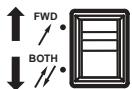
BOTH:
When the Scratch Disc is turned, the Scratch sound is heard in both stroke directions.
FWD:
When the Scratch Disc is turned, the Scratch sound is heard in the forward direction only.
- Push this button to set the BRAKE.
- Push this button to set the DUMP.
- Push this button to set the REVERSE.
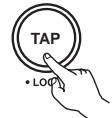
TAP:
When you push this button repeatedly, the Auto mode turns off and starts measuring your Beats Per Minute (BPM) by tapping.
- LOCK:
When this button is pressed once while the auto BPM counter is operating, the data measured by the auto BPM counter is locked.
- AUTO:
When pushing the TAP button for 1 second, activates AUTO BPM mode.
The measured BPM is displayed in the character section of the display.
When the TAP button is pressed and held in for more than 2 seconds, the BPM input mode is set and the BPM value can be input directly with the EFFECTS knob. When the tap button is pressed again, the BPM input mode is turned off and set.
NOTE:
If you select a new track, AUTO BPM mode turns on automatically.
- The ECHO and ECHO LOOP functions can be selected. The feedback time and feedback ratio can be selected. Looping for the feedback time (ECHO LOOP) is possible by setting the feedback number to "MAX".
- The feedback time and feedback gain can be selected.
One of three filters (LOW PASS, MID PASS and HIGH PASS) can be selected.
45 EFFECTS knob
- Use this knob to set parameters of the internal effector.
46 PLATTER LED
- This vibrant blue bar provides platter modes at a glance such as, Scratch Memory, Pitch Bend, Frame Search and Loaded Disc.
(4) Display
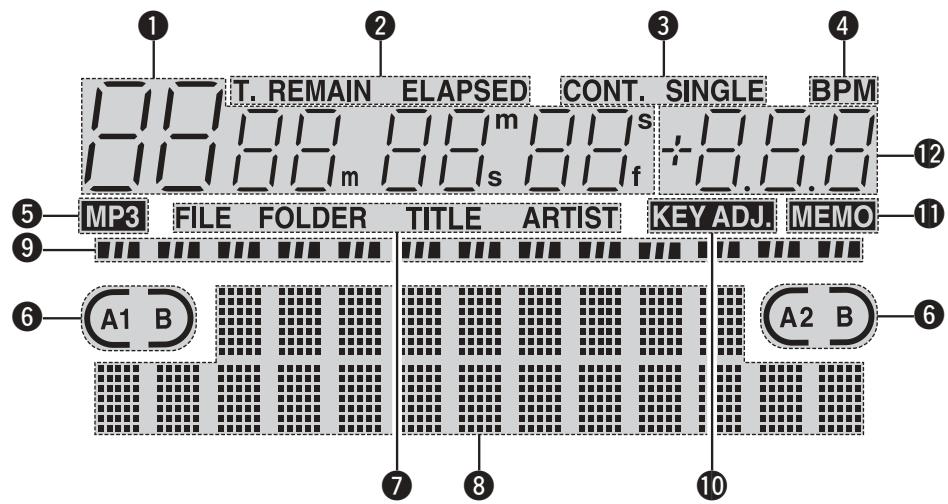
1 Track, minute, second and frame displays
These displays indicate current position information.
Time mode indicators
- When the TIME button is pushed, the Time mode indicator switches as follows: ELAPSED:
Track's elapsed time is displayed. REMAIN:
Track's remaining time is displayed.
T. ELAPSED:
The total elapsed time of disc is displayed.
T. REMAIN:
The total remaining time of disc is displayed.
3 Play mode indicators
- When SINGLE indicator lights up, playback will finish at end of current track.
- When CONT. indicator lights up, playback continues until the end of the disc.
BPM indicator
- Lights up when the BPM is displayed on the pitch display.
MP3 indicator
- Lights up when an MP3 disc is detected.
Loop mode indicators
- DN-S3500 has Loop mode indicators which consist of A, B and two arrows. A and B marks indicate A and B points have been set.
- Two arrows indicate loop setting mode as follows.

B or A B

row only on:
Hot Start mode

Both arrows on:
Seamless Loop mode


Both arrows flashing:
Seamless Loop Playing


Left arrow on, right flashing:
Exit play from Seamless Loop
MP3 file search mode indicators
FILE:
FILE indicator appears in the display, when in the FILE name search mode.
FOLDER:
FOLDER indicator appears in the display, when in the FILE & FOLDER name search mode.
TITLE:
TITLE indicator appears in the display, when in the TITLE name search mode.
ARTIST:
ARTIST indicator appears in the display, when in the ARTIST name search mode.
Character display
- You can select the mode or function using PARAMETERS knob following the short message which is displayed on the character display area.
- The character display indicates the operation, mode name, data, etc., and displays such guide messages as "Push/Play" means if "YES", push PARAMETERS knob. The display indicates and marks sometime, note that mark says you to turn PARAMETERS knob and marks says to push PARAMETERS knob.
- The PARAMETERS LED flashes when you can use PARAMETER knob, otherwise this knob used for Track Selection.
9 Play Position indicators
- Play position indicator:
The 30 dots indicate a visual track position marker during normal play. The 10 Orange dots indicate the play position during the reverse play mode.
End of Message:
When the time remaining to the end of the track is less than the specified time, the EOM (End Of Message) play position indicator flashes along with the remaining time, notifying of the track end.
*The EOM time can be set in the presets.
10 KEY ADJ. indicator
- KEY ADJ. indicator appears in the display when the Key Adjust mode is ON.
1 MEMO indicator
- MEMO indicator appears in the display when there is a memo setting found for the current playing track or the track at which the Cue standby mode is currently set.
Pitch display
- This indicator displays the playback speed (pitch).
4 COMPACT DISCS
1. Precautions on handling compact discs
- Do not allow fingerprints, oil or dust to get on the surface of the disc. If the disc is dirty, wipe it off with a soft dry cloth.
- Do not use benzene, thinner, water, record spray, electrostatic-proof chemicals, or silicone-treated cloths to clean discs.
- Always handle discs carefully to prevent damaging the surface; in particular when removing a disc from its case or returning it.
- Do not bend the disc.
- Do not apply heat.
- Do not enlarge the hole in the center of the disc.
- Do not write on the label (printed side) with a hard-tipped implement such as a pencil or ball point pen.
- Condensation will form if a disc is brought into a warm area from a colder one, such as outdoors in winter.
- Do not attempt to dry the disc with a hair dryer, etc.
2. Precautions on storage
After playing a disc, always unload it from the player.
- Always store the disc in the jewel case to protect from dirt or damage.
- Do not place discs in the following areas:
(1) Areas exposed to direct sunlight for a considerable time.
(2) Areas subject to accumulation of dust or high humidity.
(3) Areas affected by heat from indoor heaters, etc.
5 BASIC OPERATION
Play and pause
Each push of the 7 PLAY/PAUSE ( ) button switches between playback and pause. PLAY/PAUSE
(▶II) button illuminates solid green during playback and flashes in pause.
- When the ⑦ PLAY/PAUSE (▶II) button is pushed during play, the DN-S3500 pauses playback at that point. Push ⑦ PLAY/PAUSE (▶II) button once again and playback resumes.
- When the Platter mode is set to MAIN, the Platter turns when the Main Track is played. When the rotation of the Scratch Disc is stopped by your hand, the sound pauses, and when your hand is released playback resumes.
Play and Cue
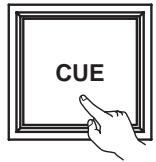
- When the 9 Cue button is pushed during playback, the track stops and returns to the original position of which playback started from, the (Cue point). This function is also called Back-Cue. With the Back-Cue function, you can start from exactly same position. The 9 Cue button illuminates solid red when DN-S3500 is ready to start playback.
- You can set and change Cue point as follows.
- When you started playback.
- Track select finished.
- manual search.
Select the track
- Turn the 27 TRACK knob.
- By pushing 27 TRACK knob down while turning, the tracks will increment 10 at a time.
Move the Cue point
- If you would like to start playback other from the beginning of the track, you can move the Cue Point using fast Search or the manual frame search function.
You can move to the approximate playback start position by 29 or 30 FAST SEARCH buttons.
QUICK JUMP
- If the FAST SEARCH button is tapped shortly, the playback position jumps about 10 seconds.
The jump time can be selected in the preset mode from 10, 20, 30 or 60 sec.
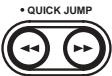
-FAST SEARCH
FAST SEARCH
- When the FAST SEARCH button is pressed and held in, the disc is fast-searched.
When the 10 Scratch Disc is turned in the pause, Cue or frame repeat mode, it works as the manual frame search function.
Push the 36 PLATTER SOURCE
button to set 10 Scratch Disc to search mode. The PLATTER SOURCE button LEDs will turn off and the display will indicate "FRAME Search".
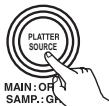
BEND/SEARCH
3
Turn the 10 Scratch Disc to change Cue point. You can hear the short sound of the current Cue point.
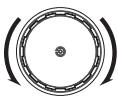
After you have found your preferred Cue point, push the 9 CUE button then a new Cue point is set.
Adjusting the pitch and Key Adjust
- With the Pitch slider you can adjust the playback speed (Pitch).
- If you would not prefer to change key of sound, use the Key Adjust function.
| 1 | Push the 34 • PITCH button to PITCH LED lights up.
Pitch decreases
Move the 35 Pitch Slider to adjust the pitch. The current pitch setting is displayed on the display.
Pitch increases |
| 2 |
| 3 | DN-S3500 has six pitch ranges, 4%, 10%, 16%, 24%, 50% and 100%.
When the 36 RANGE button is pushed for more than 1 sec, the pitch range can be selected with the 37 PARAMETERS knob.
• When the 37 PARAMETERS knob is pushed the pitch range is entered and the pitch range selection mode is cancelled.
PARAMETERS PUSH ON/OFF
TRACK SEARCH
NOTE:
Only a max of 16% range for MP3 discs. |
| 4-1 | KEY ADJUST ON
When the 35 KEY ADJUST button is pushed, the Key Adjust function is turned on and lights up “KEY ADJ.” in the display. |
| 4-2 | KEY ADJUST OFF
When the 35 KEY ADJUST button is pushed again, the Key Adjust function is turned off. |
Pitch Bend
- With PITCH BEND function you can change pitch temporary. DN-S3500 has two ways for this function: PITCH BEND buttons and Scratch Disc.
| 1 | PITCH BEND +/- buttons
• Push the ① PITCH BEND – or ② + button for momentary change of pitch.
While holding these buttons down, the pitch continues to change up to the limitation.
• After releasing the PITCH BEND buttons, playback pitch returns to slider setting. |
| 2 | When the Platter source is set to MAIN and the Platter is turning, playback of the Main source can be slowed temporarily by lightly pressing ⑩ Scratch Disc or PLATTER.
In addition, playback can be quickened temporarily by pushing Scratch Disc or PLATTER in the direction in which the Platter is turning. |
| 3 | Scratch Disc
• When the Platter source is set to BEND, the playback speed can be changed by turning ⑩ Scratch Disc during playback. The display will indicate “Pitch Bend” during this mode.
• The pitch increases gradually when the Scratch Disc is turned clockwise and decreases when turned counterclockwise.
• When you stop turning the Scratch Disc, the playing speed returns to the previous pitch. |
Relay playback
Relay Play function is a useful mode to continue playback between two DN-S3500s.
- Connect the MEMO IN/OUT terminals between two DN-S3500s.
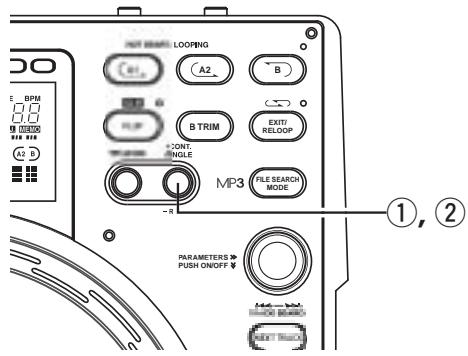
StartRelayPlay
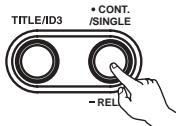
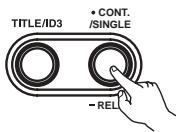
① Push the RELAY button for more than 1 sec to enable Relay play mode. You can set Relay play mode as below.
In the single play mode, when the one player's playback reaches end of track, another DN-S3500 starts playing.
- In the continuous play mode, when all tracks on one player are finished, another DN-S3500 starts.
The discs in two DN-S3500s can be played alternately by setting both DN-S3500 to the relay play mode.
StopRelayPlay
2 When the RELAY button is pushed for more than 1 sec while in the relay play mode, the relay play mode is turned off.
Power on play
- When "POWER ON PLAY" is set to "ON" at "15 PRESET (10)", playback starts from the first track on the disc when the power is turned on.
6 NEXT TRACK
- It's now possible to select the beginning of the next track to be played while continuing playback of the current track without interrupting playback.
*Crossfade can also be used for a smooth transition.
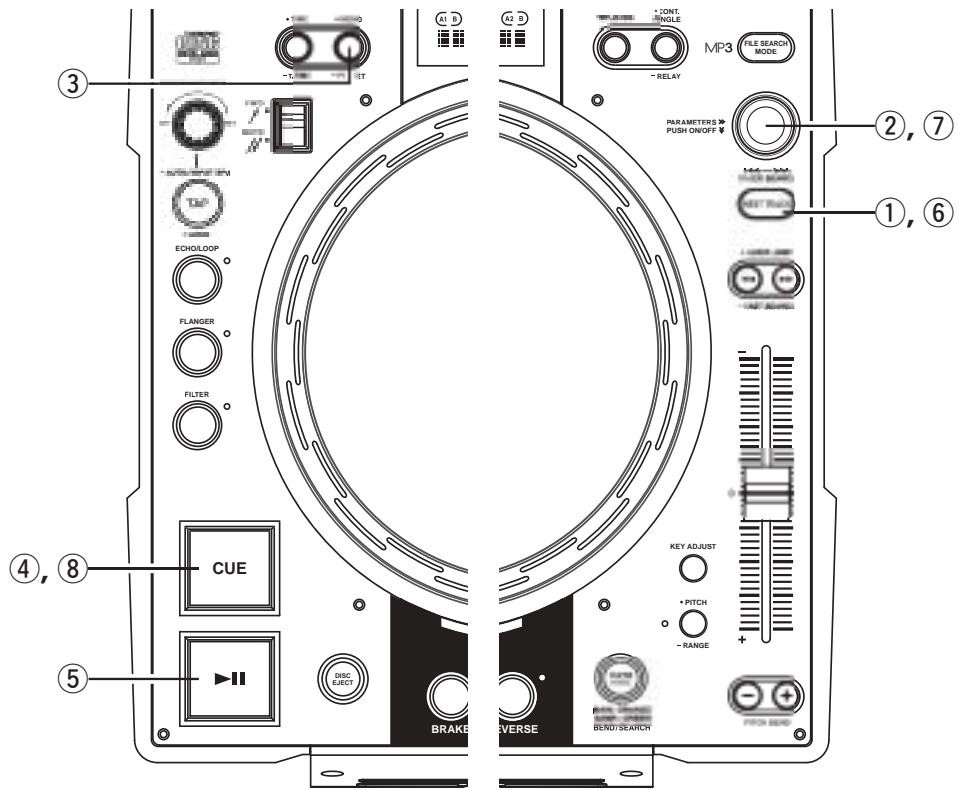
| 1 | Enter Next Track mode
① When the NEXT TRACK button is pushed during playback, the NEXT TRACK function is turned on.
·When this mode is set, CUE button blink.
·When the button is pushed again, the NEXT TRACK mode is turned off. |
| 2-1 | Select the track
② Turn the PARAMETERS knob and select for the next track to be played.
PARAMETERS PUSH ON/OFF TRACK SEARCH |
| 2-2 | Select the MEMO
(Next track Memo function)
③ The CUE point of MEMO can be selected as the NEXT TRACK start point.
·When the NEXT TRACK happens to be one where a MEMO has been previously memorized, the MEMO indicator lights up.
·If the MEMO button is pushed at this time, the CUE point is memorized as the NEXT TRACK & point to be selected.
·The MEMO will be canceled if another track is selected by the PARAMETERS knob or the MEMO button is pushed again.
NOTE:
MP3 files with Memo's are not supported for this function. |
| 3 | Track search start
④ When the CUE button is pushed after selecting the track, current playback continues as the next track is searched for and the standby mode is set.
When the standby mode is set, the CUE button lights up and the PLAY/PAUSE button flashes.
• During this time, if a loop of 6 seconds or less is actively looping, it will continue to loop until PLAY is ultimately pressed.
If a loop is over 6 sec, you must first EXIT from the loop in order to enter Next Tr mode.
• The time display indicates the remaining playback time for data in the memory after CUE is pressed.
NOTE:
The amount of time for which playback of the currently continuing track can be continued is a maximum of 10 seconds from the time searching for the next track starts. |
| 4 | Next Track playback start
⑤ When the PLAY/PAUSE button is pushed, the current playback is stopped and playback of the next track starts. |
| 5 | Next Track cross fade
*The currently playing track can be faded out when starting to play a different track.
The fade out time can be selected at 15 PRESET "(3) Next Track".
• If the PLAY/PAUSE button is not pushed after standing by at the next track, playback of the next track starts once all of the currently playing playback data has been played. |
| 6 | Next Track Auto mode
⑥ When the NEXT TRACK button is pushed during playback, the NEXT TRACK function is turned on.
⑦ Press the PARAMETERS knob for 2 seconds, then the NEXT TRACK AUTO mode is set. Playback mode is set to the CONT. mode.
⑧ When the CUE button is pressed, the NEXT TRACK AUTO mode is started. In the NEXT TRACK mode, the NEXT TRACK button flashes.
NOTE:
If playback is interrupted during this mode by Pause, Cue, Hot Start or track change, the Next Tr Auto Mode is cancelled and normal playback resumes. |
You can Scratch in CD or Sampler mode.
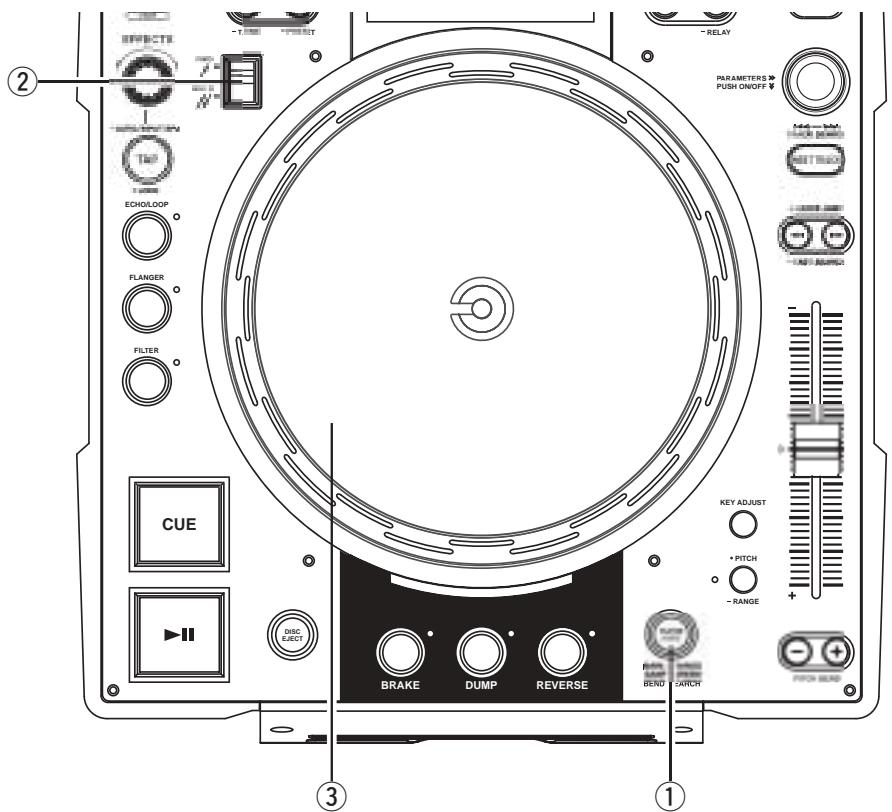
1
Select Platter source
① Select the source to be scratched using the PLATTER SOURCE button.
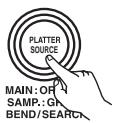
MAIN: The PLATTER SOURCE button lights up in orange.
SAMPLER: The PLATTER SOURCE button lights up in green. (Only when a sample is loaded)
2
Select Scratch direction
② Select the direction for scratching using the SCRATCH direction select lever.
Scratch Disc
③ When MAIN is selected as the Scratch mode and Scratch Disc is turned by hand, the Main Track (CD) is being scratched.
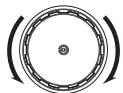
When SAMPLER is selected as the Scratch mode and Scratch Disc is turned by hand, the sample is being scratched.
8 SEAMLESS LOOP/HOT START/STUTTER
1
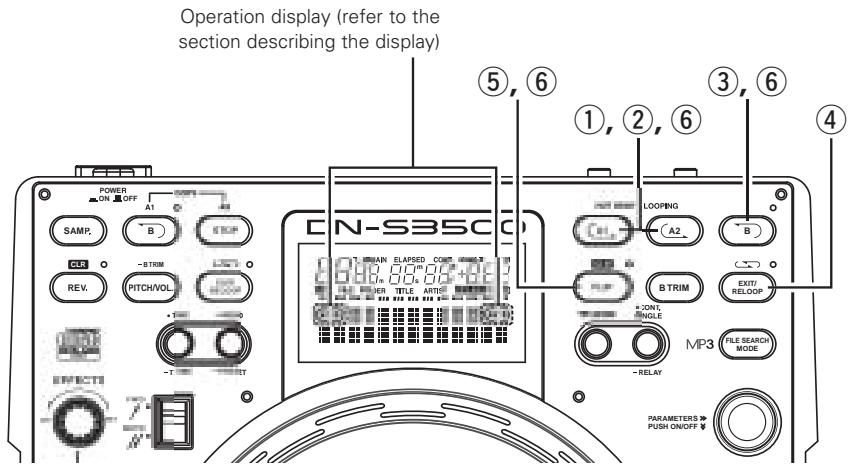
Setting the A point (loading the Hot Start data)
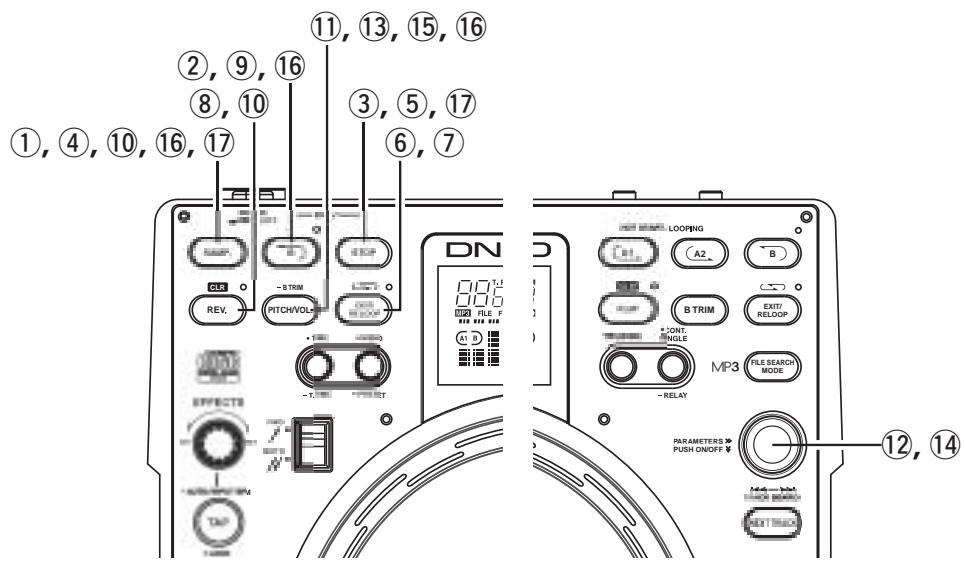
① Push the A1 or A2 button to set the A point. (Hot Start data loading starts.)
- A1 and A2 buttons can be used separately for each Hot Start.
- When an A point is set, the corresponding A button and "C" display lights up and that button is set to the Hot Start mode.
- The BPM is set independently for each Hot Start automatically.
Starts Hot Start
② When A1 or A2 button is pushed, Hot Start playback starts from the corresponding A point.
Setting the B point for Seamless Loop
③ When the B button is pushed after setting the A point or after starting Hot start playback, the B point is set and Seamless Loop playback starts from the A point.
- The B button works with respect to the A point.
3-2
- If the B button is pushed during Seamless Loop playback or after EXIT playback, the B point moves to the point at which the button was pushed.
- When the B point is set, the B and " " indicators light up in the display.
Playing Seamless Loops
- When the B point for A1 is detected after playback started from A1 point, playback returns to A1 point with seamless. While A1 to B looping, B point for A2 is ignored.
- When the B point for A2 is detected after playback started from A2 point, playback returns to A2 point with seamless. While A2 to B looping, B point for A1 ignored.
Exit/Reloop
④ In Seamless Loop playback, you can force exit or return to the loop.
EXIT:
During Seamless Loop playback, push the EXIT/RELOOP button to exit from loop. DN-S3500 continues playback after the B point.
RELOOP:
When the EXIT/RELOOP button is pushed after exit the loop, Seamless Loop playback resumes from the A point instantly.
6
Stutter
- A1 and A2 points can be also used for Stutter playback.
⑤ To enable stutter playback, push FLIP button for A1/A2 buttons, then “C” display turns off.
Press the FLIP button to switch between the Hot Start/Seamless Loop and St
Clear the A1/A2 point
⑥ While pressing the FLIP/(CLR) button, push the A1 or A2 button to clear the corresponding A and B points.
Or push the FLIP button for more than 1 sec to clear both A1 and A2 points at once.
Quickly pressing the "FLIP" button first and then A1, A2 or B buttons will clear these points individually.

B TRIM
- The Seamless Loop and Sampler B points can be fine-adjusted using the Scratch Disc.
- Trim the points during loop playback as a rehearsal.
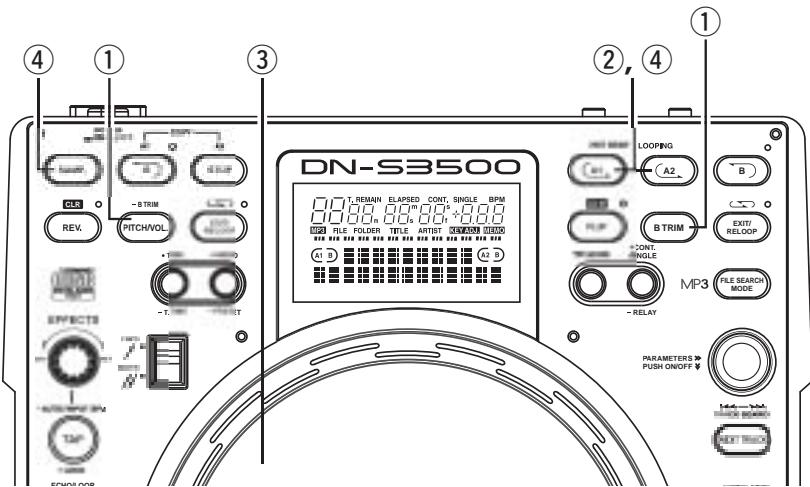
B Trim
1
Seamless Loop:
① When the B TRIM button is pressed during seamless loop playback, the B TRIM mode is turned on.
To cancel B TRIM mode, press the B TRIM button again.
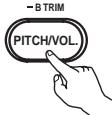
Sampler Loop:
① When the PITCH/VOL button is pressed for more than 0.5 sec during Sampler Loop playback, the B TRIM mode is turned on.

2
Select B point
The A button illumination automatically flashes for the last loop created or accessed.
The loop whose B point is to be adjusted is selected.
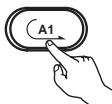
Trim B point
③ Turn Scratch Disc slowly to move the B point 1 frame at a time.
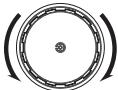
- Range for trimming B point is limited as follows.
B point for Loop:
Between 5 frames after A point and disc end.
B point for Sampler:
Between 5 frames after A point and Sampler end.
*MP3
Between 5 frames after A point and file end.
Save the B point
Push the A or SAMP button again to save new B point, and the unit automatically exits from the B Trim mode.
10 SAMPLER
DN-S3500 has one Sampler of 15 seconds in length. This Sampler can also be looped and scratched during playback.
| 1 | Record in Sampler
① When the SAMP button is pushed in the standby or play mode, the sound from SAMP point is recorded to Sampler memory up to 15 seconds.
·The SAMP button is flashing while recording and a 15 sec REC countdown display will appear. When the recording is completed, the button turns off and the corresponding SAMP B LED lights up.
·The remain time of the Sampler memory is displayed in the character display. |
| 2 | Setting B point
② When the B button is pushed during Sampler recording, the Sampler Loop B point is set and the loop mode turns on.
·Recording continues for approximately 15 seconds without stopping after set B point.
·If the B point is not set, the recording end point is set as your B point automatically. Also EXIT/RELOOP LED light to indicate Sampler Loop mode is set automatically. |
| 3 | Stop recording
③ To stop the sampler recording, press the STOP button at any time prior to 15 sec.
• The EXIT/RELOOP LED light to indicate Sampler Loop mode is set automatically. | STOP |
| 4 | Play Sampler sound
④ Playback of the Sampler sound starts when the SAMP button is pushed after recording has stopped.
• Sampler playback continues looping. When setting a B point, playback loops between A and B point. Without a B point the Sampler loops the whole recorded length (about 15 seconds).
⑤ To stop the Sampler sound push the STOP button.
• Stutter playback of the sample is possible when the STOP button is pushed repeatedly in the STOP mode. | SAMP |
| 5 | Select Sampler Loop mode
You can select 1 of 3 playback modes for Sampler when the Sampler is not playing.
Loop! (default):
Sampler playback continues with looping.
(EXIT/RELOOP LED stays lit)
Single All!!
Sampler playback continues over B point up to recording length.
(EXIT/RELOOP LED flashes)
Single B!
Sampler playback stops at B point.
(EXIT/RELOOP LED turned off)
6 To select loop mode, push EXIT/RELOOP button after recording and before playing. |
| 6 | Exit and Reloop
⑦ The EXIT/RELOOP button can be used same as Seamless Loop function. |
| 7 | Reverse Play
⑧ You can play the Sampled sound in reverse by pushing the REV button. In reverse play mode REV LED lights up and the platter spins backwards.
• Reverse playback will take affect when you push the SAMP button after reverse mode has been turned on. To return to normal forward playback, push the REV button once again. |
| 8 | Moving Sampler B point
⑨ When the B button is pushed during Sampler playback, the B point moves to the point at which the button was pushed, and loop playback from point A starts. |
| 9 | Clearing the Sampler data
⑩ During the Sampler stop mode, press the REV/(CLR) button, while pushing the SAMP button to clear the Sampler.
BLR
REV.
SAMP.
• Or, by pushing the REV/(CLR) button for more than 1 sec, you can clear Sampler. |
Adjust pitch
The Sampler playback pitch can be adjusted.
11 Push the PITCH/VOL. button, the pitch input mode is set, PARAMETERS LED flashes and the current settings are displayed on the character display.
- Start Sampler playback.
⑫ Turning the PARAMETERS knob can change the pitch.
* When pushing down and turning the PARAMETERS knob, you can change the pitch range 10 times faster.
Adjust sound level
The Sampler playback sound level can be adjusted.
Push the PITCH/VOL. button again when the pitch input mode, the sound level input mode is set, PARAMETERS LED flashes and the current settings are displayed on the character display.
- Start Sampler playback.
14 Turning the PARAMETERS knob can change the output sound level.
15 Push the PITCH/VOL. button again to turn the sound level input mode off.
Copy from A1/A2 sound
You can copy A1/A2 Seamless Loop into the Sampler up to 15 sec.
16 Copy from A1
- When the B button of the Sampler is pressed, "SAMP A1" and "Copy/Push Samp" are displayed.
Then quickly push the SAMP button, the copying is completed within seconds.
17 Copy from A2
- When the STOP button is pressed, "SAMP A2" and "Copy/Push Samp" are displayed.
Then quickly push the SAMP button, the copying is completed within seconds.
NOTES:
- You can not copy when the Sampler is already loaded.
- You can copy just your Hot Start A1/A2 points (without a B point set) for up to 15 sec in the Cue mode.
11 AUTO BPM COUNTER/EFFECTOR
AUTO BPM COUNTER

AUTO BPM COUNTER
Beats per minute (BPM) of a track is measured automatically and displayed during playback or in Cue standby mode.
Measured BPM values are synchronized with the effector parameters such as:(ECHO/LOOP and FLANGER time)
- When Auto BPM COUNTER is off, pushing the TAP button for 1 second, reactivates the AUTO BPM COUNTER to turn back on.
- If you change or select a new track, the old BPM is cleared and the Auto BPM Counter starts to detect the new track automatically.
NOTE:
AUTO BPM COUNTER might not me able to be measured correctly according to the type of music.
*If this happens, please use the TAP feature.
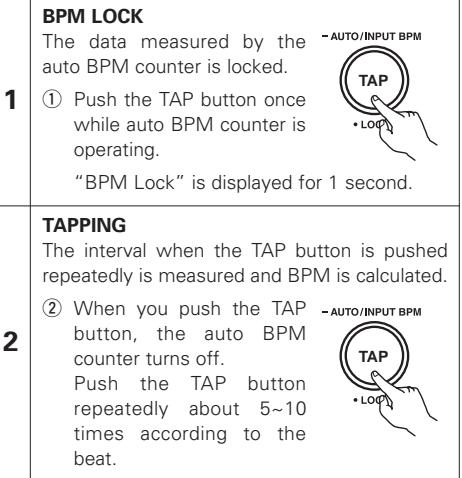
3
The known BPM can be dialed in directly by the numerical value.
③ The BPM manual input mode is available when the TAP button is pushed for more than 2 sec. "Manual In" is displayed is the character display.
You can input BPM value directly with the EFFECTS knob.
⑤ When the TAP button is pushed again, the BPM manual input mode is saved and the BPM is locked to that value for that Track.
- AUTO/INPUT BPM
EFFECTOR
One of the 7 effects can be selected.
ECHO/LOOP
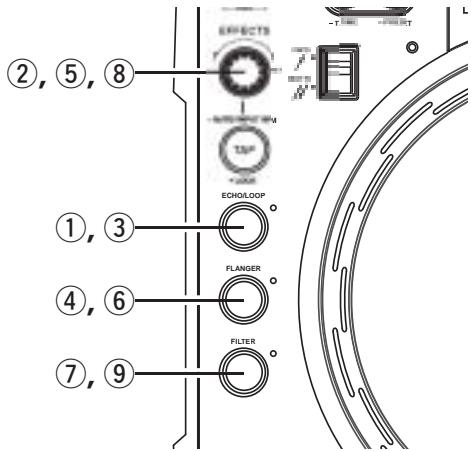
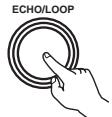
1-1 ① When the ECHO/LOOP button is pressed, the echo/loop function is turned on.
ECHO/LOOP ON
Set the parameters
② The echo/loop parameters can be selected with EFFECTS knob and PARAMETERS knob.
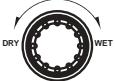
Echo Feedback number:
Turn the EFFECTS knob.
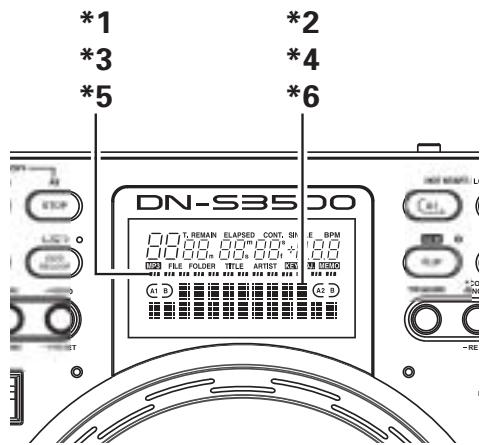
*1 The Echo Feedback number is displayed in the playback position indicators.
EFFECTS
1-2
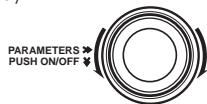
Echo Time:
Turn the PARAMETERS knob.
*2 The Echo time is displayed in the character display.
TRACK SEARCH
- When the EFFECTS knob is pressed, the parameter display is swited to the normal display.
- To return to the parameter display, press or turn the EFFECTS knob.
Select the LOOP mode
When the feedback number is set to the maximum, loop playback with the specified time begins. Other tracks can be selected or the disc can be replaced for seamless play.
ECHO LOOP FADE OUT
- The parameter mode is turned off while the echo loop is playing when the back cue or NEXT TRACK is selected at the parameter selection mode.
- When the new track is selected and playback is started, echo loop playback stops by fade out. An echo loop playback and a normal playback can be smoothly replaced.
- The disc can also be ejected during Echo Loop and replaced with a new disc without interrupting the sound. Once a new track is selected and PLAY is pushed, the echo loop starts to automatically fade out.
ECHO/LOOP OFF
③ If the ECHO/LOOP button is pressed again, the echo/loop function is turned off.
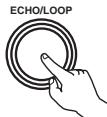
- ECHO LOOP mode can be used in many ways for advanced remixing. For example, during ECHO LOOP you can shorten the original feedback time to chop the beats in half each time the PARAMETERS knob is turned counter clockwise. Once the minimum feedback time of 1/8 (or other) is reached, you can push down the PARAMETERS knob to instantly return back to the original ECHO LOOP sound. For even more creative control, the Pitch Slider and Key Adjust are functional with ECHO LOOP after it has been set.
FLANGER
| 2-1 | FLANGER ON
④ When the FLANGER button is pressed, the flanger function is turned on. | FLANGER |
| 2-2 | Set the parameters
⑤ The flanger parameters can be selected with EFFECTS knob and PARAMETERS knob.
FLANGER Gain:
Turn the EFFECTS knob.
*3 The FLANGER gain is displayed in the playback position indicators.
FLANGER Time:
Turn the PARAMETERS knob.
*4 The FLANGER time is displayed in the character display.
PARAMETERS PUSH ON/OFF
TRACK SEARCH
·When the EFFECTS knob is pressed, the parameter display is swited to the normal display.
·To return to the parameter display, press or turn the EFFECTS knob. |
| 2-3 | FLANGER OFF
⑥ If the FLANGER button is pressed again, the flanger function is turned off. | FLANGER |
FILTER
| 3-1 | FILTER ON
⑦ When the FILTER button is pressed, the filter function is turned on. | FILTER |
| 3-2 | Select the parameters
⑧ The filter parameters can be selected with EFFECTS knob and PARAMETERS knob.
Filter Frequency:
Turn the EFFECTS knob.
*5 The Filter frequency is displayed in the playback position indicators.
Filter types:
Turn the PARAMETERS knob.
*6 The Filter types is displayed in the character displayed.
PARAMETERS
PUSH ON/OFF
TRACK SEARCH
·When the EFFECTS knob is pressed, the parameter display is swited to the normal display.
·To return to the parameter display, press or turn the EFFECTS knob. |
| 3-3 | FILTER OFF
⑨ If the FILTER button is pressed again, the filter function is turned off. | FILTER |
12 MP3 PLAYBACK
The DN-S3500 can playback MP3 files via CD-R/RW media made according to the following conditions.
- MP3 disc's made by formats other than below settings cannot be played back on our system.
- In most cases, you can find the below settings within the properties of your burners PC software. Please refer to your manual or contact your software vendor for assistance regarding these settings.
NOTES:
- Depending on the type of MP3 encoding or writing software, with some files noise may be generated or it may not be possible to play the file.
- Recordings you make are for your personal use and should not be used in ways infringing upon the copyright holder as per copyright laws.
MP3 FORMAT
| Disc Format | Applicable file extensions | .mp3 .MP3 .mP3 .Mp3 |
| ISO9660 | Level 1(max. 8/“8.3” character style) |
| Level 2 (max. 31/30 character style) |
| Joliet | max. 64/64 character style |
| Romeo | max. 64/64 character style |
| CD-ROM sector format | mode-1 only |
| Folder/direction hierarchical level | max. 8 levels down (* note #1) |
| Max. number ofFolders | No limit (* note #2) |
| Max. number of files | max. 999 files (* note #3) |
| MP3 Format | MPEG-1 | Audio Layer-3 32-320kbps, f/s 44.1kHz |
| ID-3 Tag | V1.0, V1.1, V2.2, V2.3, V2.4 |
| Encoding | C.B.R, V.B.R |
| NOTE: .m3u Play List are not supported. |
| Disc Writing Method | Disc at Once and Track at Once | |
| Multi Session | If the 1st session is CDDA ,you can playback only CDDA track. If the 1st session is MP3,you can playback only MP3 file. |
| NOTE: Packet Write is not supported. |
note #1 Cannot playback files in a folder located further from the specified Folder/directory hierarchical level.
Note #2 The number of total folders is not limited, while the number of total files is limited.
Note #3 If the number of files exceeds 999, the unit can play first 999 files, and no further files are recognized.
Display
- The elapsed file playing time and the remaining file playing time (for C.B.R files only) can be selected.
- The file name display, folder name display and ID-3 tag of (title/artist name/album name) can be displayed.
Each time the 24 TITLE button is pushed, the file and folder name display, title display, artist name display or album name display are selected.
NOTE:
Title, Artist and Album name utilizes the data of ID-3 tag.
It is not data of a file name.
If no ID-3 tag is found, the display will indicate "No Data".
Play, Pause and Cue
- Like with a normal CD, it is possible to play, pause, back-cue, etc.
- Pitch range, 4% , 10% , 16%
NOTE:
When you back cue V.B.R. encoded files, the start position returns to the head of file 00:00:00 rather than where music is detected.
Select the file
| 1 | Select the file search modes
For MP3 discs, the file search modes described below can be selected by pushing the 26 FILE SEARCH MODE button.
·The file search mode is selected by turning the 27 PARAMETERS knob and set by pushing the knob. |
| 2 | File search (File.NO)
·When the 27 track select knob is turned, file searching is performed in the order of the file numbers.
·When the 27 track select knob is pushed in and turned, file searching is performed 10 files at a time. |
| 3 | File/Folder search (Folder)
·When the 27 track select knob is turned, file searching is performed in the order of the file numbers.
·When the 27 track select knob is pushed in and turned, folder searching is performed in the order of the folder numbers. |
| 4 | Artist name search (Artist)
Title name search (Title)
If the artist name or title name is recorded in the file name as described below, it is possible to search in alphabetical order of artist or title names.
·When recorded in order of artist name and title name (Artist - title, (Artist)(Title), [Artist](Title)) and with “-”, “( )” or “[ ]” between artist names and title names, it is possible to search artist names and title names in alphabetical order.
NOTES:
·These name search functions cannot be selected unless the file names are recorded in the specified format.
·Title and artist name use the data of a file name. It is not data of ID-3 tag.
·When the artist name search or title name search mode is selected and the 27 track select knob is pressed in while turned, name search is performed in the alphabetical order of the names.
·If the 27 track select knob is turned after searching in alphabetical order is finished, file searching is performed in the order of the file numbers from the name with the selected letter.
·If the 9 CUE button is pushed after file searching, the searched file is searched for and the standby mode is set. |
File name search (File_Name)
Files can be searched for by file name in alphabetical order.
- When the file name search function is selected and the 2 track select knob is pushed in while turned, the file names are search in alphabetical order.
5
- If the 27 track select knob is turned after searching in alphabetical order is finished, file searching is performed in the order of the file numbers from the file name with the selected letter.
- If the CUE button is pushed after selecting the file, the selected file is searched for and the standby mode is set.
NOTE:
When the file name dose not correspond to the format of 4, file name search is selected.
Manual search & Fast search
For only C.B.R files, manual searching and fast searching can be performed.
NOTES:
- With manual searching and fast searching, it is only possible to search within the selected file.
- Manual searching in the reverse direction is possible up to the point 10 seconds before the point at which searching starts.
- The searching speed may vary according to the file's compression rate, etc.
Scratch
Scratch playback is possible in the same way as with normal CDs.
NOTE:
Scratching (back spinning) in the reverse direction is possible up to the point 10 seconds before the point at which reverse playback was started.
Seamless Loop/Hot start/Stutter
For only C.B.R files, hot starting, seamless loop playback and stuttering can be performed in the same way as with normal CDs.
NOTE:
The A and B points for the seamless loop must both be set within the same file.
Platter Effect
- Platter effect is supported in the same way as with normal CDs.
NOTE:
Reverse playback is performed for a maximum of 10 seconds, after which playback returns to normal.
Memo
Memo is supported in the same way as with normal CDs.
NOTES:
- Next track Memo function is not supported.
- MEMO CALL may not be completed according to the file condition.
BPM ID3 Tag
If an MP3 file contains BPM ID3 Tag information, the DN-S3500 will automatically read and LOCK the BPM data accordingly. You can always return back to AUTO BPM mode by pushing the TAP button for more than 1 sec.
NOTE:
May not be compatible with some software based systems.
13 PLATTER EFFECT
BRAKE
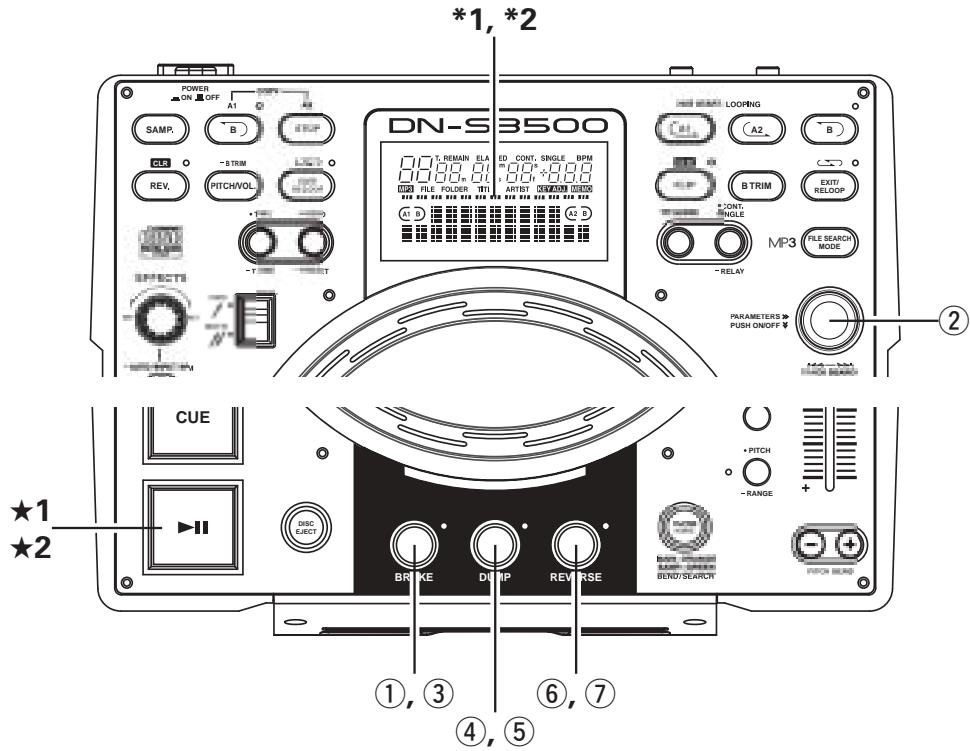
| 1-1 | BRAKE
Simulates a winding-down sound of a turntable coming to a full stop slowly.
Set the BRAKE mode
① The BRAKE function can be turned on by pushing the BRAKE button. |
| 1-2 | Select the BRAKE time
When the BRAKE turn on, the PARAMETERS and BRAKE LED flashes and parameter are displayed.
If you use with default settings, there is a 3 second time out of inactivity for the BRAKE button once selected and PARAMETERS knob if adjusted. After 3 seconds, and exits out of the BRAKE menu. |
| 1-2 | ② The BRAKE time can be selected with the PARAMETERS knob.
·When the PARAMETERS knob is pushed, the time is entered and the BRAKE time selection mode is cancelled.
PARAMETERS
PUSH ON/OFF
TRACK SEARCH
*1 BRAKE time is displayed on play position indicator. |
| 1-3 | Start the BRAKE
★1 The BRAKE is activated when the PLAY/PAUSE (▶II) button is pushed during playback. |
| 1-4 | Stop the BRAKE
★2 The BRAKE mode can be cancelled by pressing the PLAY/PAUSE (▶II) button again during this effect. |
| 1-5 | BRAKE mode off
③ When the BRAKE button is pressed, the BRAKE time selection mode is set. If the BRAKE button is pressed again during this time, the BRAKE functions is turned off. |
DUMP
| 2-1 | DUMP
Reverse playback is performed for the specified time. Plays the sound backwards while continuing in a forward motion without losing " elapsed time" when you return back to normal (forward) play.
Start the DUMP playback
④ The DUMP function can be turned on and Dump playback start by pushing the DUMP button during playback. |
| 2-2 | DUMP EFFECT
• Each push of the DUMP button switches between DUMP playback and normal playback.
• The reverse play turns off when the Hot Start or stutter is started. |
| 2-3 | DUMP mode off
⑤ If the DUMP button is pressed when in the DUMP mode, the DUMP mode is turned off. |
REVERSE
Start the REVERSE playback
The REVERSE function can be turned on and reverse playback start by pushing the REVERSE button during playback.
- The platter rotates counter clock wise.
REVERSE EFFECT
Each push of the REVERSE button switches between reverse playback and normal playback.
*2 Play position indicator lights up in orange during reverse playback.
The reverse play turns off when the Hot Start or stutter is started.
REVERSE mode off
⑦ If the REVERSE button is pressed when in the REVERSE MODE, the reverse mode is turned off.
14 MEMO (Custom Setting Memory)
The setting information can be stored in the non-volatile memory. The stored information can be called out of the memory at later time, making it easy to prepare for your mixing.
1. About MEMO
- Up to 5000 memo points can be stored to internal memory for later recall.
The number of tracks on a particular CD only limits the amount of memo points available per that disc. Example: If your CD has 22 tracks, you can only save up to 22 memos. (1 memo group per track.)
CAUTION:
5000 is the maximum possible number of tracks that can be stored to memory.
However, to simplify the MEMO operations, the memory system manages each 500 MEMO data package as a minimum unit (the total 5000 memory capacity divided into 10 package units). When you want to clear just one MEMO data in the 1 MEMO CLEAR mode, the unit will erase the memo information but not the internal memo allocation number. Accordingly, depending on conditions, the number of tracks that can be stored in the memory may be fewer than 5000.
Once you reached 5000 stored points, you will see a message that says "MEMO FULL!". At this time you will need to "delete" old data to make room for new memo points. Therefore the oldest 500 memo points will be deleted and become clear.
- The MEMO indicator on the display lights up when a track for which data is stored in the memory is selected.
2. MEMO ITEMS
The following items are max to be stored under 1 memory bank:
① Cue point
② A1 and B1 points, A2 and B2 points
③ Playing pitch, pitch on/off, Key Adjust on/off setting
④ BPM data (Cue, A1 and A2 points)
3. MEMO MODE SELECT
① Push the 24 MEMO button during Cue mode to enter MEMO mode.
② Turn the 27 PARAMETERS knob to select the various MEMO modes from as follows.
Memo Set (default), Memo Call, Memo Crl
Depending on conditions, some modes cannot be selected.
③ Push the 24 MEMO button again to exit MEMO mode.
(1) Storing data in the memory [Memo Set]
After making the settings to be stored in memory, then push 9 CUE button.
- When the MEMO indicator in the display is off during Cue mode, push 24 MEMO button to enable Memo set function.
- If the MEMO indicator lights up, it is necessary to clear existing Memo before storing a new Memo.
- At last push 27 PARAMETERS knob to save. You can see "Complete!" message and the MEMO indicator lights up.
MEMO FULL
- If the memory is full and no more data can be stored, "Memo Full!" and "Delete 500?" message appears.
- In this case, you need to clear memory of First 500s Memo (number 1 to 500) at a time to make space for new memos.
- To make space, push ⑦ PARAMETERS knob while "Delete 500?" message is displayed.
- "Delete OK?" message appears then push 27 PARAMETERS knob again to execute clearing.
- After the first 500s Memo (number 1 to 500) are cleared, number after 501 Memo are renumbered as new 1, 2, 3... (now you have new 500 empty space).
(2) MEMO CALL [Memo Call]
- When the CD includes tracks that DN-S3500 has Memo is inserted, the MEMO indicator flashes for 5 seconds.
- To call out the Memo data, select the track that you made a MEMO. Then the MEMO indicator lights up.
- Push the 24 MEMO button to enable Memo call function.
- When the 27 PARAMETERS knob is pushed in the Memo call mode, all the data stored in the memory is loaded. DN-S3500 goes to standby mode at the called Cue point.
- When the playing pitch is loaded from the Memo with PITCH LED flashes, playing Pitch is locked until Pitch Slider comes same Pitch. While playing Pitch is locked, PITCH LED keeps flashing.
NOTE:
MEMO CALL of MP3 files may not be completed according to the file condition.
(3) 1 MEMO CLEAR [Memo Clr]
- To clear one Memo data, select the track that you stored a MEMO. Then the MEMO indicator lights up.
- Push the 24 MEMO button to enable Memo clear function.
- When the 27 PARAMETERS knob is pushed in MEMO CLEAR mode, the Memo data is cleared and the MEMO indicator on the display turns off.
ALL MEMO CLEAR
- All memory data can be cleared.
- For instructions, see "15 PRESET (14) MEMO ALL CLEAR".
4. Copying all MEMO
- The MEMO data can be copied between DN-S3500s or DN-S3500 and DN-D9000 or DN-S3500 and DN-S3000 or DN-S3500 and DN-S5000.
- For instructions, see "15 PRESET (15) MEMO ALL COPY".
5. Sharing the memo data
- The MEMO data of two DN-S3500 or DN-S3500 and DN-S3000 or DN-S3500 and DN-S5000 can be compared when the DN-S3500s are connected by the MEMO in/out jacks.
- The MEMO data of the two DN-S3500 units is checked when the disc is loaded.
- When other models (DN-S5000, DN-S3000 and DN-D9000) use the pitch data of DN-S3500, the pitch data might be different according to the difference of the data format.
15 PRESET
1. Preset mode
① The preset mode is available when 2 PRESET button is pushed for more than 1 sec while the DN-S3500 is in Cue, pause or no disc mode.
② Turn the 27 PARAMETERS knob to select the preset item.
③ After selecting an item, push the 27 PARAMETERS knob to select the preset data.
④ To change other Preset items, repeat these steps.
⑤ Push the 24 PRESET, CUE or 7 PLAY / PAUSE (▶II) button to exit from the Preset mode.
2. Preset items and data
The ** mark next to the data indicates the default value.
(1) Cue Mode: DENON* (When the playback is started during the Play Pause mode, the Cue point is set.) / Other (When the Cue button is pushed during the Play Pause mode, the Cue point is set.)
(2) Auto Cue : Auto Cue level search on/off. (ON* / OFF)
(3) Next Tr Time: OFF / 1sec / 2sec* / 3sec Select the time for fading out the currently playing track when playback of a new track is started with the next track function.
(4) Platter Speed : 33rpm* / 45rpm Select the rotational speed on the platter.
(5) 3/4 Effect : OFF* / ON You can use 3/4 beat effects when you select the Echo & Flanger parameter for the effector.
(6) Jump Time: 10sec^* / 20sec / 30sec / 1min Select the jump time of Quick Jump.
(7) Pitch Range: ± 4% / ± 10% * / ± 16% / ± 24% Select the playing pitch range when the power is turned on.
(8) EOM Time : Track end warning message alert time. (OFF / 10sec* / 15sec / 20sec / 30sec / 60sec / 90sec)
(9) Fader Mode (FADER START MODE): Play / Cue* / P / Pause Select 2-line type (Play and Cue) or 1 line type (Play and Pause).
(10) Power On Play : ON / OFF*
Playback starts when the power is turned on if a disc is loaded.
(11) Pitch : Pitch ON* / Key AdjON (KEY ADJUST ON) / Pitch OFF Select the pitch mode when the power is turned on.
(12) Play Mode (SINGLE / CONTINUOUS / SINGLE PLAY LOCK): Single / Cont. / Play Lock* Select the play mode when the power is turned on.
(13) Time Mode : Elapsed* / Remain / T.Elapsed / T.Remain Select the time mode when the power is turned on.
(14) MEMO ALL CLEAR : Clear all MEMO data in the non-volatile memory.
① To clear all MEMO data, push the PARAMETERS knob.
- "Memo Clr?" flashes in the character display.
② Push the PARAMETERS knob again and select "Yes" to execute clearing all MEMO data.
- "Now Clearing!" is displayed on the character display while clearing.
③ Once clearing is completed, "Complete!" is displayed.
(15) MEMO ALL COPY :
Copy all MEMO data from the master unit of DN-S3500 (or DN-S3000 DN-S5000, DN-D9000) to the slave unit of DN-S3500 (or DN-S3000 DN-S5000, DN-D9000) when both unit are connected by the normal 3.5mm min stereo Cable. (See diagram for the cable.)
NOTE: Be sure CD player have no discs inside.
A straight cable used:
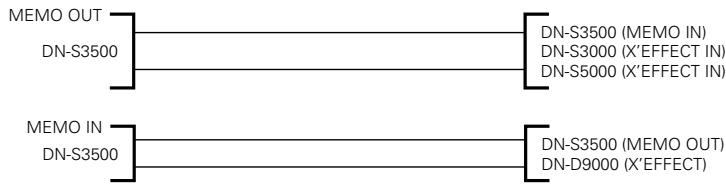
- Using the 3.5mm cable, connect the MEMO terminals between two DN-S3500 units or between one DN-D9000 and one DN-S3500 unit or between one DN-S5000 and one DN-S3500 unit or between one DN-S3000 and one DN-S3500 unit.
- Copying can be performed using the DN-S3500 and DN-D9000 or the DN-S3500 and DN-S3000 or the DN-S3500 and DN-S5000 in the same way as when using two units of the DN-S3500.
- Perform the copying operation as below on the slave unit of DN-S3500.
① To start copying, push the PARAMETERS knob and select "YES". Now "Memo Copy?" messages flashes on the character display.
② Push the PARAMETERS knob again to confirm. Now "Copy OK?" is displayed.
③ Push the PARAMETERS knob once again, and the unit starts copying when the MEMO data are received from the master unit. "Now Copying" is displayed.
- If the master unit and the slave unit are not connected properly or the DN-2600F is not prepared to start sending data, "Not Connect" is displayed on the character display.
④ When copying is completed correctly, "Complete!" is displayed.
- "Copy Error" is displayed on the character display if copying was not completed correctly.
- "Not connect" is displayed on the character display if it is not possible to communicate normally.
In this case, try the above procedure again.
- The copied MEMO data are added to the highest number area of the slave DN-S3500 unit.
(16) Version No.: The DN-S3500's software version is displayed. (SYSTEM / DSP)
(17) PRESET INITIALIZIZE : Set all the preset data back to the factory defaults.
① To clear the PRESET data, push the PARAMETERS knob.
"Preset Int?" flashes on the character display.
② Push the PARAMETERS knob again.
"Preset Initial!" is displayed on the character display while data clearing.
③ Once clearing is completed, "Complete!" is displayed.
16 SPECIFICATIONS
GENERAL
| Type: | Compact disc player |
| Disc type: | Standard compact discs (12 cm discs), CD-TEXT |
| CD-R, CD-RW discs |
| NOTE: Finalized CD-R or CD-RW discs can be played back in this unit. However, according to recording quality, some CD-R/RW discs cannot be played. |
| Dimensions: | Player unit: 300 (W) x 124 (H) x 334 (D) mm |
| 11"13/16 (W) x 4"7/8 (H) x 13"5/32 (D) |
| Installation: | Table top type |
| Mass: | Player unit: 5.5 kg (12 lbs 02 oz) |
| Power supply: | U.S.A., Canada and Taiwan R.O.C. models: 120 V AC ±10%, 60 Hz European models: 230 V AC ±10%, 50 Hz |
| Power consumption: | 19 W |
| Environmental conditions: | Operational temperature: 5 to 35°C (41 to 95°F) |
| Operational humidity: 25 to 85% (no condensation) |
| Storage temperature: -20 to 60°C (4 to 140°F) |
| Motor: | Direct-Drive |
| Brushless DC motor |
| Turntable Speeds: 33-1/3 rpm, 45 rpm |
| Starting Torque: 2.5 kg-cm (2.2 lb-in) |
| AUDIO SECTION |
| Main out, Monitor out |
| Quantization: | 16-bit linear per channel |
| Sampling frequency: | 44.1 kHz at normal pitch |
| Oversampling rate: | 8 times |
| Total harmonic distortion: | 0.01% or less |
| Signal to noise ratio: | 90 dB or more |
| Channel separation: | 85 dB or more |
| Frequency response: | 20 to 20,000 Hz |
| Analog output |
| Output level: | 2.0 V r.m.s. |
| Load impedance: | 10 kΩ/kohms or more |
| Digital output |
| Signal format: | IEC958-Type II |
| Output level: | 0.5 Vp-p 75 Ω/ohms |
| FUNCTIONS |
| Instant start: | Within 20 msec. |
| Variable pitch: | ±4% (0.02% pitch), ±10% (0.05% pitch), ±16% (0.1% pitch) |
| ±24% (0.1% pitch), ±50% (0.5% pitch), ±100% (1.0% pitch) |
| Pitch bend: | Cue Mode: “DENON” (Preset item (2)) |
| Button Function Pitch range ± 4% ~ ± 24%: ±32% Pitch range ±50% ~ ±100%: ±99% |
| Platter Function ±20% of current pitch |
| Cue Mode: “Other” (Preset item (2)) |
| Both Button & Platter Function ±20% of current pitch |
| Sampler |
| Sampling: | 44.1 kHz |
| Length: | 15 sec. |
| Output level: | 2.0 V r.m.s. (Variable / -14 ~ +6 dB) |
| Variable pitch: | ±24% (0.1% pitch) |
| Search precision: | 1/75 sec. (1 subcode frame) |
| Max. scan speed: | Over 20 times normal speed |
| Max. MEMO memory steps: | 5000 steps |
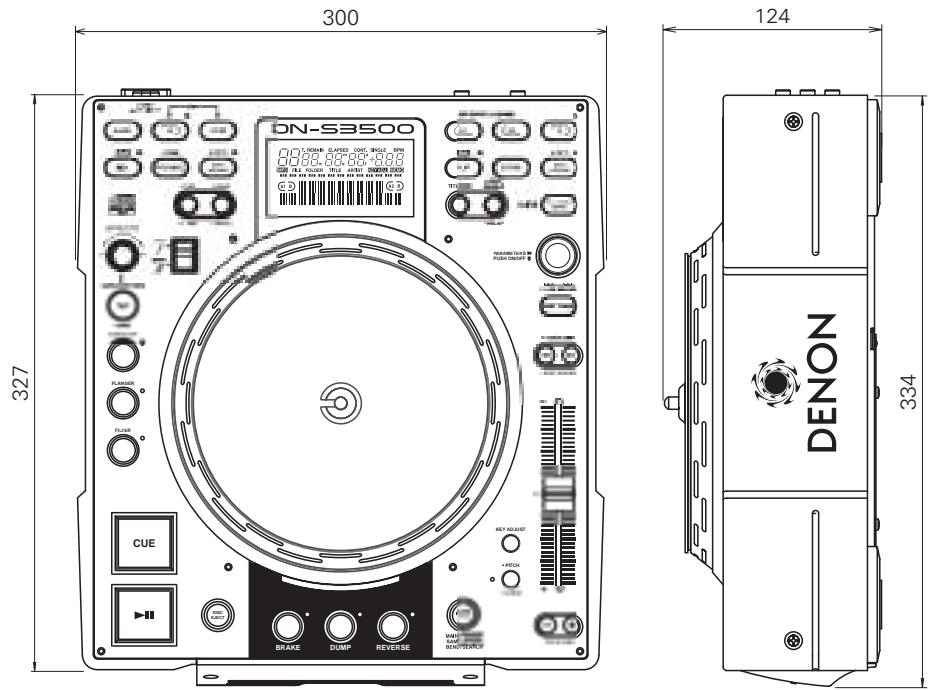
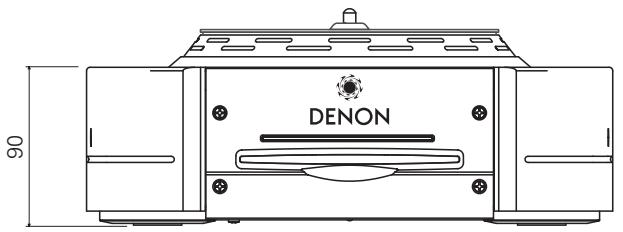
- Specifications and design are subject to change without notice for purpose of improvement.
- INHALT -
12. MEMO (CD & MEMO)
16 (SAMP) REV/CLR-Taste
(SAMP) REV:
Seamless Loop/Hot start/Stutter
(3) 1 MEMO CLEAR [Memo Clr]
(7) Pitch Range: ±4% / ±10%* / ±16% / ±24%
(OFF / 10sec* / 15sec / 20sec / 30sec / 60sec / 90sec)
(9) Fader Mode (FADER START MODE): Play / Cue* / P / Pause
(14) MEMO ALL CLEAR :
12 Lecture MP3. 13, 14
8 Seamless Loop/Hot start/Stutter. 9, 10
16 Touche (SAMP) REV/CLR
(SAMP) REV:
Lecture Seamless Loop

C
Arreter la lecture relayee
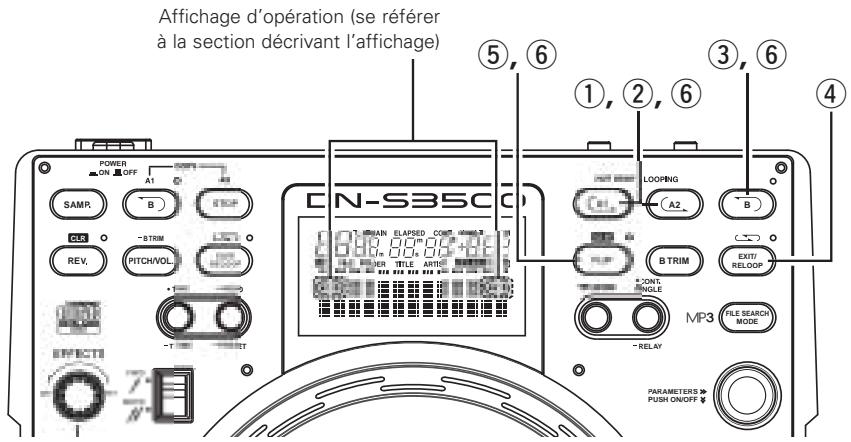
Seamless Loop/Hot Start/Stutter (touches A1, A2)
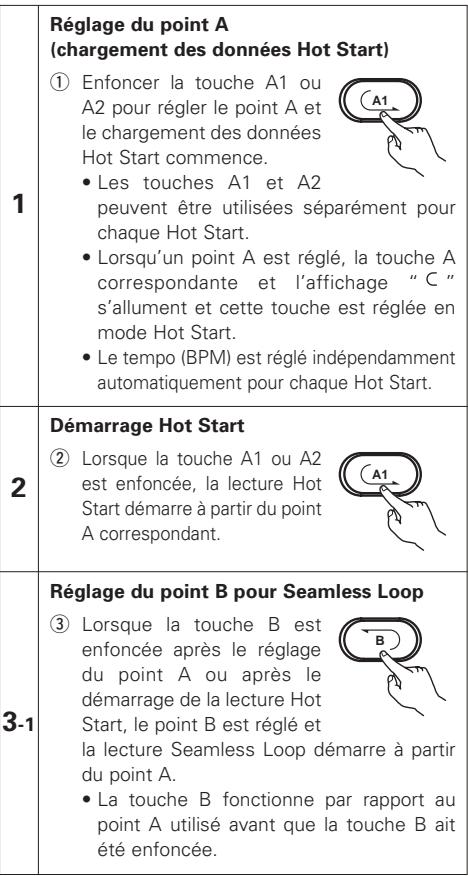
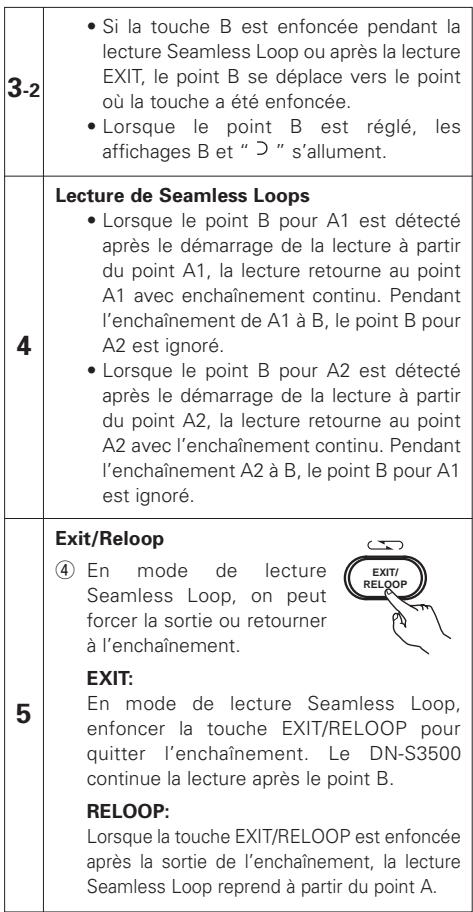
6
Stutter
Seamless Loop/Hot start/Stutter
(3) 1 MEMO CLEAR [Memo Clr]
(7) Pitch Range: ±4% / ±10% * / ±16% / ±24%
(OFF / 10sec* / 15sec / 20sec / 30sec / 60sec / 90sec)
(9) Fader Mode (FADER START MODE): Play / Cue* / P / Pause
(14) MEMO ALL CLEAR :
16 Tasto (SAMP) REV/CLR
(SAMP) REV:
Seamless Loop/Hot start/Stutter
(3) 1 MEMO CLEAR [Memo Clr]
(5) 3/4 Effect: OFF*/ON
(7) Pitch Range: ±4% / ±10% * / ±16% / ±24%
(OFF / 10sec* / 15sec / 20sec / 30sec / 60sec / 90sec)
(9) Fader Mode (FADER START MODE): Play / Cue* / P / Pause
(10) Power On Play: ON/OFF*
(14) MEMO ALL CLEAR :
Seamless Loop/Hot start/Stutter
(3) 1 MEMO CLEAR [Memo Clr]
(5) 3/4 Effect: OFF*/ON
(7) Pitch Range: ±4% / ±10% * / ±16% / ±24%
(OFF / 10sec* / 15sec / 20sec / 30sec / 60sec / 90sec)
(9) Fader Mode (FADER START MODE): Play / Cue* / P / Pause
(10) Power On Play: ON/OFF*
(14) MEMO ALL CLEAR :
Frequency respons: 20 a 20.000 Hz
Salida analogica
Nivel de salute: 2,0 V r.m.s.
Impedancia de cargo: 10 kΩ/kohmios o mayor
Salida digital
Formato de senal: IEC958-Type II
Nivel de salute: 0,5 Vp-p 75 Ω/ohmios
FUNCTIONES
16 (SAMP) REV/CLR-toets
(SAMP) REV:
24 • MEMO, - PRESET-toets
- MEMO:
Seamless Loop-weergave

C
Seamless Loop/Hot start/Stutter
(3) 1 MEMO CLEAR [Memo Clr]
(5) 3/4 Effect: OFF*/ON
(7) Pitch Range: ±4% / ±10% * / ±16% / ±24%
(OFF / 10sec* / 15sec / 20sec / 30sec / 60sec / 90sec)
(9) Fader Mode (FADER START MODE): Play / Cue* / P / Pause
(14) MEMO ALL CLEAR :
Seamless Loop/Hot Start/Stutter (A1, A2-tangenter)
1
Seamless Loop/Hot start/Stutter
MEMO fullt (MEMO FULL)
(3) 1 MEMO CLEAR [Memo Clr]
(7) Pitch Range: ±4% / ±10% * / ±16% / ±24%
(OFF / 10sec* / 15sec / 20sec / 30sec / 60sec / 90sec)
(9) Fader Mode (FADER START MODE): Play / Cue* / P / Pause
(14) MEMO ALL CLEAR :
Radera all MEMO-information i permanentminnet.
Tallrikshastigheter: 33-1/3 rpm, 45 rpm
Startmoment: 2,5 kg-cm (2.2 lb-in)
AUDIODEL
Kanalseparation: 85 dB erler mer
Frekvensgang: 20 till 20.000 Hz
Analog utsignal
Utniva: 2,0 V r.m.s.
Last: 10 kΩ/kohm aller mer
Digitalutgang
Signalformat: IEC958-Type II
Utniva: 0,5 Vp-p 75 Ω/ohm
FUNKTIONER
Direktstart: Inom 20 ms
Variabel pitch: ±4% (0,02% pitch), ±10% (0,05% pitch), ±16% (0,1% pitch)
± 24% (0,1% pitch), ± 50% (0,5% pitch), ± 100% (1,0% pitch)
Pitch bend: Cue-lage: “DENON” (fürinställningspunkt (2))
Tangentfung Tönhöjdsofng ± 4% ~ ± 24%: ±32%
Variabel pitch: ±24% (0,1% pitch)
Sökprecision: 1/75 s (en subkod-ruta)
Max. sokhastighet: Mer an 20 ganger normalhastigheten
Max. MEMO-minnesstag: 5000 steg
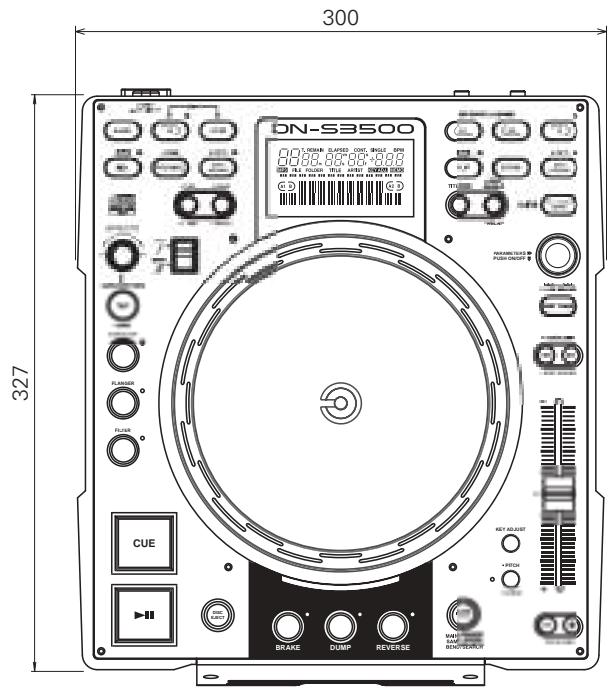
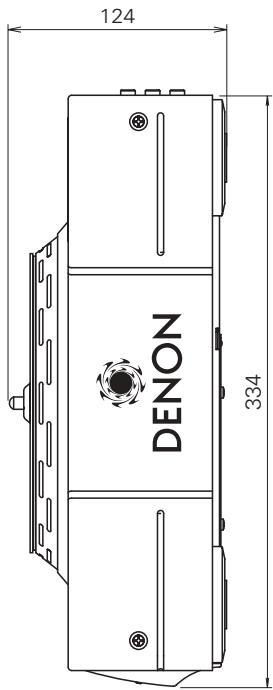
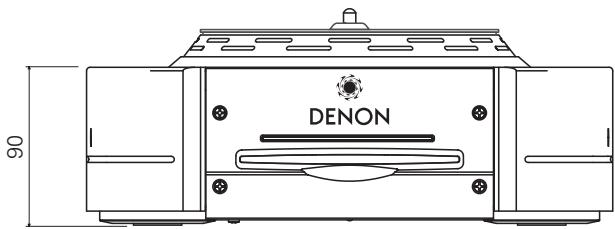
D&M Holdings Inc.
PROFESSIONAL BUSINESS COMPANY