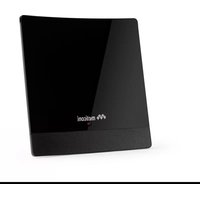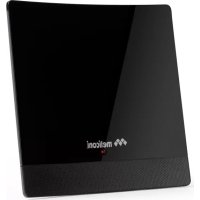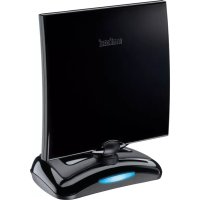
FULLY 8 - TV mount MELICONI - Free user manual and instructions
Find the device manual for free FULLY 8 MELICONI in PDF.



User questions about FULLY 8 MELICONI
0 question about this device. Answer the ones you know or ask your own.
Ask a new question about this device
Download the instructions for your TV mount in PDF format for free! Find your manual FULLY 8 - MELICONI and take your electronic device back in hand. On this page are published all the documents necessary for the use of your device. FULLY 8 by MELICONI.
USER MANUAL FULLY 8 MELICONI
II telecomando universsale FULLY 8
| Φ- | = 1 |
| ΦΦΦ- | = 3 |
| ΦΦΦΦΦΦΦΦΦΦΦ- | = 0 |
| ΦΦΦΦΦΦΦ- | = 6 |
Keep your Instructions and Code Booklet for future reference.

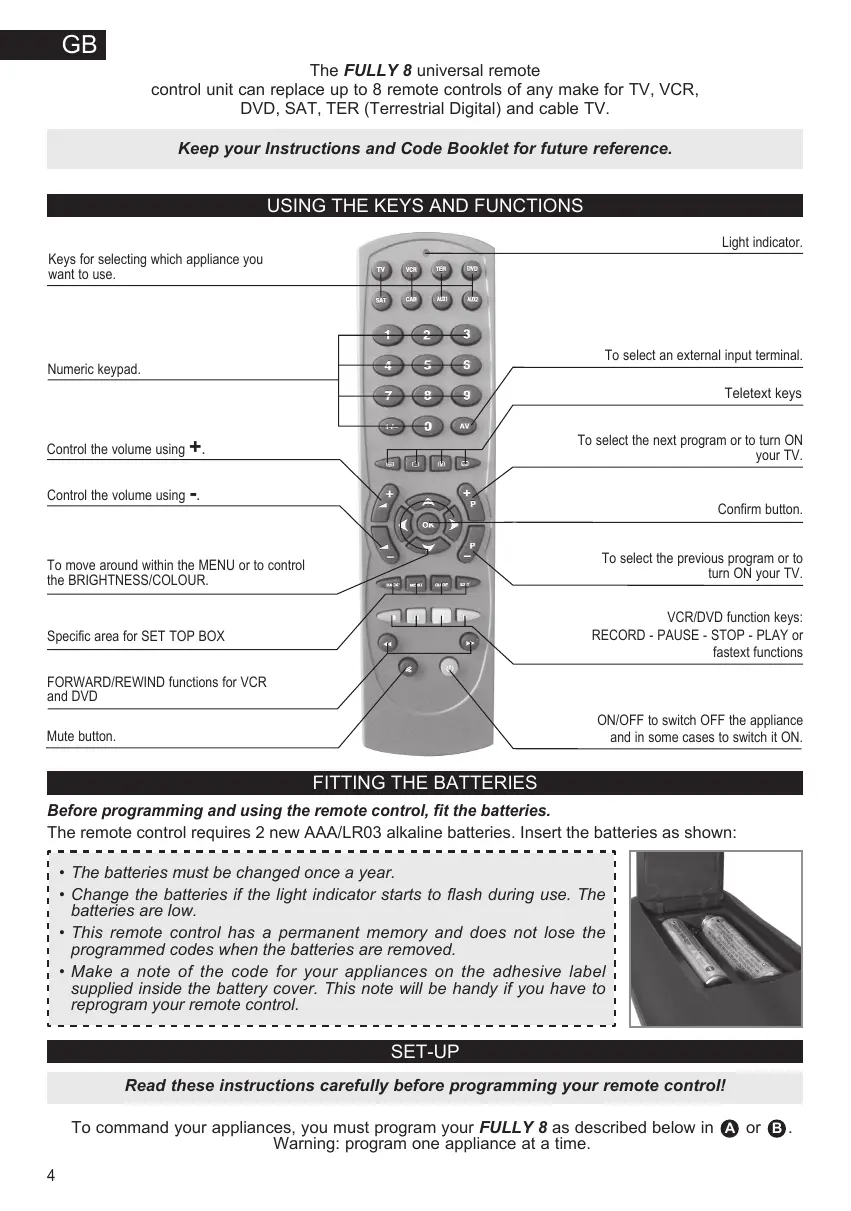
USING THE KEYS AND FUNCTIONS
FITTING THE BATTERIES
Before programming and using the remote control, fit the batteries.
The remote control requires 2 new AAA/LR03 alkaline batteries. Insert the batteries as shown:
- The batteries must be changed once a year.
- Change the batteries if the light indicator starts to flash during use. The batteries are low.
- This remote control has a permanent memory and does not lose the programmed codes when the batteries are removed.
- Make a note of the code for your appliances on the adhesive label supplied inside the battery cover. This note will be handy if you have to reprogram your remote control.

SET-UP
Read these instructions carefully before programming your remote control!
To command your appliances, you must program your FULLY 8 as described below in A or B. Warning: program one appliance at a time.
- Switch ON the appliance you wish to program and select a program.
- Look for the brand of your appliance in the code list at the end of this booklet and make a note of the corresponding code indicated alongside (e.g. Philips 0025). If the brand is not listed, apply the global search described in paragraph B.
- Hold down the selection key for the appliance to be programmed for 5 seconds (TV...AD), until the light indicator at the top starts to flash indicating that the remote control is ready for programming.
- Release the keys and within 12 seconds enter the brand code previously identified (e.g. 0025). The light indicator flashes more quickly to indicate that the remote control is ready for the search.
- Point the remote control at the appliance. Press and slowly release the key several times or for the VCR and DVD. Stop when the appliance responds correctly to the command transmitted.
- When the appliance responds correctly, press the OK key to confirm the selection. Three long flashes indicate that the operation has been completed correctly.
Additional check
Check that some of the other functions used on your original remote control are working correctly. If the commands function incorrectly or erratically, you have probably entered a code for a similar but different remote control. In this case, repeat the search procedure starting from point 3.
Identify and take note of the code which you have searched for following the code noting procedure (see "PROGRAMMED CODE NOTING" section).
NOTE: during the search operation, the light indicator flashes more quickly. The light indicator stops flashing and the remote control leaves the programming mode in the following cases:
- if no keys are pressed for 12 seconds
- if the end of the code search list has been reached. In this case, switch to programming mode 5

GLOBAL SEARCH REMOTE CONTROL PROGRAMMING
This operation may take a few minutes.
- Switch ON the appliance you wish to program and select a program.
- Hold down the selection key for the appliance to be programmed for 5 seconds (TV...AOR), until the light indicator at the top starts to flash indicating that the remote control is ready for programming.
- Release the keys and enter the code 0000 within 15 seconds. The light indicator flashes more quickly to indicate that the remote control is ready for the search.
- Point the remote control at the appliance. Press and slowly release the key several times or for the VCR and DVD. Stop when the appliance responds correctly to the command transmitted.
- When the appliance responds correctly, press the OK key to confirm the selection. Three long flashes indicate that the operation has been completed correctly.
Additional check
Check that some of the other functions used on your original remote control are working correctly. If the commands function incorrectly or erratically, you have probably entered a code for a similar but different remote control. In this case, repeat the search procedure from point 2.
Identify and make a note of the code which you have searched for following the code noting procedure (see "PROGRAMMED CODE NOTING" section).
PROGRAMMED CODE NOTING
Remember to note down always the 4-digit code for the appliances, located under the battery cover, when the search and programming are complete.
The codes will be required if the remote control must be re-programmed following accidental deletion.
To find the code for your remote control:
- Press the select key for which you want to know the code and hold down for 5 seconds (TV...GSS), until the light indicator at the top starts to flash indicating that the remote control is ready for programming.
- Release the selection key and within 8 seconds press and release the 1 - / - key.
- After a few seconds, the light indicator communicates the code you are looking for by flashing the four numbers separately. Count the number of flashes for each code number. For example, for the code 1306, the key flashes one, three, ten and six times to give:
| Φ- | = 1 |
| ΦΦΦ- | = 3 |
| ΦΦΦΦΦΦΦΦΦΦΦ- | = 0 |
| ΦΦΦΦΦΦΦ- | = 6 |
- Make a note of the code on the adhesive label inside the battery cover for quick and easy future reprogramming.
RE-PROGRAMMING YOUR REMOTE CONTROL BY ENTERING THE CODE NOTED DOWN
- Hold down the selection key for the appliance to be programmed for 5 seconds (TV...ADB), until the light indicator at the top starts to flash indicating that the remote control is ready for programming.
- Upon release insert the code number you noted beforehand. Three flashes indicate that the code has been memorized correctly. If not, try the code entry procedure again from point 1.
TROUBLESHOOTING
PROBLEM
The appliance does not respond and the light indicator does not light up when a key is pressed.
SOLUTION
Check that the batteries are fitted correctly. If necessary, replace them with 2 new 1.5V AAA/LR03 alkaline batteries.
The appliance does not respond but the light indicator lights up.
When you press a key the light indicator flashes and the appliance does not respond to commands.
Check that the batteries are new and that the remote control is pointing at the TV without any obstacles in the way. If required, reset the remote control code, following programming procedure A or B.
The remote control commands are not all working correctly.
The batteries are low. Change them.
The code for your appliance brand is not in the list of codes of the end of this booklet.
You may have used the wrong code. Reset the remote control by repeating programming procedure A or B.
Set the remote control code, following the global search programming procedure B.
If you have further questions concerning the FULLY 8 remote control unit, visit www.fully8.com to find all the information you need quickly and easily.
| Φ- | = 1 |
| ΦΦΦ- | = 3 |
| ΦΦΦΦΦΦΦΦΦΦΦ- | = 0 |
| ΦΦΦΦΦΦΦ- | = 6 |
-0 = 1
-ΦΦΦ=3
-ΦΦΦΦΦΦΦΦΦΦΦ=0
-ΦΦΦΦΦΦ- 6
To nIeKovtpoA yevikns xpnoS FULLY 8
éivai iδavikó yia tny avtikatáσaon μéxpi kai 8 tnyekovtpól oToiαoδnTOTE pápkaç yia TV, VCR (βivTeO), DVD, SAT, TER (Ψηφiakή Επiyει Σηλεópaon) kai kαλωbiakn TV.
IPOAIAOESH IIA TH XPHSH
Ipi apxioe to npoypaumo to nAekovpOlaiaaote pooextka ts oBnyieS!
TIA TOV EALYXO TOW OUOKEUV OAC EIVAI ATAPaIITNO VA TPOpypaUMATIOETO FULLY 8 OTIWCTEPiPyPAFETAI OTIC ETIOUEVC TApaypapouc A n B.
PnoeiooioiOn: Tpoypaumuatote ia ouokeun tn opa.
- Aváyte Tn Šoukeun γia προγαμαισό κι επιλέξε τένα πρóγαμία.
- ΨaεTe oTov kataloYoTwv KwoikwOTo TELOc Tou TApovTOg EYxεPiδiou, Tn Mapka Tcσ Ouakeuç Oac Kai ΜημeIωTe Tov AVTIOTIOXo Kwoiko Tou UTOBekVuetAI OTo TIλi (T.y. Philips 0025).Eav n MauKa δev avaypapetai oTov kataloYo, Tpayatotoinote Tnv OLokPwEvn avzntn Tnou Tpeiypapetai OTnv Tpaaypapo B.
- Kpatniote Tainjevoia 5 deutepoleita Tn Atnktoe EINIOync Tou AVTIaOIXei ATN Oaukeun TNC OTIOAC TEAEVAACNTJIOE ToKwIOK (T...683), EWCOTOU AOVW POeivoc DEIKNC apxici VA aVapooBNIVEU UTODeIKUVoTAc TTNO TNLKEvOTPOEAIVAI OTN PAON TPovpaIauoou.
- ATELEUePepwEte TA TlAiktpa KAI TlAnktpoayeite Evtoc 12 DeutepeoAETTuvTov TpOnyouMeVA ETVOTIOJEvo apIgO Ko kwoku TnC yapKac (T.IX.0025). O qWteivoc DEIKTCs vUexicVE a vaabooBVEI TIO ynpVopa UTObekivuovTaTWCTo TnAekovTpOBA Eivai ToiVA uAcHTnON.
- KaTeuOvEte To nIeKovTpOa TpOc Tn OuaKeun. NAtnoTe KI aTneAeUepeWotep apy Ka TOnAeC opeCTo TnAnKTpo 1 yia To VCR Kai DVD, otapatovtac otav n oukeun avtaTOKpiEi ootd otnv ETOAn Tnou TnC Ooate.
- Otav n ouakeun avatotokpiveta owo ta tntote to Tnktpo k yia va eTlbebaioeTe nTv Etnioyn. Tpeic paKpe cvaalamte cUtoDeikvouov ot xeiipiaooc oloknpwneke e Oomega to tpanto.
Eπαληθευση
EaeyEe av kai kaio io aallo TnKtpo,avtioio xo e auto tou ynoiou nkeovpOaac,leitoupyei oawotá. Eav oi vtoec opeuv evupei n e avwmao tpo evai trolu thbavo o kwdiokoc Tou bpE0kva mnu evai o watoC aoAevoc Tnpoiou nkeovpOa. autnv tvn peittwn etavaalauabvete tn diaikiaoa avzntanc sekivuvta cto to onueio 3
Evtoniote kai oeiwote tv kwioiou poi peoikke, aokouowvta n iiaikoaia ouiowns kwiko (BleTne npaypao «SHMEIOsH TOI PPOPMAMMTENMOY KQAIKOY).
EHMEIOH:Kata to xeiipioo avaiztnons o wteivos dikntnavaaboohvri nio ynpyopa. O wteivos dkiinns nauei va aaboohnv i kai to nlekovpO Aepxetai anr tov npno npoypaumoiou otic akoloue c peiprtwoeis:
=1
-ΦΦΦ=3
-ΦΦΦΦΦΦΦΦΦΦ- =0
-ΦΦΦΦΦΦ- =6
1owx npoiotoiie Aavtheta Kwoiko, PuOiZeTe EaV to nAevopA EaVaaAbaVovtac
tn biadikkaia tripoypaumauoA nB.
| Φ- | = 1 |
| ΦΦΦ- | = 3 |
| ΦΦΦΦΦΦΦΦΦΦΦ- | = 0 |
| ΦΦΦΦΦΦΦ- | = 6 |
| Φ- | = 1 |
| ΦΦΦ- | = 3 |
| ΦΦΦΦΦΦΦΦΦΦΦ- | = 0 |
| ΦΦΦΦΦΦΦ- | = 6 |
-6- =1
-ΦΦΦ- =3
00000000000000=0
-ΦΦΦΦΦΦ- =6