
IAN 289310 - Battery charger SILVERCREST - Free user manual and instructions
Find the device manual for free IAN 289310 SILVERCREST in PDF.


| Brand | SilverCrest |
| Model | IAN 289310 |
| Product Type | Battery Charger |
| Compatible Batteries | AA, AAA Ni-MH / Ni-Cd rechargeable |
| Number of Slots | 4 |
| Input Voltage | AC 100-240 V, 50/60 Hz |
| Output Voltage | 1.2 V per slot |
| Charging Current | 500 mA (AA), 250 mA (AAA) |
| Charging Time | Approx. 4-6 hours (AA 2000 mAh) |
| LED Indicators | Red (charging), Green (ready) |
| Automatic Cut-off | Yes, via -ΔV detection |
| Safety Features | Overcharge protection, short-circuit protection, reverse polarity protection |
| Dimensions (W x D x H) | 10.5 x 6.5 x 3.0 cm |
| Weight | 95 g |
| Power Cord Length | 1.5 m |
| Material | ABS plastic |
| Cleaning and Maintenance | Disconnect from mains, wipe with dry cloth, do not use abrasive cleaners |
| Spare Parts Availability | Not available separately; device must be replaced if defective |
| General Information | Designed for indoor use only, do not expose to moisture |
Frequently Asked Questions - IAN 289310 SILVERCREST
User questions about IAN 289310 SILVERCREST
0 question about this device. Answer the ones you know or ask your own.
Ask a new question about this device
Download the instructions for your Battery charger in PDF format for free! Find your manual IAN 289310 - SILVERCREST and take your electronic device back in hand. On this page are published all the documents necessary for the use of your device. IAN 289310 by SILVERCREST.
USER MANUAL IAN 289310 SILVERCREST
OUTDOOR POWER BANK
GB
OUTDOOR POWER BANK
Operation and Safety Notes
PL
POWERBANKOUTDOOR
GB Operation and Safety Notes
Page 5
List of pictograms used and warnings......Page 6
Introduction......Page 6
Intended use......Page 7
Warnings and symbols used......Page 7
Trademark notice ......Page 8
Scope of delivery....Page 9
Before use......Page 9
Parts description......Page 9
Technical data......Page 10
Safety notices ......Page 10
Operation and use......Page 13
Charging the power bank......Page 13
Checking the battery status ......Page 15
Charging mobile devices with the power bank ...Page 15
Using the LED torch......Page 16
Troubleshooting Page 16
Cleaning and care......Page 17
Storage during non-use......Page 18
Disposal Page 18
Simplified EU declaration of conformity......Page 19
Warranty Page 19
| List of pictograms used and warnings | |
 | Read the instructions! |
 | Direct current |
 | Observe caution and safety notes! |
 | Caution! Explosion hazard! |
 | Wear suitable protective gloves! |
Outdoor power bank
- Introduction

We congratulate you on the purchase of your new product. You have chosen a high quality product. The instructions for use are part of the product. They contain important information concerning safety, use and disposal. Before using the product, please familiarise yourself with all of the safety information and instructions for use. Only use the product as described and for the specified applications. If you pass the product on to anyone else, please ensure that you also pass on all the documentation with it.
Intendeduse
This product is an IT device which is solely intended to be used to charge mobile devices which are normally charged through a USB port. This product is not intended for commercial use. Manufacturer is not liable for damages, which result from non-Intended use. Any claims resulting from improper use or due to unauthorised modification of the product will be considered un-warranted. Any such use is at your own risk.
■ Not suitable for ordinary lighting in household room illumination.
- Warnings and symbols used
These instructions for use contain the following warnings:
DANGER
This symbol in conjunction with the "Danger" note indicates an imminent dangerous situation which, if not prevented, could result in serious injury or even death.
WARNING!
This symbol in conjunction with the "Warning" note indicates important information for safe operation of the device and the safety of the user.

ATTENTION
A warning with this sign indicates potential property damage. Failure to observe this warning may result in property damage. Follow the instructions in this warning to prevent property damage.

NOTE
A note provides additional information to improve product use.
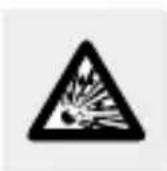
CAUTION! EXPLOSION HAZARD!
A warning with this symbol and word "CAUTION! EXPLOSION HAZARD" indicates the potential threat of explosion. Failure to observe this warning may result in serious or fatal injuries and potential property damage. Follow the instructions in this warning to prevent serious injuries, a danger to life or property damage!

This action sign indicates to wear suitable protective gloves! Follow the instructions to avoid hands striking or being struck by objects or being in
contact with thermal or chemical materials!

Trademark notice
-USB ® is a registered trademark of USB Implementers Forum, Inc.
- The SilverCrest trademark and trade name is the property of their respective owners.
- Any other names and products may be trademarks or registered trademarks of their respective owners.
Scope of delivery
1 Powerbank outdoor
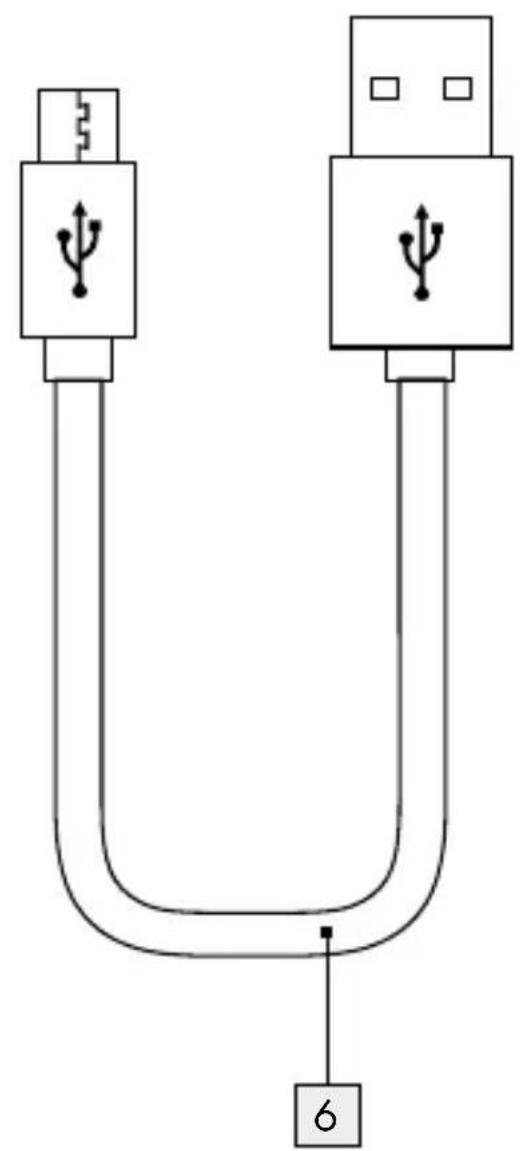
1 USB cable
1 Instructions for use
Beforeuse
Note: All parts have to be unpacked and the packaging material has to be removed completely.
☐ Please also check the content of delivery inside packaging to see if any damages.
Parts description
Please refer to fold out page front / rear.
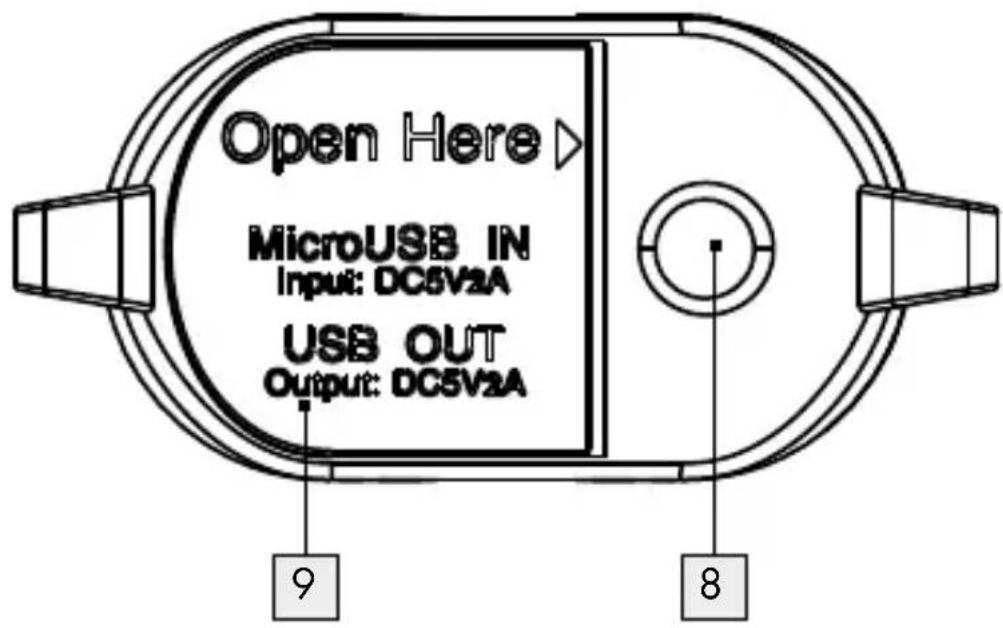
1 Micro USB Input (5 V=2 A)
2 USB Output (5 V=2 A)
3 ON / OFF button for power bank and flashlight
4 LED indicator for battery charging status
5 Powerbank
6 USB cable (USB type A to Micro-USB)
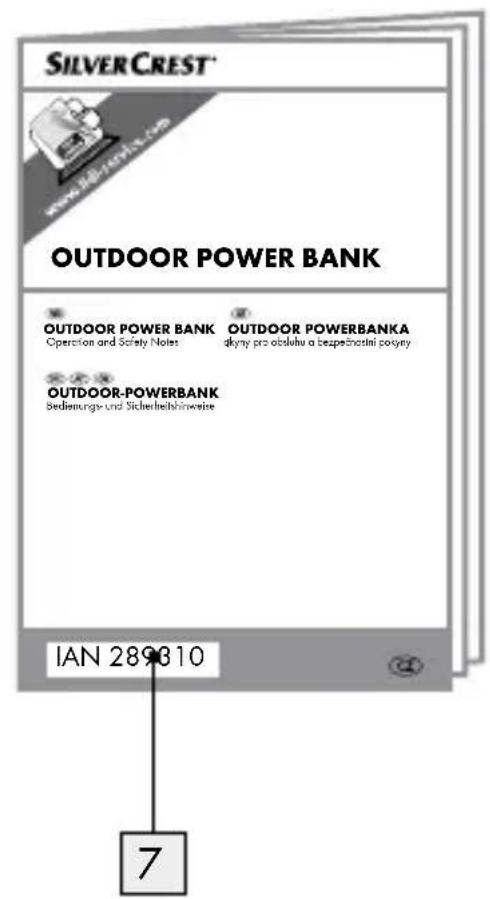
7 Instructions for use
8 LED light
9 Port cover
- Technical data
Built-in battery: 3.6 V / 5200 mAh (Lithium-ion)
Input voltage / current: 5V ---, 2A
Output voltage / current: 5V ---, 2A
Operating temperature: 5 °C–35 °C
Storage temperature: 0 °C–45 °C
Minimal discharge current: approx. 45 mA
Humidity (no condensation): 10%-70%
Dimensions: approx. 104 x 59 x 28 mm
Weight: approx. 150 g
Degree of protection: IP66 (protected against dust and
powerful water jet) with
protective cover closed.

Safety notices
Please familiarise yourself with all instructions for use and Safety notices before using the product for the first time.
When passing this product on to third parties, please be sure to include all documentation.
- Check the product for visible external damage before use. Do not use the product if damaged or dropped.
This product may be used by children age 8 years and up, as well as by persons with physical, sensory or mental impairments or lacking experience and / or knowledge, provided they are supervised or instructed in the safe use of the product and understand the associated risks. Do not allow children to play with the product. Never allow children to clean or maintain this product unsupervised.
DANGER! Packaging materials are not a toy. Keep all packaging materials out of the reach of children. Suffocation hazard!
■ The power bank may only be charged in dry environments.
■ Always use the product on flat and smooth surface. The product could be damaged if it falls.
- Do not expose the product to direct sunlight or high temperatures. It may otherwise overheat and be damaged beyond repair.
- Do not operate the product near heat sources such as radiators or other devices producing heat.
- Do not operate the product near open flames.
The product is not designed for use in rooms with high temperatures or humidity (i.e bathrooms) or those in which a great amount of dust is generated.
- Do not expose the product to extremely high temperatures. This applies in particular if you are thinking about storing the product in your car. Over a prolonged period of time, the car and the glove compartment could
become extremely hot. Remove electric and electronic devices from the car.
- Do not use the product immediately after it has brought from a cold room to a warm room. Allow the product to acclimatise before you switch it on.
DANGER! Never open the product casing. This product has no internal parts requiring maintenance.
- Do not independently convert or modify the product.
■ Repairs to the product must be performed by authorised specialised companies or customer service. Improper repairs may place the user in considerable danger. They will also void the warranty.
- Do not expose the product to dripping water or splashing water and do not place containers filled with liquids such as vases or open drinks on top of or beside the product when its port cover opened.
- Immediately switch the product off and remove the charging cable from the product if you smell burning or see smoke. Have the product examined by a qualified technician before using it again.
Please always use a USB power supply for charging. If you use a USB power supply, the socket used must always be easily accessible so that the USB power supply can be quickly removed from the socket in the case of emergency. Please also refer to the manufacturer's instruction manual.
DANGER! Improper handling of rechargeable batteries can result in fire, explosions, hazardous substances leaking, or other dangerous situations! Do not
throw the product into the fire, as this could lead to the built-in battery exploding.
- Observe the usage restrictions and prohibitions of use for battery-operated products in situations which may be hazardous such as at petrol stations, airports, hospitals, etc.
WARNING! During charging process, please be noticed that the product must not be covered.
WARNING! Do not look into the light beam.
WARNING! Do not point this LED light directly to persons and animals.
DANGER
Because of the high power consumption, do not charge the powerbank through a laptop / PC. Only charge the power bank via a USB power unit (min.2 A, not included in the scope of delivery).
DANGER
The power bank must never be charged and be used to recharge an external device at the same time.
- Operation and use
- Charging the power bank
The built-in rechargeable battery must be fully charged before using the product. Fully charged this power bank by using 5 V /2 A charging source approx. 1.5 hours.
Because of its high input current of power bank, never use a notebook or PC to charge the power bank. To charge the power bank 5 only use power supplies with an output voltage of 5 V and an output current of at least 2 A.
Connect the USB cable with the Micro USB Input 1 of the power bank 5.
Connect the other end of the USB cable (USB Type A) to a USB power supply (not included in the scope of delivery).
☐ The current battery status is displayed by LED indicator for battery charging status 4 during the charging process.
1 LED light up = battery capacity approx. 25 %
2 LED light up = battery capacity approx. 50 %
3 LED light up = battery capacity approx. 75 %
4 LED light up = battery capacity approx. 100%
☐ Blinking LEDs means power bank is under charging mode and number of LEDs light up refer to the approx. battery capacity level of power bank.
WARNING! While the power bank is charging, no external device can be connected to the power bank for charging. After the power bank is fully charged, remove the charging cable.
- Checking the battery status
You can check the battery status on the LED indicator for battery charging status 4 anytime even the power bank is in charging or discharging mode.
1 LED light up = battery capacity approx. 25 %
2 LED light up = battery capacity approx. 50 %
3 LED light up = battery capacity approx. 75 %
4 LED light up = battery capacity approx. 100 %
Lightly press the ON / OFF button 3. The LED indicator for battery charging status 4 shows the current battery status of the power bank 5 for approx. 30 seconds.
- Charging mobile devices with the power bank
Use provided USB cable or other charging cable purchased from reliable supplier and connect USB Type A port to USB output 2 of power bank 5.
And then connect USB cable micro-USB port to device to be charged. The charging process will start automatically.
In case if the charging process does not begin immediately, press the ON / OFF button 3 lightly to begin the charging process. The LEDs 4 indicate the current charge status of the Powerbank 5.
To end the charging process, separate the USB charging cable from the mobile device and the power bank 5. The charging function can also be terminated through pressing the key longer than 10 seconds. The LED indicator for battery charging status 4 will switch off after approx. 30 seconds.
Using the LED torch
☐ To turn on the light, press and hold ON/OFF button 3 for approx. 2 seconds.
Press and hold ON/OFF button again for approx. 2 seconds to turn the light off.
- Troubleshooting
● = Problem
● = Cause
O = Solution
● The power bank 5 is not being charged.
It may be that the power bank is not connected properly.
○ Check that it is connected.
●A connected device is not being charged.
The battery is drained.
○ Charge the battery.
The device is not connected.
Check that it is connected. Lightly press the ON / OFF button 3 to begin the charging process.
The minimal charging current consumption of the connected device might be too low.
- Check with your connected device manual and see if your connected device current consumption comply with this product.
●The power bank 5 does not react when the button is pressed or when a device is connected, even though the battery is charged.
The power consumption of the connected devices is too high. Therefore, the internal overcurrent protection device was activated.
- Reduce the number of devices connected and press the ON/OFF button 3.
- Cleaning and care
This product has no internal parts requiring maintenance. Moisture entering the product may result in damage.
■ Ensure no moisture enters the product during cleaning to prevent damaging the product beyond repair.
Do not use abrasive, solvent-based or aggressive cleaners. These can damage the surface of the product.
Only clean the product with a slightly damp cloth and mild washing-up liquid.
- Storage during non-use
Store the product in a dry, dust-free location, protected from direct sunlight.
If the product is not used for a long time, the built-in battery should be fully charged to prolong its operating life. Regularly charge the built-in battery if you do not use the product for a long period of time. This is necessary to preserve the battery.
- Disposal

The packaging is made of environmentally friendly materials, which may be disposed of through your local recycling facilities.
Contact your municipality for information on how to dispose of your worn-out product.
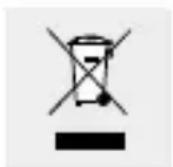
The adjacent symbol of a crossed out dustbin on wheels indicates this device is subject to Directive 2012/19/EU. This directive states at the end of
the life this device must not be disposed of through regular household refuse but must be returned to special collection sites, recycling depots or waste management companies.
This disposal is free of charge to you.
Protect the environment and dispose properly.
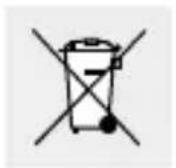
The built-in rechargeable battery cannot be removed for disposal. Return the product completely to a collection site for used electronics.
● Simplified EU declaration of conformity
Hereby, OWIM GmbH & Co. KG, Stiftsbergstraße 1, DE-74167 Neckarsulm, GERMANY, declares that the product: Power Bank Outdoor, Model No.: HG02987, is in compliance with Directives 2014/30/EU and 2011/65/EU.
The full text of the EU declaration of conformity is available at the following internet address: www.owim.com
- Warranty
The product has been manufactured to strict quality guidelines and meticulously examined before delivery. In the event of product defects you have legal rights against the retailer of this product. Your legal rights are not limited in any way by our warranty detailed below.
The warranty for this product is 3 years from the date of purchase. Should this product show any fault in materials or manufacture within 3 years from the date of purchase, we will repair or replace it – at our choice – free of charge to you.
The warranty period begins on the date of purchase. Please keep the original sales receipt in a safe location. This document is required as your proof of purchase. This warranty becomes void if the product has been damaged, or used or maintained improperly.
The warranty applies to defects in material or manufacture. This warranty does not cover product parts subject to normal wear, thus possibly considered consumables (e.g. batteries) or for damage to fragile parts, e.g. switches, rechargeable batteries or glass parts.
CE IP66


- OUTDOOR POWER BANK
- POWERBANKOUTDOOR
- LIST OF PICTOGRAMS USED AND WARNINGS......PAGE 6
- INTRODUCTION......PAGE 6
- SAFETY NOTICES ......PAGE 10
- OPERATION AND USE......PAGE 13
- TROUBLESHOOTING PAGE 16
- CLEANING AND CARE......PAGE 17
- STORAGE DURING NON-USE......PAGE 18
- DISPOSAL PAGE 18
- SIMPLIFIED EU DECLARATION OF CONFORMITY......PAGE 19
- WARRANTY PAGE 19
- INTRODUCTION
- INTENDEDUSE
- WARNINGS AND SYMBOLS USED
- DANGER
- WARNING
- ATTENTION
- NOTE
- CAUTION! EXPLOSION HAZARD
- TRADEMARK NOTICE
- SCOPE OF DELIVERY
- BEFOREUSE
- PARTS DESCRIPTION
- TECHNICAL DATA
- SAFETY NOTICES
- OPERATION AND USE
- CHARGING THE POWER BANK
- CHECKING THE BATTERY STATUS
- CHARGING MOBILE DEVICES WITH THE POWER BANK
- USING THE LED TORCH
- TROUBLESHOOTING
- STORAGE DURING NON-USE
- DISPOSAL
- THIS DISPOSAL IS FREE OF CHARGE TO YOU
- ● SIMPLIFIED EU DECLARATION OF CONFORMITY
- WARRANTY
- CE IP66
Brand : SILVERCREST
Model : IAN 289310
Category : Battery charger