SLAL 2 A1 - Battery charger SILVERCREST - Free user manual and instructions
Find the device manual for free SLAL 2 A1 SILVERCREST in PDF.


| Product Type | Car charger |
| Brand | SilverCrest |
| Model | SLAL 2 A1 |
| Input Voltage | 12–24 V DC / 3.5 A |
| USB Port 1 (Quick Charge 3.0) Output | 3.6–6.5 V ⎓ 3 A / 6.5–9 V ⎓ 2 A / 9–12 V ⎓ 1.5 A |
| USB Port 2 Output | 5 V ⎓ 2.4 A |
| Total Maximum Output Current | 5.4 A |
| Operating Temperature | 0 – 25 °C |
| Quick Charge Technology | Qualcomm Quick Charge 3.0 |
| LED Indicator | White light (power on); off (overload or fault) |
| Protection Features | Overload protection |
| Intended Use | Charging electronic devices in car sockets (12–24 V) |
| Scope of Delivery | 1 car charger, 1 instruction manual |
| Cleaning | Dry, soft, lint-free cloth |
| Disposal | Recycle packaging and product according to local regulations |
| Warranty | 3 years from date of purchase |
| Certifications | CE, E-mark |
| Not for | Commercial use |
Frequently Asked Questions - SLAL 2 A1 SILVERCREST
User questions about SLAL 2 A1 SILVERCREST
0 question about this device. Answer the ones you know or ask your own.
Ask a new question about this device
Download the instructions for your Battery charger in PDF format for free! Find your manual SLAL 2 A1 - SILVERCREST and take your electronic device back in hand. On this page are published all the documents necessary for the use of your device. SLAL 2 A1 by SILVERCREST.
USER MANUAL SLAL 2 A1 SILVERCREST
Operation and Safety Notes

AUTON LATAUSSOVITIN
Operation and Safety Notes Page 4
FI
Intended use...... Page 7
Description of parts......Page 8
TechnicalData......Page 8
Scope of delivery...... Page 8
Safetynotes...... Page 9
Start-up......Page 10
Cleaning and care ...... Page 12
| List of pictograms used | |
 | Direct current |
 | Observe caution and safety notes! |
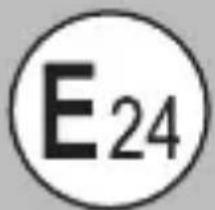 | E-mark is the European mark of conformity for the automotive industry and indicates that the necessary tests have been carried out and an ECE component type-approval has been granted. |
 Smart Fast Charge Smart Fast Charge | Maximum current available is used to optimise charging time. |

Qualcomm quick charge 3.0
The equipment complies Quick Charge 3.0 specifications and agreements issued by Qualcomm Technologies, Inc.
CAR CHARGER
Introduction
We congratulate you on the purchase of your new product. You have chosen a high quality product. The instructions for use are part of the product. They contain important information concerning safety, use and disposal. Before using the product, please familiarise yourself with all of the safety information and instructions for use. Only use the unit
as described and for the specified applications. If you pass the product on to anyone else, please ensure that you also pass on all the documentation with it.
Intended use
This CAR CHARGER (hereinafter called "product") may be used to supply electronic devices with power. The product has 2 USB ports with a total maximum output current of 5.4 A. When multiple USB ports are used at the same time, the maximum output current is 3 A for USB port (Quick Charge 3.0) 1 and 2.4 A for USB port 2.
The product can be used in a normal car socket that provides the rating given under "Technical Data". The product is not intended for commercial use. The manufacturer is not liable for any damages caused by any use other than for the intended purpose.
Description of parts
1 USB port (Quick Charge 3.0)
2 USB port
3 Control lamp
TechnicalData
Input:
$$ 1 2 - 2 4 \mathrm{V} = / 3. 5 \mathrm{A} $$
Output USB port
(Quick Charge 3.0) 1 :
$$ 3. 6 - 6. 5 \mathrm{V} = - 3 \mathrm{A} $$
$$ 6. 5 - 9 \mathrm{V} = - 2 \mathrm{A} $$
$$ 9 - 1 2 \mathrm{V} = - 1. 5 \mathrm{A} $$
Output USB port 2 :
$$ 5 \mathrm{V} = - -, 2. 4 \mathrm{A} $$
Total max. output current:
$$ 5. 4 \mathrm{A} $$
Operating temperature:
$$ 0 - 2 5 ^ {\circ} \mathrm{C} $$
Scope of delivery
1 Car charger
1 Set of operating instructions

Safety notes
PLEASE READ THE INSTRUCTIONS PRIOR TO USE!
PLEASE KEEP THE INSTRUCTIONS IN A SAFE PLACE!
- Check the product for damage before use. Never use a damaged product.
This product can be used by children aged from 8 years and above and persons with reduced physical, sensory or mental capabilities or lack of experience and knowledge if they have been given supervision or instruction concerning use of the product in a safe way and understand the hazards involved. Children shall not play with the product. Cleaning and user maintenance shall not be made by children without supervision. - Do not expose the product to direct sunlight or moisture.
■ Only plug the product into car sockets that are easily accessible, so that you can unplug it easily in case of an emergency.
Start-up

ATTENTION! RISK OF OVERHEATING! Only connect the product to your external devices which do not require more than 5400 mA (= 5.4 A).

ATTENTION! If you use the product under max. loading condition, the product may get hot. This is normal because in this condition, the product uses more power and therefore generates more heat.
☐ Plug the product into a correctly installed car socket. The control lamp 3 lights up white to show that the product is receiving current.
☐ Connect your external devices that should be charged with the product by plugging its USB plug into the USB port (Quick Charge 3.0) 1 or USB port 2. If the device to be charged is equipped with the Qualcomm Quick Charge 3.0 technology, use USB port (Quick Charge 3.0) 1.
CAUTION!
If the control lamp 3 lights off while connecting with your external devices. This indicate that the product is in overload or fault condition. Please unplug your external devices from the product immediately.
IMPORTANT! You can leave the motor on or off when using the product. Be aware that the battery of car might become low because the product still consumes power when the motor is off. Disconnect the product completely from the power supply if you are not intended to charge your external devices.
Attention: Do not switch the ignition on or off during the charging process, as this can lead to differences or peaks in the power supply.
☐ Disconnect your charged external device from the product after charging, by unplugging the USB plug from the USB port (Quick Charge 3.0) 1 or USB port 2.
□ Unplug the product from the car socket.
● Cleaning and care
□ Always unplug the product from the car socket before cleaning!
☐ Use a dry, soft and lint-free cloth for cleaning and care.
●Disposal
The packaging is made entirely of recyclable materials, which you may dispose of at local recycling facilities.
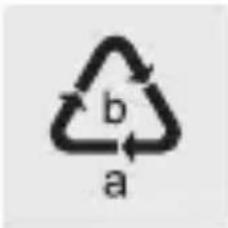
Observe the marking of the packaging materials for waste separation, which are marked with abbreviations (a) and numbers (b) with following meaning: 1–7: plastics / 20–22: paper and fibreboard / 80–98: composite materials.

natural_image
Symbolic icon of a person recycling a circular arrow, no text or numbers presentThe product and packaging materials are recyclable, dispose of it separately for better waste treatment.
The Triman logo is valid in France only.

natural_image
Silhouette of a person sorting trash into a bin (no text or symbols)Contact your local refuse disposal authority for more details of how to dispose of your worn-out product.
protect the environment, please dispose of the product properly when it has reached the end of its
useful life and not in the household waste. Information on collection points and their opening hours can be obtained from your local authority.
Warranty
The product has been manufactured to strict quality guidelines and meticulously examined before delivery. In the event of product defects you have legal rights against the retailer of this product. Your legal rights are not limited in any way by our warranty detailed below.
The warranty for this product is 3 years from the date of purchase. Should this product show any fault in materials or manufacture within 3 years from the date of purchase, we will repair or replace it - at our choice - free of charge to you.
The warranty period begins on the date of purchase. Please keep the original sales receipt in a safe location. This document is required as your proof of purchase. This warranty becomes void if the product has been damaged, or used or maintained improperly.
The warranty applies to defects in material or manufacture. This warranty does not cover product parts subject to normal wear, thus possibly considered consumables (e.g. batteries) or for damage to fragile parts, e.g. switches, rechargeable batteries or glass parts.
CE
Qualcomm quick charge 3.0
natural_image
Symbolic icon of a person walking with arrows indicating recycling or waste (no text or symbols)natural_image
Silhouette of a person disposing of trash into a bin (no text or symbols)natural_image
Simple line drawing of a trash bin with crossed lines indicating no waste or discharge (no text or symbols)Qualcomm quick charge 3.0
natural_image
Symbolic icon of a person recycling a circular arrow, no text or numbers presentnatural_image
Silhouette of a person disposing of trash into a bin (no text or symbols)natural_image
Simple line drawing of a trash bin with crossed lines indicating no waste or discharge (no text or symbols)natural_image
Symbolic icon of a lightning bolt inside a circle with the number 3 (no text or symbols present)
Qualcomm quick charge 3.0
natural_image
Abstract circular icon with a person and arrows, no text or symbols presentnatural_image
Silhouette of a person sorting trash into a bin (no text or symbols)natural_image
Simple line drawing of a trash bin with crossed lines and a horizontal bar below (no text or symbols)Qualcomm quick charge 3.0