ManualGo.com
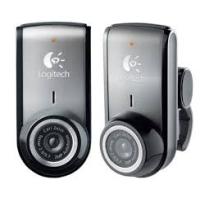
QUICKCAM PRO 4000 - Webcam LOGITECH - Free user manual and instructions
Find the device manual for free QUICKCAM PRO 4000 LOGITECH in PDF.



Download the instructions for your Webcam in PDF format for free! Find your manual QUICKCAM PRO 4000 - LOGITECH and take your electronic device back in hand. On this page are published all the documents necessary for the use of your device. QUICKCAM PRO 4000 by LOGITECH.
USER MANUAL QUICKCAM PRO 4000 LOGITECH
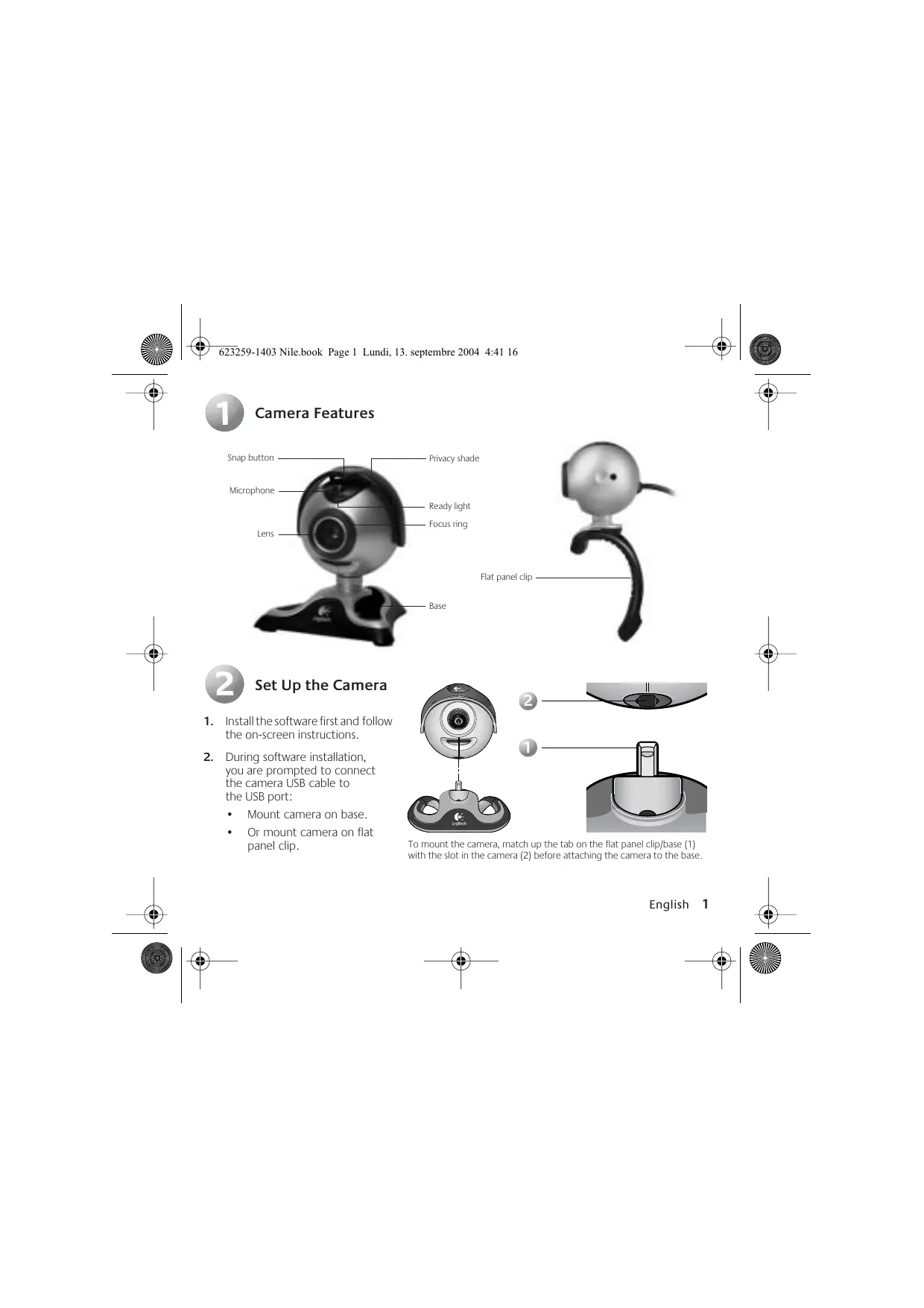
1. Install the software first and follow
the on-screen instructions.
2. During software installation,
you are prompted to connect the camera USB cable to the USB port:
- Mount camera on base.
- Or mount camera on flat panel clip.
To mount the camera, match up the tab on the flat panel clip/base (1) with the slot in the camera (2) before attaching the camera to the base. English
Wait until you receive the software prompt before inserting the cable into the computer’s USB port.
Complete software and hardware installation.
2. Choose your favorite video instant messaging application, or choose one of the other available
1. Place the camera in the middle of your monitor for
optimal eye contact, and lift the privacy shade up.
2. The camera can be placed on a tabletop or held
in your hand to snap a picture or video.
3. Rotate the focus ring to get a sharp image.
4. View live video to guide your focus adjustments.
5. Pivot the camera up or down, left or right for
Tips Lighting. Shoot videos with bright light sources behind the camera and out of the picture area. Pan/Tilt/Zoom. Select “Camera Controls” from the QuickCam Windows® system tray icon or within the camera software to activate this feature. Use your mouse and keyboard to pan left and right or to tilt up and down. Face Tracking. Activate face-tracking from within “Camera Controls” so that the camera can follow your movements.
Learning More About the Camera Access the software help system to learn more about the camera and its software. From the QuickCam software, click the Help button. For additional information about Logitech QuickCam web cameras, as well as other Logitech® products, please visit www.logitech.com. English
Warranty Limited Warranty. Logitech warrants that any hardware product accompanying this documentation shall be free from significant defects in material and workmanship for a period of two (2) years from the date of purchase. Logitech's limited warranty is nontransferable and is limited to the original purchaser. This warranty gives you specific legal rights, and you may also have other rights which vary under local laws. Remedies. Logitech’s entire liability and your exclusive remedy for any breach of warranty shall be, at Logitech’s option, to: (a) repair or replace the hardware, or (b) refund the price paid, provided that the hardware is returned to the point of purchase or such other place as Logitech may direct, with a copy of the sales receipt. Any replacement hardware will be warranted for the remainder of the original warranty period or thirty (30) days, whichever is longer. These remedies are void if failure of the hardware has resulted from accident, abuse, misapplication, or any unauthorized repair, modification or disassembly. Further, for cordless devices, these remedies are void if you use battery types other than those recommended by Logitech. Upon request from Logitech, you must prove the date of the original purchase of the hardware by a dated bill of sale or dated itemized receipt. DISCLAIMER OF WARRANTY. THE WARRANTIES EXPRESSLY SET FORTH IN THIS AGREEMENT REPLACE ALL OTHER WARRANTIES. LOGITECH AND ITS SUPPLIERS EXPRESSLY DISCLAIM ALL OTHER WARRANTIES, INCLUDING, BUT NOT LIMITED TO, THE IMPLIED WARRANTIES OF MERCHANTABILITY AND FITNESS FOR A PARTICULAR PURPOSE AND NONINFRINGEMENT OF THIRD-PARTY RIGHTS WITH RESPECT TO THE HARDWARE, SOFTWARE, DOCUMENTATION AND ANY OTHER MATERIALS PROVIDED BY LOGITECH AND/OR ITS SUPPLIERS, AND ANY WARRANTIES OF NON-INTERFERENCE OR ACCURACY OF INFORMATIONAL CONTENT. NO LOGITECH DEALER, AGENT, OR EMPLOYEE IS AUTHORIZED TO MAKE ANY MODIFICATION, EXTENSION, OR ADDITION TO THIS WARRANTY. Some jurisdictions do not allow limitations on how long an implied warranty lasts, so the above limitation may not apply to you. LIMITATION OF LIABILITY. IN NO EVENT WILL LOGITECH OR ITS SUPPLIERS BE LIABLE FOR ANY COSTS OF PROCUREMENT OF SUBSTITUTE PRODUCTS OR SERVICES, LOST PROFITS, LOSS OF INFORMATION OR DATA, OR ANY OTHER SPECIAL, INDIRECT, CONSEQUENTIAL, OR INCIDENTAL DAMAGES ARISING IN ANY WAY OUT OF THE SALE OF, USE OF, OR INABILITY TO USE ANY LOGITECH PRODUCT OR SERVICE, EVEN IF LOGITECH HAS BEEN ADVISED OF THE POSSIBILITY OF SUCH DAMAGES. IN NO CASE SHALL LOGITECH'S AND ITS SUPPLIERS' TOTAL LIABILITY EXCEED THE ACTUAL MONEY PAID FOR THE LOGITECH PRODUCT OR SERVICE GIVING RISE TO THE LIABILITY. Some jurisdictions do not allow the exclusion or limitation of incidental or consequential damages, so the above limitation or exclusion may not apply to you. The above limitations will not apply in case of personal injury where and to the extent that applicable law requires such liability. How to Obtain Warranty Support. Before submitting a warranty claim, we recommend you visit the support section at www.logitech.com for technical assistance. Valid warranty claims are generally processed through the point of purchase during the first two years of the warranty period; however, this period may vary in different countries, such as in the U.K., where valid warranty claims are processed through the point of purchase during the first year only. Valid warranty claims that are not processed through the point of purchase, and any other warranty related questions, should be addressed directly to Logitech. The addresses and customer service telephone numbers for Logitech can be found in the documentation accompanying your product and on the web at www.logitech.com. Logitech camera products are intended to be used in a lawful manner. Certain uses of digital PC camera products may be prohibited by local laws in some countries or states, such as the surreptitious recording of audio and/or video communications for certain purposes. If you have any question about whether a proposed use of your product is lawful, you should consult a local legal authority before proceeding. 4 English 623259-1403 Nile.book Page 5 Lundi, 13. septembre 2004 4:41 16