
C920e - Webcam LOGITECH - Free user manual and instructions
Find the device manual for free C920e LOGITECH in PDF.
 FR
FR
 BG
BG
 CS
CS
 DA
DA
 DE
DE
 EL
EL
 EN
EN
 ES
ES
 ET
ET
 FI
FI
 HE
HE
 HU
HU
 ID
ID
 IT
IT
 KO
KO
 LT
LT
 LV
LV
 NL
NL
 PL
PL
 PT
PT
 RO
RO
 RU
RU
 SK
SK
 SL
SL
 SV
SV
 TR
TR
 UK
UK
 ZH
ZH
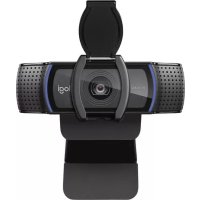
| Product Type | Webcam |
| Brand | Logitech |
| Model | C920e |
| Video Resolution | Full HD 1080p (1920 x 1080) |
| Focus | Automatic |
| Microphone | Built-in dual microphones |
| Indicator Light | Activity light (turns on when in use) |
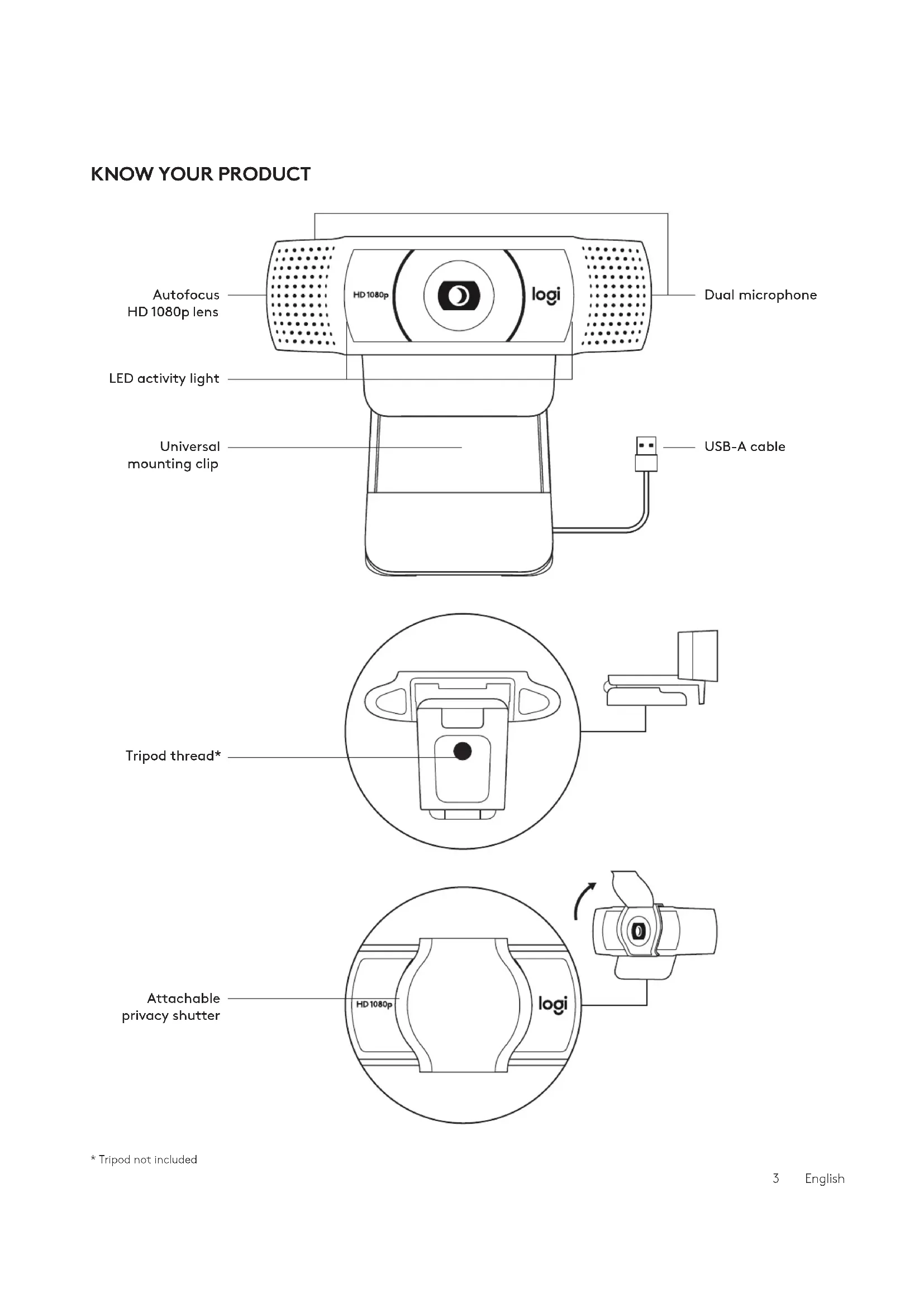
| Mounting | Universal clip for monitor; 1/4-inch thread for tripod (tripod not included) |
| Privacy Shutter | Removable, manually adjustable |
| Connection | USB-A (fixed cable 1.5m) |
| Dimensions (H x W x D) | 43.3 mm x 94 mm x 71 mm |
| Weight | 162 g |
| Power | Via USB port |
| Care Instructions | Wipe with a soft, dry cloth; do not use abrasive cleaners |
| Security | Use the privacy shutter to block the lens |
| Included Accessories | Webcam with integrated USB-A cable, privacy shutter, documentation |
| Compatibility | Windows, macOS, Chrome OS, Linux (USB-A port required) |
| Field of View | 78° (diagonal) |
| Warranty | 2 years (depending on region) |
Frequently Asked Questions - C920e LOGITECH
User questions about C920e LOGITECH
0 question about this device. Answer the ones you know or ask your own.
Ask a new question about this device
Download the instructions for your Webcam in PDF format for free! Find your manual C920e - LOGITECH and take your electronic device back in hand. On this page are published all the documents necessary for the use of your device. C920e by LOGITECH.
USER MANUAL C920e LOGITECH
* Tripod not included
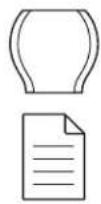
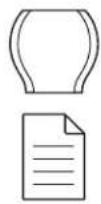
WHAT'S IN THE BOX
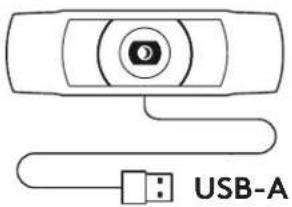
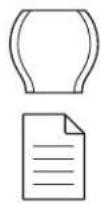
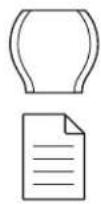
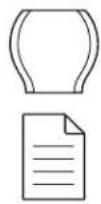
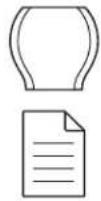
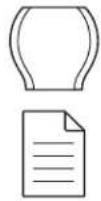
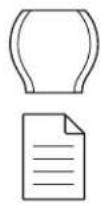
1 Webcam with 5 ft (1.5 m) attached USB-A cable 2 Privacy shutter 3 User documentation
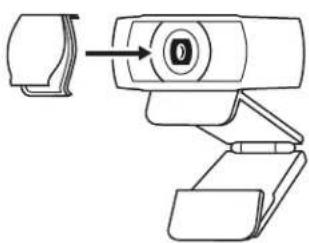
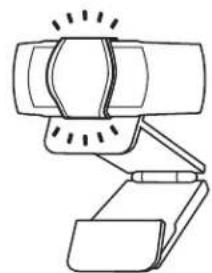
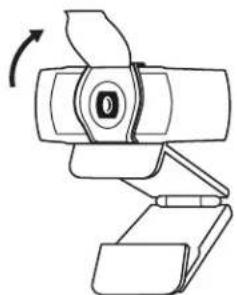
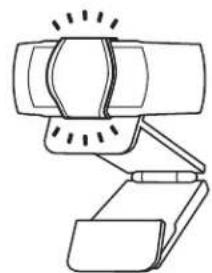
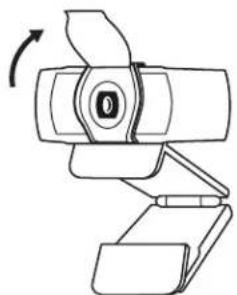
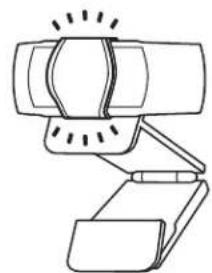
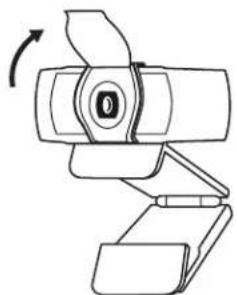
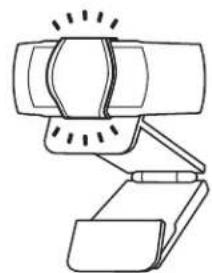
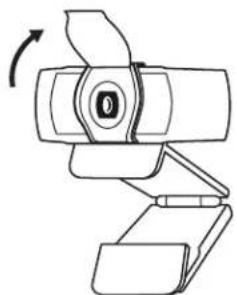
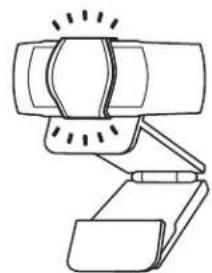
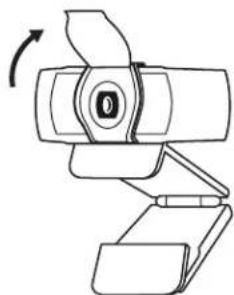
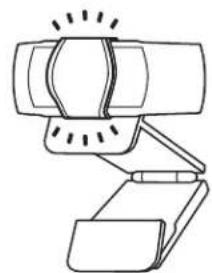
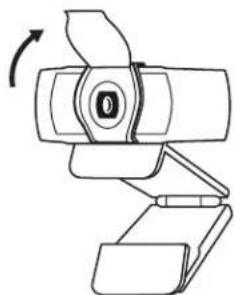
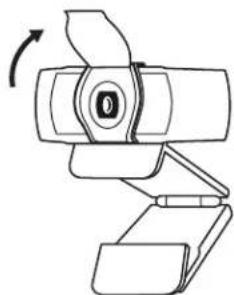
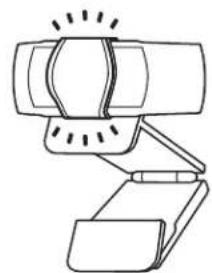
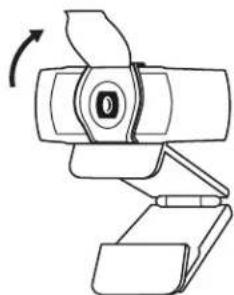
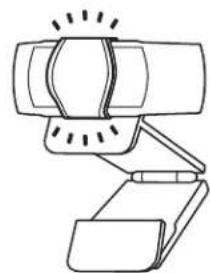
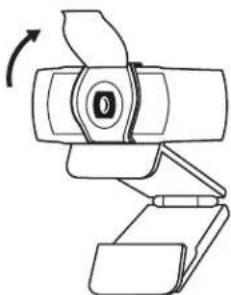
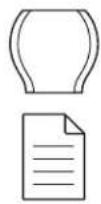
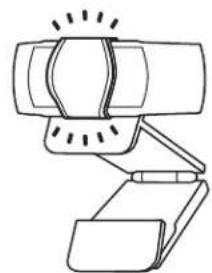
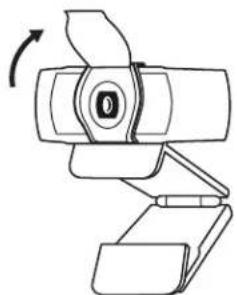
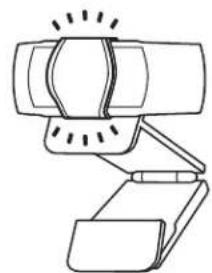
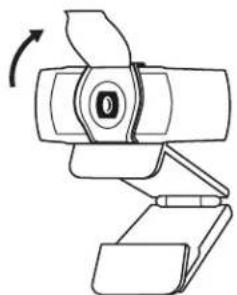
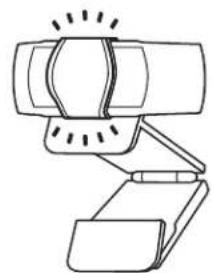
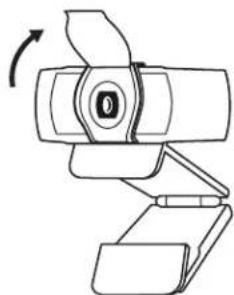
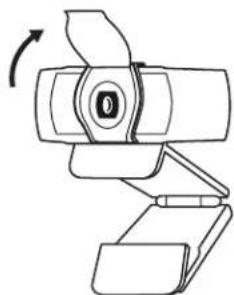
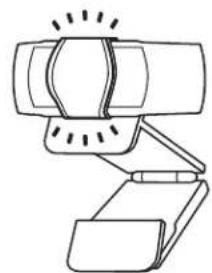
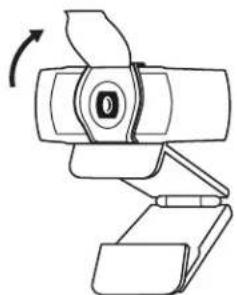
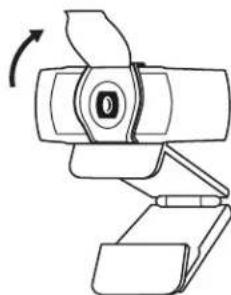
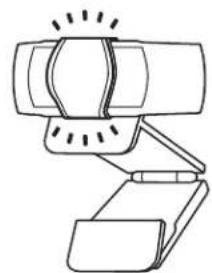
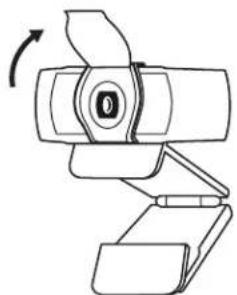
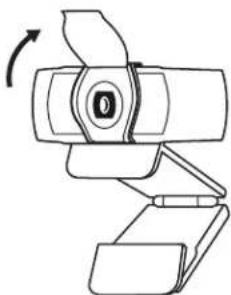
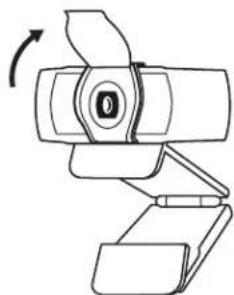
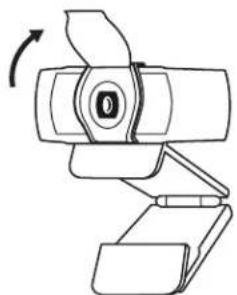
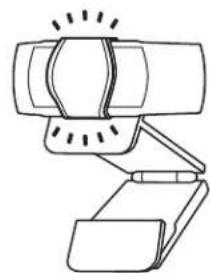
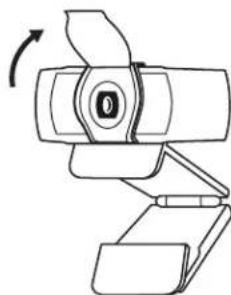
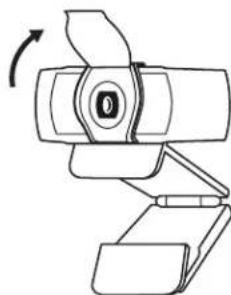
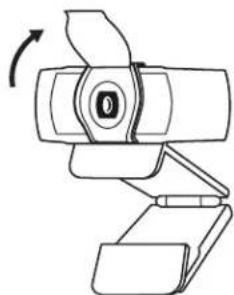
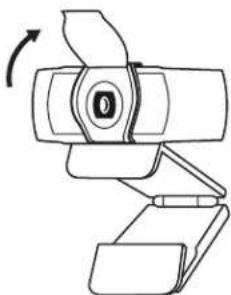
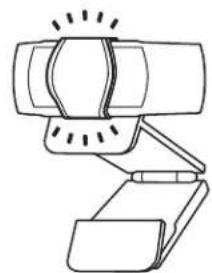
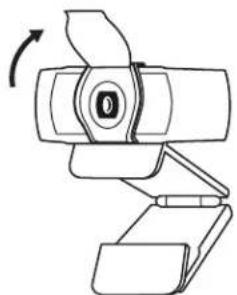
ATTACH THE PRIVACY SHUTTER
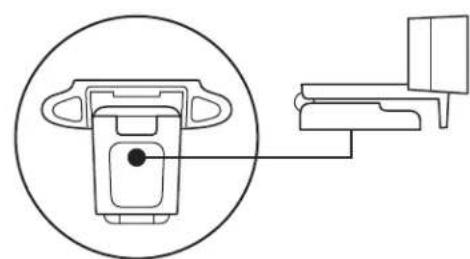
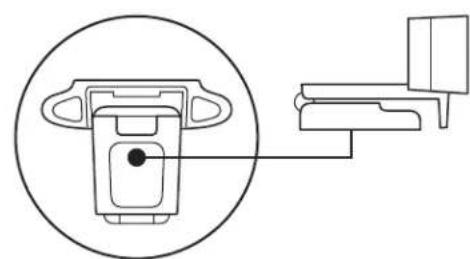
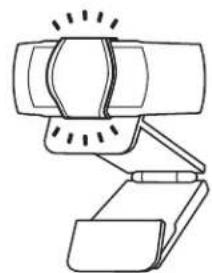
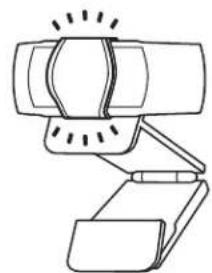
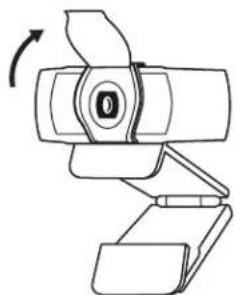
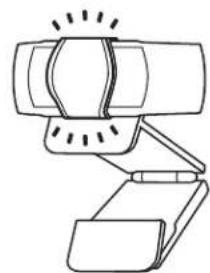
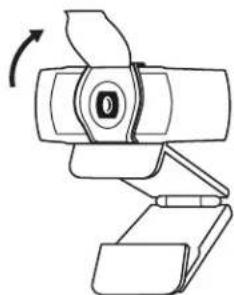
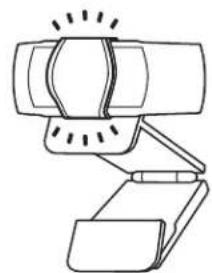
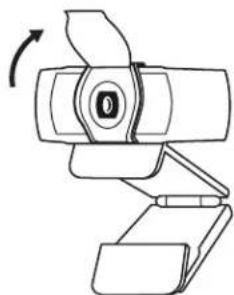
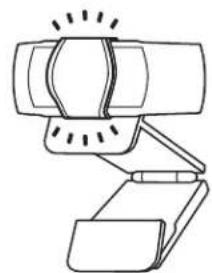
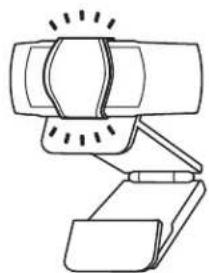
1 Attach external privacy shutter by locating the lens on the webcam. 2 Snap it onto the front of the webcam, directly over the center. 3 Manually adjust the privacy shutter to open or close as desired.
SETTING UP THE WEBCAM
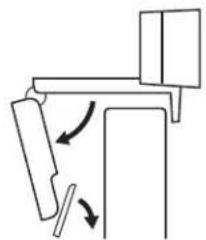
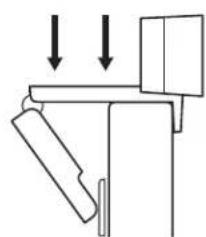
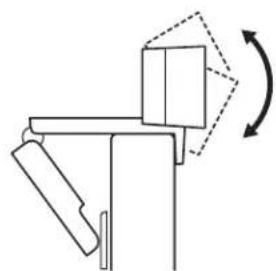
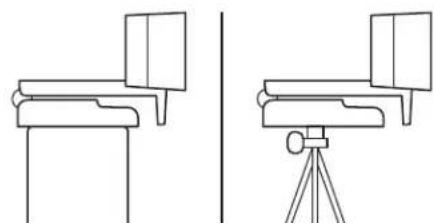
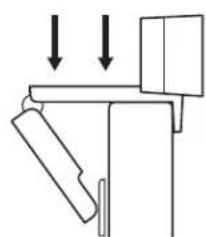
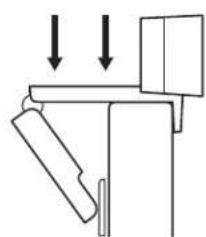
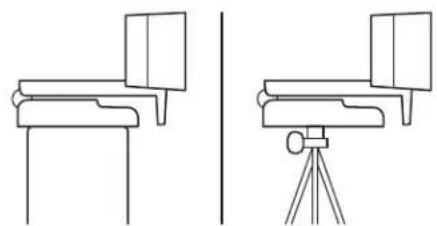
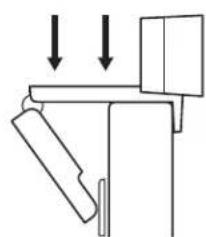
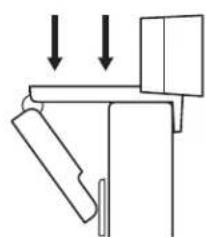
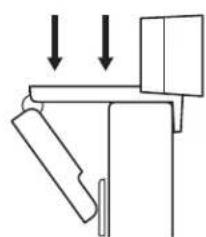
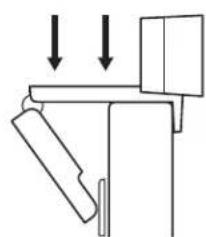
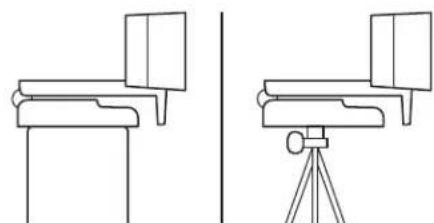
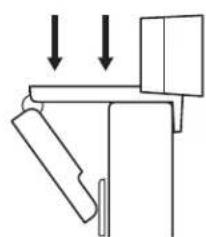
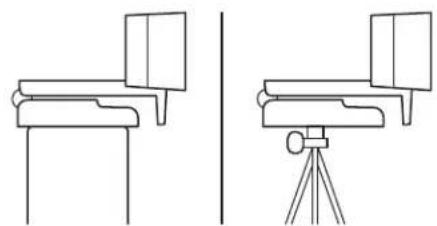
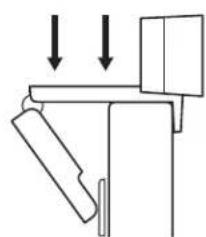
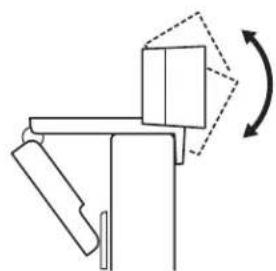
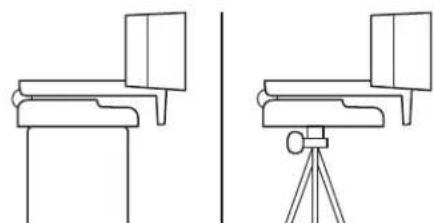
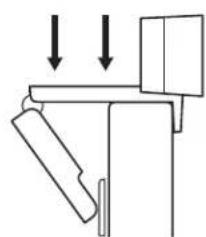
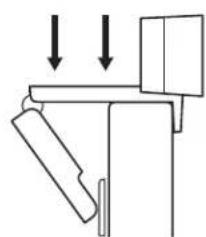
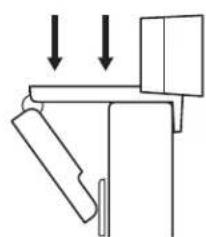
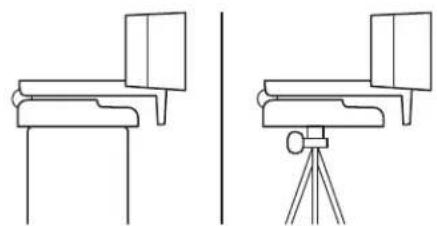
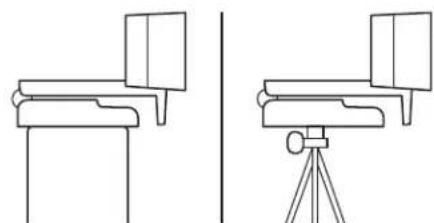
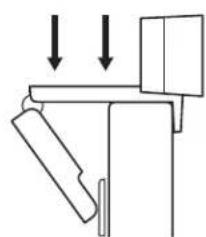
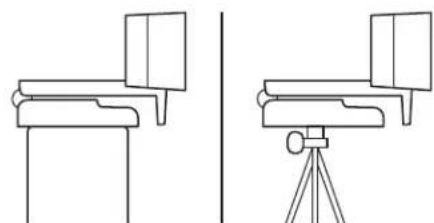
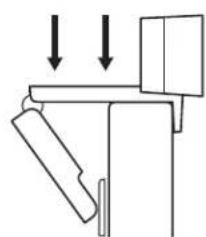
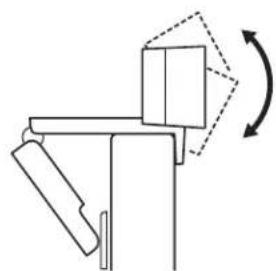
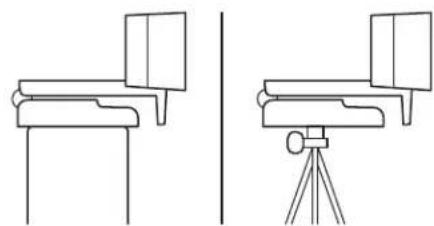
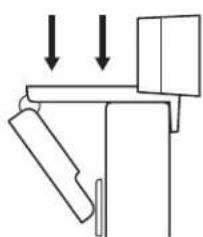
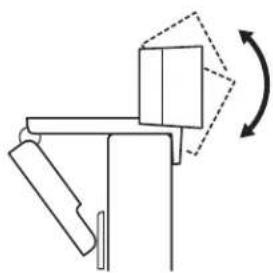
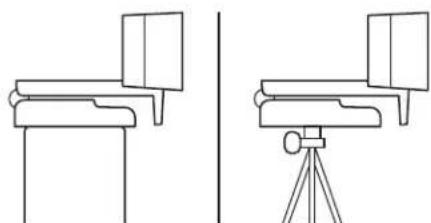
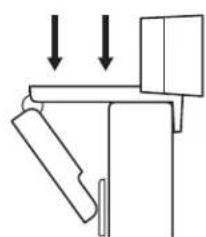
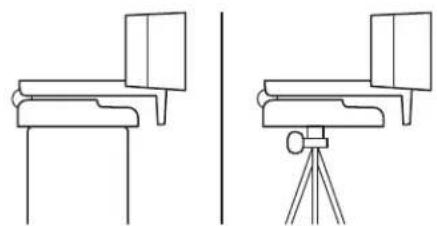
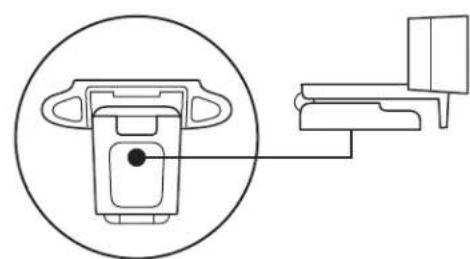
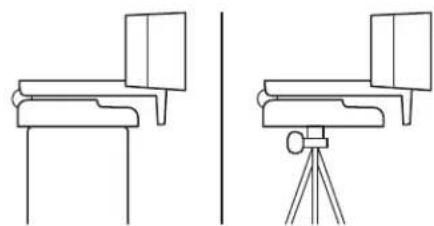
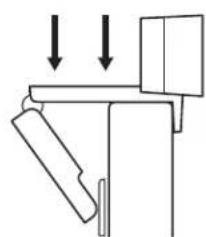
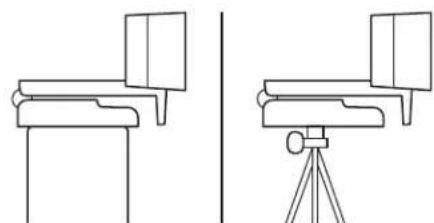
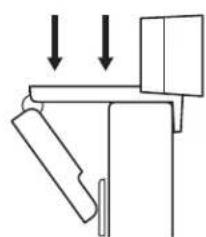
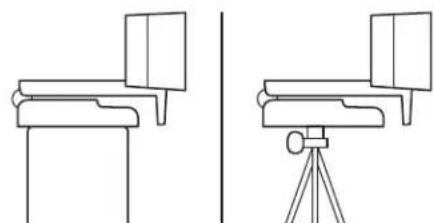
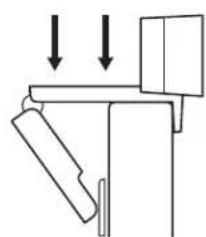
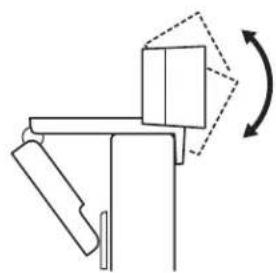
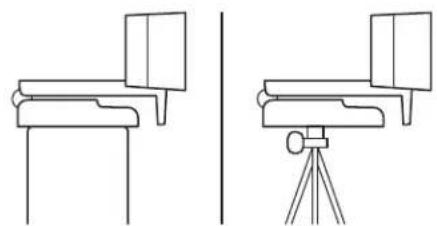
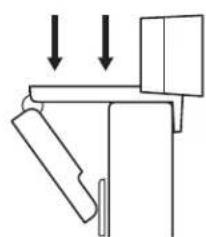
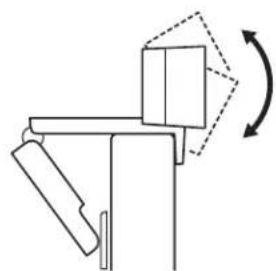
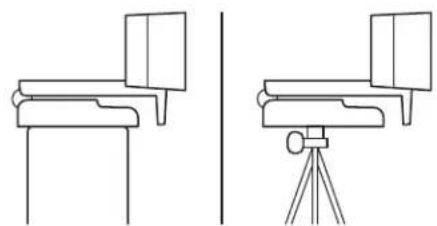
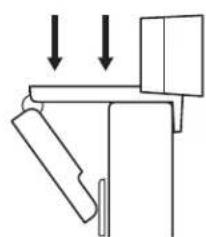
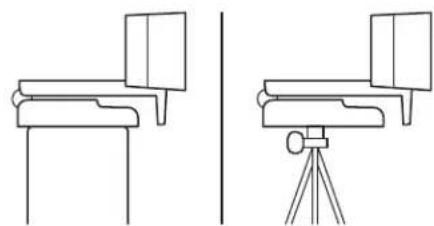
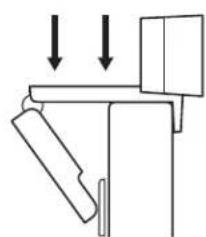
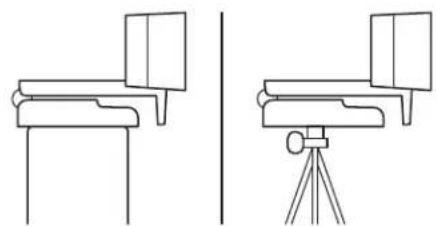
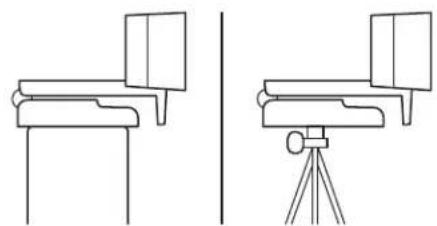
For placement on a monitor
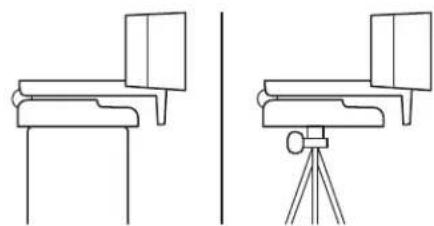
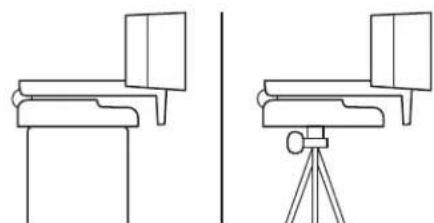
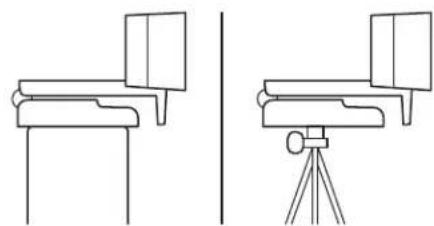
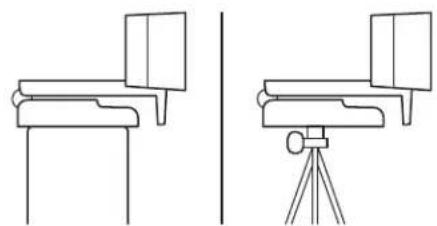
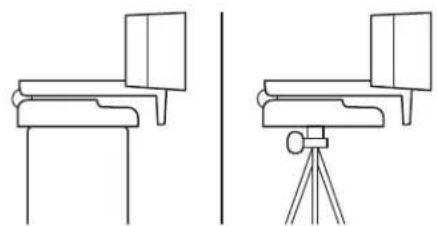
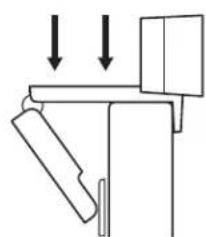
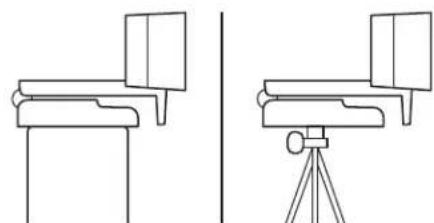
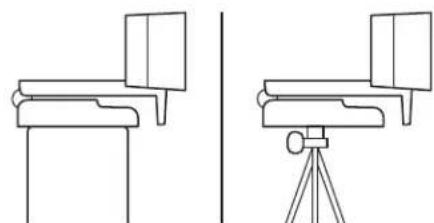
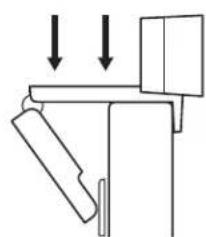
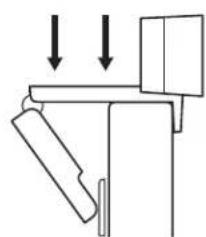
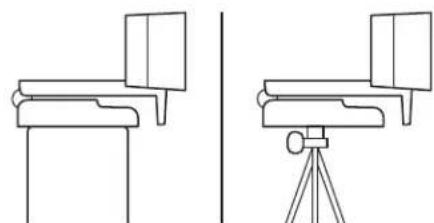
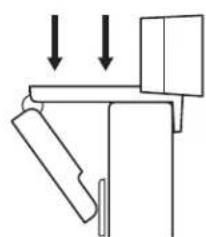
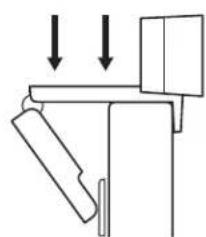
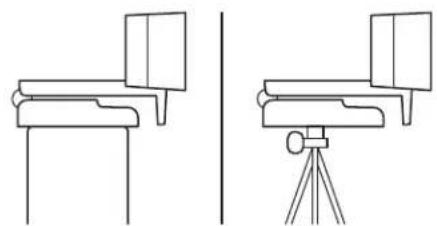
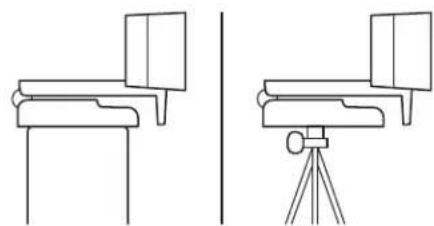
1 Place your webcam on a computer, laptop or monitor at a position or angle you desire.
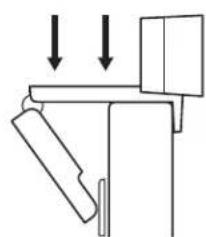
2 Adjust the webcam to make sure the foot on the universal mounting clip is flush with the back of your device.
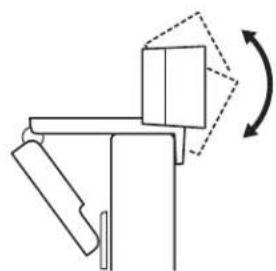
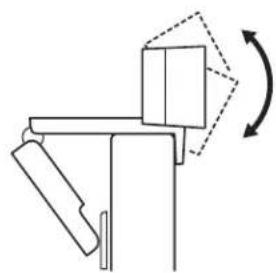
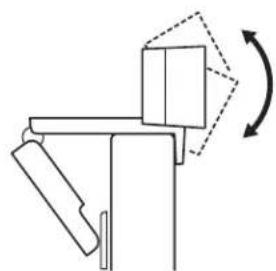
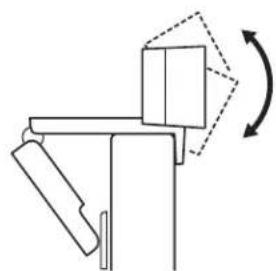
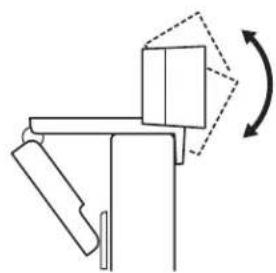
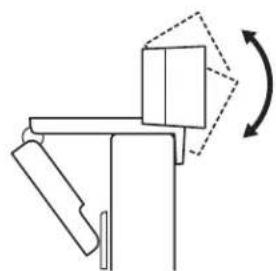
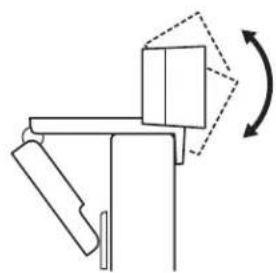
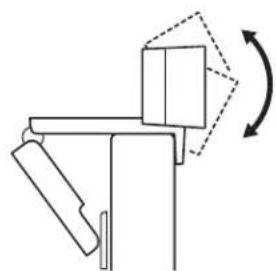
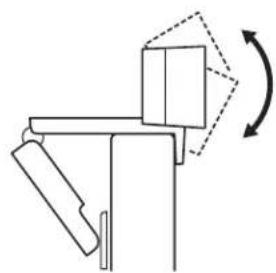
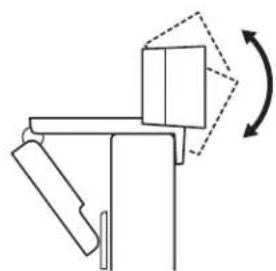
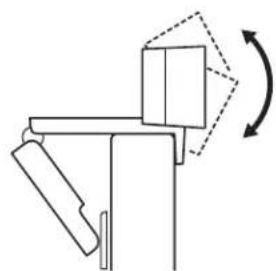
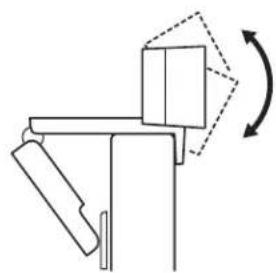
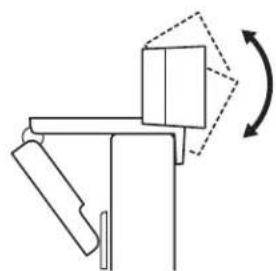
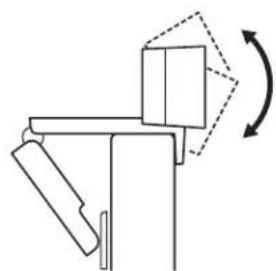
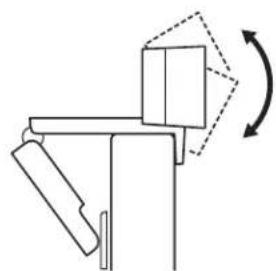
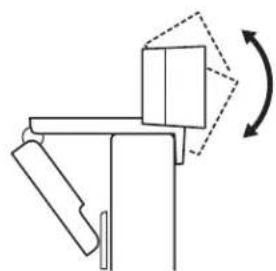
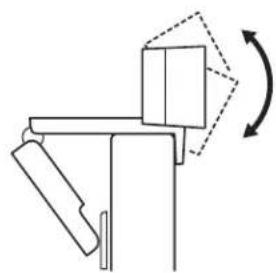
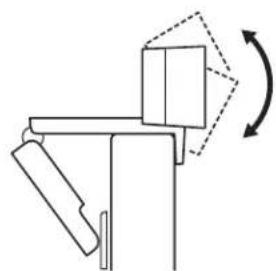
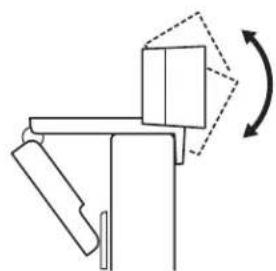
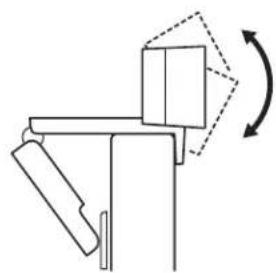
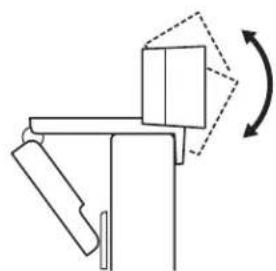
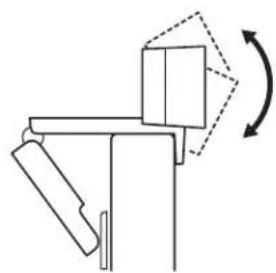
3 Manually adjust the webcam up/down to the best position to frame yourself.
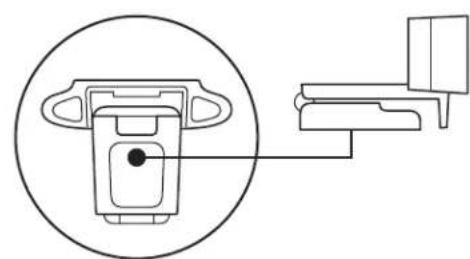
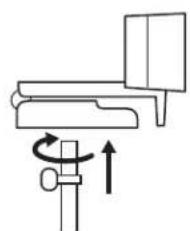
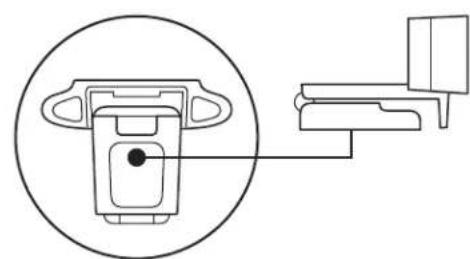
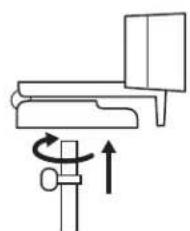
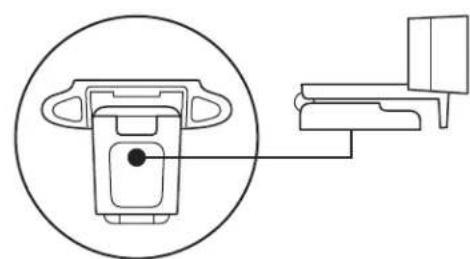
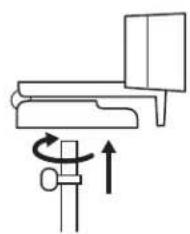
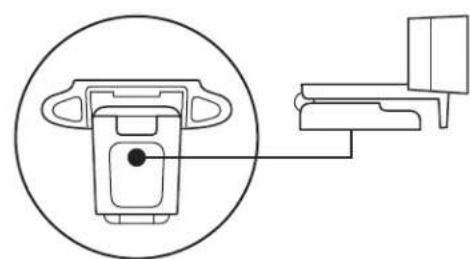
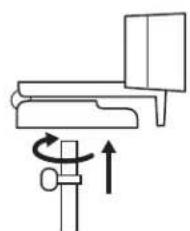
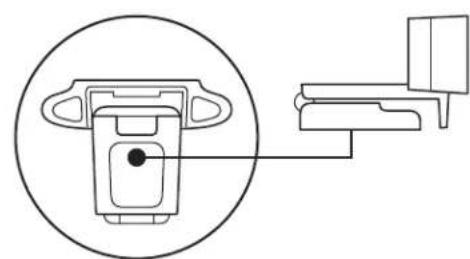
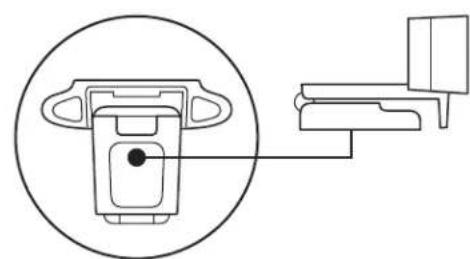
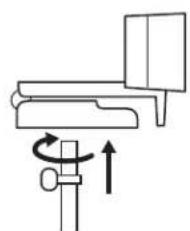
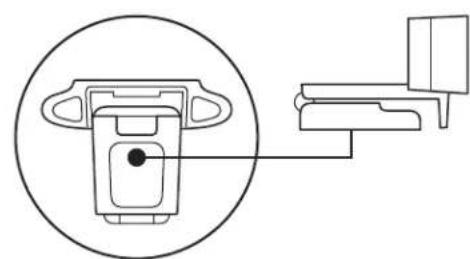
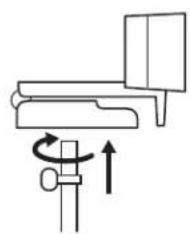
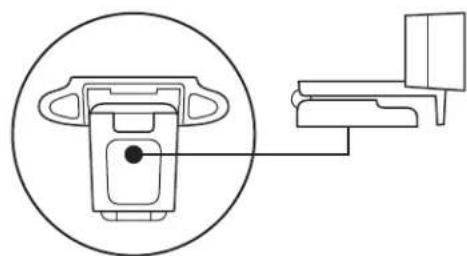
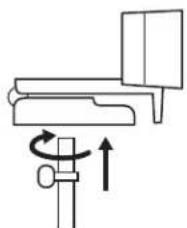
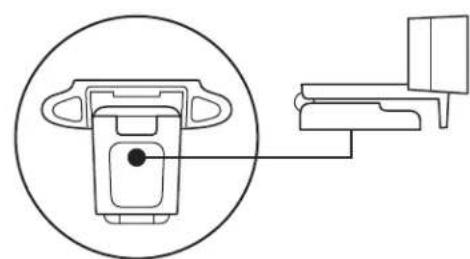
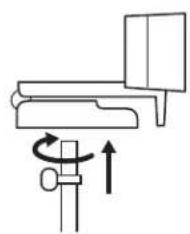
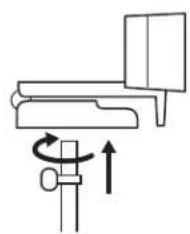
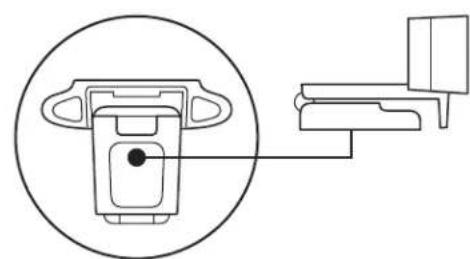
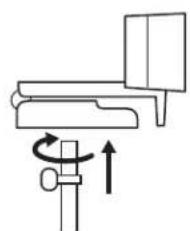
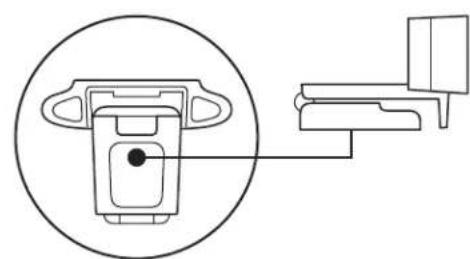
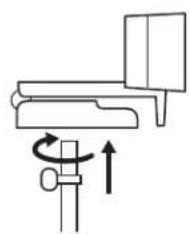
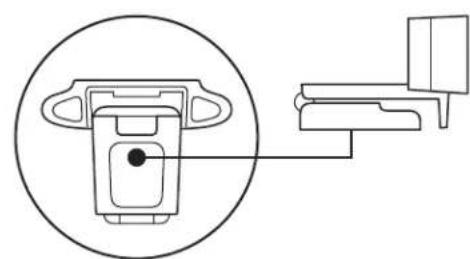
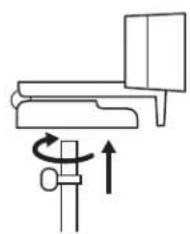
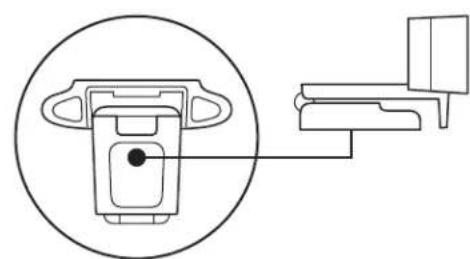
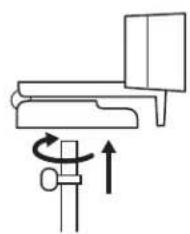
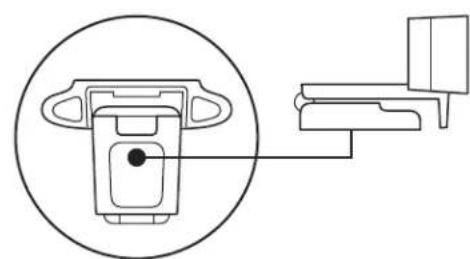
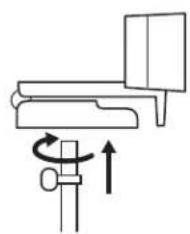
For placement on a tripod*
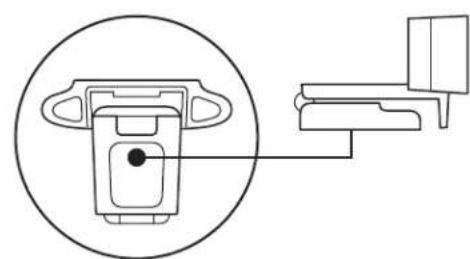
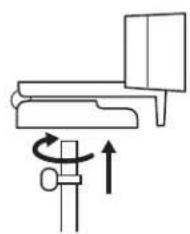
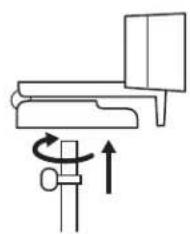
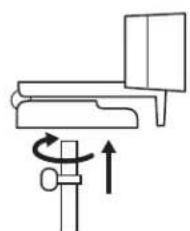
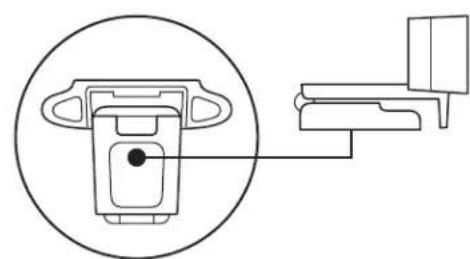
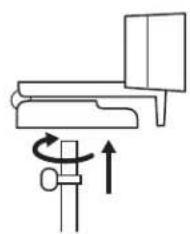
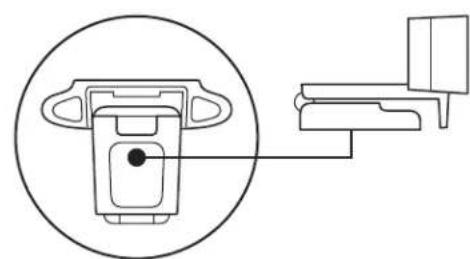
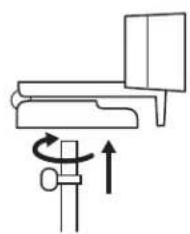
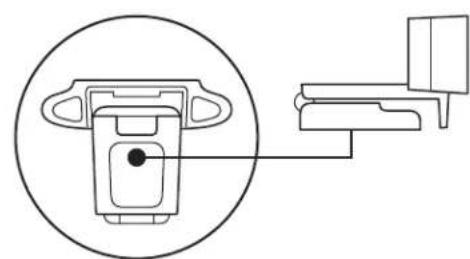
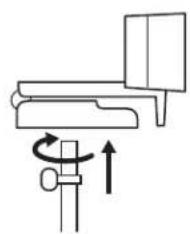
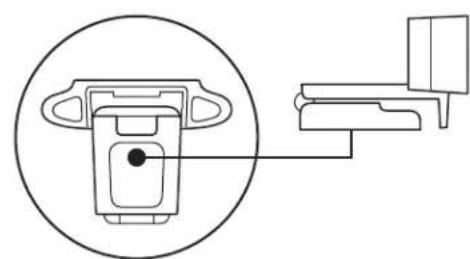
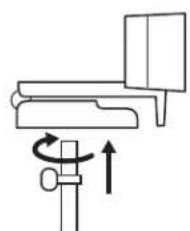
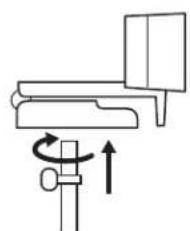
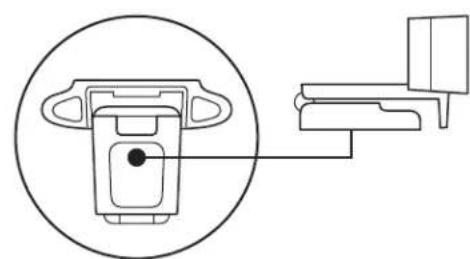
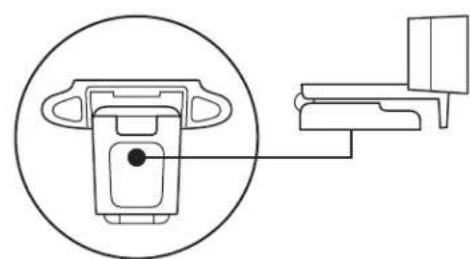
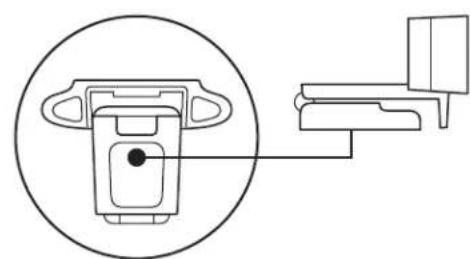
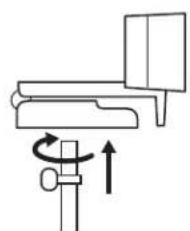
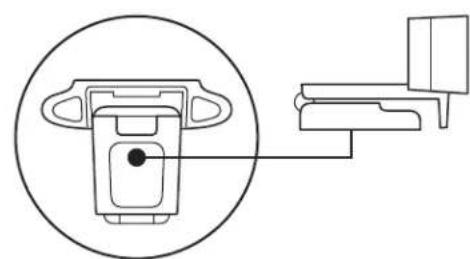
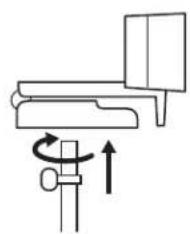
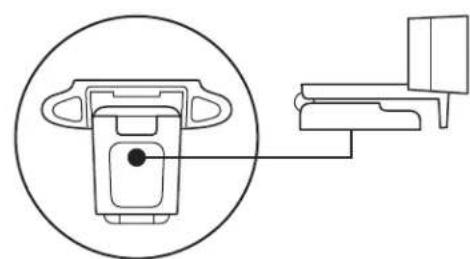
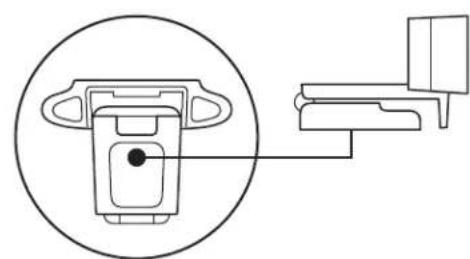
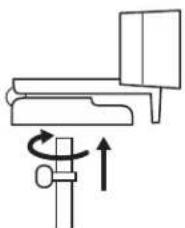
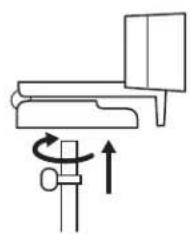
1 Locate the 1/4 inch tripod thread on the bottom of the universal mounting clip.
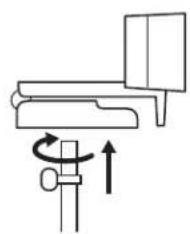
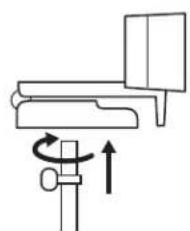
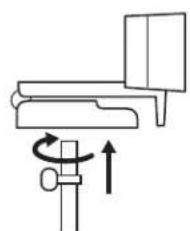
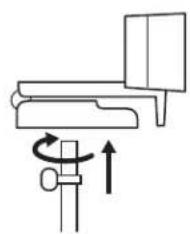
2 Secure the webcam on your tripod by twisting it into the 1/4 inch thread.
3 Place your webcam with the tripod in the best position to frame yourself.
* Tripod not included
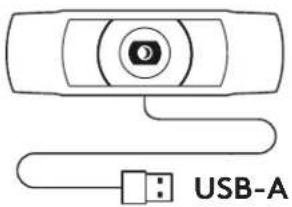
CONNECTING THE WEBCAM VIA USB-A
Plug the USB-A connector into the USB-A port on your computer.
![graph LR A["Camera"] --> B["Laptop"]](/content/2026/03/516689/images/71475c34068715e80717f7e70b57bf239b6e5367839d628c0366956fafbd301e.jpg)
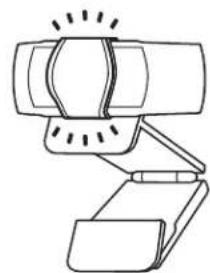
SUCCESSFUL CONNECTION
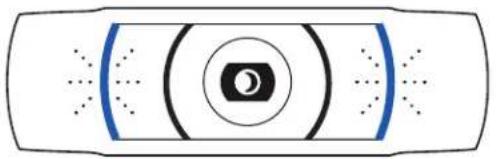
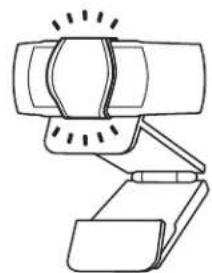
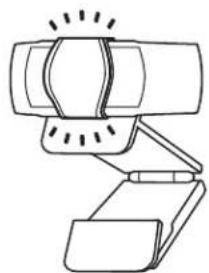
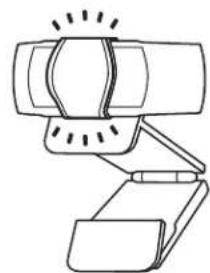
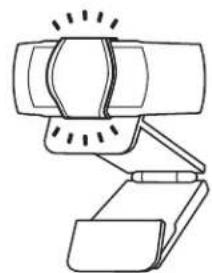
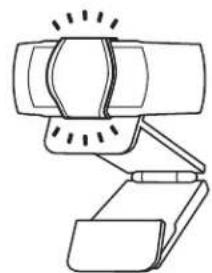
LED activity light will light up when the webcam is in use by an application.
DIMENSIONS
INCLUDING FIXED MOUNTING CLIP:
Height x Width x Depth:
1.70 in (43.3 mm) × 3.70 in (94 mm) × 2.80 in (71 mm)
Cable Length: 5 ft (1.5 m)
Weight: 5.71 oz (162 g)
www.logitech.com/support/C920e
PRODUCT AT A GLANCE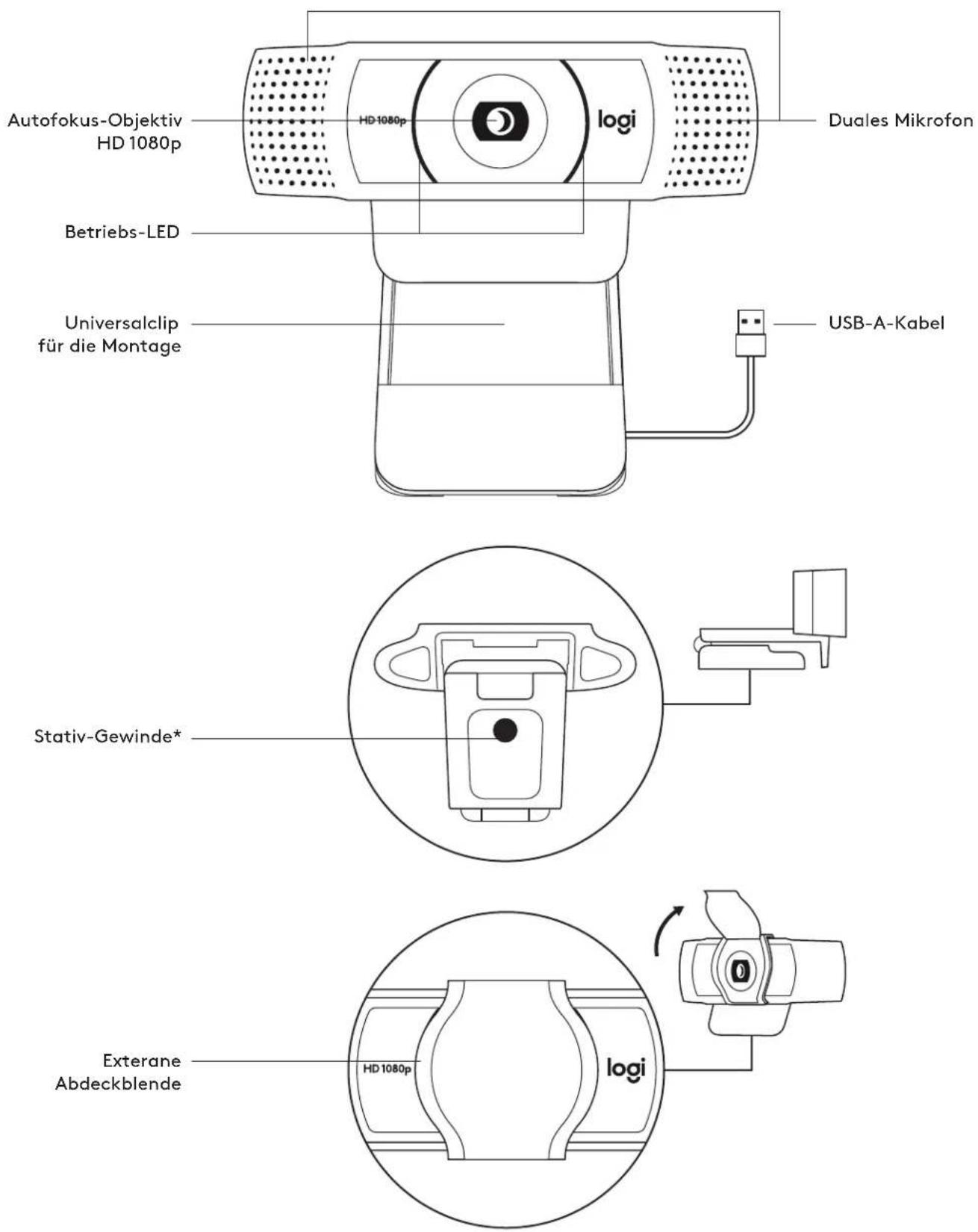
ATTACHING THE EXTERNAL PRIVACY SHUTTER
DIMENSIONS
INCLUDING FIXED MOUNTING CLIP:
INSTALLING THE PRIVACY SHUTTER
INSTALLING THE WEBCAM
CONNECTING THE WEBCAM VIA USB-A
DIMENSIONS
WITH THE UNIVERSAL MOUNTING CLIP:
APPLYING THE LENS COVER
CONNECTING THE WEBCAM VIA USB-A
DIMENSIONS
INCLUDING THE FIXED MOUNTING CLIP:
DIMENSIONS
WITH THE MOUNTING CLIP ATTACHED:
CONNECTING THE WEBCAM VIA USB-A
DIMENSIONS
INCLUDING THE FIXED MOUNTING CLIP
SETTING UP THE WEBCAM
CONNECTING THE WEBCAM VIA USB-A
DIMENSIONS
WITH FIXED MOUNTING CLIP:
ATTACH THE PRIVACY SHIELD
CONNECTING THE WEBCAM VIA USB-A CABLE
DIMENSIONS
INCLUDING FIXED MOUNTING CLIP:
WHAT'S IN THE BOX
SETTING UP THE WEBCAM
CONNECTING THE WEBCAM VIA USB-A
Plug the USB-A connector into the USB-A port on your computer.
![graph LR A["Camera"] --> B["Laptop"] style A fill:#f9f,stroke:#333 style B fill:#ccf,stroke:#333](/content/2026/03/516689/images/1d052f28325af715df2eaf4fe9c7adde5df06f91f18a900704886820f26a2044.jpg)
CONNECTION
DIMENSIONS
INCLUDING FIXED MOUNTING CLIP:
GET TO KNOW THE PRODUCT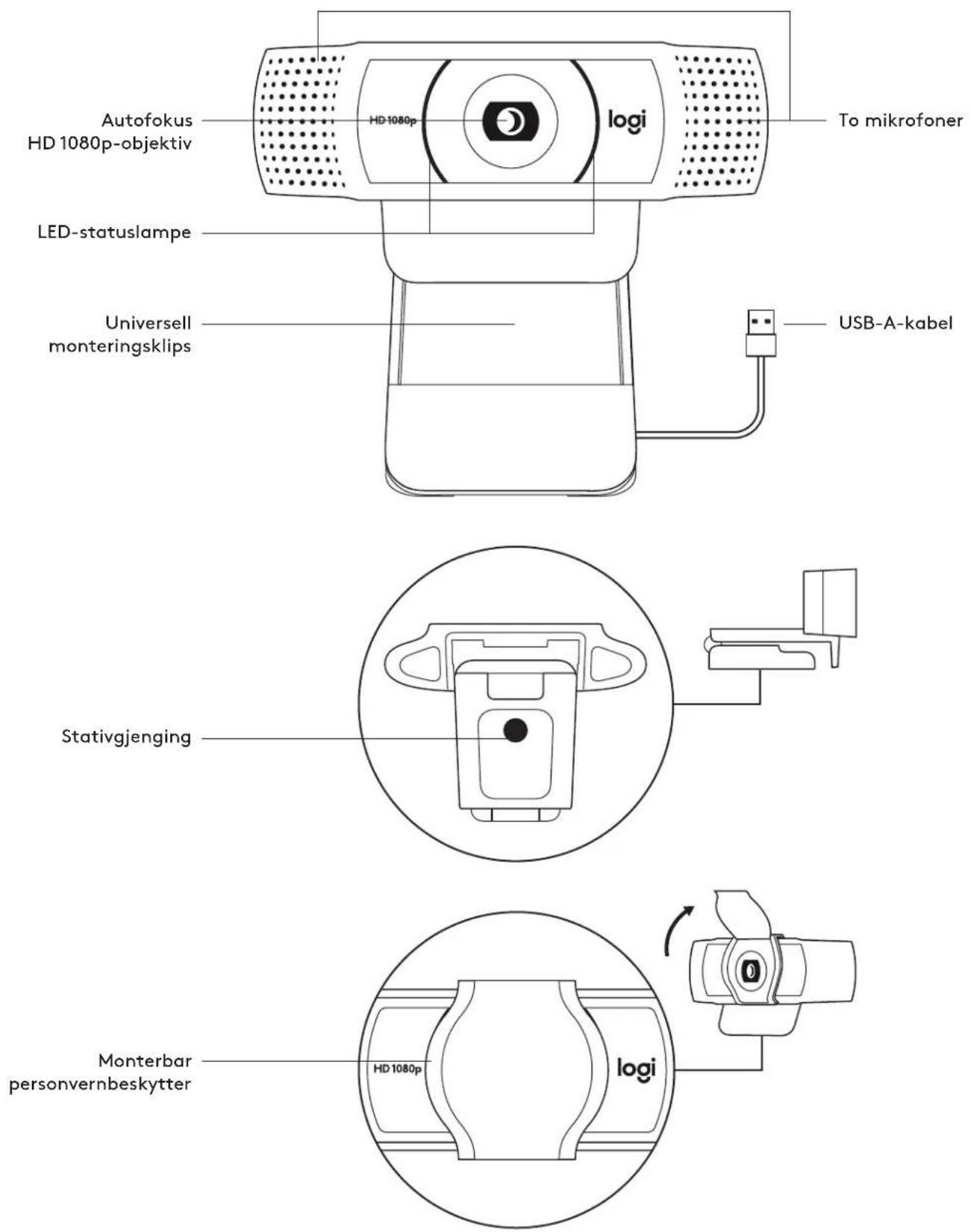
I ESKEN
1 Web camera with included USB-A cable of 5.1 m 2 Privacy shutter 3 User documentation
ATTACH THE PRIVACY SHUTTER
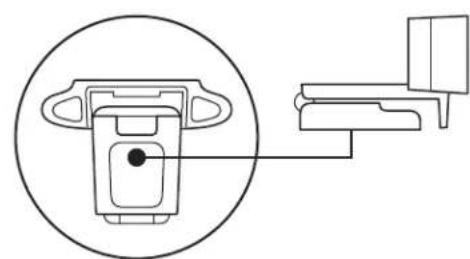
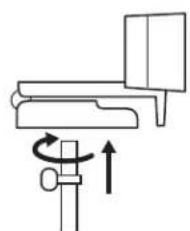
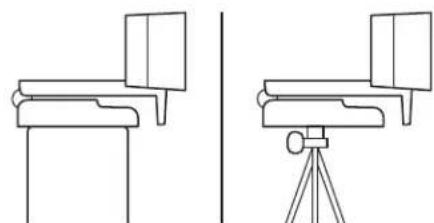
CONNECT THE WEB CAMERA VIA USB-A
Connect the USB-A connector to another USB-A port on the computer.
![graph LR A["Camera"] --> B["Laptop"]](/content/2026/03/516689/images/19c6aa9c81d550ab7d857ba8f9858fafed8de7a06ec0a0900d37ef29c59b4ccf.jpg)
CONNECTION COMPLETE
The LED status light lights up when the web camera is in use by a program.
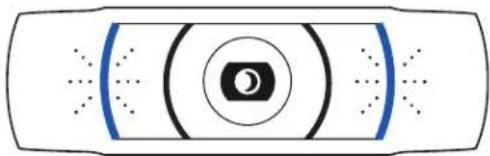
DIMENSIONS
INCLUDED FIXED MOUNTING CLIP:
DIMENSIONS
INCLUDING THE CLIP IN PLACE:
ADJUSTING THE WEBCAM
DIMENSIONS
DIMENSIONS
PREPARING THE WEB CAMERA
CONNECTING TO THE WEBCAM VIA USB-A CABLE
SUCCESSFUL CONNECTION
DIMENSIONS
INCLUDING THE FIXED MOUNTING CLIP:

INSTALLING THE PRIVACY SHIELD
OPERATING THE WEBCAM
CONNECTING THE WEBCAM VIA USB-A
DIMENSIONS
INCLUDING THE MOUNTING CLIP:

SETTING UP THE WEB CAMERA
CONNECTING THE WEB CAMERA VIA USB-A
SUCCESSFUL CONNECTION
DIMENSIONS
INCLUDING THE FIXED MOUNTING CLIP:
SETTING UP THE WEB CAMERA
Instructions for placement on the monitor
CONNECTING THE WEBCAM VIA USB-A
SUCCESSFUL CONNECTION
DIMENSIONS
INCLUDING THE FIXED MOUNTING CLIP:
PREPARING THE WEBCAM FOR USE
SUCCESSFUL CONNECTION
DIMENSIONS
WEBCAM SETUP
CONNECTING THE WEBCAM VIA USB-A
DIMENSIONS
INCLUDING THE FIXED MOUNTING CLIP:
CONNECTING THE WEBCAM VIA USB-A
DIMENSIONS
INCLUDING THE FIXED MOUNTING CLIP:
GET TO KNOW YOUR PRODUCT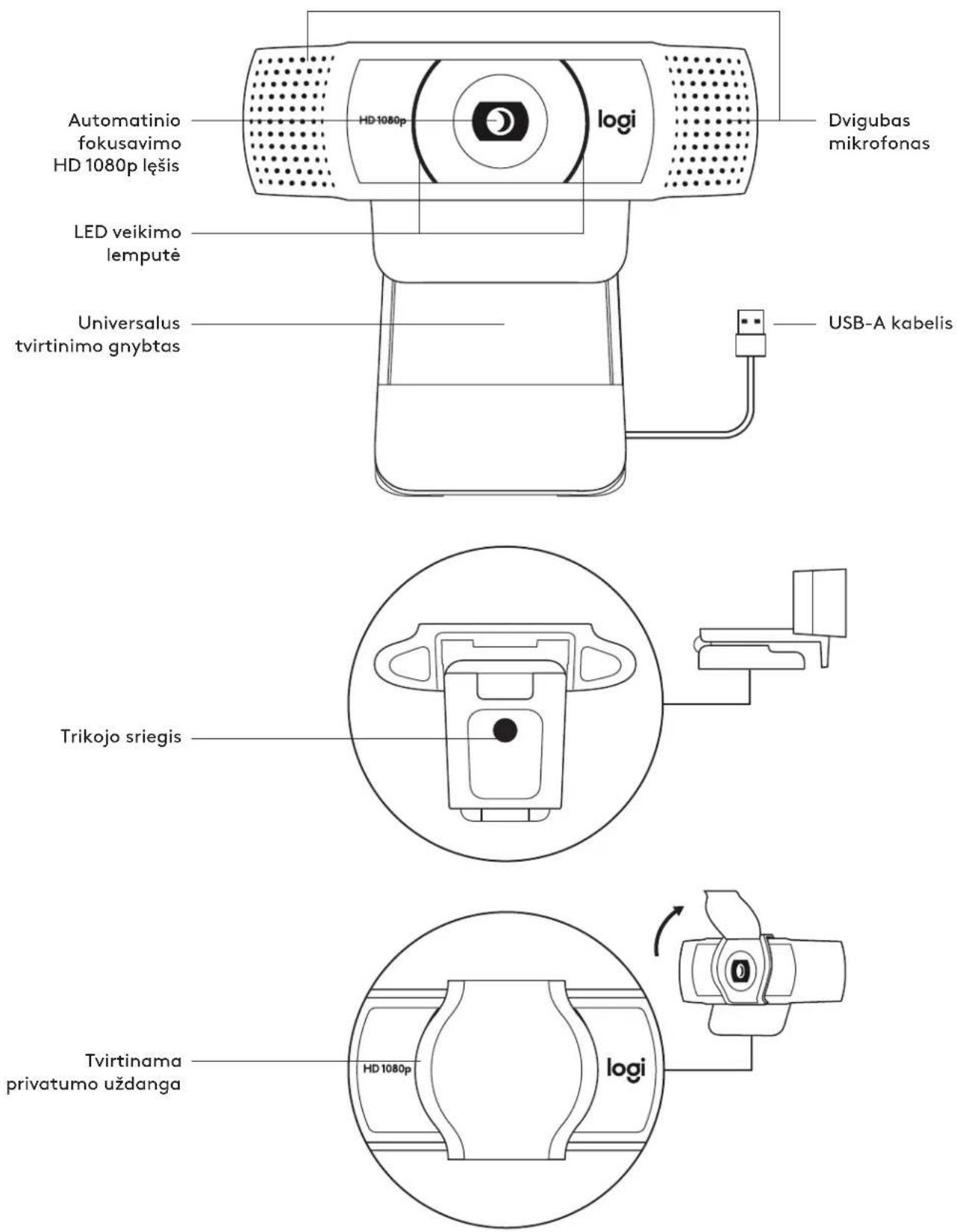
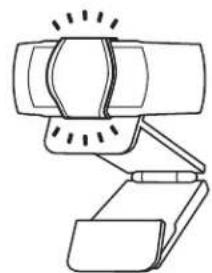
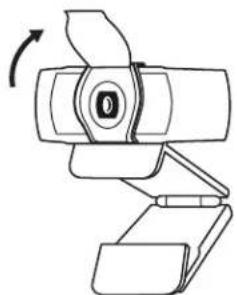
WEB CAMERA SETUP
On the monitor
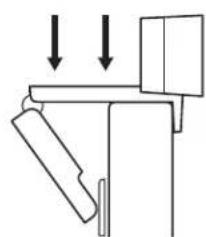
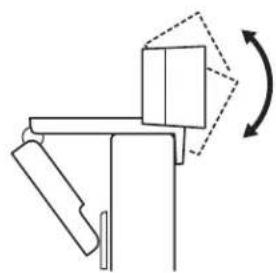
CONNECTING THE WEB CAMERA WITH USB-A
SUCCESSFUL CONNECTION
DIMENSIONS
WITH FIXED MOUNTING CLIP:
CONNECTING THE WEB CAMERA VIA USB-A
DIMENSIONS
1.70 in (43.3 mm) x 3.70 in (94 mm) x 2.80 in (71 mm)
CONNECTING THE WEB CAMERA VIA USB-A CONNECTOR
Connect the USB-A connector to the USB-A port of your computer.
![graph LR A["Camera"] --> B["Laptop"] style A fill:#f9f,stroke:#333 style B fill:#ccf,stroke:#333](/content/2026/03/516689/images/bac2b90eb6bbf3ab555124845788536741c62ad7106772b1a5baf51f8698158d.jpg)
SUCCESSFUL CONNECTION
DIMENSIONS
WITH FIXED MOUNTING CLIP:
CONNECTING THE WEBCAM VIA USB-A
Connect the USB-A connector to a USB-A port on your computer.
![graph LR A["Camera"] --> B["Laptop"]](/content/2026/03/516689/images/8ec6496eaf2040e82e8cb11d983c36c75941597734447e51ad7c9f7c7a8f610c.jpg)
SUCCESSFUL CONNECTION
DIMENSIONS
INCLUDING THE FIXED MOUNTING CLIP:
CONNECTING THE WEBCAM VIA USB-A
SUCCESSFUL CONNECTION
DIMENSIONS
INCLUDING THE FIXED MOUNTING CLIP:
Height × width × depth:
43.3 mm (1.70 in) × 94 mm (3.70 in) × 71 mm (2.80 in)
Cable length: 1.5 m (5 ft)
Weight: 162 g (5.71 oz)
www.logitech.com/support/C920e
FAMILIARIZE YOURSELF WITH THE PRODUCT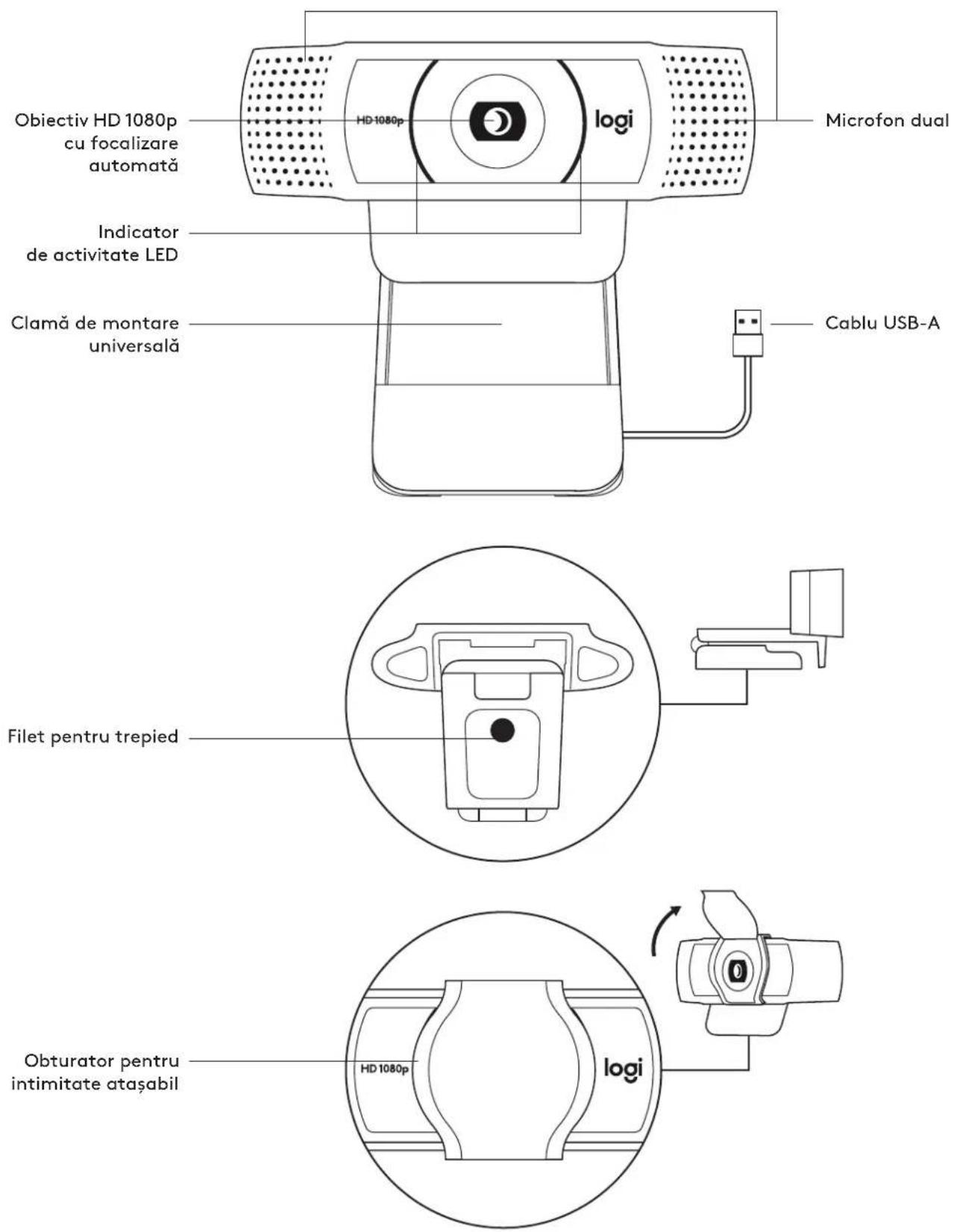
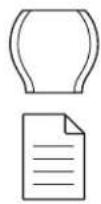
PRIVACY SHUTTER ATTACHMENT
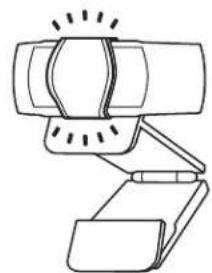
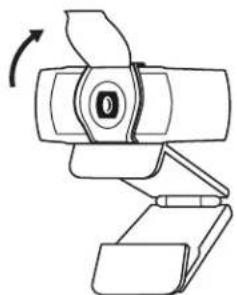
CAMERA SETUP
CONNECTING THE WEBCAM VIA USB-A
CONNECTION SUCCESSFUL
DIMENSIONS
INCLUDING FIXED MOUNTING CLIP:
PACKAGE CONTENTS
INSTALLING THE PRIVACY SHUTTER
DIMENSIONS
SETTING UP THE WEBCAM

INCLUDED 2
MOUNTING CLIP
NITIN
ATTACHING THE PRIVACY SHUTTER
SETTING UP THE WEBCAM
Place on monitor
Connect webcam via USB-A
Dimensions
Including fixed mounting clip:
Height x Width x Depth:
With privacy shutter attached
Webcam setup
When placing on monitor
Connect webcam via USB-A
Specifications
Including fixed mounting clip
Height x Width x Height:
43.3mm (1.70 in) x 94mm (3.70 in) x 71mm (2.80 in)
Cable length: 1.5 meters (5 feet)
Weight: 162g (5.71 oz)
www.logitech.com/support/C920e
PRODUCT OVERVIEW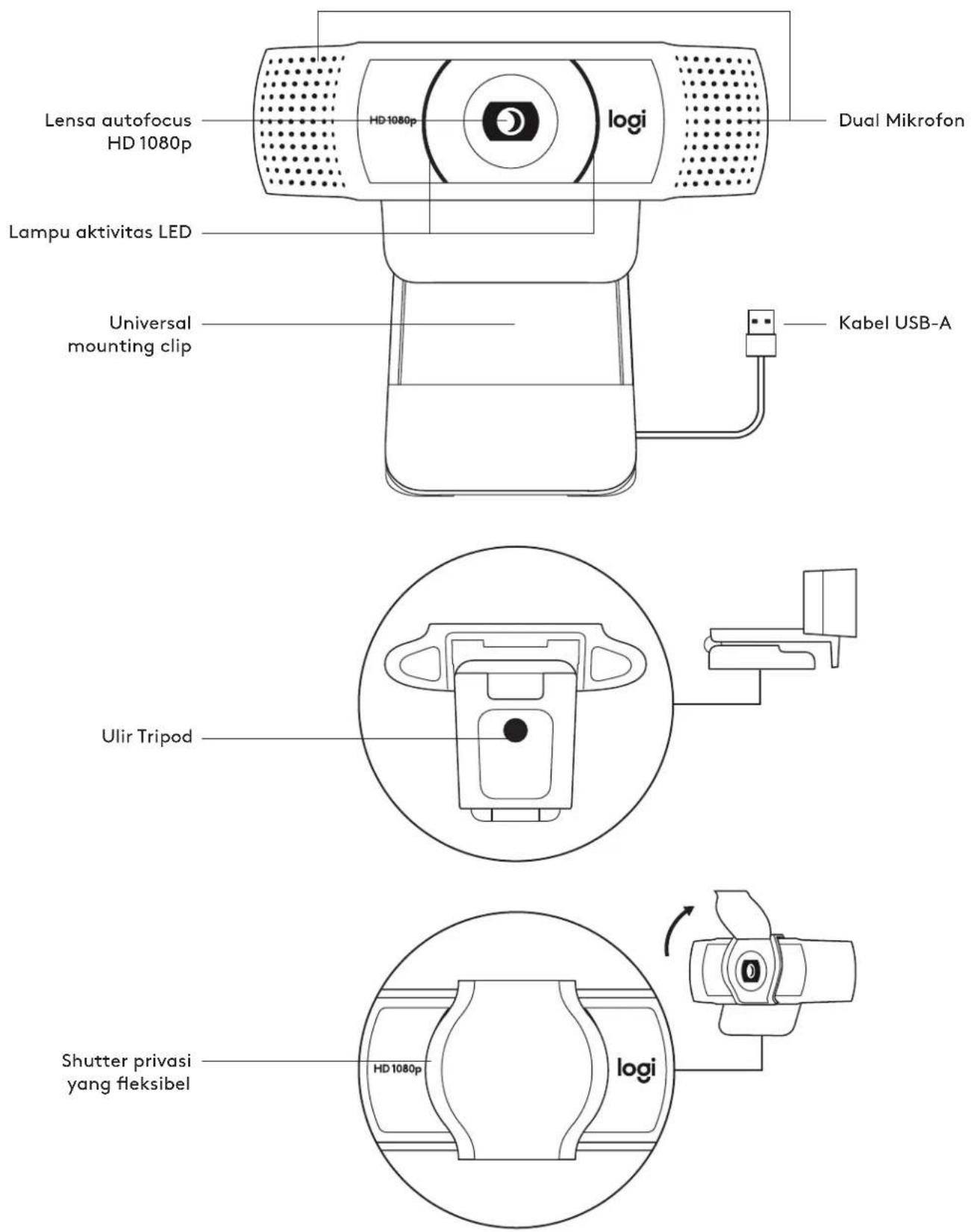
PACKAGE CONTENTS
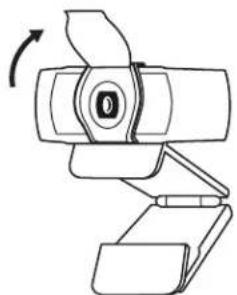
INSTALLING THE WEBCAM
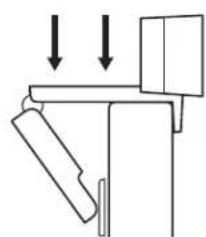
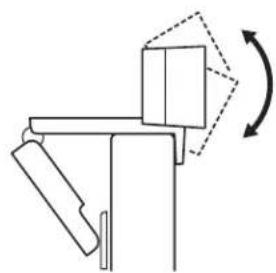
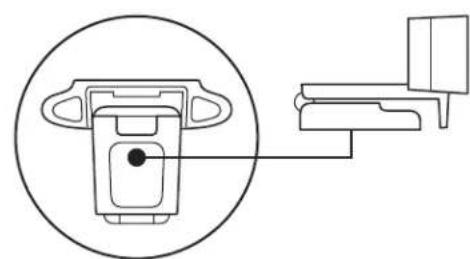
CONNECTING THE WEBCAM VIA USB-A
Plug the USB-A connector into a USB-A port on your computer.
![graph LR A["Camera"] --> B["Laptop"] style A fill:#f9f,stroke:#333 style B fill:#ccf,stroke:#333](/content/2026/03/516689/images/50275330754cea8f3c66c4bf7c8395a6ce63a4f5a1091285073fa204b272e038.jpg)
CONNECTION SUCCESSFUL
DIMENSIONS
INCLUDING FIXED MOUNTING CLIP:


- WHAT'S IN THE BOX
- ATTACH THE PRIVACY SHUTTER
- SETTING UP THE WEBCAM
- CONNECTING THE WEBCAM VIA USB-A
- SUCCESSFUL CONNECTION
- DIMENSIONS
- INCLUDING FIXED MOUNTING CLIP
- ATTACHING THE EXTERNAL PRIVACY SHUTTER
- INSTALLING THE PRIVACY SHUTTER
- INSTALLING THE WEBCAM
- WITH THE UNIVERSAL MOUNTING CLIP
- APPLYING THE LENS COVER
- INCLUDING THE FIXED MOUNTING CLIP
- WITH THE MOUNTING CLIP ATTACHED
- WITH FIXED MOUNTING CLIP
- ATTACH THE PRIVACY SHIELD
- CONNECTING THE WEBCAM VIA USB-A CABLE
- CONNECTION
- I ESKEN
- CONNECT THE WEB CAMERA VIA USB-A
- CONNECTION COMPLETE
- INCLUDED FIXED MOUNTING CLIP
- INCLUDING THE CLIP IN PLACE
- ADJUSTING THE WEBCAM
- PREPARING THE WEB CAMERA
- CONNECTING TO THE WEBCAM VIA USB-A CABLE
- INSTALLING THE PRIVACY SHIELD
- OPERATING THE WEBCAM
- INCLUDING THE MOUNTING CLIP
- SETTING UP THE WEB CAMERA
- CONNECTING THE WEB CAMERA VIA USB-A
- PREPARING THE WEBCAM FOR USE
- WEBCAM SETUP
- WEB CAMERA SETUP
- ON THE MONITOR
- CONNECTING THE WEB CAMERA WITH USB-A
- CONNECTING THE WEB CAMERA VIA USB-A CONNECTOR
- PRIVACY SHUTTER ATTACHMENT
- CAMERA SETUP
- CONNECTION SUCCESSFUL
- PACKAGE CONTENTS
- NITIN
- ATTACHING THE PRIVACY SHUTTER
- PLACE ON MONITOR
- CONNECT WEBCAM VIA USB-A
- WITH PRIVACY SHUTTER ATTACHED
- SPECIFICATIONS
Brand : LOGITECH
Model : C920e
Category : Webcam