EasyManual
XP9000 - Coffee machine KRUPS - Free user manual and instructions
Find the device manual for free XP9000 KRUPS in PDF.


User questions about XP9000 KRUPS
0 question about this device. Answer the ones you know or ask your own.
Ask a new question about this device
Download the instructions for your Coffee machine in PDF format for free! Find your manual XP9000 - KRUPS and take your electronic device back in hand. On this page are published all the documents necessary for the use of your device. XP9000 by KRUPS.
USER MANUAL XP9000 KRUPS
Operating instructions
For household use only
Check warranty card for details of warranty in your country with a maximum of 5,000 cycles per year. This product is for domestic use only and is not suitable for trade or professional purposes. Any non-household use is not covered by the manufacturers warranty. The warranty
does not cover breakdown or poor functioning of the machine resulting from failure to carry out descending or machine damaged by foreign objects in grinding mill (e.g. wood, stones, plastic parts, etc.).
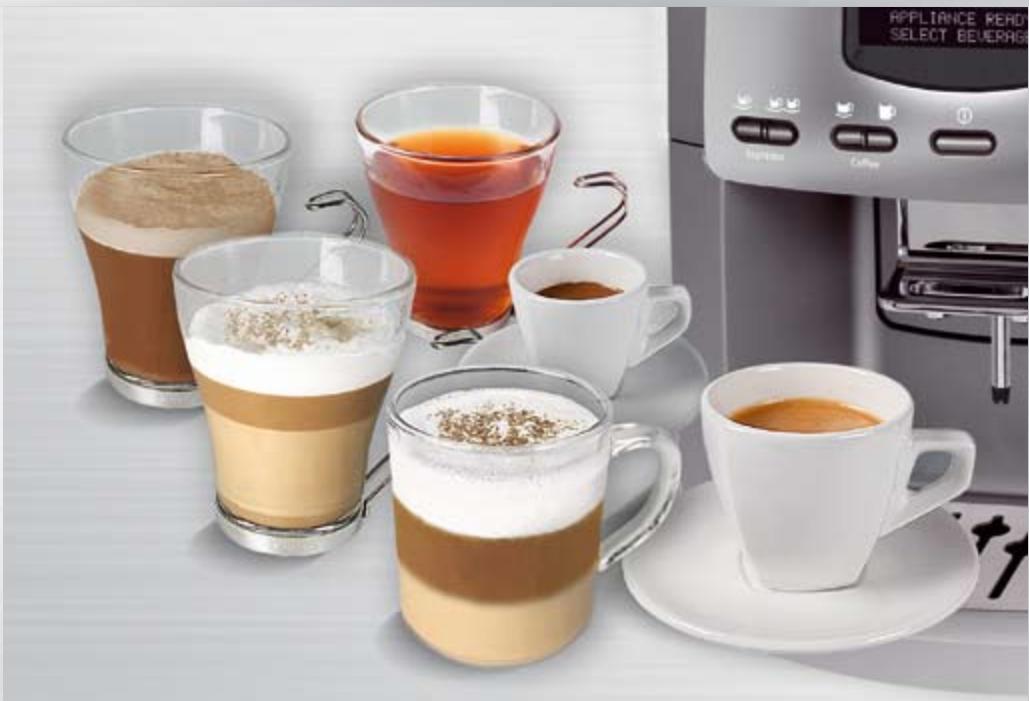
ACCESSORIES SOLD FOR YOUR KRUPS XP 9000 MACHINE
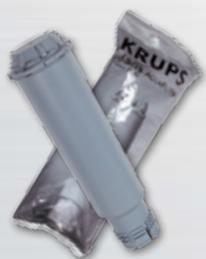
F088
AquacFilter System. 1 included with the machine
XS 4000
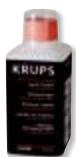
Cleaning fluid for steam nozzle. Not included with the machine.

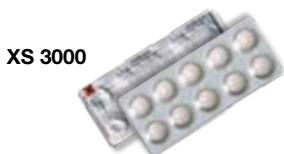
XS 3000
Cleaning tablets. 2 tablets included with the machine
F 054
Descaling powder. 2 packs included with the machine
BEFORE USING FOR THE FIRST TIME
Please read these operating instructions and the safety instructions before using the machine for the first time. It is important to note that these instructions should be passed on to
anyone else using the machine and should be kept handy at all times. (A special holder for the operating instructions is provided at the rear of the machine).
IMPORTANT SAFEGUARDS
When using this espresso machine, basic safety precautions should always be followed to reduce the risk of fire, electric shock, and/or injury to persons including the following :
- Read all instructions prior to first use.
- Do not touch hot surfaces. Use handles or knobs.
- To protect against fire, electric shock and injury to persons, do not immerse cord, plugs or machine in water or other liquid, keeps hands and utensils out of the bean container while grinding and when the machine is plugged in.
- Do not put water into the coffee bean container and/or under the servicing flap.
- Not intended for use by children.
- Close supervision is necessary when any machine is used near children. Keep machine out of reach of children.
- Burns can occur from touching hot plate, hot water or steam. Exercise caution.
- Exercise caution when using the steam nozzle as steam can cause scalding.
- Unplug machine from outlet as soon as you stop using it over a prolonged period and when you clean it. Allow to cool before putting on or taking off parts, before cleaning the machine, and before storing.
- All machines are subject to stringent quality control. Practical tests using machines taken at random are conducted and this may explain any slight marks or coffee residue showing prior to use.
-
Do not operate any machine with a damaged cord or plug or after the machine malfunctions, or has been damaged in any manner. Return machine to the nearest Krups Service Center for examination, repair or adjustment.
-
To reduce the risk of injury do not drape cord over the counter top or table top where it can be pulled on by children or tripped over unintentionally.
- Do not let cord hang over edge of table or counter, or touch hot surfaces.
- The use of accessory attachments not recommended by Krups may result in fire, electric shock or injury to persons.
- Do not use outdoors.
- Do not place on or near a hot gas or electric burner, or in a heated oven.
- To disconnect the machine, turn the control to "off" then remove plug from wall outlet. Do not yank cord, instead grasp plug and pull to disconnect.
- Do not use the machine for other than intended use.
- Do not pour liquids other than water and descending solutions specified in this manual into the water tank.
- Protect the machine against humidity and freezing.
- This machine is for household use only.
- This appliance is not intended for use by persons (including children) with reduced physical, sensory or mental capabilities, or lack of experience and knowledge, unless they have been given supervision or instruction concerning use of the appliance by a person responsible for their safety. Children should be supervised to ensure that they do not play with the appliance.
SAVE THESE INSTRUCTIONS - CAUTION
This machine is for household use only. Any servicing other than cleaning and user maintenance should be performed by the nearest authorized Krups Service Center.
Visit our website at www.krups.com or contact our Consumer Service department for the service center nearest to you.
To reduce the risk of fire or electric shock, do not dismantle the machine. Repair should be done by an authorized Krups Service Center only. Check voltage to be sure that the voltage indicated on the name plate agrees with your voltage.
SHORT CORD INSTRUCTIONS
A. We do not recommend using an extension cord with this device.
B. If an extension cord is absolutely necessary,
1) the marked electrical rating of the extension cord should be at least as great as the electrical rating of the machine,
2) the longer cord should be arranged so that it will not drape over the counter top or table top where it can be pulled on by children or tripped over.
C. This machine has a grounded plug. To reduce the risk of electric shock, this plug is intended to fit into a grounded outlet only. If the plug does not fit into the outlet, contact a qualified electrician. Do not attempt to modify the plug in any way.
LIMITED WARRANTY
This Krups' product is warranted for 1 year with a maximum of 5,000 cycles (to check the nb of cycles, see page 16) from the date of purchase against defects in material and workmanship. During this period, Krups will, at its option, either repair or replace a defective product or any component found to be defective, at no cost. If a replacement product is sent, it will carry the remaining warranty of the original product. This warranty does not apply to any defect arising from misuse of the product, negligence, failure to follow Krups' instructions on use and maintenance, use on current of voltage other than that stamped on the product, or alterations or repairs not authorized by Krups. This warranty does not cover products that have been used for commercial purposes or normal wear and tear such as valves and seals that need to be replaced in the ordinary course, or if objects other than coffee beans are put through the grinder.
THE DURATION OF ANY IMPLIED WARRANTY WHATsoever, INCLUDING BUT NOT LIMITED TO THE WARRANTYES OF MERCHANTABILITY AND FITNESS FOR A PARTICULAR PURPOSE, SHALL BE LIMITED TO THE DURATION OF THE EXPRESS WARRANTY PROVIDED HEREIN.
KRUPS SHALL NOT BE LIABLE FOR ANY INCIDENTAL OR CONSEQUENTIAL DAMAGES WHATSOEVER.
Some states do not allow limitation on how long an implied warranty lasts or do not allow the exclusion of incidental or consequential damages, so the above limitations may not apply to you. This warranty gives you specific legal rights, and you may also have other rights, which vary from state to state.
If you believe your product is defective, take the product (or send it postage prepaid) along with proof of purchase to the nearest authorized Krups Service Center. (To find the nearest authorized Krups Service Center visit the Krups website or contact Consumer Service in your country indicated below)
Krups Service Center locations can be found by visiting the website www.krupsUSA.com in the USA or www.krups.ca in Canada.
When shipping the product to the service center please include a note explaining the issue, a copy of the sales receipt and provide a valid return address on the outside of the shipping box (no PO Boxes). If the product is out of warranty or warranty can't be validated, the service center will send an estimate of repair for your approval.
CONSUMER SERVICE
If you have additional questions, please call our Consumer Service Department. It is helpful to have the product available at the time of your call and to know the model number that can generally be found on the base of the product.
USA
Phone 18666680325
Hours*
Monday - Friday from 8:00 a.m. - 6:30 p.m. (EST)
Letters should be addressed to:
Krups
196 Boston Avenue
Medford, MA 02155
Only letters can be accepted at this address. Packages without a return authorization number will be refused or forwarded to a Service Center.
CANADA
Phone 18004183325
Hours* Monday - Friday 8:30 a.m. - 4:30 p.m. (EST)
Letters should be addressed to:
455 Finchdene Square
Scarborough, Ontario M1X 1B7
CONGRATULATIONS
on your purchase of this Krups Espresseria Automatic. In order ensure proper operation of the machine, please read the operating instructions carefully and keep them in a safe place.
A special holder is provided for this purpose at the rear of the machine. Should you require further information or if problems arise, please contact your respective countries Krups Exclusive Service hotline.
| Machine & parts | 6 |
| First use | 7 |
| Technical specifications | 9 |
| Automatic Cappuccino | 10 |
| Automatic Caffe Latte | 11 |
| Coffee & Espresso | 12 |
| Hot water & Steam | 13 |
| Servicing functions | 14 |
| Rinsing | |
| Cleaning | |
| Descaling | |
| Information | |
| Messages |
| P | Overview of program-setting | 17 |
| Maintenance | 18 | |
| troubleshooting | 18 |
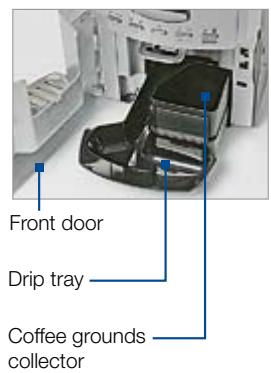
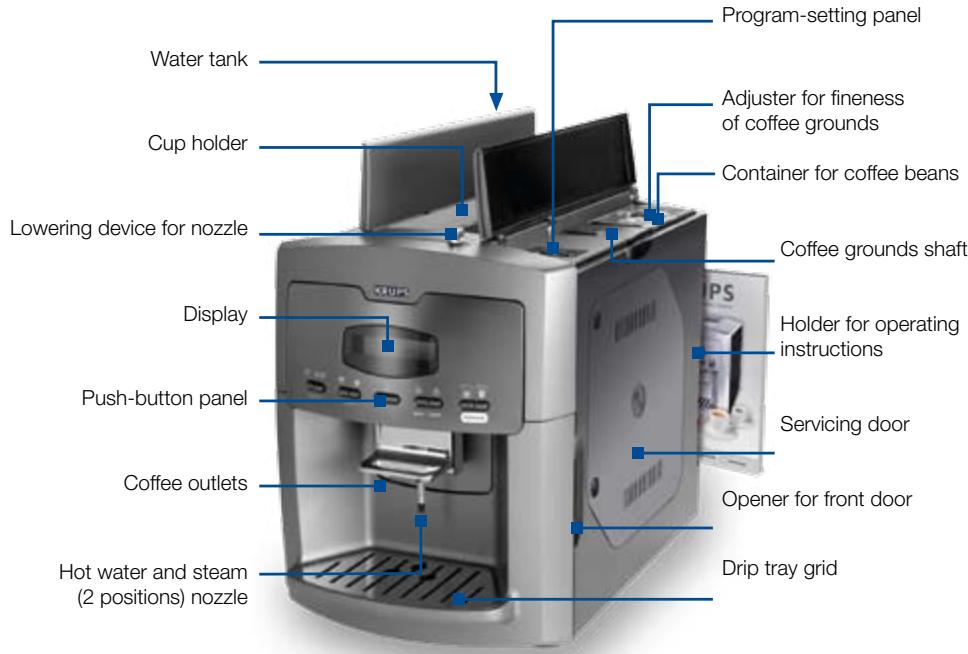
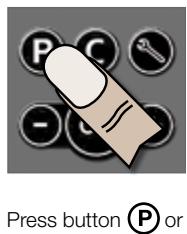
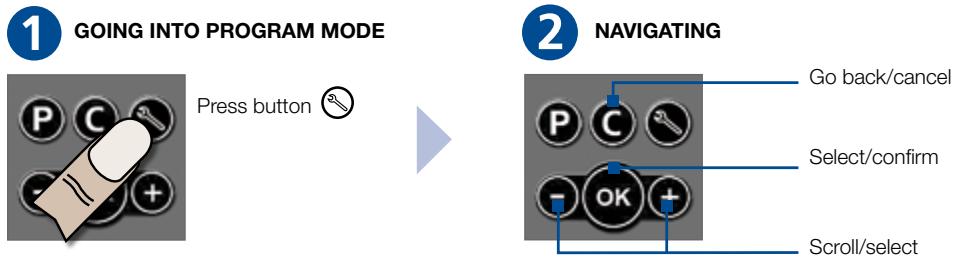
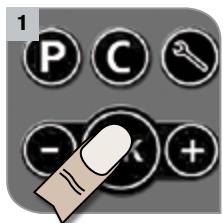
GOING INTO PROGRAM MODE

Espresso


Coffee




Water Steam


Automatic

1 Espresso

Coffee, mug

Steam

2 Espresso

ON/OFF

Automatic
Cappuccino

Coffee

Hot water

Automatic
Caffe Latte

Selected output can be stopped by pressing any key on the operating panel!

FIRSTUSE
1 Remove protective film from display and drip tray grid
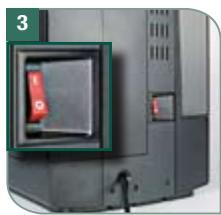
Turn main switch on
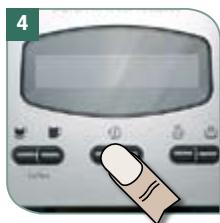
Switch on machine by pressing button ①
2 Plug machine into outlet
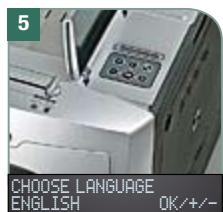
Select language by pressing / confirm by pressing OK
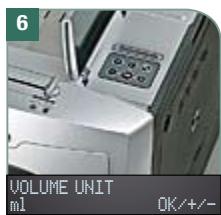
Select unit of measure by pressing / confirm by pressing OK
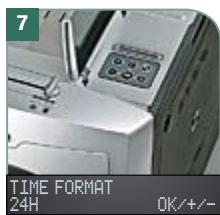
Select time system by pressing +/- confirm by pressing OK
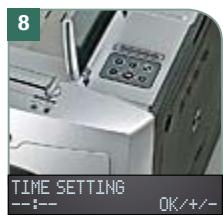
Set time by pressing + / - confirm by pressing OK
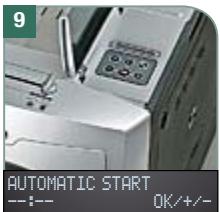
Set automatic switch-on time by pressing ① / 0 confirm by pressing
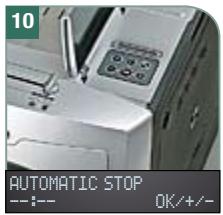
Set automatic switch-off time by pressing ① / 0 confirm by pressing
after 15min - 8h
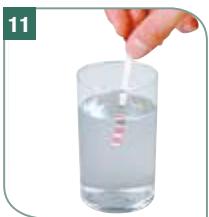
Determining water hardness

LEVEL0
LEVEL1
LEVEL 2
LEVEL3
LEVEL 4
Immerse water-hardness strip in water for one second. Take a reading of water hardness after one minute.
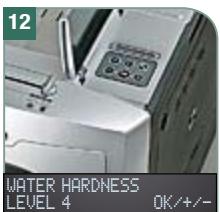
Set water hardness by pressing ① / ② confirm by pressing OK
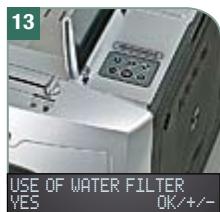
Select use of water filter by pressing / , confirm by pressing OK
If NO go to steps 19-22
If YES go to steps 14-22
At any time you can change the settings by pressing (Program Mode) and then to return
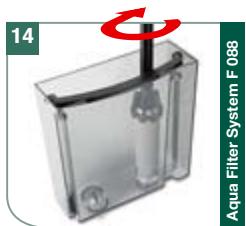

Place water filter in right side of water tank. Screw it slowly clockwise to insert it
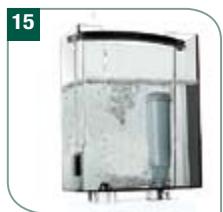
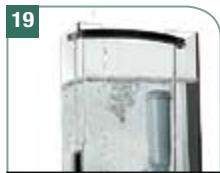
Fill water tank with fresh water and refit onto machine
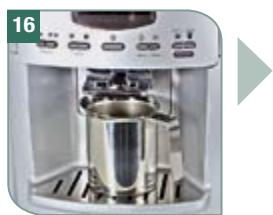
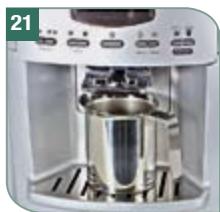
Place receptacle (min. capacity: 350 ml /11.2 oz) under steam nozzle
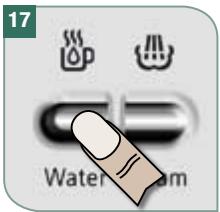
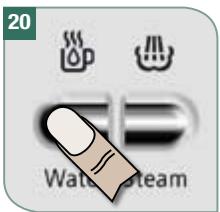
Press button to start
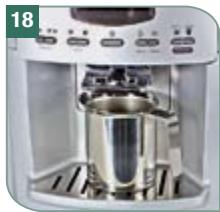
Filter rinsing is in operation (observe screen messages)
FILL WATER TANK
Fill water tank if necessary
Press button
Water circuit is filled
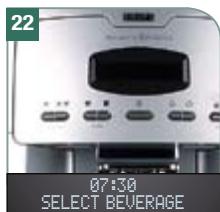
Machine is now ready for use
If the machine is switched off before initial set up is fully completed, the process must be re-started from the beginning. When the machine is used for the first time, or has not been used for some time, the first cups of coffee will not have the full aroma, and we will recommend not to drink it. Discard the first cup of coffee and brew again for great tasting coffee.

TECHNICAL SPECIFICATIONS
| Voltage | 120 V AC | Drip tray | max. 900 ml / 30 oz |
| Power rating | 1450 W | Pump pressure | Static, max. 15 bar |
| Standby | 2.3 W per Hour | Cable length | 1.2 m /47 inch. |
| Coffee readiness | 21 W per Hour | Weight | 11.3 kg / 25 pound |
| Coffee readiness with cold start | 37 W per Hour | Out-of-carton dimensions (W x H x D) | 29 x 40 x 48 cm 11 x 15 x 19 inch. |
| Water tank | 2.6 l / 88 oz. | ||
| Coffee-bean container | 300 g / 11 oz. | ||
| Container for coffee grounds | max. 20 portions |
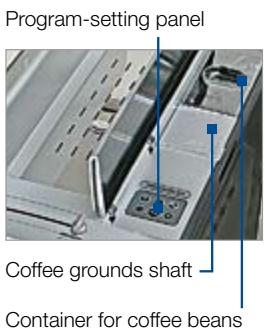
Fill up coffee beans container (Max. 300 g / 11 oz.) or grounds shaft (min. 1 spoon, max 2 spoons) as necessary. You can select from the following recipes
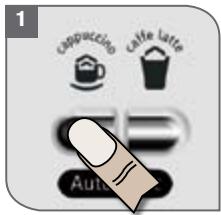
| Recipes | Milk / Steam time /Coffee |
| Large | 60 ml - 2 oz / 15 s / 60 ml - 2 oz |
| Small | 40 ml - 1 oz / 10 s / 40 ml - 1 oz |
Press button
For individual program-setting, see page 13
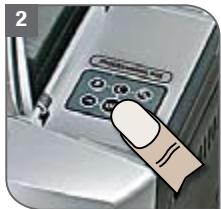
You may change the recipe by choosing /
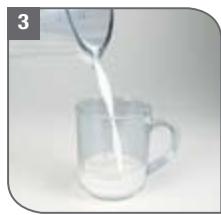
Pour in appropriate amount of cold milk
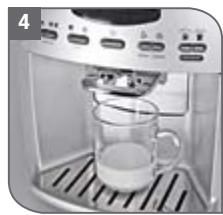
Place cup under outlet
Lower steam nozzle

Be sure that the steam tube is in its lower position (see page 13 - paragraph «Steam»)
Process now runs automatically
6 Machine warms up & grinds coffee
7 Milk is frothed
8 Coffee is served
9 While the cycle is in process, the quantity of coffee or length of time for steam preparation can be adjusted by pressing /
10 Process is complete. Lift nozzle, remove cup and ensure to clean the steam nozzle
Cleaning steam nozzle (automatically alert to clean after 4 min.)
CLEAN STEAM NOZZLE PRESS OK
Confirm by pressing OK
For even better cleaning, we recommend our XS 4000 cleaning fluid (see Page 14)
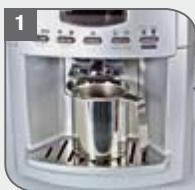
Confirm by pressing OK. Place cup of warm water under the steam nozzle
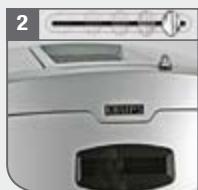
Lower steam nozzle, process starts
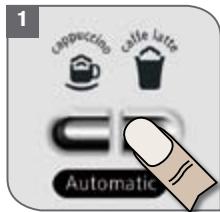
Process is complete. Lift the nozzle
Fill up coffee beans container (Max. 300 g / 11 oz.) or grounds shaft (min. 1 spoon, max 2 spoons) as necessary. You can select from the following recipes
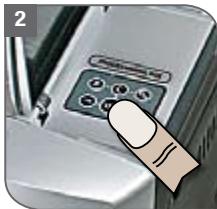
| Recipes | Milk / Steam time / Coffee |
| Large | 120 ml - 4 oz / 30 s / 40 ml - 1 oz |
| Small | 90 ml - 3 oz / 25 s / 30 ml - 1 oz |
For individual program-setting, see page 13
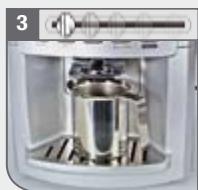
You may change the recipe by choosing () / ()
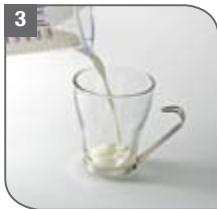
Pour in appropriate amount of cold milk
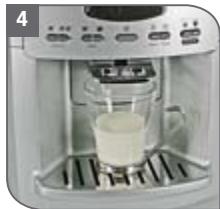
Place cup under spout
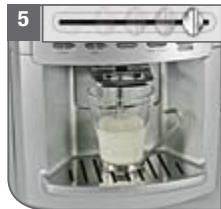
Lower steam nozzle
A Be sure that the steam tube is in its lower position (see page 13 - paragraph «Steam»)
Process now runs automatically
6 Machine warms up & grinds coffee
7 Milk is frothed
8 Coffee is served
9 While the process is in operation, the quantity of coffee or length of time for steam preparation can be adjusted by pressing /
10 Process is complete. Lift nozzle, remove cup and ensure to clean the steam nozzle
Cleaning and removing steam nozzle
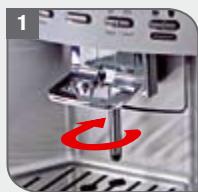
Turn lower part of nozzle in the direction of the arrow above and remove
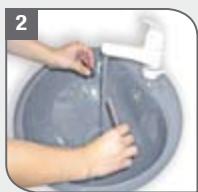
Clean nozzle under running water
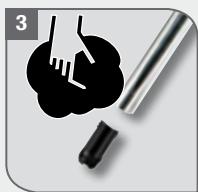
Wipe nozzle dry with a soft cloth
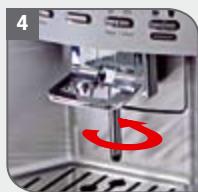
Reassemble nozzle and refit
Whole bean coffee (Fill up bean container Max. 300g/11 oz.)
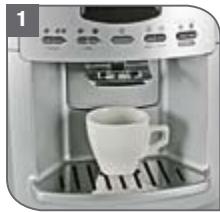
Place cup under spout
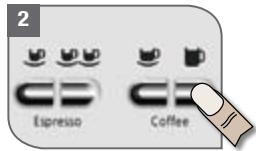
Select coffee or espresso
| 1 Espresso |
| 2 Espresso |
| 1 Coffee |
| 1 Coffee mug |
Ground coffee

min. 1 spoon, max. 2 spoons
If you have opened the flap by mistake, you can cancel the beverage by pressing button C
- Put ground coffee into shaft using the spoon and close flap
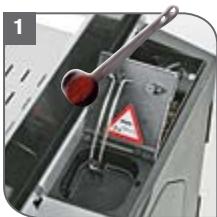
| 1 spoon | 1 Espresso |
| 11/2 spoon | 1 Coffee |
| 2 spoons | 1 Coffee mug / 2 Espresso |
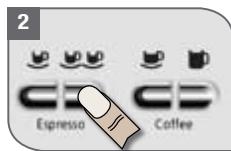
Select coffee or espresso
Do not fill the grounds shaft with whole beans, instant coffee or other powdered drinks! If no drink comes out after 90 seconds, the brewing chamber empties automatically. The machine automatically goes into rinsing mode!
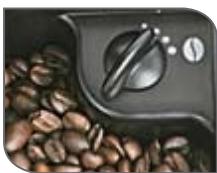
Setting the grinder fineness setting. Only adjust during grinding!
The finer the setting for coffee grinding, the stronger and creamier, flavored the coffee. The setting takes effect after
2 cups, allowing that coffee from the previous setting is still in the machine.
Light roast: finer setting. Dark roast: coarser setting
Do not put your fingers into the grinding mechanism! Do not use glazed, flavored or caramelised coffee beans, or beans that have been treated with additives containing sugar, otherwise this will clog the grinding mechanism.
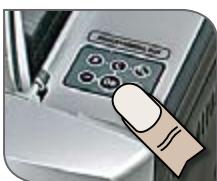
Setting the quantity during brewing
After selecting the desired beverage (espresso, coffee, steam, hot water)
the quantity or duration can be adjusted
by pressing /
For customized cappuccino and caffe latte
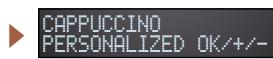
Press button (P) Select INDIV. in recipe menu by pressing
/ Confirm by pressing OK
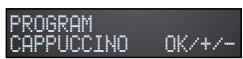
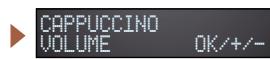
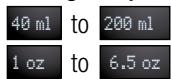
Setting the quantity of coffee and milk
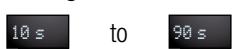
Setting the steam time

HOT WATER
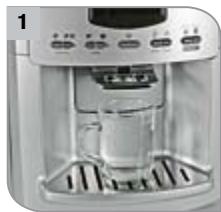
Place receptacle under spout

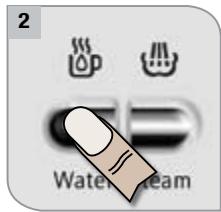

Caution! Hot water and steam can cause scalding!
Start hot water delivery by pressing button 1b, Machine stops after delivery of desired quantity. You can stop the flow at anytime by pressing any button.
For permanent quantity settings, see P. 17: Prog. 6

STEAM
Can be used for heating drinks (e.g. hot chocolate etc...)
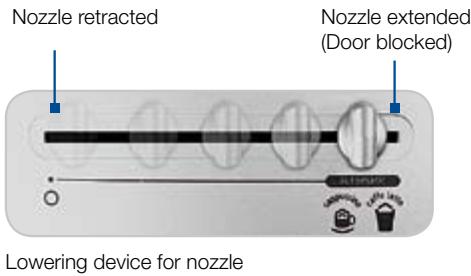
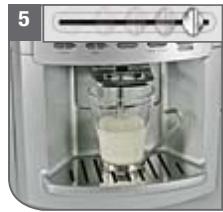
Dual-position frother allows you to steam milk for cappuccino, latte and other espresso based beverages (see picture 1) or you can simply adjust to heat milk without any froth (see picture 2). While adjusting the external steam tube, maintain the lowering device.
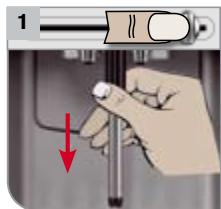
Steam tube in lower position for frothing and heating
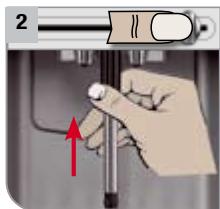
Steam tube in upper position for heating without frothing
Place filled receptacle under spout

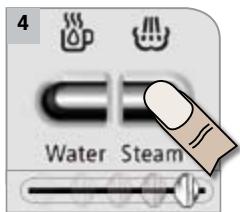
Press button, lower steam nozzle
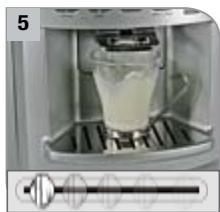
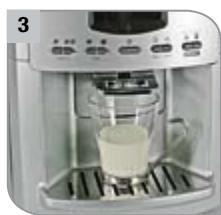
Machine stops after desired time, Lift steam nozzle. Be sure to rinse the steam nozzle after each use
1 Rinsing


When machine is switched off it will automatically rinse.
Confirm by pressing
Rinsing complete, machine is ready
2 Cleaning (approx. 10 min.)

Confirm by pressing OK
2 Follow instructions in display until the following appears ...
CLEANING FINISHED MACHINE READY

Keep cleaning tablets out of the reach of children. Store with care.
3 Cleaning steam nozzle (with XS 4000) (approx. 3 min.)
CLEAN STEAM NOZZLE
PRESS OK
XS 4000
max. 15 ml /0.50 oz

Hot water
250 ml / 8.5 oz
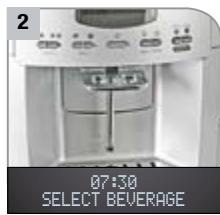
07:38 SELECT BEVERAGE
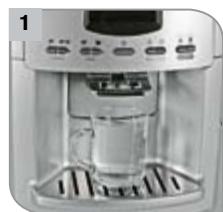
Put liquid cleaner and warm water into receptacle and place under steam nozzle
2 Follow instructions in display until the following appears ...
Repeat procedure with fresh water for rinsing, as shown by the display!

Keep cleaning fluid out of the reach of children. Store with care.

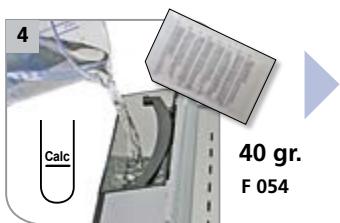
Never descale with vinegar or vinegar-based agents! Always use a Krups descending powder (F054). When descending, cover your work surface below the machine because descending agents, which contain acid, can attack these surfaces. This applies especially to work surfaces made of stone, wood and marble. Always descale without the water filter.
4
Dscaling (approx. 30 min.)
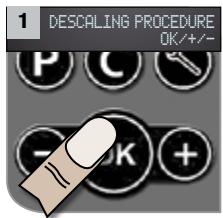
Confirm by pressing
Empty drip tray and container for used coffee grounds, and put back
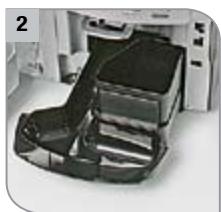
Empty water tank and remove water filter

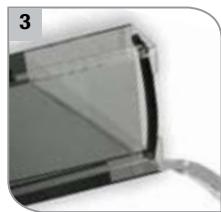
Follow instructions in display until the following appears ...
DESCALING FINISHED APPLIANCE READY
Add water and descending powder as far as Calc mark in the water tank

Never interrupt the descending program! Keep a number of receptacles handy. Keep descending powder out of the reach of children. Store with care. If your product is equipped with our Claris - Aqua Filter System cartridge F088 - please remove this cartridge during the descending operation.
5
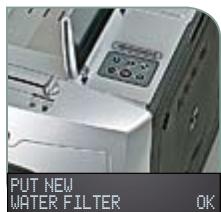
Changing the water filter Automatic message appears when filter needs changing
CHANGE WATER FILTER PRESS OK
Press +/- to select use of water filter, confirm by pressing OK
If NO machine is ready
If YES go to pages 8/9, steps 14-22
Select use of water filter by pressing / , confirm by pressing .

The Claris Aqua Filter System is effective for two months. If machine does not display "Change filter" to begin with, then this must be done after every 2 months.
6
You can obtain the following information:
INFORMATION MACHINE OK+/+/-
INFORMATION MACHINE COFFEEES
Number of portions of coffee served
INFORMATION MACHINE LAST DESCALING X
Most recent descaling operation before X litres delivered
INFORMATION MACHINE CLEANING
Number of cleaning operations done
INFORMATION MACHINE NEXT DESCALING X
Next descending operation after x litres delivered
INFORMATION MACHINE LAST CLEANING
Most recent cleaning before X portions served
INFORMATION MACHINE CHANGES FILTER X
Number of times water filter has been changed
INFORMATION MACHINE NEXT CLEANING
Next cleaning operation after X portions served
INFORMATION MACHINE LAST FILTER X
Most recent change of water filter before X litres delivered
INFORMATION MACHINE DESCALING
Number of descending operations done
INFORMATION MACHINE NEXT FILTER X
Next change of water filter after X litres delivered

MESSAGE
= Information messages
! = Must be done without fail!

CHANGE WATER FILTER INX COFFEEES
Filter should be changed before X coffee preparations have been made

CHANGE WATER FILTER PRESS OK
Change filter and press OK

DESCALING NECESSARY IN X COFFEEES
Descaling should be done before X coffee preparations have been made

DESCALING Necessary PRESS OK
Press OK and start descending program now

CLEANING NECESSARY IN X COFFEEES
Cleaning should be done before X coffee preparations have been made

CLEANING NecessARY PRESS OK
Press OK and start cleaning program now

BREWING UNIT IS MISSING
Insert brewinging unit and lock

SERVICE 1 CONTRACT HOTLINE
Call Hotline

SERVICE 2 CONTRACT HOTLINE
Call Hotline
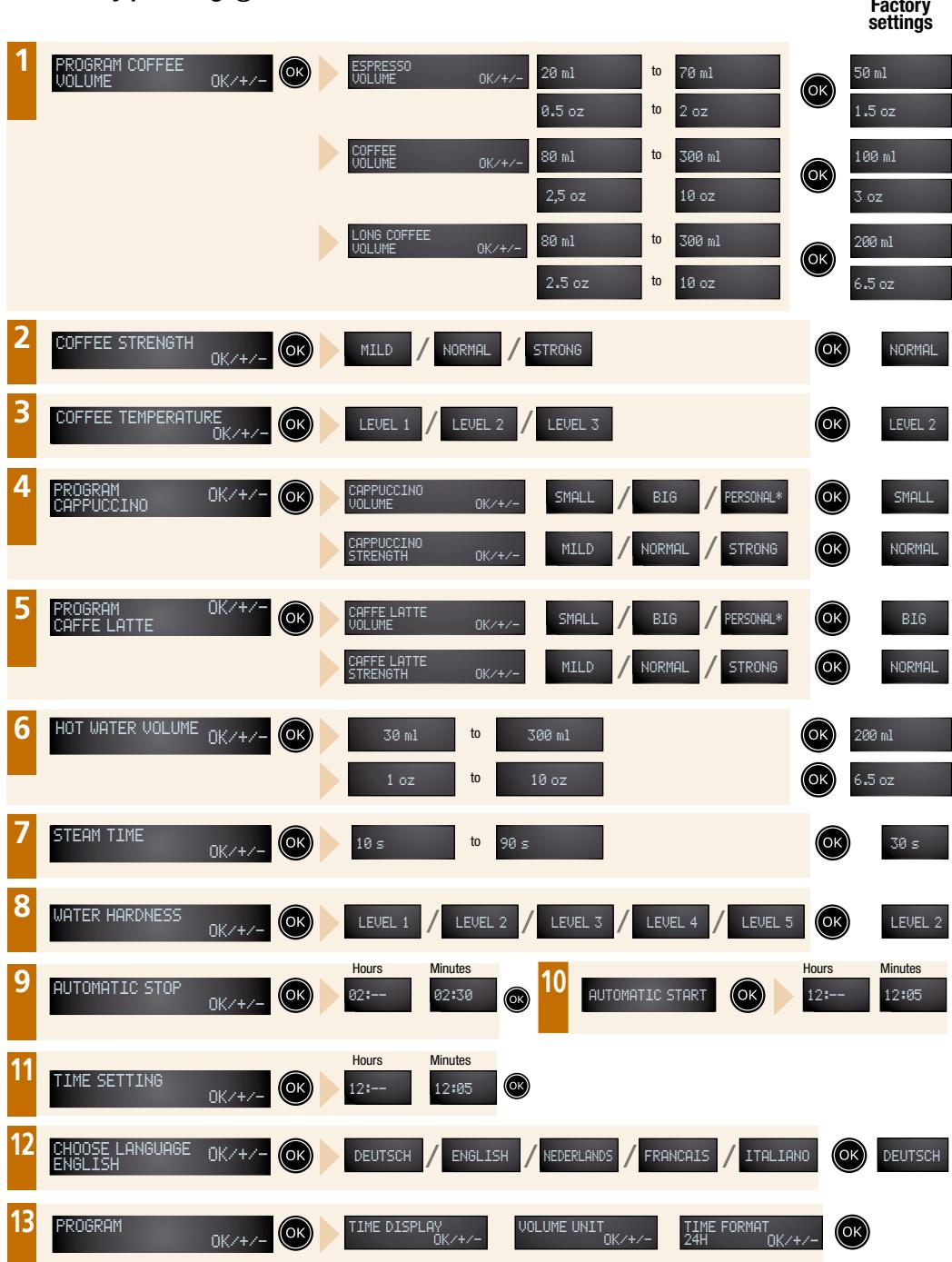
There are 13 programs at your disposal / Select by pressing / , confirm by pressing
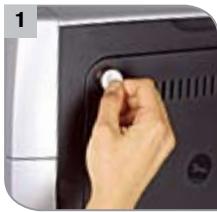
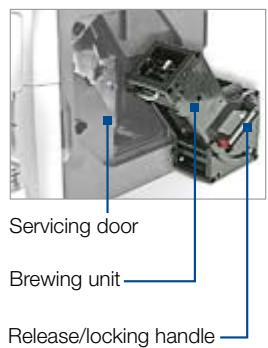
Open servicing door (release with coin)
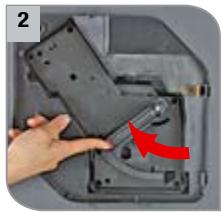
Release brewing unit: press red button, turn handle upwards
Remove brewing unit gently
Clean the brewing group under running water and leave to dry
Check that the markings line up together. If they are not lined up, press red button and align.
Replace brewing unit (Push unit so that white line is visible)
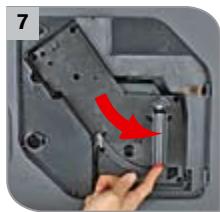
Secure brewing unit, locking mechanism must be easy to move
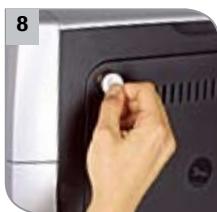
Close service door
CHANGING THE FILTER The Claris Aqua Filter System is effective for two months. If machine does not display "change filter" to begin with, then this must be done after 2 months.
TRANSPORTING MACHINE Use only original packaging or suitable alternative packaging. Krups is not liable for damage in transit resulting from improper packaging.
GENERAL Wipe machine with a soft damp cloth. Do not wash accessories in a dishwasher. Descale and clean as shown by the machine. Important: failure to clean or descale will result in no claim being accepted under guarantee. The system should be emptied if it has not been used for any length of time or is to be transported. Switch off the machine and keep the hot-water button pressed for three seconds.

TROUBLESHOOTING
| PROBLEM | WHAT TO DO |
| Coffee is not hot enough | Preheat cups with hot water or place them on cup holder |
| Coffee only drips out or almost not all | - Set grinding to coarser grade or if using ready-ground coffee use coarser granules - Clean brewing unit as described (see above) - Clean machine as described on page 14-15 |
| Coffee has no crema | Coffee not fresh or unsuitable brand of coffee. Change coffee or brand. |
| Too little froth, or froth too runny | Use very fresh, very cold milk (ideally 6-8°C / 42-46°F and minimum 1.5% fat) |
| No steam/hot water from nozzle | Nozzle is blocked - unscrew, clean and prick the opening in the central outlet with a pin and fit back into place (see Page 11) |
| Grinder is noisy | During further preparations check whether noise persists; if so, use only ground coffee. Contact Krups customer service |
| “check drip tray” is continually displayed | - Insert drip tray correctly - Clean metal contacts in rear area |
| Doors cannot be opened | Lift nozzle so that the door latch is released |