
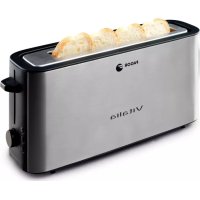
TTE-2005 - Toaster FAGOR - Free user manual and instructions
Find the device manual for free TTE-2005 FAGOR in PDF.

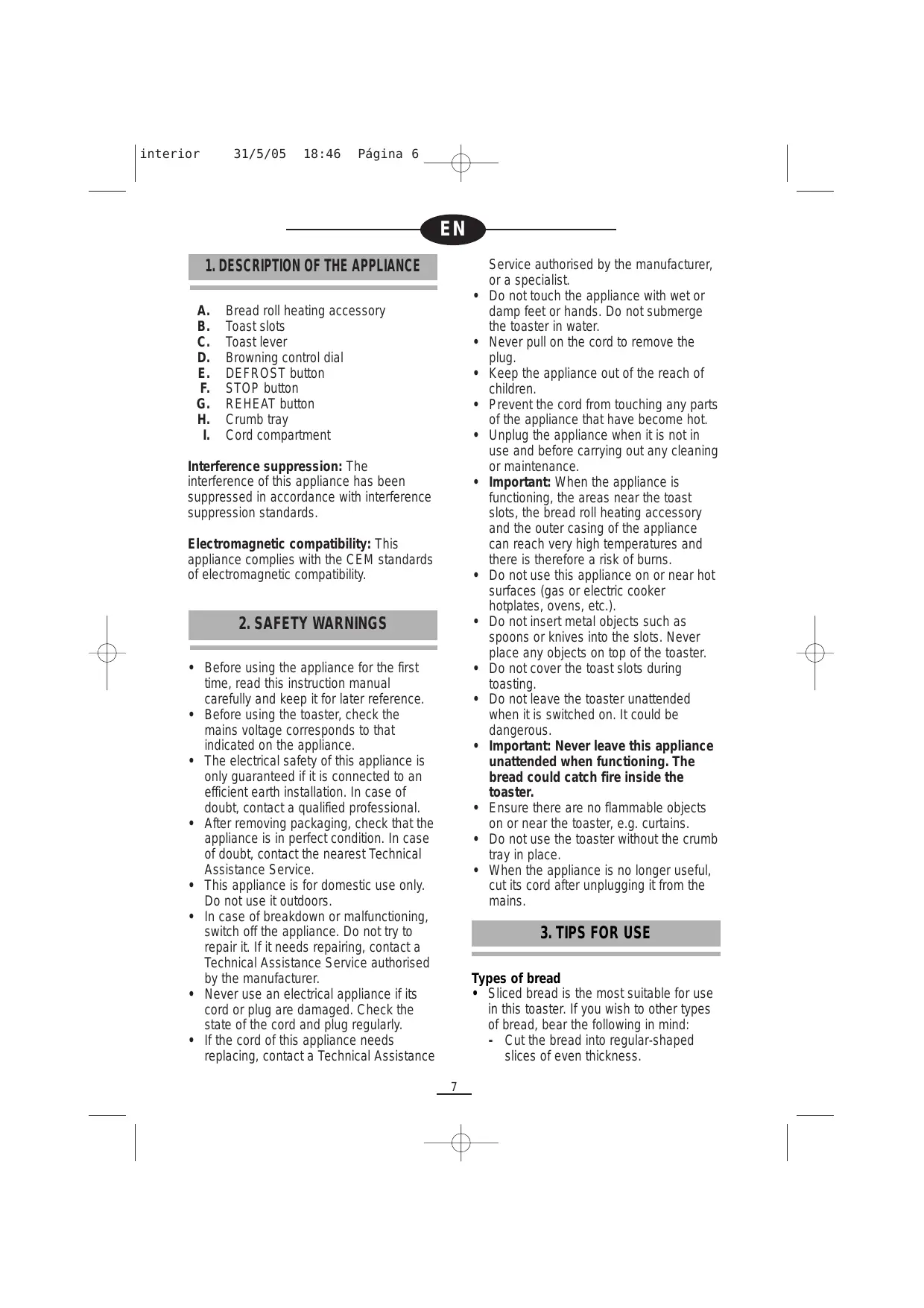


| Product type | Toaster |
| Brand | FAGOR |
| Model | TTE-2005 |
| Category | Toaster |
| Number of slots | 2 |
| Number of browning positions | 6 (from 1 to 6) |
| Special functions | Defrost, reheat, bun warmer accessory |
| Included accessory | Bun warmer |
| Supply voltage | 220-240 V ~ |
| Frequency | 50/60 Hz |
| Power (estimated) | 850 W |
| Dimensions (estimated) | 30 × 20 × 20 cm |
| Net weight (estimated) | 1.5 kg |
| Capacity | 2 slices of bread |
| Cord length (estimated) | 80 cm |
| Removable crumb tray | Yes |
| Automatic shut-off at end of cycle | Yes |
| Manual stop button | Yes |
| Automatic bread ejection | Yes |
| Exterior cleaning | Damp cloth, do not immerse |
| Cleaning the crumb tray | Removable, hand washable |
| Available spare parts | Crumb tray, bun warmer accessory |
| Repairability | Contact authorized after-sales service for any repair |
| Safety features | Automatic shut-off, stop button, hot surface indicator |
Frequently Asked Questions - TTE-2005 FAGOR
User questions about TTE-2005 FAGOR
0 question about this device. Answer the ones you know or ask your own.
Ask a new question about this device
Download the instructions for your Toaster in PDF format for free! Find your manual TTE-2005 - FAGOR and take your electronic device back in hand. On this page are published all the documents necessary for the use of your device. TTE-2005 by FAGOR.
USER MANUAL TTE-2005 FAGOR
The manufacturer reserves the right to modify the models described in this User's Manual.
natural_image
Line drawing of a standard 3D toaster with control panel and side-mounted stand (no text or symbols)TOSTADOR / TORRADEIRA / TOASTER / GRILLE-PAIN / TOSTAPANE /
ΦΡΥΓΑΝΙΕΡΑ / ΚΕΝΥÉRPIRÍTÓ / TOPINKOVAČ / HRIANKOVAČ /
OPIEKACZ / TOCTEP
MOD.:
TTE-2005
TT-2006 X
natural_image
Diagram of a device with a cable and a power outlet, no text or symbols present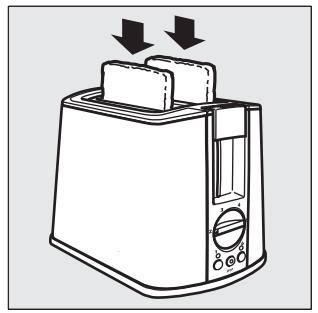
natural_image
Line drawing of a toaster with two blades and a handle, showing no text or symbols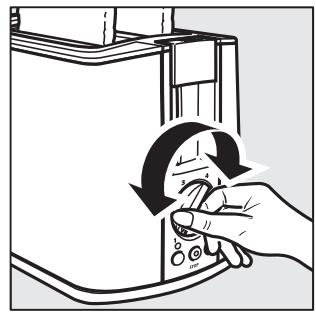
natural_image
Illustration of a hand using a rotary tool to clean or refresh a computer tower (no text or symbols visible)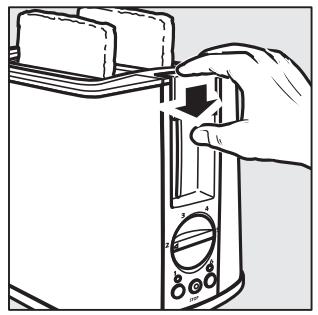
natural_image
Line drawing of a hand inserting a small component into a tower (no text or symbols)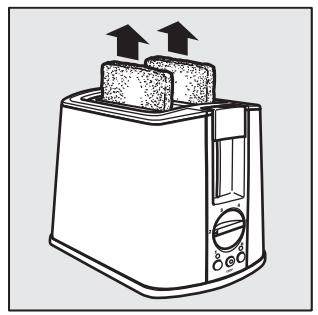
natural_image
Line drawing of a toaster with two upward arrows indicating top and front blades (no text or symbols)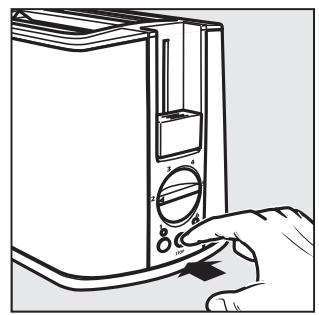
natural_image
Line drawing of a hand inserting a device into a tower case (no text or symbols)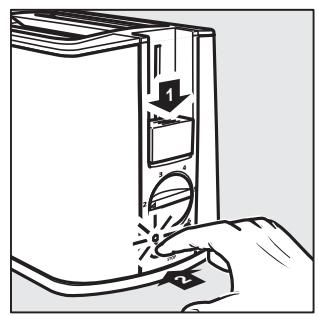
natural_image
Illustration of a hand inserting a device into a computer tower, showing the switch and drive mechanism (no text or symbols)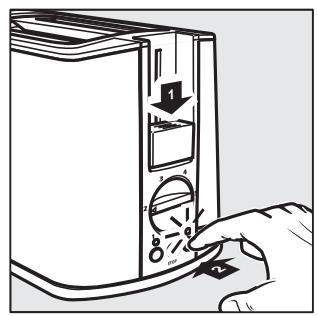
natural_image
Line drawing of a toaster with cooling effect indicated by arrows (no text or symbols)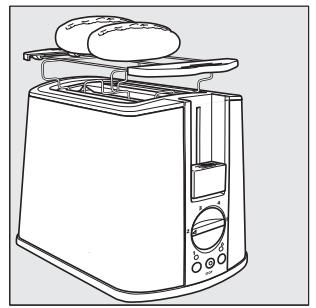
natural_image
Line drawing of a toaster with two oocytes on top (no text or symbols)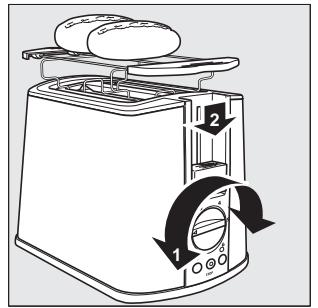
natural_image
Illustration of a hand inserting a card into a device with an arrow indicating the process (no text or symbols present)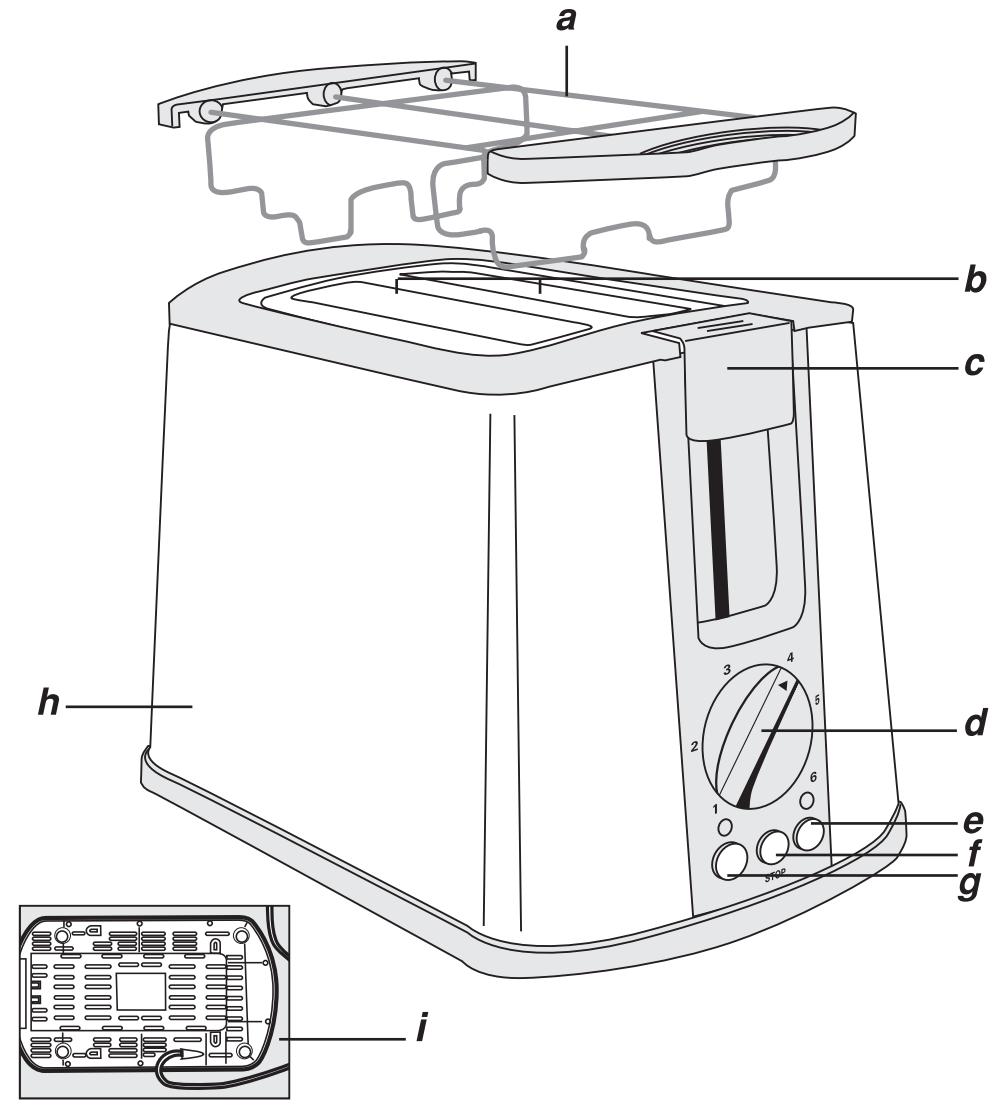
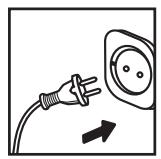
230V \~ 50Hz, 800W
1. DESCRIPCION DEL APARATO
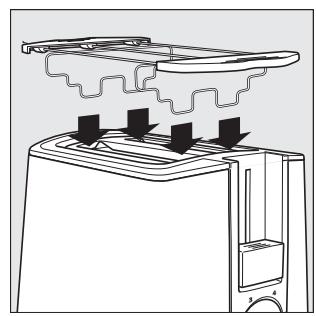
A. Bread roll heating accessory
B. Toast slots
C. Toast lever
D. Browning control dial
E. DEFROST button
F. STOP button
G. REHEAT button
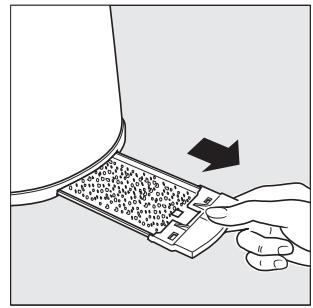
H. Crumb tray
I. Cord compartment
Interference suppression: The
interference of this appliance has been suppressed in accordance with interference suppression standards.
Electromagnetic compatibility: This appliance complies with the CEM standards of electromagnetic compatibility.
2. SAFETY WARNINGS
- Before using the appliance for the first time, read this instruction manual carefully and keep it for later reference.
- Before using the toaster, check the mains voltage corresponds to that indicated on the appliance.
- The electrical safety of this appliance is only guaranteed if it is connected to an efficient earth installation. In case of doubt, contact a qualified professional.
- After removing packaging, check that the appliance is in perfect condition. In case of doubt, contact the nearest Technical Assistance Service.
- This appliance is for domestic use only. Do not use it outdoors.
- In case of breakdown or malfunctioning, switch off the appliance. Do not try to repair it. If it needs repairing, contact a Technical Assistance Service authorised by the manufacturer.
- Never use an electrical appliance if its cord or plug are damaged. Check the state of the cord and plug regularly.
- If the cord of this appliance needs replacing, contact a Technical Assistance
Service authorised by the manufacturer, or a specialist.
- Do not touch the appliance with wet or damp feet or hands. Do not submerge the toaster in water.
- Never pull on the cord to remove the plug.
- Keep the appliance out of the reach of children.
- Prevent the cord from touching any parts of the appliance that have become hot.
- Unplug the appliance when it is not in use and before carrying out any cleaning or maintenance.
- Important: When the appliance is functioning, the areas near the toast slots, the bread roll heating accessory and the outer casing of the appliance can reach very high temperatures and there is therefore a risk of burns.
- Do not use this appliance on or near hot surfaces (gas or electric cooker hotplates, ovens, etc.).
- Do not insert metal objects such as spoons or knives into the slots. Never place any objects on top of the toaster.
- Do not cover the toast slots during toasting.
- Do not leave the toaster unattended when it is switched on. It could be dangerous.
- Important: Never leave this appliance unattended when functioning. The bread could catch fire inside the toaster.
- Ensure there are no flammable objects on or near the toaster, e.g. curtains.
- Do not use the toaster without the crumb tray in place.
- When the appliance is no longer useful, cut its cord after unplugging it from the mains.
3. TIPS FOR USE
Types of bread
- Sliced bread is the most suitable for use in this toaster. If you wish to other types of bread, bear the following in mind:
- Cut the bread into regular-shaped slices of even thickness.
- Do not toast different types of bread at the same time, or slices of different thicknesses.
- Mixed cereal bread usually takes longer to toast than normal bread.
- Do not spread butter, oil or similar on the bread before toasting.
Selecting toasting darkness
- The toast browning can be set from 1 to 6. The higher the number, the darker the toast will be.
- Positions 1 and 2 are for toasting the bread very lightly.
- Positions 3 and 4 are for medium toasting.
- Positions 5 and 6 are for dark toasting.
- When choosing the toast darkness, remember that dry bread and thin slices toast quicker than fresh bread and thicker slices. The browning selection will therefore vary depending on the type of bread, the quality of the bread and the thickness of the slices.
- The toast darkness must be selected before switching on the toaster.
4. FUNCTIONING
FIGS. 2 - 6
- Stand the toaster on an even, heat-resistant surface
- Before using the toaster, check there are no objects in the slots.
- Switch the toaster on for the first two or three times with no bread in the slots, as described below, turning the browning dial to its highest position, in order to eliminate any residual manufacturing oil.
- Place the slices of bread in the slots (2)
- Select the toast darkness on the browning control dial "D" (3)
- Plug the toaster in.
- Press the toast lever "C" down until it is retained at the bottom of the toaster (4). The toasting cycle will then begin.
-
When the toasting cycle ends, the bread will pop up automatically and the toaster will switch off (5). If you wish to toast more bread, wait 1 or 2 minutes before using the toaster again.
-
If you wish to remove the bread before the toasting cycle finishes, press the stop buttonv "F" (6) The bread will automatically pop up and the toaster will switch off.
- When you finish using the toaster, unplug it and wait for it to cool down before putting it away.
Important: If a slice of bread becomes stuck in the toaster, proceed as follows: - Unplug the toaster and wait for it to cool down.
- Then carefully remove the bread. Do not use metal or sharp objects.
- Do not try to remove the bread while the toaster is functioning.
5. FUNCTIONS
FIGS. 7 - 8
Reheating
This function is for heating up toast which has cooled down, without toasting it any further.
- Press the toast lever "C" down until it locks into place. Press button "G". The pilot light will come on (7).
The toaster will switch off automatically when the reheating process has finished.

Defrost
This function is for toasting frozen bread.
- Set the desired toast darkness using the dial (3).
- Press the toast lever "C" down until it locks into place, and then press button ✿ "E". The pilot light will come on (8).
The toaster will switch off automatically when the process has finished.
Bread roll heating accessory
FIGS. 9-11
- Place the bread roll heating accessory "A" on the toaster (9), and place the rolls on top of it (10).
-
Adjust the toast darkness on the dial "D" and press the toast lever "C" down until it locks into place (11). If you can see that the rolls are getting too brown, you can stop the process by pressing the STOP button "F".
-
When you have finished using the toaster, wait for the bread roll heating accessory to cool down before removing it.
- The bread roll heating accessory must not be used for any longer than 10 minutes at a time.
6. CLEANING
Fig.12
Before cleaning the toaster, unplug it and wait for it to cool down.
Wipe the outside of the toaster with a damp cloth. Do not submerge it in water or place it under the tap.
Do not use solvents or abrasive products to clean the toaster.
To remove crumbs, pull out the crumb tray "H", (12). Clean the tray and replace it in its slot.
7. WASTE ELIMINATION
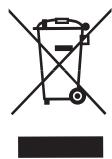
The materials used in the packaging, product and accessories can be recycled. Correct separation of waste materials will allow recyclable materials to be re-used.
When the appliance is no longer useful, you should cut its cord to put it out of action and dispose of it using a suitable waste elimination procedure. For further information on this matter, consult your local authorities.
FR
1. DESCRIPTION DE L'APPAREIL
Brand : FAGOR
Model : TTE-2005
Category : Toaster