
CMP-BARSCAN31 - Barcode Reader KONIG - Free user manual and instructions
Find the device manual for free CMP-BARSCAN31 KONIG in PDF.


| Product Type | Barcode scanner |
| Brand | Konig |
| Model | CMP-BARSCAN31 |
| Dimensions (L x W x H) | 170 x 70 x 90 mm |
| Weight | 150 g |
| Power supply | USB (5V) |
| Supported barcode type | 1D (EAN, UPC, Code 39, etc.) and 2D (QR, Data Matrix, PDF417) |
| Interface | USB (HID, virtual COM) |
| Read range | Up to 30 cm (depending on density) |
| Optical resolution | 640 x 480 pixels |
| Light source | Red laser (Class 1) |
| Read angle | ±45° horizontal, ±30° vertical |
| Operating temperature | 0°C to 40°C |
| Operating humidity | 5% to 95% (non-condensing) |
| Housing material | ABS plastic |
| Cable length | 1.5 m |
| Main functions | Auto-scan, fast decoding, plug-and-play |
| Maintenance and cleaning | Clean the scanning window with a soft, dry cloth |
| Safety | Class 1 laser, safe for eyes |
| Spare parts and repairability | Removable USB cable, replaceable |
| General information | 2-year warranty, compatibility with Windows/Mac/Linux |
Frequently Asked Questions - CMP-BARSCAN31 KONIG
User questions about CMP-BARSCAN31 KONIG
0 question about this device. Answer the ones you know or ask your own.
Ask a new question about this device
Download the instructions for your Barcode Reader in PDF format for free! Find your manual CMP-BARSCAN31 - KONIG and take your electronic device back in hand. On this page are published all the documents necessary for the use of your device. CMP-BARSCAN31 by KONIG.
USER MANUAL CMP-BARSCAN31 KONIG
CMP-BARSCAN31 & CMP-BARSCAN40
Laser barcode scanner

MANUAL
MODE D' EMPLOI
MANUALE
HASZNÁLATI ÚTMUTATÓ
BRUKSANVISNING
MANUAL DE UTILIZARE
ANLEITUNG
GEBRUIKSAANWIJZING
MANUAL DE USO
KÄYTTÖHJE
NÁVOD K POUŽITÍ
ENGLISH
Table of Contents:
1 Introduction....2
2 Features....2
3 Specifications .... 3
4 Connections....4
5 Operation....5
6 Charging the CMP-BARSCAN40 6
7 Barcode settings. 7
7.1 Edit setup barcode 7
7.2 Macro/Special keys setup barcodes 9
7.3 Termination string setup barcodes ..... 10
7.4 Symbologies on/off 12
7.5 Symbologies set up .....16
7.6 Multiscan functions .....25
7.7 ID character setting .....29
8 ASC11 reference table .....33
9 Default setting ....37
10 Declaration of conformity ....40
1) Introduction:
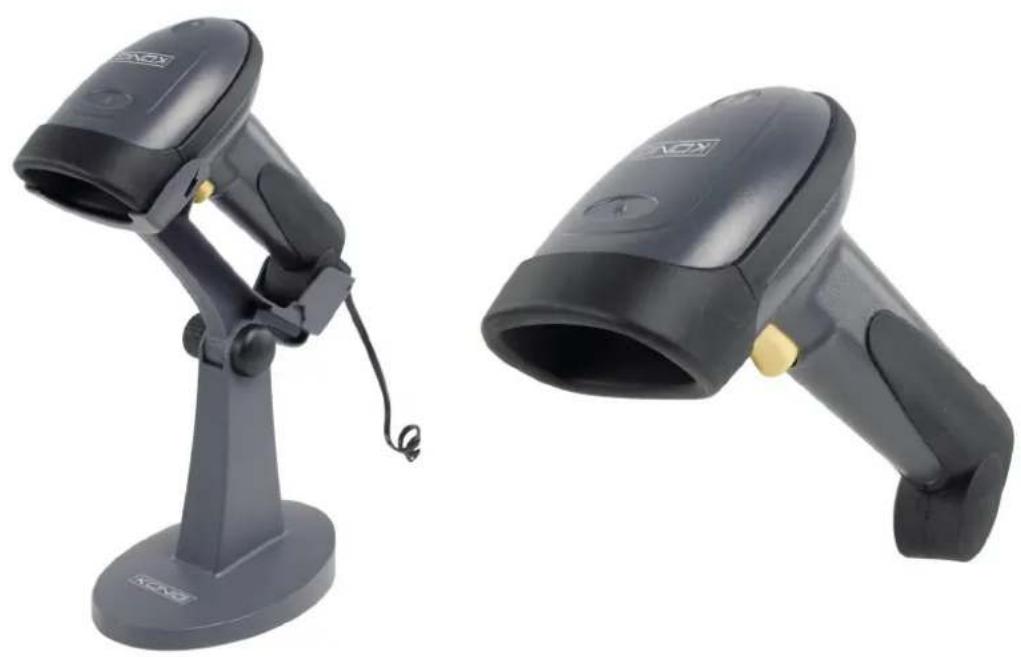
The Barcode scanner provides an accurate, easy and fast method of data entry and data storage for computerized information systems. The scanner can be connected to any computer system with a USB port. The scanner can be used in different situations, for example in a shop related area to scan the products, or in a warehouse area to scan the stock etc.
When the scanner is placed in its holder, it will automatically scan all barcodes that are held under the laser.
2) Features:
- With automatic trigger operation that lengthens the life of the laser head.
- New electricity saving way of scanning, 650nm high speed laser scanning technique enables it to read various kinds of barcodes accurately and quick. With a scan rate up to 74 scans/sec, and a fault rate of less than one millionth.
- Dustproof and waterproof design to IP65 standards, assures reliable functionality under any circumstance.
- Designed with special thin diameter wire material, and with a better durability, flexibility and anti-pull intensity than most common products.
- Unique pikestaff like holding handle. The ergonomic design, makes using the scanner very comfortable.
- Anti-impact design, tested to withstand a fall from 1.5 m on a concrete floor.
The CMP-BARSCAN40 has a few extra features:
- The 2.4 GHz wireless frequency-skip technique enables users to use several scanners in close proximity synchronously without interfering with each other.
- High capacity 2Ah Li-polymer battery, can be in standby for 500 hours and use continuously for 10 hours (idle electric current less than 50µA ).
3) Specifications:
Type of light source: 650nm laser
Manner of using: Portable or setting in bracket
Rate of wrong code: One millionth
Laser safety capability: CDRH CLASS II, IEC CLASS II
Type of bar codes: U P C - A , U P C - E , I n d u s t r i a l 2
EAN13, Code 128, EAN 128, Code39, Code93, Codebar125, etc.
Support interface: USB
Manner of scan starting: Manual or automatic trigger
Resolution(pcs0.9): 0.10mm(4mil)
Width of reading: 60mm at 30mm away from the object; 98mm at 100 mm away from the object
Depth of field: 10-420mm (pcs0.9, density 0.25)
Speed of code reading: 74times/second
Precision of code reading: 0.10-0.825mm
Distance of code reading: 10-510mm
Compatible with: Microsoft® Windows 98se/ME/XP/Vista
Drop test: 100 times/1.5m
CMP-BARSCAN40 Extra features:
Power supply: 5 V
Battery capacity: 1200 mAH
Idle electric current: less than 50μA
Working electric current: 120 mA
Stand by current: 30 mA
Intensity of bearing light Sunlight: 3.000lux max
EMI: In compliances with the EN50081.
par1 specifications
EMS: In compliances with the EN50082.
par1 specifications
4) Connections:
USB Cable version: (CMP-BARSCAN31)
Connect the scanner line to the computer USB port directly.

Note: after you have connected the scanner, scan the barcode below to ensure the scanner works normally.

USB dongle version: (CMP-BARSCAN40)
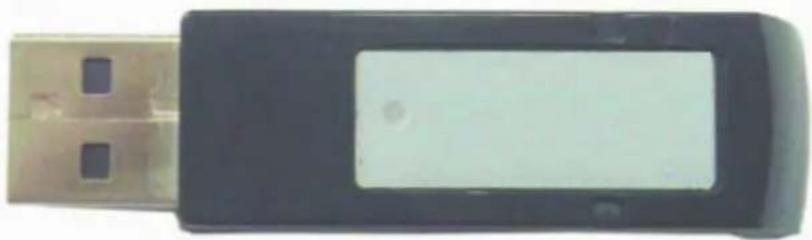
Changing to dongle method:
You can see if the scanner is connected to the dongle by checking the light on the dongle while scanning. When you are scanning, a little light should be flashing on the dongle. Only one scanner can be connected to each dongle. If you want to change the dongle you must disconnect first. Scan the barcode below and the connection with the dongle will be terminated.

Now you can power on the dongle to which you want to change. Press the button of the scanner; you can see the light of the dongle flashing. It shows that the dongle is matched with the scanner, now you can use the scanner normally.
Note: The scanner chooses the closest free dongle completely random. So make sure only the dongle you want to use is connected to a computer
5) Operation:
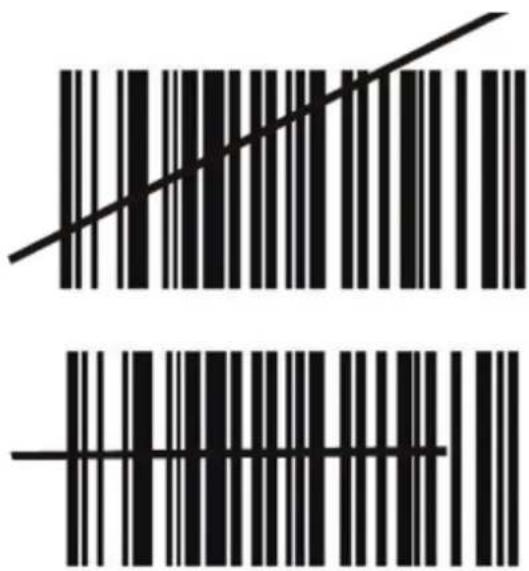
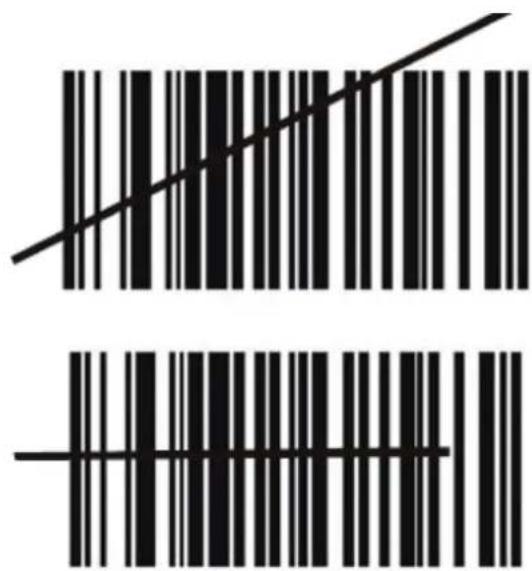
In order to decode normally, the laser of the scanner must cover the whole barcode.
Good.
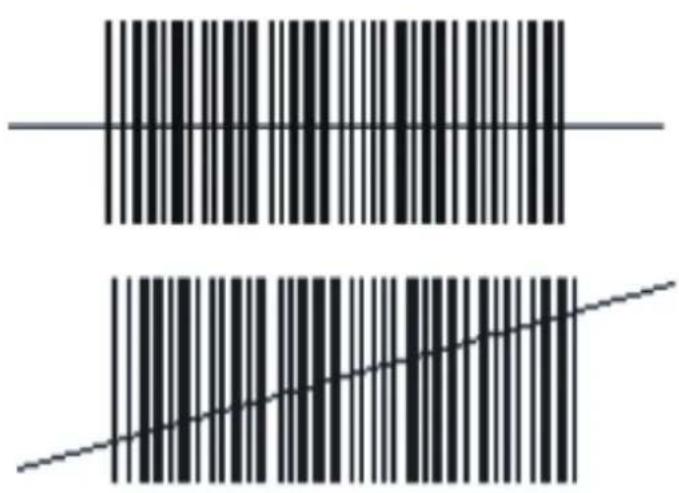
Fault.
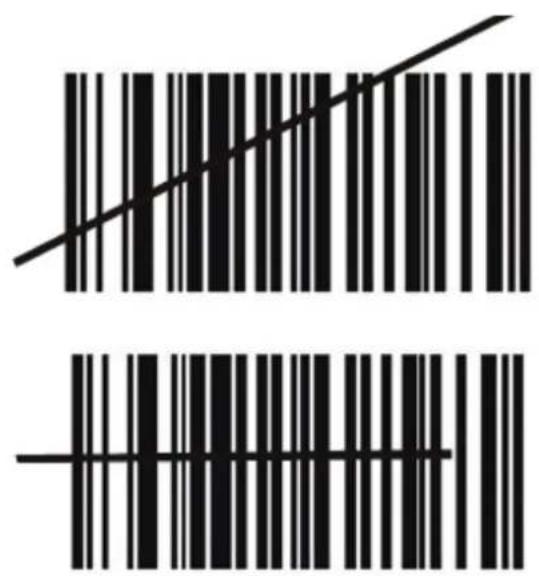
6) Charging the CMP-BARSCAN40:
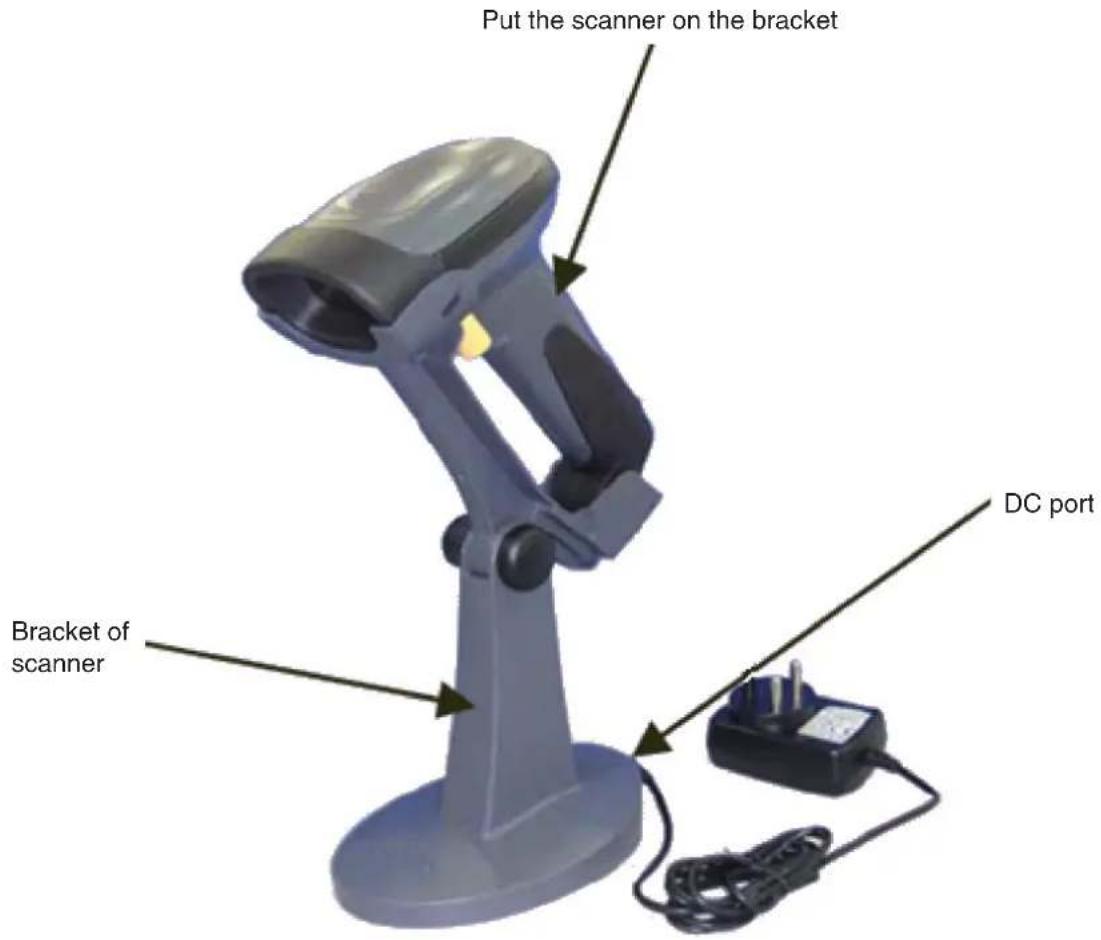
- Plug the 5 V DC power adapter into the DC jack of the bracket.
- Plug the power adapter into a 220 V wall socket.
- After placing the scanner on the bracket, it will automatically make contact with the power connection of the bracket. This way the scanner will be charged but will also work continually through the power adapter.
7) Barcode settings:
7.1 Edit setup barcode
| EDIT # 1-Strip 1 Leading character on all bar codes that start with ‘12345’ |
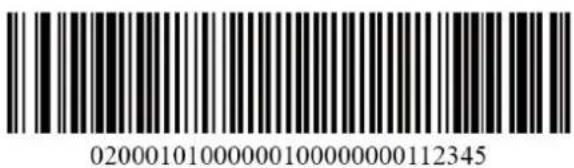 |
| EDIT # 1-OFF |
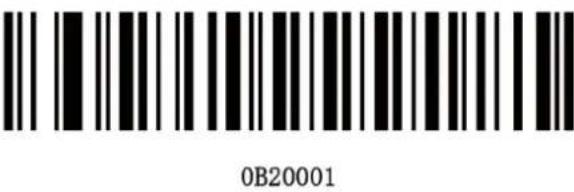 |
| EDIT # 2-Strip 1 trailing character |
 |
| EDIT # 2-OFF |
 |
| EDIT # 1-Filterleading spaces |
 |
| EDIT # 1-OFF |
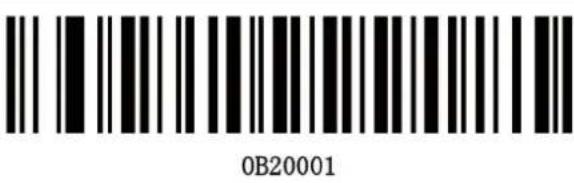 |
| EDIT # 1-Filter trailing spaces |
| 020001040000032 |
| EDIT # 1-OFF |
| 0B20001 |
| EDIT-Disable filtering of all '-' characters |
| 020000050000045 |
| EDIT-Filter all '-' characters |
| 0B20000050000045 |
| EDIT-Insert leading zero |
| 020000060000000048 |
| EDIT-Disable insert leading zero |
| 0B20000060000000048 |
7.2 Macro/Special keys setup barcodes:
| MACRO # 1-Find ‘1’ and replace with one ‘one” |
 020101010110NE 020101010110NE |
| MACRO # 1-Disabled |
 0B20101 0B20101 |
| MACRO # 2-find 2 and replace with two for code 39 only |
 02010203012TWO 02010203012TWO |
| MACRO # 2-Disabled |
 0B20102 0B20102 |
| MACRO-Find ‘0’ and replace with ‘A’ |
 02010001010A 02010001010A |
| MACRO-Find ‘0’ and replace with ‘A’-Disable |
 0B2010001010A 0B2010001010A |
| Special key-Map F3 TO ‘0’ |
 0162048 0162048 |
| Special key-Disable F3 key mapping |
| 0B162 |
| Special key-Map keypad enter to '2' |
| 0182050 |
| Special key-Disable keypad enter mapping |
| 0B20201 |
7.3 Termination string setup barcodes:
| STRING # 1-Termination char-CR |
| 02020110000D |
| STRING # 1-Termination-LF |
| 02020110000A |
| String # 1-Termination char CR+LF |
| 02020110000D0A |
| String # 1-Disabled |
 |
| String # 1-Termination char-CR |
 |
| String # 2-Code 128 termination char-LF |
 |
| String # 2-Code 128 termination char CR+LF |
 |
| String # 2-Code 128 termination char-Removed |
 |
| String code 39 termination char-TAB |
 |
| String-Code 39 termination char-tab-Removed |
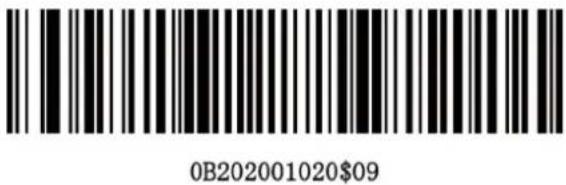 |

7.4 Symbologies On/Off:
| CODE 93-Enable |
| 00621 |
| CODE 93-Disable |
| 00620 |
| CODE 128-Enable |
| 00691 |
| CODE 128-Disable |
| 00690 |
| CODE 128 ISBT-Enable |
 00701 00701 |
| CODE 128 ISBT-Disable |
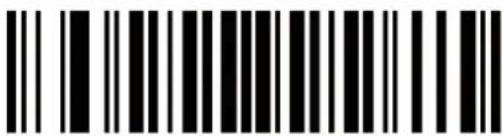 00700 00700 |
| CODABAR-Enable |
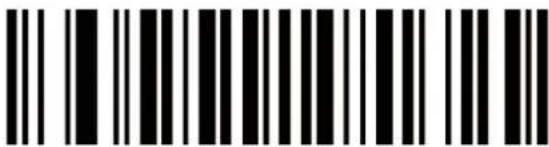 00851 00851 |
| CODABAR-Disable |
 00850 00850 |
| 12OF5-Enable |
 00961 00961 |
| 12OF5-Disable |
 00960 00960 |
| ID2OF5-Enable |
 01061 01061 |
| ID2OF5-Disable |
 |
| START/STOP CHARACTERS - 2 BAR |
 |
| START/STOP CHARACTERS - 3 BAR |
 |
| MSI-Enable |
 |
| MSI-Disable |
 |
| UPC-A Enable |
 |
| UPC-A Disable |
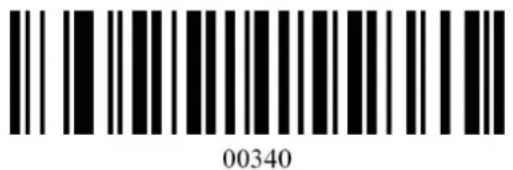 |
| UPC-E Enable |
 00351 00351 |
| UPC-E Disable |
 00350 00350 |
| EAN-13 Enable |
 00361 00361 |
| EAN-13 Disable |
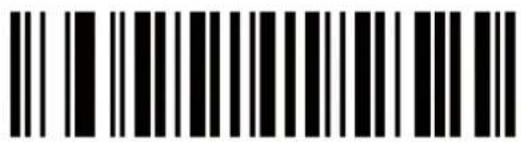 00360 00360 |
| EAN-8 Enable |
 00371 00371 |
| EAN-8 Disable |
 00370 00370 |
7.5 Symbologies set up:
| CODE 11 ID Character-'m' |
 0131m 0131m |
| CODE 11 ID Character-'z' |
 0131z 0131z |
| CODE 11 Laser/CCD Redundancy-Enable |
 01321 01321 |
| CODE 11 Laser/CCD Redundancy-Disable |
 01320 01320 |
| CODE 39 SS Char-None |
 002700 002700 |
| CODE 39 SS Char '+' |
 002704 002704 |
| CODE 39 Send start/stop chars enable |
 00281 00281 |
| CODE 39 Send start/stop chars enable |
 00280 00280 |
| CODE 39 ID Character 'a' |
 0031a 0031a |
| CODE 39 ID Character-'z' |
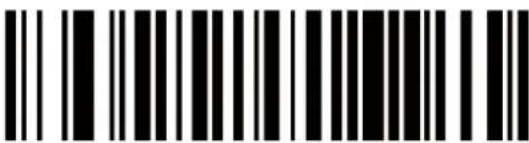 0031z 0031z |
| CODE 39 Laser/CCD redundancy enable |
| KKCG]00331 |
| CODE 39 Laser/CCD redundancy disable |
 00330 00330 |
| CODE 39 ID Character 'h' |
 0066h 0066h |
| CODE 39 ID Character-'z' |
 0066z 0066z |
| CODE 39 Laser/CCD redundancy-enable |
 |
| CODE 39 Laser/CCD redundancy-disable |
 |
| CODE 39 ID Character ‘g’ |
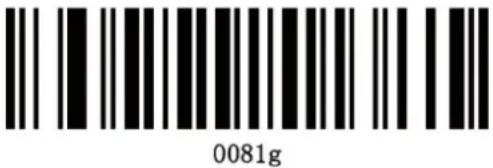 |
| CODE 128 ID Character-‘z’ |
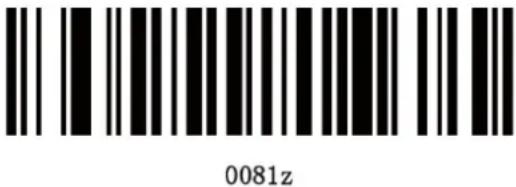 |
| CODE 128 Laser/CCD redundancy-enable |
 |
| CODE 128 Laser/CCD redundancy-disable |
 |
| CODABAR Send start/stop chars-enable |
 |
| CODABAR Send start/stop chars-disable |
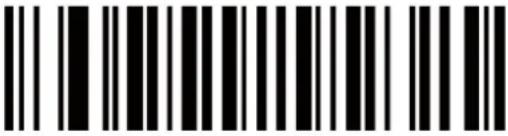 00860 00860 |
| CODABAR Wide gaps allowed-enable |
 00901 00901 |
| CODABAR Wide gaps allowed-disable |
 00900 00900 |
| CODABAR ID character-'k' |
 0094k 0094k |
| CODABAR ID character-'z' |
 0094z 0094z |
| CODEBAR Laser/CCD redundancy-enable |
 00951 00951 |
| CODEBAR Laser/CCD redundancy-disable |
 00950 00950 |
| 12OF5 ID character-'i' |
 |
| 12OF5 ID character-'z' |
 |
| 12OF5 Laser/CCD redundancy-enable |
 |
| 12OF5 Laser/CCD redundancy-disable |
 |
| ID2OF5 ID character-'j' |
 |
| ID2OF5 ID character-'z' |
 |
| ID2OF5 Laser/CCD redundancy-enable |
 |
| ID2OF5 Laser/CCD redundancy-disable |
 01140 01140 |
| MSI ISBN ID character-‘f’ |
 0053f 0053f |
| MSI ISBN ID character-‘z’ |
 0053z 0053z |
| MSI Laser/CCD redundancy-enable |
 01251 01251 |
| MSI Laser/CCD redundancy-disable |
 01250 01250 |
| Expand UPC-E to UPC-A enable |
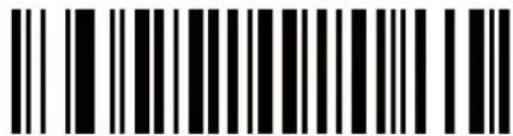 00381 00381 |
| Expand UPC-E to UPC-A disable |
 00380 00380 |
| Expand UPC-A to EAN-13 enable |
 |
| Expand UPC-A to EAN-13 disable |
 |
| Convert EAN-13 to ISBN enable |
 |
| Convert EAN-13 to ISBN disable |
 |
| UPC-A ID character 'b' |
 |
| UPC-A ID character 'z' |
 |
| UPC-E ID character 'c' |
 |
| UPC-E ID character ‘z’ |
 0050z 0050z |
| EAN-13 ID character ‘e’ |
 0051e 0051e |
| EAN-13 ID character ‘z’ |
 0051z 0051z |
| EAN-13 ID CHARACTER- ’ |
 0051 0051 |
| EAN-8 ID character ‘d’ |
 0052d 0052d |
| EAN-8 ID character ‘z’ |
 0052z 0052z |
| IISBN ID character ‘f’ |
 0053f 0053f |
| IISBN ID character 'z' |
 0053z 0053z |
| UPCE/EAN supplements-disable |
 00550 00550 |
| UPCE/EAN supplements-2 digit only |
 00551 00551 |
| UPCE/EAN supplements-5 digit only |
 00552 00552 |
| UPCE/EAN supplements-2 & 5 digit only |
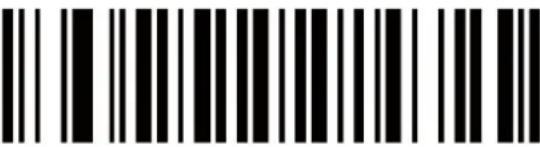 00553 00553 |
| UPCE/EAN Laser/CCD redundancy enable |
 00541 00541 |
| UPCE/EAN Laser/CCD redundancy disable |
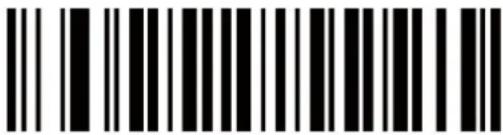 00540 00540 |
7.6 Multiscan functions:
| Output firmware version |
 |
| Reset configuration to defaults |
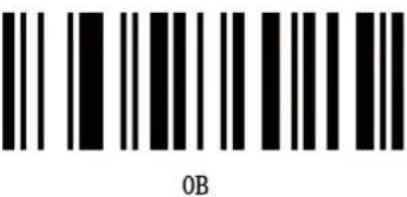 |
| Output mode - keyboard/USB wedge |
 |
| Output mode- serial |
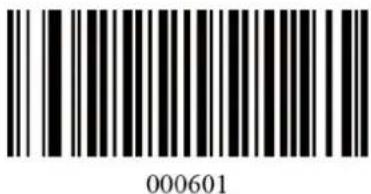 |
| Output mode-reset |
 |
| Good read beep tone-none |
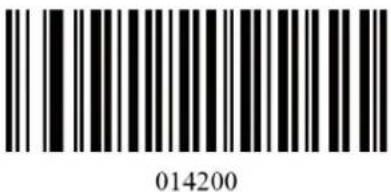 |
| Good read beep tone-reset |
 0B142 0B142 |
| GOOD READ BEEP TONE - LOW |
 014201 014201 |
| GOOD READ BEEP TONE - MEDIUM |
 014202 014202 |
| GOOD READ BEEP TONE - HIGH |
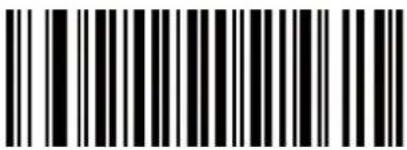 014203 014203 |
| GOOD READ BEEP TONE - LOW To HIGH |
 014204 014204 |
| GOOD READ BEEP TONE - HIGH To LOW |
 014205 014205 |
| GOOD READ BEEP DURATION - SHORT |
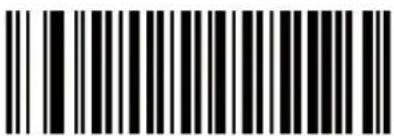 014300 014300 |
| GOOD READ BEEP DURATION - MEDIUM |
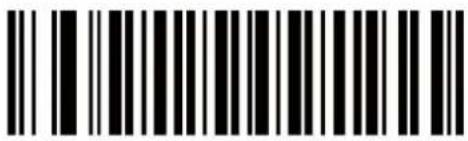 014301 014301 |
| GOOD READ BEEP DURATION - LONG |
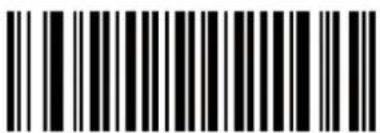 014302 014302 |
| Decode options reverse image-enable |
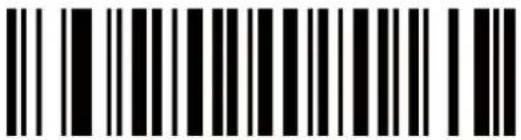 01391 01391 |
| Decode options reverse image-disable |
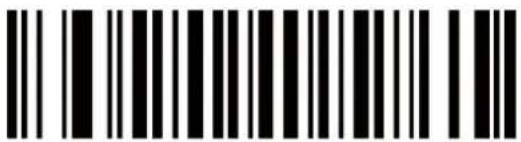 01390 01390 |
| Decode options send bar code ID - disable |
 01400 01400 |
| Decode options send bar code ID-as a prefix |
 01401 01401 |
| Decode options send bar code ID-reset |
 0B140 0B140 |
| Decode options send bar code ID-as a suffix |
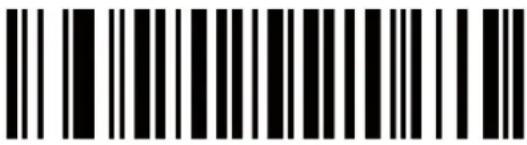 01402 01402 |
| Laser/CCD mode -single scan |
 013300 013300 |
| Laser/CCD mode -single scan no trigger |
 013301 013301 |
| Laser/CCD mode -multiscan |
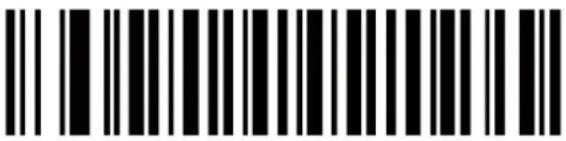 013302 013302 |
| Laser/CCD mode - multiscan no trigger |
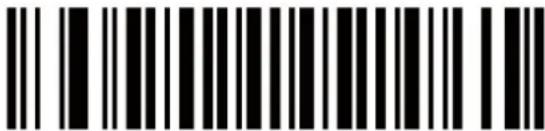 013303 013303 |
| Laser/CCD mode -continuous scan |
 013304 013304 |
| Laser/CCD mode -pulse |
 013305 013305 |
7.7 ID character setting:
7.7.1 ID character setup code:
| CODE 11 ID Character Setup code | |
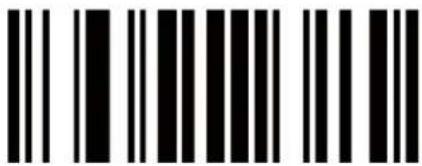 0P 0P | |
| CODE 39 ID Character Setup code | |
 0O 0O | |
| CODE 93 ID Character Setup code | |
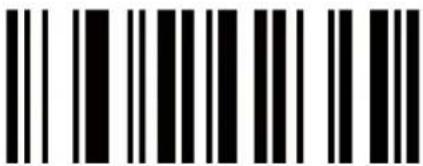 0N 0N | |
| CODE 128 ID Character Setup code | |
 0M 0M | |
| CODABAR ID Character Setup code | |
 0L 0L | |
| IZOF 5 ID Character Setup code | |
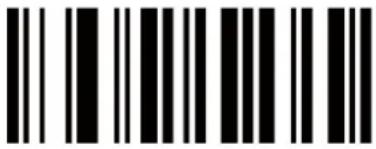 0K 0K | |
| IDZOF 5 ID Character Setup code | |
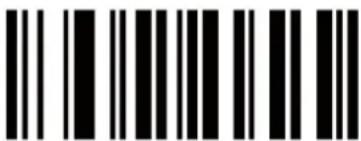 0J 0J | |
| MSI/PIESSEY ID Character Setup code | |
 0I 0I | |
| UPC-A ID Character Setup code | |
 0H 0H | |
| UPC-E ID Character Setup code | |
 0G 0G | |
| EAN-13 ID Character Setup code | |
 0F 0F | |
| EAN-8 ID Character Setup code | |
 0E 0E | |
| ISBN ID Character Setup code | |
 0D 0D |
7.7.3 ID character setting method:
Every barcode has its own ID character. To change a barcode ID character, first scan the ID character setup barcode of this barcode. Then scan the corresponding Code Bytes of the ID character.
(Please refer to the ASC11 reference table).
E.G.: Change the code 11 prefix ID character to A, below are the steps:
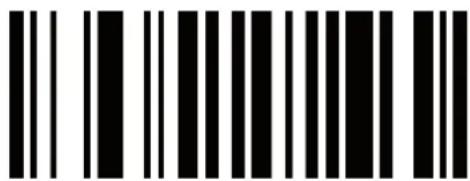
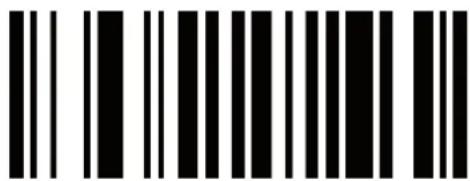
1) Scan the barcode 01401 to open adding prefix ID character:

2) Scan the CODE11 ID character setup code 0P:
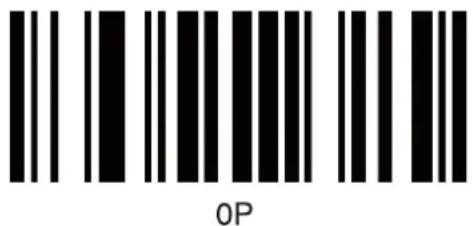
3) Through the ASC11 reference table, find the corresponding code bytes of ID character A(CHARACTER column): 065.
4) Scan the following barcodes in sequence: code byte 0, code byte 6, code byte 1. (The scanner will have a prompt sound when scanning the barcode)

Code byte 0

Code byte 6

Code byte 5
5) After setting successfully, the scanner resets and sounds a beep.
Note:
A) To change the barcode suffix ID character, in step 1, you should scan barcode 01402 to open adding suffix ID character function, instead of scanning barcode. Then follow the step 2 to step 5
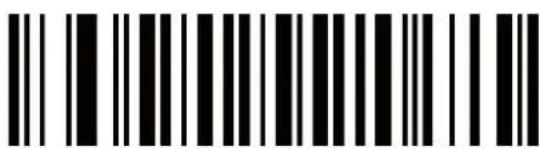
01402
B) To change the ID character of the ISBN code, before doing the example steps, you should scan the setup barcode 00481 first to transfer from EAN-13 code to ISBN code, then follow step 1 to step 5.

00481
8) ASC11 reference table:
| HEX Value Decimal | Value/Code Byte Value | Character Control | Keyboard Eqv |
| 00 | 000 | NUL | @ |
| 01 | 001 | SOH | A |
| 02 | 002 | STX | B |
| 03 | 003 | ETX | C |
| 04 | 004 | EOT | D |
| 05 | 005 | ENQ | E |
| 06 | 006 | ACK | F |
| 07 | 007 | BEL | G |
| 08 | 008 | BS | H |
| 09 | 009 | HT | I |
| 0A | 010 | LF | J |
| 0B | 011 | VT | K |
| 0C | 012 | FF | L |
| 0D | 013 | CR | M |
| 0E | 014 | SO | N |
| 0F | 015 | SI | O |
| 10 | 016 | DLE | P |
| 11 | 017 | DC1 | Q |
| 12 | 018 | DC2 | R |
| 13 | 019 | DC3 | S |
| 14 | 020 | DC4 | T |
| 15 | 021 | NAK | U |
| 16 | 022 | SYN | V |
| 17 | 023 | ETB | W |
| 18 | 024 | CAN | X |
| 19 | 025 | EM | Y |
| 1A | 026 | SUB | Z |
| 1B | 027 | ESC | [ |
| 1C | 028 | FS | \ |
| 1D | 029 | GS | ^ |
| 1E | 030 | RS | - |
| 1F | 031 | US | space, blank |
| 20 | 032 | SP | |
| 21 | 033 | ! | |
| 22 | 034 | “ | |
| 23 | 035 | # | |
| 24 | 036 | $ | |
| 25 | 037 | % | |
| 26 | 038 | & | |
| 27 | 039 | ‘ | apostrophe |
| 28 | 040 | ( | |
| 29 | 041 | ) | |
| 2A | 042 | * | |
| 2B | 043 | + | |
| 2C | 044 | , | comma |
| 2D | 045 | - | minus |
| 2E | 046 | . | period |
| 2F | 047 | / | |
| 30 | 048 | 0 | number zero |
| 31 | 049 | 1 | number one |
| 32 | 050 | 2 | |
| 33 | 051 | 3 | |
| 34 | 052 | 4 | |
| 35 | 053 | 5 | |
| 36 | 054 | 6 | |
| 37 | 055 | 7 | |
| 38 | 056 | 8 | |
| 39 | 057 | 9 | |
| 3A | 058 | : | |
| 3B | 059 | ; | |
| 3C | 060 | < | less than |
| 3D | 061 | = | |
| 3E | 062 | > | greater than |
| 3F | 063 | ? | |
| 40 | 064 | @ | Shift P |
| 41 | 065 | A | |
| 42 | 066 | B | |
| 43 | 067 | C | |
| 44 | 068 | D | |
| 45 | 069 | E | |
| 46 | 070 | F | |
| 47 | 071 | G | |
| 48 | 072 | H | |
| 49 | 073 | I | letter I |
| 4A | 074 | J | |
| 4B | 075 | K | |
| AC | 076 | L | |
| 4D | 077 | M | |
| 4E | 078 | N | |
| 4F | 079 | O | letter O |
| 50 | 080 | P | |
| 51 | 081 | Q | |
| 52 | 082 | R | |
| 53 | 083 | S | |
| 54 | 084 | T | |
| 55 | 085 | U | |
| 56 | 086 | V | |
| 57 | 087 | W | |
| 58 | 088 | X | |
| 59 | 089 | Y | |
| 5A | 090 | Z | |
| 5B | 091 | [ | shift K |
| 5C | 092 | \ | shift L |
| 5D | 093 | ] | shift M |
| 5E | 094 | ^ | à, shift N |
| 5F | 095 | - | ♣, shift 0, underscore |
| 60 | 096 | ‘ | accent grave |
| 61 | 097 | a | |
| 62 | 098 | b | |
| 63 | 099 | c | |
| 64 | 100 | d | |
| 65 | 101 | e | |
| 66 | 102 | f | |
| 67 | 103 | g | |
| 68 | 104 | h | |
| 69 | 105 | i | |
| 6A | 106 | j | |
| 6B | 107 | k | |
| 6C | 108 | l | |
| 6D | 109 | m | |
| 6E | 110 | n | |
| 6F | 111 | o | |
| 70 | 112 | p | |
| 71 | 113 | q | |
| 72 | 114 | r | |
| 73 | 115 | s | |
| 74 | 116 | t | |
| 75 | 117 | u | |
| 76 | 118 | v | |
| 77 | 119 | w | |
| 78 | 120 | x | |
| 79 | 121 | y | |
| 7A | 122 | z | |
| 7B | 123 | { | |
| 7C | 124 | | | vertical slash |
| 7D | 125 | } | alt mode |
| 7E | 126 | ~ | (alt mode) |
| 7F | 127 | DEL | delete, rubout |
9) Default setting:
| Function Barcode | Barcode Explanation | |
| Edit enactment barcode | 0B20000050000045 | Send ‘’ character |
| Tail character setting | 0202011000 0D0202021080 0D0202001020 $ 09 | Add a suffix--EnterCode128 code EnterCod39 code TAB mode |
| Turn on barcode symbolic | 0062100691007010085100961010610115100341003510036100371 | Turn on Code93Turn on Code128Turn on Code128 ISBTTurn on CODABARTurn on cross 25 codeTurn on industry 25 codeTurn on MSI codeTurn on UPC-ATurn on UPC-ETurn on EAN-13Turn on EAN-8 |
| Setting off barcode symbolic | 0131m | Set CODE II identitycharacter as ‘m’ |
| 01321 | Turn on CODE II decoding validates | |
| 002700 | CODE39 guiding character-None | |
| 00280 | Turn off CODE39 start/stop transfer character | |
| 0031a | Set CODE39 identifycharacter as ‘a’ | |
| 00331 | Turno on CODE39 decoding validates | |
| 0066h | Set CODE93 identitycharacter as ‘h’ | |
| 00681 | Turn on CODE93 decoding validates | |
| 0081g | Set CODE128 identifycharacter as ‘g’ | |
| 00841 | Turn on CODE128 decoding validates | |
| Setting of barcode symbolic | 00860 | Turn off CODABAR start/stop transfer character |
| 00901 | Turn on allow CODABAR barcode wide margin | |
| 0094k | Set CODABAR identity character as ‘k’ | |
| 00951 | Turn on CODABAR decoding validates | |
| 0104i | Set cross 25 code identity character as ‘i’ | |
| 01051 | Turn on cross 25code decoding validates | |
| 0113j | Set industry 25code identity‘ character as ‘j’ | |
| 01141 | Turn on industry 25 code decoding validates | |
| 0053f | Set MSI ISBN identity character as ‘f’ | |
| 00380 | Turn off UPC-E convert lo UPC-A code | |
| 00390 | Turn off UPC-A convert to EAN-13 code | |
| 00480 | Turn off EAN-13code convert to ISBN code | |
| 0049b | Set UPC-A identity character as ‘b’ | |
| 0050c | Set UPC-E identity character as ‘c’ | |
| 0051e | Set EAN-13 identity character at ‘e’ | |
| 0052d | Set EAN-8 code identify character as ‘d’ | |
| 0053f | Set ISBN“ code identity character as ‘f’ | |
| 00550 | Turn off UPCE/EAN attached code | |
| 00541 | Turn on UPC/EAN code decoding validates | |
| Scanning interface--Keyboard | 0000000 | Transfer speed-0 |
| 0005000 | Language choice--English | |
| Scanning interface—COM port | 000705 | Com baud rate as 9600 |
| 001200 | Handshake agreement- None | |
| 000081 | COM data is 8 digits | |
| 00090 | COM stop bit lies the first digit | |
| 001002 | COM Parity bit-Even | |
| Scanning interface---- lightpen | 01261 | Turn on CODE II |
| 00221 | Turn on CODE39 | |
| Scanning interface---- lightpen | 00231 | Turn on Full ASCII |
| Scanning Function | 0B142 | Turn on Voice |
| 014202 | Mediant | |
| 014301 | Continuous voice is long mediant | |
| 01391 | Turn on barcode front/back images setting | |
| 01400 | Turn off ID code before barcode | |
| 0B140 | Turn off ID code after barcode | |
| 013300 | Read barcode burst mode -default mode |
10) Declaration of conformity
We,
Nedis B.V.
De Tweeling 28
Declare that product:
Name: König
Model: CMP-BARSCAN31 / CMP-BARSCAN40
Description: Laser barcode scanner / Wireless laser barcode scanner
Is in conformity with the following standards
EMC: EN55022: 2006, EN55024: 1998+A1: 2001+A2: 2003
EN61000-3-2: 2006, EN61000-3-3: 1995+A1: 2001+A2: 2005
RADIO:
And complies with the requirements of the European Union Directives.
's-Hertogenbosch, 01 October 2008

Mrs. J. Gilad
Purchase Director

Safety precautions:


To reduce risk of electric shock, this product should ONLY be opened by an authorized technician when service is required. Disconnect the product from
mains and other equipment if a problem should occur. Do not expose the product to water or moisture.
Maintenance:
Clean only with a dry cloth. Do not use cleaning solvents or abrasives.
Warranty:
No guarantee or liability can be accepted for any changes and modifications of the product or damage caused due to incorrect use of this product.
General:
Designs and specifications are subject to change without notice.
All logos brands and product names are trademarks or registered trademarks of their respective holders and are hereby recognized as such.
Attention:

This product is marked with this symbol. It means that used electrical and electronic products should not be mixed with general household waste. There is a separate collections system for these products.
Copyright ©

CMP-BARSCAN31 & CMP-BARSCAN40
Laser-Strichcodescanner

MANUAL
MODE D' EMPLOI
MANUALE
HASZNÁLATI ÚTMUTATÓ
BRUKSANVISNING
MANUAL DE UTILIZARE
ANLEITUNG
GEBRUIKSAANWIJZING
MANUAL DE USO
KÄYTTÖHJE
NÁVOD K POUŽITÍ
DEUTSCH
Inhaltsverzeichnis:
Fehler.

Codebyte
5
01402
00481
8) ASCII-Tabelle:
| Hexadezimalwert Dezimalwert/Codebytewert | Zeichen Steuerzeichen/Tastaturäquivalent | ||
| 00 | 000 | NUL | @ |
| 01 | 001 | SOH | A |
| 02 | 002 | STX | B |
| 03 | 003 | ETX | C |
| 04 | 004 | EOT | D |
| 05 | 005 | ENQ | E |
| 06 | 006 | ACK | F |
| 07 | 007 | BEL | G |
| 08 | 008 | BS | H |
| 09 | 009 | HT | I |
| 0A | 010 | LF | J |
| 0B | 011 | VT | K |
| 0C | 012 | FF | L |
| 0D | 013 | CR | M |
| 0E | 014 | SO | N |
| 0F | 015 | SI | O |
| 10 | 016 | DLE | P |
| 11 | 017 | DC1 | Q |
| 12 | 018 | DC2 | R |
| 13 | 019 | DC3 | S |
| 14 | 020 | DC4 | T |
| 15 | 021 | NAK | U |
| 16 | 022 | SYN | V |
| 17 | 023 | ETB | W |
| 18 | 024 | CAN | X |
| 19 | 025 | EM | Y |
| 1A | 026 | SUB | Z |
| 1B | 027 | ESC | [ |
| 1C | 028 | FS | \ |
| 1D | 029 | GS | ^ |
| 1E | 030 | RS | - |
| 1F | 031 | US | Leerzeichen |
| 20 | 032 | SP | |
| 21 | 033 | ! | |
| 22 | 034 | “ | |
| 23 | 035 | # | |
| 24 | 036 | $ | |
| 25 | 037 | % | |
| 26 | 038 | & | |
| 27 | 039 | ‘ | Apostroph |
| 28 | 040 | ( | |
| 29 | 041 | ) | |
| 2A | 042 | * | |
| 2B | 043 | + | |
| 2C | 044 | , | Komma |
| 2D | 045 | - | Minuszeichen |
| 2E | 046 | . | Punkt |
| 2F | 047 | / | |
| 30 | 048 | 0 | Ziffer Null |
| 31 | 049 | 1 | Ziffer Eins |
| 32 | 050 | 2 | |
| 33 | 051 | 3 | |
| 34 | 052 | 4 | |
| 35 | 053 | 5 | |
| 36 | 054 | 6 | |
| 37 | 055 | 7 | |
| 38 | 056 | 8 | |
| 39 | 057 | 9 | |
| 3A | 058 | : | |
| 3B | 059 | ; | |
| 3C | 060 | < | kleiner als |
| 3D | 061 | = | |
| 3E | 062 | > | größer als |
| 3F | 063 | ? | |
| 40 | 064 | @ | Umschalt P |
| 41 | 065 | A | |
| 42 | 066 | B | |
| 43 | 067 | C | |
| 44 | 068 | D | |
| 45 | 069 | E | |
| 46 | 070 | F | |
| 47 | 071 | G | |
| 48 | 072 | H | |
| 49 | 073 | I | Buchstabe I |
| 4A | 074 | J | |
| 4B | 075 | K | |
| AC | 076 | L | |
| 4D | 077 | M | |
| 4E | 078 | N | |
| 4F | 079 | O | Buchstabe O |
| 50 | 080 | P | |
| 51 | 081 | Q | |
| 52 | 082 | R | |
| 53 | 083 | S | |
| 54 | 084 | T | |
| 55 | 085 | U | |
| 56 | 086 | V | |
| 57 | 087 | W | |
| 58 | 088 | X | |
| 59 | 089 | Y | |
| 5A | 090 | Z | |
| 5B | 091 | [ | Umschalt K |
| 5C | 092 | \ | Umschalt L |
| 5D | 093 | ] | Umschalt M |
| 5E | 094 | ^ | à, Umschalt N |
| 5F | 095 | - | ♣, Umschalt O,Unterstreichung |
| 60 | 096 | ‘ | Accent Grave |
| 61 | 097 | a | |
| 62 | 098 | b | |
| 63 | 099 | c | |
| 64 | 100 | d | |
| 65 | 101 | e | |
| 66 | 102 | f | |
| 67 | 103 | g | |
| 68 | 104 | h | |
| 69 | 105 | i | |
| 6A | 106 | j | |
| 6B | 107 | k | |
| 6C | 108 | l | |
| 6D | 109 | m | |
| 6E | 110 | n | |
| 6F | 111 | o | |
| 70 | 112 | p | |
| 71 | 113 | q | |
| 72 | 114 | r | |
| 73 | 115 | s | |
| 74 | 116 | t | |
| 75 | 117 | u | |
| 76 | 118 | v | |
| 77 | 119 | w | |
| 78 | 120 | x | |
| 79 | 121 | y | |
| 7A | 122 | z | |
| 7B | 123 | { | |
| 7C | 124 | | | Senkrechtstrich |
| 7D | 125 | } | Alt-Modus |
| 7E | 126 | ~ | (Alt-Modus) |
| 7F | 127 | DEL | Löschen |
MANUAL
MODE D' EMPLOI
MANUALE
HASZNÁLATI ÚTMUTATÓ
BRUKSANVISNING
MANUAL DE UTILIZARE
ANLEITUNG
GEBRUIKSAANWIJZING
MANUAL DE USO
KÄYTTÖHJE
NÁVOD K POUŽITÍ
FRANCAIS
Incorrect.

6) Rechargement du CMP-BARSCAN40 :

Octet code 6

Octet code 5
01402
00481
Laser barcodescanner

MANUAL
MODE D' EMPLOI
MANUALE
HASZNÁLATI ÚTMUTATÓ
BRUKSANVISNING
MANUAL DE UTILIZARE
ANLEITUNG
GEBRUIKSAANWIJZING
MANUAL DE USO
KÄYTTÖHJE
NÁVOD K POUŽITÍ
NEDERLANDS
Inhoud:
1 Introductie....2
2 Eigenschappen....2
3 Specifications....3
4 Aansluitingen ....4
5 Bediening ....5
6 De CMP-BARSCAN40 opladen ....6
7 Barcode-instellingen 7
7.1 Instellingsbarcodes .... 7
7.2 Macro/speciale instellingsbarcodes 9
7.3 Beëindiging string instellingsbarcodes .....10
7.4 Symbologiëen aan/uit .....12
7.5 Symbologiëen instellingen 16
7.6 Multiscan functies .....25
7.7 ID-karakterinstellingen .....29
8 ASC11 referentietabel....33
9 De standaardinstelling ....37
Fout.

6) De CMP-BARSCAN40 opladen
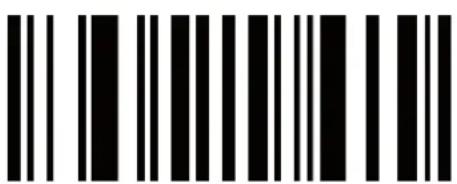
Code byte 6

Code byte 5
01402
00481
MANUAL
MODE D' EMPLOI
MANUALE
HASZNÁLATI ÚTMUTATÓ
BRUKSANVISNING
MANUAL DE UTILIZARE
ANLEITUNG
GEBRUIKSAANWIJZING
MANUAL DE USO
KÄYTTÖHJE
NÁVOD K POUŽITÍ

CMP-BARSCAN31 & CMP-BARSCAN40
Laser barcodescanner
MANUAL
MODE D' EMPLOI
MANUALE
HASZNÁLATI ÚTMUTATÓ
BRUKSANVISNING
MANUAL DE UTILIZARE
ANLEITUNG
GEBRUIKSAANWIJZING
MANUAL DE USO
KÄYTTÖHJE
NÁVOD K POUŽITÍ
Corrente in standby: 30 mA
Modifica in metodo dongle:
Errato.

6) Caricamento del CMP-BARSCAN40
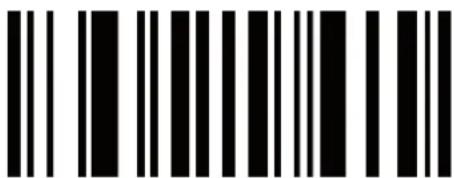
Byte codice 6
Byte codice 5
01402
00481
MANUAL
MODE D' EMPLOI
MANUALE
HASZNÁLATI ÚTMUTATÓ
BRUKSANVISNING
MANUAL DE UTILIZARE
ANLEITUNG
GEBRUIKSAANWIJZING
MANUAL DE USO
KÄYTTÖHJE
NÁVOD K POUŽITÍ
ESPAÑOL
Mal


Código byte 6

Código
byte
01402
00481
MANUAL
MODE D' EMPLOI
MANUALE
HASZNÁLATI ÚTMUTATÓ
BRUKSANVISNING
MANUAL DE UTILIZARE
ANLEITUNG
GEBRUIKSAANWIJZING
MANUAL DE USO
KÄYTTÖHJE
NÁVOD K POUŽITÍ
MAGYAR NYELVÜ
Tartalomjegyzék:
Hibás

Kódbájt
5
01402
00481
MANUAL
MODE D' EMPLOI
MANUALE
HASZNÁLATI ÚTMUTATÓ
BRUKSANVISNING
MANUAL DE UTILIZARE
ANLEITUNG
GEBRUIKSAANWIJZING
MANUAL DE USO
KÄYTTÖHJE
NÁVOD K POUŽITÍ
SUOMI
Sisältö:
Väärin

Koodin tavu 0

Koodin tavu 6
Koodin tavu 5
01402
00481
MANUAL
MODE D' EMPLOI
MANUALE
HASZNÁLATI ÚTMUTATÓ
BRUKSANVISNING
MANUAL DE UTILIZARE
ANLEITUNG
GEBRUIKSAANWIJZING
MANUAL DE USO
KÄYTTÖHJE
NÁVOD K POUŽITÍ
SVENSKA
CDRH KLASS II, IEC KLASS II
U P C - A , U P C - E ,
EAN13, Code 128, EAN 128, Code39, Code 93, Codebar125, etc.
USB
Snittställe:
Fel.

6) Ladda upp CMP-BARSCAN40

Code byte 6

Code byte 5
01402
00481
MANUAL
MODE D' EMPLOI
MANUALE
HASZNÁLATI ÚTMUTATÓ
BRUKSANVISNING
MANUAL DE UTILIZARE
ANLEITUNG
GEBRUIKSAANWIJZING
MANUAL DE USO
KÄYTTÖHJE
NÁVOD K POUŽITÍ
ČESKY
Obsah:
Chybně.

Kódový bajt 6

Kódový bajt 5
01402
00481
MANUAL
MODE D' EMPLOI
MANUALE
HASZNÁLATI ÚTMUTATÓ
BRUKSANVISNING
MANUAL DE UTILIZARE
ANLEITUNG
GEBRUIKSAANWIJZING
MANUAL DE USO
KÄYTTÖHJE
NÁVOD K POUŽITÍ
ROMÂNĂ
Continut:
Capacitate accumulator: 1200 mAh
Greşit:
7.7 Setare ID character
7.7.1 Codul de setare ID caracter:
| CODE 11 ID character Cod de setare |
 0P 0P |
| CODE 39 ID character Cod de setare |
 0O 0O |
| CODE 93 ID character Cod de setare |
 0N 0N |
| CODE 128 ID character Cod de setare |
 0M 0M |
| CODABAR ID character Cod de setare |
 0L 0L |
| IZOF 5 ID character Cod de setare |
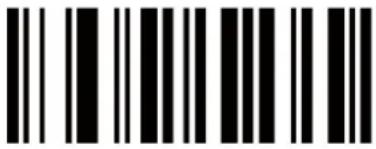 0K 0K |
| IDZOF 5 ID character Cod de setare |
 0J 0J |
| MSI/PIESSEY ID character Cod de setare |
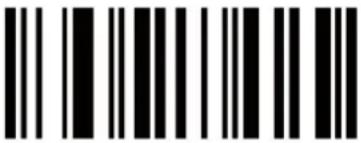 0I 0I |
| UPC-A ID character Cod de setare |
 0H 0H |
| UPC-E ID character Cod de setare |
 0G 0G |
| EAN-13 ID character Cod de setare |
 0F 0F |
| EAN-8 ID character Cod de setare |
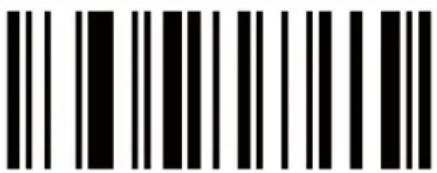 0E 0E |
| ISBN ID character Cod de setare |
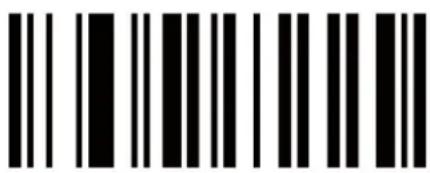 0D 0D |
7.7.2 Biti cod 0-9

Code byte 6
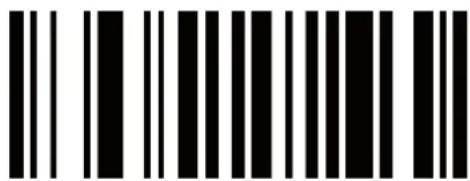
Code byte 5
01402
00481

- CMP-BARSCAN31 & CMP-BARSCAN40
- ENGLISH
- TABLE OF CONTENTS
- INTRODUCTION
- FEATURES
- SPECIFICATIONS
- CONNECTIONS
- USB CABLE VERSION: (CMP-BARSCAN31)
- USB DONGLE VERSION: (CMP-BARSCAN40)
- CHANGING TO DONGLE METHOD
- OPERATION
- CHARGING THE CMP-BARSCAN40
- BARCODE SETTINGS
- 7.1 EDIT SETUP BARCODE
- 7.2 MACRO/SPECIAL KEYS SETUP BARCODES
- 7.5 SYMBOLOGIES SET UP
- 7.6 MULTISCAN FUNCTIONS
- 7.7 ID CHARACTER SETTING
- 7.7.1 ID CHARACTER SETUP CODE
- 7.7.3 ID CHARACTER SETTING METHOD
- CODE BYTE 5
- NOTE
- ASC11 REFERENCE TABLE
- DECLARATION OF CONFORMITY
- SAFETY PRECAUTIONS
- MAINTENANCE
- WARRANTY
- GENERAL
- ATTENTION
- DEUTSCH
- INHALTSVERZEICHNIS
- ASCII-TABELLE
- FRANCAIS
- RECHARGEMENT DU CMP-BARSCAN40
- NEDERLANDS
- INHOUD
- DE CMP-BARSCAN40 OPLADEN
- MODIFICA IN METODO DONGLE
- CARICAMENTO DEL CMP-BARSCAN40
- ESPAÑOL
- MAGYAR NYELVÜ
- TARTALOMJEGYZÉK
- SUOMI
- SISÄLTÖ
- SVENSKA
- LADDA UPP CMP-BARSCAN40
- ČESKY
- OBSAH
- ROMÂNĂ
- CONTINUT
- 7.7 SETARE ID CHARACTER
- 7.7.1 CODUL DE SETARE ID CARACTER
Brand : KONIG
Model : CMP-BARSCAN31
Category : Barcode Reader