
MPV 1780 - Mp3 player Trevi - Free user manual and instructions
Find the device manual for free MPV 1780 Trevi in PDF.


| Product Type | Portable MP3 Player |
| Brand | Trevi |
| Model | MPV 1780 |
| Dimensions | 4 x 2.5 x 1 cm |
| Weight | 50 g |
| Power | Rechargeable lithium-ion battery |
| Storage Capacity | 8 GB internal |
| Supported Audio Formats | MP3, WMA, WAV |
| Display | Backlit LCD |
| Functions | Play, pause, next, previous, volume, equalizer, repeat, shuffle |
| Connectivity | 3.5mm headphone jack, mini USB port |
| Battery Life | Approximately 15 hours |
| Charging | Via USB cable (included) |
| Maintenance and Cleaning | Use a soft, dry cloth; avoid moisture |
| Safety | Do not expose to water, do not disassemble |
| Spare Parts and Repairability | Not user-serviceable, contact customer support |
| Box Contents | Player, earphones, USB cable, user manual |
Frequently Asked Questions - MPV 1780 Trevi
User questions about MPV 1780 Trevi
0 question about this device. Answer the ones you know or ask your own.
Ask a new question about this device
Download the instructions for your Mp3 player in PDF format for free! Find your manual MPV 1780 - Trevi and take your electronic device back in hand. On this page are published all the documents necessary for the use of your device. MPV 1780 by Trevi.
USER MANUAL MPV 1780 Trevi
Mini lettore Bluetooth/Video/Mp3/Pedometro Mini Bluetooth/Video/Mp3 player/Pedometer
trevi
MANUALE UTENTE
MPV 1780 SB
INSERIMENTO DELLA MICRO SD
USCITA DAL MODO BLUETOOTH
Media Player Upgrade Tool
INSERT MICRO SD CARD
Insert the Micro SD card supplied (for the correct insert direction check the picture on player case) and gently insert it into the slot until you hear a click. At this point the reader is able to play music and videos or save recordings tab. Remove the Micro SD card by pressing against it.
English
BUTTON FUNCTION
[ON/OFF]: power switch
[M]: enter sub-menu
[>ll]: play/stop, power on/off the player
[<] :Short press for previous song, Long press for backword
[>]: Short press for next song, Long press for forward
[V] :Short press for exit; Long press for volume adjustment.
Combine with [<] / [>] for volume increase &decrease.
BASIC OPERATION
I) Power on: first push the button to [ON] and hold >II button for 3 seconds, the player will go to working condition.
2) Power off: hold [>II] (play/stop) button for three seconds, the player will be turned off, then push button [ON] to [OFF] side.
Note: When battery power is low, it will automatically power off.
3) Adjusting volume:
With Music mode, video mode, Voice mode and FM radio mode, long press [V] for volume

MPV 1780 SB
adjustment. Combine with [<] / [>] for volume increase & decrease.
MAIN MENU
Hold [M] to enter main menu, there are many modes which can switch into each other by pressing [<] or [>].
BLUETOOTH MODE
I) Select bluetooth mode in main menu, and short press PLAY/STOP[>II] into sub menu, first into bluetooth status & select bluetooth enable and short press [V] to return to sub menu then press [<] or [>] to select : bluetooth search.
2) Short press PLAY/STOP[>II] to automatically search BT device, and short press PLAY/STOP[>II] for connection with BT device.
3) After successful connection, short press [V] to return to all songs, select any song which you want then short press PLAY/STOP[>II] to play it.
STEP (PEDOMETER)
Start step: start pedometer record
MPV 1780 SB
Personal info: keep personal info
History: check history record
Clear history: choose if clear history record or not
MUSIC MODE
Select Music mode, select all songs, press [>ll] enter sub menu, display all of songs; sorting music files by Artists, Albums, Genres, Playlists, album art, Audio books, Creating playlists, press [>ll] enter sub menu to create new play list and Cardfolder.
VIDEO MODE
Select Video mode, Press [>II] enter sub menu to play video file.
RECORDINGS MODE
Select Recordings mode in main menu, then press [>II] again enter into recording sub-menu.
Press [>ll] to start recording. In the meantime please note:
I. During recording, only [>II] (play/stop) and [M] can be effective.
- Press [>ll] (play/stop) button shortly will save present recording file and start a new recording file.

English
- Press [>II] enter recording library to check all of saved recording files.
- Press [>II] enter record format. Select recording format from MP3 Rec, WAV Rec, ACT Rec.
- Press [>II] enter record setting to make record date setting.
PICTURES MODE
Under main menu, swing [<] or [>] button to select Pictures mode, then press [>II], Press [>II] (play/stop) button to display the picture automatically or manually according to previous playing setting.
FM RADIO MODE
Select FM Radio, select Presets and press [>II] (play/stop) to save channel. If no channel is saved, you can look for channels by auto or manual searching. Manual search: swing [<] or [>] button to search channel by manual tune or Auto tune.
Note: Normal band can store 40 preset channels respectively.
Note: for better reception insert the the headphone
English
wire cable.
FM RECORDING
Select this to make a recording of the radio station you are listening.
Make sure you have inserted the Micro SD Card in slot (7). From the main menu, select FM RADIO, using the key Play/pausa(1) and start to listen the preferred radio station. Select the function START RECORDING FM RADIO and then PLAY / PAUSE button (1) to confirm and set me up for recording. When recording is finished, press V (6) and select YES to confirm then press the PLAY / PAUSE (1). Select FM RECORDINGS in main menu' to listen the saved recordings.
EBOOK MODE
Enter E-Book mode by pressing [>ll] button, then you can read and edit the article in the device. The device only can recognize the article in ".txt" format.
FOLDERVIEW MODE
Press [>II] into folder view, you can find all of saved files in the players.
TOOLS MODE

MPV 1780 SB
Press [>II] into sub menu of tools, you can select Calendar & Stopwatch function.
SET MODE
Press [>II] into sub menu of Set. You can setup I) Play mode;2)Sound setting; 3) Sleep timer; 4) Display setting; 5) date and time; 6) Language; 7) Information and also you can make 8)Format device or Restore factory settings.
All of above modes, press [>II] enter sub-menu; short press[V] to exit.
UTILITY SOFTWARE INSTALLATION
The SD card supplied includes various software utilities.
Insert the SD card in the player and connect to your PC to display its contents.
Navigate the contents of the SD card and in folder "Video converter tool" run the file "Setup.exe".
Follow the instructions that appear to complete the installation
After installation go to Start> Programs> AMV Conversion Tools:
MPV 1780 SB
AMV Player
Player AMV video files.
AMV & AVI Video converter
Utility for converting video files.
Note: the conversion operation it's necessary to display the video in the player; otherwise, the player can not be able to properly display video content.
Media Manager
File manager.
Media Player Upgrade Tool
Program to update the player's firmware.
NB: Trevi S.p.A. disclaims any liability for any damage caused to your MP3 player due to misuse of the program / firmware.

English
TECHNICAL SPECIFICATIONS
Capacity Micro SD Card : 8GB expandable up to 32GB
Reception band: 87.0-108.0 MHz / 76.0-92.0 MHz
Bluetooth transmission power: 2,5MW
Bluetooth transmission frequency: 2.4GHz
Power Lithium battery
Audio file types: MP3, WMA, WAV
Video: MJPEG 160X128
Images: JPG
Text: TXT
Windows® XP / Vista / 7/8/10
Size: 89 mm x 41 mm x 10 mm
English

MPV 1780 SB
WARNING FOR A CORRECT USE OF RECHARGEABLE BATTERY
- Recharge the battery in an ambient temperature between 5°C and 35°C.
- Don't recharge more than the suitable period to prevent the risk of overheating and burst.
- Don't recharge the battery for more than 6 hours.
- Recharging the battery over the suitable period or an extended period of inactivity may reduce battery duration.
- Rechargeable battery is liable to wear and tear and its performance will reduce gradually.
- To extend the duration of the battery use it when is completely charged up to the complete discharging, then recharge it fully before use it again. Recharge a battery not completely consumed, will result a reduced duration. In this case, repeat the full charging/discharging cycle many times.
- Avoid recharge the battery for the whole night.
INFORMATION NOTE ON THE REMOVAL AND DISPOSAL OF BATTERIES Warning: Only high-qualified personnel should perform this operation!
BATTERY REMOVAL
I) Remove the back part of the appliance from cogs;
2) Select the battery;
3) Disconnect and remove the battery.
Used batteries should not be disposed of with household waste or thrown into fire or water. Used batterie should be recycled or disposed of in separate waste collection centres.
MPV 1780 SB

English
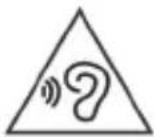
To avoid possible hearing damage, limit the time listening at high volumes.
Français
FONCTION
Media Player Upgrade Tool
Media Player Upgrade-Tool
MPV 1780 SB
INSERT MICRO SD CARD
Media Player Upgrade-Tool
Banda de recepción: 87,0 a 108,0 MHz / 76,0 a 92,0 MHz
USERS INFORMATION pursuant to Legislative Decree No. 49 of March 14, 2014 "Implementation of Directive 2012/19 / EU on Waste Electrical and Electronic Equipment (WEEE)"
This wheeled bin symbol on the product indicates that at the end of its life must be collected separately from other waste. The user must, therefore, take the remote control integrates the essential components that got to its life to the appropriate differentiated collection centers for electronic and electro-technical waste, or return it to the dealer when purchasing a new appliance of equivalent type, in terms of one to one, or one to zero for equipment having longer side of less than 25 cm. Appropriate separate collection for the decommissioned equipment for recycling, processing and environmentally compatible disposal helps prevent negative impact on the environment and human health and promotes recycling of the materials making up the product. Illegal dumping of the product by the user entails the application of administrative sanctions stated in Legislative Decree n. Legislative Decree No. 49 of March 14, 2014.
MPV 1780 SB


SIMPLIFIED EU DECLARATION OF CONFORMITY
Hereby TREVI Spa declares that the radio equipment type MPV 1780 SB is in compliance with directive 2014 / 53 / EU.
The full text of the EU declaration of conformity is available at the following internet address https://www.trevi.it/dms/zidi/TREVI/DOCMPVI780SB.pdf

EN If you will not find your language on the instruction manual, please go on our website www.trevi.it to find it


- MANUALE UTENTE
- INSERIMENTO DELLA MICRO SD
- USCITA DAL MODO BLUETOOTH
- Media Player Upgrade Tool
- INSERT MICRO SD CARD
- English
- BUTTON FUNCTION
- BASIC OPERATION
- MAIN MENU
- BLUETOOTH MODE
- STEP (PEDOMETER)
- MPV 1780 SB
- MUSIC MODE
- VIDEO MODE
- RECORDINGS MODE
- PICTURES MODE
- FM RADIO MODE
- FM RECORDING
- EBOOK MODE
- FOLDERVIEW MODE
- TOOLS MODE
- SET MODE
- UTILITY SOFTWARE INSTALLATION
- AMV Player
- AMV & AVI Video converter
- Media Manager
- TECHNICAL SPECIFICATIONS
- WARNING FOR A CORRECT USE OF RECHARGEABLE BATTERY
- INFORMATION NOTE ON THE REMOVAL AND DISPOSAL OF BATTERIES Warning: Only high-qualified personnel should perform this operation!
- BATTERY REMOVAL
- Français
- FONCTION
- Media Player Upgrade-Tool
- USERS INFORMATION pursuant to Legislative Decree No. 49 of March 14, 2014 "Implementation of Directive 2012/19 / EU on Waste Electrical and Electronic Equipment (WEEE)"
- SIMPLIFIED EU DECLARATION OF CONFORMITY
Brand : Trevi
Model : MPV 1780
Category : Mp3 player