
T90A06 - Lamp AXIS - Free user manual and instructions
Find the device manual for free T90A06 AXIS in PDF.


| Product type | LED lamp |
| Brand | AXIS |
| Model | T90A06 |
| Light source | Integrated LED |
| Nominal power | 10 W |
| Supply voltage | 220-240 V ~ 50/60 Hz |
| Dimensions (L x W x H) | 15 x 15 x 20 cm |
| Weight | 0.5 kg |
| Material | Aluminum and plastic |
| Main functions | Indoor lighting, integrated dimmer |
| Protection rating | IP20 |
| Energy efficiency class | Class A+ |
| Color temperature | 3000 K (warm white) |
| Lifespan | 25,000 hours |
| Beam angle | 120° |
| Installation | Wall mounting or floor stand (depending on version) |
| Care and cleaning | Clean with a soft, dry cloth. Do not use abrasive products. |
| Safety | Observe safety distances. Do not cover the lamp. |
| Spare parts and repairability | LED not replaceable. No spare parts available. |
| General information | Indoor use only. Suitable for living room, bedroom, office. |
Frequently Asked Questions - T90A06 AXIS
User questions about T90A06 AXIS
0 question about this device. Answer the ones you know or ask your own.
Ask a new question about this device
Download the instructions for your Lamp in PDF format for free! Find your manual T90A06 - AXIS and take your electronic device back in hand. On this page are published all the documents necessary for the use of your device. T90A06 by AXIS.
USER MANUAL T90A06 AXIS
This guide provides instructions for installing the AXIS T90A 2x/3x/4x. The contents of this guide are as follows:
- Package Contents. See below
- Installation, on page 5
- Setup, on page 6
- PSU specifications, on page 7
- Power Supply Features, on page 8
- Technical drawings, on page 9
Package Contents
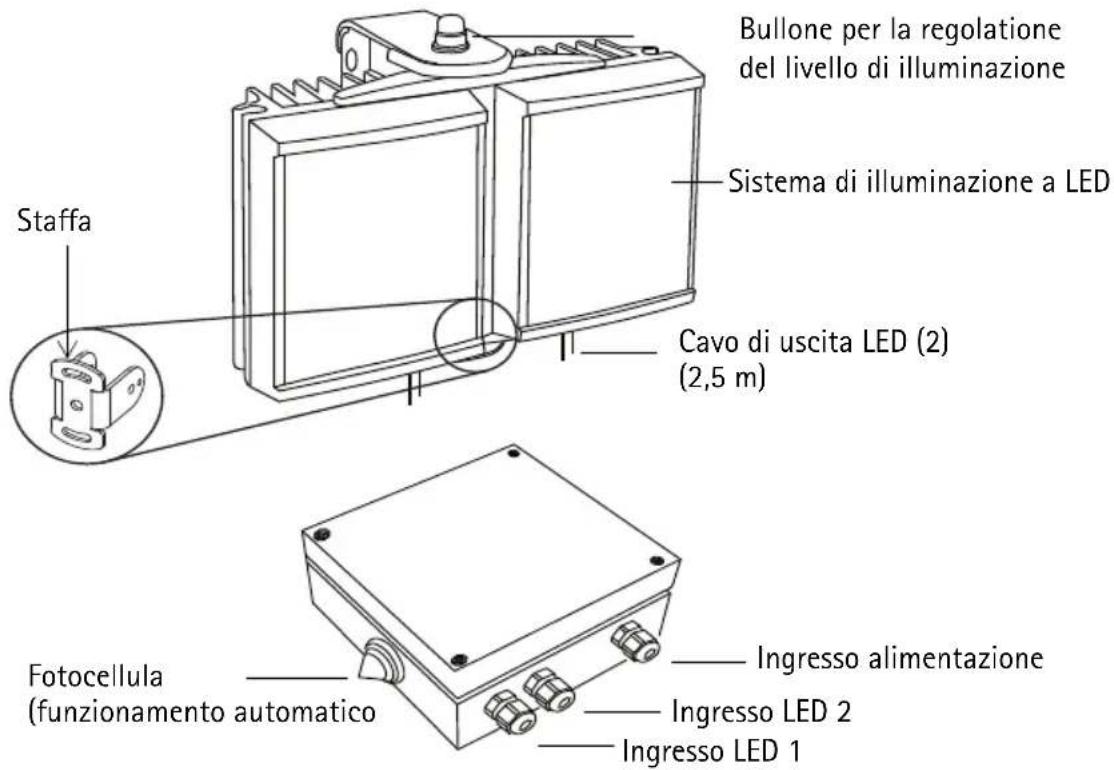
• AXIS T90A Illuminator with bracket
• Power Supply (PSU)
• Installation guide (this document)
Overview
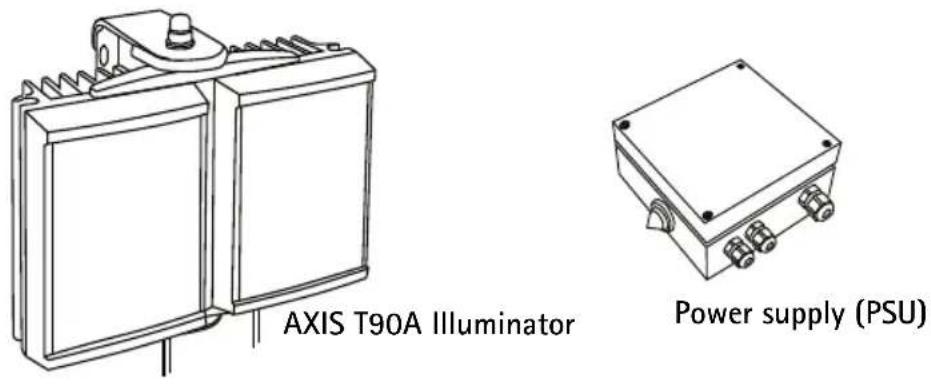

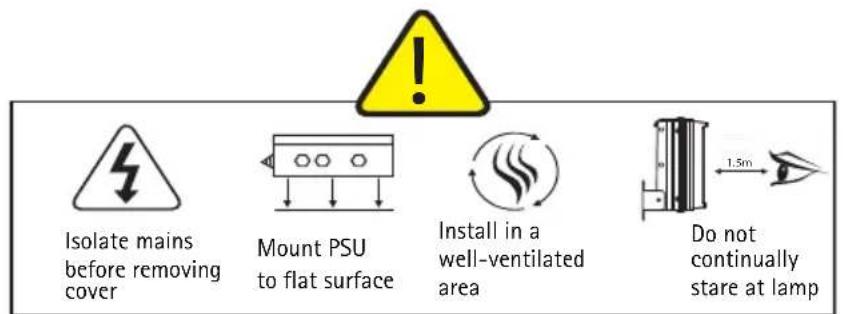
Specifications subject to change without notice.
Installation
Follow these installation procedures:
- Mount the illuminator.
- Mount the PSU.
- Extend or reduce the lead length as you wish.
- Connect the LED output.
-
Connect the mains.
-
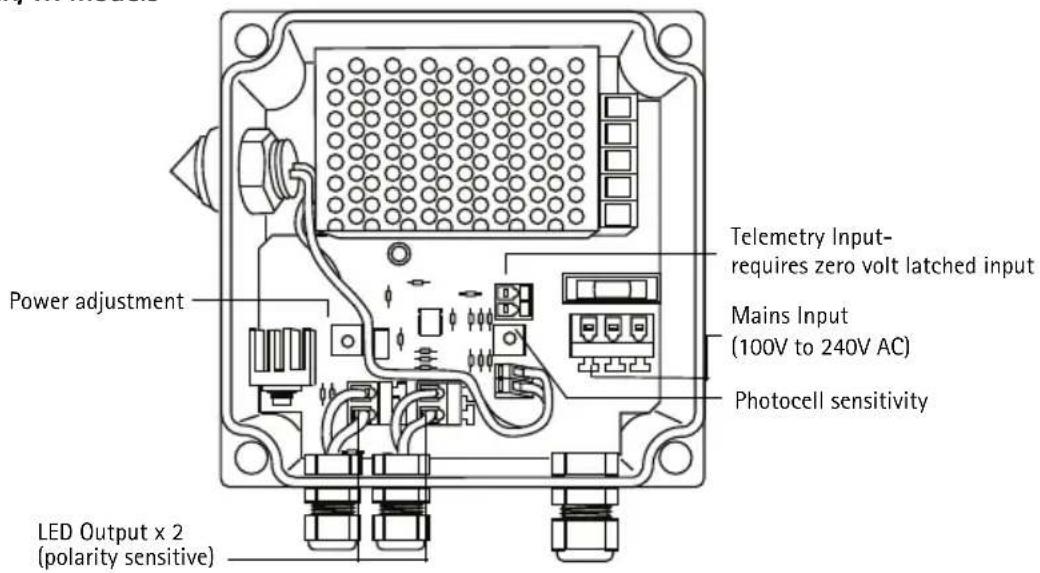
Adjust the PSU and telemetry if required. (Telemetry input is used when you require to remotely control the illuminator.)


Setup
Follow these instructions to set up the illuminator.
- It is recommended that you set the illuminator up at night.
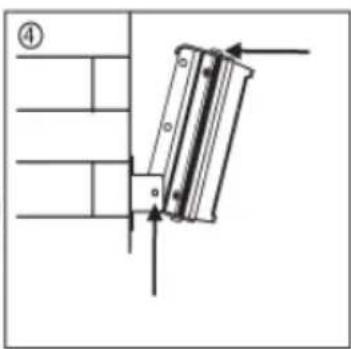
- Adjust the illumination vertically so you light up the target area.
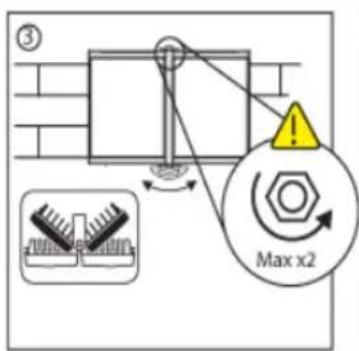
- Adjust the illumination horizontally via Adaptive Illumination to match illumination to the camera's field of view.
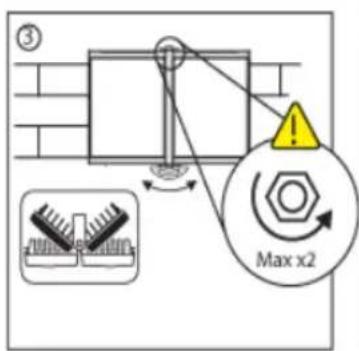
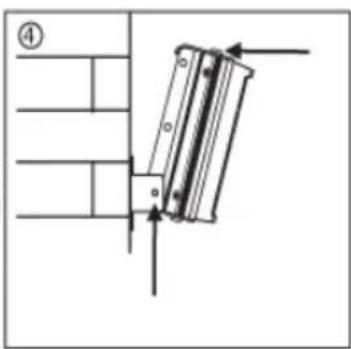
- Tighten all connections.

natural_image
Simple line drawing of a person holding a wall-mounted device with a crescent moon and clock, no text or symbols present.

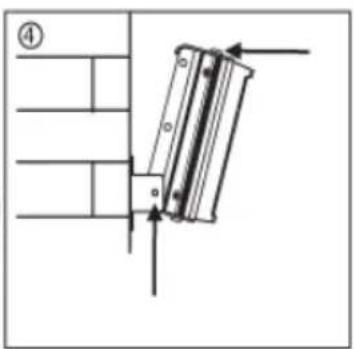

CAUTION: Do not fully loosen bolt
Match illumination to camera's field of view


PSU specifications
Infra-red series
| AXIS T90A 4x AXIS | T90A 3x AXIS T90A | 2x AXIS T90A 1x | ||
| Input AC 100-240 universal < 80W | AC 100-240 universal <40W | AC 100-240 universal < 20W | AC 100-240 universal < 10W | |
| Fuse 2.5A anti-surge 2.5A anti-surge | 1A anti-surge 1A anti-surge | |||
| Output 4.4A @ | 13.5V 2.4A @ 13.5V | 1A @ 13.5V 0.5A @ 13.5V | ||
| Adjustable Power | 10% - 100% 10% - | 100% 10% - 100% 10% - 100% | ||
| Weight 1.85 kg | 1.65 kg 0.9 kg 0.8 kg | |||
| Dimensions L x W x D | 160 x 160 x 81 160 x 160 x 81 160 x 100 x 61 160 x 100 x 61 | |||
| Drilling Dimensions | 4 x M4 holes @ 145 x 123mm | 4 x M4 holes @ 145 x 123mm | 4 x M4 holes @ 145 x 63mm | 4 x M4 holes @ 145 x 63mm |
White-light series
| AXIS T90A 4x AXIS | T90A 3x AXIS T90A | 2x AXIS T90A 1x | ||
| Input AC 100-240 universal < 80W | AC 100-240 universal <40W | AC 100-240 universal < 20W | AC 100-240 universal < 10W | |
| Fuse 2.5A anti-surge 2.5A anti-surge | 1A anti-surge 1A anti-surge | |||
| Output 4.4A @ | 14V 2.8A @ 14V 1.4A | @ 14V 0.7A @ 14V | ||
| Adjustable Power | 10% - 100% 10% - | 100% 10% - 100% 10% - 100% | ||
| Weight 1.85 kg | 1.65 kg 0.9 kg 0.8 kg | |||
| Dimensions L x W x D | 160 x 160 x 81 160 x 160 x 81 160 x 100 x 61 160 x 100 x 61 | |||
| Drilling Dimensions | 4 x M4 holes @ 145 x 123mm | 4 x M4 holes @ 145 x 123mm | 4 x M4 holes @ 145 x 63mm | 4 x M4 holes @ 145 x 63mm |
Power Supply Features
The following are the power supply features:
- Adjustable photocell
- Adjustable power
- Telemetry input
• Photocell following contact (premium only)
• 12V DC output (premium only)
Power supply diagrams
Infra-Red and White-light AXIS T90A 4x/3x models

Infra-Red and White-light AXIS T90A 2x/1x models
Technical drawings
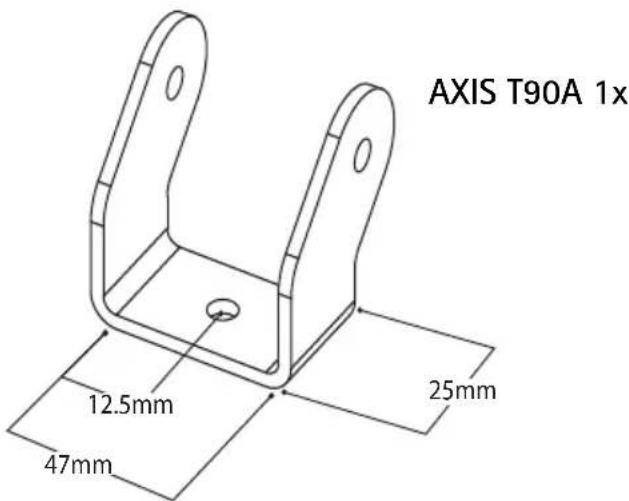
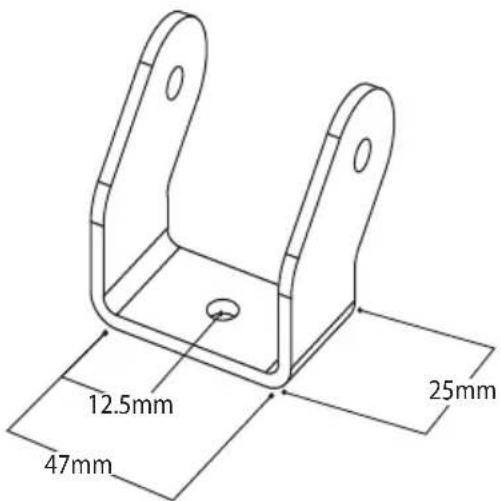
Standard brackets

Optional brackets
Dome mount Pole mount
Wall mount
PTZ mount
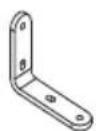
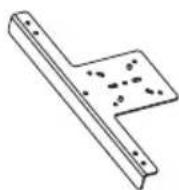


For more information on optional brackets please see www.axis.com
natural_image
Simple line drawing of a person holding a wall-mounted device with a crescent moon and clock, no text or symbols present.
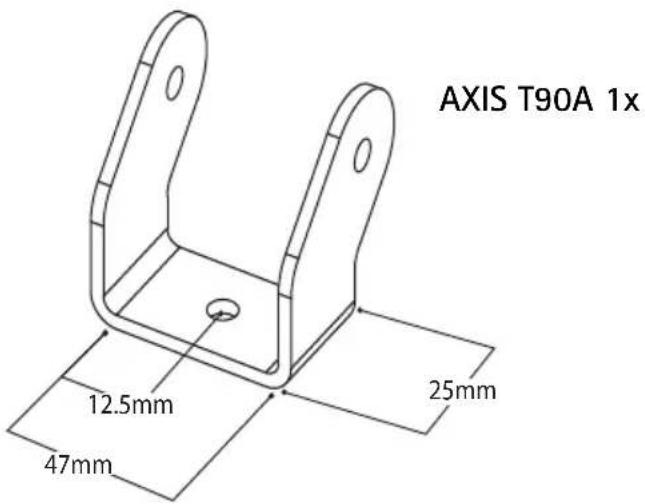
Supports en option
natural_image
Line drawing of a rectangular electronic device with three connectors and mounting holes (no text or symbols)natural_image
Simple line drawing of a person reaching toward a wall-mounted device with a crescent moon and clock (no text or symbols)


AXIS T90A 1x
natural_image
Line drawing of a battery with two compartments and a labeled component 'Illuminat' (no other text or symbols)
natural_image
Line drawing of a rectangular electronic device with three connectors and mounting holes (no text or symbols)Alimentatore (PSU)
natural_image
Simple line drawing of a person holding a wall-mounted device with a crescent moon nearby (no text or symbols)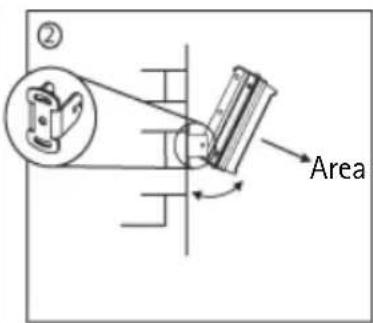
di illuminatione


Staffe opzionali

natural_image
Line drawing of a dual-panel battery with a labeled component (no text or symbols on the diagram itself)
natural_image
Line drawing of a rectangular electronic device with three connectors and mounting holes (no text or symbols)natural_image
Simple line drawing of a person holding a wall-mounted device with a crescent moon and clock, no text or symbols present.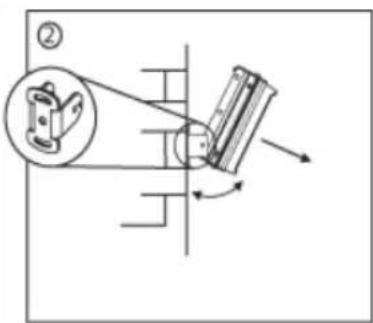
natural_image
Mechanical diagram showing a pulley system with rotating components and directional arrows (no text or labels)Zona para iluminar


Soportes opcionales
AXIS T90A Printed: August 2008
© Axis Communications AB, 2008
Part No. 32718

Brand : AXIS
Model : T90A06
Category : Lamp